How to Use Bluesky: Everything You Need to Know (original) (raw)
Bluesky is a decentralized social media platform that’s part of a wave of new social media platforms that aim to give users more control of their content and audiences. It’s rapidly gaining fame thanks to its in-depth user customization and control and if you’ve recently joined, welcome!
Having been a Bluesky user for more than two years now, I can say that it stands out as a social network because it actively prioritizes putting the power in users’ hands.
Whether you're seeking a fresh alternative to traditional networks or eager to tailor your online experience, Bluesky provides the tools to make it uniquely yours.
💡
Get a crash course on decentralized social media networks here.
In this guide, we’ll help get you going from wherever you are in your Bluesky journey. We'll cover:
- How to set up your Bluesky account
- Using custom domains
- Bluesky's custom feeds and other unique features
- Plus, the robust content moderation options
Jump to a section:
- How to set up your Bluesky account
- How to set up your Bluesky feed
- Some ideas for your first (and next) Bluesky post
- FAQ about setting up your Bluesky account
- More Bluesky resources
How to set up your Bluesky account
Getting started on Bluesky is straightforward. Whether you’re on desktop or mobile, you can sign up, create a profile, and start connecting in just a few steps.
Here’s a step-by-step guide to setting up your Bluesky account and customizing your experience.
Sign up on desktop
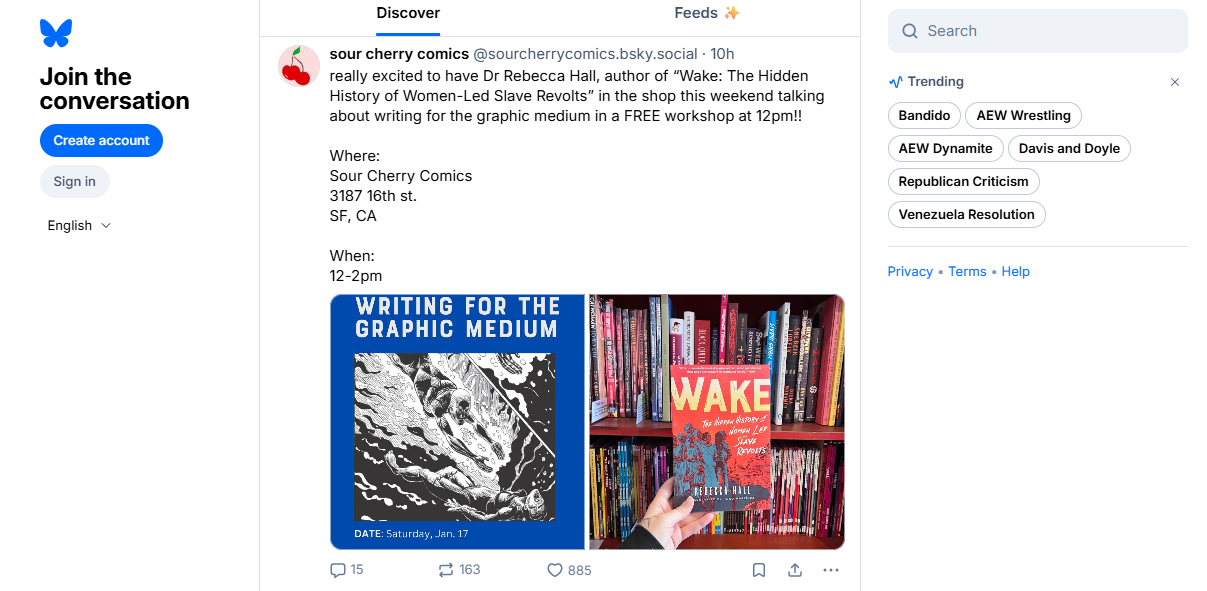
- Visit bsky.app and click on the Create account button at the top left.
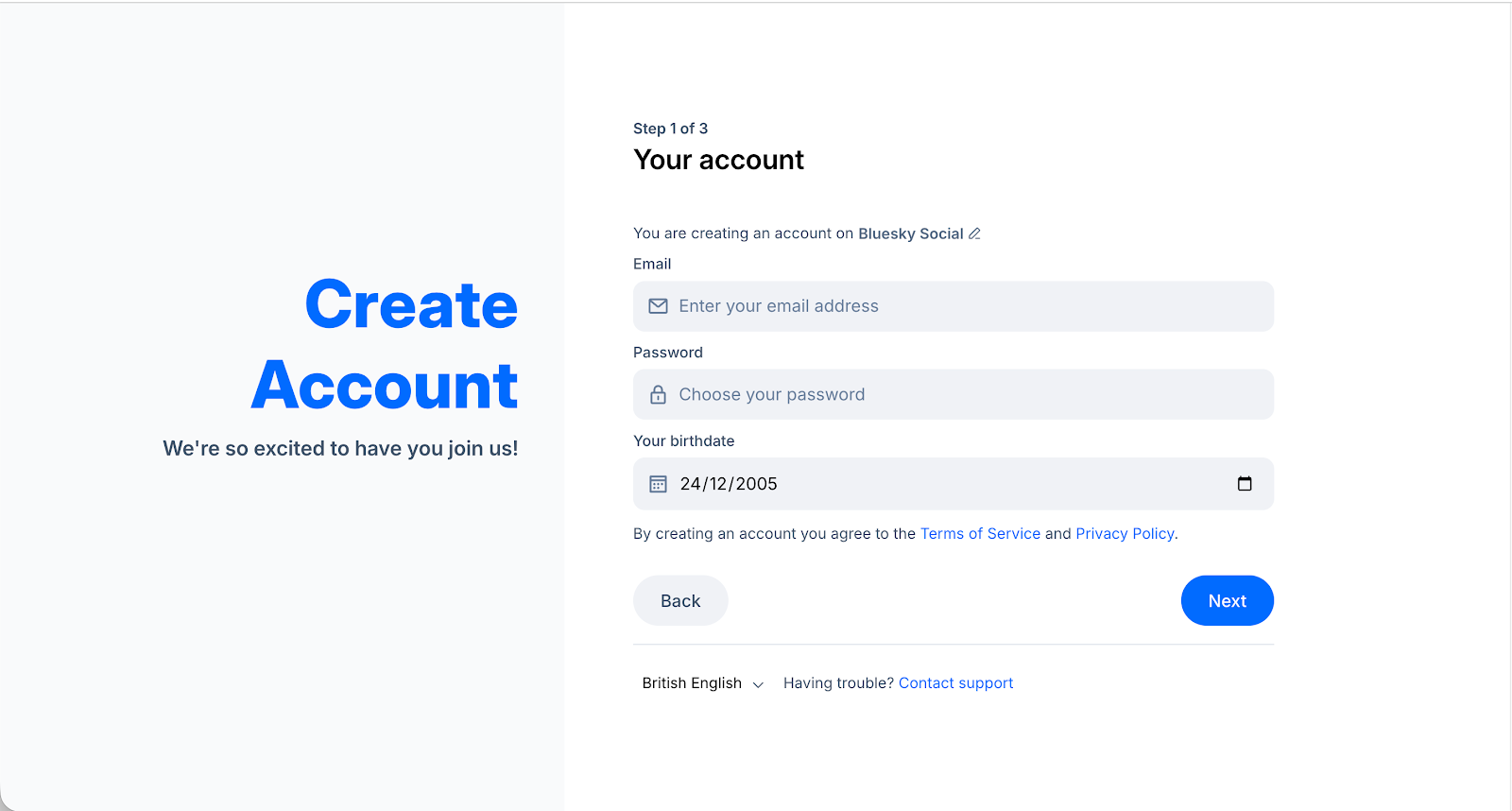
- Fill in your email address and birthdate, and create a password.
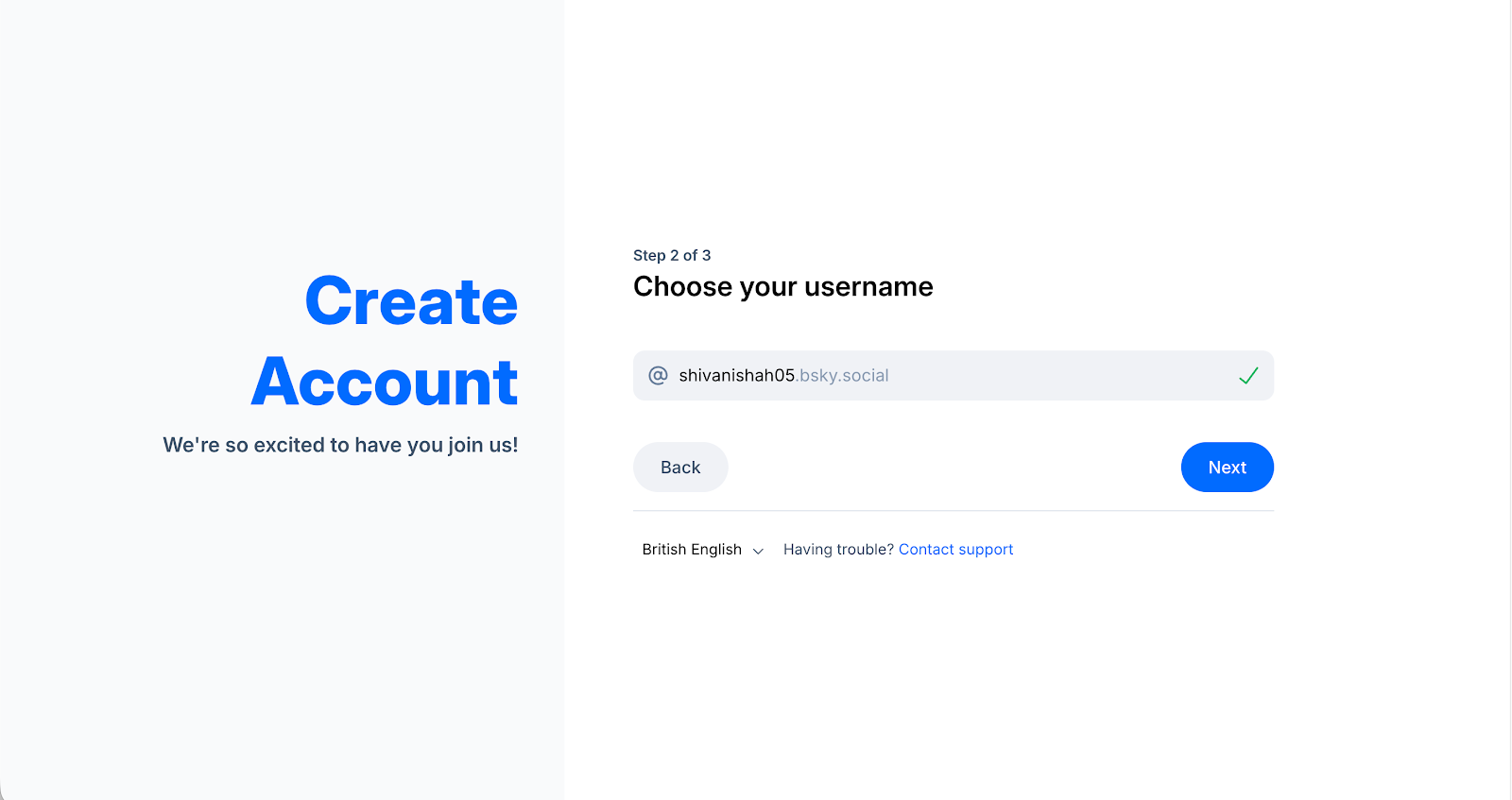
- Next, choose a handle. Complete the captcha challenge to finish setting up your account.
- Bluesky will guide you through prompts to help you get started, including setting up your profile picture, bio, and other details.
How do I change my Bluesky handle to a custom domain?
Bluesky handles self-verification differently than other networks, where you might need to go through an approval process for verification. On Bluesky, you can self-verify by changing your handle to a custom domain.
Setting up a custom domain is easy; you'll just need access to your domain manager or to work alongside someone from your team who has access to your domain. The process is straightforward and often works in minutes.
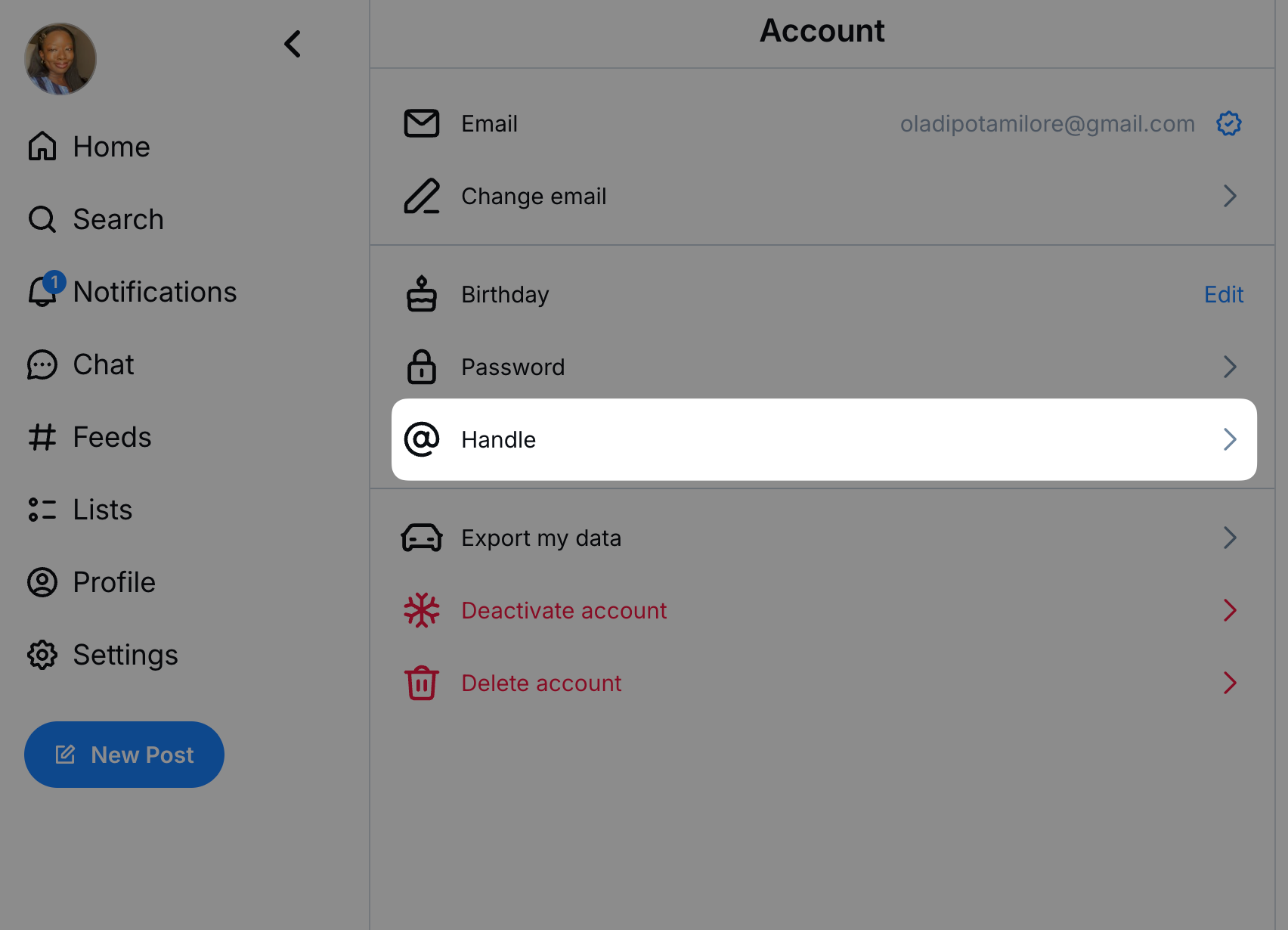
- Open your account settings in Bluesky.
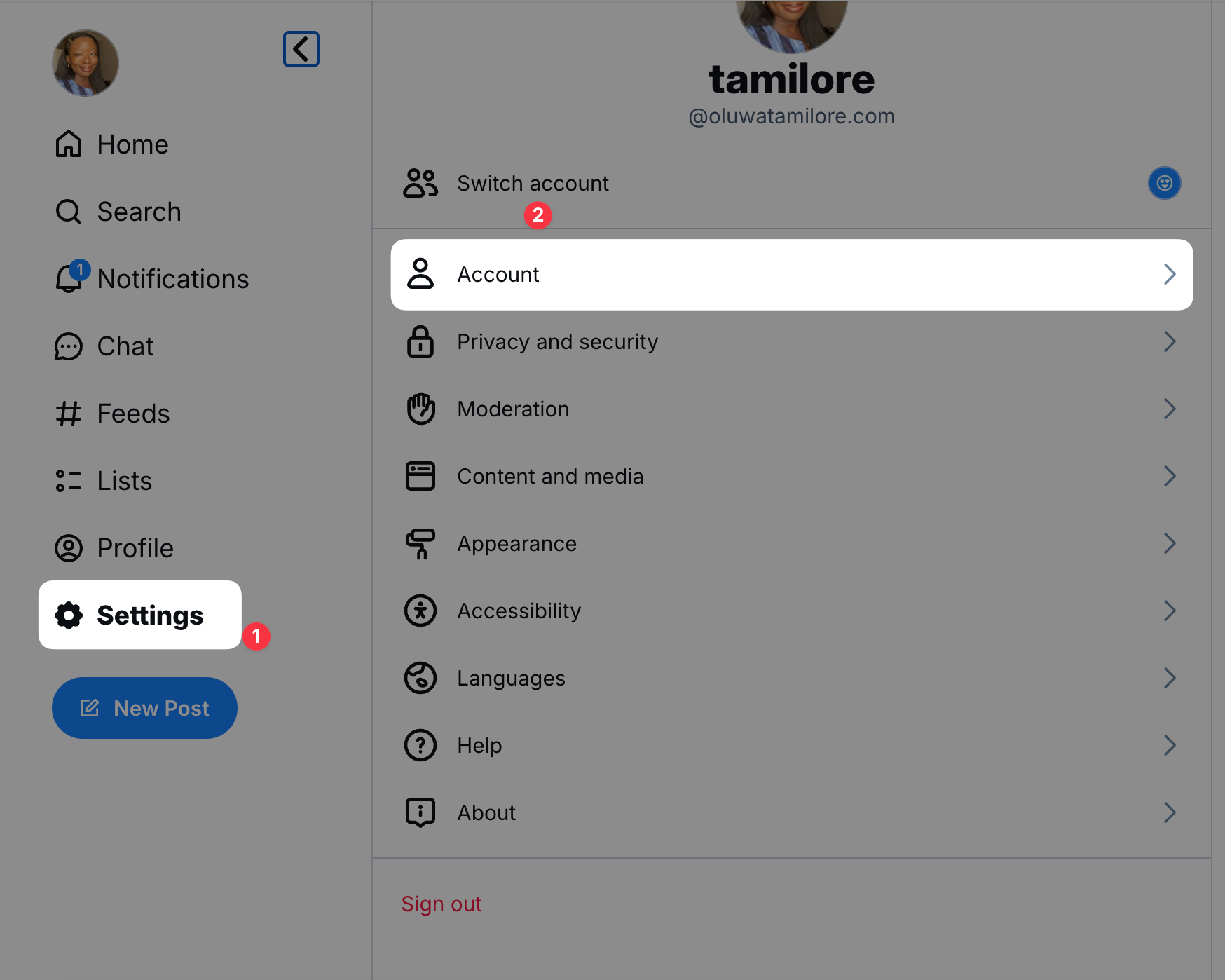
- Select Handle, and then I have my own domain
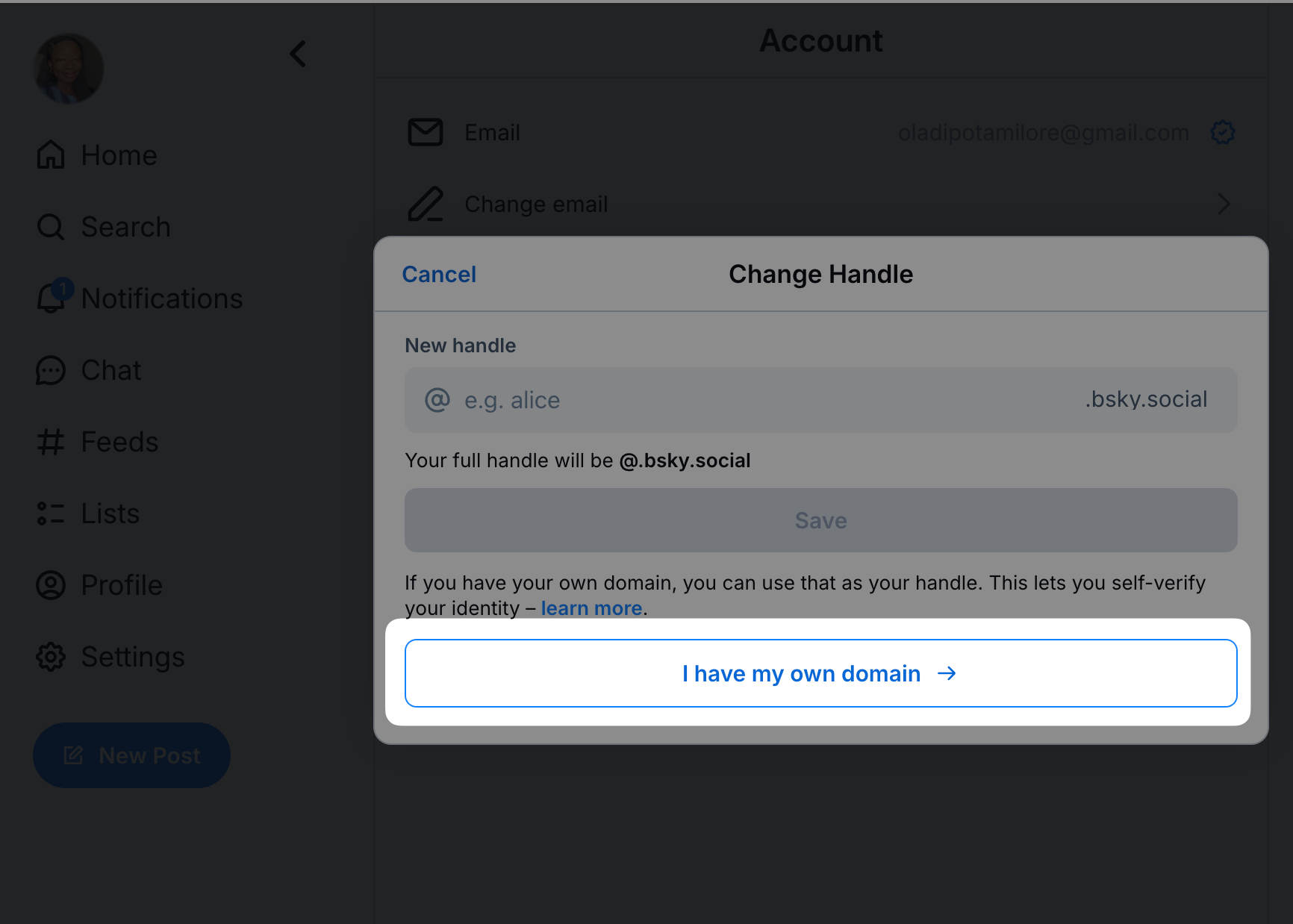
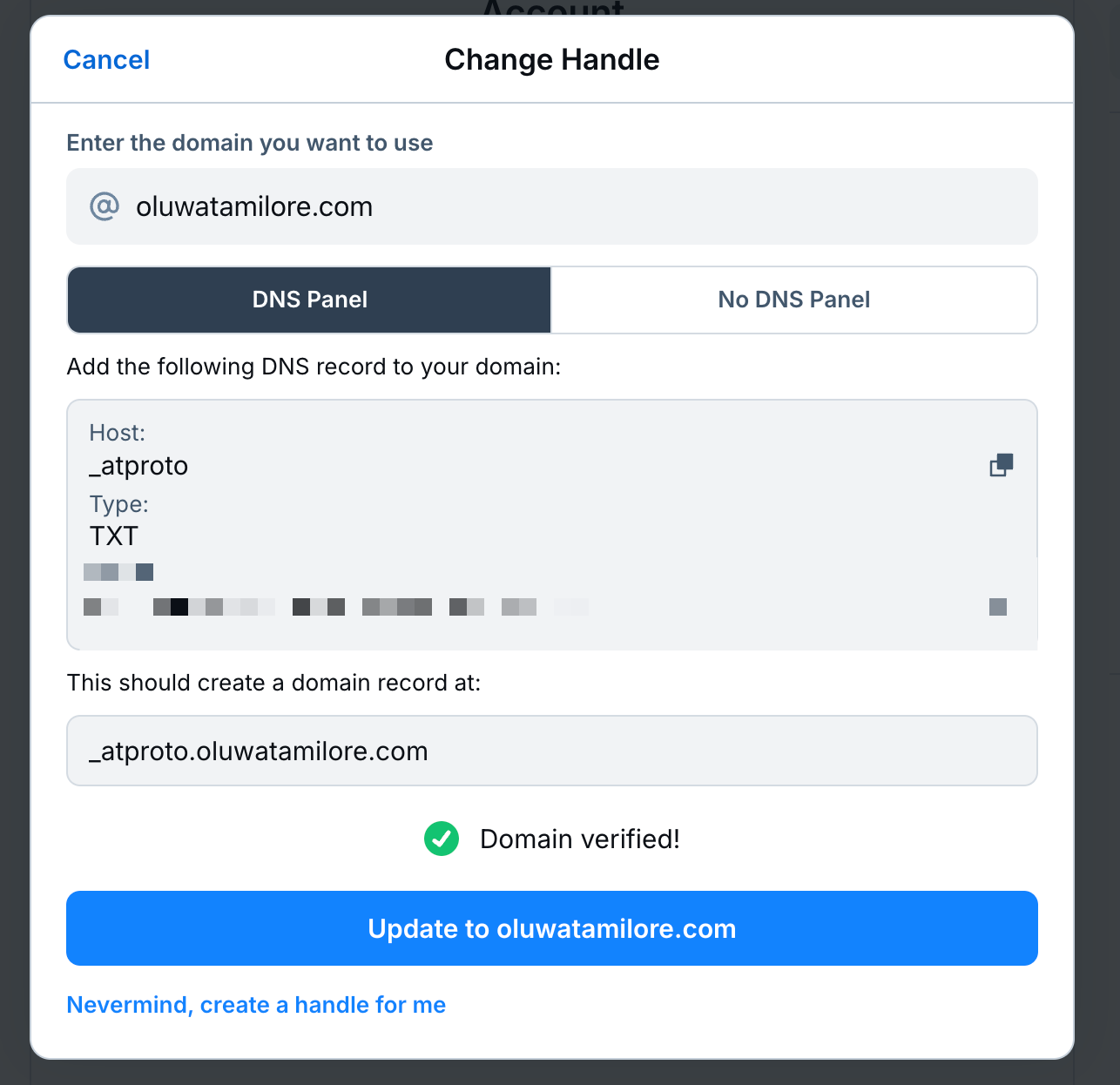
- Follow the instructions to add a new DNS record to your domain in your domain manager.
Sign up to Bluesky on mobile
You can also download the mobile app on iOS (Apple App Store) or Android (Google Play) and set up your account from there.
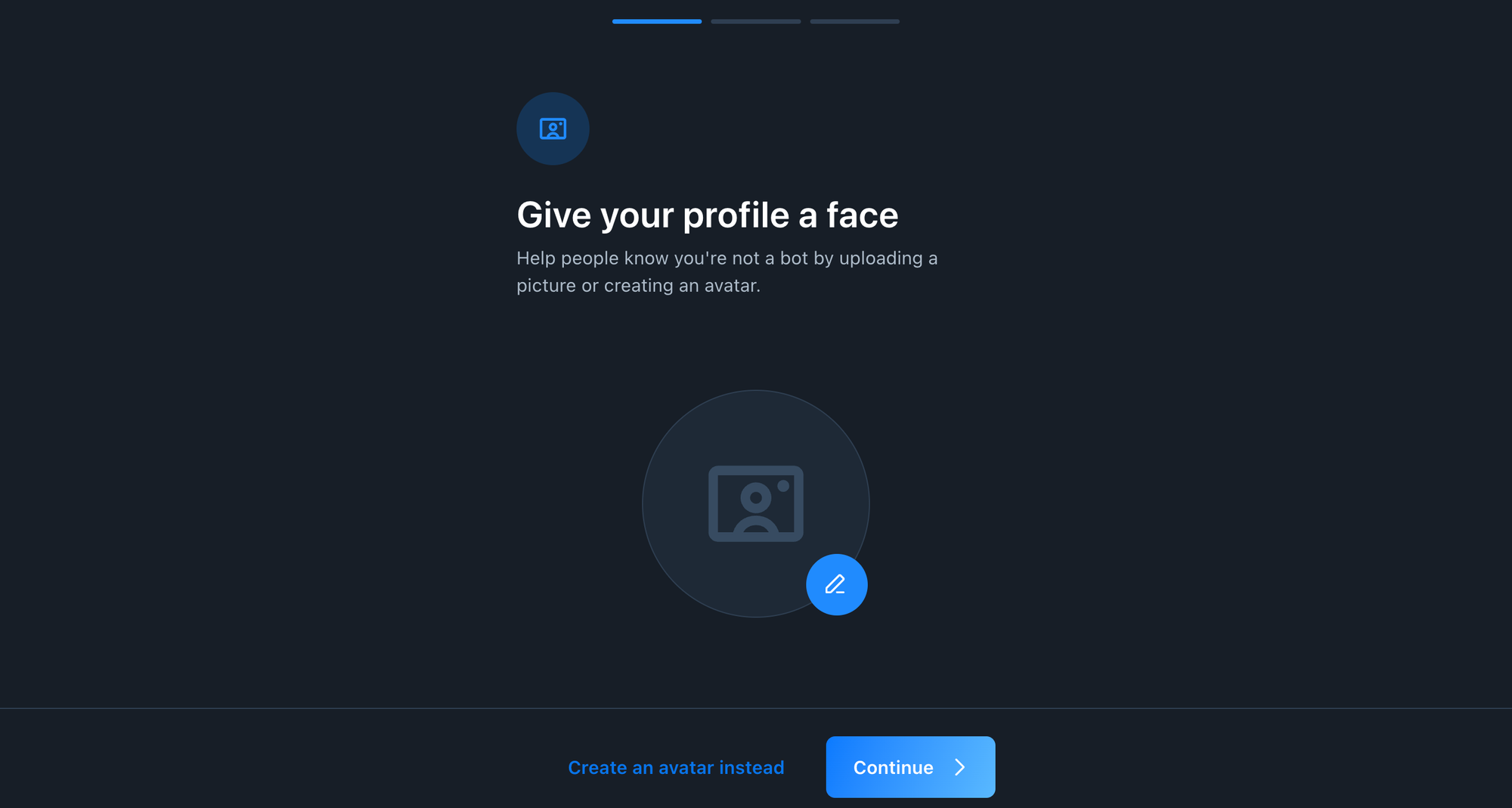
Bluesky will guide you through a series of prompts to help you get started. This includes setting up your profile picture, bio, and other basic information. Make sure you complete all the details to build trust and engagement.
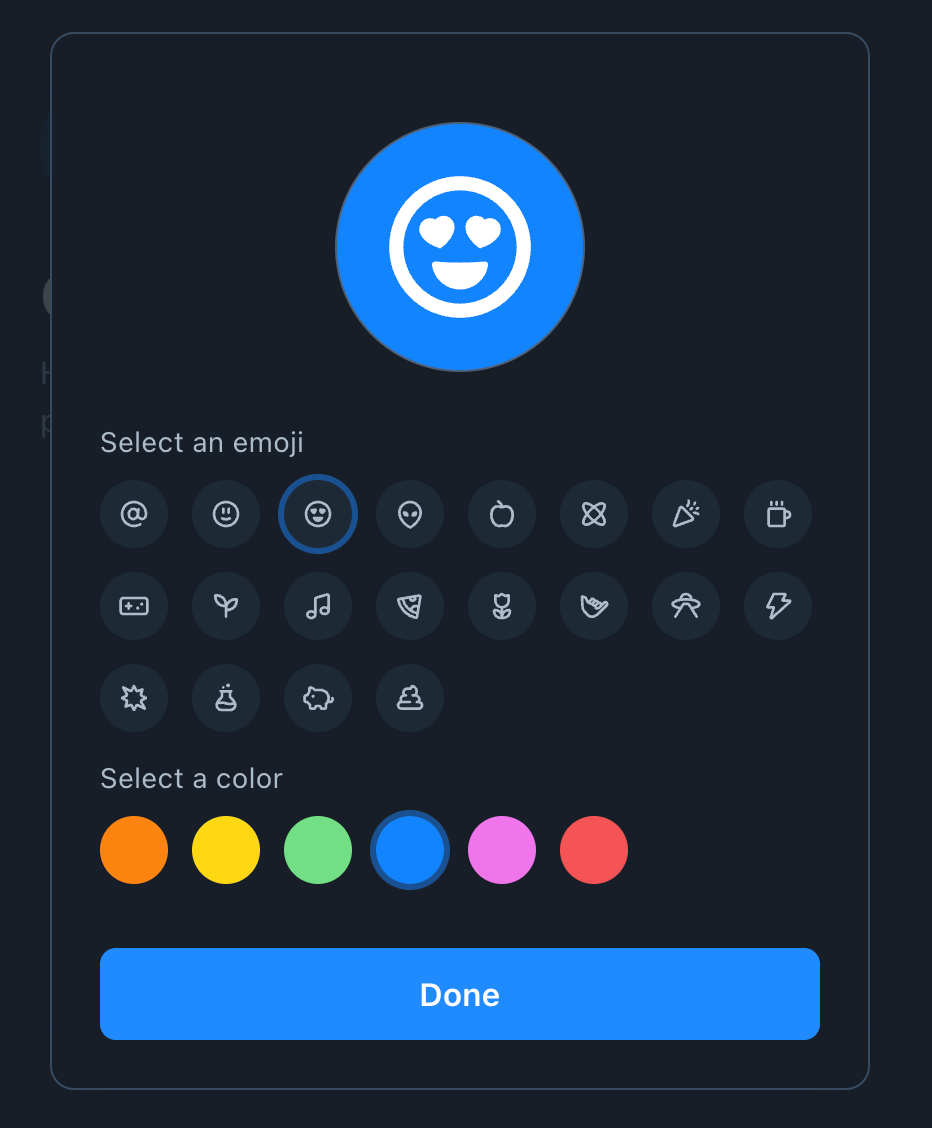
Upload a profile picture that represents you or your brand
You can create an avatar using a pre-created icon, but to build trust and recognition, I recommend using the same profile picture and display name as your other social media accounts.
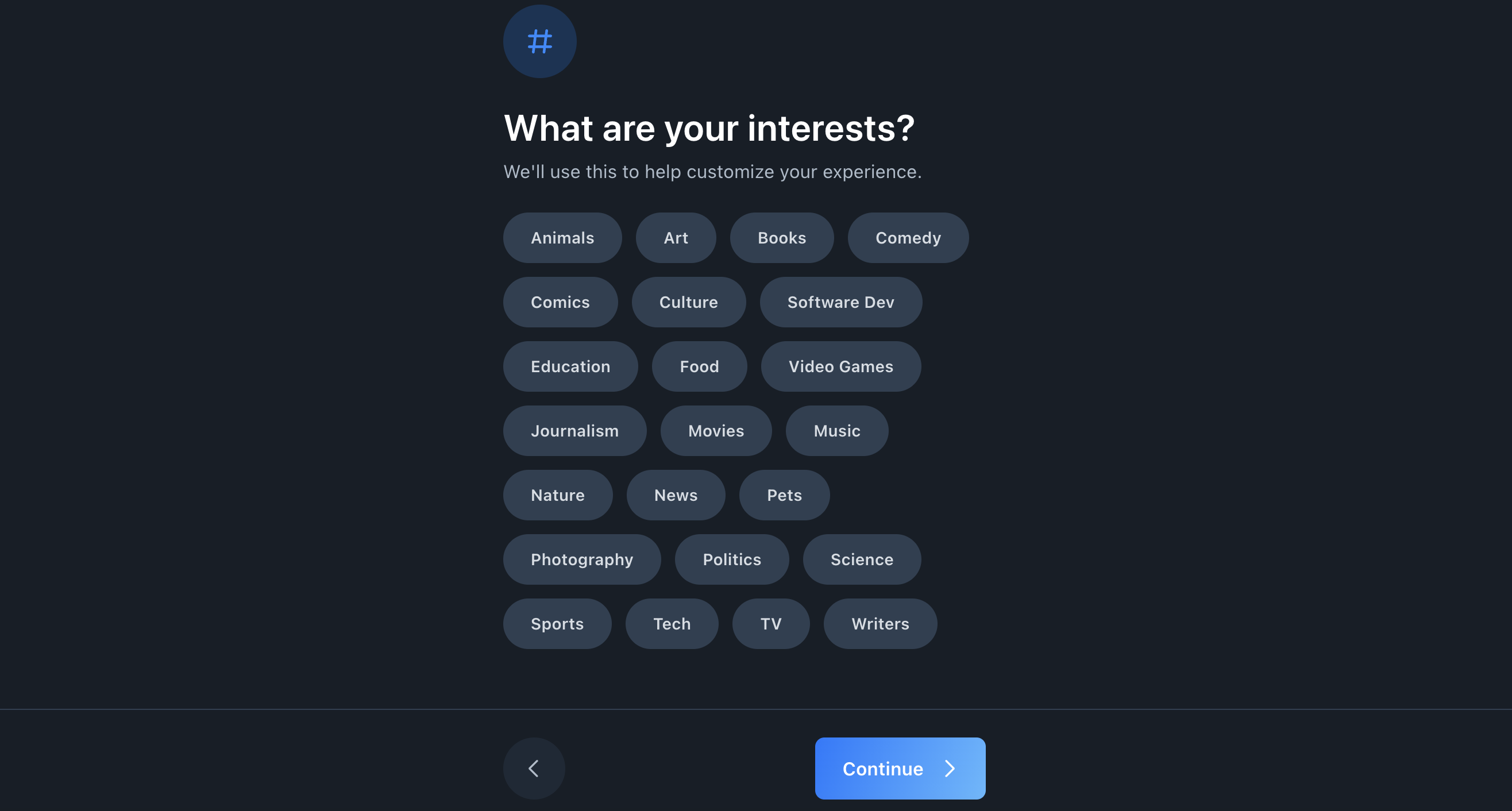
Select your interests to help surface relevant content as you learn how to navigate the platform.
And that's it for setting up!
How to set up your Bluesky feed
What makes Bluesky special is how much you can customize it.
Think through what you want to see. Do you like seeing replies in your main feed or not? Do you want chronological and only the people you are following? No problem.
If you have strong preferences or opinions, or just want to make your setup unique, it can all be done.
I’ll break down the two paths you could take to set up your account:
- The simple route
- The customization route
The simple route to Bluesky
If you want to get started on Bluesky without getting into all the customization options, here's the simple way to jump in.
Here's how to get started:
Bridge your followers with SkyBridge
Moving from X to Bluesky is pretty easy with tools like SkyBridge.
This browser extension helps you find and follow your existing X (formerly Twitter) connections on Bluesky, ensuring you maintain your network. To use SkyBridge:
- Download the extension: available for Chrome and Firefox.
- Log in to your X and Bluesky accounts through the extension.
- The tool will identify which of your X followers are on Bluesky, allowing you to follow them with a click.
It’s not a perfect solution to finding your mutuals, but it’s a good start to help build a familiar network on Bluesky.
Populate your feed by following people
Having interesting content in your feed makes all the difference on social media. Start by following people and organizations that align with your interests.
Bluesky's 'Discover' feature showcases trending topics and suggested users. You can also use the search bar to find specific users, hashtags, or topics.
And don’t just follow — engage.
Engaging with content not only enriches your feed but also fosters connections within the community.
Engage with posts
Engaging with posts regularly helps you connect with the Bluesky community.
Set aside time each day to interact with your feed and participate in discussions relevant to your interests.
Use Bluesky's Starter Packs
Another great way to get started is with Bluesky's 'Starter Packs.'
Starter Packs are curated collections of accounts designed to help you quickly find users with shared interests. They're a great way to jump into the Bluesky community and find new content without having to start from scratch.
With a single click, you can follow all accounts within the selected pack, instantly enriching your feed. Here’s one of mine:
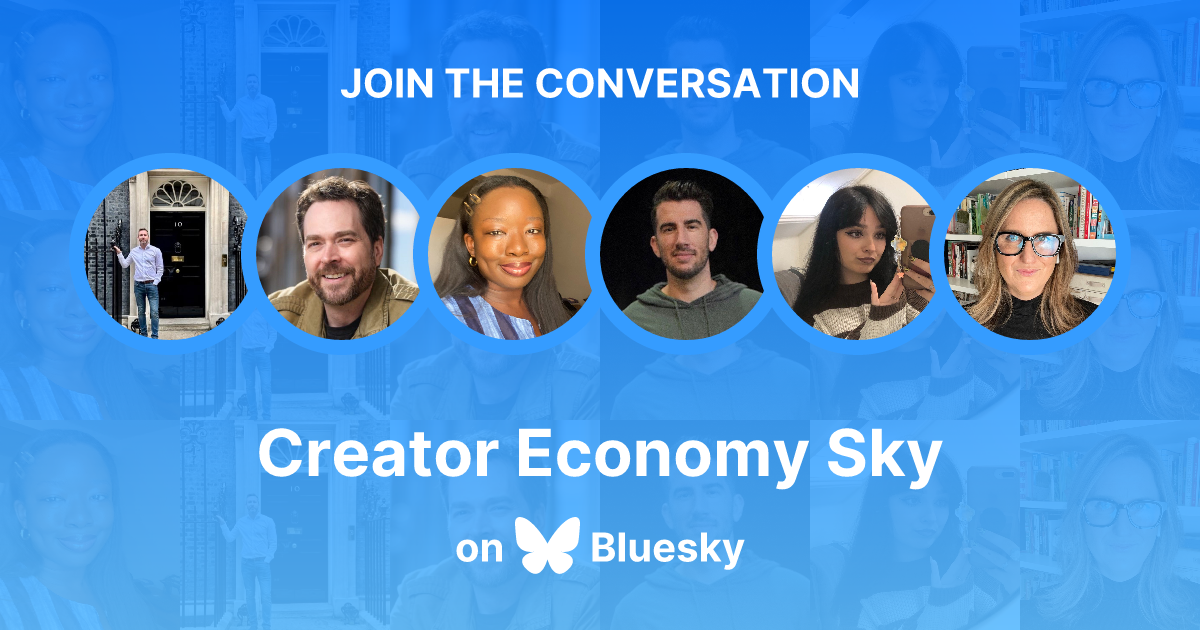
Here’s a handy directory of Starter Packs to look through, and users tend to share them freely, so keep an eye on your feed as well.
The customization route to Bluesky
If you want to explore Bluesky a bit deeper, this section is for you. Bluesky gives you lots of ways to customize your experience. Here’s how to make Bluesky truly your own:
Content moderation
Bluesky offers a wide range of content moderation tools you can use to fine-tune your feed down to the last detail.
- Set your language preferences: Select the languages you want to appear in your feed.
- Mute words and phrases: Block specific words or phrases to filter out unwanted content. You can also exclude certain accounts from these muted terms, offering nuanced control over your feed.
- Block specific groups of people: An alternative way to use Starter Packs and lists is as a block list of people whose content you don’t want to see in your feed.
- Customize feed content: Decide whether to display replies, reposts, or quote posts in your main feed, tailoring the content you see to your liking.
Sort and manage replies
You can sort replies to threads however you like. In settings, choose Content & Media, then Thread Preferences.
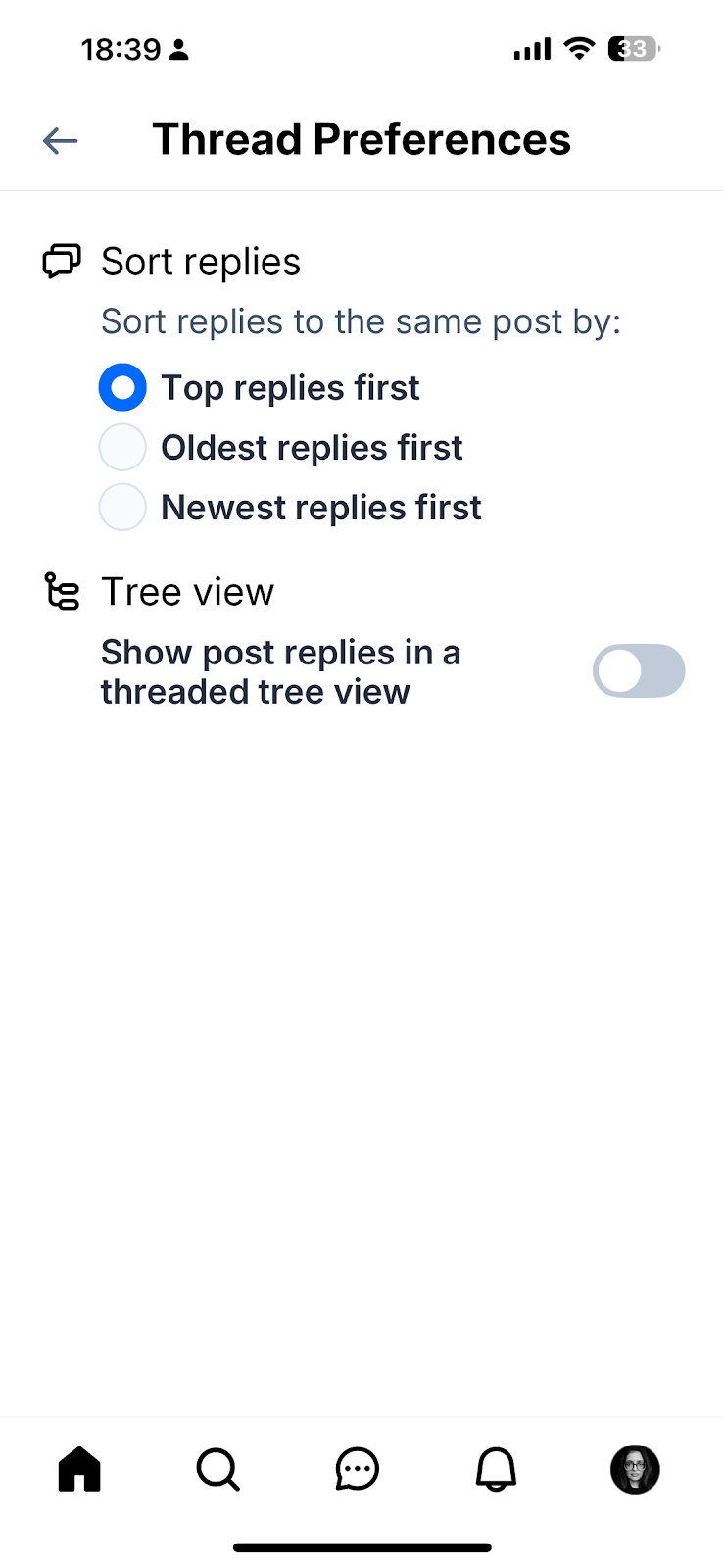
This impacts how you see your post replies as well as replies to other users' posts.
Choose how people interact with your posts
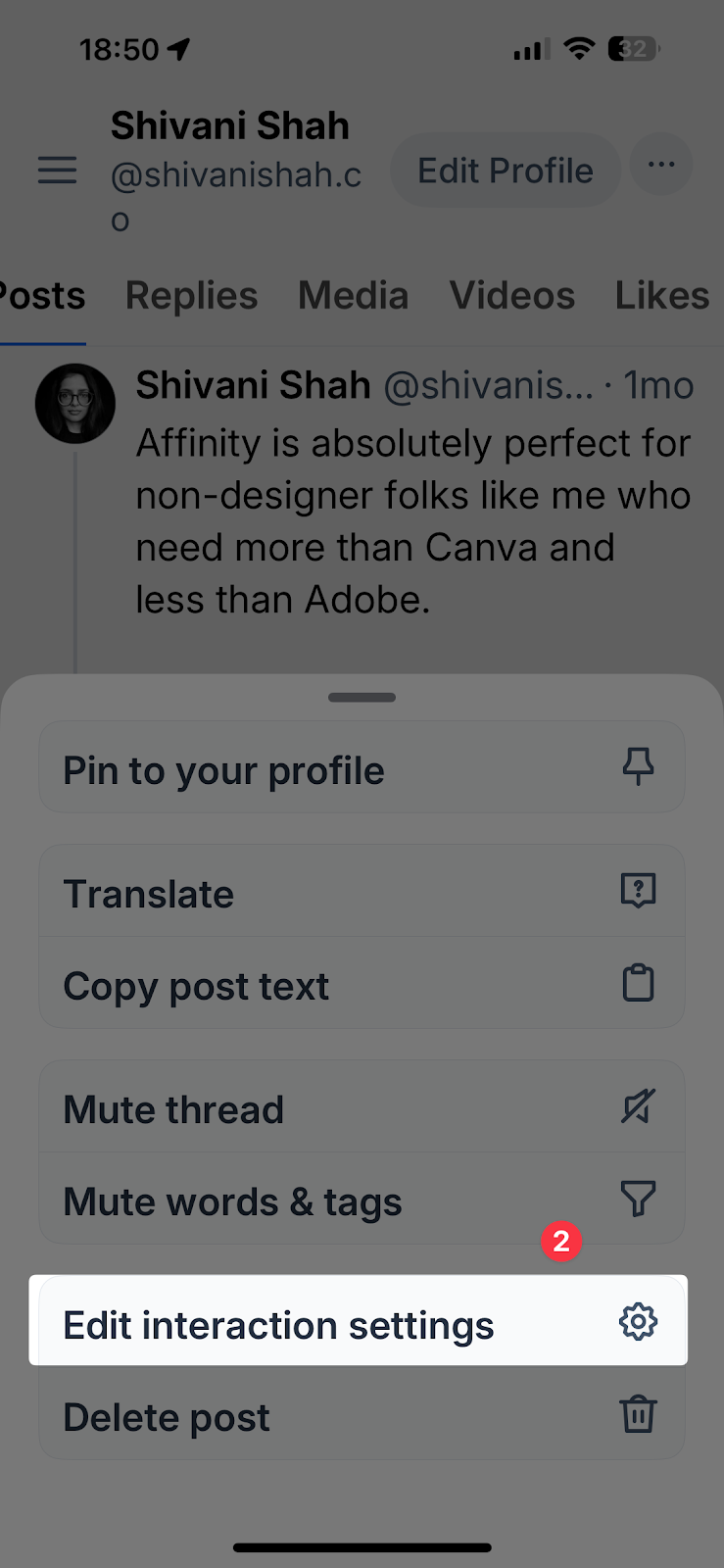
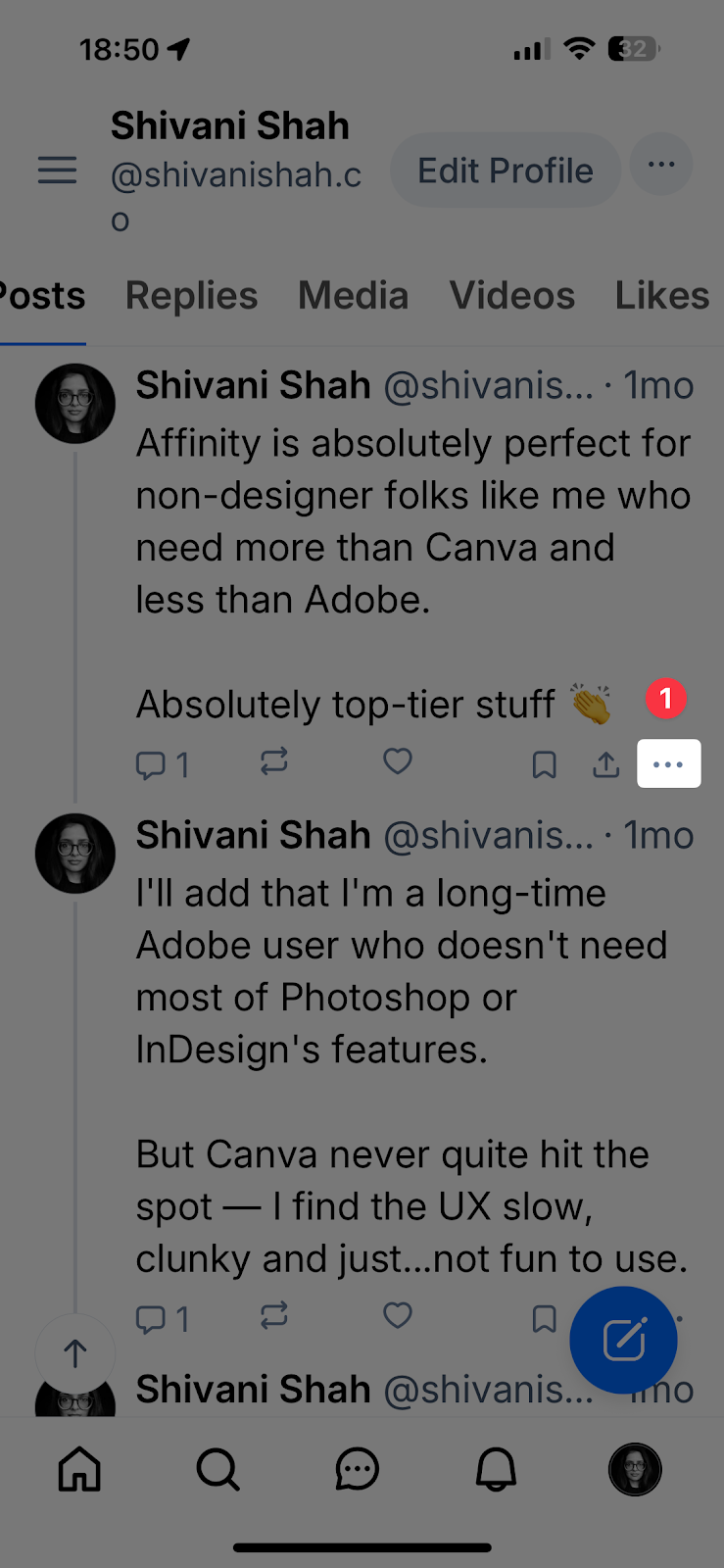
- Tap the settings icon in the bottom right corner of the post you'd like to customize.
- Select Edit interaction settings.
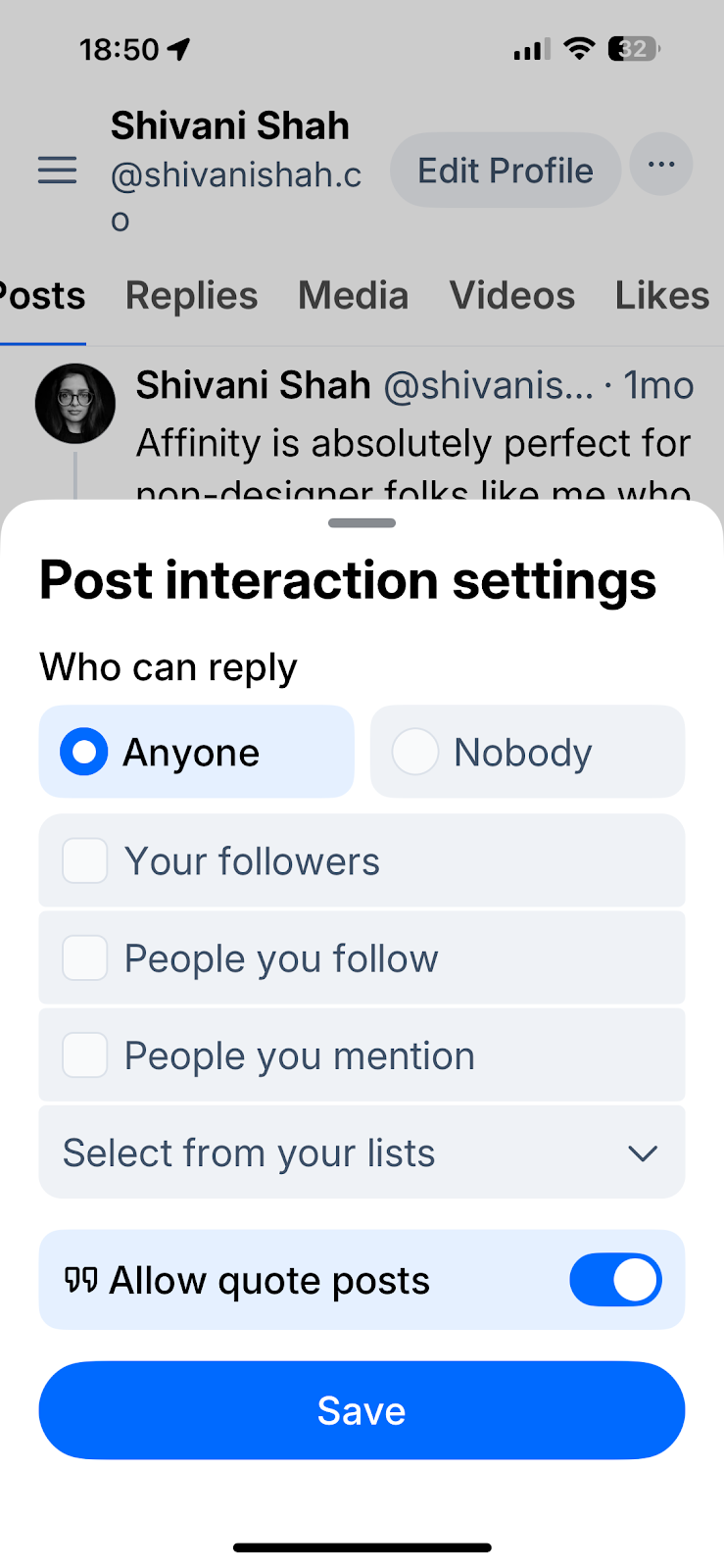
- Choose who can reply to your posts:
- Anyone: Any Bluesky user can reply
- Nobody: Nobody will be able to reply
- One or more from the following:
* Your followers
* People you follow
* People you mention
* People in your lists
- Choose whether people can quote your post and share it to their own feed.
Custom feeds
Bluesky’s custom feeds allow you to choose or create algorithms that dictate the content on your timeline.
You can explore existing feeds by opening the menu (the three lines ≡ at the top left of your screen) and tapping Feeds, or selecting the # symbol at the top right of the screen on mobile.
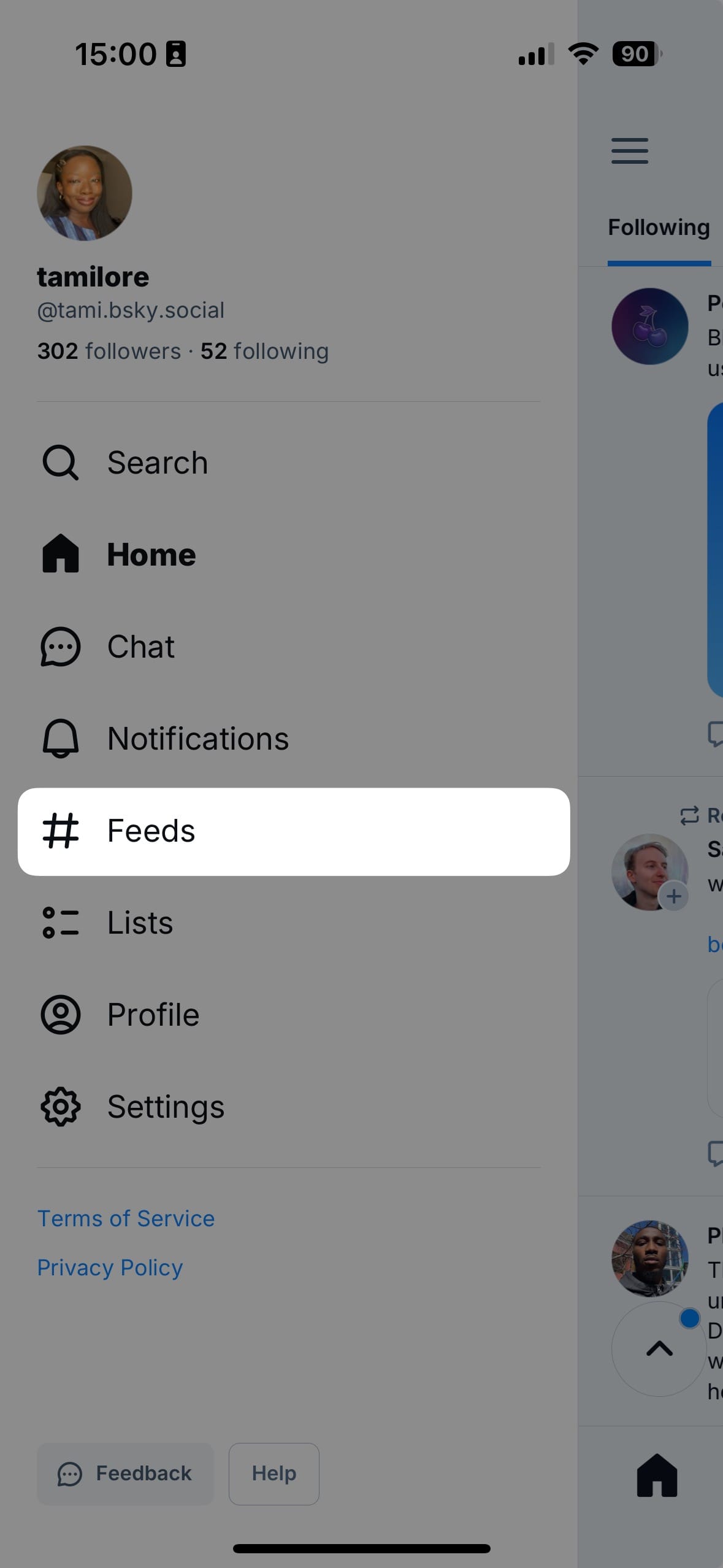
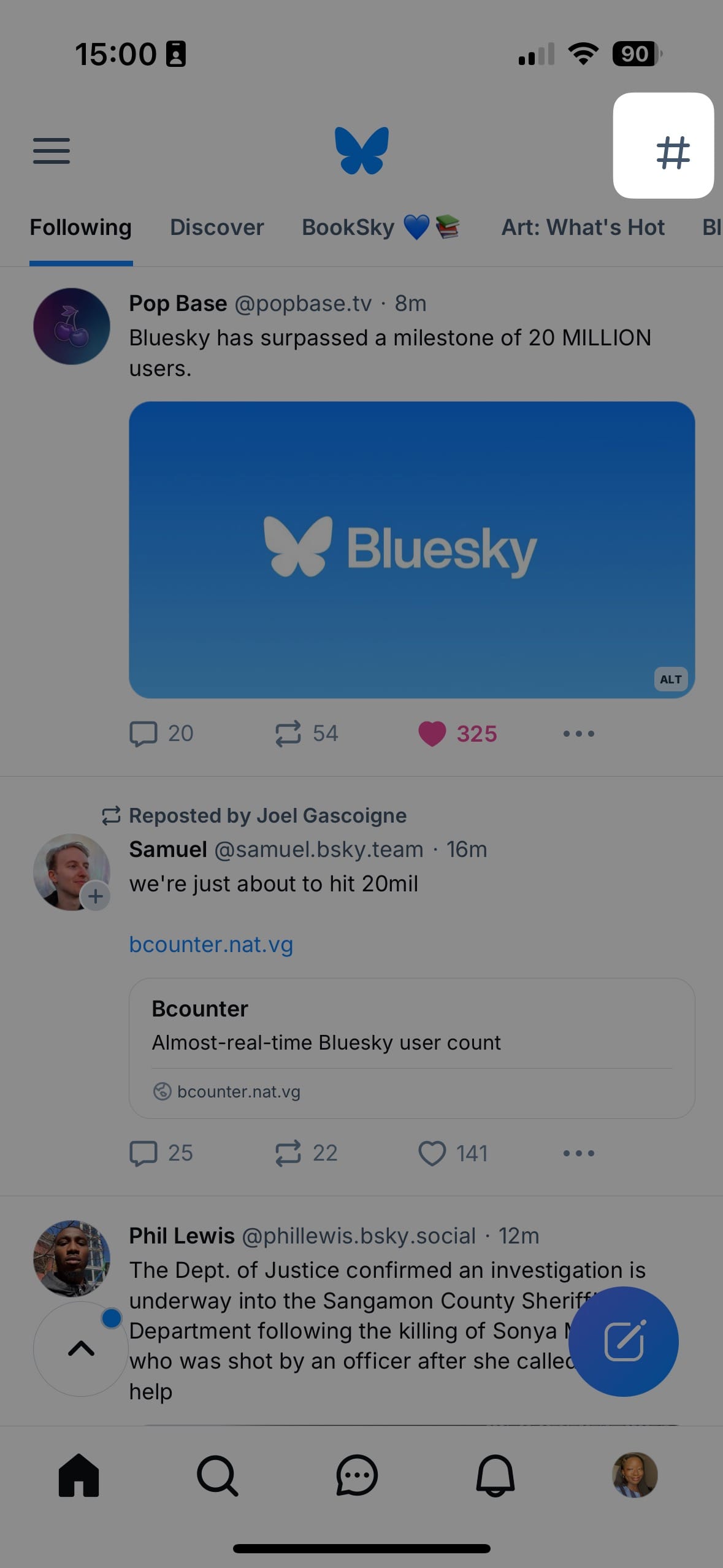
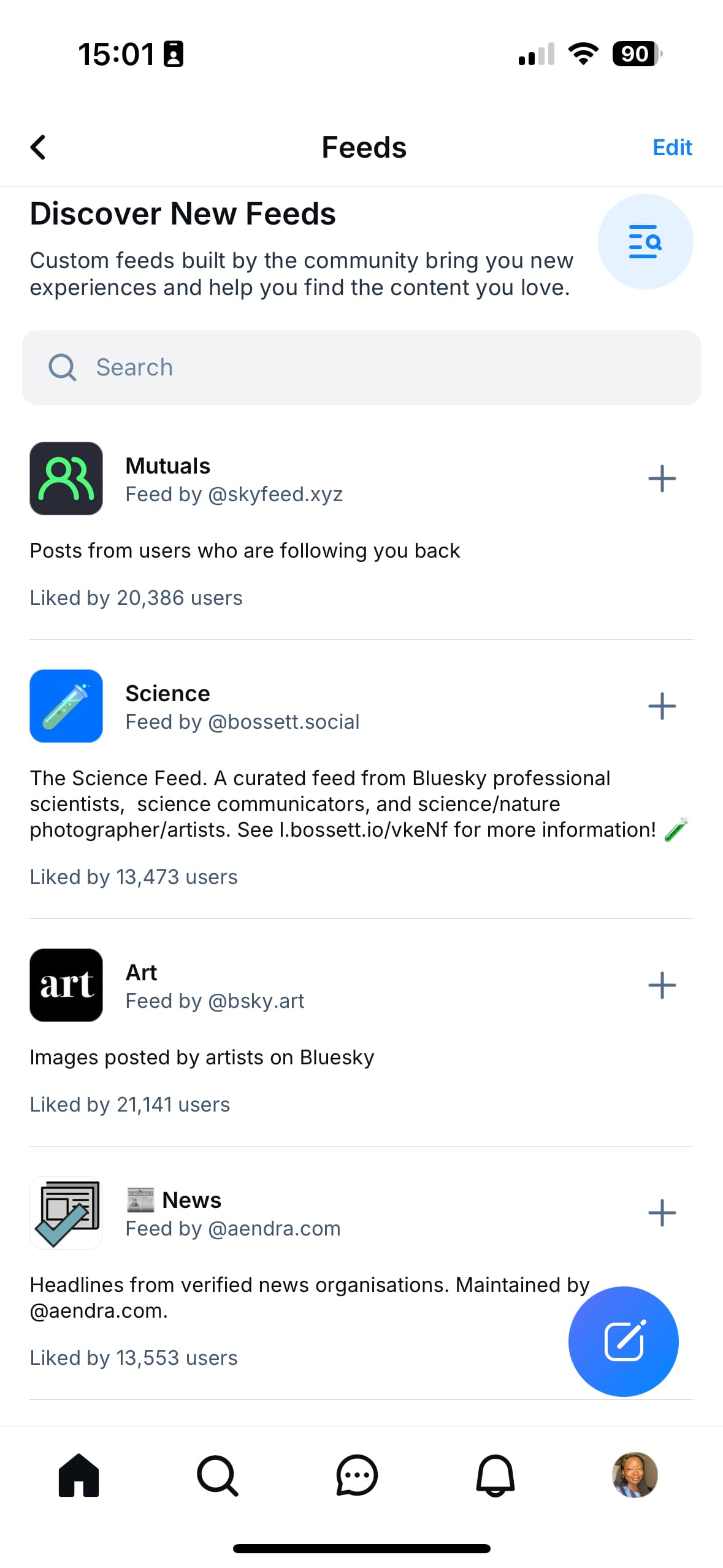
Here, you’ll see a variety of user-created feds catering to specific interests (like BlackSky and Art: What’s Hot) or scenarios (like Quiet Posters, which surfaces content from your less active followers)
You can also create your own feed in one of two ways:
- Determine the parameters for your feed, such as specific hashtags, user lists, or content types.
- Use Bluesky's Feed Generator Starter Kit to build your custom feed without extensive coding knowledge.
Direct message settings
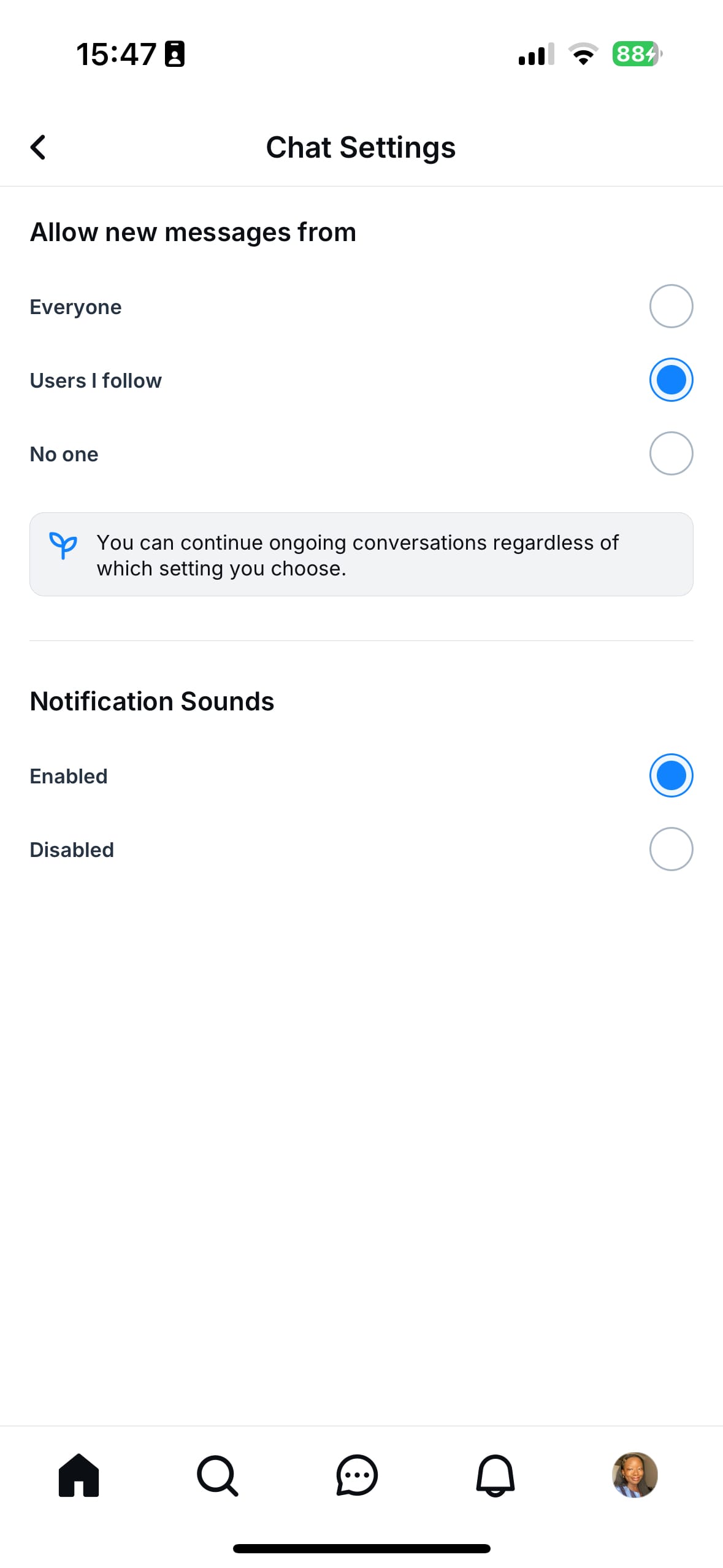
You can customize your DM experience, allowing you to control who can/can’t contact you and how you receive notifications. To adjust your DM settings:
- Open the Bluesky app and tap the chat icon to enter your DMs (on the web, you'll find it in the left sidebar)
- Tap the settings icon within the DM interface.
- Choose from the following options:
- Everyone: Allow any Bluesky user to send you a DM.
- Users I follow: Restrict DMs to only those you follow.
- No one: Disable DMs entirely.
- Toggle notification sounds for incoming DMs on or off, based on your preference.
Custom servers/PDS
In addition to custom domains, you can actually self-host your Bluesky account. And yes, custom servers are supported in Buffer, so you can still schedule your posts.
No clue what I'm talking about? Here's a simple explanation:
Essentially, unlike other social networks, you can self-host an instance of Bluesky.
Self-hosting a Bluesky PDS means running your own Personal Data Server. This server can connect to the wider Bluesky network, giving you full control over your data and content. You’ll need some technical knowledge, but it’s a great way to ensure privacy and flexibility.
Think about this as the difference between hosting your website on another site, e.g., yourname.wordpress.com, instead of hosting it yourself and having your website on your own domain.
So on Bluesky, most people are using the Bluesky hosted instance, which is what anyone gets when they sign up. If you, however, would prefer to host Bluesky yourself on your own server, you can do that. Some people prefer this for better data privacy and overall control.
Some ideas for your first (and next) Bluesky post
If you’re ready to dive right into posting on Bluesky, I recommend starting with an introduction post. Bluesky users tend to be very welcoming because the community’s still quite small.
A bit about me: • I'm Tami and I live in Lagos, NG • I write a newsletter sharing personal branding tips for career growth + WFA marketing jobs (contentasacareer.beehiiv.com) • I work @buffer.com • In addition to social media/creator economy, I love anime/manga+hwa/art/related interests
Once you’ve shared a friendly introduction post to let others know who you are, check out these other ideas for your next few posts on Bluesky.
- Share recent experiences, insights, or looks into your daily life.
- Discuss the latest trends and news in your field.
- Offer a peek into your work process or daily routine.
- Engage your followers by asking for their opinions or conducting polls.
- Provide valuable tips, how-tos, or life hacks.
- Celebrate your milestones or achievements with your audience.
- Share your thoughts on books, movies, products, or services you love.
Best of all, if you're already creating content for other platforms like Threads or LinkedIn, you can easily repurpose it for Bluesky using Buffer.
Ready to keep building your audience? Start sharing to Bluesky with Buffer — or check out other guides on our blog for more tips and inspiration.
FAQ about setting up your Bluesky account
What is Bluesky, and how is it different from other social networks?
Bluesky is a decentralized social network, which means it isn’t controlled by a single company or algorithm. You have more control over your identity, feed, moderation settings, and data compared to traditional platforms.
Is Bluesky free to use?
Yes. Bluesky is free to join and use on both desktop and mobile. Some advanced options — like self-hosting your own server — may require technical setup or hosting costs outside of Bluesky itself.
How do Bluesky handles work?
Every Bluesky account has a handle, similar to a username. Unlike most platforms, you can change your handle to a custom domain you own (for example, @yourname.com), which acts as a form of self-verification.
Do I need a custom domain to use Bluesky?
No, a custom domain is optional. Most people start with a standard Bluesky handle and only switch to a domain if they want stronger identity control or verification.
How do custom feeds work on Bluesky?
Custom feeds let you choose or create algorithms that decide what appears in your timeline. You can follow feeds built by other users or create your own based on hashtags, lists, or specific accounts.
Yes. For each post, you can choose who is allowed to reply, quote, or interact — including followers only, people you mention, or no one at all.
How does content moderation work on Bluesky?
Bluesky offers flexible moderation tools, including muting words or phrases, blocking lists of accounts, setting language preferences, and choosing whether replies or reposts appear in your feed.
Are direct messages private on Bluesky?
You can control who is allowed to message you — everyone, people you follow, or no one. You can also manage DM notifications and mute conversations as needed.
Can I self-host my Bluesky account?
Yes. Advanced users can run their own Personal Data Server (PDS), which gives full control over account data and hosting while still connecting to the wider Bluesky network.
Can I schedule Bluesky posts with Buffer?
Yes. Buffer supports Bluesky publishing, including accounts using custom domains or self-hosted servers, so you can plan and schedule posts just like on other platforms.
More Bluesky resources
- Bluesky Verification is Here: How the Blue Check Works
- 'Live Now' Badges are Coming to Bluesky: Here's Everything We Know So Far
- We Analyzed 1.7M Posts from X, Threads, and Bluesky: Here’s What We Learned
- Subscriptions and Monetization are Coming to Bluesky — Here's How They’ll Work
- The Significance of Bluesky and Decentralized Social Media
- All of Bluesky’s Features (So Far) and How to Use Them