How to Set Up Twitter Newsletters (original) (raw)
You probably check your email every day, whether for work or personal reasons, and so do millions of other people. As a result, newsletters are an excellent vehicle for reaching an audience, whether you have a brand or you’re trying to build one. And in a day and age where almost anything can have a subscription model, there’s more opportunity for the average person to create a valuable source of income.
Revue is an online publishing platform aimed at writers and publishers that Twitter acquired in 2021. Now, Twitter users have access to an integration that allows them to set up and display their newsletter on their profile quickly. Thanks to its simple interface and Twitter integration, anyone can start creating and publishing a newsletter and immediately find an audience.
💡
Schedule your tweets and save time with Buffer
Craft the retweet-worthy tweets, learn what works and schedule your posts at the right time (in half the time) with Buffer's Twitter scheduling and analytics tools.
How to Set Up Your Twitter Newsletter
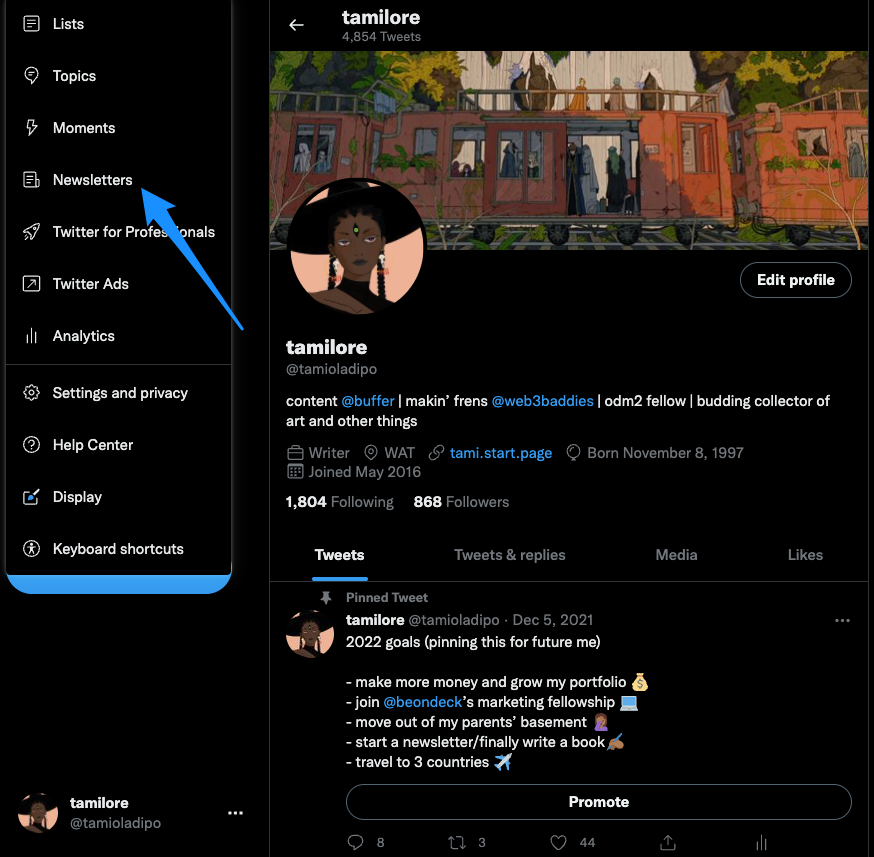
- Step 1: You can only set up your newsletter from the Twitter desktop app, so open that and click on More → Newsletters.
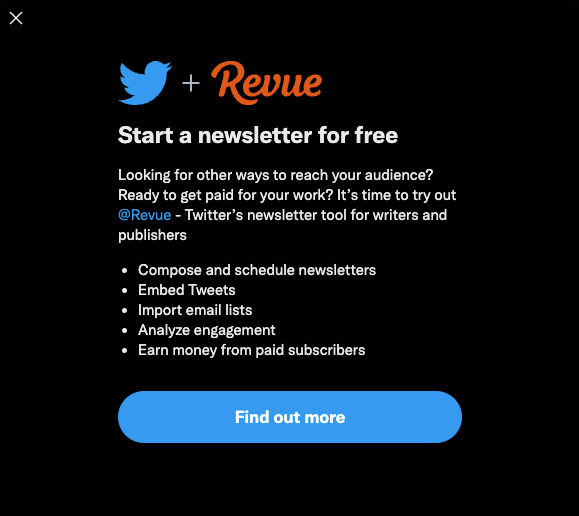
- Step 2: This gives you a ‘Find Out More’ screen, which takes you to Revue
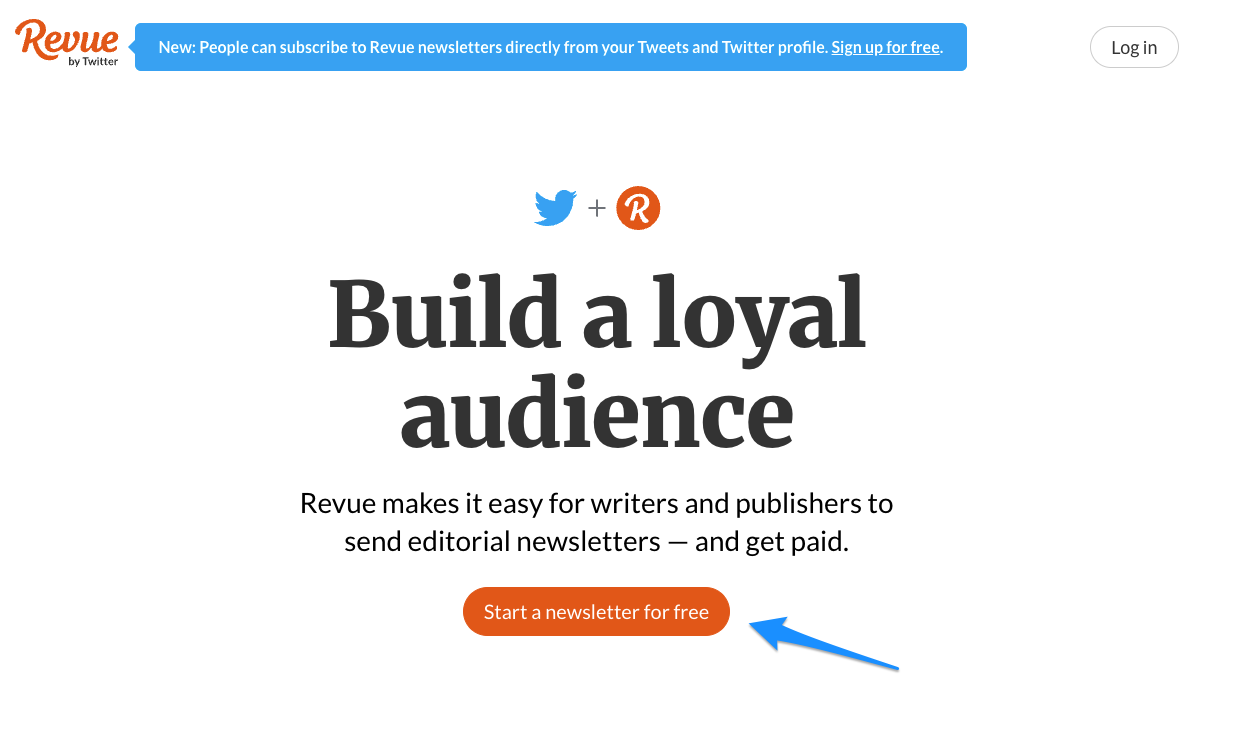
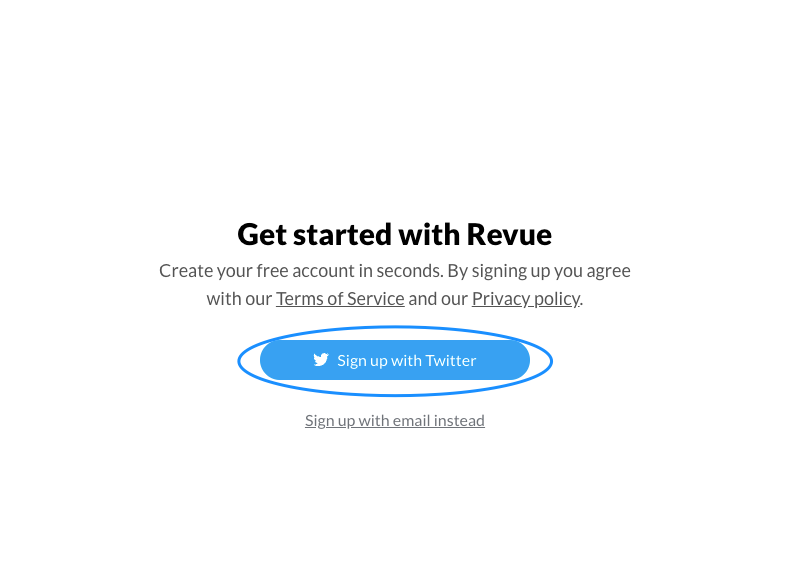
- Step 3: Click 'Sign up with Twitter' or 'Sign up with email'
- Step 4: Follow the instructions to set up your account and start publishing!
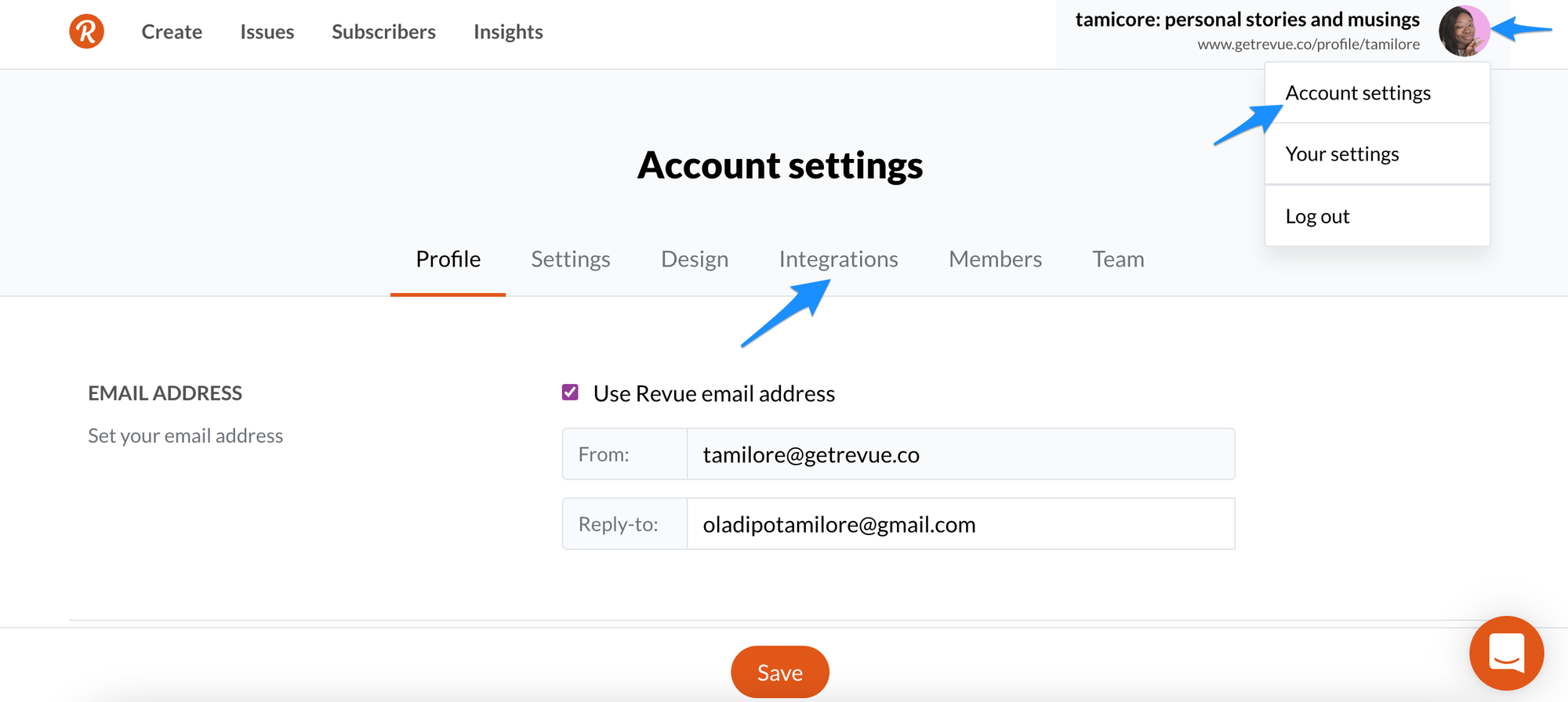
- Step 5 (Update): In order to make sure your newsletter shows up on your Twitter profile, click on your profile picture → Account settings → Integrations.
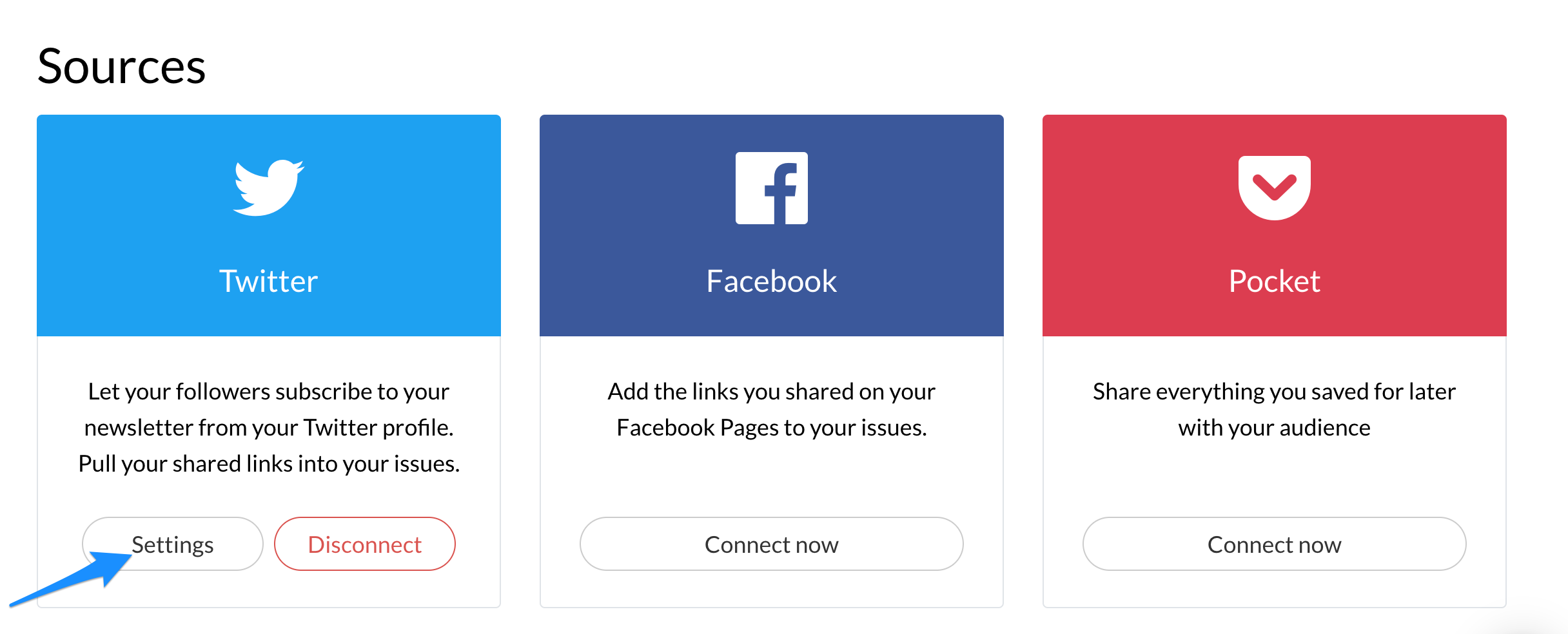
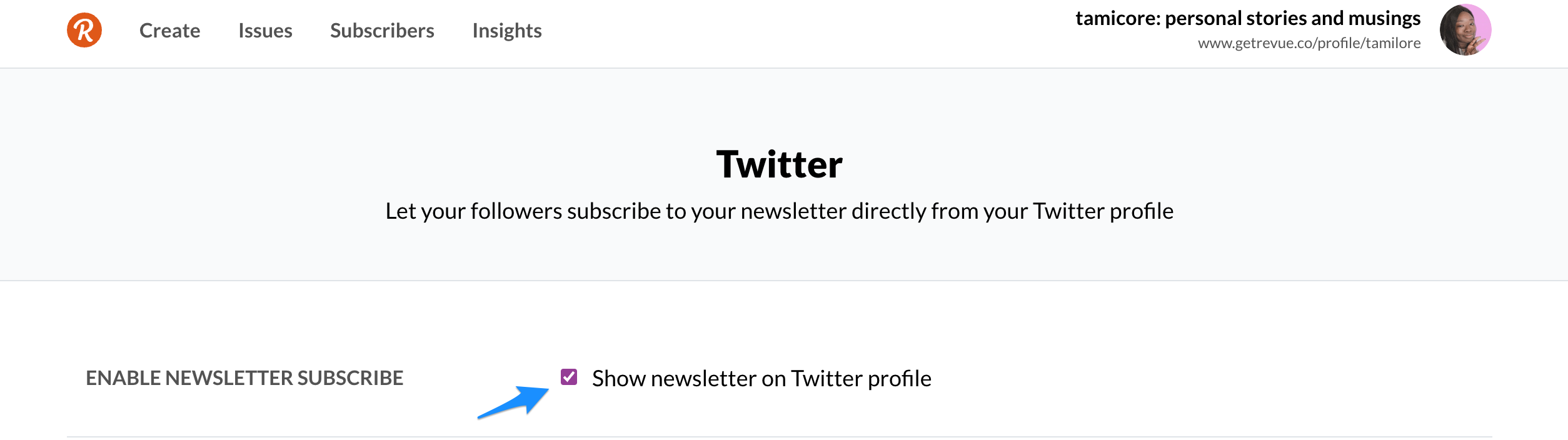
Then click on 'Settings' under the Twitter button and 'Show newsletter on Twitter profile'.
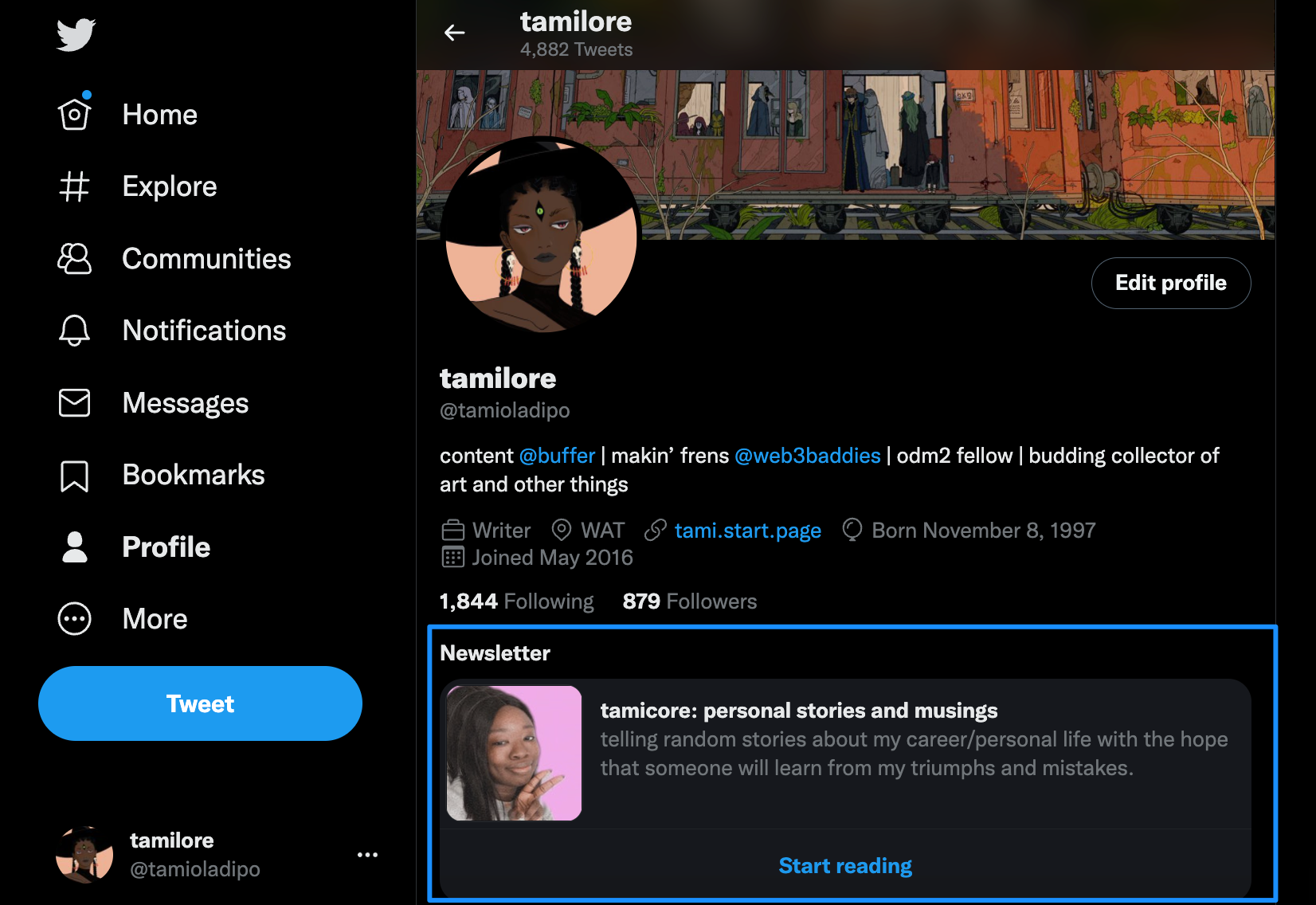
It'll take a few minutes to appear, but you'll eventually get your newsletter + 'Start reading' button displayed on your Twitter profile.
Why use Revue?
What gives Revue an edge over other online publishing platforms like Substack or Medium? Along with features like analytics and scheduling, here are some reasons to consider:
- Retroactive viewing: Your past issues can easily be viewed by interested subscribers, making it easy for them to revisit your older work.
2. Ease of discovery: Newsletters are easily discovered and subscribed to when pinned to a Twitter profile.
- Monetization: You can set up your newsletter to receive free and paid subscribers (and Revue only takes 5 percent of your earnings, compared to Substack’s 10 percent). Another opportunity for monetization is through newsletter sponsorships – a growing option for brands looking to create targeted ads. Ghost has a great guide to getting newsletter sponsorships.
4. Cross publishing: Along with publishing your newsletter, Revue also has integrations that allow users to share content on other platforms like WordPress and social media.
5. Custom domains: You can get a Revue domain name or connect your custom domain. Revue beats platforms like Substack and Medium in this instance because you can make this change for free.
6. Own your means of production: Because you can cross publish so easily with Revue, it’s easier to control what happens with your content. You never have to worry about censorship or losing access to your primary platform for reaching your audience.
Best practices for newsletter creators
If you’ve landed on newsletters as your method of creation, there are some things you need to keep in mind if you want people to read your work.
- Figure out what you want your newsletter to cover. Newsletters come in different forms, with people sending their opinions on news to others sharing job postings. It helps your readers know what to expect, and you know what to create every week.
- Balance your newsletter content. Create material that is less promotional and more helpful. For example, as long as your readers didn’t subscribe to an ecommerce website, they shouldn’t receive a newsletter packed with CTAs to purchase something or the other.
- Set clear expectations on your Subscribe page. Get specific with potential subscribers and tell them exactly what to expect from your newsletter and how often they’ll hear from you. Matthew Cassinelli’s What’s New in Shortcuts newsletter does a great job.
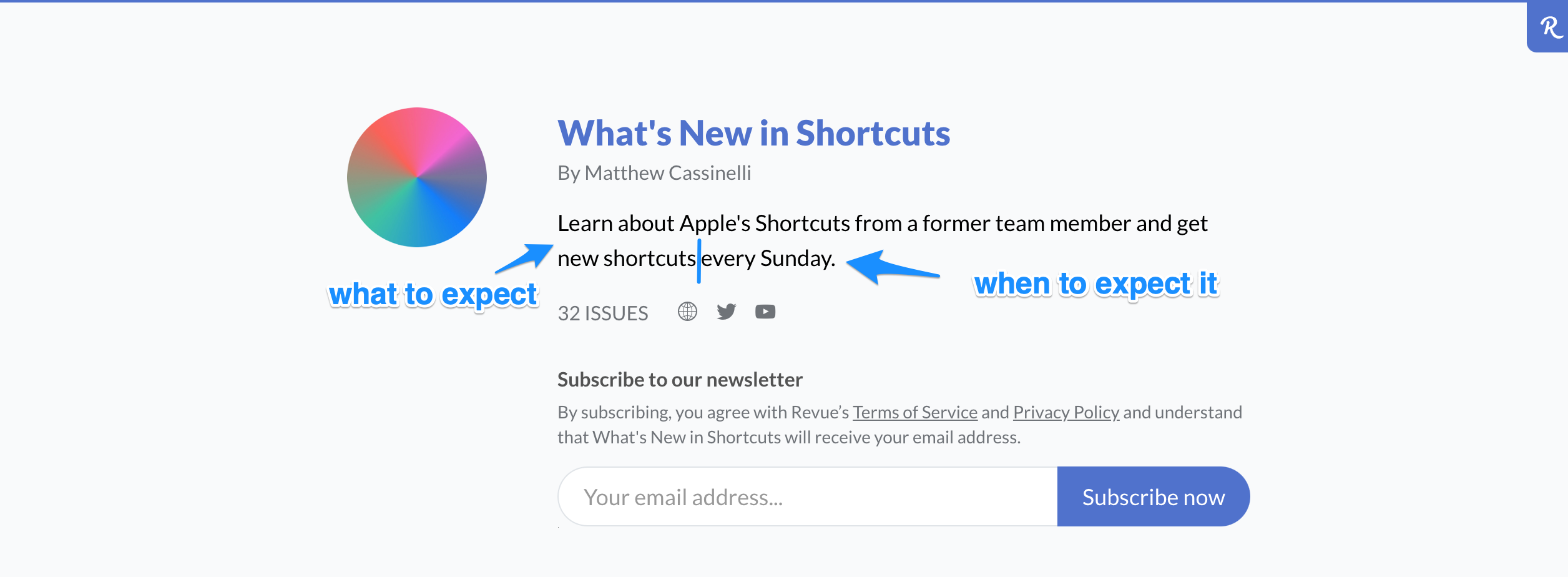
What’s New in Shortcuts profile page
- Pick one primary call to action. It can be tempting to direct your readers to a million places (and that’s still possible by linking within your content) but resist it. Instead, share one principal thing you want your readers to do (forward the email? watch a video?) and make that the focus of your CTA.
- Go for minimalist copy and design. Cluttered emails get me to click off, and many newsletter readers can probably relate. Use a minimal design and keep the focus on your words/content to grip and hold readers’ attention.
- Make it easy for people to unsubscribe. Your readers should be able to choose if they want you in their inbox or not. If needed, make the unsubscribe button more prominent and remind users that they can unsubscribe at any time.
Inspiration for your Twitter newsletter
If you’re thinking of starting a newsletter through Twitter, here are some great examples we love that might inspire you.
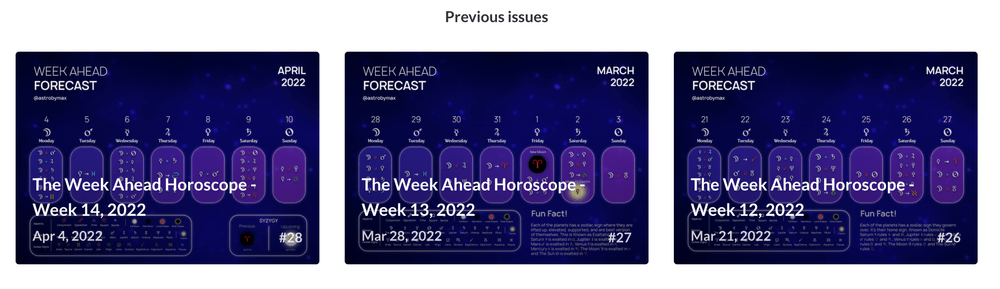
- Blaze-Maximus: Astrologer Blaze Maximus shares weekly astrological transits through their newsletter “the Week Ahead Horoscope.”
- Linda Ikechukwu: Everything Technical Writing was created by Linda Ikechukwu to share articles and advice for aspiring technical writers.
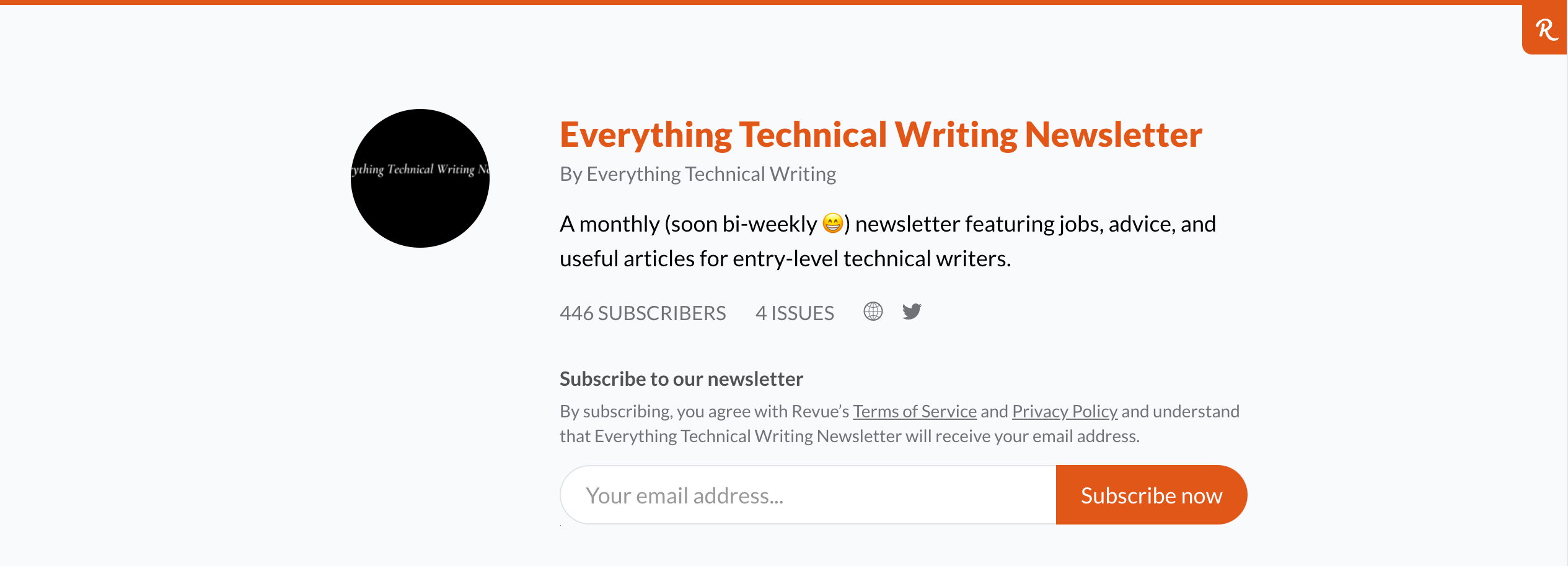
Everything Technical Writing's profile page
- Carlos Silva: Carlos shares vetted remote marketing jobs through his newsletter, Hello Remote.
- Sam Dickie: The Creator Club is Sam’s brainchild where he shares the latest digital products, interesting articles, and resources from online creatives.
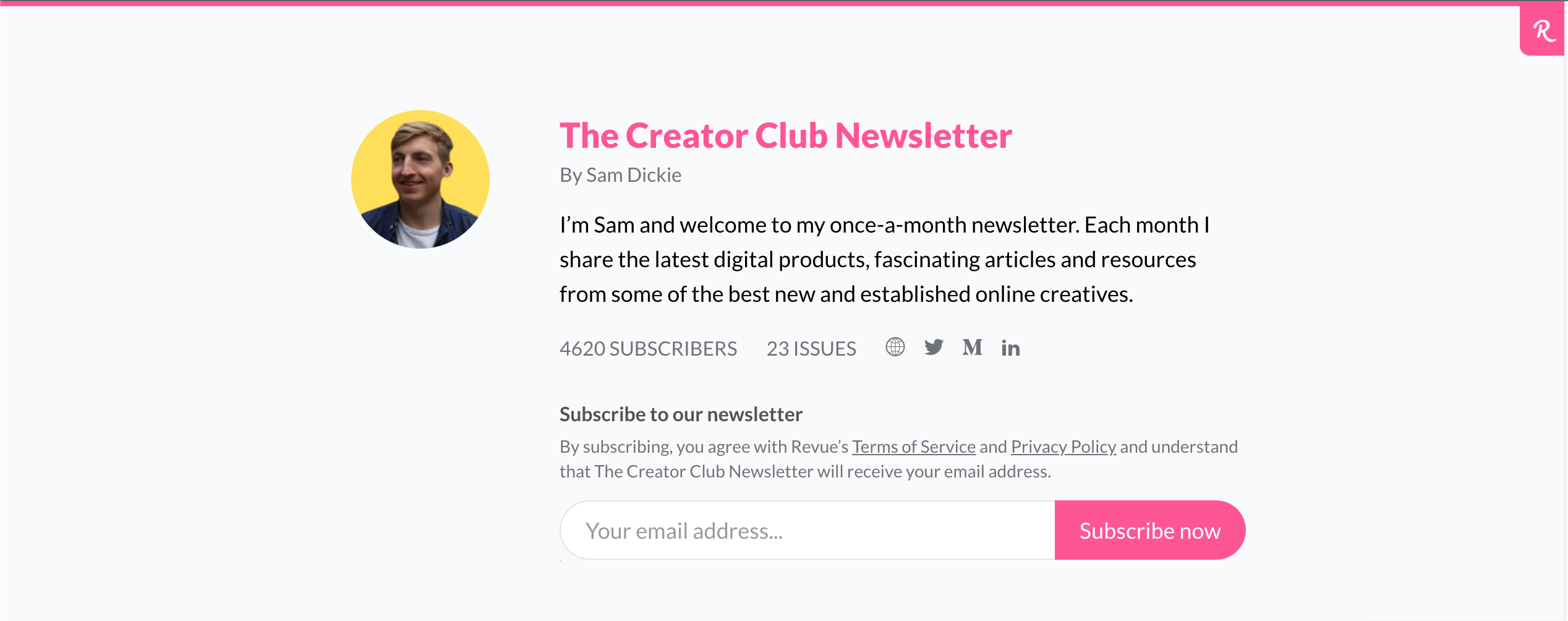
The Creator Club's profile page
- The Writing Cooperative: In an interesting move, the creators of This Week in Writing moved from Medium to Revue. The newsletter is now cross-posted on both platforms.
Beyond the more traditional newsletter formats on this list is Pieter Levels (Levelsio), who uses the newsletter feature to back up his email list.
Why newsletters aren’t going anywhere
You may think newsletters are an oversaturated medium — as the thousands of unread emails in your inbox can attest — but they’re not going anywhere just yet. Here’s why.
- Creative control: Newsletters give you control. This ties into the rise of the creator economy, which refers to the increasing freedom of creators to monetize their work (think Youtubers or writers). What sets newsletters apart from other forms of creation is that you own everything – your email list, what you choose to publish, and where you choose to publish it. As a result, the power to be heard is no longer concentrated in the hands of massive publications, and it’s easier than ever to share your work. Newsletters are part of this new paradigm, with people seeing enough success that they can quit their day jobs and turn their writing side hustle into a full-time endeavor.
Big news! I quit my cushy tech job and have gone all-in on writing.
I've been making my content at night and on the weekends. Finally, after 11 months of grinding, Napkin Math is big enough for me to bet the farm.
Thank you to my readers and @every for making this possible.
— Evan Armstrong (@itsurboyevan) March 23, 2022
- Increased mobile access: Smartphones currently account for 70 percent of the total digital media time in the US, as more and more people read things on their phones, newsletters included.
- Monetization opportunities: Thanks to newsletters, it’s easier to make writing a full-time job. In addition, essayists have a platform to make money other than hoping the New York Times. Platforms like Paved make it easier for companies to discover and connect with newsletter publishers. And collectives like Every have made it easier for writers to earn income from content.
- Falling ad performance: Newsletters are especially vital in light of data privacy issues and the increased use of ad blockers. As a result, advertisers that need to figure out alternative ways to reach targeted audiences will increasingly flock to newsletters.
Should you start a newsletter?
Newsletters aren’t for everyone or every type of audience. It’s a great way to achieve organic growth and gain control of your publishing, but like any type of creative endeavor, it takes time and effort. You’ll need to be consistent and have enough material to keep you and your readers’ interest. If you’re doing it for your business, you might want to research more in-depth before just starting a Twitter newsletter before putting in the work required to make such a project successful.

Tamilore Oladipo
Sr. Content Creator @ Buffer
Tami is a Senior Content Creator at Buffer who grew 20K+ followers on LinkedIn and is now figuring out how to do it again on new platforms. She writes data-driven content about what's actually working on social.
Read more posts by Tamilore Oladipo
Try Buffer for free
190,000+ creators, small businesses, and marketers use Buffer to grow their audiences every month.