Employee Record Template by ClickUp™ | Template by ClickUp™ (original) (raw)
Employee records are essential for understanding and tracking employee performance, but keeping them organized can be a challenge. That's why ClickUp's Employee Record Template is the perfect tool for streamlining your employee record management process.
This template helps you quickly and easily:
- Store employee data in a secure, no-code database
- Track important information like absences, vacation days, and performance reviews
- Organize and access records of past and present employees in one place
Whether you're onboarding new hires or managing existing talent, this template will help make sure your team is always on top of their game!
Benefits of an Employee Record Template
Employee records are critical to any successful business. Keeping accurate and up-to-date records helps organizations track employee performance, stay compliant with regulations, and protect themselves against legal challenges. A template for employee records can provide many benefits for your organization such as:
- Easily capture data in a consistent and organized manner
- Ensure accuracy and completeness of employee records
- Maintain compliance with laws and regulations
- Reduce the amount of time spent managing employee records
Main Elements of an Employee Record Template
ClickUp's Employee Record Template is designed to help you keep track of employee records. This Doc template includes:
- Custom Statuses: Create ClickUp tasks with various custom statuses to keep track of employee records
- Custom Fields: Categorize and add attributes to manage employee records to provide visibility to your Human Resources team and other stakeholders
- Custom Views: Start with this Doc template and build out your ClickUp workflow which includes List, Gantt, Workload, Calendar, and more
- Project Management: Improve employee record tracking with automated reminders, comments, checklists, and more
How to Use an Employee Record Template
Creating and maintaining employee records is a must for any company. To help you get started, here are four steps to take when setting up your own employee records system:
1. Gather necessary information
You need to obtain all the necessary information about each employee, such as contact information, job title, salary, and benefits. You should also collect information about any certifications or trainings they've completed.
Use Docs in ClickUp to get all your team member's info in one place.
2. Create a database
Once you've gathered all the necessary information, create a database to store it. This can be done in a spreadsheet program or other suitable software. Start by entering the names of each employee along with any relevant details.
Use the Table view in ClickUp to make your own customized employee records database.
3. Enter data
Now, it's time to enter all the data into your database. This includes contact information, job titles, salaries, benefits, certifications, trainings, and any other pertinent information..
Create custom fields in ClickUp to accurately track each key data point.
4. Review and update
Once your employee records system is complete, review the data regularly to ensure that all information is up-to-date and accurate. When changes occur, make sure to update the records accordingly..
Set a recurring task in ClickUp to regularly review and update your employee records system.
Get Started with ClickUp's Employee Record Template
HR personnel can use this Employee Record Template to help everyone stay on the same page when it comes to recording and managing employee data.
First, hit “Add Template” to sign up for ClickUp and add the template to your Workspace. Make sure you designate which Space or location in your Workspace you’d like this template applied.
Next, invite relevant members or guests to your Workspace to start collaborating.
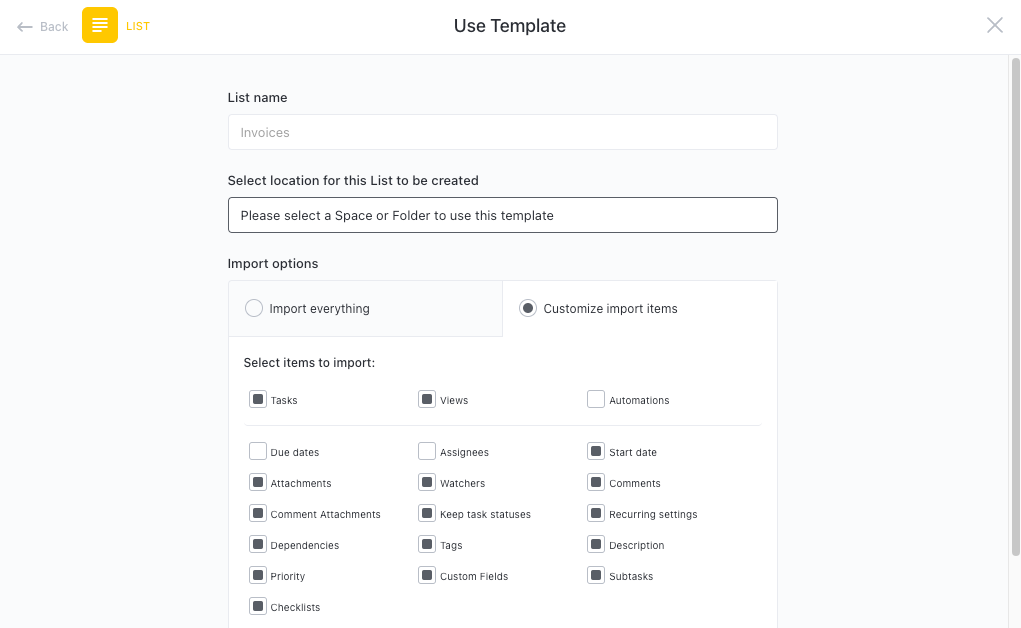
Now you can take advantage of the full potential of this template to manage employee records:
- Set up a project for each employee record
- Create tasks for each record and assign team members responsible for tracking information
- Collaborate with stakeholders to ensure accuracy and completeness of records
- Organize tasks into categories to keep track of progress
- Set up notifications to stay up-to-date on progress
- Hold regular meetings to discuss progress and any issues
- Monitor and analyze tasks to ensure maximum productivity
Get Started with Our Employee Record Template Today