OKR Framework Template by ClickUp™ | Template by ClickUp™ (original) (raw)
Objectives and Key Results (OKRs) are essential for setting goals and tracking progress. But it can be hard to keep everyone aligned and on track, especially when you have multiple teams working on different projects across a wide variety of areas.
That's why ClickUp's OKR Framework Template is here to help! It provides a simple but powerful way to ensure that all your teams are focused on the same objectives. With this template, you'll be able to:
- Create specific SMART goals that align with your team's main objective
- Track progress against those goals in real-time
- Easily identify roadblocks before they become critical issues
Whether it's launching a product or marketing campaign, our OKR Framework Template will keep everyone on the same page and make sure your projects stay on track!
Benefits of an OKR Framework Template
Objectives and Key Results (OKR) can help organizations set goals and measure their progress. Using an OKR framework template can help you:
- Clarify an organization's overall strategy and objectives
- Focus the team on a few priority goals
- Measure progress in a systematic way
- Encourage collaboration and alignment between teams
Main Elements of an OKR Framework Template
ClickUp's OKR Framework Template is designed to help you track and measure progress towards your organizational goals. This List template includes:
- Custom Statuses: Mark task status such as Complete, In Progress, and To Do to keep track of the progress of each goal
- Custom Fields: Use 5 different custom attributes such as OKR Type, Department, Progress, OKR Point, and Team to save vital information about objectives and easily visualize progress
- Custom Views: Open 4 different views in different ClickUp configurations, such as the Global OKR, Getting Started Guide, OKR Progress Board, and Timeline so that all the information is easy to access and organized
- Project Management: Improve goal tracking with time tracking capabilities, tags, dependency warning, emails, and more
How to Use an OKR Framework Template
The OKR framework is a great tool to set and track goals. Here are 6 steps to help you get started with creating your own OKR framework:
1. Identify your main objectives
Start by brainstorming and identifying the main objectives for your organization. These objectives should be broad and aspirational, and should reflect the overall direction and strategy of your organization.
Create a Doc in ClickUp to list out all your main objectives.
2. Set measurable key results
Once you’ve identified your objectives, it’s time to set measurable key results (KRs). These KRs should be specific, measurable, and achievable. For example, if your objective is to increase sales, your key results might include increasing the number of sales leads by 10%, or increasing revenue by 10%.
Create tasks in ClickUp to define the key results you want to achieve.
3. Set timeline and milestones
Set a timeline for each objective and key result. This should include milestones that will help you measure progress throughout the process.
Create Milestones in ClickUp to track progress towards achieving your goals.
4. Assign tasks
To ensure each goal and key result is achieved, it’s important to assign tasks and delegate responsibilities to the appropriate team members.
Create tasks in ClickUp and assign them to the relevant team members.
5. Monitor progress
It’s important to regularly monitor the progress of each goal and key result. This will help you identify any areas where you may need to make adjustments or take corrective action.
Use Dashboards in ClickUp to get a quick overview of all your OKR progress at once.
6. Celebrate success
Once you’ve achieved your goals and key results, take the time to celebrate your success. Recognize the hard work and dedication of your team, and use it as motivation for future projects.
Set a recurring task in ClickUp to remind yourself to celebrate your team's successes.
Get Started with ClickUp's OKR Framework Template
Managers can use this OKR Framework Template to help everyone stay on the same page when it comes to setting and tracking objectives and key results.
First, hit “Add Template” to sign up for ClickUp and add the template to your Workspace. Make sure you designate which Space or location in your Workspace you’d like this template applied.
Next, invite relevant members or guests to your Workspace to start collaborating.
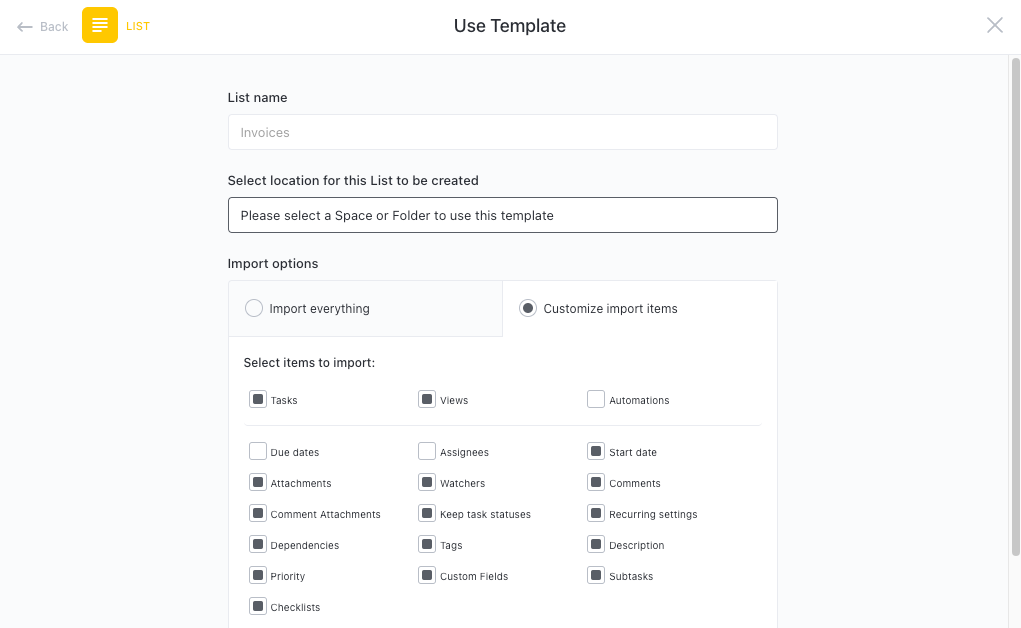
Now you can take advantage of the full potential of this template to effectively accomplish goals:
- Use the Global OKR View to create and track progress on your overall objectives and goals
- The Getting Started Guide View will help you understand how to use the OKR Framework effectively
- The OKR Progress Board View will give you a clear view of how each team is progressing towards their goals
- The Timeline View will help you plan out and track timelines for each goal
- Organize tasks into three different statuses: Complete, In Progress, To Do, to keep track of progress
- Update statuses as you progress through tasks to keep stakeholders informed of progress
- Monitor and analyze tasks to ensure maximum productivity
Get Started with Our OKR Framework Template Today