Text-to-image AI (original) (raw)
Create and edit images from text without writing a single line of code
Generate and edit images from text descriptions in seconds using Gemini 3 Pro Image and Imagen image generation models with available APIs in Python, Java, and Go programming languages.
New customers get up to $300 in free credits to generate images and more on Vertex AI.
Overview
What is text-to-image AI?
Text-to-image AI is a type of artificial intelligence that can generate and edit images from text descriptions. This technology has the potential to transform how we interact with and create visual content. Google Cloud text-to-AI tools and resources, including pre-trained AI models like Imagen, Gemini 3 Pro Image, and Veo, available in Vertex AI, are designed to help developers easily implement text-to-image generation in their applications.
How is text-to-image used in application development?
Text-to-image AI can be used in application development to generate mockups, prototypes, illustrations, test data, educational content, and visualizations for debugging. Google Cloud's Vertex AI and Cloud Vision API giving developers access to a suite of image processing capabilities, including text detection, object detection, and image classification. Document AI can be used to extract text from scanned documents to generate text description images.
How can I use these Google models?
You can access these text-to-image AI models through Vertex AI on Google Cloud or Google AI Studio. To use the models, just provide a text prompt, select parameters (some models allow you to select parameters that control the style, creativity, and accuracy of the generated image) and finally generate the image.
How It Works
Text-to-image AI uses natural language processing (NLP) to convert the text description into a machine-readable format. Once converted into a machine-readable format, the machine learning model is trained on a massive dataset of text and images, learns to identify patterns, and to uses them to generate or edit images.
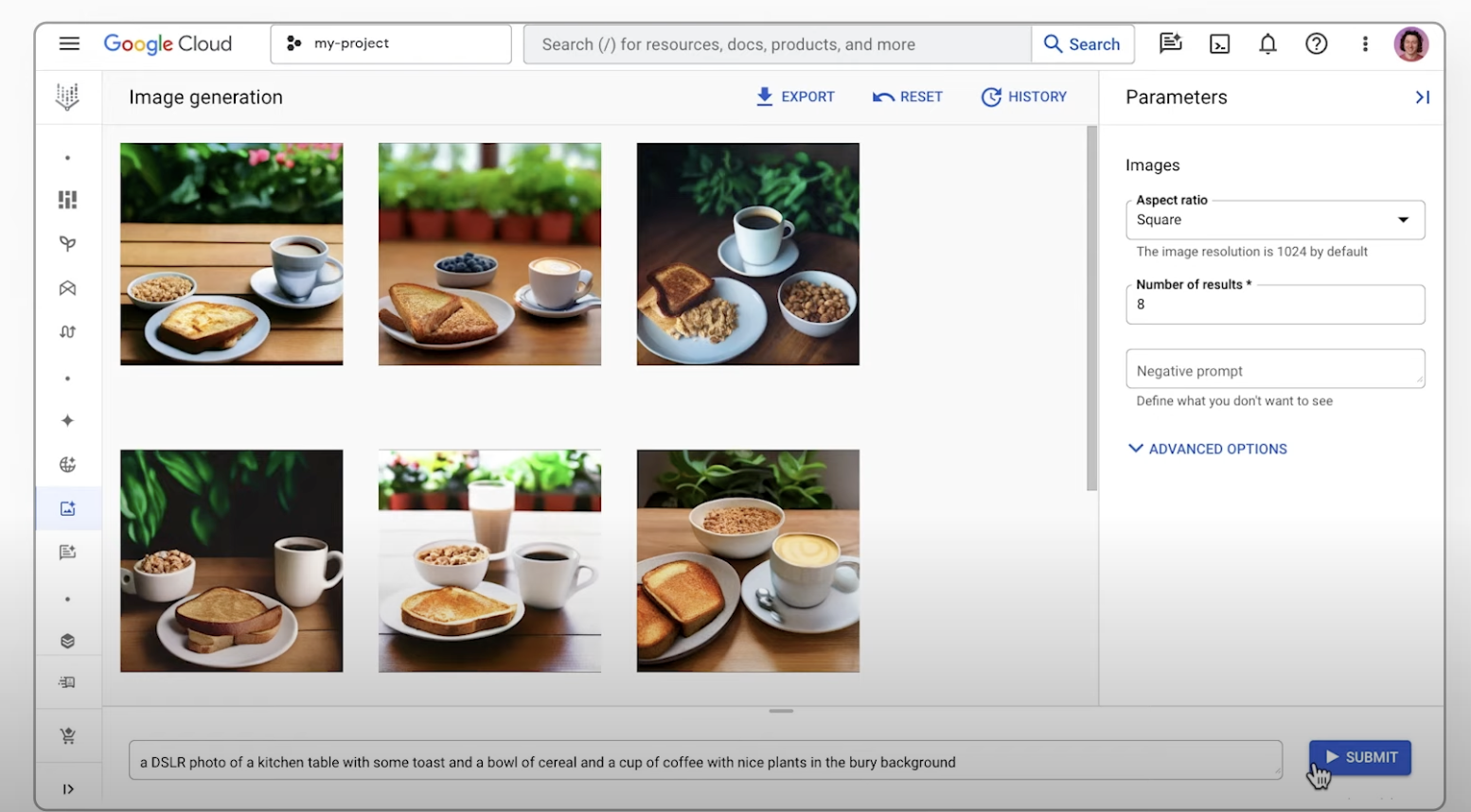
From text to vision: An intro to AI image generation
Common Uses
Generate images using AI
How-tos
How-tos
Edit images with AI
How-tos
Multi-image fusion and conversational editing
With Gemini you can combine different images into one seamless new visual. Use multiple reference images to create a single, unified image. You can also edit images with simple, natural language instructions. From removing a person from a group photo to fixing a small detail like a stain, you can make changes through a simple conversation.
Additionally, Imagen on Vertex AI lets you edit Imagen-generated or existing images. You can specify part of the image to modify in addition to a text description of the updates (mask-base editing)
- Test out multi-turn image editing
- Multi-turn image editing with thought signatures
- Generate videos from an image
How-tos
Multi-image fusion and conversational editing
With Gemini you can combine different images into one seamless new visual. Use multiple reference images to create a single, unified image. You can also edit images with simple, natural language instructions. From removing a person from a group photo to fixing a small detail like a stain, you can make changes through a simple conversation.
Additionally, Imagen on Vertex AI lets you edit Imagen-generated or existing images. You can specify part of the image to modify in addition to a text description of the updates (mask-base editing)
- Test out multi-turn image editing
- Multi-turn image editing with thought signatures
- Generate videos from an image
Visual captioning with AI
How-tos
How-tos
Generate a solution
What problem are you trying to solve?
What you'll get:
Step-by-step guide
Reference architecture
Available pre-built solutions
This service was built with Vertex AI. You must be 18 or older to use it. Do not enter sensitive, confidential, or personal info.
Start your proof of concept
New customers get up to $300 in free credits to generate images and more in Vertex AI
Have a large project?

Learn what types of images you can create

Learn how to generate images using text prompts

Try Imagen in Colab