CoyoteMIDI - Free MIDI to Key Commands for Windows & Mac (original) (raw)
MIDI > Hotkey
CoyoteMIDI extends the functionality of your MIDI devices to include keyboard and mouse input, including complex key combinations and multi-step macros
Why CoyoteMIDI?
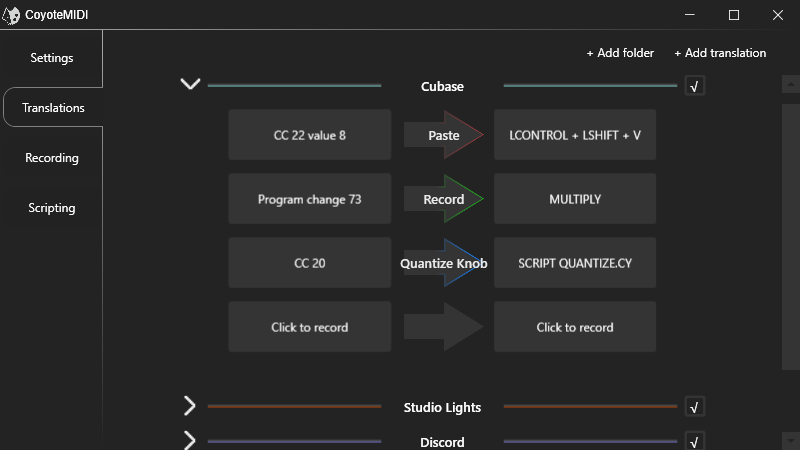
MIDI translations - made easy
A clean and intuitive interface that makes setting up translations effortless
Key Combinations
Trigger any combination of keyboard keys that is physically possible with two hands
Complex Macros*
Build multi-step macros with CoyoteMIDI's powerful built-in scripting engine
Not Just Keystrokes
Translate incoming MIDI messages to keystrokes, mouse clicks, MIDI messages, or custom scripts*
Retrospective MIDI Recorder
Improvised a great melody and wished you'd hit record? Don't sweat it. CoyoteMIDI saved it!
App-specific
Choose to trigger a translation only when a specific application is running (or not running)
* available in CoyoteMIDI Pro only
An Introduction
Watch this video to get a brief overview of CoyoteMIDI’s features and setup instructions
CoyoteMIDI PRO
Learn about the benefits of upgrading to PRO, and an introduction to the CoyoteMIDI scripting engine
Key Commands
Create simple MIDI translations with ease, with CoyoteMIDI’s Translations page. CoyoteMIDI will listen for your incoming MIDI message as the input, and let you type your combination of key strokes as the output, making MIDI hotkey translations effortless to set up
Go Deeper
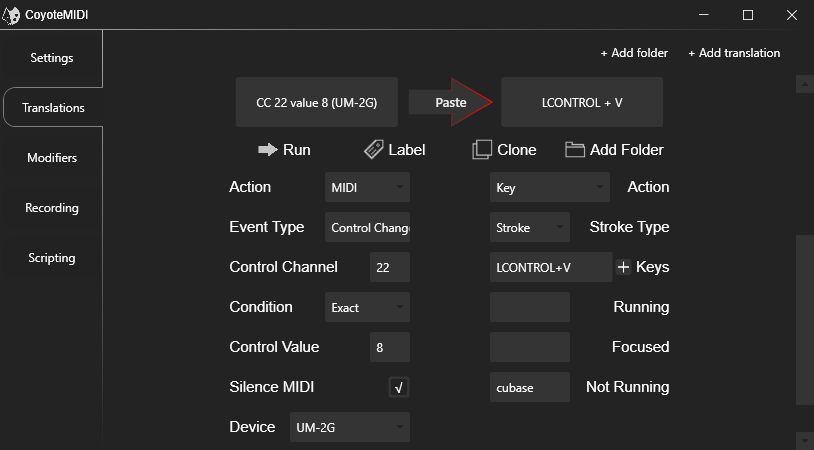
Edit Mode allows for advanced editing of hotkey translations, offering manual control over the exact input and output messages such as which device they are received from, whether they are to be translated into keystrokes, mouse clicks, midi messages, app exclusivity, and more
MIDI Device Support
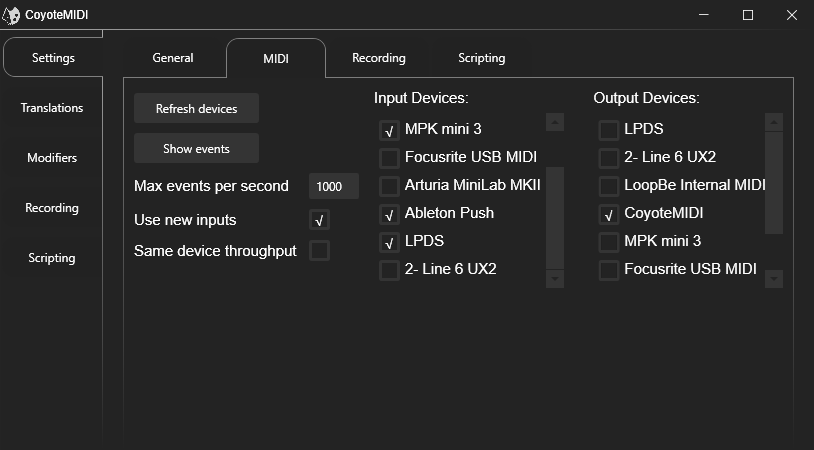
CoyoteMIDI will dynamically update the list of available MIDI devices recognised by your system, allowing you to choose which devices to use for hotkeys, and which ones to ignore
MIDI Sketch Book
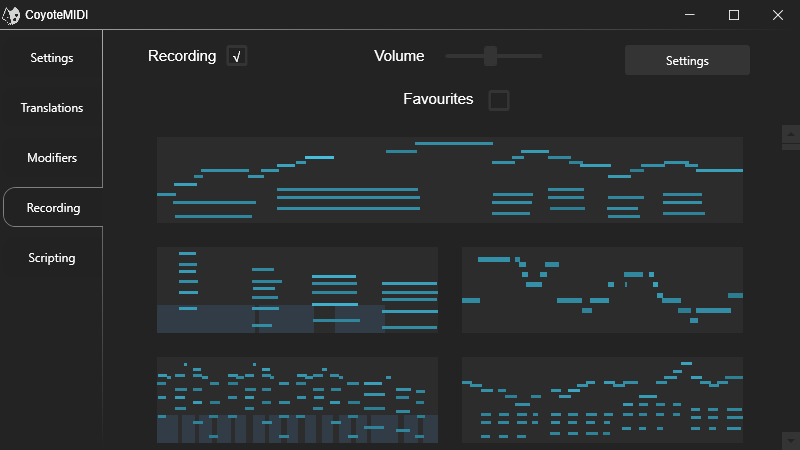
Thanks to CoyoteMIDI’s in-built event buffer, you can retro-actively record MIDI performances and ideas without the need for a DAW. Enable “Live Audio” to hear what you’re playing with real piano samples.
You can mark your favorites, or save as an external MIDI file via drag-and-drop
Feature Comparison
Translate incoming MIDI to...
Free
Pro
Advanced features
Free
Pro
Join our chat server on Discord to be a part of the development process, request new features, stay up to date with release notes, ask for help, or simply to say hello
