Authentication (original) (raw)
Learn about monday platform API token permissions, how to access tokens, and how to authenticate requests
The monday.com platform API utilizes personal V2 API tokens to authenticate requests and identify the user making the call. These tokens are unique to each user and have no explicit length.
Personal tokens allow you to interact with the API using your own user account. Their permissions mirror what you can do in the monday.com UI, ensuring that API access is consistent with your platform-level permissions.
Personal tokens mirror all permission levels set in the monday.com UI, including board, column, item, or account access.
For example: If you don't have permission to access a certain workspace via the UI, you won't have permission using your personal API token either.
App tokens have an additional set of permission scopes that specify which queries and mutations it can access, while personal tokens have all permission scopes.
You can access your API token in two ways, depending on your user type.
All users with API access can follow these steps to access their API token:
- In your monday.com account, click on your profile picture in the top right corner.
- Select Developers. This will open the Developer Center in another tab.
- Click API token > Show.
- Copy your personal token.
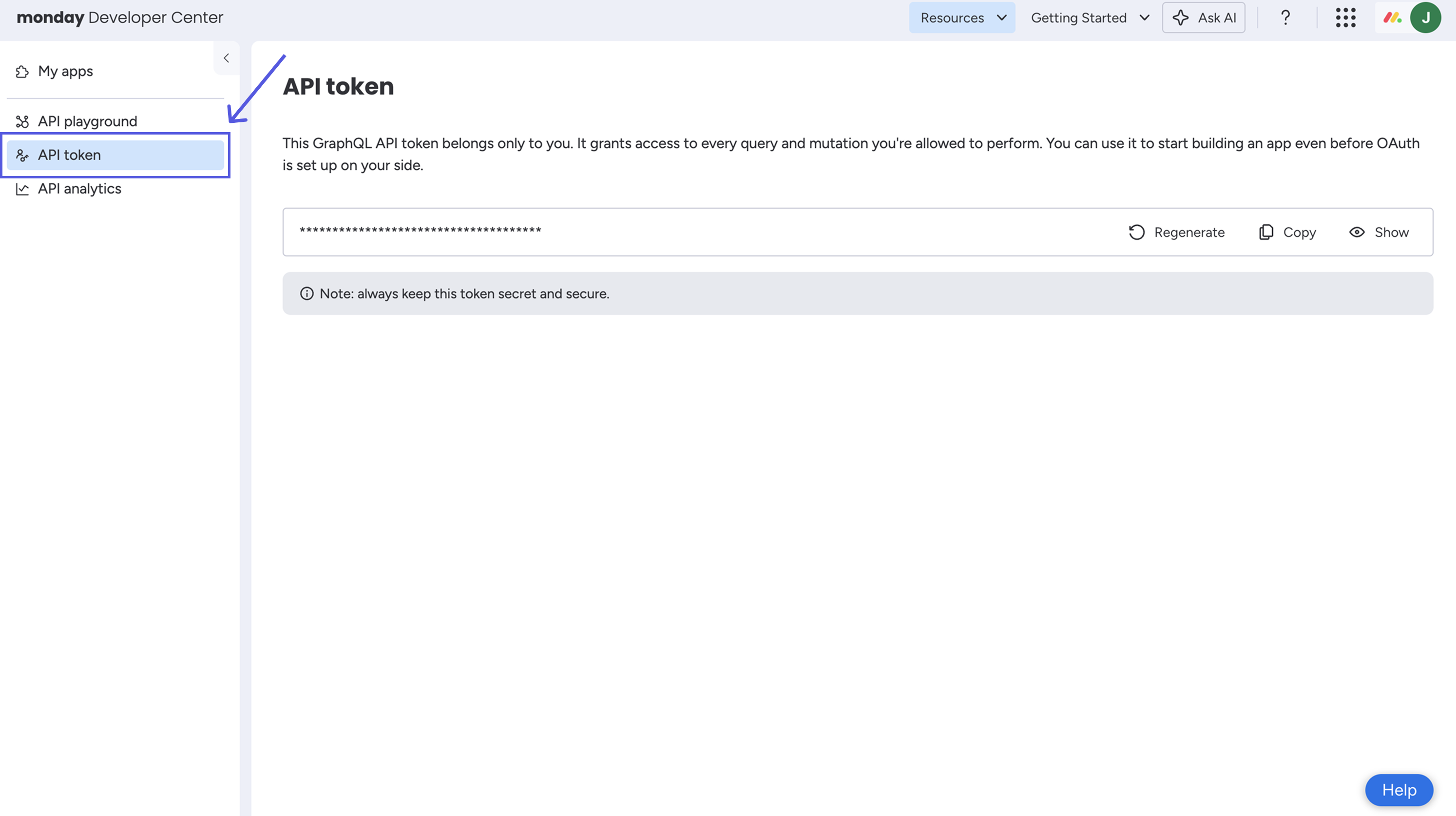
Account admins can use the Developer Center steps above or access their token via the Administration tab:
- In your monday.com account, click on your profile picture in the top right corner.
- Select Administration > Connections > Personal API token.
- Copy your personal token.
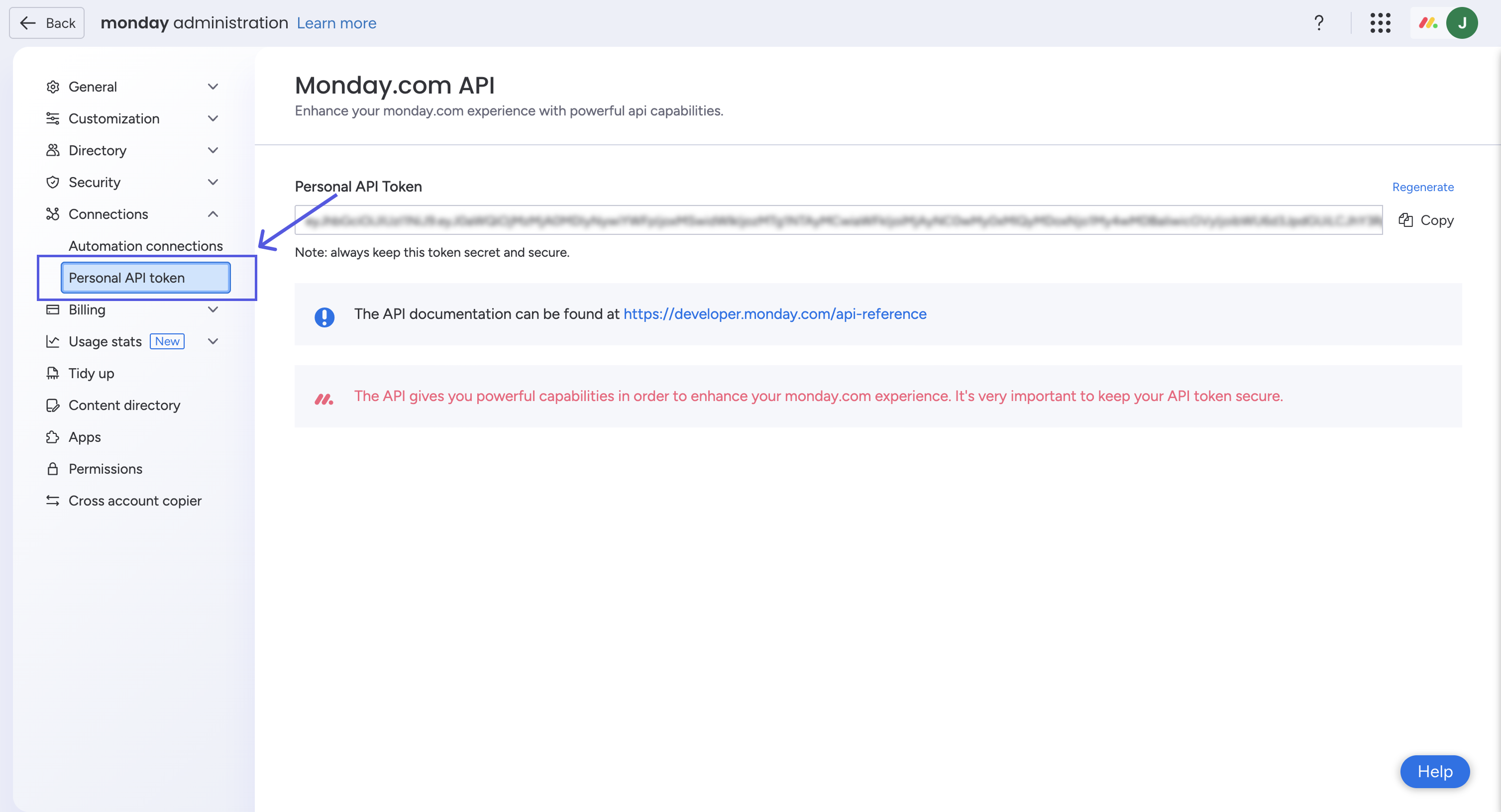
Once you have your token, you can make requests with the API by passing the token in the Authorization header.
curl -X POST https://api.monday.com/v2 \
  -H "Authorization: xxxxxxxxxxxxxxxxxxxxxxxxxxxxxxxxxxxxxx" \
  -H "Content-Type: application/json" \
  -d '{"query": "query { me { id name } }"}'
API tokens can be regenerated at any time. However, this will immediately invalidate your current token, so be sure to update any integrations using it.
- In your monday.com account, click on your profile picture in the top right corner.
- Select Developers. This will open the Developer Center in another tab.
- Click API token > Regenerate.
- In your monday.com account, click on your profile picture in the top right corner.
- Select Administration > Connections > Personal API token.
- Click Regenerate.
Updated about 17 hours ago