Get your app featured in the Google Workspace Marketplace (original) (raw)
This page explains how Google categorizes apps in the Google Workspace Marketplace. To help Google Workspace users discover and install your app, you can optimize your app and its listing to get featured in the Marketplace.
The following Google Workspace Marketplace features and categories only apply to public apps. To get your app featured, make sure that it meets all thepublic app requirements and has a public store listing page that's complete, accurate, and high-quality.
Receive an independent security verification badge
The Marketplace displays a badge for apps that have passed an independent security assessment. The badge is displayed from the Marketplace homepage and the app's store listing page. The badge also appears to Google Workspace administrators when they install or manage apps from the Google Admin console.
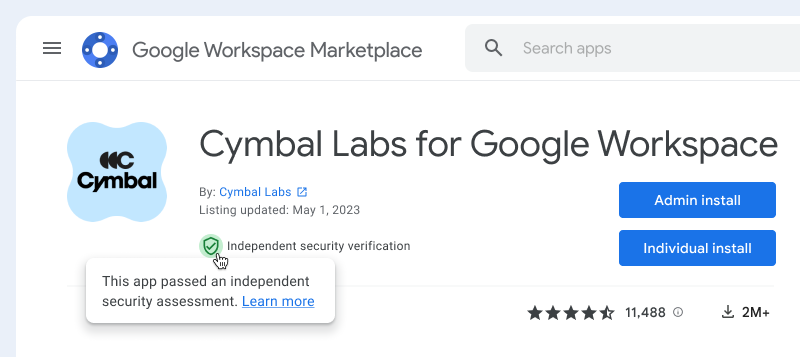
Figure 1. Example app on a store listing page that has the independent security verification badge.
To receive an independent security verification badge, your app must receive Tier 3 of the Cloud Application Security Assessment (CASA). After you pass the assessment, it can take up to three weeks for the badge to appear on your store listing in the Marketplace. To maintain the security badge, your app must remain compliant with Tier 3 of CASA. To learn more, visit the section About the Cloud Application Security Assessment.
The CASA assessment is based on the Google Cloud project for the app listing. To receive an independent security verification badge for app listings in multiple Cloud projects, you must complete the assessment for each Cloud project.
About the Cloud Application Security Assessment
The Cloud Application Security Assessment (CASA) is a set of security requirements built upon the industry-recognized standards of the OWASP Application Security Verification Standard (ASVS).
As an app developer or provider, you must submit your app for the CASA assessment and cover any associated fees. A third-party authorized lab must perform the CASA assessment. During the assessment, each application and its infrastructure is evaluated on a number of integration and security requirement categories. These categories include, but aren't limited to, access control, architecture, threat modeling, data protection, and error handling.
To be eligible for the CASA assessment, you must do the following:
- Conduct frequent internal infrastructure and app penetration tests.
- Engage with third-party authorized labs to annually audit the internal security controls, following the CASA framework for Tier 3.
- Since the app is reviewed on an annual basis, you and your customers should conduct an internal or external network and web-application vulnerability scan before updating the app.
After you pass the CASA assessment, you must revalidate annually to maintain your assessment.
To learn about CASA, review the assessment requirements andauthorized assessors.
Optimize your app for categories in the Marketplace
To help users browse and discover apps, the Marketplace features and categorizes apps that offer the highest quality experience to Google Workspace users. As an app developer, you can't pay to get an app featured in a Marketplace category. Instead, you can ensure that your app meets the eligibility criteria for a given category, and when applicable, apply to be considered for the category.
Recommended for Google Workspace
Each year, Google evaluates and recommends a select number of apps that enhance the Google Workspace experience and help people work in powerful new ways. These apps are featured prominently in the Recommended for Google Workspacecategory of the Marketplace.
To be considered for the category, you must apply to the Recommended for Google Workspace program. To be notified when applications open, subscribe to the Google Workspace Developer Newsletter.
Recommended for Google Workspace apps must meet the highest standards of integration and security requirements. If accepted into the program, your app must receive Tier 3 of the CASA framework.
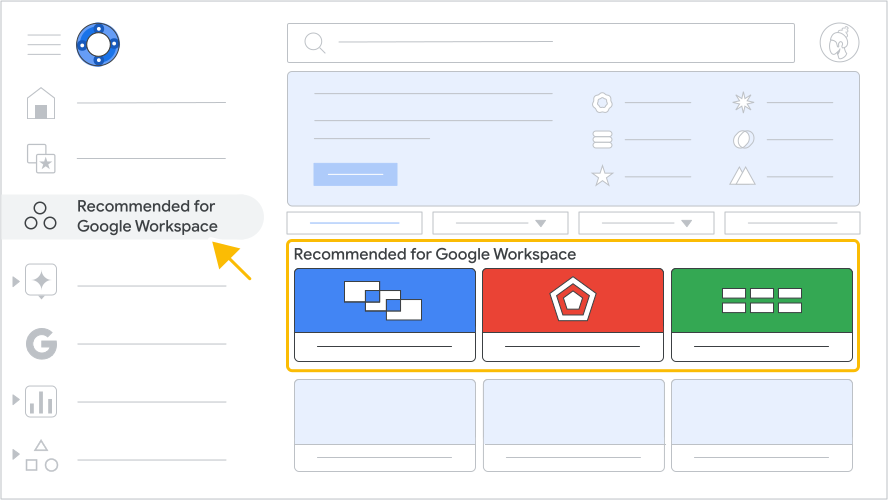
Figure 2. The Recommended for Google Workspace section of the Marketplace.
Editor's choice
Editor's choice is a category of apps curated by Google based on the app's capabilities. Google organizes Editor's choice apps into one or more of the following types:
- Work from everywhere: Apps for organizations with remote or distributed teams. This category includes communication and collaboration apps, engagement apps for remote teams, time management, and digital wellbeing apps.
- Business essentials: Apps that help improve common workflows for organizations. This category includes apps for CRM, billing solutions, product management, communication, and marketing.
- Apps to discover: Apps that are new and innovative.
To be eligible for the Editor's choice category, your app must meet the following requirements:
- Be aGoogle Workspace add-on.
- Available to be installed by individuals.
- Be free, free of charge with paid features, or have a free trial.
- Have at least 100,000 app installations. For apps published within the last 6 months, must have at least 10,000 installs and a rating of 4 or higher.
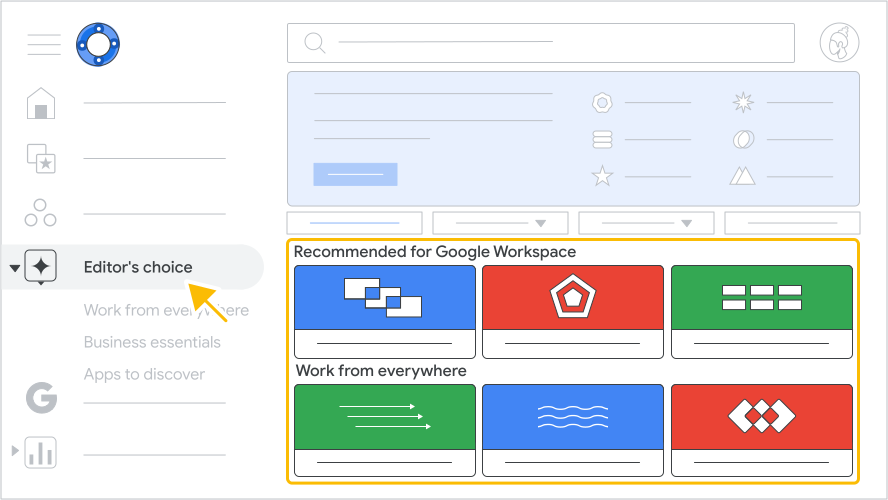
Figure 3. The Editor's choice categories of the Marketplace.
Works with Google Workspace applications
These items can be used directly with Google Workspace apps and are determined by the app integrations within your app. For example, a Sheets add-on appears under "Works with Sheets."
For Google Workspace add-ons, the "Works with…" category is determined by the Google Workspace applications the add-on extends. For example, if an add-on extends Gmail, the app listing appears in the Marketplace under "Works with Gmail" after publication.
Web apps aren't included in the "Works with…" categories.