Installation | Qt Safe Renderer (original) (raw)
Qt License
Qt Safe Renderer is a commercial feature of Qt for the Device Creation Enterprise license. Safety certification artifacts are delivered upon request. For more information about the pricing and other product details, you can contact our sales team. See Contact The Qt Company.
Supported Environment
Supported Development Environment provides detailed information about Qt Safe Renderer development environment:
- Qt and Qt tools
- Adaptations
- Host platforms
- Reference target devices
- Coding standards
Download Qt Online Installer as instructed in Get and Install Qt. On Linux, see General Installation Issues for Linux.
Note: When you install Qt Safe Renderer, you also need to install the related Qt version and Qt tools.
Install Qt Safe Renderer, Qt, and related tools as follows:
- Launch Qt Online Installer and follow instructions in the installation wizard.
- In Installation options, select Custom Installation.
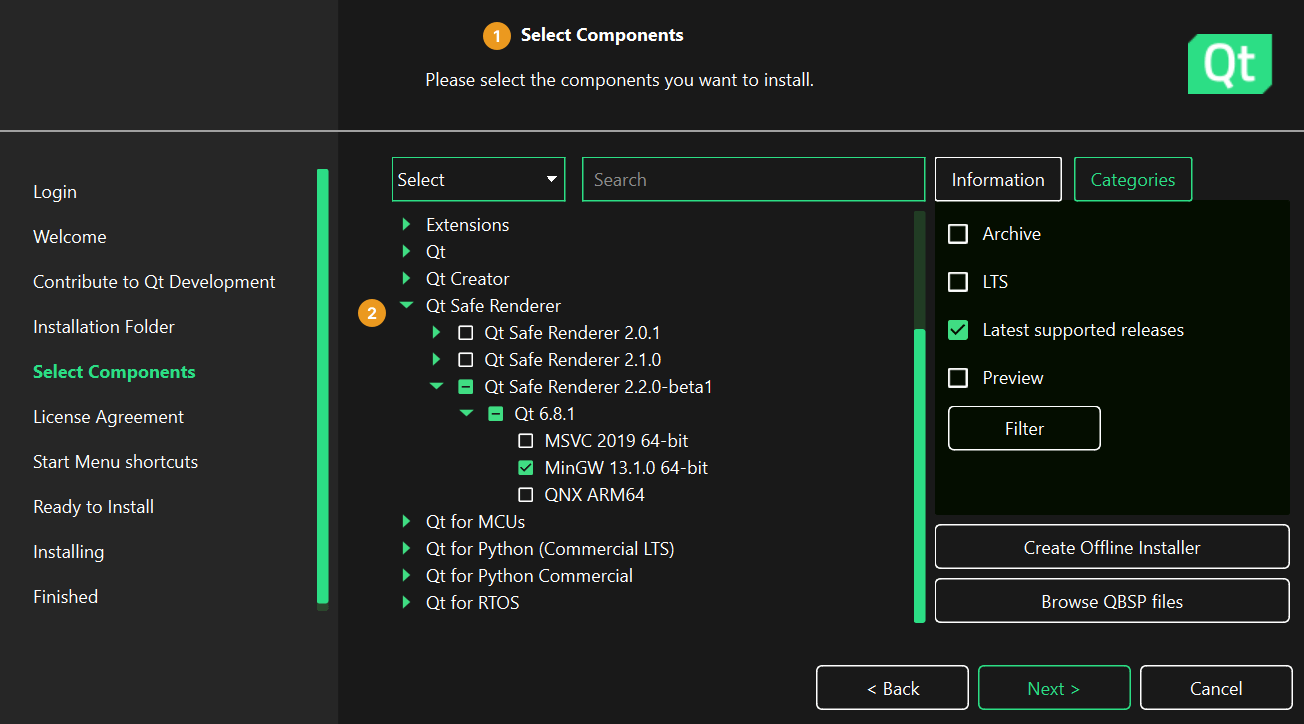
- In the Customize page (1), you see a list of all components that are available for your Qt account. Customize your installation so that you select the following components:
- To install Qt Safe Renderer, select Qt for Development > Qt Safe Renderer > Qt Safe Renderer (2). Under Qt Safe Renderer , you can select the Qt Safe Renderer binaries for supported compilers.
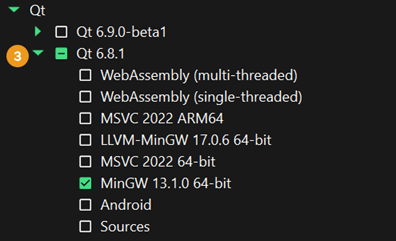
- To install Qt 6.8.7 and its components, select Qt for Development > Qt > Qt 6.8.7 and required components for your development work (3). Select at least the pre-built Qt binaries for your compiler.
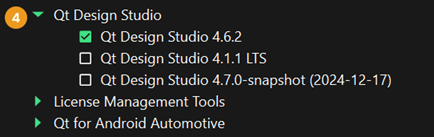
- To install Qt Design Studio, select Visual Creation Tools > Qt Design Studio > Qt Design Studio (4).
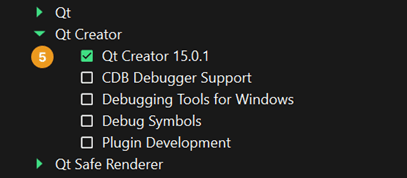
- To install Qt Creator, select Developer Tools > Qt Creator > Qt Creator (5).
- Under Qt for Development > Qt > Build Tools, you can also find other developer tools, such as compilers.
- To install Qt Safe Renderer, select Qt for Development > Qt Safe Renderer > Qt Safe Renderer (2). Under Qt Safe Renderer , you can select the Qt Safe Renderer binaries for supported compilers.
- Select Next and follow instructions in the installation wizard.
Finish the installation as instructed in the wizard.
The installed Qt Safe Renderer content is found under the Qt installation directory that you set in the installation wizard. In this Qt Safe Renderer documentation, the installation directory is referred as .
General Installation Issues for Linux
On Linux, remember to allow the execution of the installer binary. You can do this by using one of the following methods:
- On the command line enter the
chmod +x <filename>command. - Right-click the file, and select Properties > Permissions > Allow executing file as program.
Note: Do not execute the installer as a root user or with sudo.
Installing Qt Safe Renderer for Target Devices
Qt Safe Renderer provides the system image, toolchain, and system root for some target devices:
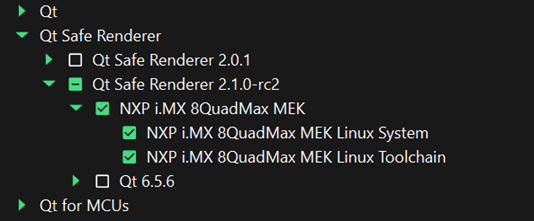
See Getting Started with Qt Safe Renderer Target Devices for detailed information about installing Qt Safe Renderer for target devices.
Verifying Environment
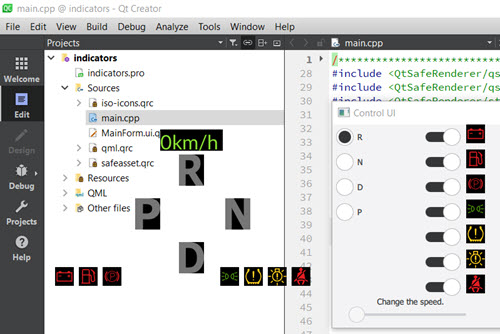
You can use the Indicators example to verify your Qt Safe Renderer environment:
Open Indicators to Qt Creator's Edit mode:
- Start Qt Creator.
- Select File > Open File or Project and browse to a indicators.pro file under /Examples/QtSafeRenderer-/saferenderer/indicators.
- Select Open.
- In the Configure Project page, choose a kit for building the project and select Configure Project.
The project is now open in Qt Creator's Edit mode.
Build and run the project by selecting Build > Run. The Indicators example launches and it draws some icons on top of the current application:
Qt Safe Renderer Installation Content
The Qt Safe Renderer installation contains:
- Qt Safe Renderer pre-built tools binaries under /Tools/QSR-
- Qt Safe Renderer Tooling sources under /Src/QtSafeRenderer-/src
- Qt Safe Renderer Runtime sources under /Src/QtSafeRenderer-runtime-/src
- Qt Safe Renderer examples under /Examples/QtSafeRenderer-/saferenderer
- Qt Safe Renderer documentation under /Docs
- Qt Safe Renderer Release note
- Qt Safe Renderer architecture and design documentation
- Code Coverage test reports
- Axivion Suite reports for the MISRA C++ guidelines rules compliance check
- Qt Safe Renderer documentation
- Qt Safe Renderer Verification specification
- Qt Safe Renderer Verification report
The sources of the certified Qt Safe Renderer runtime component are under /Src/QtSafeRenderer-Runtime-/src. The certified Qt Safe Renderer runtime component covers the content inside the SafeRenderer namespace (see Qt Safe Renderer C++ Classes).
Uninstalling Qt Safe Renderer
To uninstall Qt Safe Renderer, you need to launch Qt Maintenance Tool under the Qt Safe Renderer installation directory.
Uninstalling All Qt Components
You can uninstall all installed Qt components (including Qt Safe Renderer) as follows:
- Launch Qt Maintenance Tool.
- In Welcome to Qt Maintenance Tool, select Next.
- In Maintain Qt, enable the Uninstall only checkbox.
- Follow the instructions in the wizard.
After exiting Qt Maintenance Tool, all installed Qt components under your installation folder are removed.
Uninstalling Only Qt Safe Renderer Components
You can uninstall only the installed Qt Safe Renderer files as follows:
- Launch Qt Maintenance Tool.
- In Welcome to Qt Maintenance Tool, select Next.
- In Qt Account - Your unified login to everything Qt, select Next.
- In Setup - Qt, enable Add or remove components and select Next.
- In Select Components, deselect Qt Safe Renderer in the list of installed components and select Next.
- Follow the instructions in the wizard.
After exiting Qt Maintenance Tool, all installed Qt Safe Renderer components under your installation folder are removed. If you have built Qt Safe Renderer or its examples, the compiled binaries are not removed during the Qt Safe Renderer uninstallation. Instead, you need to delete them manually to remove all the Qt Safe Renderer related files.
When you manually delete the Qt Safe Renderer files, you need to check if the following paths contain some Qt Safe Renderer files:
| Path | File or directory |
|---|---|
| ///qml/Qt | The SafeRenderer directory |
| /Examples | Build directories of Qt Safe Renderer examples |
| /Src | The build directory of Qt Safe Renderer |
| /Tools/QSR- | Binaries of Qt Safe Renderer tools |
| /Tools/QtCreator/bin/qml/Qt/SafeRenderer | Qt Safe Renderer QML plugins |
| /Tools/QtDesignStudio/bin/qml/Qt/SafeRenderer | Qt Safe Renderer QML plugins |