Language server | ty (original) (raw)
You can generally expect ty to be a fully-featured language server for Python. This page describes some of the key features provided by ty's IDE integration and includes a reference table of supported LSP features at the end. See the editor integration guide for instructions on how to set up ty with your editor.
Diagnostics
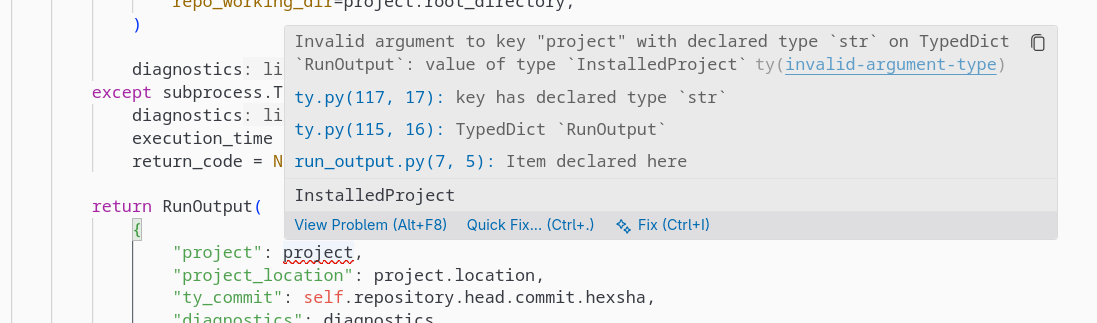
Example of an inline diagnostic with code-span annotations
ty reports type errors and other diagnostics directly in your editor. Diagnostics are updated as you type. You can use thediagnosticMode setting to control if you want to see diagnostics for open files only, or for your entire workspace.
Info
ty supports both the "pull" and "push" diagnostic models. Most modern editors will use the "pull" model for better performance, where diagnostics are fetched on demand rather than pushed after every change.
Code navigation
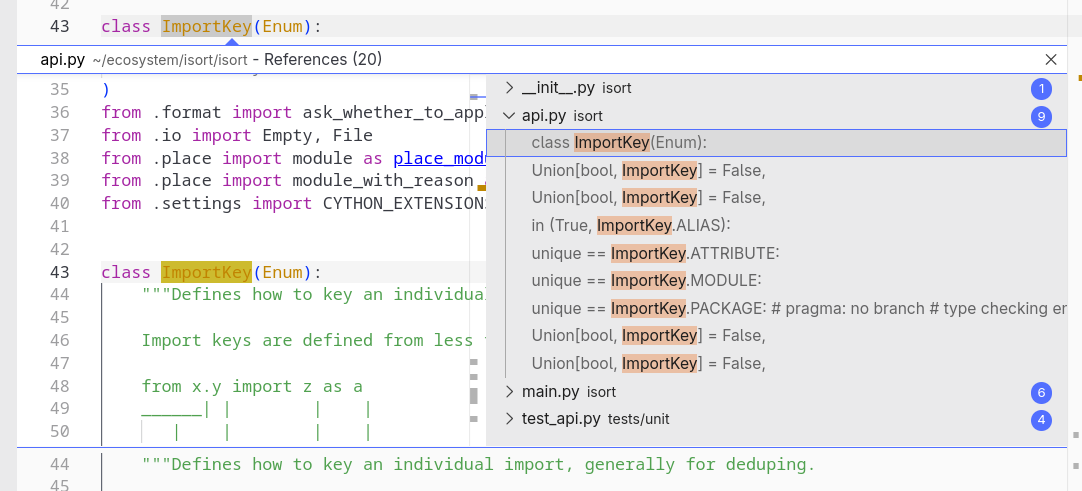
"Find references" shows usages across the entire workspace
ty powers several language server features that allow you to navigate a Python codebase:
- Go to Definition: Jump to where a symbol is defined. ty resolves imports, function calls, class references, and more.
- Go to Declaration: Navigate to the declaration site of a symbol, which can differ from its definition (could be in a stub file).
- Go to Type Definition: Navigate to the type of a symbol. For example, this takes you to the class
Personwhen invoked on a variableuser: Person. - Find all references: Find every usage of a function, class, or variable across your entire workspace.
- Document and workspace symbols: See an outline of symbols in the current file, or search through symbols across your entire workspace.
Code completions
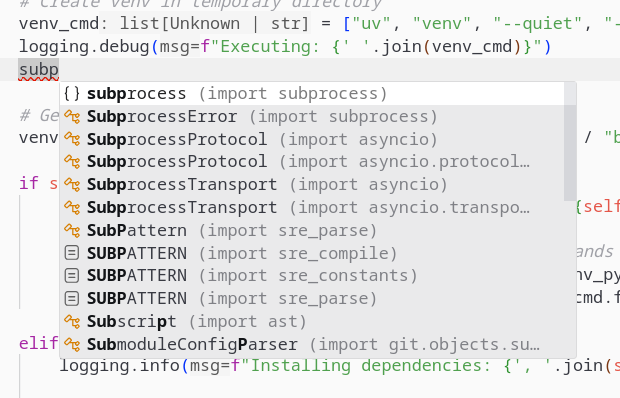
Accepting this completion will automatically add a subprocess import at the top of the file.
ty provides intelligent code completions as you type, offering suggestions for variables, functions, classes, and modules that are in scope. For symbols that are not yet imported, ty suggests auto-import actions to add the necessary import statements.
Code actions and refactorings
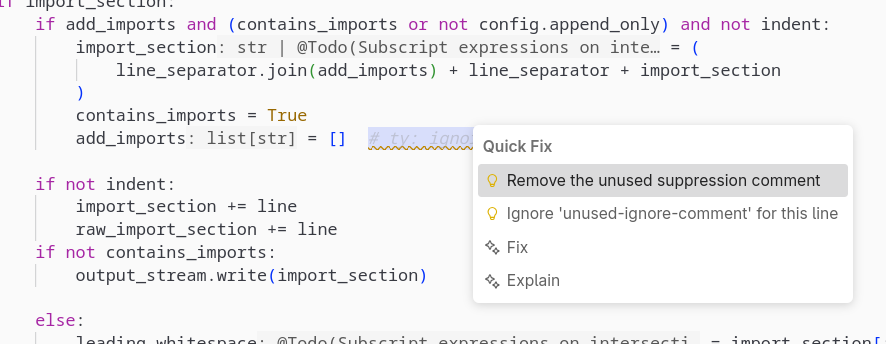
ty offers to remove the unused suppression comment
ty offers quick fixes and other code actions to help you resolve issues:
- Add import: Automatically add missing import statements
- Quick fixes: Some diagnostics come with quick fix suggestions to resolve the issue
- Rename symbol: Safely rename symbols across your entire codebase
- Selection range: Expand or shrink the text selection in your editor based on ty's understanding of Python syntax
Contextual information

Gray inlay hints and on-hover information (signature, docstring)
ty surfaces useful contextual information as you code:
- Hover: Hover over any symbol to see its type, documentation, function signatures, and other useful information like the variance of type parameters.
- Inlay hints: Display inline type hints for variables and parameters without explicit annotations, as well as parameter names at call sites. These hints can also be double-clicked to insert the type annotations into your source code. You can also click on parts of the inlay hints for go-to-definition navigation.
- Signature help: When calling a function, ty displays the function's parameters and their types. This appears automatically when you type
(and updates as you navigate between arguments. - Document highlight: When the cursor is on a symbol, ty highlights all occurrences of that symbol in the current file.
- Semantic highlighting: Syntax highlighting based on the underlying semantics and types.
Code folding
ty provides Python specific code folding ranges to LSP clients upon request. This includes tagging docstrings as comments, which supports editor actions like "fold all comment blocks."
Notebook support
ty supports Jupyter notebooks (.ipynb files) with language server features. Each cell is analyzed in context, with diagnostics, completions, and other features working across cells.
Fine-grained incrementality
ty's architecture is designed for low-latency updates of diagnostics and other language server features. When you make a change in your editor, ty incrementally updates only the affected parts of the codebase, rather than re-analyzing everything from scratch. This happens at a fine-grained level, down to individual definitions. This incrementality means that you get instant feedback as you type, i.e., within a few milliseconds, even on large projects.
Info
Fine-grained dependencies also allow ty to skip large parts of 3rd-party dependencies when they are not relevant to your codebase.