Configuration Cache (original) (raw)
When the Configuration Cache is enabled and you run Gradle for a specific set of tasks, such as ./gradlew check, Gradle looks for a Configuration Cache entry. If a matching entry is found, Gradle reuses it and skips the configuration phase entirely. A cache hit is essential for avoiding configuration work.
Configuration Cache Entries
A cache entry contains:
- The set of tasks to run
- Their configuration details
- Dependency information
First-Time Execution

The first time you run a set of tasks, there is no cache entry. Gradle performs the configuration phase as usual:
- Run init scripts.
- Run the settings script, applying any requested settings plugins.
- Configure and build the
buildSrcproject, if present. - Run build scripts, applying any requested project plugins. If plugins come from included builds, Gradle builds them first.
- Calculate the task graph, executing deferred configuration actions.
Gradle then stores a snapshot of the task graph in the Configuration Cache for future use. After this, Gradle loads the task graph from the cache and proceeds with task execution.
| | When it is enabled, Gradle always loads from the configuration cache - even on a cache miss - to ensure that hits and misses are handled consistently. | | --------------------------------------------------------------------------------------------------------------------------------------------------------- |
Subsequent Runs
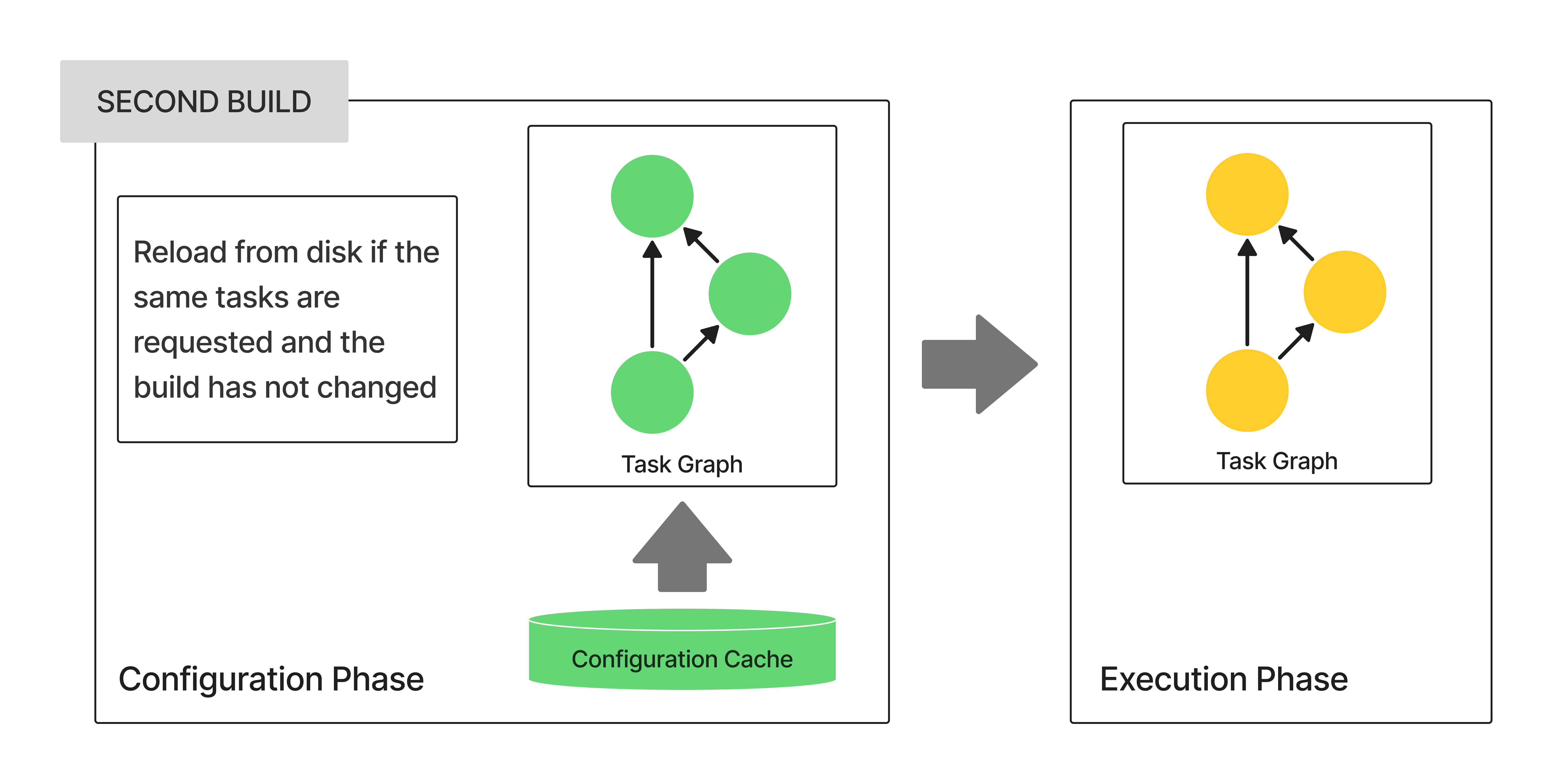
On subsequent executions of the same tasks (e.g., ./gradlew check again), Gradle:
- Skips the configuration phase entirely.
- Loads the task graph from the Configuration Cache instead.
To match a saved entry in the cache, Gradle verifies that no build configuration inputs have changed. If any input has changed, Gradle reruns the configuration phase and stores a new entry in the cache.
Build Configuration Inputs
The following elements determine whether a Configuration Cache entry is valid:
- Gradle environment
GRADLE_USER_HOME- Gradle Daemon JVM
- Init scripts
buildSrcand included build logic build contents (build scripts, sources, and intermediate build outputs)- Build and Settings scripts, including included scripts (
apply from: foo.gradle) - Gradle configuration files (Version Catalogs, dependency verification files, dependency lock files,
gradle.propertiesfiles) - Contents of files read at configuration time
- File system state checked at configuration time (file presence, directory contents, etc.)
- Custom
ValueSourcevalues obtained at configuration time (this also includes built-in providers, likeproviders.execandproviders.fileContents). - System properties used during the configuration phase
- Environment variables used during the configuration phase
Serialization
Gradle uses an optimized serialization mechanism to store Configuration Cache entries. It automatically serializes object graphs containing simple state or supported types.
While Configuration Cache serialization doesn’t rely on Java Serialization, it understands some of its features. This can be used to customize serialization behavior, but incurs a performance penalty and should be avoided.