FAN Interface | Radxa Docs (original) (raw)
Connector Specification
The fan header on ROCK 5B / ROCK 5B+ is designed for a 2-pin, 1.25 mm pitch, 5V DC fan connector.
Selection reference
If you are using the official heatsink, see the Radxa Heatsink 6240B specification page. Its fan cable uses a 2-pin 1.25 mm pitch connector.
Interface Test Methods
- Connection
Connect the fan to ROCK 5B as shown here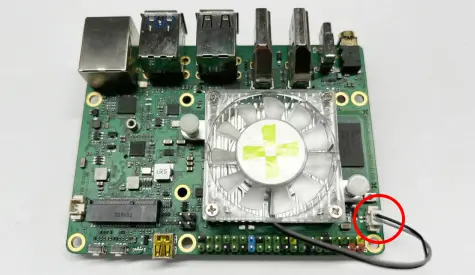
- Rsetup select Thermal Governor mode
- Open a terminal, type rsetup, select Hardware.
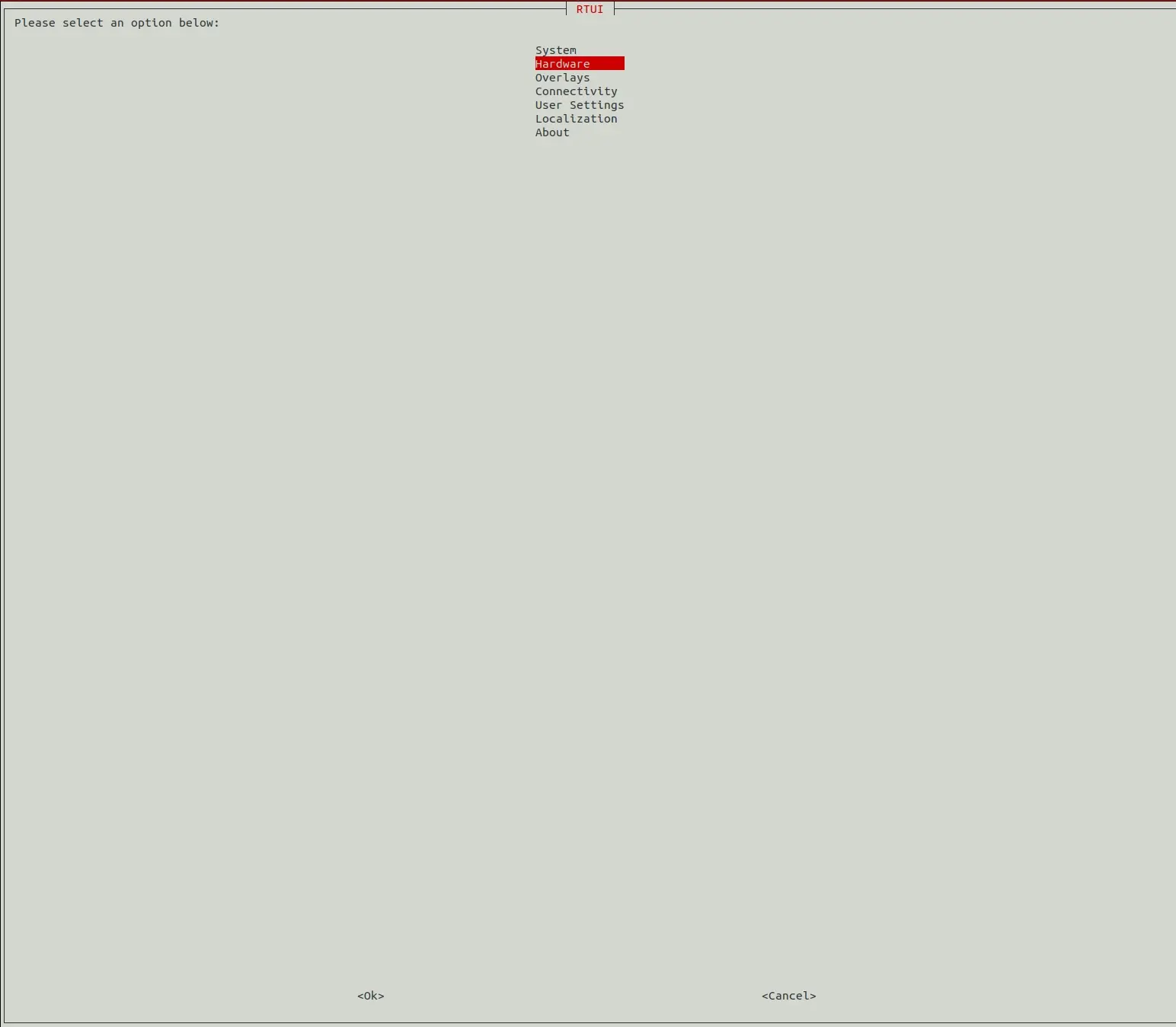
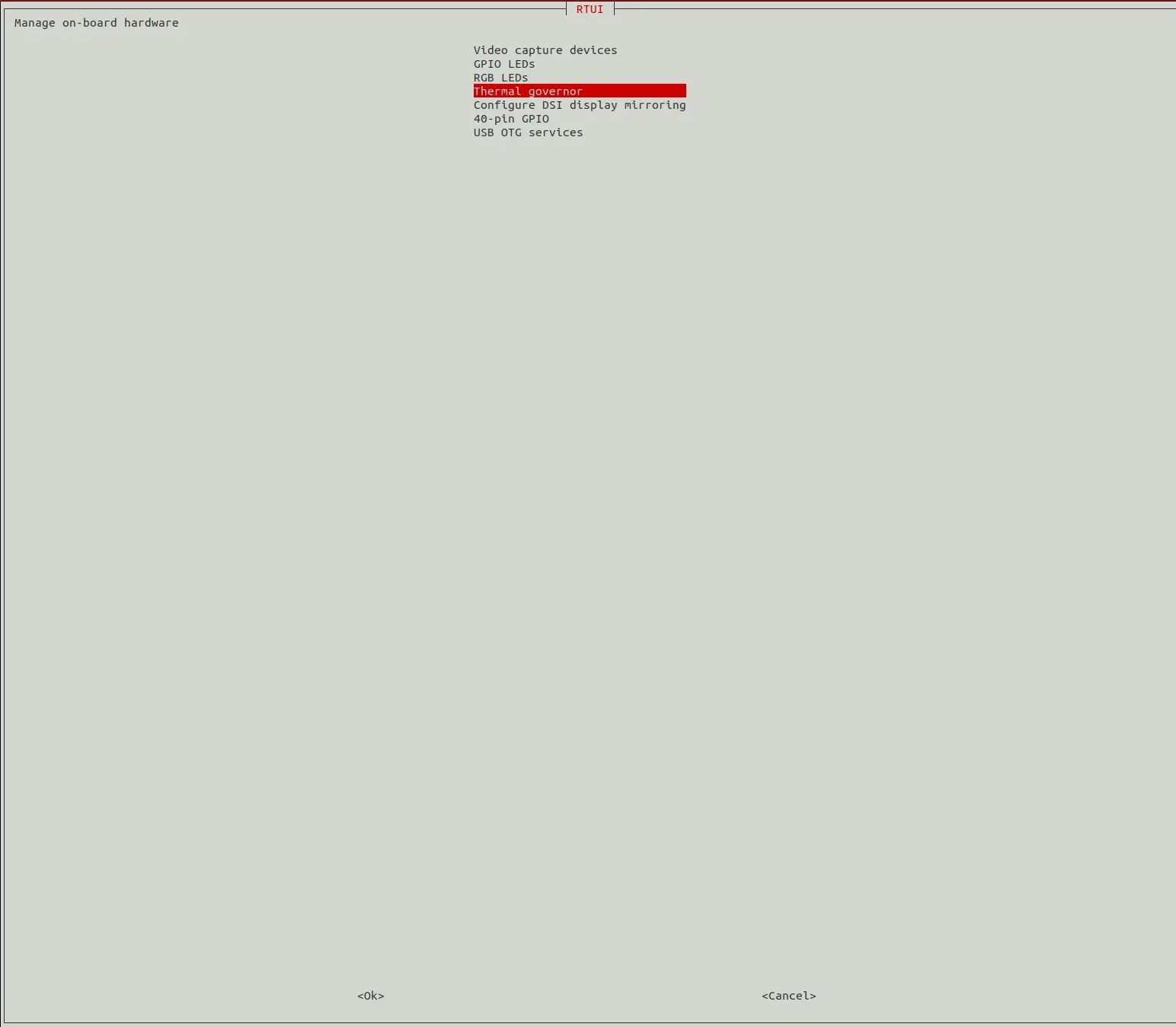
- Enter to Thermal governor
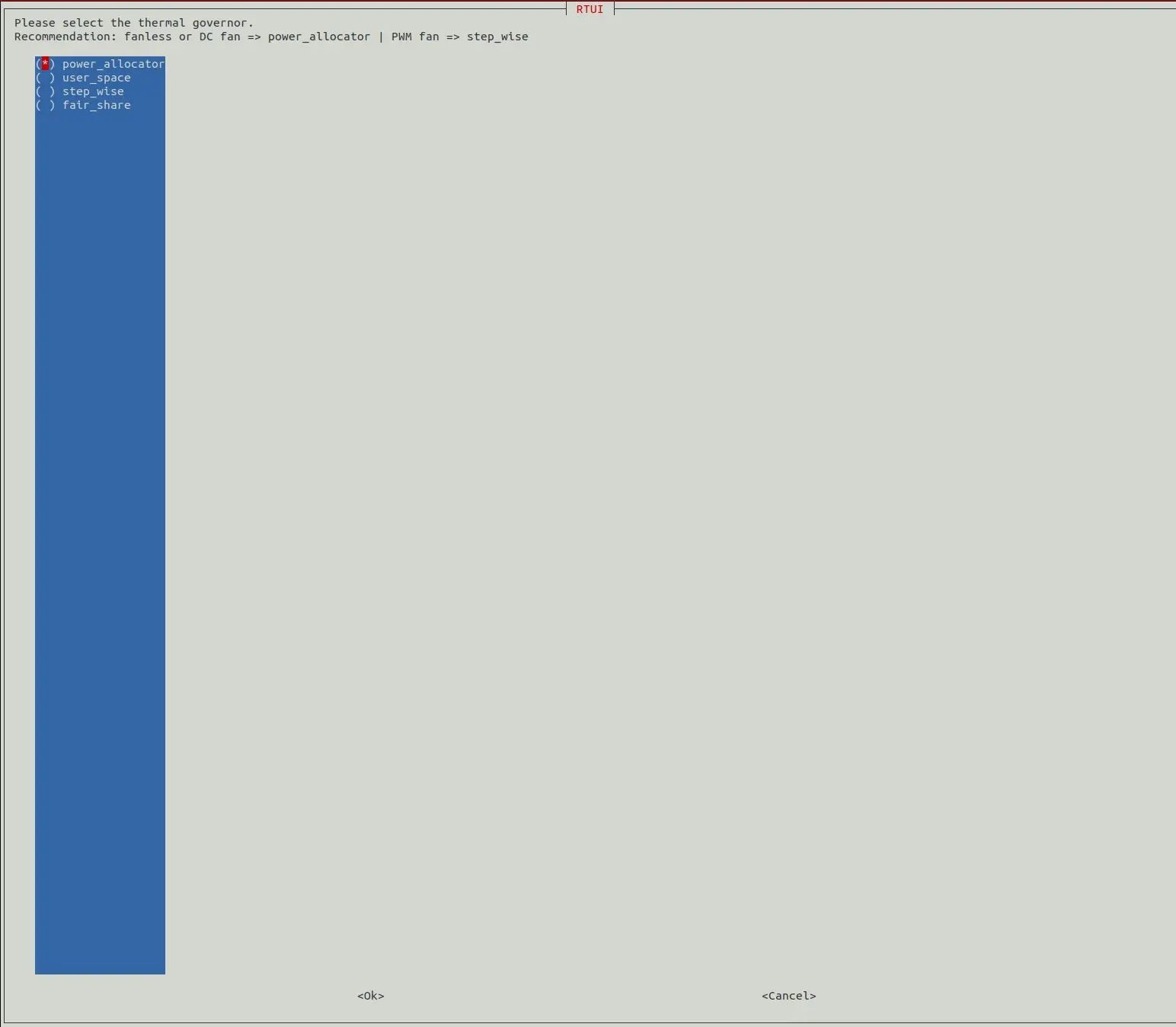
- The default governor should be power_allocator.
- Open a terminal, type rsetup, select Hardware.
- power_allocator
The system defaults to fanless mode or DC fan mode. Ensure that the machine can still work stably without a cooling fan - user_space
- Select user_space
- Locate the fan device with the following command.
ls /sys/class/thermal/cooling_device*/type
cat /sys/class/thermal/cooling_device*/type
As shown, pwm-fan corresponds to cooling_device4.
- Turn off the fan
echo 0 | sudo tee /sys/class/thermal/cooling_device4/cur_state
or
echo 0 | sudo tee /sys/devices/platform/pwm-fan/hwmon/hwmon*/pwm1 - Set the fan to the highest setting.
sudo cp /sys/class/thermal/cooling_device4/max_state /sys/class/thermal/cooling_device4/cur_state
or
echo 255 | sudo tee /sys/devices/platform/pwm-fan/hwmon/hwmon*/pwm1
- step_wise
When the CPU temperature reaches 60 degrees Celsius the fan starts to rotate. - Shutdown and sleep states
The fan should remain stationary during shutdown and sleep. - Refer to
See more at rsetup thermal-governor section
You need to be logged into GitHub to post a comment. If you are already logged in, please ignore this message.
Radxa-docs © 2026 by Radxa Computer (Shenzhen) Co.,Ltd. is licensed under CC BY 4.0