Augmented testing to support manual GUI-based regression testing: An empirical study (original) (raw)
1 Introduction
Regression testing is the process of testing existing functionality after modifications to the system have been made to ensure that no new defects have been introduced (Ammann and Offutt 2016; Rothermel and Harrold [1996](/article/10.1007/s10664-024-10522-z#ref-CR51 "Rothermel G, Harrold M (1996) Analyzing regression test selection techniques. IEEE Trans Softw Eng 22(8):529–551. https://doi.org/10.1109/32.536955
            ")). Manual performed regression testing is labor-intensive, error-prone, and demands a combination of technical proficiency and domain knowledge. It is, therefore, associated with high cost (Grechanik et al. [2009b](/article/10.1007/s10664-024-10522-z#ref-CR26 "Grechanik M, Xie Q, Fu C (2009b) Maintaining and evolving gui-directed test scripts. In: 2009 IEEE 31st International conference on software engineering, IEEE, pp 408–418"), [a](/article/10.1007/s10664-024-10522-z#ref-CR25 "Grechanik M, Xie Q, Fu C (2009a) Creating gui testing tools using accessibility technologies. In: 2009 International conference on software testing, verification, and validation workshops, IEEE, pp 243–250")). To address these challenges, the adoption of automated testing has become an essential part of software development practices (Berner et al. [2005](/article/10.1007/s10664-024-10522-z#ref-CR5 "Berner S, Weber R, Keller RK (2005) Observations and lessons learned from automated testing. In: Proceedings of the 27th international conference on Software engineering, ACM, pp 571–579"); Sneha and Malle [2017](/article/10.1007/s10664-024-10522-z#ref-CR55 "Sneha K, Malle GM (2017) Research on software testing techniques and software automation testing tools. In: 2017 International conference on energy, communication, data analytics and soft computing (ICECDS), pp 77–81,
              https://doi.org/10.1109/ICECDS.2017.8389562

            ")). By leveraging automated tests, developers can effectively verify software artifacts against their specified requirements. This approach allows for frequent and cost-effective test executions, providing continuous feedback on the software system’s quality throughout the entire development lifecycle (Zhao et al. [2017](/article/10.1007/s10664-024-10522-z#ref-CR64 "Zhao Y, Serebrenik A, Zhou Y, Filkov V, Vasilescu B (2017) The impact of continuous integration on other software development practices: a large-scale empirical study. In: 2017 32nd IEEE/ACM International conference on automated software engineering (ASE), IEEE, pp 60–71")). Furthermore, automated testing minimizes the occurrence of human errors, thereby enhancing the overall reliability of the testing process (Karhu et al. [2009](/article/10.1007/s10664-024-10522-z#ref-CR34 "Karhu K, Repo T, Taipale O, Smolander K (2009) Empirical observations on software testing automation. In: 2009 International conference on software testing verification and validation, IEEE, pp 201–209")).
Despite various research efforts in the area of automated testing, manual testing presents a significant portion of the overall practiced testing in industry (Garousi and Mäntylä [2016](/article/10.1007/s10664-024-10522-z#ref-CR20 "Garousi V, Mäntylä MV (2016) A systematic literature review of literature reviews in software testing. Inf Softw Technol 80:195–216. https://doi.org/10.1016/j.infsof.2016.09.002
            "); Sánchez-Gordón et al. [2020](/article/10.1007/s10664-024-10522-z#ref-CR54 "Sánchez-Gordón M, Rijal L, Colomo-Palacios R (2020) Beyond Technical Skills in Software Testing: Automated versus Manual Testing. In: Proceedings of the IEEE/ACM 42nd International conference on software engineering workshops, ACM, pp 161–164,
              https://doi.org/10.1145/3387940.3392238

            ,
              https://dl.acm.org/doi/10.1145/3387940.3392238

            "); Itkonen et al. [2009](/article/10.1007/s10664-024-10522-z#ref-CR30 "Itkonen J, Mäntylä MV, Lassenius C (2009) How do testers do it? an exploratory study on manual testing practices. In: 2009 3rd International symposium on empirical software engineering and measurement, pp 494–497,
              https://doi.org/10.1109/ESEM.2009.5314240

            "); Engström et al. [2010](/article/10.1007/s10664-024-10522-z#ref-CR16 "Engström E, Runeson P, Skoglund M (2010) A systematic review on regression test selection techniques. Inf Softw Technol 52(1):14–30.
              https://doi.org/10.1016/j.infsof.2009.07.001

            "); Haas et al. [2021](/article/10.1007/s10664-024-10522-z#ref-CR27 "Haas R, Elsner D, Juergens E, Pretschner A, Apel S (2021) How can manual testing processes be optimized? developer survey, optimization guidelines, and case studies. In: Proceedings of the 29th ACM Joint Meeting on European Software Engineering Conference and Symposium on the Foundations of Software Engineering, ACM, Athens Greece, pp 1281–1291,
              https://doi.org/10.1145/3468264.3473922

            "); Leitner et al. [2007](/article/10.1007/s10664-024-10522-z#ref-CR36 "Leitner A, Ciupa I, Meyer B, Howard M (2007) Reconciling Manual and Automated Testing: The AutoTest Experience. In: 2007 40th Annual Hawaii international conference on system sciences (HICSS’07), IEEE, Waikoloa, HI, pp 261a–261a.
              https://doi.org/10.1109/HICSS.2007.462

            ")). According to a survey conducted in 2020 (Capgemini and Sogetti [2020](/article/10.1007/s10664-024-10522-z#ref-CR10 "Capgemini and Sogetti (2020) World quality report 2019-20.
              https://www.sogeti.com/explore/reports/world-quality-report-2019/

            ")), the automation rate of test cases within an agile and DevOps development environment was reported to be only 6%. Interstingly, but not related, 6% of practitioners also expressed confidence in achieving complete automation in software testing in a survey from 2012 (Rafi et al. [2012](/article/10.1007/s10664-024-10522-z#ref-CR50 "Rafi DM, Moses KRK, Petersen K, Mäntylä MV (2012) Benefits and limitations of automated software testing: Systematic literature review and practitioner survey. In: 2012 7th International workshop on automation of software test (AST), IEEE, pp 36–42")). While the rate of automated test cases and the confidence in complete automation can not be compared directly, these numbers indicate the importance of manual testing in practice. Moreover, the findings between these two studies highlight a persistent challenge spanning nearly a decade.
Manual regression testing can be carried out at varied levels of abstraction, employing different test session strategies and test execution techniques (Itkonen et al. [2009](/article/10.1007/s10664-024-10522-z#ref-CR30 "Itkonen J, Mäntylä MV, Lassenius C (2009) How do testers do it? an exploratory study on manual testing practices. In: 2009 3rd International symposium on empirical software engineering and measurement, pp 494–497, https://doi.org/10.1109/ESEM.2009.5314240
")). One such technique is GUI-based testing, where a system’s behavior is verified through its GUI at a higher level of abstraction, mirroring user interactions (Alégroth and Feldt [2017](/article/10.1007/s10664-024-10522-z#ref-CR1 "Alégroth E, Feldt R (2017) On the long-term use of visual gui testing in industrial practice: a case study. Empirical Softw Eng 22(6):2937–2971"); Coppola and Alégroth [2022](/article/10.1007/s10664-024-10522-z#ref-CR13 "Coppola R, Alégroth E (2022) A taxonomy of metrics for gui-based testing research: A systematic literature review. Inf Softw Technol pp 107062")). Interactions with the GUI allow not only the verification of the appearance of the GUI but, more importantly, the verification of the behavior of the system under test (SUT) (Alégroth and Feldt [2017](/article/10.1007/s10664-024-10522-z#ref-CR1 "Alégroth E, Feldt R (2017) On the long-term use of visual gui testing in industrial practice: a case study. Empirical Softw Eng 22(6):2937–2971")).Besides the labor costs associated with manual GUI-based regression testing, there are other challenges to consider.
First, test cases are executed by different testers and developers. In some instances, manual GUI-based regression testing is used to onboard new testers and developers. A tester’s individual skill set can significantly impact the outcomes of manual testing just as much as the methods used for designing test cases (Juristo et al. [2004](/article/10.1007/s10664-024-10522-z#ref-CR33 "Juristo N, Moreno AM, Vegas S (2004) Reviewing 25 Years of Testing Technique Experiments. Empirical Softw Eng 9(1/2):7–44. https://doi.org/10.1023/B:EMSE.0000013513.48963.1b
")).Second, test cases are executed less frequently compared to unit or integration tests. For large test cases, it can take days, weeks, or even months between test executions. It can become impossible for human testers to remember how to carry out each test case with all of its details.
A systematic retesting of existing functionalities can become error-prone if detailed instructions are not provided or carried out differently by each individual.
1.1 Augmented Testing
Augmented Testing (AT) is a novel testing approach that has shown promise to aid manual testers (Nass and Alégroth 2020; Nass et al. [2020](/article/10.1007/s10664-024-10522-z#ref-CR46 "Nass M, Alégroth E, Feldt R (2020) On the Industrial Applicability of Augmented Testing: An Empirical Study. In: 2020 IEEE International conference on software testing, verification and validation workshops (ICSTW), IEEE, pp 364–371, https://doi.org/10.1109/ICSTW50294.2020.00065
            ,
              https://ieeexplore.ieee.org/document/9155725/

            "), [2019](/article/10.1007/s10664-024-10522-z#ref-CR45 "Nass M, Alégroth E, Feldt R (2019) Augmented Testing: Industry Feedback To Shape a New Testing Technology. In: 2019 IEEE International conference on software testing, verification and validation workshops (ICSTW), IEEE, pp 176–183,
              https://doi.org/10.1109/ICSTW.2019.00048

            ,
              https://ieeexplore.ieee.org/document/8728937/

            ")). AT is a (semi-)automated testing approach that can be used for regression and exploratory GUI-based testing, where the testing environment is integrated into the SUT. The core of this approach regards using tools to create a virtual intermediary layer between the tester and the SUT’s GUI to superimpose test information that can aid the tester in verifying the SUT’s behavior according to its specifications. This superimposed information includes augmentations (visual highlights) on widgets of previous or suggested user interactions, checks/assertions, identified issues, or comments, aiming to improve the tests’ effectiveness. Figure [1](/article/10.1007/s10664-024-10522-z#Fig1) demonstrates the concept of AT on a web GUI.
Fig. 1
Demonstration of Augmented Testing (AT). The SUT’s widgets are superimposed with information through the augmentation layer
In addition to improving tester effectiveness, AT shows promise in achieving improvements in the efficiency of GUI testing by reducing the time required to perform the tests. This is achieved since all user interactions with the SUT go through the augmented layer and are recorded in a state model, referred to as a test model. Recording tests through the augmented layer reduces the time for test development compared to state-of-practice script-based approaches (Nass et al. [2020](/article/10.1007/s10664-024-10522-z#ref-CR46 "Nass M, Alégroth E, Feldt R (2020) On the Industrial Applicability of Augmented Testing: An Empirical Study. In: 2020 IEEE International conference on software testing, verification and validation workshops (ICSTW), IEEE, pp 364–371, https://doi.org/10.1109/ICSTW50294.2020.00065
            ,
              https://ieeexplore.ieee.org/document/9155725/

            ")) and ensures that recorded tests can be replayed exactly in the same way as they were recorded (Nass and Alégroth [2020](/article/10.1007/s10664-024-10522-z#ref-CR44 "Nass M, Alégroth E (2020) SCOUT: A revised approach to GUI-test automation")). Capturing the interaction prior to its delegation to the SUT ensures that no preliminary state transitions are begun before the action is captured. Thus, also taking chronological aspects of the actions and events into account. Hence, ensuring that actions are recorded exactly in the same way as they were performed to capture the defective state of the SUT originally. Unlike with previous record & replay approaches, multiple locators are used to identify a widget on the GUI reliably based on multiple properties, reducing maintenance efforts (Leotta et al. [2015](/article/10.1007/s10664-024-10522-z#ref-CR37 "Leotta M, Stocco A, Ricca F, Tonella P (2015) Using Multi-Locators to Increase the Robustness of Web Test Cases. In: 2015 IEEE 8th International conference on software testing, verification and validation (ICST), IEEE, Graz, Austria, pp 1–10.
              https://doi.org/10.1109/ICST.2015.7102611

            ")). Additionally, test inputs are captured by the augmented layer before being relayed to the SUT. This sets AT apart from record & replay solutions, which capture user actions during/after they are performed on the SUT. The earlier capturing of interactions prevents the degrading of recording quality through SUT state transitions. The augmentations, e.g., test data, also reduce cognitive complexity and the need for context switching, for instance, for running regression tests with step-by-step instructions that are commonly documented in separate documents. Furthermore, the recorded test data in the test model can be used to derive suggestions and information relevant to further testing.
The AT approach is implemented by a single technical demonstrator called Scout (Nass and Alégroth 2020) and has been evaluated in two previous industrial workshop studies (Nass et al. [2019](/article/10.1007/s10664-024-10522-z#ref-CR45 "Nass M, Alégroth E, Feldt R (2019) Augmented Testing: Industry Feedback To Shape a New Testing Technology. In: 2019 IEEE International conference on software testing, verification and validation workshops (ICSTW), IEEE, pp 176–183, https://doi.org/10.1109/ICSTW.2019.00048
            ,
              https://ieeexplore.ieee.org/document/8728937/

            ")). In the first study, Scout’s perceived benefits and drawbacks were evaluated, further supported by results from a second empirical study on the industrial applicability of AT (Nass et al. [2020](/article/10.1007/s10664-024-10522-z#ref-CR46 "Nass M, Alégroth E, Feldt R (2020) On the Industrial Applicability of Augmented Testing: An Empirical Study. In: 2020 IEEE International conference on software testing, verification and validation workshops (ICSTW), IEEE, pp 364–371,
              https://doi.org/10.1109/ICSTW50294.2020.00065

            ,
              https://ieeexplore.ieee.org/document/9155725/

            ")). More details regarding these two studies are provided in the related work section.
To set up Scout for a test run, the SUT’s GUI needs to be specified to access it, i.e., a local or remote URL must be provided to the web GUI. During the first run, Scout behaves very much like a web browser but records all interactions the user makes into a state model. These interactions include clicks, type inputs, and adding assertions. On subsequent runs, Scout uses the information stored in the state model to guide and support testers to perform existing or capture additional tests through augmentations. Augmentations highlight previous interactions with widgets and results of automatically performed checks. The more systematic guidance of testers, which is independent of the individual testers’ domain or testing knowledge, and the integration of test cases into the SUT, can reduce costs and make test executions less error-prone. While Scout can replace manual testing tasks, e.g., test execution, through automation, it is primarily meant to be used as a companion that guides testers to improve their, and the tests’, efficacy. For instance, by allowing the tester to expand or complement existing test cases to explore the GUI and the SUT’s functionality, while still allowing the reuse of existing test cases.
Scout is designed with a plugin architecture that allows users to expand its capabilities beyond the realm of AT. Since our study focuses on AT, the testing approach of using augmentations on top of the GUI, we will not delve into all of Scout’s capabilities that are provided through plugins. Some additional capabilities include the ability to (semi-)automatically repair test cases when widgets have changed properties, such as when they are moved to a different location, by using multi-locators to identify the changed widget. Capabilities such as (semi-)automated test case repair can enhance test robustness, leading to reduced maintenance efforts and costs. Another capability is the ability to generate reports or script-based test cases based on the information stored in the state model.
Scout was specifically developed to demonstrate AT. However, some other tools follow a similar approach or goal, e.g., using record & replay. Hence, we consider other tools as AT-like if they align with our definition of “a tool-supported testing approach that employs GUI augmentations, such as visual highlights on widgets, to assist testers in navigating the SUT’s GUI, asserting widgets, and providing test-relevant information”.
1.2 Research Gap
Previous studies highlight the potential benefits of Augmented Testing (AT) in software testing (Nass et al. [2020](/article/10.1007/s10664-024-10522-z#ref-CR46 "Nass M, Alégroth E, Feldt R (2020) On the Industrial Applicability of Augmented Testing: An Empirical Study. In: 2020 IEEE International conference on software testing, verification and validation workshops (ICSTW), IEEE, pp 364–371, https://doi.org/10.1109/ICSTW50294.2020.00065
            ,
              https://ieeexplore.ieee.org/document/9155725/

            "), [2019](/article/10.1007/s10664-024-10522-z#ref-CR45 "Nass M, Alégroth E, Feldt R (2019) Augmented Testing: Industry Feedback To Shape a New Testing Technology. In: 2019 IEEE International conference on software testing, verification and validation workshops (ICSTW), IEEE, pp 176–183,
              https://doi.org/10.1109/ICSTW.2019.00048

            ,
              https://ieeexplore.ieee.org/document/8728937/

            ")). However, an empirical evaluation of its usability remains unexplored but would allow us to understand its practical application further. In addition, a deeper analysis of its efficiency could demonstrate positive effects on the high costs associated with the current deployment of manual GUI-based test practices.
This study aims to address this gap by empirically evaluating the efficiency of AT compared to manual GUI-based regression testing. Through interviews and observations, we identify AT’s usability issues, benefits, and drawbacks. Given the prominence of manual GUI-based testing in current testing practices, it’s crucial to explore methodologies that enhance efficiency and offset the substantial costs of manual testing.
Based on our results, we claim the following contributions:
- An empirical evaluation of AT compared to manual GUI-based regression testing in regards to its efficiency;
- A synthesis of reported benefits and drawbacks of AT compared to manual GUI-based regression testing, categorized as essential (related to the testing approach itself) or accidental (related to the tool implementing AT);
- A synthesis of observed usability issues of AT, categorized as essential or accidental, to serve as a recommendation of future research directions to improve AT tools.
- REPLICATION PACKAGE: https://doi.org/10.5281/zenodo.8328166 (Bauer et al. 2023). This replication package includes the description of test cases (as given to the participants), binaries of the testing tool, source code of the SUT, source code used for the statistical analysis, observation notes, and measurements.
The remainder of this paper is organized as follows: in Section 2 we summarize work related to Augmented Testing; in Section 3 we describe the method that we employed to conduct our experiment in detail; in Section 4 we report the results of the experiment; in Section 5 we discuss the results; in Section 6 we discuss the threats to validity of the study; in Section 7 we conclude the paper by summarizing the main findings and providing future research directions.
2 Related Work
Liu et al. (2022) introduced a novel tool-supported approach called NaviDroid, which assists testers in enhancing the efficiency and effectiveness of manual GUI-based testing for mobile applications. This approach involves highlighting the next operations of the test to guide testers through specific paths of the SUT’s GUI or explore new ones. The concept of NaviDroid fulfills our definition of AT-like, particularly in terms of providing visual indicators (augmentations) on the GUI to facilitate navigation through a specific path of the GUI or exploring various states of the GUI that are not covered. By utilizing augmentations that show already explored paths through the GUI, testers can avoid creating redundant test cases that do not increase the test coverage. Navidroid, designed for exploratory testing, has shown improved effectiveness through increased test coverage and a higher amount of identified bugs. Furthermore, NaviDroid enhanced testing efficiency by reducing the time required to cover all pages of an app and helps testers avoid the creation of duplicated actions within a test. Testers’ feedback further confirmed the usefulness of NaviDroid in assisting manual GUI-based testing of Android applications and liked the interaction design with the visual indicators as guidance. The study’s results support the value of AT but are limited to exploratory testing for the mobile application platform. The authors expect similar results for other platforms but require additional studies to show its extensibility. We see the need for coverage of other platforms and a consideration of manual regression testing. In the study, drawbacks and useability issues also remained uncovered. Notably, the study highlights the usefulness of visual indicators but does not address potential issues arising from guiding testers with visual cues rather than textual descriptions. Hence, there remains a need for future studies to explore and address these concerns.
Chen et al. (2020) proposed two techniques to improve crowd-testing efficiency: the interactive event-flow graph and GUI-level guidance. The interactive event-flow graph consolidates all navigation paths followed by testers in an application into a single model. GUI-level guidance utilizes overlays on the GUI to highlight previously visited paths based on the event-flow graph, which fulfills our definition of AT-like. GUI-level guidance is advantageous in crowd testing, where multiple testers engage in independent GUI-based testing activities. By preventing redundant test cases, GUI-level guidance proves especially beneficial as crowd workers often follow common paths while working in parallel (Wang et al. 2019; Xie et al. 2017). To measure test coverage, the authors adopted event-interaction coverage, which examines the permutation of input events, as a metric to evaluate the tests’ effectiveness (Memon et al. [2001](/article/10.1007/s10664-024-10522-z#ref-CR42 "Memon AM, Soffa ML, Pollack ME (2001) Coverage criteria for GUI testing. In: Proceedings of the 8th European software engineering conference held jointly with 9th ACM SIGSOFT International Symposium on Foundations of Software Engineering, ACM, Vienna Austria, pp 256–267, https://doi.org/10.1145/503209.503244
")). Other top-level categories in this taxonomy are functional-level, GUI-level, and code-level. Notably, GUI-level guidance solely concerns navigation and does not provide widget assertion of the behavior of the SUT. Detecting defects is accomplished through interactions spanning various user intents, which serve as a behavior template. To evaluate the effectiveness of the two presented techniques, an experiment involving 30 crowd testers was conducted. The results showcased a significant increase in test coverage for both trained and untrained testers who utilized the presented techniques. Relying on unknown crowd workers rather than industrial practitioners constrains the insights into the approach’s industrial application. Industrial participants might offer insights into potential drawbacks that could render the approach infeasible in an industrial setting.Nass et al. ([2019](/article/10.1007/s10664-024-10522-z#ref-CR45 "Nass M, Alégroth E, Feldt R (2019) Augmented Testing: Industry Feedback To Shape a New Testing Technology. In: 2019 IEEE International conference on software testing, verification and validation workshops (ICSTW), IEEE, pp 176–183, https://doi.org/10.1109/ICSTW.2019.00048
            ,
              https://ieeexplore.ieee.org/document/8728937/

            ")) introduced the concept of AT and conducted two workshops involving industrial participants to gather information about the perceived benefits and drawbacks of AT. These workshops, where a total of 10 software developers participated, followed a structured approach consisting of four distinct steps: 1) An introduction where the prototype tool for AT was demonstrated, 2) participants were given the freedom to evaluate the tool by themselves, 3) participants documented their observations of benefits and drawbacks which they identified during their evaluation. 4) participants were asked to envision a state-of-the-art AT-based tool and identify achievable benefits of AT. In summary, the gathered feedback highlighted the prevalence of perceived benefits associated with AT, with many of the mentioned drawbacks being primarily attributed to limitations of the prototype tool rather than the AT testing approach itself. Examples of perceived benefits included the ability to understand what has been tested and what has not, as well as a reduction in manual workload. This study represents an initial step towards empirically evaluating AT, laying the foundation for further investigation. As part of future research, the authors mentioned the importance of conducting an industrial evaluation to assess the efficiency and effectiveness of AT in practical settings.
In a later study by Nass et al. ([2020](/article/10.1007/s10664-024-10522-z#ref-CR46 "Nass M, Alégroth E, Feldt R (2020) On the Industrial Applicability of Augmented Testing: An Empirical Study. In: 2020 IEEE International conference on software testing, verification and validation workshops (ICSTW), IEEE, pp 364–371, https://doi.org/10.1109/ICSTW50294.2020.00065
            ,
              https://ieeexplore.ieee.org/document/9155725/

            ")), the authors investigated the industrial applicability of the tool Scout with AT. The creation of test cases with AT was evaluated in an industrial context via a quasi-experiment, where Scout was compared against two other state-of-practice tools regarding its efficiency. Here, six practitioners created tests with Scout and Protractor (Protractor [2023](/article/10.1007/s10664-024-10522-z#ref-CR48 "Protractor (2023) Protractor end to end testing for angular.
              https://www.protractortest.org/

            ")), and six other practitioners created tests with Scout and Selenium (Gojare et al. [2015](/article/10.1007/s10664-024-10522-z#ref-CR23 "Gojare S, Joshi R, Gaigaware D (2015) Analysis and design of selenium webdriver automation testing framework. Procedia Comput Sci 50:341–346")) for automated GUI-based testing. After the experiment, a questionnaire survey was performed to understand how much experience in test automation and programming is perceived to be required to create tests using AT successfully. Their study showed that Scout with AT requires less programming and automation expertise than the compared tools, thus making it more accessible to users. Further, creating effective test cases is more efficient than the tools Protractor and Selenium.
The motivation for this work stems from a need to investigate AT in the context of manual GUI-based regression testing, as other studies focus on exploratory testing scenarios to determine the generalizability of previous results. Notably, this study distinguishes itself from related work in several aspects:
- it incorporates usability issues based on observations made during testing sessions (Liu et al. 2022; Chen et al. 2020; Nass et al. 2020, 2019);
- focuses on web applications as opposed to Android applications (Liu et al. 2022);
- rather than sourcing participants from a crowd of unknown individuals (Chen et al. 2020), it engages participants from established companies.
3 Method
This study’s main objective is to evaluate AT’s efficiency compared to manual GUI-based regression testing. Since AT is a relatively novel approach, usability aspects should also be taken into account. For instance, the comprehensibility of augmentations during test execution could be a critical factor for industrial adoption, apart from the efficiency of AT. Thus, as a secondary objective, we investigate AT’s benefits, drawbacks, and usability issues when deployed with the demonstrator tool, Scout.
This research stems from the need for testing methodologies that enhance efficiency and offset the substantial costs of manual testing. AT demonstrated promising results in improving the efficiency of GUI-based testing, but previous work did not cover manual testing and/or focused more on the perceived values of the approach. Thus, leaving a gap in knowledge of the testing approach’s actual value, effectiveness, and efficiency in the context of manual regression testing with the potential to reduce costs when used by industrial practitioners. To achieve this objective, we have broken it down into three of research questions.
- RQ1: To which extent can Augmented Testing improve the efficiency of manual GUI-based regression testing?
- RQ2: What are the benefits and drawbacks of Augmented Testing reported by practitioners?
- RQ3: What are the observed usability issues of Augmented Testing?
To answer RQ1, we measure the test duration—the time required to complete each test case—as the metric for efficiency. Through a statistical analysis of these measurements, we can then infer whether the usage of AT results in shorter test durations and, thus, is more efficient.
Important to note is that we aim to understand whether AT can aid and improve the efficiency of a manual GUI-based testing process. The objective is thereby not to automate the testing process but to assist the tester in their current process through the augmentation layer.
RQ2 aims to identify areas for improvement and generate ideas for further research. The insights gained from this investigation will play a vital role in refining AT and its demonstrator, aligning them more with the demands of an industrial context.
RQ3 aims to identify usability issues emerging from AT or its demonstrator. Usability issues that are independent of a particular implementation are categorized as AT issues, while issues that can be mitigated through improved tooling belong to the demonstrator. Given that AT is a novel approach to testing, it is unclear if it is intuitive to testers and if the augmented layer between the tester and the SUT causes usability concerns. For instance, can testers complete a task without asking questions to continue with the task? This attribute of usability is referred to as learnability, implying that a system should be easy to learn so that users can accomplish their tasks (Nielsen 1993; Sagar and Saha [2017](/article/10.1007/s10664-024-10522-z#ref-CR52 "Sagar K, Saha A (2017) A systematic review of software usability studies. Int J Inf Technol. https://doi.org/10.1007/s41870-017-0048-1
")).We conduct an experiment to answer the research questions, following the guidelines by Wohlin et al. (2012). These guidelines involve the following steps: defining the experiment’s goal, selecting the context, formulating a hypothesis, choosing variables, selecting subjects, and choosing the experimental design. Each step is outlined in detail in the remainder of this section. In this experimental study, participants will perform multiple manual GUI-based regression test cases, both with and without the application of AT as the treatment. The experiments will be conducted individually, with participants participating in one-on-one sessions with the researchers. This approach allows for detailed observations and the collection of valuable insights. In addition to the experiment, we collect qualitative data through semi-structured interviews with the participants and through observations to answer RQ2. These interviews focus on the participants’ reflections on the experimental session. The observations may reveal usability issues that were not expressed directly by the interviewees.
In this section, we provide detailed information on the experiment, followed by information about the interviews and observations. Based on the goal/question/metric (GQM) template (Basili and Rombach [1988](/article/10.1007/s10664-024-10522-z#ref-CR3 "Basili V, Rombach H (1988) The TAME project: Towards improvement-oriented software environments. IEEE Trans Softw Eng 14(6):758–773. https://doi.org/10.1109/32.6156
            ,
              http://ieeexplore.ieee.org/document/6156/

            "); Caldiera and Rombach [1994](/article/10.1007/s10664-024-10522-z#ref-CR9 "Caldiera VRBG, Rombach HD (1994) The goal question metric approach. Encyclopedia Softw Eng pp 528–532")), shown in Table [1](/article/10.1007/s10664-024-10522-z#Tab1), the goal of this study’s experiment is to analyze _manual GUI-based regression testing and Augmented GUI-based regression testing_ with respect to _its efficiency_ from the point of view of _researchers and testers_ in the context of _web applications_.
Table 1 Application of the Goal/Question/Metric (GQM) template (Basili and Rombach [1988](/article/10.1007/s10664-024-10522-z#ref-CR3 "Basili V, Rombach H (1988) The TAME project: Towards improvement-oriented software environments. IEEE Trans Softw Eng 14(6):758–773. https://doi.org/10.1109/32.6156
, http://ieeexplore.ieee.org/document/6156/
"); Caldiera and Rombach 1994) to this experiment
3.1 Context Selection
Selecting the context of the experiment is a choice between different trade-offs, as described by Wohlin et al. (2012).
- Student vs. professional: We choose professionals as subjects. As Höst et al. (2000) showed, students could be used if the task size is relatively small. However, students would not allow us to gather additional data on the benefits and drawbacks of Augmented Testing from a practitioner’s perspective to identify obstacles preventing an industrial adoption. Using professionals will, however, introduce higher costs for the companies providing employees for this experiment, which reduces the number of subjects we can request.
- Toy vs. real problems: We use a web-based project designed for managing food recipes in schools as a SUT. Although this project does not belong to an industry setting, its complexity surpasses that of a toy-sized project or educational demonstrator, and it is actively utilized by a school, thereby positioning it as a “real” project. However, the GUI tests that were performed for this specific SUT were created specifically for the experiment, as no pre-existing GUI tests existed within the project. Since the tests for the experiment were ad hoc, they could be considered more as a “toy” problem. Using toy problems versus real problems in software engineering studies is a trade-off between making the research valid to a specific context or valid to a larger software engineering domain (Wohlin et al. 2012). While our web-based project with its GUI tests may have limitations in terms of generalizability to an industrial context, compared to projects from industry, they allow for a more controlled comparison of results across participants from different companies and domains.
- Specific vs. general: A specific context is chosen by narrowing the scope to specific types of augmentations.
3.2 Hypothesis Formulation
To support RQ1, we formulated the following hypotheses.
Null hypothesis \((H_{0})\): The use of Augmented Testing has no effect on the average test duration to complete each test case.
Alternative hypothesis \((H_{1})\): The use of Augmented Testing has an effect on the average test duration to complete each test case by either reducing or increasing it, considering the size of test cases and a potential learning effect.
3.3 Variable Selection
In our experimental design, we specify three independent variables: treatment type (either AT or manual GUI-based regression testing), relative test case size, and the learning effect associated with the usage of the AT interface. Independent variables are those that we can control, anticipating their influence on dependent variables.
The dependent variable, which measures the treatment’s effect based on our hypothesis, pertains to the efficiency of manual GUI-based regression testing. Table 2 details the variable selection, including each variable’s data type and range.
Table 2 Description of independent (ind) and dependent (dep) variables
3.4 Selection of Subjects
The primary selection criteria for participants (subjects) is that they have industrial experience as developers or testers with GUI-based testing. For all sampled participants, we collected detailed data on their professional experience after each experimental session. Specifically, their experience, measured in years, in the software development industry, industrial experience in testing (manual or automated), and experience with GUI-based testing. Specific competencies, like testing and GUI-based testing experience, that are relevant to the experiment are more informative than collecting only the overall industrial experience (Ko et al. [2015](/article/10.1007/s10664-024-10522-z#ref-CR35 "Ko AJ, LaToza TD, Burnett MM (2015) A practical guide to controlled experiments of software engineering tools with human participants. Empirical Softw Eng 20(1):110–141. https://doi.org/10.1007/s10664-013-9279-3
")).Subjects were sampled from different companies in our industry-academia collaboration network, where the mapping of participants to companies is presented in Table 3, together with a summary of each participant’s industrial experience. Sampling participants from various companies allows the inclusion of individuals from different contexts and domains, which would not be possible when focusing on one specific company and their system(s). Of the six companies, two agreed to be named in this study.
- Visma is a large-scale software development company that delivers purchasing solutions, payment services, in-store data solutions, and consulting activities to small and large businesses.
- Company C2 is a large-scale software development company specializing in cloud-based financial and accountancy services based in Sweden. C2 presents a mature company in terms of development practices, with a portfolio of well-established products.
- Company C3 is a software consultancy company based in Sweden specializing in system development, architecture, and quality assurance solutions.
- Company C4 is a software development provider specializing in Java, .Net, and cloud technologies and based in Sweden.
- QESTIT is a large European software consultancy company specializing in software testing and IT security.
- Company C6 is a medium-sized company specializing in the use of AI and machine-learning solutions for various domains. The company develops its own solutions and provides consultancy, primarily in Sweden.
Table 3 Professional experience of participants in industry and mapping to their companies
3.5 Experiment Design
In this subsection, we provide detailed information about the general design principles, the object (SUT), and the instrumentation of the experiment.
We addressed the general design principles as follows:
- Randomization: All participants will undertake tasks with both treatments in a counterbalanced order, each starting with the treatment opposite to the previous participant. The participants independently selected their preferred time slots from an available list. We consider this a randomized order, as no pre-defined allocation of participants to treatment was done beforehand.
- Blocking: Blocking eliminates undesired effects in a study from additional factors, enhancing the experiment’s precision by not studying the effects between blocks (Wohlin et al. 2012). We ensured a similar level of test case sizes, measured in test steps, in both treatments to eliminate effects from varying sizes.
- Balancing: In a balanced design, each treatment involves an equal number of participants which strengthens the statistical analysis of the data (Wohlin et al. 2012). To balance the data set, each participant performs both treatments, and the treatment order is changed with each iteration. Balancing based on factors such as experience or company affiliation was not done.
- Standard design type: One factor with two treatments.
3.5.1 Object Application
We chose the following requirements to select a suitable SUT.
- Compatability with the test environment: The SUT should be able to run locally on the test environment to reduce the delays when loading pages. Since our test environment uses an ARM CPU, it can cause incompatibilities with dependencies in some technology stacks. Section 3.6 provides more details about the test environment.
- Web-based application: Our testing tool, Scout, is currently limited to web-based GUIs due to its reliance on Selenium WebDriver, an automation framework for web-based applications, to interface with the SUT’s GUI (Gojare et al. 2015).
- Availability of the source code: Access to the source code of the SUT is necessary to run the exact same version in a local environment (without automatic updates to a newer version), deactivate features, and address minor issues. This also requires the project to be developed in a programming language understandable by the authors: Python, JavaScript, Java, or Go.
- Manageable level of complexity: The SUT should have a manageable level of complexity that would not necessitate specialized knowledge for understanding and testing purposes.
- Variety of features: The SUT should have a feature set that would allow the creation of at least eight different test cases. For instance, a simple toy application, like a todo application, would be inadequate.
To identify a suitable SUT, we referred to a study conducted by Coppola et al. ([2024](/article/10.1007/s10664-024-10522-z#ref-CR14 "Coppola R, Fulcini T, Ardito L, Torchiano M, Alègroth E (2024) On Effectiveness and Efficiency of Gamified Exploratory GUI Testing. IEEE Trans Softw Eng pp 1–16, https://doi.org/10.1109/TSE.2023.3348036
            ")), in which the authors used a list of open-source web-based projects available in grey literature[Footnote 1](#Fn1). Of this grey literature list 106 projects have a web-based GUI and are developed in a programming language understandable by the authors. Content management system (CMS) applications like Mezzanine, as chosen by Coppola et al. ([2024](/article/10.1007/s10664-024-10522-z#ref-CR14 "Coppola R, Fulcini T, Ardito L, Torchiano M, Alègroth E (2024) On Effectiveness and Efficiency of Gamified Exploratory GUI Testing. IEEE Trans Softw Eng pp 1–16,
              https://doi.org/10.1109/TSE.2023.3348036

            ")), are suitable for exploratory testing through content creation but fell short in feature diversity for regression tests. The various views of CMS applications have identical structures but only present different content. Thus we further excluded the 21 applications that were CMS. We encountered several problems with the remaining applications on the list. Some applications had setup issues in our testing environment. We also faced problems with dependencies that couldn’t be resolved or weren’t compatible with the ARM CPU architecture of our testing environment. Additionally, certain applications were no longer being maintained to run on current environments. Due to many technical problems with the application candidates presented in the grey literature list, we made the decision to use the web-based project Make-Your-Menu developed by the main author for the experiment.
Make-Your-Menu (MYM) is a web-based recipe management application specifically designed for educational institutions that offer cooking as part of their curriculum. This application serves as a resource for teachers, supporting them in creating, preparing, and sharing recipes while also providing nutrition and allergy information. For instance, teachers have the capability to create new recipes or modify existing ones, comprising multiple food items along with detailed preparation instructions and serving sizes. Based on the included food items, a summary of nutritional facts and allergy information is automatically generated. These recipes can be conveniently reused by others for meal planning purposes within their own courses. Furthermore, the application facilitates the compilation of a shopping list, which presents a printable overview of all required ingredients arranged according to their supermarket sections and prices. To facilitate efficient food item searching, the application provides users with a user-friendly search field as well as the option to perform advanced searches within specific categories. Moreover, Make-Your-Menu offers seamless language switching between English and German to accommodate teachers’ language preferences. Screenshots of MYM are shown in Fig. 2.
We formulated eight test cases for the SUT. Each test case description includes a list of the actions to perform with the required input values and the expected results. Detailed test case descriptions are available in the replication package (Bauer et al. [2023](/article/10.1007/s10664-024-10522-z#ref-CR4 "Bauer A, Frattini J, Alégroth E (2023). Replication package: Augmented Testing to support Manual GUI-based regression testing. https://doi.org/10.5281/zenodo.8328166
")). Below is a concise summary of each test case:- TC1: Verify login into the system with an email address and password is possible given the correct credentials.
- TC2: Verify that switching the system’s language between English and German is possible. All visible labels that are not content should switch language.
- TC3: Verify that a new victual can be created and deleted afterward.
- TC4: Verify that a recipe that contains at least two victuals can be created and deleted afterward.
- TC5: Verify that a victual can be found via the search and that detailed information about the victual is displayed.
- TC6: Verify that feedback can be sent to and read by the product owners.
- TC7: Verify that victuals and recipes can be added to the shopping list. Added items should be visible in the shopping list view, the sidebar, and as a notification badge in the top bar.
- TC8: Verify that a copy of a recipe can be created and that it shows up in the list of only your recipes. Afterward, delete the recipe.
The SUT and its functionalities covered by these test cases have been actively utilized in a production environment by end-users for at least two years. Thus, we consider the SUT’s functionality as stable. After creating these test cases, we ran the test cases multiple times to further minimize the risk of unexpected behavior during the evaluation of AT.
Participants in the study are not required to have specialized domain knowledge in order to understand and use MYM. We base this assumption on the commonality of features in MYM to most e-commerce systems. For example, creating, deleting, searching for items, or adding items to shopping lists. Additionally, MYM adheres to the Material Design guidelines established by Google (Google [2023](/article/10.1007/s10664-024-10522-z#ref-CR24 "Google (2023) Material design 2 guidelines. https://m2.material.io
")), which is the standard design language for Google applications and is commonly used in Android applications. Following the Material Design guidelines should ensure a familiar and intuitive user experience. Since none of the participants had prior experience with this particular web-based project, all participants started with the same level of familiarity with the SUT.Technology-wise, Make-Your-Menu uses the JavaScript web framework Vue.jsFootnote 2 for the frontend and FirebaseFootnote 3 as a backend in the cloud, also known as backend-as-a-service. The backend system undertakes various essential tasks, including user authentication, data storage, and the execution of cloud functions to compute meta-data. In total, the project consists of 50k lines of code (LOC). For comparison, most empirical studies work on rather small SUTs up to 12.5k LOC (Garousi et al. [2019](/article/10.1007/s10664-024-10522-z#ref-CR21 "Garousi V, Felderer M, Kılıçaslan FN (2019) A survey on software testability. Inf Softw Technol 108:35–64. https://doi.org/10.1016/j.infsof.2018.12.003
            ,
              https://linkinghub.elsevier.com/retrieve/pii/S0950584918302490

            ")). The GUI of MYM consists of 23 different views, i.e., the shopping list view, and 16 reusable GUI components, i.e., the language switcher.
3.6 Instrumentation
We set up a testing environment using a MacBook Pro (Apple M1 Max CPU, 64 GB RAM) running macOS version 13.4 that we used for all sessions. ScoutFootnote 4 was executed with Java in the version openjdk 1.8.0_362. In cases where in-person sessions were not feasible, we used the video conference tool Zoom and its remote control feature that allows online participants to control the testing environment. Table 3 provides an exact overview of which sessions were conducted in-person vs. online. Regardless of session type, online and in-person sessions, subjects were presented with the same amount of visible content, but the perceived size of the content can vary depending on the participant’s display setup. Our SUT, MYM, was run locally on the testing environment hardware while cloud functionality and content data remained in the Firebase cloud. We recorded the screen and audio for subsequent analysis, enabling precise measurement of test case execution and transcription of interview questions. No noticeable performance impacts on the testing environment or Scout were detected as a result of the recording process.
Scout is not limited to GUI-based regression testing due to its extendable plugin architecture (Nass and Alégroth 2020). For example, plugins offer functionality to suggest checks and actions or adapt the test model to changes in the SUT. However, we limited the feature set of Scout in this study and only enabled relevant plugins to study the effect of augmentations on manual GUI-based regression testing. These augmentations primarily involve highlighting checks and actions to be performed. Figure 3 demonstrates these augmentations. Green rectangles around widgets represent checks performed automatically on a selected widget, e.g., to check if the text property of a widget is equal to a specific text (Fig. 3a). Whereas blue rectangles around widgets represent actions required to progress within the test case, like clicking on a button to progress within the test (Fig. 3b) or typing text into an input field (Fig. 3c).
Fig. 3
Three examples of augmentation superimposing the SUT’s GUI
Before the experiment started, we explained the confidential handling of interview answers and measurements to ensure the participants that traceability between individuals, or their affiliation, to single data points is impossible. We then asked for explicit consent to video record the experimental session. The purpose of these records is to ensure accurate data collection and analysis. Participants have the right to withdraw from the study at any time without any consequences. Further, we allow all participants to review all materials before making them publicly available.
The execution of the experiment is divided into four steps and takes a total of 90 minutes, including post-experiment interviews.
Step 1) Introduction to Augmented Testing (AT) The initial stage of the experiment involves providing participants with an introduction to AT with Scout. During this introduction, all relevant concepts of AT are explained, accompanied by a demonstration of Scout, the testing tool, and its features. The explanation covers the various ways in which augmentations are superimposed on the widgets of the SUT. Additionally, participants are introduced to the distinct interaction approach with the SUT in Scout. Notably, Scout records interactions before handing them to the SUT, resulting in a workflow that differs in some ways from the familiar usage of a browser. For example, rather than clicking into a text field and then typing, users are instructed to first type the text and subsequently click into the text field. Similarly, scrolling through a page is achieved solely using the side scroll bar, as opposed to the customary mouse scrolling method. Nevertheless, differences in interactions might potentially affect the overall results, e.g., participants could spend more time in the beginning. It is important to note that this effect is not limited to a specific treatment, as Scout was used in both treatments instead of a web browser for manual GUI-based regression testing.
Step 2) Warm-up Phase The warm-up phase aims to familiarize participants with the tool, particularly emphasizing aspects that deviate from conventional user interactions with a web GUI, such as scrolling and text input. WikipediaFootnote 5 serves as the SUT for the warm-up exercises, comprising four simple tasks participants must perform. These tasks consist of searching for the Wikipedia page dedicated to the participant’s company, the page of our research institute, switching the language of an article, and visiting an article suggested on the main page of Wikipedia. Participants first perform the tasks without any augmentations, like a manual GUI-based testing process. Subsequently, a second round of the same tasks is performed, this time with augmentations derived from the interactions of the previous run. Participants are instructed to employ the think-aloud protocol, articulating their thoughts and perceptions throughout the task execution without engaging in an immediate analysis (Lewis 1982). After this warm-up phase, we were confident that all participants understood the task and the tool’s usage.
Step 3) Description of SUT A verbal explanation of the SUT’s features was provided, encompassing the primary use cases, the target user group, and the features relevant to the upcoming testing tasks. The given explanation is similar to the information presented in Section 3.5.1.
Step 4) Test Execution The description of the test cases is distributed to the participants either in printed form or as a PDF document for online sessions. The researcher orally reads the test case description, ensuring clarity and understanding by allowing the participants to ask clarifying questions before the test starts. Subsequently, the researcher prepares the run of a test case in Scout by selecting pre-planned test cases according to the specific type of treatment for each participant. The sequence in which the test cases are executed and the particular treatment are presented in Table 4. Like with the warm-up tasks, participants were instructed to employ the think-aloud protocol and notify the researcher once they had completed each test case. During the test execution, the researcher stays in the background and only interferes when technical problems arise. For example, participants occasionally interacted with incorrect widgets, resulting in an overlay that left them unsure of how to close it.
We use ISO (2005) definition of efficiency, which is “the extent to which time, effort or cost is well used for the intended task or purpose”. The efficiency measurement is determined by the time required to complete each test case. Less time spent per test case is considered to be better and, thus, more efficient. To ensure consistent time measurements, we use the moment when participants initiate mouse movement as the starting point. Additionally, participants were instructed to signal us once they had completed a test case, enabling us to utilize this signal as the endpoint for time measurement. Waiting for a signal by the participants adds some uncertainty in the time measurement, but this overhead time is negligible compared to the total test execution time and, therefore, not considered a confounding variable. Exact measurements of the duration of each test are later derived from the video recordings.
Application of Treatment and no Treatment Both treatments, Augmented Testing (AT) and manual GUI-based regression testing (baseline) are performed using our testing tool Scout. In the no-treatment scenario, all support augmentations, i.e., indications of the next widget to interact with or checks, are disabled. Participants rely solely on the textual description of test cases, which detail input and expected output, to perform manual tests. Table 4 presents the precise mapping of participants, treatments, and test cases. The execution order of the test cases follows a fixed sequence: \(TC1 \rightarrow TC3 \rightarrow TC5 \rightarrow TC7 \rightarrow TC2 \rightarrow TC4 \rightarrow TC6 \rightarrow TC8\) Treatment transition occurs after half of the test cases have been executed. We selected this order deliberately to account for the increasing complexity in each feature set, which is determined by the number of test steps. For instance, \(TC3 \rightarrow TC5 \rightarrow TC7\) covers victuals’ features of the SUT, while \(TC4 \rightarrow TC6 \rightarrow TC8\) focuses on recipe features. Test cases for both feature sets have comparable numbers of steps and demand similar cognitive effort, an intended design to make them comparable. Although the execution order of test cases remains constant, the treatment of each half alternates for each run. This design aims to mimic a crossover arrangement, effectively delineating feature sets without introducing a separate SUT. Nonetheless, the fixed order introduces a potential learning bias due to carry-over effects between the test cases. Such effects could influence participants’ performance in subsequent test cases based on their prior experience. For example, TC5 and the subsequential TC7 both include the search for a specific victual. In our data analysis, we incorporated an independent variable to address potential learning effects.
Table 4 Assignment of treatments to participants. Subjects get both treatments in a randomized order (M \(=\) Manual Testing, A \(=\) Augmented Testing)
During the test case execution, augmentations, as shown in Fig. 3, were provided to guide the participants through the test cases when AT was used as a treatment. Here, the participants can interact with a widget, highlighted through augmentations, by clicking on it to continue to the next test step. Scout derives these augmentations from a pre-recorded run of the test cases by the researcher. Participants also had access to the textual description of the test cases either as PDF or printed copies, serving as a reference in case they encountered any uncertainties regarding the next steps within the test. This approach aims to minimize confounding factors arising from the tool’s operation, such as tool constraints or different ways to interact with the SUT’s GUI.
3.7 Analysis Method using Bayesian Data Analysis (BDA)
We employ Bayesian data analysis (BDA) for causal inference following an established workflow by Gelman et al. ([2020](/article/10.1007/s10664-024-10522-z#ref-CR22 "Gelman A, Vehtari A, Simpson D, Margossian CC, Carpenter B, Yao Y, Kennedy L, Gabry J, Bürkner PC, Modrák M (2020) Bayesian workflow. arXiv:2011.01808
")). We opt for BDA over the more common frequentist statistical methods like null-hypothesis tests against a fixed significance level (Wohlin et al. [2012](/article/10.1007/s10664-024-10522-z#ref-CR62 "Wohlin C, Runeson P, Höst M, Ohlsson MC, Regnell B, Wesslén A (2012) Experimentation in software engineering. Springer Science & Business Media")) for several reasons as summarized by Furia et al. ([2019](/article/10.1007/s10664-024-10522-z#ref-CR17 "Furia CA, Feldt R, Torkar R (2019) Bayesian data analysis in empirical software engineering research. IEEE Trans Softw Eng 47(9):1786–1810")). Most importantly, the inferences made using BDA are more detailed and remain explicit about uncertainty (McElreath [2020](/article/10.1007/s10664-024-10522-z#ref-CR41 "McElreath R (2020) Statistical rethinking: A Bayesian course with examples in R and Stan. CRC press")). The application of BDA became accessible with the computational availability of Markov Chain Monte Carlo (MCMC) randomized algorithms (Brooks et al. [2011](/article/10.1007/s10664-024-10522-z#ref-CR8 "Brooks S, Gelman A, Jones G, Meng XL (2011) Handbook of markov chain monte carlo. CRC Press")) and has already been successfully applied to software engineering research (Furia et al. [2022](/article/10.1007/s10664-024-10522-z#ref-CR18 "Furia CA, Torkar R, Feldt R (2022) Applying bayesian analysis guidelines to empirical software engineering data: The case of programming languages and code quality. ACM Trans Softw Eng Methodol (TOSEM) 31(3):1–38"); Torkar et al. [2020](/article/10.1007/s10664-024-10522-z#ref-CR56 "Torkar R, Feldt R, Furia CA (2020) Bayesian data analysis in empirical software engineering: The case of missing data. Contemporary Empirical Methods Softw Eng pp 289–324")).To begin, we make our causal assumptions explicit in a directed, acyclic graph (DAG). The DAG visualizes all variables of interest as nodes and all assumed causal relationships as directed edges between these nodes (Elwert 2013). The DAG serves two main purposes: (1) it makes all causal assumptions explicit, which clearly delineates our horizon of considered variables and enables future research to scrutinize and extend these assumptions; and (2) based on four graph criteria (McElreath 2020), it allows determination of which variables to include in the statistical evaluation and which to exclude based on their role as confounders.
After the selection of appropriate variables according to the DAG (McElreath 2020), we perform a regression analysis to model the relationship between the independent and dependent variables using the brms package in R (Bürkner [2017](/article/10.1007/s10664-024-10522-z#ref-CR6 "Bürkner PC (2017) brms: An r package for bayesian multilevel models using stan. J Stat Softw 80(1):1–28. https://doi.org/10.18637/jss.v080.i01
            ,
              https://www.jstatsoft.org/index.php/jss/article/view/v080i01

            ")), which in turn relies on the probabilistic programming language Stan (Carpenter et al. [2017](/article/10.1007/s10664-024-10522-z#ref-CR11 "Carpenter B, Gelman A, Hoffman MD, Lee D, Goodrich B, Betancourt M, Brubaker M, Guo J, Li P, Riddell A (2017) Stan: A probabilistic programming language. J Stat Softw 76(1)")). We model the dependent variable, normalized time for completing a test case, as a Gaussian distribution based on the maximum entropy criterion (Jaynes [2003](/article/10.1007/s10664-024-10522-z#ref-CR31 "Jaynes ET (2003) Probability theory: The logic of science. Cambridge university press")) and ontological assumptions. For the coefficients of each independent variable with an assumed causal effect on the dependent variable, we select prior distributions and confirm their appropriateness using graphical prior predictive checks (Wesner and Pomeranz [2021](/article/10.1007/s10664-024-10522-z#ref-CR61 "Wesner JS, Pomeranz JP (2021) Choosing priors in bayesian ecological models by simulating from the prior predictive distribution. Ecosphere 12(9):e03739")). Upon confirming the appropriateness of these priors, we train the Bayesian model using the data from the experiment. In this process, the model updates the variable coefficients according to Bayes’ Theorem such that each coefficient reflects the impact of its independent variable on the dependent variable (McElreath [2020](/article/10.1007/s10664-024-10522-z#ref-CR41 "McElreath R (2020) Statistical rethinking: A Bayesian course with examples in R and Stan. CRC press")). After training, we confirm the appropriateness of the trained model via graphical posterior predictive checks (Wesner and Pomeranz [2021](/article/10.1007/s10664-024-10522-z#ref-CR61 "Wesner JS, Pomeranz JP (2021) Choosing priors in bayesian ecological models by simulating from the prior predictive distribution. Ecosphere 12(9):e03739")).
Once confirmed, we evaluate the model by sampling from the posterior distribution of variable coefficients (Gamerman 1997). To this end, we construct a synthetic data set in which only the treatment (the use of AT) varies, while all other independent variables are fixed to representative values (i.e., the mean for continuous variables and the mode for discrete variables). The only exception concerns the independent variable of test case size, which we uniformly distributed in these synthetic data sets as well. We performed 12.000 predictions for each of the two data points (using AT, not using AT), simulating the isolated effect of only our factor of interest. This way, we maintain the model uncertainty encoded in every variable coefficient. We compare the predicted values of the dependent variable between the two treatments and summarize the likelihood distribution that the existence of the treatment has a positive, negative, or no effect on the dependent variable.
3.8 Collection of Qualitative Data
In addition to collecting quantitative data through the experiment, we use interviews and observations to gather qualitative data to answer RQ2. Conducting interviews and making observations are effective methods for collecting firsthand information about development efforts (Seaman [1999](/article/10.1007/s10664-024-10522-z#ref-CR53 "Seaman C (1999) Qualitative methods in empirical studies of software engineering. IEEE Trans Softw Eng 25(4):557–572. https://doi.org/10.1109/32.799955
")).We use semi-structured interviews to allow for unexpected information in addition to expected answers to our questions. The interviews took place with each participant immediately after the experiment session and were recorded for later analysis. The interviews focus on the participants’ reflections and observations from the session to understand how they see AT compared to traditional manual GUI-based testing. We created an interview guide, as recommended by Seaman ([1999](/article/10.1007/s10664-024-10522-z#ref-CR53 "Seaman C (1999) Qualitative methods in empirical studies of software engineering. IEEE Trans Softw Eng 25(4):557–572. https://doi.org/10.1109/32.799955
")), consisting of the following questions:- Reflection on benefits and drawbacks
- Do you see benefits of using AT for manual GUI-based regression testing?
- Do you see drawbacks of using AT for manual GUI-based regression testing?
- Do you see an aspect that would prevent the usage of AT in an industrial context?
- Would you use AT for manual GUI-based regression testing?
- Background information
- What is your role in the company?
- How many years of industrial experience do you of the software development industry?
- How many years of industrial experience do you have of testing (manual or automated)?
- How many years of industrial experience do you have with GUI testing?
The responses largely reflect individual perceptions based on limited exposure to the testing tasks and may not indicate participants’ likelihood of adopting AT in practice.
To collect data through observations, we utilized the video recording of the testing environment notebook where the experiment took place. As outlined in Step 4 of the experiment instrumentation, participants were instructed to use the think-aloud protocol. For in-person sessions, the researcher sat next to the participant during the experiment without interfering, except in cases of technical problems.
3.9 Analysis of Qualitative Data
We employed a coding technique to analyze the interview data and extract quantitative values from the qualitative information (Seaman [1999](/article/10.1007/s10664-024-10522-z#ref-CR53 "Seaman C (1999) Qualitative methods in empirical studies of software engineering. IEEE Trans Softw Eng 25(4):557–572. https://doi.org/10.1109/32.799955
            ")). A code in this study represents a specific benefit, drawback, or aspect that could prevent the usage of AT. We utilized Whisper[Footnote 6](#Fn6) (Radford et al. [2023](/article/10.1007/s10664-024-10522-z#ref-CR49 "Radford A, Kim JW, Xu T, Brockman G, Mcleavey C, Sutskever I (2023) Robust speech recognition via large-scale weak supervision. In: Krause A, Brunskill E, Cho K, Engelhardt B, Sabato S, Scarlett J (eds) Proceedings of the 40th International Conference on Machine Learning, PMLR, Proceedings of Machine Learning Research, vol 202, pp 28492–28518,
              https://proceedings.mlr.press/v202/radford23a.html

            ")) to automatically transcribe our interviews on-device and then manually verify their accuracy against the recordings. Since we had a manageable number of responses, we coded them directly into a spreadsheet. This spreadsheet enables the tracking of a code to the anonymized participant identifier. The codes that represented the same concept were merged together in the end.
To analyze the observations, we reviewed the video recordings of the experimental sessions. Every significant event was noted in a spreadsheet with the anonymous participant identifier, test case number, and timestamp. After taking all the observational notes, we performed coding on them, similar to the interviews.
All relevant material, description of test cases, interview questions, measurements, observation notes, source code of SUT, and the source code of the statistical analysis are provided as a replication package on ZenodoFootnote 7 (Bauer et al. [2023](/article/10.1007/s10664-024-10522-z#ref-CR4 "Bauer A, Frattini J, Alégroth E (2023). Replication package: Augmented Testing to support Manual GUI-based regression testing. https://doi.org/10.5281/zenodo.8328166
")).4 Results
This section reports the experimental results involving 13 participants, detailing AT’s efficiency, benefits, drawbacks, and usability issues.
4.1 RQ1 - Efficiency
We begin by presenting the collected data through diagrams and a table, then employ BDA to address RQ1. Figure 4 illustrates the duration to complete each test case by all participants as a distribution, combining both treatments. As detailed in Section 3.6 and outlined in Table 4, test cases were executed in the sequence: \(TC1 \rightarrow TC3 \rightarrow TC5 \rightarrow TC7 \rightarrow TC2 \rightarrow TC4 \rightarrow TC6 \rightarrow TC8\). The treatment changed after the completion of half the test cases. Figure 4 confirms that the time needed to complete both halves of all test cases is balanced. To achieve this balance, the design involved the creation of pairs of test cases with a similar number of steps (see Table 4) while covering different features of the SUT.
Fig. 4
Distribution of test duration per test case (both treatments combined)
Table 5 Mean time to complete each test case per treatment, measured in seconds (M \(=\) manual GUI-based regression testing, AT \(=\) Augmented Testing)
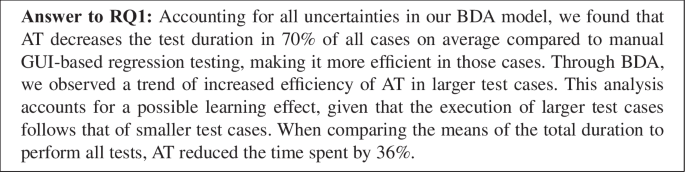
Table 5 displays the differences in the mean time to complete each test case per treatment. Performing all test cases took an average of 1222 seconds using the conventional manual method, compared to 779 seconds with AT, a reduction of 36% in average completion time. Offering an additional perspective on the gathered data, Fig. 5 displays a probability density distribution of the time required to finish each test case.
By referring to Fig. 5 alongside Table 5, we can observe that six out of the eight test cases exhibit shorter times to complete the test cases, indicating higher efficiency. An exception to this trend is TC1 and TC2, where the difference between the two treatments is small and in favor of the baseline treatment. Notably, TC1 and TC2 represent the test cases with the fewest steps (see Table 4) and thus result in a shorter duration to complete them with lower differences. Due to the short duration of TC1 and TC2 and being the first test cases executed, it is difficult to determine the deciding factor in favor of manual testing with certainty.
Bayesian Data Analysis (BDA) In the remainder of this section, we present the Bayesian data analysis (BDA) results as described in Section 3.7. Figure 6 visualizes the DAG, which makes the assumed causal relationships of all variables of interest explicit. We consider the scaled test duration to be impacted by the use of AT, the relative size of the test case, and the learning effect of repeatedly using the AT interface, as listed in Table 2. For the size, we can observe two clusters of test cases that can represent two balanced groups of relative test case size: test cases consist of less than five steps and more than five steps.
Fig. 5
Distribution of test duration per test case with a separation of treatments
Fig. 6
Directed acyclic graph (DAG)
After model exploration and comparison, we moved forward with the model described in 1, which models the collected data best according to the PSIS-LOO information criterion (Vehtari et al. 2017). Detailed information about all models and their comparisons can be found in the replication package. \begin{aligned} \begin{aligned} duration\_scaled \sim Skewed\_Norm(\mu _i, \sigma , a) \\ \mu _i = \alpha _i + \beta _{AT}AT_i + \beta _{size}size_i + \beta _{AT \times size}AT_i \times size_i + \beta _{learn}learn_i \times AT_i \end{aligned} \end{aligned}$$
(1)
The response variable \(duration\_scaled\) is modeled with a skewed normal distribution, the shape of which is defined by its mean \(\mu _i\). Hence, \(\mu _i\) is modeled by the independent variables. The terms equating to \(\mu _i\) (second row in (1)) represent the causal assumptions from the DAG in Fig. 6 in the following way:
- \(\alpha \): the intercept. It represents the average mean of the normal distribution in the absence of all factors. Since the response variable is normalized, this is expected to be close to zero.
- \(\beta _{AT}AT_i\): the influence of augmented testing.
- \(\beta _{size}size_i\): the influence of the test case size.
- \(\beta _{AT \times size}AT_i \times size_i\): the interaction between the use of AT and the test case size (in case the use of AT has a different effect on the response variable depending on the size of the test case).
- \(\beta _{learn}learn_i \times AT_i\): the learning effect of repeatedly using the augmented testing interface.
For each coefficient, we selected appropriate priors. During the training process, these coefficients are updated based on the observed data and Bayes’ Theorem. After the training, each coefficient represents the strength and direction with which an independent variable influences the mean of the response variable.
Figure 7 visualizes the strength of the interaction effects (\(\beta _{AT \times size}\) and \(\beta _{learn}\)) which the model picked up after training. As shown in Fig. 7a, the use of AT has a stronger benefit on large test cases, as the difference between the mean of the response variable \(duration\_scaled\) for \(size = big\) is larger than for \(size = small\). Figure 7b shows that the repeated use of the AT interface slightly reduces the average \(duration\_scaled\), confirming the existence of a learning effect. Given that the execution of larger test cases follows that of smaller test cases.
Fig. 7
Visualization of the interaction between the two predictor variables
Finally, the sampling from the posterior distribution reveals that in 70% of all cases across both test case sizes, the use of AT results in a lower value for \(duration\_scaled\). This means that considering all uncertainty encoded in the probability distributions of the model, the use of AT results in a shorter test duration in 70% of all cases on average compared to manual GUI-based regression testing. Consequently, we reject the null hypothesis \(H_0\) and accept the alternative hypothesis \(H_1\).
4.2 RQ2 - Benefits and drawbacks
This section presents our interview findings on AT’s benefits and drawbacks, mirroring the structure of Table 6 that consolidates these results.
During the interview process, as outlined in Section 3.6, we asked questions that specifically focused on AT as the testing approach rather than the tool Scout, which serves as its demonstrator. However, due to participants’ exposure to AT exclusively through Scout, they may be unable to fully differentiate between the testing approach and the tool. Therefore, we need to categorize the interview results as related to the testing approach (AT) or the tool. For instance, Brooks and Kugler (1987) distinguishes between essential and accidental software engineering difficulties. Essential difficulties are inherent in the nature of software itself and are often unsolvable due to their fundamental nature. In contrast, technical or other means can address or mitigate accidental difficulties. These difficulties can emerge from utilizing software but are not fundamental to the software.
We apply this classification of essential and accidental difficulties to our identified benefits and drawbacks of AT. Thus, we define essential benefits and drawbacks as those that emerge from the testing approach AT and accidental benefits and drawbacks as those that emerge from the tool utilizing AT.
4.2.1 Benefits of using AT for Manual GUI-based Regression Testing
We document the benefits reported by industrial participants when using AT with Scout for manual GUI-based regression testing as follows.
B1 Efficient (faster) Test Execution The primary reported benefit is the faster execution of test cases, confirming results from previous studies (Nass et al. [2019](/article/10.1007/s10664-024-10522-z#ref-CR45 "Nass M, Alégroth E, Feldt R (2019) Augmented Testing: Industry Feedback To Shape a New Testing Technology. In: 2019 IEEE International conference on software testing, verification and validation workshops (ICSTW), IEEE, pp 176–183, https://doi.org/10.1109/ICSTW.2019.00048
            ,
              https://ieeexplore.ieee.org/document/8728937/

            "), [2020](/article/10.1007/s10664-024-10522-z#ref-CR46 "Nass M, Alégroth E, Feldt R (2020) On the Industrial Applicability of Augmented Testing: An Empirical Study. In: 2020 IEEE International conference on software testing, verification and validation workshops (ICSTW), IEEE, pp 364–371,
              https://doi.org/10.1109/ICSTW50294.2020.00065

            ,
              https://ieeexplore.ieee.org/document/9155725/

            ")). Other benefits outlined in this section contribute to this increase in efficiency. Participants reported reduced time in understanding and executing the subsequent step in a test case due to augmentations. Further time savings were achieved because input fields, such as a search field, were pre-populated with input values. This benefit likely arises from the cumulative benefits of AT and its associated tool; hence, we do not classify it separately.
B2 Visual Cues Indicating Next Action Participants appreciated the ability of AT to provide visual cues atop the SUT’s GUI through augmentations, spotlighting the next action necessary for test case progression. As one participant stated “I really liked that each component that forwards the test is highlighted”(P3). As presented in Fig. 3b and c, these augmentations guide understanding of the next expected action and prevent context switches to read test case descriptions. Further, augmentations can eliminate context switches to other applications or media to determine the next action when performing a test case. Since using augmentations as a form of visual guidance is a core part of AT, we categorize this benefit as essential.
B3 Elimination of Typos Augmentations on widgets auto-fill the input fields with the correct values, reducing the chance of typos or incorrect entries. Participants managed to avoid errors during their inputs, as these values appeared when hovering over the widgets and could be easily submitted to the SUT with a single mouse click. During the experiment, when the pure manual GUI-based testing treatment was employed, some participants encountered issues with typos while searching for specific victuals and recipes. This benefit can be categorized as accidental. Prepared input values are not enforced and can be overridden or ignored by the tester. A different implementation of AT could just recommend values but require a tester to type the values themself.
B4 Monitor Test Execution Augmentations that highlight performed checks on widgets, as shown in Fig. 3a, can be used to monitor which widgets are checked or need to be checked for each screen of the SUT. Participants valued this feature for offering a clear overview of the tested SUT components. For instance, participant P4 remarked, “It is a good way to monitor what you have done and tested and what you have not tested”. Previous studies highlighted this benefit in the context of exploratory testing, where this aspect is more essential. Participant P7 further highlighted its utility for retrospective test analyses, stating, “You interacting with what you are testing, and you could go back and look into it more and see what happened”.
B5 Reduced Effort for Non-primary Actions In such cases, augmentations assist a tester with navigation and preparing required input values. Some activities during testing are not the primary objective of a test case but are required to bring the SUT into a specific state for the test. For example, participant P11 stated “It reduces unnecessary steps. You don’t have to log in every time.”. Logging in to the SUT is essential to progress in certain test cases. Therefore, augmentations can assist in fulfilling this precondition. This assistance was seen as a reduction in effort required by the tester. However, this benefit emerges from augmentations and how they support testers with navigation through the SUT. Thus, we categorize it as an essential benefit.
B6 Helps Not to Forget Steps or Checks Participants see a benefit in AT’s ability to guide a tester through the SUT and ensure no essential actions or verifications are overlooked. This was observable during the experiment when larger forms to create a new recipe were required to fill out. AT assisted in remembering the tester to fill these fields during the tests. The guidance through the SUT using augmentations is essential to AT; thus, we categorize this benefit as essential.
B7 Test Case Reusability Augmentations in AT, generated by recording the interactions with the SUT, allow the reusability of test cases in an easy way. Once recorded, test cases can be shared with other testers, enabling them to perform test cases using exactly the same steps by following the augmentations. Participants reported the ability to reuse manually performed GUI-based tests by other testers as beneficial: “If I created the steps and someone else can click through the steps and verify that everything is where it is supposed to be”(P1). We categorize this benefit as essential to AT since a recording of performed test cases is a byproduct of AT, independent of its specific implementation or its representation of test cases.
B8 Usable for Non-experienced Testers In addition to the previously mentioned benefit of reusable test cases, one participant reported that test cases with AT could be performed by people who are not experienced testers. This confirms a previous study by Nass et al. ([2020](/article/10.1007/s10664-024-10522-z#ref-CR46 "Nass M, Alégroth E, Feldt R (2020) On the Industrial Applicability of Augmented Testing: An Empirical Study. In: 2020 IEEE International conference on software testing, verification and validation workshops (ICSTW), IEEE, pp 364–371, https://doi.org/10.1109/ICSTW50294.2020.00065
            ,
              https://ieeexplore.ieee.org/document/9155725/

            ")), where AT with Scout was also perceived to require less programming and test automation experience compared to a script-based technique. We categorize this as an essential benefit, as other testing approaches fitting the AT definition also reported the usability for non-experienced testers.
B9 Preferable to Textual Step Descriptions One participant reported that he/she would prefer to prepare a test case with AT instead of writing down a textual description of the exact steps within a test case. They found recording a test case using AT and reusing it by other testers would be easier. This benefit is related to B7 “Test case reusability” and can be seen as an extension of B7.
For manual GUI-based regression tests, benefits B1 and B5 can help mitigate the high costs associated with manual testing. Benefits B4 and B7 provide additional documentation of manually performed regression tests and allow their reusability without additional effort required. The remaining benefits of B2, B3, B6, B7, B8, and B9 can help to improve the correct execution of manual GUI-based regression tests. Especially for larger test cases that are performed less frequently, the support through augmentations and (semi-)automated execution of test steps could make test case executions less error-prone.
4.2.2 Drawbacks of using AT for Manual GUI-based Regression Testing
We document the drawbacks reported by industrial participants when using AT with Scout for manual GUI-based regression testing as follows.
D1 Neglecting Non-augmented Widgets Participants reported a risk of ignoring non-augmented widgets during AT testing, potentially leading to missed defects. Although augmentations do not prevent checking other widgets or SUT exploration, the tendency to follow a specific path and inspect specific widgets during the test was noted. This flexibility to deviate from the test was deemed important even in regression testing scenarios. We categorize this drawback as essential since it emerges from the usage of augmentations and not a specific implementation. In our experimental setting, participants were explicitly instructed to follow the given regression test cases. Whereas in a real-world setting, such instructions would not necessarily be in place or be as rigid, potentially rendering this drawback less significant.
D2 Issues of Augmentation Purpose Comprehension and Distinguishability Participants encountered difficulties comprehending the purpose of augmentations and distinguishing between various types. In the experiment, two specific augmentations, distinguished by their color, were utilized: green rectangles symbolizing checks on widgets and blue rectangles indicating actions to be performed on widgets. Additional text such as Check, Click, or Type is presented when hovering over an augmented widget, as demonstrated in Fig. 3. Nevertheless, participants reported ambiguity during the testing phase regarding the exact purpose of a given augmentation and the expected interaction with a widget. We consider this issue an accidental drawback that can be mitigated by altering the visual representation of augmentations, such as incorporating symbols alongside the color highlights. One participant proposed displaying a pop-up screen before the test starts, briefly describing the different augmentations.
D3 Invisibility of Off-screen Augmentations When widgets are located outside the visible screen area, their augmentations remain unseen. Participants reported that they missed an indicator when augmentations were outside the visible screen area, and they had to search for them actively. For example, the screen to create a new recipe contains a form with multiple inputs that exceed the visible screen area. At the end of this form, the button to save a new recipe is located and can be overlooked when not scrolling down. This presents an accidental drawback of AT. The tool could provide additional indicators for augmentations that are located outside of the visible screen area. In manual testing, a tester also lacks indicators to locate targeted widgets on the SUT’s GUI.
D4 Color Visibility Issues One participant reported that augmentations are hard to see. In some instances, augmentation colors matched widget or background colors, making them hard to see. Participant P5 stated, “Some colors are similar to each other, and sometimes you don’t know where to click.”. We categorize this drawback as accidental since it can be addressed through adjustments in the visual representations of augmentations. For example, adopting accessibility guidelines for limited-vision users such as “Don’t rely on hover for critical information” or “Avoid color-exclusive meaningful functionality” U.S. General Services Administration ([2023](/article/10.1007/s10664-024-10522-z#ref-CR57 "US General Services Administration (2023) A design system for the federal government. https://designsystem.digital.gov/documentation/accessibility
")).D5 Test Case Goal can not be Derived Purely from Augmentations As reported by one participant, solely following the augmentations does not provide an understanding of the overall goal of a test. Thus, augmentations that represent the single steps of a test do not provide context information that allows one to understand the goal of the test. A pop-up screen summarizing the test’s overall goal, presented before the test starts, would address this drawback, making it an accidental drawback.
D6 Non-intuitive SUT Interaction Some participants expressed that interacting with the SUT is not intuitive. As highlighted in Section 3.6, how a tester interacts with a SUT in Scout differs from standard browser interactions, especially regarding scrolling and data input. As a participant reported: “But for some things you have to get used to. Scrolling and input of text.”(P4). Scrolling is not enabled through the mouse wheel and is solely feasible via the sidebar scrollbar. The way of inputting data was reported as not intuitive and is in contrast to what is commonly expected when interacting with an input widget, like a search field. Participant P3 stated “Since I’m used to navigating by first clicking and then typing, it was kind of hard to first type and then click.”. These drawbacks can be directly attributed to the tool and are hence classified as accidental drawbacks. However, it remains uncertain whether this challenge will persist as users become more familiar with the tool, especially given that participants noted the need for familiarization.
D7 Input Values Limitations Input values for input fields are provided during AT from previous interactions with the particular widget. A participant noted a limitation and reported that utilizing a particular input value or a narrow set of such values hampers the identification of defects during a test. However, in the experiment, augmentations guide the tester through a specific regression scenario by following exactly one path through the SUT for each test case. We categorize this drawback as accidental, given that AT does not inherently limit input values allowing testers to deviate in this regard. Additionally, AT could be used to suggest new input values.
D8 Utility Limited to Small Tests Regarding the usefulness of AT, one participant reported that he/she deemed AT’s usefulness only for small test cases with expected results. This could be attributed to previously described drawbacks of D5 “Test case goal can not be derived purely from augmentations” and D7 “Input values limitations”. We categorize this limitation as an accidental drawback. The complexity of test cases with AT is not limited to a specific size. In addition, the reported benefits and the analysis of measurement using BDA indicate increased usefulness for more complex test cases.
D9 Unclear Mistake Correction Process One participant reported that it was unclear how to correct mistakes during the test. Mistakes are accident interactions with widgets. For example, adding unnecessary checks by clicking on a widget or typing wrong input values into input fields. Deviations from the planned steps in the test case will create a new branch within the test case that does not include the augmentations of the main branch. In Scout, there is a way to remove augmentations from widgets and branches from test cases. However, an introduction to this functionality was not part of the experiment since modification of test cases was not planned and to avoid additional overhead in learning this feature during the warm-up phase. We see this as a clear accidental drawback. For instance, adding indicators when deviating from the planned steps and giving a possibility to go back directly could mitigate this drawback. Additionally, an introduction to the main controls, next to a short description of the types of augmentations, could be provided as a pop-up when a test case is started. Familiarity with the tool could further mitigate this drawback. Finally, this challenge is also present in manual testing, where reverting changes and restoring a SUT’s state can become complex.
D10 High Tool Reliance AT aims to support testers during manual GUI-based regression testing. Participants voiced concerns that testers might overly rely on AT and the tool, potentially reducing intellectual participation during the test. This could hinder considering diverse input values or exploring alternative strategies to achieve a test case’s goal. Should testers lessen their engagement and intellectual participation, negatively affecting the detection of defects, it would render this aspect of AT an essential drawback.
Overlays Cover Large Screen Area Hovering over a widget displays additional information like the text label value to be checked. For large text values, this overlay becomes large and obstructs a significant portion of the SUT’s GUI. One participant reported large overlays as a drawback. Limiting or disabling the overlay for large text values would mitigate this drawback and thus can be categorized as an accidental drawback.
For manual GUI-based regression tests, the drawbacks of D1 and D10 pose the risk of resulting in less rigorous testing efforts that negatively affect the detection of defects. The remaining drawbacks could be mitigated through future improvements in the tooling of AT, making it suitable as an input for AT and AT-like tool development. Otherwise, these drawbacks could impact the efficiency of test case execution if the tooling becomes an obstacle instead of a support mechanism.
4.2.3 Aspects that Would Prevent the Use of AT in an Industrial Context
Out of the 13 participants, six did not identify any barriers that would hinder the adoption of AT in an industrial context. However, two participants expressed concerns regarding data privacy if AT requires storing information of input values or displayed content of a SUT. They specifically raised concerns about data protected by the General Data Protection Regulation (GDPR) or sensitive data from governmental organizations.
One participant highlighted that testing non-production-ready products with AT would require additional effort in recording AT test cases in a fast-paced development environment. Due to the rapid changes frequently encountered in such environments, these test cases may quickly become invalid or outdated. However, the participant also clarified that this issue does not pose a problem when testing production-ready products. Scout provides a mechanism to (semi-)automatically repair broken test cases after changes to the SUT occur. This mechanism was not enabled as part of the experimental setup, and therefore, participants did not know about it.
Another concern that may hinder the use of AT in an industrial context is the associated costs related to the necessary tooling. Certain companies may hesitate to explore AT for quality assurance activities if these costs are high. This study, however, focuses on the AT approach and does not cover the business models of the required tools implementing AT.
The last concern is regarding the documentation of test cases. In some organizations, documentation in the form of reports detailing the execution of test cases is a requirement. Moreover, there is a preference for integrating these reports into other systems, such as the issue tracker Jira, to facilitate comprehensive test tracking within the broader development workflow. This concern about reporting results also belongs to the tooling and not AT itself. Future tool development should address this to enhance industrial applicability. A lack of integration, however, could pose a more significant problem than just a documentation issue. Without integration, the workflow becomes fragmented and possesses the risk of leading to inefficiencies or hindering the adoption of a tool (Johnson et al. [2013](/article/10.1007/s10664-024-10522-z#ref-CR32 "Johnson B, Song Y, Murphy-Hill E, Bowdidge R (2013) Why don’t software developers use static analysis tools to find bugs? In: 2013 35th International conference on software engineering (ICSE), IEEE, San Francisco, CA, USA, pp 672–681. https://doi.org/10.1109/ICSE.2013.6606613
")).These raised concerns could prevent the use of AT for manual GUI-based regression testing in an industrial setting, if not addressed through future improvements to the AT tooling.
4.2.4 Behavioural Intent to use
Among the 13 participants, 10 expressed their intention to utilize or explore AT for manual GUI-based regression testing. Interestingly, one participant articulated an intention to utilize AT specifically for complex test cases while opting for pure manual GUI-based testing for smaller ones. This perspective contrasts with a previously mentioned drawback, where a participant suggested that AT would benefit smaller test cases with predictable outcomes. Conversely, only one participant stated that they would not use AT due to its detachment from the development workflow, as it may introduce friction when using a separate testing tool that is not integrated into the integrated development environment (IDE). This is an accidental issue that emphasizes the need for seamless integration of testing tools within the existing development workflow. Finally, one participant offered an ambiguous response, failing to clearly indicate their stance on AT usage.
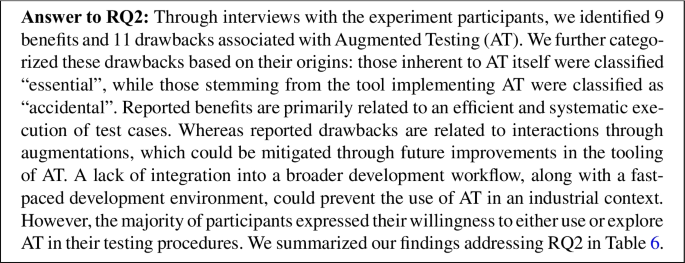
Table 6 Feedback regarding AT’s benefits and drawbacks from interview questions (E/A = Essential or Accidental benefit/drawback)
4.3 RQ3 - Usability Issues
The following section presents our findings on the usability issues of Augmented Testing (AT), which were identified through participant observations during the experiment session. This analysis is important to understand usability concerns and limitations of AT that participants may not have directly reported during the interviews. Additionally, it can further identify potential areas for improvement.
The process of identifying usability issues in a software product with appropriate users is known as usability testing (Lodhi 2010; Miller 2006). In our study, we focused primarily on the usability issues arising from the testing approach itself, while also considering secondary usability issues related to the used tool, i.e., Scout. Similar to the reported drawbacks, we categorize usability issues as essential or accidental.
One significant usability metric is a user’s ability to complete a given task fully. To ensure participants could accomplish the test cases and consequently assess AT’s efficiency, we provided a textual description of each test case detailing all necessary steps. This description serves as a backup during AT. Thus, the number of participants who would complete the test cases solely with the aid of AT remains undetermined. Nevertheless, two participants successfully performed the test cases using AT without referring to the textual test case description. Other participants utilized the textual description to cross-verify individual steps of the test case.
Unclear How to Verify Non-existing Items A recurrent issue observed across six instances was participants’ uncertainty in verifying the absence of an item, such as after deleting a victual or recipe. During AT, participants had difficulty determining whether an augmentation was expected to denote the absent item or confirm its deletion. Some participants resorted to using the search field to confirm the proper deletion of the item. We consider this to be an essential issue with AT, as augmentations are always associated with widgets and cannot be set to represent something that does not exist in the form of a widget, such as a missing entry in a list of items.
Unclear if the Test Case is Completed The issue of verifying non-existing items raises the additional problem of uncertainty regarding the completion of a test case. As the deletion of an item serves as the final step in certain test cases to clean up test artifacts, participants experienced uncertainty regarding the completion status of the test case. We noted this occurrence in four instances during AT testing and in one instance during pure manual GUI-based regression testing. Distinct from the issue of uncertainty in verifying non-existing items, we classify this issue as accidental. For instance, an augmentation could display the overall test coverage to indicate the completion of a test case. Such a test coverage augmentation is already implemented in Scout but was disabled during the experiment to prevent the introduction of confounding factors. Another potential mitigation strategy is to include a system logout or visiting the initial view as the final step in the test case. By incorporating this step, participants can have a clear indication that the test case has been successfully completed.
Unclear How to Proceed with the Test In our analysis, we encountered four instances where participants expressed uncertainty regarding the continuation of the test. Notably, one of these instances occurred during AT. In this particular case, an augmentation was intended to guide the participant toward visiting the shopping list view, yet it went unnoticed. One potential explanation for this incident is visibility issues when conducting this particular session online via Zoom. The participant mentioned facing challenges due to the small screen size on his/her device, making some widgets difficult to see. Other potential explanations are the reported accidental drawbacks of D2 “Issues of augmentation purpose comprehension and distinguishability” and D4 “Color visibility issues”. Considering the absence of a definitive signal indicating a fundamental usability issue with AT, as well as its resemblance to the mentioned accidental drawbacks, we classify this issue as accidental in nature.
Not Intuitive Interaction with SUT The previously reported drawback, D6 “Non-intuitive SUT interaction”, despite being explicitly reported by four participants, manifested across almost all test case executions by the entire participant group. This happened frequently, even after familiarizing the participants with the SUT during the warm-up phase. In most instances, this occurrence merely constituted an inconvenience and did not significantly hinder test execution. However, complications arose when multiple text input widgets were adjacent, and the tool could potentially direct the text input to the incorrect widget. For instance, on the login view, where the email address and password input widgets are located next to each other, some participants mistakenly click on the email address widget, input the email address, and then click on the password field, resulting in the email address being sent to the password widget. It is important to note that this scenario exclusively occurs during manual testing and not during AT, as the input values are auto-filled through the augmentations. We consider this issue as an observation of the reported accidental drawback F16, consequently classifying it as an accidental usability issue.

5 Discussion
Our study affirms the increased efficiency of AT found in prior research while also providing new insights into its benefits, drawbacks, and usability issues.
Overlap with other Studies We showed that AT has a statistically significant positive effect on the efficiency of manual GUI-based regression testing. A positive effect through additional support during the testing process may not be surprising but provides an empirical contribution to the body of knowledge and complements other findings related to AT. For instance, Nass et al. ([2020](/article/10.1007/s10664-024-10522-z#ref-CR46 "Nass M, Alégroth E, Feldt R (2020) On the Industrial Applicability of Augmented Testing: An Empirical Study. In: 2020 IEEE International conference on software testing, verification and validation workshops (ICSTW), IEEE, pp 364–371, https://doi.org/10.1109/ICSTW50294.2020.00065
            ,
              https://ieeexplore.ieee.org/document/9155725/

            ")) observed a boost in efficiency when employing AT with Scout for the creation of test cases. For exploratory testing, Liu et al. ([2022](/article/10.1007/s10664-024-10522-z#ref-CR39 "Liu Z, Chen C, Wang J, Huang Y, Hu J, Wang Q (2022) Guided bug crush: Assist manual gui testing of android apps via hint moves. In: Proceedings of the 2022 CHI conference on human factors in computing systems, pp 1–14")) demonstrated an improvement in efficiency when utilizing a test approach for Android applications that fall into the definition of AT.
Despite the increased efficiency, there’s a potential risk of reduced testing rigor, possibly causing testers to operate in an “autopilot” mode. Reported drawbacks, specifically D2 and D5, support this risk, which has been unaddressed in prior literature.
These improvements across diverse testing domains strengthen the confidence in a generally positive impact of AT on testing efficiency.
Benefits reported in this study, such as B1 “Efficient (faster) test execution”, B4 “Monitor test execution”, B7 “Test case reusability”, B8 “Usable for non-experienced testers”, and the drawback D5 “Test case goal can not be derived purely from augmentations” confirm reported benefits and drawbacks of previous studies (Nass et al. [2020](/article/10.1007/s10664-024-10522-z#ref-CR46 "Nass M, Alégroth E, Feldt R (2020) On the Industrial Applicability of Augmented Testing: An Empirical Study. In: 2020 IEEE International conference on software testing, verification and validation workshops (ICSTW), IEEE, pp 364–371, https://doi.org/10.1109/ICSTW50294.2020.00065
            ,
              https://ieeexplore.ieee.org/document/9155725/

            "); Liu et al. [2022](/article/10.1007/s10664-024-10522-z#ref-CR39 "Liu Z, Chen C, Wang J, Huang Y, Hu J, Wang Q (2022) Guided bug crush: Assist manual gui testing of android apps via hint moves. In: Proceedings of the 2022 CHI conference on human factors in computing systems, pp 1–14"); Chen et al. [2020](/article/10.1007/s10664-024-10522-z#ref-CR12 "Chen Y, Pandey M, Song JY, Lasecki WS, Oney S (2020) Improving crowd-supported gui testing with structural guidance. In: Proceedings of the 2020 CHI Conference on human factors in computing systems, pp 1–13")).
Unique Findings of our Study Unique findings from our study include the usability issues related to the visual representation of augmentations for GUI-based testing, which were not reported in previous papers. The visualization techniques for augmentations presented by Liu et al. (2022) and Chen et al. (2020), employing colored rectangles around widgets, share similarities with our way of visualizing augmentations. However, our interviews and observations revealed that this representation of augmentations can cause confusion when augmentations serve multiple purposes, such as checks and actions. Additionally, drawbacks D3 “Invisibility of off-screen augmentations” and D4 “Color visibility issues” emphasize the importance of designing augmentations in a manner that ensures clarity, distinguishability, and usability for individuals with visual impairments. Investigating a good design of augmentations to mitigate its usability issues could improve the quality of AT’s tooling. Studies indicate that usability issues can directly or indirectly affect software quality (Sagar and Saha [2017](/article/10.1007/s10664-024-10522-z#ref-CR52 "Sagar K, Saha A (2017) A systematic review of software usability studies. Int J Inf Technol. https://doi.org/10.1007/s41870-017-0048-1
")).In addressing essential drawbacks or usability issues of AT, none of the literature in our related work section included the limitation of AT in verifying non-existing items. We hypothesize that this limitation might have been overlooked in other studies, especially those involving exploratory testing setups. Although this issue was not identified as a drawback by participants and emerged from our observations, we deem this concern as an essential drawback that cannot be straightforwardly addressed via enhancements to the tooling system. In our test cases, this drawback was identified during the deletion of items (victuals and recipes). This scenario is not exclusive to our SUT and is likely to be encountered in numerous web applications. For test cases requiring the assertion of item deletion, this limitation implies that the test may either be infeasible or demand an indirect approach to assert the item’s absence. For instance, an item counter could be employed as a proxy to assert a missing item. In contrast, script-based GUI-based testing approaches can assert the absence of a widget based on its properties.
Test Case Size An intriguing aspect to explore is whether the utility of AT varies with the size of test cases. Our study revealed contrasting reports among participants; one participant noted he/she would utilize AT primarily for smaller and predictable test cases, whereas another participant highlighted the utilization for larger test cases. This disparity prompts an investigation into whether AT is equally suited for both smaller and larger test cases. We found a trend of improved efficiency in larger test cases by analyzing the measurements using Bayesian data analysis. Notably, this analysis adjusts for a potential learning effect, considering that larger test cases are executed after small test cases.
Deviation from Planned Test Steps We observed deviations from the planned test steps during our experiment, with 21 in the manual treatment and 11 in the AT treatment. One notable example is the deletion of recipes, which can be accomplished either by clicking on the delete icon when the list of all recipes is displayed or within the detailed view of a specific recipe. Participants often used the delete icon they first encountered during the manual treatment. Another instance involved the creation of a new recipe, where participants overlooked adding a description for the recipe. Interestingly, participants also deviated from the planned steps during AT. For example, in some cases, during the execution of TC1, participants additionally visited the victual or recipe view to confirm the success of the login before proceeding to log out. In other cases, the deviation occurred accidentally by clicking slightly outside the augmentation on an adjacent widget. Table 7 provides a summary of deviations for each test case and treatment.
We can interpret these deviations in two ways. On the one hand, augmentations at the widget level can reduce deviations, particularly accidental ones, fostering more deterministic tests. On the other hand, AT does not entirely inhibit deviations, thereby enabling a flexible non-deterministic test execution. As noted by Haas et al. ([2021](/article/10.1007/s10664-024-10522-z#ref-CR27 "Haas R, Elsner D, Juergens E, Pretschner A, Apel S (2021) How can manual testing processes be optimized? developer survey, optimization guidelines, and case studies. In: Proceedings of the 29th ACM Joint Meeting on European Software Engineering Conference and Symposium on the Foundations of Software Engineering, ACM, Athens Greece, pp 1281–1291, https://doi.org/10.1145/3468264.3473922
")), non-exploratory manual testers often deliberately underspecify non-exploratory test cases to retain flexible execution paths and cover entire equivalence classes of test cases. Should this flexibility be preserved, a clear route back to the guided path through SUT is required. We observed instances of participant confusion when augmentations disappeared when deviating from the planned test steps, underscoring the need for clear return pathways in AT tools.Table 7 Deviations from planned test steps per test case (M \(=\) manual GUI-based regression testing, AT \(=\) Augmented Testing)
Privacy-sensitive Data For aspects that would prevent the usage of AT in an industrial context, two participants reported concerns regarding the handling of privacy-sensitive data during test case processing. In our AT implementation, all data processing and storage occur solely on the device, without reliance on external cloud services. Although this is currently not an issue, it is imperative to consider the handling of privacy-sensitive data when expanding the capabilities of AT in future research and development endeavors.
Essential vs. Accidental Benefits and Drawbacks We distinguish between essential and accidental drawbacks and usability issues, with the majority falling into the accidental category. The two identified drawbacks are inherent to all tool-supported testing approaches: an increased tool reliance (D10) and neglecting widgets that are not discoverable by the tools (D1). Additional research is necessary to pinpoint contexts where this drawback might impose a significant limitation and render AT inapplicable, particularly in various industry settings.
To summarize, we recommend the following studies for future research:
- Conducting a usability study to understand how well users comprehend GUI-based testing with augmentation.
- Conducting an empirical study to assess the effectiveness of Augmented Testing.
- Investigating whether the absence of verification for non-existing GUI items is an issue in an industrial context.
Identified accidental drawbacks and usability issues can be mitigated through improved tooling for AT. Nass et al. ([2020](/article/10.1007/s10664-024-10522-z#ref-CR46 "Nass M, Alégroth E, Feldt R (2020) On the Industrial Applicability of Augmented Testing: An Empirical Study. In: 2020 IEEE International conference on software testing, verification and validation workshops (ICSTW), IEEE, pp 364–371, https://doi.org/10.1109/ICSTW50294.2020.00065
            ,
              https://ieeexplore.ieee.org/document/9155725/

")) also highlighted that most perceived drawbacks were linked to the limitations of the tool implementing AT. Therefore, further development of tools presents a significant opportunity to overcome the majority of drawbacks, maximizing the potential benefits of AT. In summary, the following are the primary recommendations for further tool improvements:- Enhance navigation capabilities for Scout and other similar tools.
- Display a pop-up screen before the test starts, briefly describing the various augmentations and their purpose.
- Provide additional indicators for augmentations that are located outside of the visible screen area.
- Follow accessibility guidelines for users with limited vision to mitigate challenges in seeing augmentations.
- Make sure that overlays presented on top of the GUI are small enough to not obstruct the view of the GUI.
6 Threats to Validity
We discuss the threats to validity based on the checklist presented in the guidelines by Wohlin et al. (2012).
Conclusion Validity Conclusion validity concerns the relationship between the treatment and the observed outcomes. The small sample size of 13 could cause a threat to validity, particularly if the effect size of Augmented Testing (AT) is small. As stated in Section 3.1, we decided to have professional testers from the industry as participants. With their experience in testing, they do not require additional training to perform testing tasks. However, the decision to have professional testers as participants limits the number of participants due to the associated costs for the companies. While the limited number of participants has an impact on the conclusion, the collected data is relevant to understand the novel testing approach. To mitigate human errors in measuring, all measurements of test duration were consistently determined using video recordings of the sessions. Furthermore, the recordings allowed a detailed re-analysis of each session for the observations of usability issues.
Internal Validity Internal validity concerns to which extent the causal conclusion based on a study and the extracted data is assured. Participants performed tasks under both treatments, thereby serving as their own control group. Repeated measures for both treatments with the same participants require fewer people and account for differences between participants but do not account for order effects (Vegas et al. [2016](/article/10.1007/s10664-024-10522-z#ref-CR58 "Vegas S, Apa C, Juristo N (2016) Crossover Designs in Software Engineering Experiments: Benefits and Perils. IEEE Trans Softw Eng 42(2):120–135. https://doi.org/10.1109/TSE.2015.2467378
            ,
              http://ieeexplore.ieee.org/document/7192651/

            ")). To mitigate learning effects, participants were randomly assigned to treatment orders. Nonetheless, the fixed sequence of test case execution, regardless of treatment, may introduce a learning effect. For instance, test cases performed last might appear to be more efficient than those performed first due to more practice with the SUT and tool. In our BDA model, we incorporated a variable to account for the learning effect during analysis. There is also a general threat through the “learning by practice” effect, wherein participants exhibited performance improvements over time for a given task due to their accumulated practical experience. Test case complexity was evenly distributed between the two halves of all test cases, ensuring comparable levels of difficulty and average time spent per treatment. None of the participants had prior experience with the SUT, eliminating any advantage through familiarity with the SUT one participant might have over others. While the same testing environment was used for all experimental sessions, it is important to acknowledge that online participation introduced certain confounding factors, such as unpredictable delays, variations in the perceived screen sizes, and potential video compression artifacts. These factors could hinder task performance and increase time spent, but their equal impact on both treatments mitigates the issue. As an incentive to participate in our study, we highlighted the contribution to research and promised participants access to the testing tool afterward. We did not offer any monetary compensation for participation.
External Validity External validity concerns to which extent the results can be generalized to industrial practice. As with all empirical studies, it is essential to replicate our experiment in various environments and contexts before generalizing the results. Specifically, conducting the experiment with a different SUT and test cases, ideally from an industry software project, would strengthen the robustness of our findings. We argue that our selected SUT possesses real-world characteristics since it is in active use and its size exceeds the scale of those in most empirical studies (Garousi et al. [2019](/article/10.1007/s10664-024-10522-z#ref-CR21 "Garousi V, Felderer M, Kılıçaslan FN (2019) A survey on software testability. Inf Softw Technol 108:35–64. https://doi.org/10.1016/j.infsof.2018.12.003
            ,
              https://linkinghub.elsevier.com/retrieve/pii/S0950584918302490

            ")). Whereas the test cases created by the researcher might be tailored to specific functionalities or scenarios of the SUT, introducing a bias. Despite the real-world characteristics, our SUT may not represent an industrial software system or encompass the full complexity and diversity found in different software domains.
Another potential external validity threat lies in the interaction with the SUT through Scout in the non-treatment scenario. On the one hand, this minimizes confounding factors that could arise from using different tools, such as Scout versus a web browser. However, on the other hand, participants may make input errors when providing textual values (human errors) due to the distinct nature of interacting with the SUT, which they would not encounter when using a web browser. While the warm-up phase aimed to familiarize participants with this different mode of interaction, we still observed such mistakes during the actual experiment run, thus presenting a threat to the generalizability to normal web browsers.
Finally, the results of this study are a contribution to the existing body of knowledge of empirical GUI-based testing.
Construction Validity Construction validity concerns if the measures in a study represent the constructs in the real world and it is investigated according to the research questions. We quantified the duration for each test case in seconds, drawing directly from the recordings of the experimental sessions. Therefore, these data constitute direct measurements that are not derived from other variables, making them a reliable indicator of the test approach’s efficiency. The size of test cases is categorized as either small or big to reflect their relative size, which may oversimplify the representation of test case sizes and pose a potential threat of inadequate preoperational explication of constructs (Wohlin et al. 2012). However, it cannot be assumed that another type of size measurement would be “better” due to the lack of a specific theory in this context. The data gathered on benefits and drawbacks are inherently subjective, encompassing individual interpretations, and may vary among participants. To disclose the reliability of our findings, we present the number of participants who reported specific benefits and drawbacks, allowing data triangulation. Additionally, we present observations of participants and highlight instances where these observations support reported benefits or drawbacks. Nonetheless, it is important to recognize that our study might be prone to mono-operation bias due to the exclusive use of one SUT for both treatments. To mitigate this bias, we try to ensure diversity in our analysis by covering different feature sets of our SUT. Moreover, we include participants from six companies to provide a broader perspective and minimize the influence of any single organization’s practices.
7 Conclusion
Manual testing constitutes a substantial portion of overall testing practices in industry (Garousi and Mäntylä [2016](/article/10.1007/s10664-024-10522-z#ref-CR20 "Garousi V, Mäntylä MV (2016) A systematic literature review of literature reviews in software testing. Inf Softw Technol 80:195–216. https://doi.org/10.1016/j.infsof.2016.09.002
            "); Sánchez-Gordón et al. [2020](/article/10.1007/s10664-024-10522-z#ref-CR54 "Sánchez-Gordón M, Rijal L, Colomo-Palacios R (2020) Beyond Technical Skills in Software Testing: Automated versus Manual Testing. In: Proceedings of the IEEE/ACM 42nd International conference on software engineering workshops, ACM, pp 161–164,
              https://doi.org/10.1145/3387940.3392238

            ,
              https://dl.acm.org/doi/10.1145/3387940.3392238

            ")), despite its labor-intensive and error-prone nature, requiring a blend of technical expertise and domain knowledge, consequently incurring significant costs (Grechanik et al. [2009b](/article/10.1007/s10664-024-10522-z#ref-CR26 "Grechanik M, Xie Q, Fu C (2009b) Maintaining and evolving gui-directed test scripts. In: 2009 IEEE 31st International conference on software engineering, IEEE, pp 408–418"), [a](/article/10.1007/s10664-024-10522-z#ref-CR25 "Grechanik M, Xie Q, Fu C (2009a) Creating gui testing tools using accessibility technologies. In: 2009 International conference on software testing, verification, and validation workshops, IEEE, pp 243–250")). Augmented Testing (AT), a novel approach for GUI-based testing, shows promise in aiding manual testing (Nass and Alégroth [2020](/article/10.1007/s10664-024-10522-z#ref-CR44 "Nass M, Alégroth E (2020) SCOUT: A revised approach to GUI-test automation"); Nass et al. [2020](/article/10.1007/s10664-024-10522-z#ref-CR46 "Nass M, Alégroth E, Feldt R (2020) On the Industrial Applicability of Augmented Testing: An Empirical Study. In: 2020 IEEE International conference on software testing, verification and validation workshops (ICSTW), IEEE, pp 364–371,
              https://doi.org/10.1109/ICSTW50294.2020.00065

            ,
              https://ieeexplore.ieee.org/document/9155725/

            "), [2019](/article/10.1007/s10664-024-10522-z#ref-CR45 "Nass M, Alégroth E, Feldt R (2019) Augmented Testing: Industry Feedback To Shape a New Testing Technology. In: 2019 IEEE International conference on software testing, verification and validation workshops (ICSTW), IEEE, pp 176–183,
              https://doi.org/10.1109/ICSTW.2019.00048

            ,
              https://ieeexplore.ieee.org/document/8728937/

            ")).
While previous studies have either focused on exploratory GUI-based testing or compared AT against automated approaches, our research uniquely investigates the utility of AT within the context of manual GUI-based regression testing.
In this study, we evaluated the efficiency of AT compared to manual GUI-based regression testing. We conducted an experiment involving 13 industry participants across six companies who performed AT compared to manual GUI-based regression testing.
Employing BDA, our study shows that AT is more efficient in 70% of all cases on average. AT reduced the time spent by 36% when comparing the means of the total duration to perform all tests.
Additionally, we collected feedback on the benefits and drawbacks of AT and observed usability issues that participants did not report during interviews. Through data analysis, we categorized the reported benefits and drawbacks as essential or accidental, with most of the drawbacks falling into the accidental category, thus potentially mitigable through improved tooling. Interestingly, most participants expressed a willingness to use AT in an industrial context.
For future research, we intend to continue empirically evaluating AT with Scout to address the industry’s current needs and address AT’s challenges. For example, we aim to assess the efficacy of AT for regression testing. Additionally, we plan to explore various methods and designs for presenting augmentations, with a focus on enhancing clarity and differentiation to address the identified drawbacks.
In summary, this work provides an important contribution by presenting empirical evidence for Augmented Testing (AT), a novel testing approach, in the context of manual GUI-based regression testing.
References
- Alégroth E, Feldt R (2017) On the long-term use of visual gui testing in industrial practice: a case study. Empirical Softw Eng 22(6):2937–2971
Article Google Scholar - Ammann P, Offutt J (2016) Introduction to software testing. Cambridge University Press
Book Google Scholar - Basili V, Rombach H (1988) The TAME project: Towards improvement-oriented software environments. IEEE Trans Softw Eng 14(6):758–773. https://doi.org/10.1109/32.6156, http://ieeexplore.ieee.org/document/6156/
- Bauer A, Frattini J, Alégroth E (2023). Replication package: Augmented Testing to support Manual GUI-based regression testing. https://doi.org/10.5281/zenodo.8328166
- Berner S, Weber R, Keller RK (2005) Observations and lessons learned from automated testing. In: Proceedings of the 27th international conference on Software engineering, ACM, pp 571–579
- Bürkner PC (2017) brms: An r package for bayesian multilevel models using stan. J Stat Softw 80(1):1–28. https://doi.org/10.18637/jss.v080.i01, https://www.jstatsoft.org/index.php/jss/article/view/v080i01
- Brooks F, Kugler H (1987) No silver bullet. April
- Brooks S, Gelman A, Jones G, Meng XL (2011) Handbook of markov chain monte carlo. CRC Press
Book Google Scholar - Caldiera VRBG, Rombach HD (1994) The goal question metric approach. Encyclopedia Softw Eng pp 528–532
- Capgemini and Sogetti (2020) World quality report 2019-20. https://www.sogeti.com/explore/reports/world-quality-report-2019/
- Carpenter B, Gelman A, Hoffman MD, Lee D, Goodrich B, Betancourt M, Brubaker M, Guo J, Li P, Riddell A (2017) Stan: A probabilistic programming language. J Stat Softw 76(1)
- Chen Y, Pandey M, Song JY, Lasecki WS, Oney S (2020) Improving crowd-supported gui testing with structural guidance. In: Proceedings of the 2020 CHI Conference on human factors in computing systems, pp 1–13
- Coppola R, Alégroth E (2022) A taxonomy of metrics for gui-based testing research: A systematic literature review. Inf Softw Technol pp 107062
- Coppola R, Fulcini T, Ardito L, Torchiano M, Alègroth E (2024) On Effectiveness and Efficiency of Gamified Exploratory GUI Testing. IEEE Trans Softw Eng pp 1–16, https://doi.org/10.1109/TSE.2023.3348036
- Elwert F (2013) Graphical causal models. In: Handbook of causal analysis for social research, Springer, pp 245–273
- Engström E, Runeson P, Skoglund M (2010) A systematic review on regression test selection techniques. Inf Softw Technol 52(1):14–30. https://doi.org/10.1016/j.infsof.2009.07.001
Article Google Scholar - Furia CA, Feldt R, Torkar R (2019) Bayesian data analysis in empirical software engineering research. IEEE Trans Softw Eng 47(9):1786–1810
Google Scholar - Furia CA, Torkar R, Feldt R (2022) Applying bayesian analysis guidelines to empirical software engineering data: The case of programming languages and code quality. ACM Trans Softw Eng Methodol (TOSEM) 31(3):1–38
Article Google Scholar - Gamerman D (1997) Sampling from the posterior distribution in generalized linear mixed models. Stat Comput 7:57–68
Article Google Scholar - Garousi V, Mäntylä MV (2016) A systematic literature review of literature reviews in software testing. Inf Softw Technol 80:195–216. https://doi.org/10.1016/j.infsof.2016.09.002
- Garousi V, Felderer M, Kılıçaslan FN (2019) A survey on software testability. Inf Softw Technol 108:35–64. https://doi.org/10.1016/j.infsof.2018.12.003, https://linkinghub.elsevier.com/retrieve/pii/S0950584918302490
- Gelman A, Vehtari A, Simpson D, Margossian CC, Carpenter B, Yao Y, Kennedy L, Gabry J, Bürkner PC, Modrák M (2020) Bayesian workflow. arXiv:2011.01808
- Gojare S, Joshi R, Gaigaware D (2015) Analysis and design of selenium webdriver automation testing framework. Procedia Comput Sci 50:341–346
Article Google Scholar - Google (2023) Material design 2 guidelines. https://m2.material.io
- Grechanik M, Xie Q, Fu C (2009a) Creating gui testing tools using accessibility technologies. In: 2009 International conference on software testing, verification, and validation workshops, IEEE, pp 243–250
- Grechanik M, Xie Q, Fu C (2009b) Maintaining and evolving gui-directed test scripts. In: 2009 IEEE 31st International conference on software engineering, IEEE, pp 408–418
- Haas R, Elsner D, Juergens E, Pretschner A, Apel S (2021) How can manual testing processes be optimized? developer survey, optimization guidelines, and case studies. In: Proceedings of the 29th ACM Joint Meeting on European Software Engineering Conference and Symposium on the Foundations of Software Engineering, ACM, Athens Greece, pp 1281–1291, https://doi.org/10.1145/3468264.3473922
- Höst M, Regnell B, Wohlin C (2000) Using Students as Subjects–A Comparative Study of Students and Professionals in Lead-Time Impact Assessment. Empirical Softw Eng 5(3):201–214. https://doi.org/10.1023/A:1026586415054
Article Google Scholar - ISO (2005) Quality management systems. Standard, International Organization for Standardization
Google Scholar - Itkonen J, Mäntylä MV, Lassenius C (2009) How do testers do it? an exploratory study on manual testing practices. In: 2009 3rd International symposium on empirical software engineering and measurement, pp 494–497, https://doi.org/10.1109/ESEM.2009.5314240
- Jaynes ET (2003) Probability theory: The logic of science. Cambridge university press
- Johnson B, Song Y, Murphy-Hill E, Bowdidge R (2013) Why don’t software developers use static analysis tools to find bugs? In: 2013 35th International conference on software engineering (ICSE), IEEE, San Francisco, CA, USA, pp 672–681. https://doi.org/10.1109/ICSE.2013.6606613
- Juristo N, Moreno AM, Vegas S (2004) Reviewing 25 Years of Testing Technique Experiments. Empirical Softw Eng 9(1/2):7–44. https://doi.org/10.1023/B:EMSE.0000013513.48963.1b
Article Google Scholar - Karhu K, Repo T, Taipale O, Smolander K (2009) Empirical observations on software testing automation. In: 2009 International conference on software testing verification and validation, IEEE, pp 201–209
- Ko AJ, LaToza TD, Burnett MM (2015) A practical guide to controlled experiments of software engineering tools with human participants. Empirical Softw Eng 20(1):110–141. https://doi.org/10.1007/s10664-013-9279-3
Article Google Scholar - Leitner A, Ciupa I, Meyer B, Howard M (2007) Reconciling Manual and Automated Testing: The AutoTest Experience. In: 2007 40th Annual Hawaii international conference on system sciences (HICSS’07), IEEE, Waikoloa, HI, pp 261a–261a. https://doi.org/10.1109/HICSS.2007.462
- Leotta M, Stocco A, Ricca F, Tonella P (2015) Using Multi-Locators to Increase the Robustness of Web Test Cases. In: 2015 IEEE 8th International conference on software testing, verification and validation (ICST), IEEE, Graz, Austria, pp 1–10. https://doi.org/10.1109/ICST.2015.7102611
- Lewis C (1982) Using the ”thinking-aloud” method in cognitive interface design. IBM TJ Watson Research Center Yorktown Heights, NY
- Liu Z, Chen C, Wang J, Huang Y, Hu J, Wang Q (2022) Guided bug crush: Assist manual gui testing of android apps via hint moves. In: Proceedings of the 2022 CHI conference on human factors in computing systems, pp 1–14
- Lodhi A (2010) Usability heuristics as an assessment parameter: For performing usability testing. In: 2010 2nd International conference on software technology and engineering, IEEE, vol 2, pp V2–256
- McElreath R (2020) Statistical rethinking: A Bayesian course with examples in R and Stan. CRC press
- Memon AM, Soffa ML, Pollack ME (2001) Coverage criteria for GUI testing. In: Proceedings of the 8th European software engineering conference held jointly with 9th ACM SIGSOFT International Symposium on Foundations of Software Engineering, ACM, Vienna Austria, pp 256–267, https://doi.org/10.1145/503209.503244
- Miller J (2006) Usability testing: A journey, not a destination. IEEE Int Comput 10(6):80–83
Article Google Scholar - Nass M, Alégroth E (2020) SCOUT: A revised approach to GUI-test automation
- Nass M, Alégroth E, Feldt R (2019) Augmented Testing: Industry Feedback To Shape a New Testing Technology. In: 2019 IEEE International conference on software testing, verification and validation workshops (ICSTW), IEEE, pp 176–183, https://doi.org/10.1109/ICSTW.2019.00048, https://ieeexplore.ieee.org/document/8728937/
- Nass M, Alégroth E, Feldt R (2020) On the Industrial Applicability of Augmented Testing: An Empirical Study. In: 2020 IEEE International conference on software testing, verification and validation workshops (ICSTW), IEEE, pp 364–371, https://doi.org/10.1109/ICSTW50294.2020.00065, https://ieeexplore.ieee.org/document/9155725/
- Nielsen J (1993) Usability Engineering. Academic Press, Boston
Book Google Scholar - Protractor (2023) Protractor end to end testing for angular. https://www.protractortest.org/
- Radford A, Kim JW, Xu T, Brockman G, Mcleavey C, Sutskever I (2023) Robust speech recognition via large-scale weak supervision. In: Krause A, Brunskill E, Cho K, Engelhardt B, Sabato S, Scarlett J (eds) Proceedings of the 40th International Conference on Machine Learning, PMLR, Proceedings of Machine Learning Research, vol 202, pp 28492–28518, https://proceedings.mlr.press/v202/radford23a.html
- Rafi DM, Moses KRK, Petersen K, Mäntylä MV (2012) Benefits and limitations of automated software testing: Systematic literature review and practitioner survey. In: 2012 7th International workshop on automation of software test (AST), IEEE, pp 36–42
- Rothermel G, Harrold M (1996) Analyzing regression test selection techniques. IEEE Trans Softw Eng 22(8):529–551. https://doi.org/10.1109/32.536955
Article Google Scholar - Sagar K, Saha A (2017) A systematic review of software usability studies. Int J Inf Technol. https://doi.org/10.1007/s41870-017-0048-1
- Seaman C (1999) Qualitative methods in empirical studies of software engineering. IEEE Trans Softw Eng 25(4):557–572. https://doi.org/10.1109/32.799955
Article Google Scholar - Sánchez-Gordón M, Rijal L, Colomo-Palacios R (2020) Beyond Technical Skills in Software Testing: Automated versus Manual Testing. In: Proceedings of the IEEE/ACM 42nd International conference on software engineering workshops, ACM, pp 161–164, https://doi.org/10.1145/3387940.3392238, https://dl.acm.org/doi/10.1145/3387940.3392238
- Sneha K, Malle GM (2017) Research on software testing techniques and software automation testing tools. In: 2017 International conference on energy, communication, data analytics and soft computing (ICECDS), pp 77–81, https://doi.org/10.1109/ICECDS.2017.8389562
- Torkar R, Feldt R, Furia CA (2020) Bayesian data analysis in empirical software engineering: The case of missing data. Contemporary Empirical Methods Softw Eng pp 289–324
- US General Services Administration (2023) A design system for the federal government. https://designsystem.digital.gov/documentation/accessibility
- Vegas S, Apa C, Juristo N (2016) Crossover Designs in Software Engineering Experiments: Benefits and Perils. IEEE Trans Softw Eng 42(2):120–135. https://doi.org/10.1109/TSE.2015.2467378, http://ieeexplore.ieee.org/document/7192651/
- Vehtari A, Gelman A, Gabry J (2017) Practical bayesian model evaluation using leave-one-out cross-validation and waic. Stat Comput 27:1413–1432
Article MathSciNet Google Scholar - Wang J, Li M, Wang S, Menzies T, Wang Q (2019) Images don’t lie: Duplicate crowdtesting reports detection with screenshot information. Inf Softw Technol 110:139–155
Article Google Scholar - Wesner JS, Pomeranz JP (2021) Choosing priors in bayesian ecological models by simulating from the prior predictive distribution. Ecosphere 12(9):e03739
Article Google Scholar - Wohlin C, Runeson P, Höst M, Ohlsson MC, Regnell B, Wesslén A (2012) Experimentation in software engineering. Springer Science & Business Media
- Xie M, Wang Q, Yang G, Li M (2017) Cocoon: Crowdsourced testing quality maximization under context coverage constraint. In: 2017 IEEE 28th International symposium on software reliability engineering (ISSRE), IEEE, pp 316–327
- Zhao Y, Serebrenik A, Zhou Y, Filkov V, Vasilescu B (2017) The impact of continuous integration on other software development practices: a large-scale empirical study. In: 2017 32nd IEEE/ACM International conference on automated software engineering (ASE), IEEE, pp 60–71