Make technology more simple , Make life more intellingent. (original) (raw)
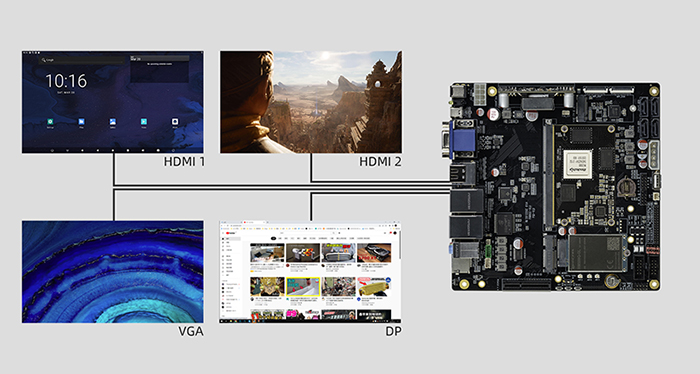
This solution enables multi-displays with different outputs and touch control. It allows you to connect multiple displays to a mainboard, enabling simultaneous playback of different contents on each display. Each of them can be controlled through touch input without any interference. Enjoy a seamless combination of EDP, LVDS, MIPI, HDMI, DP, and other display options for enhanced flexibility.
Products and the maximum number of supported displays

In the video, we use the ITX-3588J main board, 2 HDMI displays, 1 VGA display, and 1 DP display to demonstrate:

Steps
1. Download the ITX-3588J multi-display firmware (code: 1234).
2. Upgrade the firmware (Refer to the Wiki tutorial).
3. Connect the HDMI, VGA, and DP displays to the mainboard.
4. Power on the mainboard.
5. Launch the Multi-Display application and then you can operate the displays.
Application Scenarios
It is widely used in various application scenarios including smart digital signage, medical device, smart exhibition hall, stage, monitoring center, Karaoke, and more.
