Overview — Flent: The FLExible Network Tester (original) (raw)
Welcome to the home of Flent
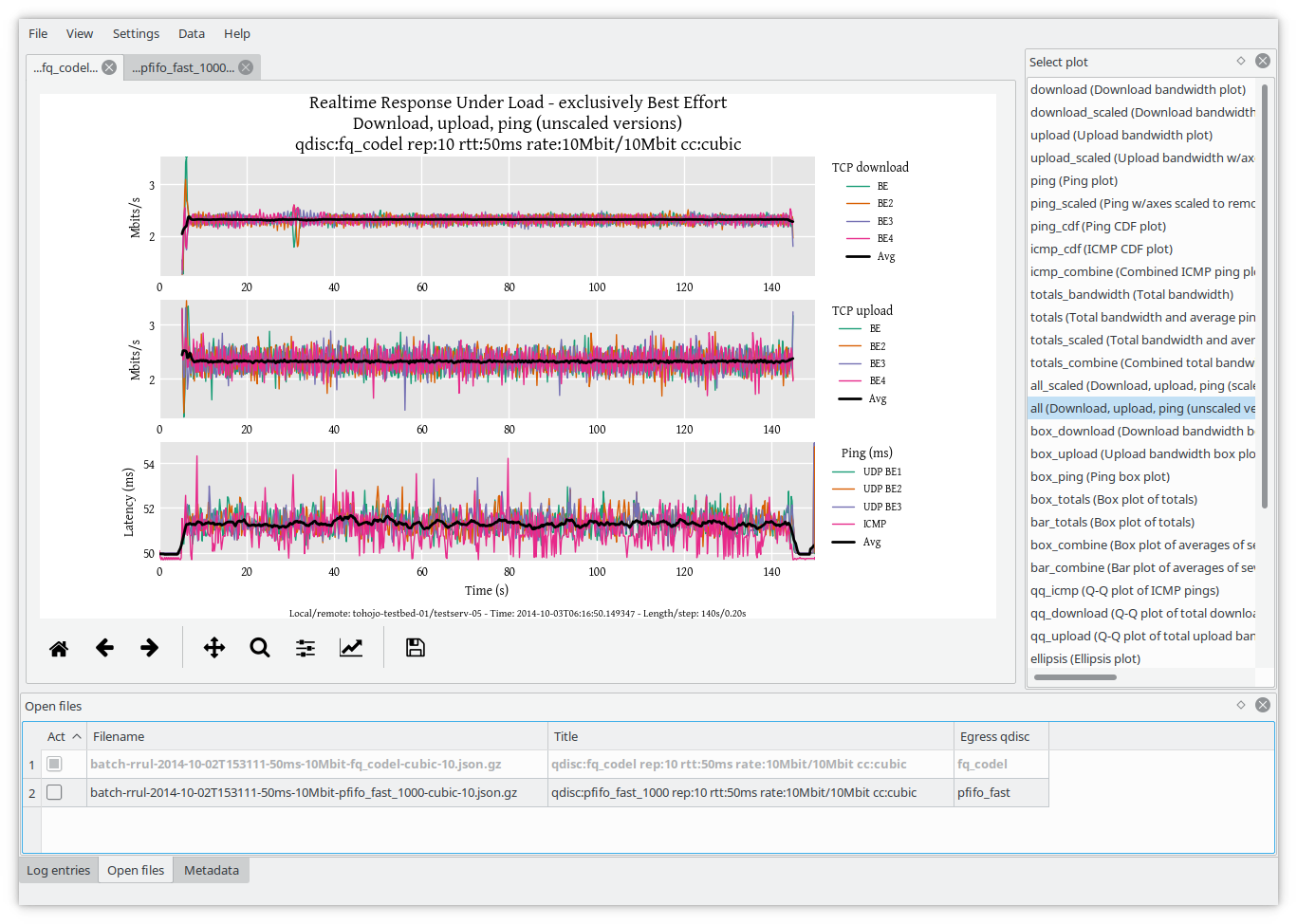
Flent is a network benchmarking tool which allows you to:
- Easilyrun network tests composing multiple well-known benchmarking tools into aggregate, repeatable test runs.
- Explore your test data through the interactive GUI and extensive plotting capabilities.
- Combine and aggregate data series and produce publication quality graphs.
- Capture metadata from local and remote hosts and store it along with the plot data.
- Collect secondary data series such as CPU usage, WiFi, qdisc and TCP socket statistics and plot it with the main dataset.
- Specify batch experiment runs tocompletely automate your testing regime.
Flent is written in Python and wraps well-known network benchmarking tools (such asnetperf andiperf) into aggregate, repeatable tests, such as a number oftests for Bufferbloat.
There's ashort paper (pdf) and ablog post describing some of the design goals of Flent.
Getting started
Install Flent as per the instructions below, then seethe Quick-start section to get going.
For more information, seethe full documentation orsearch for specific content.
Installing Flent
Installing Flent can be done in several ways, depending on your operating system:
- Arch Linux: Install Flent fromthe AUR.
- Debian and Ubuntu:
apt install flent. To install netperf,enable the non-free repository. - Fedora:
dnf install flent. - Gentoo:
emerge net-analyzer/flent. - Nix: Flent is available in nixpkgs through the
flentattribute. - Ubuntu pre-18.04: Add thetohojo/flent PPA.
- Other Linux Install from thePython Package Index:
pip install flent - FreeBSD:
pkg install flentto install the package orcd /usr/ports/net/flentto install the port. - OSX with Macbrew: See install instructions in theInstalling flent section
Get involved
Getting involved is easy:
- Browse the source code or issue trackeron GitHub
- Subscribe to themailing lists