xtd: xtd - Reference Guide (original) (raw)
xtd (pronounced "extend") is a modern C++20 framework to create console (CLI), forms (GUI) and unit test (xUnit) applications on Windows, macOS, Linux, iOS, Android, FreeBSD, and Haiku.

Write Once, Run Everywhere!
Features
- Free and open-source (MIT License);
- a collection of native C++ classes libraries, to complete std;
- API close to the .net API with a modern C++ approach and full integration with the std standard;
- xtd is designed to manage GUI controls and dialogs in pure native mode or with CSS styles.
- written in efficient, modern C++20 with RAII programming idiom;
- and highly portable and available on many different platforms (Windows, macOS, Linux, iOS and android);
- See features for more informations.
xtd libraries architecture
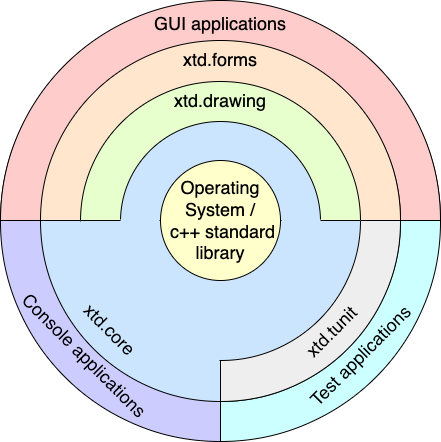
xtd is composed of several libraries.
xtd.core

The xtd.core library is modern C++20 libraries of classes, interfaces, and value types that provide access to system functionality. It is the foundation on which c++ applications, components, and controls are built.
xtd.drawing

The xtd.drawing library contains types that support basic GDI+ graphics functionality. Child namespaces support advanced two-dimensional and vector graphics functionality, advanced imaging functionality, and print-related and typographical services. A child namespace also contains types that extend design-time user-interface logic and drawing.
xtd.forms

The xtd.forms library contains classes for creating Windows-based applications that take full advantage of the rich user interface features available in the Microsoft Windows, Apple macOS and linux base operating system.
xtd.tunit

The xtd.tunit library is a unit-testing framework for modern C++20 inspired by Microsoft.VisualStudio.TestTools.Cpp.
Getting Started
- Installation provides download, install and uninstall documentation.
- Guide provides xtd guides and tutorials.
- Examples provides over 900 examples to help you use xtd, grouped by libraries and topics.
Examples
The classic first application 'Hello World'.
Console
hello_world_console.cpp:
#include <xtd/xtd>
using namespace xtd;
auto main() -> int {
}
static console_color background_color()
Gets the background color of the console.
static console_color foreground_color()
Gets the foreground color of the console.
static void write_line()
Writes the current line terminator to the standard output stream using the specified format informati...
@ blue
The color blue.
Definition console_color.hpp:42
@ white
The color white.
Definition console_color.hpp:54
The xtd namespace contains all fundamental classes to access Hardware, Os, System,...
Definition abstract_object.hpp:8
CMakeLists.txt:
cmake_minimum_required(VERSION 3.20)
project(hello_world_console)
find_package(xtd REQUIRED)
add_sources(hello_world_console.cpp)
Represents information about target type, such as the target identifier. This class cannot be inherit...
Definition target_type.hpp:17
Build and run
Open "Command Prompt" or "Terminal". Navigate to the folder that contains the project and type the following:
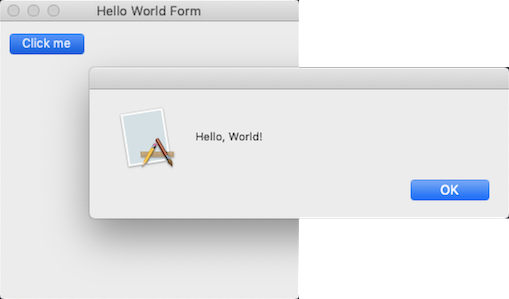
Output
Forms
hello_world_forms.cpp:
#include <xtd/xtd>
class main_form : public form {
public:
main_form() {
text("Hello world (message_box)");
};
}
private:
};
auto main() -> int {
}
static void run()
Begins running a standard application message loop on the current thread, without a form.
Represents a window or dialog box that makes up an application's user interface.
Definition form.hpp:54
static dialog_result show(const iwin32_window &owner)
Displays a message box in front of the specified window.
xtd::forms::style_sheets::control button
The buttton data allows you to specify the box of a button control.
Definition button.hpp:25
@ button1
The first button on the message box is the default button.
Definition message_dialog_default_button.hpp:24
The xtd::forms namespace contains classes for creating Windows-based applications that take full adva...
Definition texts.hpp:219
Contains classes that represent ASCII and Unicode character encodings; abstract base classes for conv...
Definition basic_string_builder.hpp:17
CMakeLists.txt:
cmake_minimum_required(VERSION 3.20)
project(hello_world_forms)
find_package(xtd REQUIRED)
add_sources(hello_world_forms.cpp)
Build and run
Open "Command Prompt" or "Terminal". Navigate to the folder that contains the project and type the following:
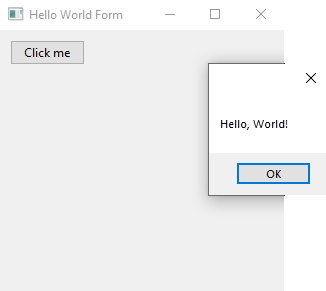
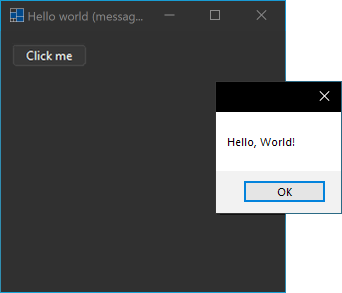
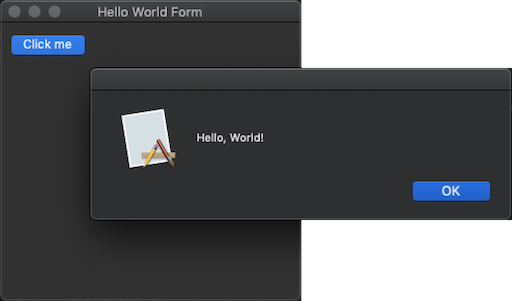
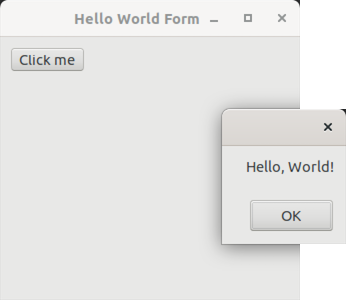
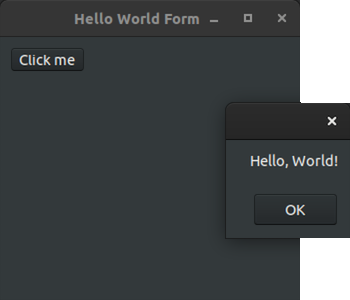
Output
Windows:
macOS:
Linux Gnome:
Unit tests
hello_world_test.cpp:
#include <xtd/xtd>
using namespace xtd;
namespace unit_tests {
class test_class_(hello_world_test) {
string s = "Hello, World!";
}
string s = {'H', 'e', 'l', 'l', 'o', ',', ' ', 'W', 'o', 'r', 'l', 'd', '!'};
valid::are_equal(13, s.length());
string_assert::starts_with("Hello,", s);
string_assert::ends_with(" World!", s);
}
};
}
auto main() -> int {
return console_unit_test(argv, argc).run();
}
static void are_equal(const expected_t &expected, const actual_t &actual, const xtd::diagnostics::stack_frame &stack_frame=xtd::diagnostics::stack_frame::current())
Asserts that two type are equal.
Definition assert.hpp:50
#define test_method_(method_name)
Add test method to class test.
Definition test_method_attribute.hpp:72
@ s
The S key.
Definition console_key.hpp:124
The tunit namespace contains a unit test library.
Definition abort_error.hpp:10
CMakeLists.txt:
cmake_minimum_required(VERSION 3.20)
project(hello_world_test)
find_package(xtd REQUIRED)
add_sources(hello_world_test.cpp)
Build and run
Open "Command Prompt" or "Terminal". Navigate to the folder that contains the project and type the following:
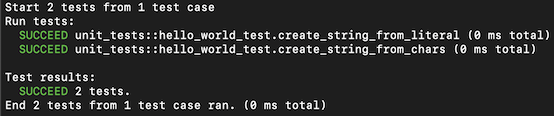
Output