Smart Team - Best Team Members Showcase Plugin for WordPress (original) (raw)

Trusted by more than 15,000 businesses
and organizations including:
Finally, The Best WordPress Team Showcase Plugin
that’s
Fast, Easy,
and
Powerful
🚀
Here are the features that make Smart Team the most powerful and user-friendly WordPress Team plugin in the market.
Easy To Use & Customize
Straightforward setting with live preview, no code template or syntax involved. No more time to learn, no coding skill. Simply install and enjoy. No coding required.
Mobile & SEO Friendly
Smart Team is fully responsive and seo-friendly out of the box. You can control the number of team members displayed on a desktop, tablet, and mobile devices.
Developer Friendly
Manage and display your teams on your site using the WordPress interface you know and extend with plenty of hooks to modify the team and output.
Super Fast Performance
Smart Team is built for speed and optimized for performance. It follows the best WordPress coding standards. It performs speedily on all kinds of sites.
Full Control Over Styling
There are tons of styling options available in the Smart Team plugin for customizing the functionality and looking for your Team Carousels, Grids, and Isotope.
Import and Export Wizard
Save time by importing and exporting your Team showcase shortcodes. You can easily import and export local to live server or old to the new website! It's convenient and fast!
Page Builders & Gutenberg
Smart Team has been designed to work seamlessly with the new Gutenberg WordPress block editor and the most popular WordPress Plugins & Page Builders including Elementor, Divi, etc.
We Speak Your Language
You can translate Smart Team in your own language with .po & .mo files. This plugin is Right To Left-RTL ready. You can even create multilingual websites.
Priority Email Support
We provide dedicatedly one to one top-notch email support instantly whenever you face any issues with the plugin. Over 90% of our customers rate our support great!

Build Sophisticated Team Appearance with 10 Layouts
Show off your team members page or section with 10 unique team layouts
(Carousel, Grid, Isotope Filter, List, Mosaic, Inline, Table, Accordion, Thumbnails Pager, Org Chat). The layouts are fully customizable.
Carousel

Kevin Clark
CMO
Kevin Clark eligendi rerum cumque ducimus nemo ex, dolorem error, laudantium adipisci impedit quam q...
Delaware

John Kerry
Product Designer
John Kerry was born and raised in New York city, and studied Computer Science and Enineering in Cali...
California
Laravel
Python
Vue.js
PHP

Russell Wiltshire
Sr. UX Engineer
John vel facilis aut, expedita aperiam perspiciatis provident temporibus hic culpa reprehenderit sit...
New York

Mike Colins
Release Manager
Mike molestias obcaecati dolorem perspiciatis consequatur eveniet reprehenderit asperiores nemo minu...
Georgia

Robert Harvey
UI Designer
Robert Harvey atque sed tempore perferendis blanditiis at quo non magnam dolores id, dolorem tempori...
Florida
Robert Johnson
Product Designer
Robert Johnson nemo ipsa esse labore, numquam repudiandae libero, vel animi tempora ducimus quod rep...
Texas
Node.js
JQuery
JavaScript
Java
Isotope Layout: Button Filter Type
Lawrence Jude
QA Engineer
Jude culpa voluptate voluptatum modi molestiae, nostrum commodi. Dolorum sit rerum, sint voluptatem ...
Florida

Mike Peterson
Software Engineer
William Peterson aspernatur ullam facilis rerum esse libero, laborum repellendus dolorem minima lab...
Michigan
Sam William
Project Manager
William Ady aspernatur laborum sapiente non ipsum ipsa saepe et. Quam nulla deleniti nisi quisquam ...
New Jersey

Harson Gomez
R&D Engineer
Tom itaque voluptatibus delectus fugit animi corrupti sit quibusdam. Ratione sapiente totam voluptas...
Virginia
Thomas Brown
SEO Specialist
Brown adipisci neque quis, porro aliquam repellat minima exercitationem eius quam eligendi recusanda...
Kansas
Stein Henriksen
Head of Ideas
Henriksen molestias similique harum deleniti est, magnam suscipit ratione nesciunt eius in, sequi, d...
Wasington

Simon Henrik
WP Engineer
Simon henrik consequatur dolor sunt quibusdam repellat repudiandae, distinctio corporis quia sint e...
Illinois
Robert Johnson
Product Designer
Robert Johnson nemo ipsa esse labore, numquam repudiandae libero, vel animi tempora ducimus quod rep...
Texas
Robert Harvey
UI Designer
Robert Harvey atque sed tempore perferendis blanditiis at quo non magnam dolores id, dolorem tempori...
Florida

Petter Nilsen
Cloud Engineer
Petter Nilsen Corporis libero vero, est vitae aspernatur nisi et iure pariatur beatae possimus sequi...
Hawaii
Mike Colins
Release Manager
Mike molestias obcaecati dolorem perspiciatis consequatur eveniet reprehenderit asperiores nemo minu...
Georgia
Fredrik Andersson
Sr. Data Scientist
Fredrik quasi architecto, vero dolorum inventore esse voluptas. Harum sed nesciunt temporibus labori...
Arkansas
End of Members
No more pages to load
Load More
Inline

Lawrence Jude
QA Engineer
Mike Peterson
Software Engineer

Sam William
Project Manager
Harson Gomez
R&D Engineer

Thomas Brown
SEO Specialist

Stein Henriksen
Head of Ideas
Simon Henrik
WP Engineer

Robert Johnson
Product Designer
Robert Harvey
UI Designer
Petter Nilsen
Cloud Engineer
Mike Colins
Release Manager

Fredrik Andersson
Sr. Data Scientist

Brett Lee
Marketing Assistant
Russell Wiltshire
Sr. UX Engineer

Patrick Wong
Developer

Create Unlimited Teams, Members, and Groups
Build a great-looking team members page or section of your staff, team or working force, even divided by categories or groups on your website in few clicks. 13 Display Options for Each Member are as follows:
- Member Name
- Mobile
- Position/Job title
- Phone
- Photo/Image
- Website
- Member Short & Detail bio
- Skill Bars (Add Unlimited)
- Location
- 35+ Social Profile Links
- Member Photo Gallery
- Author Posts
- Additional Custom Fields (Unlimited)
Easy To Use - Packed with the Powerful Features You'll Love Ever
Smart Team Pro Features Includes:
- Filter Members (Groups, Specific)
- Typography & Styling Options
- Exclude Specific Members
- Google Rich Snippets
- Group Relation Type
- Short Bio Limit
- Control Device-wise Columns
- Read More Button Settings
- Limit Team Members
- Skill Bars Settings
- 25+ Team Carousel Controls
- Social Settings & Meta Icons
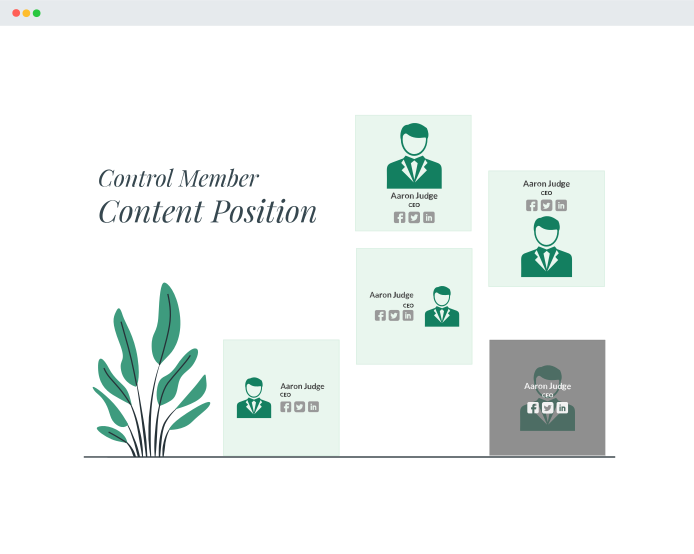
20 Member Content Positions - Drag and
Drop Member Information
The members will display in different team layouts with the number of columns you set and with the information to the right, left, above, below, overlay the image, depending on your settings.
- All Members The Same Height as the tallest one
- Member Border, Radius, Background, and Content Padding
- Overlay Background Color
- Overlay Content Position and Visibility
- Make the Overlay Clickable
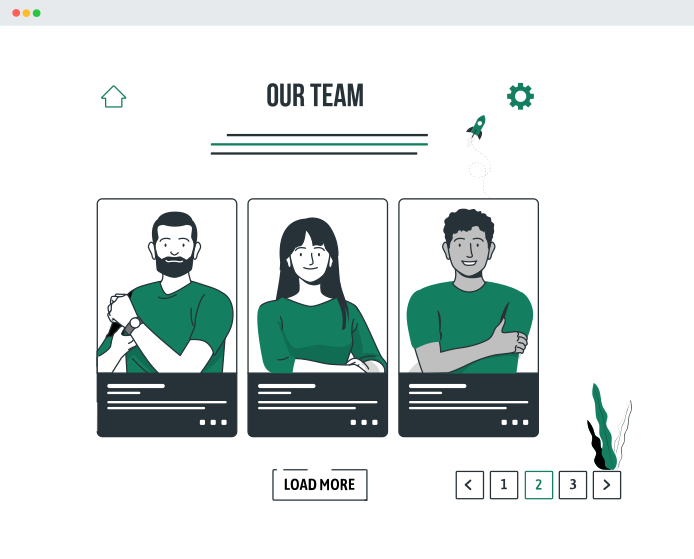
Multiple Ajax Pagination Options For Different Layouts
Smart Team Pro has multiple pagination options to show or load more members. You can set how many team members you want to show per page with few customization options.
- Ajax Number Pagination
- Load More Button (Ajax)
- Load More on Scroll (Ajax)
- No Ajax (Normal Pagination)
- Member(s) To Show Per Page/Click
- Alignment & Color for Pagination
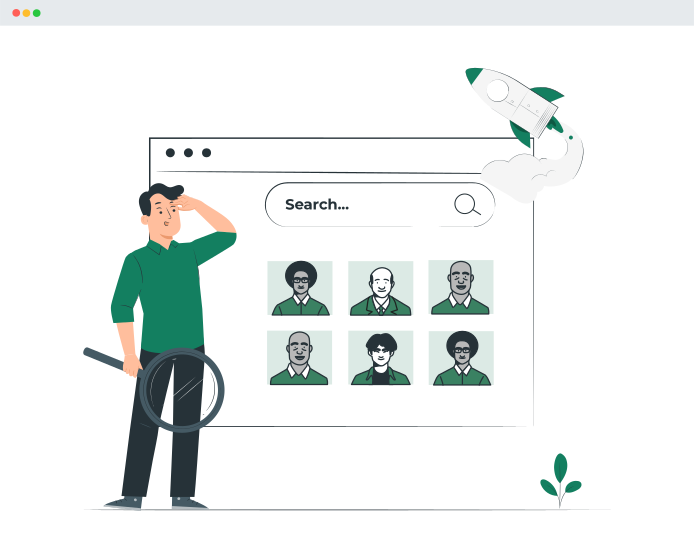
Advanced Ajax Live Filtering For Member Groups & Ajax Member Search
It is important for any website owner to help visitors to find their desired member quickly. Smart Team Pro helps you to display multiple ajax live filters (Groups-Taxonomy, Position, Location)) at a time. Each filter can be displayed as dropdown, button groups. You can live search or filter member. Find your member by many criteria:
- Ajax Live Filtering for Member Groups
- Ajax Search for Member
- Filter By (Groups, Position, Location)
- Filter Type (Button and Dropdown)
- Button Color, Alighnment, Label
- Isotope (Shuffle Filtering) and More...

Essential Image Settings & Additional Photo Gallery For Each Member
Member Image Shapes, Grayscale Mode, Zoom In/Out, Custom Size, Photo Flipping, and Many More...
You can show your member photo in different shapes like square, rounded & circle. Customize image border, box-shadow, inner padding, etc. You can set specified size dimensions, zoom, grayscale effects.
Add additional images gallery for each team member. It’ll display on the member detail page with a beautiful gallery slider. You can add unlimited images for every team member which slides will autoplay.
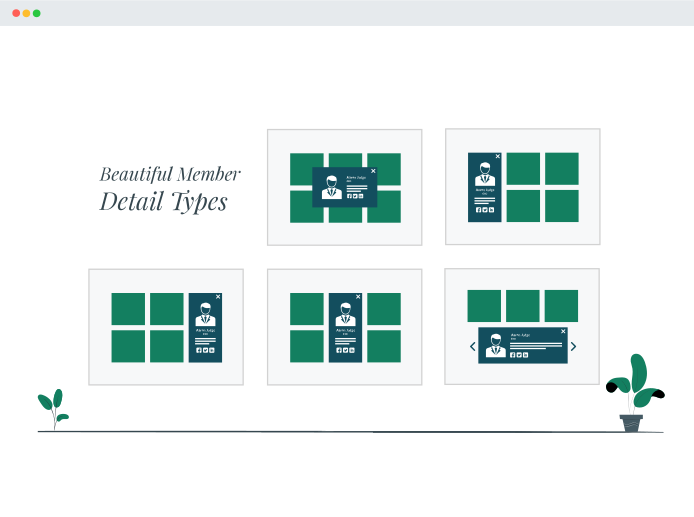
5+ Beautiful Pre-built Member Detail Types - Single Pages For Each Member!
Choose if the detail page feature will be active or not and what information you want to display on it!
- Modal Type (Single & Multiple Member with Navigation)
- Drawer (Google Image Search Result View)
- Slide-Ins (Left, Center, and Right)
- Classic Modal
- Dedicated Single Page Settings
- Control Member Detail Fields
- Modal Background and Many More...
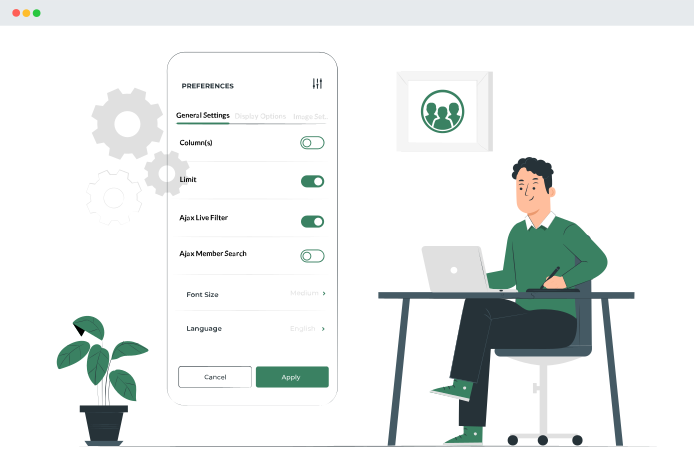
Shortcode Generator with Live Preview - 300+ Visual Customisation Options
Customize Everything Easily with Custom Typography, Colors, Styling and Many More...
It couldn't be more easy to generate the necessary code to display the teams. Just go to the Shortcode Generator, choose the settings in different tabs you want and the shortcode and the PHP function that you can use will be generated and ready to copy and paste where you want! Shortcodes are to be used in posts, pages and templates, while the PHP function will be necessary if you want to hard code the team showcase layout in your theme files.
The generator will make a preview of how the layout looks with the selected settings.
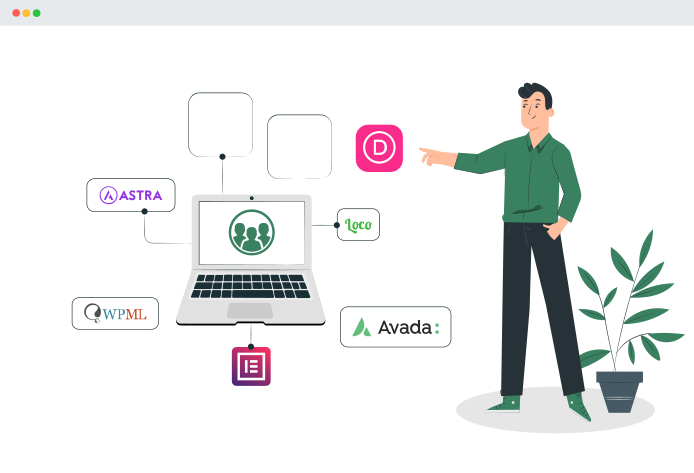
Seamless Integration with Your Existing Themes, Plugins, and Page Builders
Smart Team Pro works perfectly popular WordPress Themes, Plugins, and Page Builders.
- Gutenberg Block
- Avada, XTheme, BeTheme...
- Elementor, Divi, WPBakery...
- Astra, OceanWP, 2021...
- WPML, Polylang, qTranslate...
Building a Team Page or Section has never been so much fun
See Backend Screenshots

General Settings

Display Settings - Member Styles

Display Settings - Control Member Info

Display Settings - Member Info Styles

Display Settings - Member Image Styles

Display Settings - Join Team Button

Detail Page Settings

Carousel Settings - Carousel Basics

Don't take our word for it though ...
Formattable detail page
The best filterable grid plugin I found to edit the text for longer details, so that the text doesn’t just run like a ribbon in a row. Nice minimalist design, various options can be activated and sorting by drag and drop is very helpful for many members or objects. Very fast and helpful support!
Prompt, effective support
I had an issue where a Smart Team feature was behaving slightly wrong, due to an incompatibility with my theme. The support team responded quickly to my question, and eventually solved the issue without any work from me. I only had to provide temporary administrator access.

Great plugin & fantastic support...
I’m using a pro version to display 300+ team members. The plugin works really great, and has loads of features, that help the formatting and filtering. When I had some questions and doubts, the support team replied with an advice within 24 hours. So strongly recommend this piece for WordPress.

Great features, great support
This is a really full-featured plugin and has about every option you could think of. I had two questions about configuration and the support was excellent and quite speedy. Thank you very much for the great plugin and support.

Featured in
Frequently Asked Questions
Do you have a question about Smart Team? See the list below for our most frequently asked
questions. If your question is not listed here, then please contact us.
Smart Team is the most versatile and industry-leading WordPress team showcase plugin. It will not work on sites that do not use WordPress. In order to use Smart Team, you must have a self-hosted WordPress site. That's all.
Smart Team is perfect for any small to large business site owners, organizations, bloggers, designers, developers, photographers, and basically everyone else. If you want to create easily a great looking team page or section on your WordPress site in a few minutes with an intuitive and stylish admin interface, then you need to use Smart Team.
Yes, you can add team inside your blog posts, pages, widgets, and anywhere else on your WordPress site with a shortcode or PHP function.
No. You don’t need any coding skills. No more pain writing any shortcode attributes to display team in your site. With just a few clicks, you can amazingly create unlimited team members showcases. Smart Team is the most beginner friendly team members showcase solution in the market.
Absolutely not. Smart Team is carefully built with performance in mind. We have developed everything with best practices and modern standards to ensure things run smooth and fast.
Yes, WP Team is 100% translation ready and tested with WPML, Polylang, Loco Translate, qTranslate-x, GTranslate, Google Language Translator, WPGlobus etc.
So far, we have not encountered any WordPress themes that WP Team doesn’t work with. We have built-in support for all the popular themes. For any reason, if the plugin doesn’t work with your theme, we will work with you to ensure it. We also offer free CSS customization for theme-related issues.
Yes! WP Team works perfectly with WordPress multisite, both network activated and activated on individual sites. The automatic updates also work for multisite as well.
Yes, WP Team is fully responsive, mobile and touch-friendly.
Adding a team using the WordPress 5.X Block Editor is pretty straight-forward. You can insert the generated shortcode into a ‘Paragraph Block’ or use the ‘Shortcode Block’ and see the live preview.
You will receive an automated email with your license key, a link to download the plugin, and other information.
After upgrading to Pro, you continue just where you left off, without any interruptions. And you’ll be able to use the Pro features. No data will be lost.
Yes. You can upgrade anytime by paying the difference between licenses on the license information page. See how to manage license→
Yes. If your development site is local, there is no action needed. If your development site is online, please send us its URL after purchase (we will add it to the allowed domains list).
If you have a business site and want to use the plugin in your single business site, you don't need to purchase the Business package/license. A Personal license is sufficient for you. You can just purchase a Personal package/license as you have a single website whether it's a business or personal site.
Yes, you can use WP Team for as long as you want. However, you are no longer able to download any releases or to get support until your license is renewed. It’s highly advisable you renew your license.
You will receive an email notification before your license expires. The email includes a link to renew your license quickly and easily. However, If you keep active your subscription, you will be charged automatically.
WP Team will continue to work as it did before. You are free to continue using our plugin for as long as you want. However, you are no longer able to download any releases or to get support. It’s highly advisable you renew your license.
We guarantee 100% satisfaction with our product & support. No questions asked. Read our Refund Policy.
We have a customer-friendly 14-days money-back refund policy. No questions asked. But you can not ask for a refund claiming a feature that your purchased plugin doesn’t include. Refunds terminate your license and deactivate the associated package, which means you’ll no longer be able to access the premium features.
Delightful Support from the Real People
We take great care of you and your website today, and every day after that.

Pulak

Bayejid

Hares

Abdur

Ria