5 Minute Twistbones (original) (raw)
5-Minute Twistbones
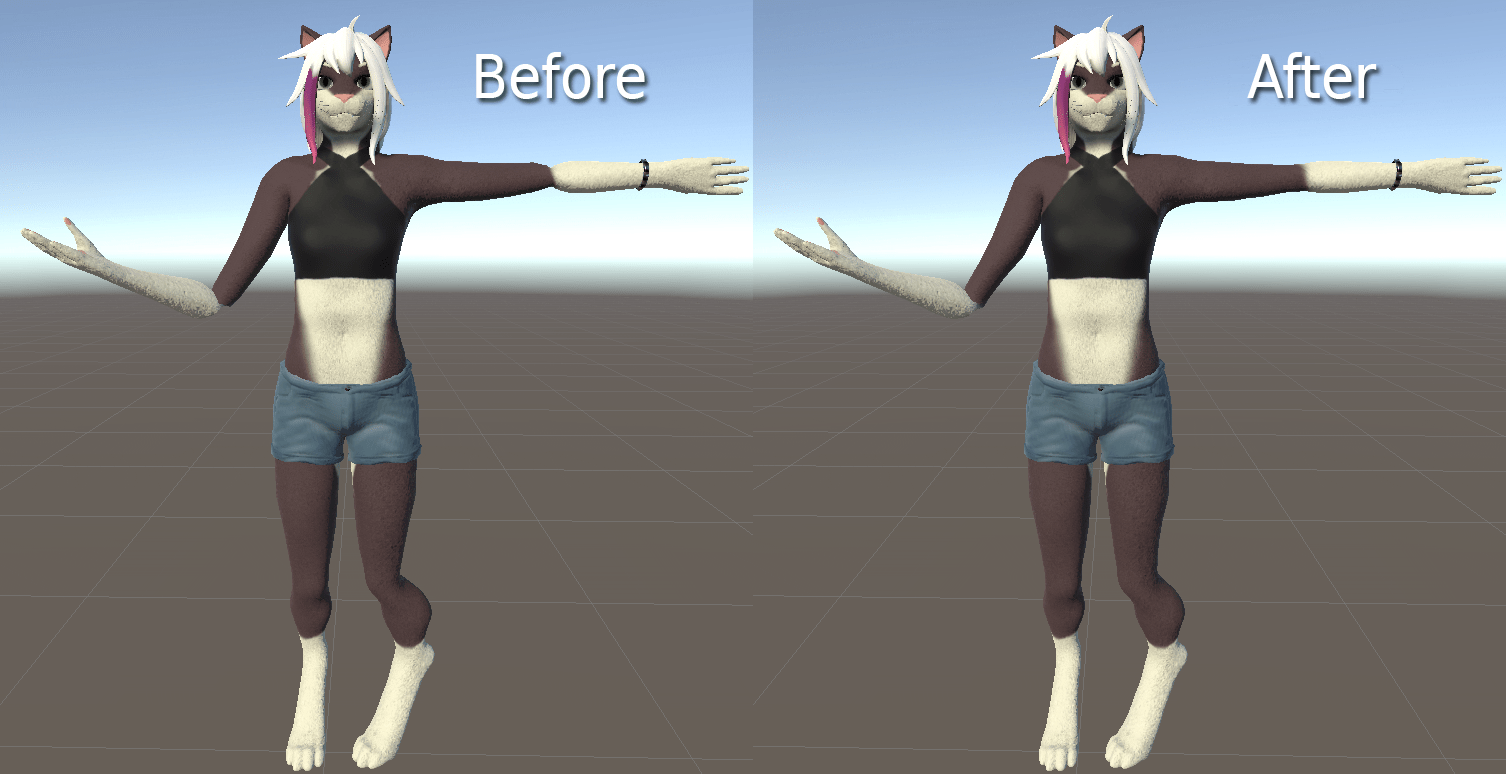
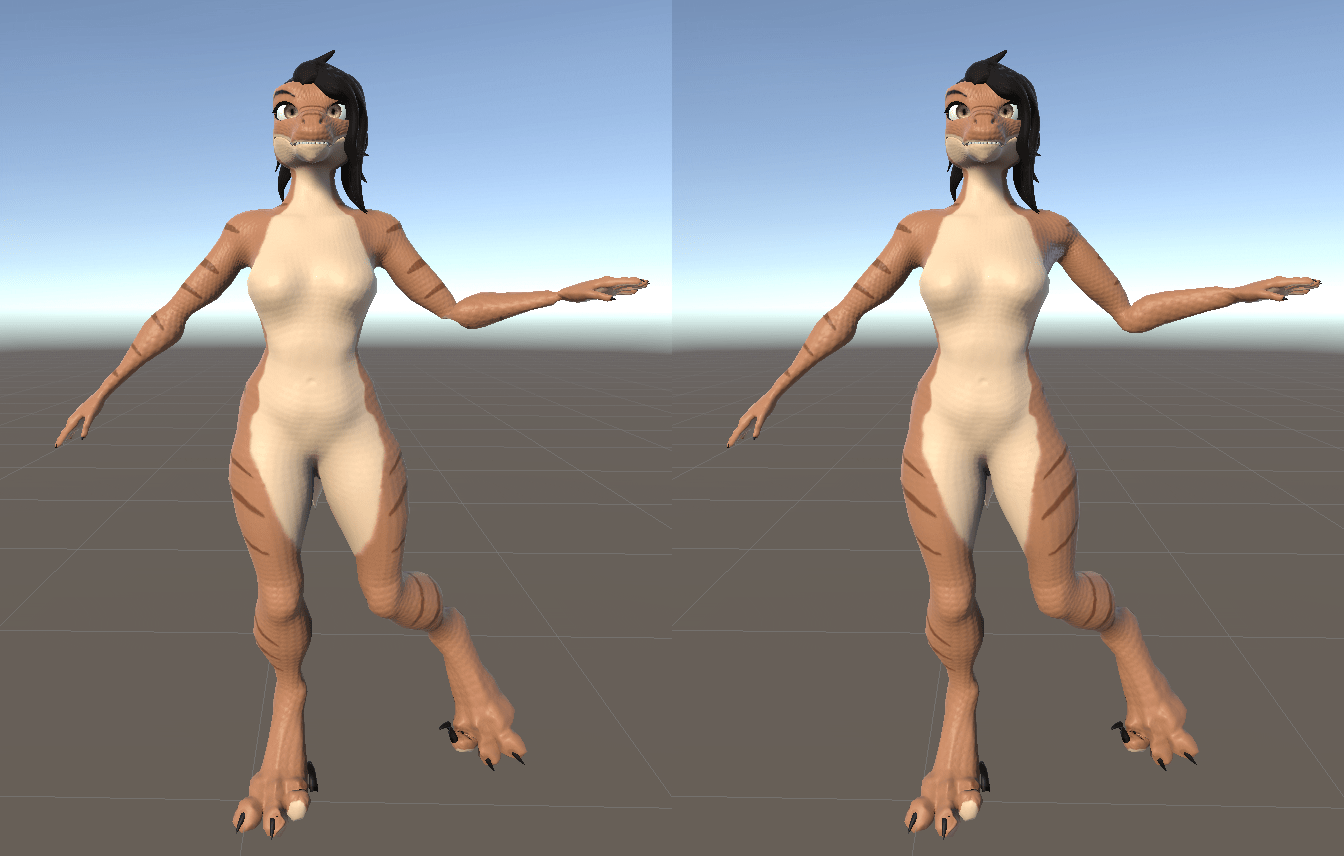
What are twistbones?
Twistbones are a way in animation to prevent joints from shrinking/distorting, by telling geometry near the joint to twist when the next bone down the line does.
This guide is exhaustive about the steps needed, but it really shouldn't take you longer than a minute or two.
Step one: Blender
With Tuxedo, creating twistbones is pretty much instant. Simply select your armature:
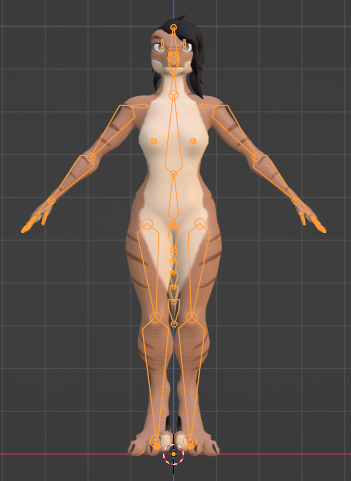
Switch to Edit mode with Tab:

Select any bones you wish to improve (generally, upper/lower arms/legs):
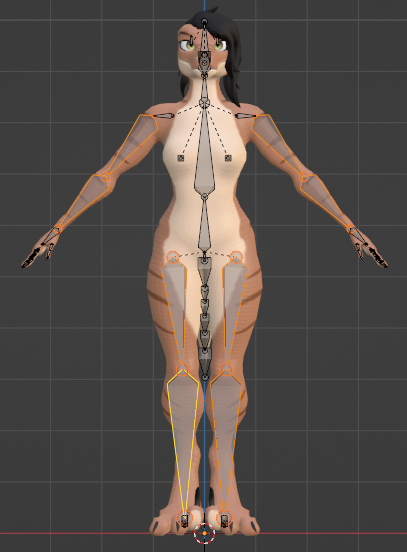
Hit 'Generate Twistbones' in the Model Options panel (you'll need to expand it out):
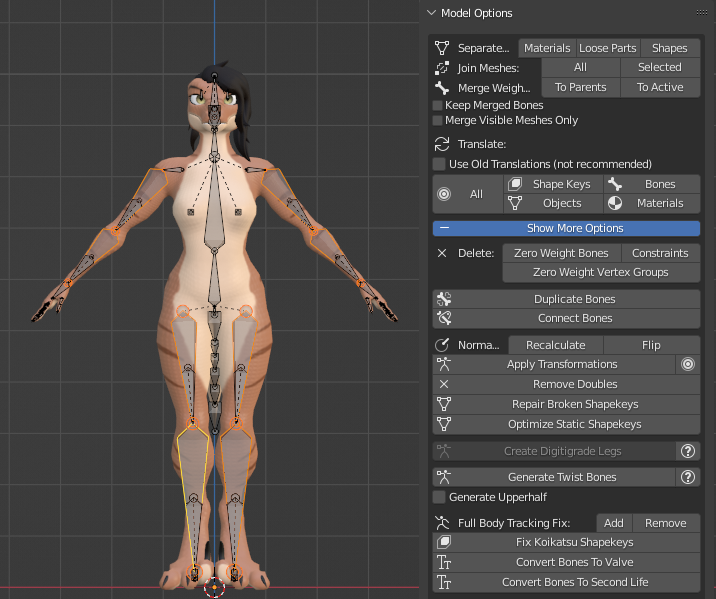
(optionally, do the same again for both of the upper leg bones, but have 'Generate Upperhalf' checked.)
Export as usual!
Step two: Unity
We need to restrain the motion of the the new bones to follow the next down the line (or, for upper twist bones, the twisted-bone's parent).
Find your model's twistbones under the armature, and select one:
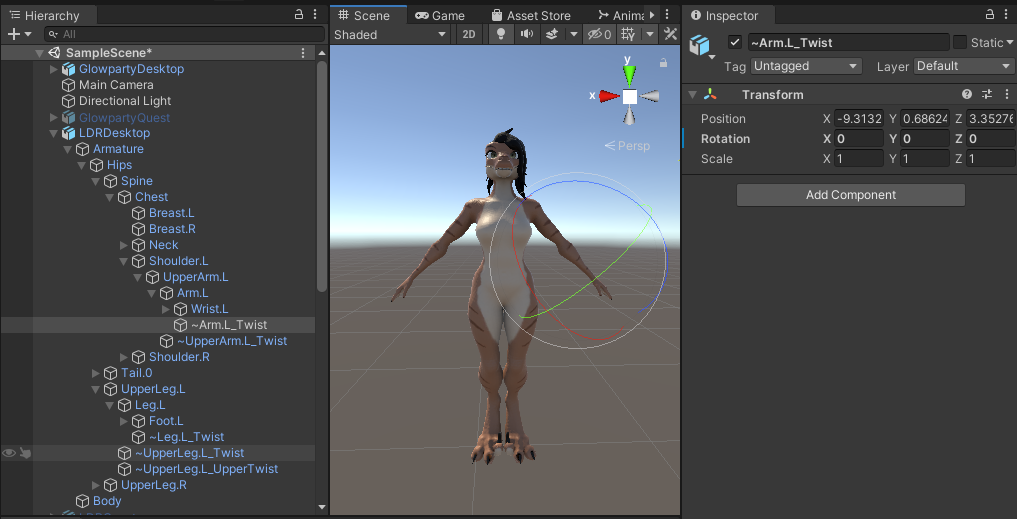
Add a new component, search for 'Rotation constraint':
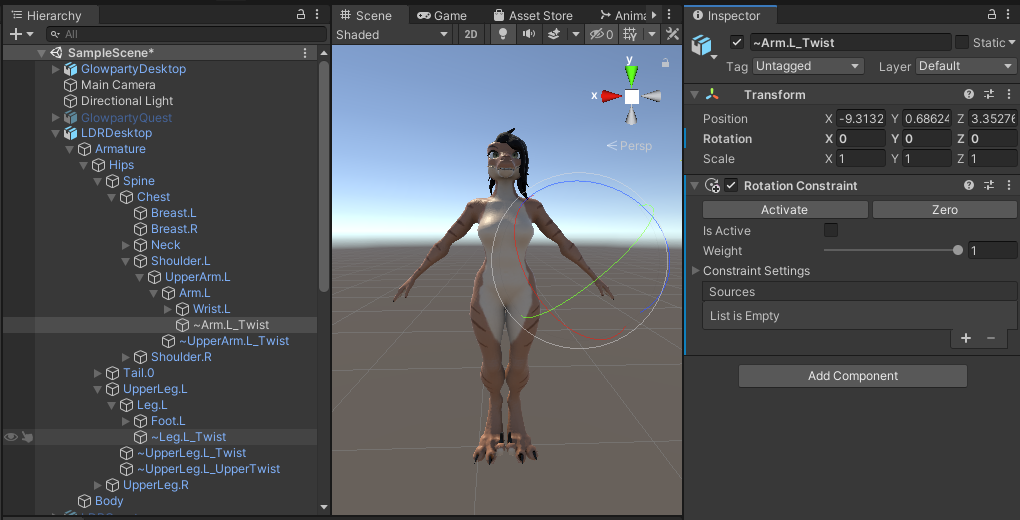
Press the '+' to add a constraint source, and click and drag the next bone down to it (it will be next to your twist bone in the hierarchy, e.g. 'Wrist.L' for '~Arm.l_Twist'):
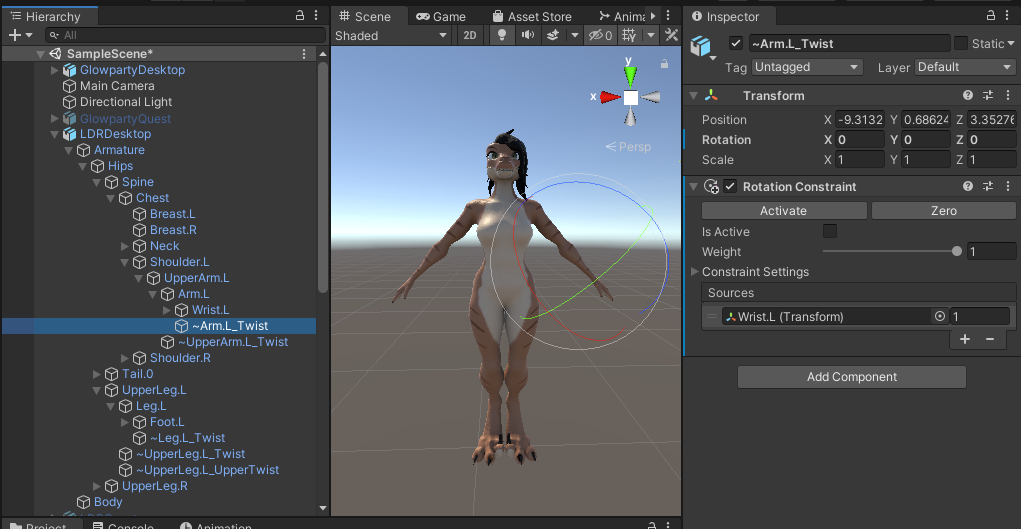
For UpperTwist bones, you'll need to select the twistbone's parent's parent, to get the correct rotation dampening:
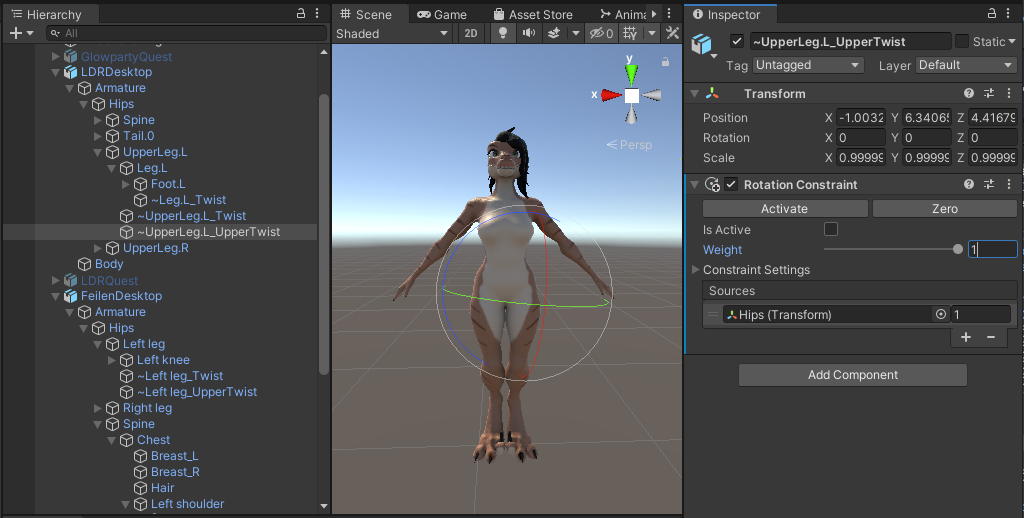
Now we need to set the twist bone's settings. '0.5' is a pretty good starting point for the Weight, e.g. 50% as much rotation as the next bone. Click 'Activate', tab out Constraint Settings, and uncheck X and Z (unity's Y axis is the up/down, the others just control regular rotation):
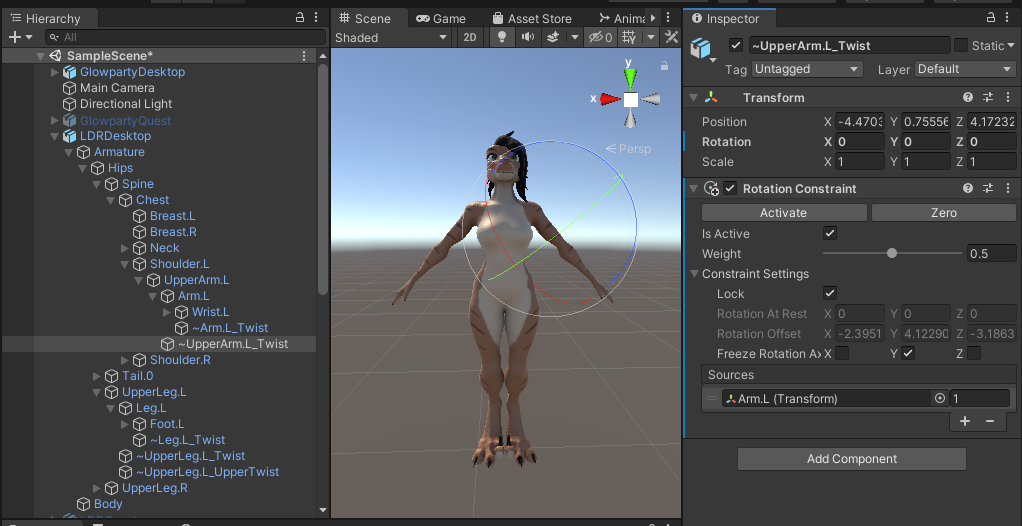
Repeat for the other bones and... that's it! You're done! Upload it and you can see it in action in VRChat!
Hint: to save some time, create a rotation constraint and only add a source slot/set weight/uncheck 'x' and 'z'. In the upper right corner of the component, click the drop down and 'Copy Component'. Then for each bone 'Paste Component as New', drop on the source, and hit 'Activate'.
Note, constraints are currently not supported on Quest, so twistbones won't work on the platform. They won't cause problems though!