Print Current Memory Usage (original) (raw)
Written byEdd Turtle on gophercoding.com
on 5th of December 2022
(Updated: 25th of December 2023)
In this post we show how you can print memory usage in golang. We do this by outputting the current state of memory at any given time to show how much ram has been allocated and gc cycles made. We have created a function PrintMemUsage() to help out, so you can call this when ever you need to know.
All the info we need can be acquired through the runtime [docs] package, which allows us to read the state of the memory into the MemStats struct. It returns stats like how much memory the program is using, how much of it the OS has allocated to it and the number of garbage collections.
| 1 2 3 4 5 6 7 8 | func PrintMemUsage() { var m runtime.MemStats runtime.ReadMemStats(&m) fmt.Printf("Alloc = %v MiB", m.Alloc / 1024 / 1024) fmt.Printf("\tTotalAlloc = %v MiB", m.TotalAlloc / 1024 / 1024) fmt.Printf("\tSys = %v MiB", m.Sys / 1024 / 1024) fmt.Printf("\tNumGC = %v\n", m.NumGC) } |
|---|
As the data is returned in bytes, we divide it by 1024 twice over to convert it into Mib.
Example Usage:
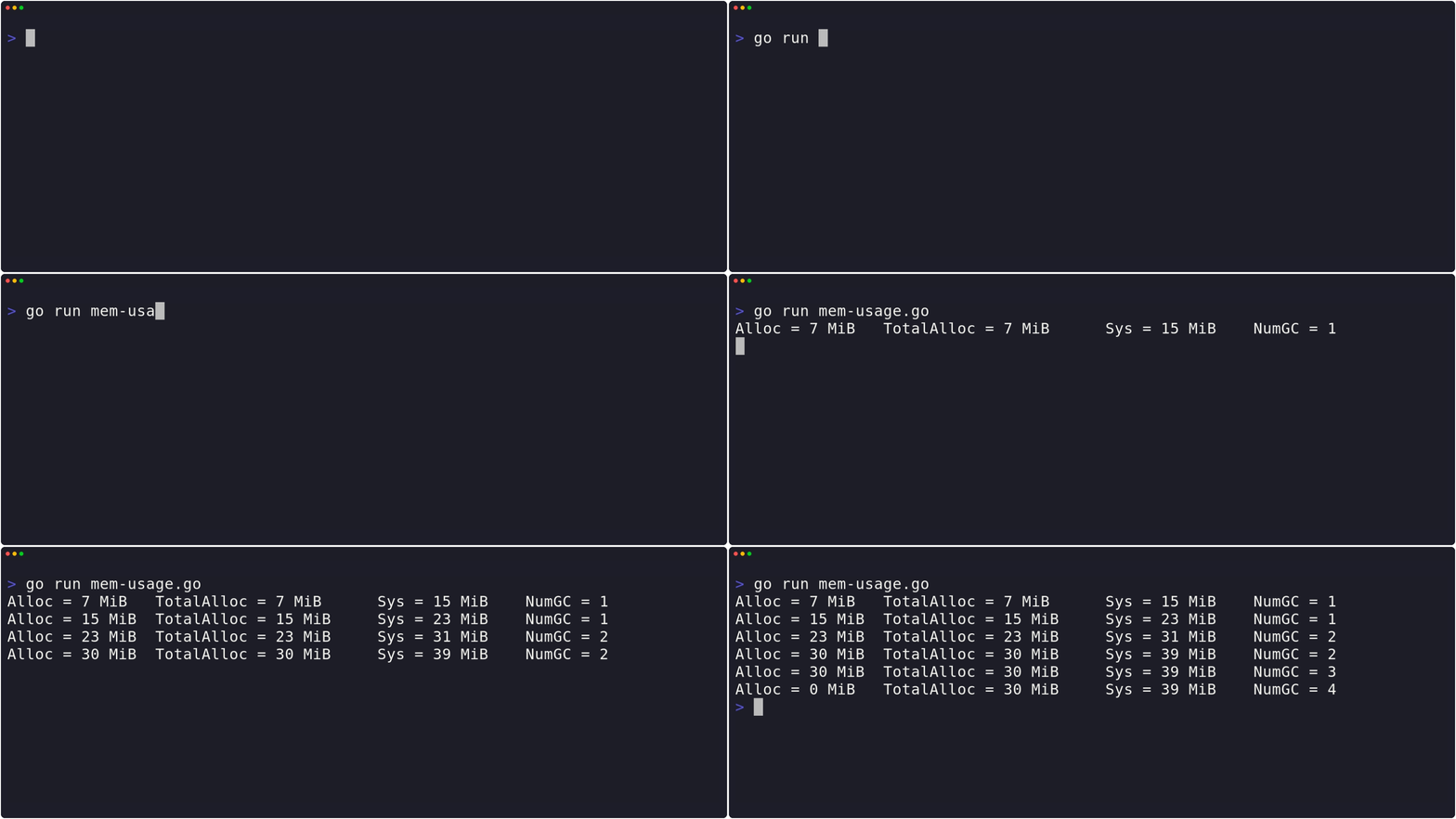
Here’s an example of how you can use it - just call it whenever you need it!
| 1 2 3 4 5 6 7 8 9 10 11 12 13 14 15 16 17 18 19 20 21 22 23 24 25 26 27 28 29 30 31 32 33 34 35 36 37 38 39 40 41 42 43 44 45 | package main import ( "runtime" "fmt" "time" ) func main() { var data [][]int for i := 0; i<4; i++ { // Example data: // Allocate memory using make() and append to data var (so it doesn't get // garbage collected). This is to create an ever increasing memory usage // which we can track. We're just using []int as an example. a := make([]int, 0, 999999) data = append(data, a) // Print our memory usage at each interval PrintMemUsage() time.Sleep(time.Second) } // Clear our memory and print usage, unless the GC has run 'Alloc' will remain the same data = nil PrintMemUsage() // Force GC to clear up, should see a memory drop runtime.GC() PrintMemUsage() } // PrintMemUsage outputs the current, total and OS memory being used. As well as the // number of garage collection cycles completed. For info on each, // see: https://golang.org/pkg/runtime/#MemStats func PrintMemUsage() { var m runtime.MemStats runtime.ReadMemStats(&m) fmt.Printf("Alloc = %v MiB", m.Alloc / 1024 / 1024) fmt.Printf("\tTotalAlloc = %v MiB", m.TotalAlloc / 1024 / 1024) fmt.Printf("\tSys = %v MiB", m.Sys / 1024 / 1024) fmt.Printf("\tNumGC = %v\n", m.NumGC) } |
|---|
 Example In Action

Edd is a PHP and Go developer who enjoys blogging about his experiences, mostly about creating and coding new things he's working on and is a big beliver in open-source and Linux.