Chroma (original) (raw)


Chroma is a text to image generation model based on Flux.
Original model checkpoints for Chroma can be found here:
- High-resolution finetune: lodestones/Chroma1-HD
- Base model: lodestones/Chroma1-Base
- Original repo with progress checkpoints: lodestones/Chroma (loading this repo with
from_pretrainedwill load a Diffusers-compatible version of theunlocked-v37checkpoint)
Chroma can use all the same optimizations as Flux.
Inference
import torch from diffusers import ChromaPipeline
pipe = ChromaPipeline.from_pretrained("lodestones/Chroma1-HD", torch_dtype=torch.bfloat16) pipe.enable_model_cpu_offload()
prompt = [ "A high-fashion close-up portrait of a blonde woman in clear sunglasses. The image uses a bold teal and red color split for dramatic lighting. The background is a simple teal-green. The photo is sharp and well-composed, and is designed for viewing with anaglyph 3D glasses for optimal effect. It looks professionally done." ] negative_prompt = ["low quality, ugly, unfinished, out of focus, deformed, disfigure, blurry, smudged, restricted palette, flat colors"]
image = pipe( prompt=prompt, negative_prompt=negative_prompt, generator=torch.Generator("cpu").manual_seed(433), num_inference_steps=40, guidance_scale=3.0, num_images_per_prompt=1, ).images[0] image.save("chroma.png")
Loading from a single file
To use updated model checkpoints that are not in the Diffusers format, you can use the ChromaTransformer2DModel class to load the model from a single file in the original format. This is also useful when trying to load finetunes or quantized versions of the models that have been published by the community.
The following example demonstrates how to run Chroma from a single file.
Then run the following example
import torch from diffusers import ChromaTransformer2DModel, ChromaPipeline
model_id = "lodestones/Chroma1-HD" dtype = torch.bfloat16
transformer = ChromaTransformer2DModel.from_single_file("https://huggingface.co/lodestones/Chroma1-HD/blob/main/Chroma1-HD.safetensors", torch_dtype=dtype)
pipe = ChromaPipeline.from_pretrained(model_id, transformer=transformer, torch_dtype=dtype) pipe.enable_model_cpu_offload()
prompt = [ "A high-fashion close-up portrait of a blonde woman in clear sunglasses. The image uses a bold teal and red color split for dramatic lighting. The background is a simple teal-green. The photo is sharp and well-composed, and is designed for viewing with anaglyph 3D glasses for optimal effect. It looks professionally done." ] negative_prompt = ["low quality, ugly, unfinished, out of focus, deformed, disfigure, blurry, smudged, restricted palette, flat colors"]
image = pipe( prompt=prompt, negative_prompt=negative_prompt, generator=torch.Generator("cpu").manual_seed(433), num_inference_steps=40, guidance_scale=3.0, ).images[0]
image.save("chroma-single-file.png")
ChromaPipeline
class diffusers.ChromaPipeline
( scheduler: FlowMatchEulerDiscreteScheduler vae: AutoencoderKL text_encoder: T5EncoderModel tokenizer: T5TokenizerFast transformer: ChromaTransformer2DModel image_encoder: CLIPVisionModelWithProjection = None feature_extractor: CLIPImageProcessor = None )
Parameters
- transformer (ChromaTransformer2DModel) — Conditional Transformer (MMDiT) architecture to denoise the encoded image latents.
- scheduler (FlowMatchEulerDiscreteScheduler) — A scheduler to be used in combination with
transformerto denoise the encoded image latents. - vae (AutoencoderKL) — Variational Auto-Encoder (VAE) Model to encode and decode images to and from latent representation
- text_encoder (
T5EncoderModel) —T5, specifically the google/t5-v1_1-xxl variant. - tokenizer (
T5TokenizerFast) — Second Tokenizer of classT5TokenizerFast.
The Chroma pipeline for text-to-image generation.
Reference: https://huggingface.co/lodestones/Chroma1-HD/
__call__
( prompt: typing.Union[str, typing.List[str]] = None negative_prompt: typing.Union[str, typing.List[str]] = None height: typing.Optional[int] = None width: typing.Optional[int] = None num_inference_steps: int = 35 sigmas: typing.Optional[typing.List[float]] = None guidance_scale: float = 5.0 num_images_per_prompt: typing.Optional[int] = 1 generator: typing.Union[torch._C.Generator, typing.List[torch._C.Generator], NoneType] = None latents: typing.Optional[torch.Tensor] = None prompt_embeds: typing.Optional[torch.Tensor] = None ip_adapter_image: typing.Union[PIL.Image.Image, numpy.ndarray, torch.Tensor, typing.List[PIL.Image.Image], typing.List[numpy.ndarray], typing.List[torch.Tensor], NoneType] = None ip_adapter_image_embeds: typing.Optional[typing.List[torch.Tensor]] = None negative_ip_adapter_image: typing.Union[PIL.Image.Image, numpy.ndarray, torch.Tensor, typing.List[PIL.Image.Image], typing.List[numpy.ndarray], typing.List[torch.Tensor], NoneType] = None negative_ip_adapter_image_embeds: typing.Optional[typing.List[torch.Tensor]] = None negative_prompt_embeds: typing.Optional[torch.Tensor] = None prompt_attention_mask: typing.Optional[torch.Tensor] = None negative_prompt_attention_mask: typing.Optional[torch.Tensor] = None output_type: typing.Optional[str] = 'pil' return_dict: bool = True joint_attention_kwargs: typing.Optional[typing.Dict[str, typing.Any]] = None callback_on_step_end: typing.Optional[typing.Callable[[int, int, typing.Dict], NoneType]] = None callback_on_step_end_tensor_inputs: typing.List[str] = ['latents'] max_sequence_length: int = 512 ) → ~pipelines.chroma.ChromaPipelineOutput or tuple
Parameters
- prompt (
strorList[str], optional) — The prompt or prompts to guide the image generation. If not defined, one has to passprompt_embeds. instead. - negative_prompt (
strorList[str], optional) — The prompt or prompts not to guide the image generation. If not defined, one has to passnegative_prompt_embedsinstead. Ignored when not using guidance (i.e., ignored ifguidance_scaleis not greater than1). - height (
int, optional, defaults to self.unet.config.sample_size * self.vae_scale_factor) — The height in pixels of the generated image. This is set to 1024 by default for the best results. - width (
int, optional, defaults to self.unet.config.sample_size * self.vae_scale_factor) — The width in pixels of the generated image. This is set to 1024 by default for the best results. - num_inference_steps (
int, optional, defaults to 50) — The number of denoising steps. More denoising steps usually lead to a higher quality image at the expense of slower inference. - sigmas (
List[float], optional) — Custom sigmas to use for the denoising process with schedulers which support asigmasargument in theirset_timestepsmethod. If not defined, the default behavior whennum_inference_stepsis passed will be used. - guidance_scale (
float, optional, defaults to 3.5) — Guidance scale as defined in Classifier-Free Diffusion Guidance.guidance_scaleis defined aswof equation 2. of Imagen Paper. Guidance scale is enabled by settingguidance_scale > 1. Higher guidance scale encourages to generate images that are closely linked to the textprompt, usually at the expense of lower image quality. - num_images_per_prompt (
int, optional, defaults to 1) — The number of images to generate per prompt. - generator (
torch.GeneratororList[torch.Generator], optional) — One or a list of torch generator(s)to make generation deterministic. - latents (
torch.Tensor, optional) — Pre-generated noisy latents, sampled from a Gaussian distribution, to be used as inputs for image generation. Can be used to tweak the same generation with different prompts. If not provided, a latents tensor will be generated by sampling using the supplied randomgenerator. - prompt_embeds (
torch.Tensor, optional) — Pre-generated text embeddings. Can be used to easily tweak text inputs, e.g. prompt weighting. If not provided, text embeddings will be generated frompromptinput argument. - ip_adapter_image — (
PipelineImageInput, optional): Optional image input to work with IP Adapters. - ip_adapter_image_embeds (
List[torch.Tensor], optional) — Pre-generated image embeddings for IP-Adapter. It should be a list of length same as number of IP-adapters. Each element should be a tensor of shape(batch_size, num_images, emb_dim). If not provided, embeddings are computed from theip_adapter_imageinput argument. - negative_ip_adapter_image — (
PipelineImageInput, optional): Optional image input to work with IP Adapters. - negative_ip_adapter_image_embeds (
List[torch.Tensor], optional) — Pre-generated image embeddings for IP-Adapter. It should be a list of length same as number of IP-adapters. Each element should be a tensor of shape(batch_size, num_images, emb_dim). If not provided, embeddings are computed from theip_adapter_imageinput argument. - negative_prompt_embeds (
torch.Tensor, optional) — Pre-generated negative text embeddings. Can be used to easily tweak text inputs, e.g. prompt weighting. If not provided, negative_prompt_embeds will be generated fromnegative_promptinput argument. - prompt_attention_mask (torch.Tensor, optional) — Attention mask for the prompt embeddings. Used to mask out padding tokens in the prompt sequence. Chroma requires a single padding token remain unmasked. Please refer tohttps://huggingface.co/lodestones/Chroma#tldr-masking-t5-padding-tokens-enhanced-fidelity-and-increased-stability-during-training
- negative_prompt_attention_mask (torch.Tensor, optional) — Attention mask for the negative prompt embeddings. Used to mask out padding tokens in the negative prompt sequence. Chroma requires a single padding token remain unmasked. PLease refer tohttps://huggingface.co/lodestones/Chroma#tldr-masking-t5-padding-tokens-enhanced-fidelity-and-increased-stability-during-training
- output_type (
str, optional, defaults to"pil") — The output format of the generate image. Choose betweenPIL:PIL.Image.Imageornp.array. - return_dict (
bool, optional, defaults toTrue) — Whether or not to return a~pipelines.flux.ChromaPipelineOutputinstead of a plain tuple. - joint_attention_kwargs (
dict, optional) — A kwargs dictionary that if specified is passed along to theAttentionProcessoras defined underself.processorindiffusers.models.attention_processor. - callback_on_step_end (
Callable, optional) — A function that calls at the end of each denoising steps during the inference. The function is called with the following arguments:callback_on_step_end(self: DiffusionPipeline, step: int, timestep: int, callback_kwargs: Dict).callback_kwargswill include a list of all tensors as specified bycallback_on_step_end_tensor_inputs. - callback_on_step_end_tensor_inputs (
List, optional) — The list of tensor inputs for thecallback_on_step_endfunction. The tensors specified in the list will be passed ascallback_kwargsargument. You will only be able to include variables listed in the._callback_tensor_inputsattribute of your pipeline class. - max_sequence_length (
intdefaults to 512) — Maximum sequence length to use with theprompt.
Returns
~pipelines.chroma.ChromaPipelineOutput or tuple
~pipelines.chroma.ChromaPipelineOutput ifreturn_dict is True, otherwise a tuple. When returning a tuple, the first element is a list with the generated images.
Function invoked when calling the pipeline for generation.
Examples:
import torch from diffusers import ChromaPipeline
model_id = "lodestones/Chroma1-HD" ckpt_path = "https://huggingface.co/lodestones/Chroma1-HD/blob/main/Chroma1-HD.safetensors" transformer = ChromaTransformer2DModel.from_single_file(ckpt_path, torch_dtype=torch.bfloat16) pipe = ChromaPipeline.from_pretrained( ... model_id, ... transformer=transformer, ... torch_dtype=torch.bfloat16, ... ) pipe.enable_model_cpu_offload() prompt = [ ... "A high-fashion close-up portrait of a blonde woman in clear sunglasses. The image uses a bold teal and red color split for dramatic lighting. The background is a simple teal-green. The photo is sharp and well-composed, and is designed for viewing with anaglyph 3D glasses for optimal effect. It looks professionally done." ... ] negative_prompt = [ ... "low quality, ugly, unfinished, out of focus, deformed, disfigure, blurry, smudged, restricted palette, flat colors" ... ] image = pipe(prompt, negative_prompt=negative_prompt).images[0] image.save("chroma.png")
Disable sliced VAE decoding. If enable_vae_slicing was previously enabled, this method will go back to computing decoding in one step.
Disable tiled VAE decoding. If enable_vae_tiling was previously enabled, this method will go back to computing decoding in one step.
Enable sliced VAE decoding. When this option is enabled, the VAE will split the input tensor in slices to compute decoding in several steps. This is useful to save some memory and allow larger batch sizes.
Enable tiled VAE decoding. When this option is enabled, the VAE will split the input tensor into tiles to compute decoding and encoding in several steps. This is useful for saving a large amount of memory and to allow processing larger images.
encode_prompt
( prompt: typing.Union[str, typing.List[str]] negative_prompt: typing.Union[str, typing.List[str]] = None device: typing.Optional[torch.device] = None num_images_per_prompt: int = 1 prompt_embeds: typing.Optional[torch.Tensor] = None negative_prompt_embeds: typing.Optional[torch.Tensor] = None prompt_attention_mask: typing.Optional[torch.Tensor] = None negative_prompt_attention_mask: typing.Optional[torch.Tensor] = None do_classifier_free_guidance: bool = True max_sequence_length: int = 512 lora_scale: typing.Optional[float] = None )
Parameters
- prompt (
strorList[str], optional) — prompt to be encoded - negative_prompt (
strorList[str], optional) — The prompt not to guide the image generation. If not defined, one has to passnegative_prompt_embedsinstead. Ignored when not using guidance (i.e., ignored ifguidance_scaleis less than1). - device — (
torch.device): torch device - num_images_per_prompt (
int) — number of images that should be generated per prompt - prompt_embeds (
torch.Tensor, optional) — Pre-generated text embeddings. Can be used to easily tweak text inputs, e.g. prompt weighting. If not provided, text embeddings will be generated frompromptinput argument. - lora_scale (
float, optional) — A lora scale that will be applied to all LoRA layers of the text encoder if LoRA layers are loaded.
ChromaImg2ImgPipeline
class diffusers.ChromaImg2ImgPipeline
( scheduler: FlowMatchEulerDiscreteScheduler vae: AutoencoderKL text_encoder: T5EncoderModel tokenizer: T5TokenizerFast transformer: ChromaTransformer2DModel image_encoder: CLIPVisionModelWithProjection = None feature_extractor: CLIPImageProcessor = None )
Parameters
- transformer (ChromaTransformer2DModel) — Conditional Transformer (MMDiT) architecture to denoise the encoded image latents.
- scheduler (FlowMatchEulerDiscreteScheduler) — A scheduler to be used in combination with
transformerto denoise the encoded image latents. - vae (AutoencoderKL) — Variational Auto-Encoder (VAE) Model to encode and decode images to and from latent representation
- text_encoder (
T5EncoderModel) —T5, specifically the google/t5-v1_1-xxl variant. - tokenizer (
T5TokenizerFast) — Second Tokenizer of classT5TokenizerFast.
The Chroma pipeline for image-to-image generation.
Reference: https://huggingface.co/lodestones/Chroma1-HD/
__call__
( prompt: typing.Union[str, typing.List[str]] = None negative_prompt: typing.Union[str, typing.List[str]] = None image: typing.Union[PIL.Image.Image, numpy.ndarray, torch.Tensor, typing.List[PIL.Image.Image], typing.List[numpy.ndarray], typing.List[torch.Tensor]] = None height: typing.Optional[int] = None width: typing.Optional[int] = None num_inference_steps: int = 35 sigmas: typing.Optional[typing.List[float]] = None guidance_scale: float = 5.0 strength: float = 0.9 num_images_per_prompt: typing.Optional[int] = 1 generator: typing.Union[torch._C.Generator, typing.List[torch._C.Generator], NoneType] = None latents: typing.Optional[torch.Tensor] = None prompt_embeds: typing.Optional[torch.Tensor] = None ip_adapter_image: typing.Union[PIL.Image.Image, numpy.ndarray, torch.Tensor, typing.List[PIL.Image.Image], typing.List[numpy.ndarray], typing.List[torch.Tensor], NoneType] = None ip_adapter_image_embeds: typing.Optional[typing.List[torch.Tensor]] = None negative_ip_adapter_image: typing.Union[PIL.Image.Image, numpy.ndarray, torch.Tensor, typing.List[PIL.Image.Image], typing.List[numpy.ndarray], typing.List[torch.Tensor], NoneType] = None negative_ip_adapter_image_embeds: typing.Optional[typing.List[torch.Tensor]] = None negative_prompt_embeds: typing.Optional[torch.Tensor] = None prompt_attention_mask: typing.Optional[torch.Tensor] = None negative_prompt_attention_mask: typing.Optional[<built-in method tensor of type object at 0x7fd11cb836a0>] = None output_type: typing.Optional[str] = 'pil' return_dict: bool = True joint_attention_kwargs: typing.Optional[typing.Dict[str, typing.Any]] = None callback_on_step_end: typing.Optional[typing.Callable[[int, int, typing.Dict], NoneType]] = None callback_on_step_end_tensor_inputs: typing.List[str] = ['latents'] max_sequence_length: int = 512 ) → ~pipelines.chroma.ChromaPipelineOutput or tuple
Parameters
- prompt (
strorList[str], optional) — The prompt or prompts to guide the image generation. If not defined, one has to passprompt_embeds. instead. - negative_prompt (
strorList[str], optional) — The prompt or prompts not to guide the image generation. If not defined, one has to passnegative_prompt_embedsinstead. Ignored when not using guidance (i.e., ignored ifguidance_scaleis not greater than1). - height (
int, optional, defaults to self.unet.config.sample_size * self.vae_scale_factor) — The height in pixels of the generated image. This is set to 1024 by default for the best results. - width (
int, optional, defaults to self.unet.config.sample_size * self.vae_scale_factor) — The width in pixels of the generated image. This is set to 1024 by default for the best results. - num_inference_steps (
int, optional, defaults to 35) — The number of denoising steps. More denoising steps usually lead to a higher quality image at the expense of slower inference. - sigmas (
List[float], optional) — Custom sigmas to use for the denoising process with schedulers which support asigmasargument in theirset_timestepsmethod. If not defined, the default behavior whennum_inference_stepsis passed will be used. - guidance_scale (
float, optional, defaults to 3.5) — Guidance scale as defined in Classifier-Free Diffusion Guidance.guidance_scaleis defined aswof equation 2. of Imagen Paper. Guidance scale is enabled by settingguidance_scale > 1. Higher guidance scale encourages to generate images that are closely linked to the textprompt, usually at the expense of lower image quality. - strength (`float, optional, defaults to 0.9) — Conceptually, indicates how much to transform the reference image. Must be between 0 and 1. image will be used as a starting point, adding more noise to it the larger the strength. The number of denoising steps depends on the amount of noise initially added. When strength is 1, added noise will be maximum and the denoising process will run for the full number of iterations specified in num_inference_steps. A value of 1, therefore, essentially ignores image.
- num_images_per_prompt (
int, optional, defaults to 1) — The number of images to generate per prompt. - generator (
torch.GeneratororList[torch.Generator], optional) — One or a list of torch generator(s)to make generation deterministic. - latents (
torch.Tensor, optional) — Pre-generated noisy latents, sampled from a Gaussian distribution, to be used as inputs for image generation. Can be used to tweak the same generation with different prompts. If not provided, a latents tensor will be generated by sampling using the supplied randomgenerator. - prompt_embeds (
torch.Tensor, optional) — Pre-generated text embeddings. Can be used to easily tweak text inputs, e.g. prompt weighting. If not provided, text embeddings will be generated frompromptinput argument. - ip_adapter_image — (
PipelineImageInput, optional): Optional image input to work with IP Adapters. - ip_adapter_image_embeds (
List[torch.Tensor], optional) — Pre-generated image embeddings for IP-Adapter. It should be a list of length same as number of IP-adapters. Each element should be a tensor of shape(batch_size, num_images, emb_dim). If not provided, embeddings are computed from theip_adapter_imageinput argument. - negative_ip_adapter_image — (
PipelineImageInput, optional): Optional image input to work with IP Adapters. - negative_ip_adapter_image_embeds (
List[torch.Tensor], optional) — Pre-generated image embeddings for IP-Adapter. It should be a list of length same as number of IP-adapters. Each element should be a tensor of shape(batch_size, num_images, emb_dim). If not provided, embeddings are computed from theip_adapter_imageinput argument. - negative_prompt_embeds (
torch.Tensor, optional) — Pre-generated negative text embeddings. Can be used to easily tweak text inputs, e.g. prompt weighting. If not provided, negative_prompt_embeds will be generated fromnegative_promptinput argument. - prompt_attention_mask (torch.Tensor, optional) — Attention mask for the prompt embeddings. Used to mask out padding tokens in the prompt sequence. Chroma requires a single padding token remain unmasked. Please refer tohttps://huggingface.co/lodestones/Chroma#tldr-masking-t5-padding-tokens-enhanced-fidelity-and-increased-stability-during-training
- negative_prompt_attention_mask (torch.Tensor, optional) — Attention mask for the negative prompt embeddings. Used to mask out padding tokens in the negative prompt sequence. Chroma requires a single padding token remain unmasked. PLease refer tohttps://huggingface.co/lodestones/Chroma#tldr-masking-t5-padding-tokens-enhanced-fidelity-and-increased-stability-during-training
- output_type (
str, optional, defaults to"pil") — The output format of the generate image. Choose betweenPIL:PIL.Image.Imageornp.array. - return_dict (
bool, optional, defaults toTrue) — Whether or not to return a~pipelines.flux.ChromaPipelineOutputinstead of a plain tuple. - joint_attention_kwargs (
dict, optional) — A kwargs dictionary that if specified is passed along to theAttentionProcessoras defined underself.processorindiffusers.models.attention_processor. - callback_on_step_end (
Callable, optional) — A function that calls at the end of each denoising steps during the inference. The function is called with the following arguments:callback_on_step_end(self: DiffusionPipeline, step: int, timestep: int, callback_kwargs: Dict).callback_kwargswill include a list of all tensors as specified bycallback_on_step_end_tensor_inputs. - callback_on_step_end_tensor_inputs (
List, optional) — The list of tensor inputs for thecallback_on_step_endfunction. The tensors specified in the list will be passed ascallback_kwargsargument. You will only be able to include variables listed in the._callback_tensor_inputsattribute of your pipeline class. - max_sequence_length (
intdefaults to 512) — Maximum sequence length to use with theprompt.
Returns
~pipelines.chroma.ChromaPipelineOutput or tuple
~pipelines.chroma.ChromaPipelineOutput ifreturn_dict is True, otherwise a tuple. When returning a tuple, the first element is a list with the generated images.
Function invoked when calling the pipeline for generation.
Examples:
import torch from diffusers import ChromaTransformer2DModel, ChromaImg2ImgPipeline
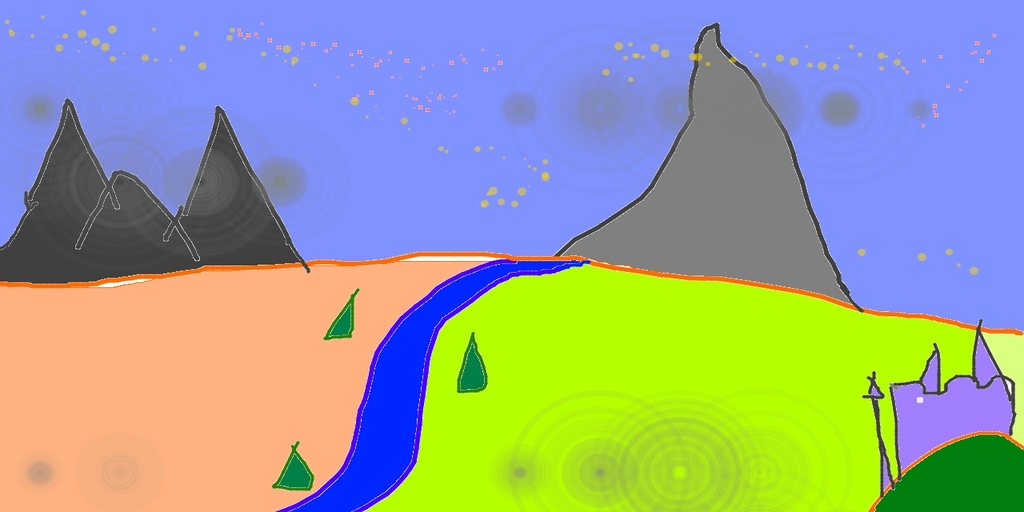
model_id = "lodestones/Chroma1-HD" ckpt_path = "https://huggingface.co/lodestones/Chroma1-HD/blob/main/Chroma1-HD.safetensors" pipe = ChromaImg2ImgPipeline.from_pretrained( ... model_id, ... transformer=transformer, ... torch_dtype=torch.bfloat16, ... ) pipe.enable_model_cpu_offload() init_image = load_image( ... "https://raw.githubusercontent.com/CompVis/stable-diffusion/main/assets/stable-samples/img2img/sketch-mountains-input.jpg" ... ) prompt = "a scenic fastasy landscape with a river and mountains in the background, vibrant colors, detailed, high resolution" negative_prompt = "low quality, ugly, unfinished, out of focus, deformed, disfigure, blurry, smudged, restricted palette, flat colors" image = pipe(prompt, image=init_image, negative_prompt=negative_prompt).images[0] image.save("chroma-img2img.png")
Disable sliced VAE decoding. If enable_vae_slicing was previously enabled, this method will go back to computing decoding in one step.
Disable tiled VAE decoding. If enable_vae_tiling was previously enabled, this method will go back to computing decoding in one step.
Enable sliced VAE decoding. When this option is enabled, the VAE will split the input tensor in slices to compute decoding in several steps. This is useful to save some memory and allow larger batch sizes.
Enable tiled VAE decoding. When this option is enabled, the VAE will split the input tensor into tiles to compute decoding and encoding in several steps. This is useful for saving a large amount of memory and to allow processing larger images.
encode_prompt
( prompt: typing.Union[str, typing.List[str]] negative_prompt: typing.Union[str, typing.List[str]] = None device: typing.Optional[torch.device] = None num_images_per_prompt: int = 1 prompt_embeds: typing.Optional[torch.Tensor] = None negative_prompt_embeds: typing.Optional[torch.Tensor] = None prompt_attention_mask: typing.Optional[torch.Tensor] = None negative_prompt_attention_mask: typing.Optional[torch.Tensor] = None do_classifier_free_guidance: bool = True max_sequence_length: int = 512 lora_scale: typing.Optional[float] = None )
Parameters
- prompt (
strorList[str], optional) — prompt to be encoded - negative_prompt (
strorList[str], optional) — The prompt not to guide the image generation. If not defined, one has to passnegative_prompt_embedsinstead. Ignored when not using guidance (i.e., ignored ifguidance_scaleis less than1). - device — (
torch.device): torch device - num_images_per_prompt (
int) — number of images that should be generated per prompt - prompt_embeds (
torch.Tensor, optional) — Pre-generated text embeddings. Can be used to easily tweak text inputs, e.g. prompt weighting. If not provided, text embeddings will be generated frompromptinput argument. - lora_scale (
float, optional) — A lora scale that will be applied to all LoRA layers of the text encoder if LoRA layers are loaded.