Top 6 Employee Communication Apps for 2026, Ranked (original) (raw)
Compare the 6 best employee communication apps for 2026. Detailed reviews of Blink, Slack, Staffbase, Beekeeper, Haiilo, and Workvivo with ratings.
Published:
September 6, 2023
Last updated:
January 6, 2025

Looking for a modern comms tool for your modern workforce? Unlike traditional internal communication methods — like a static intranet or email — an employee communication app is engaging and user-friendly.
It supports the distribution of relevant and personalized content to every employee. And it goes beyond the desktop experience, to give remote and frontline employees access to company comms via a mobile device.
It goes without saying that an employee app can help you improve internal communications. But the impact of the best apps is much wider-reaching. They give you the tools you need to transform employee productivity, engagement, and retention, too.
Here, we’ve put together a list of the best employee communication apps for 2025. We look at the primary features, potential drawbacks, and customer ratings associated with each app to help you find the right platform for your organization.
Best employee communication apps for 2025
These workplace communication apps help you get the right messages to the right employees, without adding unnecessary noise.
Our top employee communication apps for this year are:
Blink: best app for large enterprises with a mix of frontline and desk-based employees
Slack: best app for dispersed desk-based teams in need of real-time collaboration tools
Staffbase: best app for companies with a large, distributed workforce
Beekeeper: best for frontline organizations in highly operational environments
Haiilo: best app for mid to large businesses looking to boost employer branding and advocacy
Workvivo: best app for building community and culture within hybrid and remote teams
Here, we take a detailed look at each app in turn.
1. Blink
{{mobile-desktop-main="/image"}}
Best for: large enterprises with a mix of frontline and desk-based employees
Blink is an all-in-one employee communication app designed for organizations that have both desk-based and frontline employees. Both segments of your workforce get the same high-quality, two-way communication tools via a simple, intuitive platform.
Via the Blink app — available on both smartphone and desktop computers — employees can access a company news feed, real-time messaging, shift schedules, digital forms, employee surveys, and a content hub. Thanks to deep integrations, workers also get one-click access to your other workplace software.
One of Blink’s best features is its user-friendly social-media style interface. Our company communication app enjoys high levels of adoption and usage because there’s virtually no learning curve. Employees can download and start using the app with ease.
Key features/strengths
Social-media style news feed: Employees can stay up-to-date with company news via the news feed, which is populated with engaging posts, photos, videos, and stories. Depending on the settings you choose, employees have the option to like, comment, and create their own posts.
Audience segmentation tools: Wave goodbye to information overload. With Blink, you can segment employees based on their role, team, location, tenure, and interests to ensure they only receive relevant messages.
Knowledge library: A content hub where admins can create or upload documents, policies, FAQs, and resources. Workers can access this hub anytime and from any device with an internet connection.
Instant messaging: Employees can launch secure, one-to-one live chats — or create groups to organize conversations around a specific team, topic, or project.
Mandatory reads: To ensure essential internal communications are read, admins can require employee acknowledgment. They can also use push notifications and in-app reminders to highlight critical messages.
Employee journeys: Admins can automate employee communications, ensuring that workers get the right information at key points in the employee lifecycle.
Employee surveys: Blink has all the tools you need for two-way internal communication, including polls and surveys.
Communities: Support employees to find like-minded coworkers. The Communities feature supports the creation of coworker groups based on hobbies or interests.
Digital forms: You can use Blink to digitize paper processes, creating and distributing digital forms to gather employee information. Popular options include leave request forms, absence management forms, and near-miss reporting forms.
Platform analytics: With powerful analytics, admins can track internal communication metrics and find areas for improvement. They can see which content is most effective — and identify employees who aren’t engaging with company comms.
Single sign-on: All Blink tools are available via mobile app using single sign-on technology. Deskless workers can access the same employee communication tools as their desk-based peers, without needing a company email address.
Potential downsides
- Some users say that the app’s search function could be better. They’d like to see more search management tools and refiners.
Pricing
Pricing is available on request.
Ratings
- Capterra: 4.7/5
- G2: 4.7/5
2. Slack
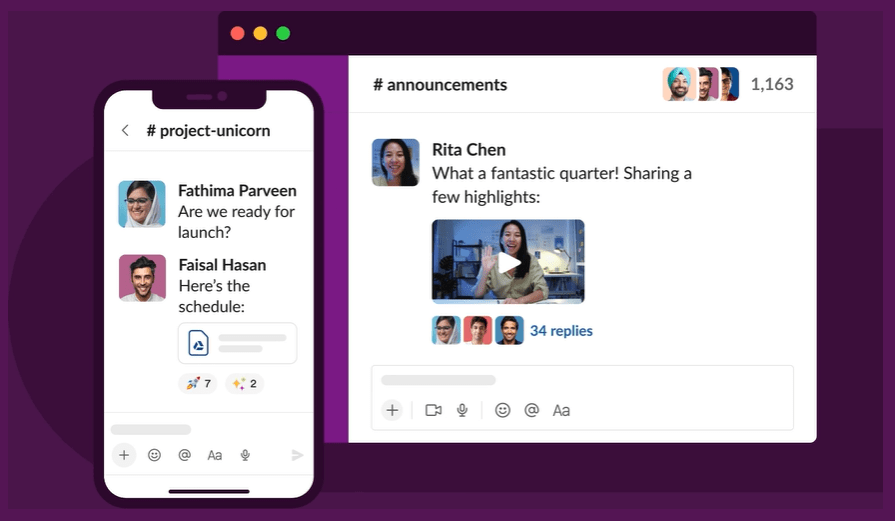
Best for: dispersed desk-based teams that need real-time collaboration tools
Slack is one of the most popular workplace communication apps, especially for organizations that have employees working from home. This software is known for its intuitive interface and variety of third-party integrations. Its supported platforms include web, iOS, and Android.
Key features/strengths
Instant messaging: Employees can chat one-to-one via text, audio, or video call. Screen-sharing and file-sharing are supported. A worker can also initiate a conference with up to 15 members.
Channels: Workers can create separate channels for individual projects, topics, or teams. Channels can be private, with only a few team members, or available to everyone in the company.
Knowledge sharing: The files you share on the chat are saved online and are searchable through the platform.
Integrations: Slack connects with common office applications like Google Drive, Zapier, and Trello.
Workflow builder: Workers can automate routine tasks that need inputs and approvals from team members.
Potential downsides
- You need an email address to use Slack, making it an impractical solution for frontline workers.
- Some users complain that the platform can feel overwhelming and that there are too many notifications.
- Users say it’s easy to miss messages because there are so many channels and because search functionality is lacking.
Pricing
- Pro: $8.75 per user per month
- Business+: $15 per user per month
There is an enterprise plan, with pricing available on request — and a free plan with limited features.
Ratings
- Capterra: 4.7/5
- G2: 4.5/5
3. Staffbase
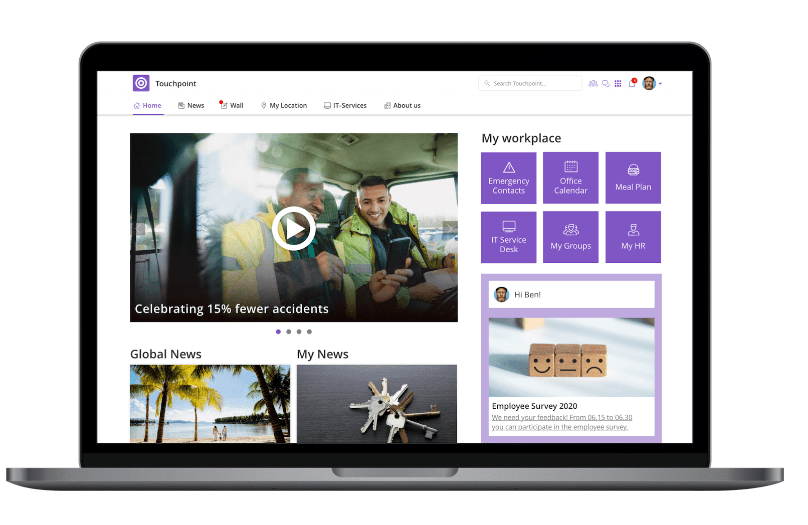
Best for: enterprise companies with a big, distributed workforce
Staffbase is a company intranet that provides a mobile app for frontline employees. It gives big organizations all the tools they need to plan, create, send, and measure the impact of internal communications.
Key features/strengths
Content publishing: Staffbase lets admins create, publish, and measure the impact of content. It’s easy to create compelling communications across a range of channels and editors can publish posts under company leaders’ names.
News feed: An interactive social feed, with clear layouts and a user-friendly experience, available on both desktop and mobile app versions of the platform.
Live chat: Employees can initiate or participate in one-to-one and group chats for fast and secure communication.
Employee directory: An employee database makes it easy for employees to find and communicate with coworkers.
Analytics: Admins can get data-driven reporting on employee activity, adoption, and engagement with internal messages.
Integrations: Integration with popular workplace applications such as Google Workspace, Salesforce, and Slack are available.
Potential downsides
- Some add-ons and integrations come at an additional cost.
- Admins complain that there is limited customization.
- There are few out-of-the-box features for frontline workers.
Pricing
Pricing is available on request.
Ratings
- Capterra: 4.7/5
- G2: 4.6/5
How does Staffbase compare to Blink? View a platform comparison: Staffbase vs. Blink.
4. Beekeeper
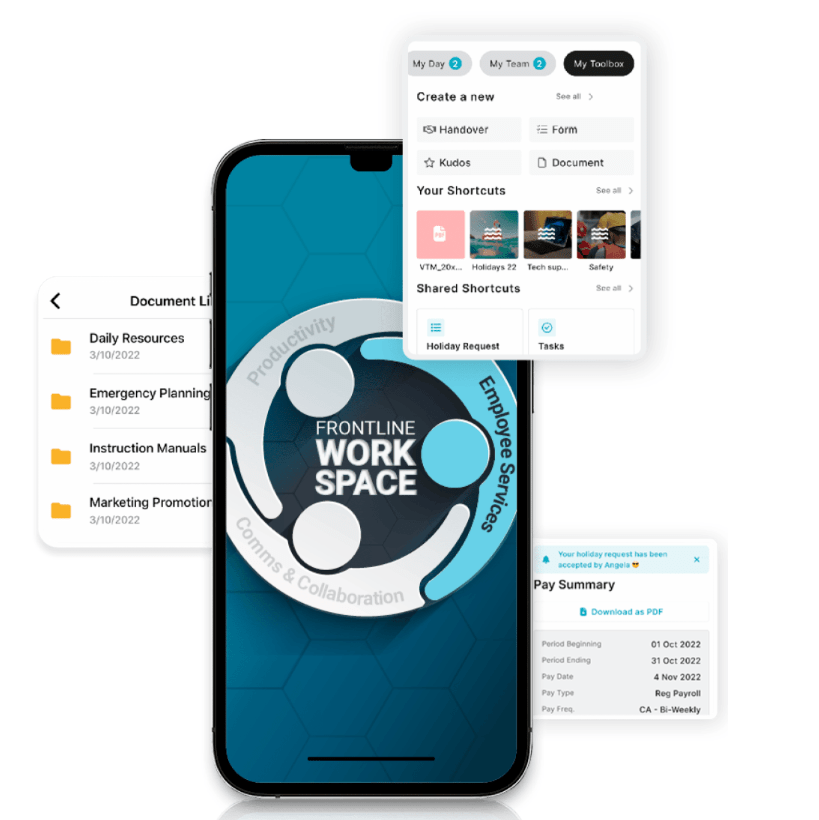
Best for: frontline organizations in highly operational environments
Beekeeper is an app for employee communication, designed specifically to connect deskless employees with company HQ. Initially focused on retail employees, Beekeeper has expanded its reach to include other frontline industries.
This platform helps frontline organizations to replace paper processes with digital ones — and it’s a popular choice in fast-paced, operational environments.
Key features/strengths
Real-time communication: Workers can communicate on the go via “streams” and secure chats. You can also use digital surveys to gather frontline feedback.
Content hub: A file library allows quick access to vital documents and resources. Files can be uploaded from a device or imported from Microsoft SharePoint.
Instant translations: For multilingual organizations, Beekeeper provides automatic inline translations to ensure everyone understands your employee messages.
Analytics: Built-in analytics reporting allows admins to view metrics on engagement, popular content, and readership.
Single sign-on: Employees can access the app and other connected apps without an email address, phone number, or password.
Potential downsides
- Some users have found the app difficult to use.
- With a focus on the mobile and frontline experience, this app isn’t the best option for desk-based employees.
Pricing
Pricing is available on request. There’s a 14-day free trial available.
Ratings
- Capterra: 4.6/5
- G2: 4.8/5
Find out how Beekeeper compares to Blink.
5. Haiilo
Best for: mid to large businesses looking to boost employer branding and advocacy
Haiilo is another top employee communications app in 2025. This company was born from a merger between COYO (which specialized in social intranets), Smarp (which was known for its employee advocacy tools), and Jubiwee (which focused on employee surveys).
This app is available on three payment plans. There are also additional modules available if you want to incorporate an employee intranet, surveys, or multichannel communication.
Key features/strengths
Email builder: An email template builder and automatically created delivery lists help you reach desk-based employees with engagement internal newsletters.
Content creation: With the help of AI, co-creation tools, and a content calendar, Haiilo makes content creation easy.
Analytics: Platform analytics help leaders make data-driven decisions. You can also set up alerts for critical developments and get automated reports.
People directory: User profiles and a list of coworkers make it easy to find the teammates you’re looking for.
Live streams, podcasts, and digital signage: Haiilo supports a variety of communication methods, including via TV screens displayed at your office locations.
Employee advocacy: Employees can link their personal social media accounts to the Haiilo platform, then share content directly using the Haiilo interface.
Potential downsides
- Some internal communication features are only available as add-ons and come at an additional cost.
- There are limited integrations with other workplace tools.
- Admins report issues with bulk content control, multi-language features, and app customization.
Pricing
Pricing is available on request.
Ratings
- Capterra: 4.3/5
- G2: 4.6/5
6. Workvivo
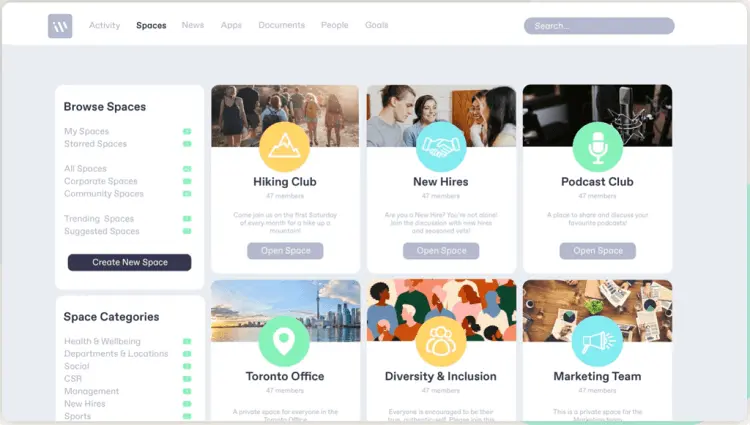
Best for: building community and culture within hybrid and remote teams
Workvivo, owned by Zoom, is a workplace communication tool with a familiar news-feed-style interface so there’s a minimal learning curve. It combines the features of an intranet, internal communication software, and a mobile employee app.
The mobile app makes the platform accessible to remote, office-based, and frontline employees. Supported formats include online, Android, and iOS.
Key features/strengths
Activity feed: Workers from across the company can post updates and keep others informed about the latest workplace news. Posts can also be scheduled for later.
Instant messaging: A chat function is available through integrations with tools like Slack, MS Teams, and Zoom meetings.
Live video streaming: Executives can stream town hall sessions via live video or podcasting for people who cannot attend in person.
People directory: A searchable directory of workers with profile information allows workers to get to know each other better.
Internal articles: Admins can publish and manage articles with rich content such as photos, tables, and video clips.
Potential downsides
- Integrations with third-party systems can feel a little light.
- Admins say they want better customization options — there is limited out-of-the-box functionality for customization.
- The search experience on mobile isn’t as robust as on the desktop app.
Pricing
Pricing is available on request.
Ratings
- Capterra: 4.7/5
- G2: 4.8/5
Read more: Workvivo vs. Blink: How do these platforms stack up?
Final thoughts: best employee communication apps in 2025
An internal communication app can help you improve employee communications within your organization. It goes beyond paper processes, email, or an outdated intranet to deliver essential comms to every employee smartphone.
As you can see from this list, there are lots of employee communication apps to choose from, each with its own set of features and use cases. You need to consider the size of your organization and the composition of your workforce when deciding between them.
Across most apps, you’ll find a variety of communication channels. The best apps provide access to multimedia news feeds, instant messaging, and surveys. They also give you tools to segment your audience, promote two-way communication, and analyze your comms performance.
But — when choosing an employee communication app for your organization — it pays to think beyond internal comms. To avoid app overload and ensure a streamlined digital employee experience, a platform that helps you achieve multiple workplace goals is ideal.
Blink’s employee app supports internal communication, employee engagement, and employee listening. It provides a home for HR resources and self-serve tools. It also offers deep integration with other workplace software to create a one-stop digital hub for your organization.
Discover what an employee app like Blink can do. Watch our on-demand webinar: Putting a frontline employee app to the test.
Frequently asked questions
What is an employee communication app?
An employee communication app is software that allows employees to receive and send workplace communications. These apps can be used as a central source of business information — and a social-media-style internal communication tool.
Most apps for company communication are designed to run on mobile and desktop devices. They allow frontline and remote workers to access vital internal communications from a smartphone or tablet.
What are the tools for employee communication?
There are many tools you can use to communicate with employees. These include an employee app, a company intranet, email, internal newsletters, paper memos, and video conferencing software.
Looking for a modern comms tool for your modern workforce? Unlike traditional internal communication methods — like a static intranet or email — an employee communication app is engaging and user-friendly.
It supports the distribution of relevant and personalized content to every employee. And it goes beyond the desktop experience, to give remote and frontline employees access to company comms via a mobile device.
It goes without saying that an employee app can help you improve internal communications. But the impact of the best apps is much wider-reaching. They give you the tools you need to transform employee productivity, engagement, and retention, too.
Here, we’ve put together a list of the best employee communication apps for 2025. We look at the primary features, potential drawbacks, and customer ratings associated with each app to help you find the right platform for your organization.
Best employee communication apps for 2025
These workplace communication apps help you get the right messages to the right employees, without adding unnecessary noise.
Our top employee communication apps for this year are:
Blink: best app for large enterprises with a mix of frontline and desk-based employees
Slack: best app for dispersed desk-based teams in need of real-time collaboration tools
Staffbase: best app for companies with a large, distributed workforce
Beekeeper: best for frontline organizations in highly operational environments
Haiilo: best app for mid to large businesses looking to boost employer branding and advocacy
Workvivo: best app for building community and culture within hybrid and remote teams
Here, we take a detailed look at each app in turn.
1. Blink
{{mobile-desktop-main="/image"}}
Best for: large enterprises with a mix of frontline and desk-based employees
Blink is an all-in-one employee communication app designed for organizations that have both desk-based and frontline employees. Both segments of your workforce get the same high-quality, two-way communication tools via a simple, intuitive platform.
Via the Blink app — available on both smartphone and desktop computers — employees can access a company news feed, real-time messaging, shift schedules, digital forms, employee surveys, and a content hub. Thanks to deep integrations, workers also get one-click access to your other workplace software.
One of Blink’s best features is its user-friendly social-media style interface. Our company communication app enjoys high levels of adoption and usage because there’s virtually no learning curve. Employees can download and start using the app with ease.
Key features/strengths
Social-media style news feed: Employees can stay up-to-date with company news via the news feed, which is populated with engaging posts, photos, videos, and stories. Depending on the settings you choose, employees have the option to like, comment, and create their own posts.
Audience segmentation tools: Wave goodbye to information overload. With Blink, you can segment employees based on their role, team, location, tenure, and interests to ensure they only receive relevant messages.
Knowledge library: A content hub where admins can create or upload documents, policies, FAQs, and resources. Workers can access this hub anytime and from any device with an internet connection.
Instant messaging: Employees can launch secure, one-to-one live chats — or create groups to organize conversations around a specific team, topic, or project.
Mandatory reads: To ensure essential internal communications are read, admins can require employee acknowledgment. They can also use push notifications and in-app reminders to highlight critical messages.
Employee journeys: Admins can automate employee communications, ensuring that workers get the right information at key points in the employee lifecycle.
Employee surveys: Blink has all the tools you need for two-way internal communication, including polls and surveys.
Communities: Support employees to find like-minded coworkers. The Communities feature supports the creation of coworker groups based on hobbies or interests.
Digital forms: You can use Blink to digitize paper processes, creating and distributing digital forms to gather employee information. Popular options include leave request forms, absence management forms, and near-miss reporting forms.
Platform analytics: With powerful analytics, admins can track internal communication metrics and find areas for improvement. They can see which content is most effective — and identify employees who aren’t engaging with company comms.
Single sign-on: All Blink tools are available via mobile app using single sign-on technology. Deskless workers can access the same employee communication tools as their desk-based peers, without needing a company email address.
Potential downsides
- Some users say that the app’s search function could be better. They’d like to see more search management tools and refiners.
Pricing
Pricing is available on request.
Ratings
- Capterra: 4.7/5
- G2: 4.7/5
2. Slack
Best for: dispersed desk-based teams that need real-time collaboration tools
Slack is one of the most popular workplace communication apps, especially for organizations that have employees working from home. This software is known for its intuitive interface and variety of third-party integrations. Its supported platforms include web, iOS, and Android.
Key features/strengths
Instant messaging: Employees can chat one-to-one via text, audio, or video call. Screen-sharing and file-sharing are supported. A worker can also initiate a conference with up to 15 members.
Channels: Workers can create separate channels for individual projects, topics, or teams. Channels can be private, with only a few team members, or available to everyone in the company.
Knowledge sharing: The files you share on the chat are saved online and are searchable through the platform.
Integrations: Slack connects with common office applications like Google Drive, Zapier, and Trello.
Workflow builder: Workers can automate routine tasks that need inputs and approvals from team members.
Potential downsides
- You need an email address to use Slack, making it an impractical solution for frontline workers.
- Some users complain that the platform can feel overwhelming and that there are too many notifications.
- Users say it’s easy to miss messages because there are so many channels and because search functionality is lacking.
Pricing
- Pro: $8.75 per user per month
- Business+: $15 per user per month
There is an enterprise plan, with pricing available on request — and a free plan with limited features.
Ratings
- Capterra: 4.7/5
- G2: 4.5/5
3. Staffbase
Best for: enterprise companies with a big, distributed workforce
Staffbase is a company intranet that provides a mobile app for frontline employees. It gives big organizations all the tools they need to plan, create, send, and measure the impact of internal communications.
Key features/strengths
Content publishing: Staffbase lets admins create, publish, and measure the impact of content. It’s easy to create compelling communications across a range of channels and editors can publish posts under company leaders’ names.
News feed: An interactive social feed, with clear layouts and a user-friendly experience, available on both desktop and mobile app versions of the platform.
Live chat: Employees can initiate or participate in one-to-one and group chats for fast and secure communication.
Employee directory: An employee database makes it easy for employees to find and communicate with coworkers.
Analytics: Admins can get data-driven reporting on employee activity, adoption, and engagement with internal messages.
Integrations: Integration with popular workplace applications such as Google Workspace, Salesforce, and Slack are available.
Potential downsides
- Some add-ons and integrations come at an additional cost.
- Admins complain that there is limited customization.
- There are few out-of-the-box features for frontline workers.
Pricing
Pricing is available on request.
Ratings
- Capterra: 4.7/5
- G2: 4.6/5
How does Staffbase compare to Blink? View a platform comparison: Staffbase vs. Blink.
4. Beekeeper
Best for: frontline organizations in highly operational environments
Beekeeper is an app for employee communication, designed specifically to connect deskless employees with company HQ. Initially focused on retail employees, Beekeeper has expanded its reach to include other frontline industries.
This platform helps frontline organizations to replace paper processes with digital ones — and it’s a popular choice in fast-paced, operational environments.
Key features/strengths
Real-time communication: Workers can communicate on the go via “streams” and secure chats. You can also use digital surveys to gather frontline feedback.
Content hub: A file library allows quick access to vital documents and resources. Files can be uploaded from a device or imported from Microsoft SharePoint.
Instant translations: For multilingual organizations, Beekeeper provides automatic inline translations to ensure everyone understands your employee messages.
Analytics: Built-in analytics reporting allows admins to view metrics on engagement, popular content, and readership.
Single sign-on: Employees can access the app and other connected apps without an email address, phone number, or password.
Potential downsides
- Some users have found the app difficult to use.
- With a focus on the mobile and frontline experience, this app isn’t the best option for desk-based employees.
Pricing
Pricing is available on request. There’s a 14-day free trial available.
Ratings
- Capterra: 4.6/5
- G2: 4.8/5
Find out how Beekeeper compares to Blink.
5. Haiilo
Best for: mid to large businesses looking to boost employer branding and advocacy
Haiilo is another top employee communications app in 2025. This company was born from a merger between COYO (which specialized in social intranets), Smarp (which was known for its employee advocacy tools), and Jubiwee (which focused on employee surveys).
This app is available on three payment plans. There are also additional modules available if you want to incorporate an employee intranet, surveys, or multichannel communication.
Key features/strengths
Email builder: An email template builder and automatically created delivery lists help you reach desk-based employees with engagement internal newsletters.
Content creation: With the help of AI, co-creation tools, and a content calendar, Haiilo makes content creation easy.
Analytics: Platform analytics help leaders make data-driven decisions. You can also set up alerts for critical developments and get automated reports.
People directory: User profiles and a list of coworkers make it easy to find the teammates you’re looking for.
Live streams, podcasts, and digital signage: Haiilo supports a variety of communication methods, including via TV screens displayed at your office locations.
Employee advocacy: Employees can link their personal social media accounts to the Haiilo platform, then share content directly using the Haiilo interface.
Potential downsides
- Some internal communication features are only available as add-ons and come at an additional cost.
- There are limited integrations with other workplace tools.
- Admins report issues with bulk content control, multi-language features, and app customization.
Pricing
Pricing is available on request.
Ratings
- Capterra: 4.3/5
- G2: 4.6/5
6. Workvivo
Best for: building community and culture within hybrid and remote teams
Workvivo, owned by Zoom, is a workplace communication tool with a familiar news-feed-style interface so there’s a minimal learning curve. It combines the features of an intranet, internal communication software, and a mobile employee app.
The mobile app makes the platform accessible to remote, office-based, and frontline employees. Supported formats include online, Android, and iOS.
Key features/strengths
Activity feed: Workers from across the company can post updates and keep others informed about the latest workplace news. Posts can also be scheduled for later.
Instant messaging: A chat function is available through integrations with tools like Slack, MS Teams, and Zoom meetings.
Live video streaming: Executives can stream town hall sessions via live video or podcasting for people who cannot attend in person.
People directory: A searchable directory of workers with profile information allows workers to get to know each other better.
Internal articles: Admins can publish and manage articles with rich content such as photos, tables, and video clips.
Potential downsides
- Integrations with third-party systems can feel a little light.
- Admins say they want better customization options — there is limited out-of-the-box functionality for customization.
- The search experience on mobile isn’t as robust as on the desktop app.
Pricing
Pricing is available on request.
Ratings
- Capterra: 4.7/5
- G2: 4.8/5
Read more: Workvivo vs. Blink: How do these platforms stack up?
Final thoughts: best employee communication apps in 2025
An internal communication app can help you improve employee communications within your organization. It goes beyond paper processes, email, or an outdated intranet to deliver essential comms to every employee smartphone.
As you can see from this list, there are lots of employee communication apps to choose from, each with its own set of features and use cases. You need to consider the size of your organization and the composition of your workforce when deciding between them.
Across most apps, you’ll find a variety of communication channels. The best apps provide access to multimedia news feeds, instant messaging, and surveys. They also give you tools to segment your audience, promote two-way communication, and analyze your comms performance.
But — when choosing an employee communication app for your organization — it pays to think beyond internal comms. To avoid app overload and ensure a streamlined digital employee experience, a platform that helps you achieve multiple workplace goals is ideal.
Blink’s employee app supports internal communication, employee engagement, and employee listening. It provides a home for HR resources and self-serve tools. It also offers deep integration with other workplace software to create a one-stop digital hub for your organization.
Discover what an employee app like Blink can do. Watch our on-demand webinar: Putting a frontline employee app to the test.
Frequently asked questions
What is an employee communication app?
An employee communication app is software that allows employees to receive and send workplace communications. These apps can be used as a central source of business information — and a social-media-style internal communication tool.
Most apps for company communication are designed to run on mobile and desktop devices. They allow frontline and remote workers to access vital internal communications from a smartphone or tablet.
What are the tools for employee communication?
There are many tools you can use to communicate with employees. These include an employee app, a company intranet, email, internal newsletters, paper memos, and video conferencing software.
Start your free trial today
See how Blink helps frontline teams stay connected, informed, and engaged.
Related Blogs
.png)
 Aislinn Logan10 mins
Missed our last Quarterly Unlock release? Catch up on the details here!
Welcome to the May 2026 edition of the Quarterly Unlock — your inside look at what’s new in Blink and how it helps teams communicate more clearly, connect more easily, and get more done.
This release is built around a simple idea:
As organizations grow, they need more control — over when content goes live, how their teams connect, and how their employee experience looks and feels. Blink should be the platform that makes all of that easier, not harder.
Here’s what’s new.
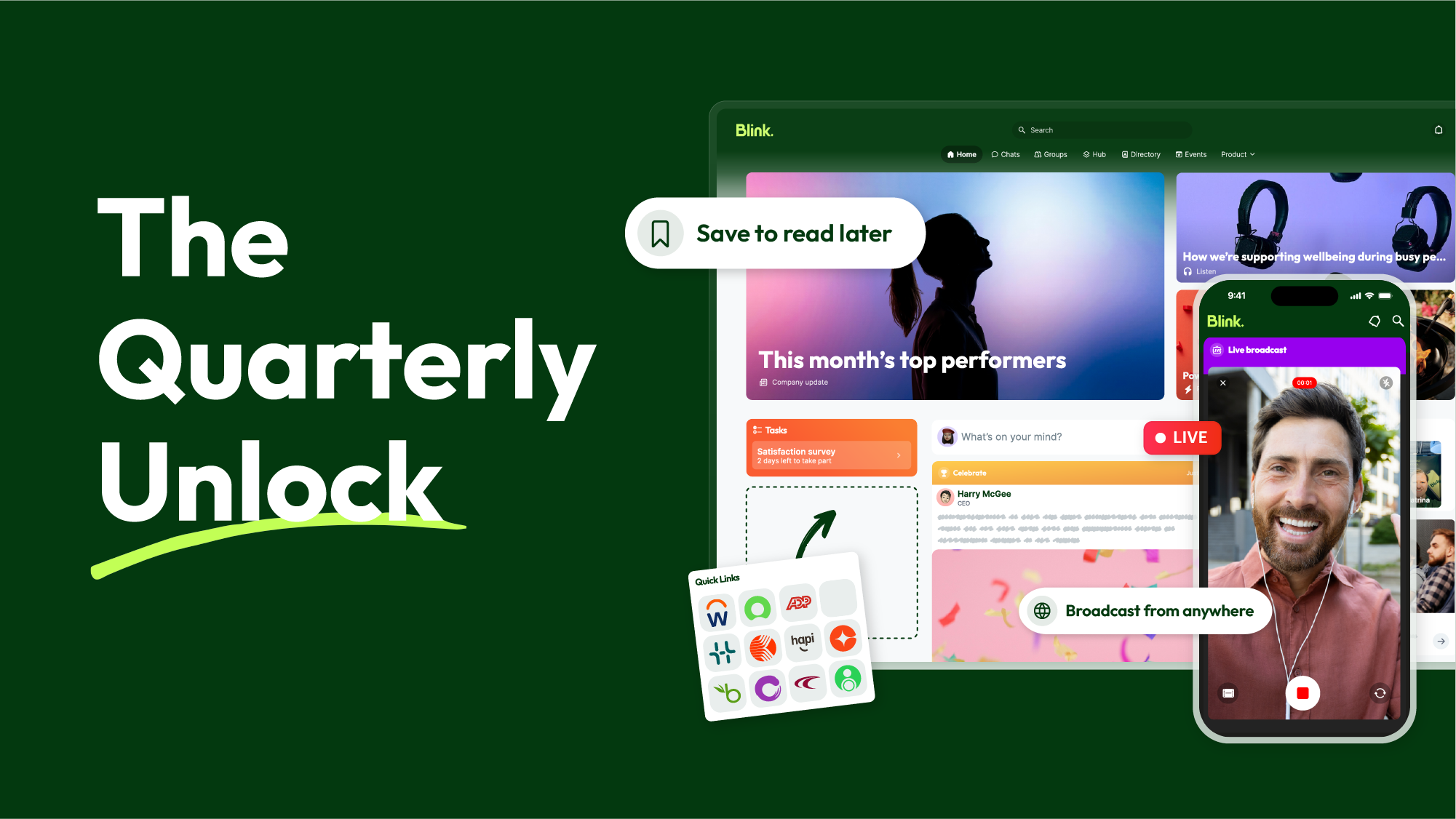
#1. Hub as the command center
Your Hub is only as useful as the content inside it. This quarter, we’re giving teams more control over how that content is created, scheduled, and surfaced.
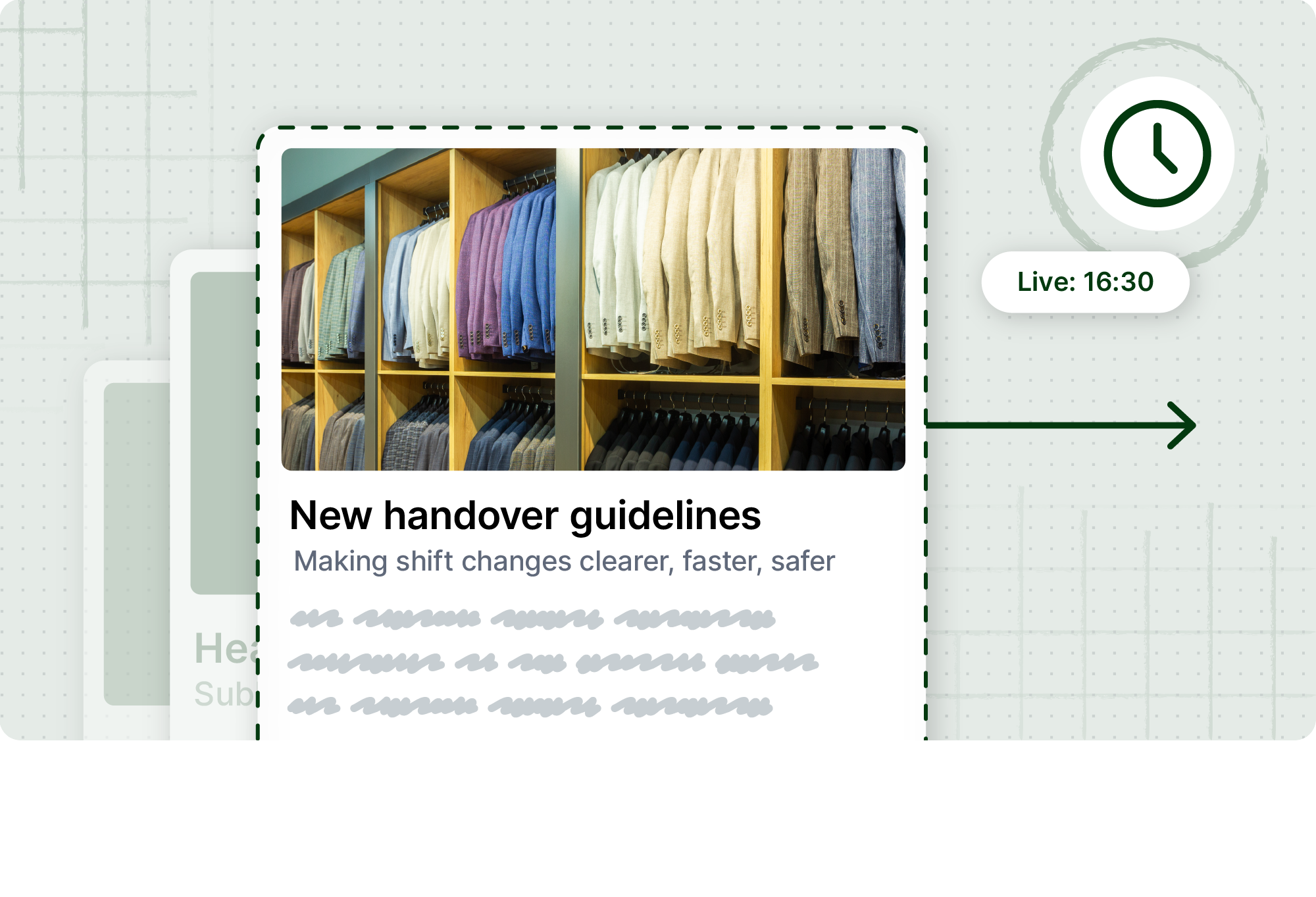
Scheduled publishing
Timing is everything in internal comms. With scheduled publishing, teams can now set exactly when Hub content goes live — and when it expires.
- Plan campaigns and seasonal updates in advance
- Publish and archive content automatically
- Remove the need for manual intervention on time-sensitive updates
- Keep your Hub current without extra admin overhead
Whether it’s a benefits enrollment reminder, a policy update, or a seasonal campaign, scheduled publishing means the right content is always live at the right time.
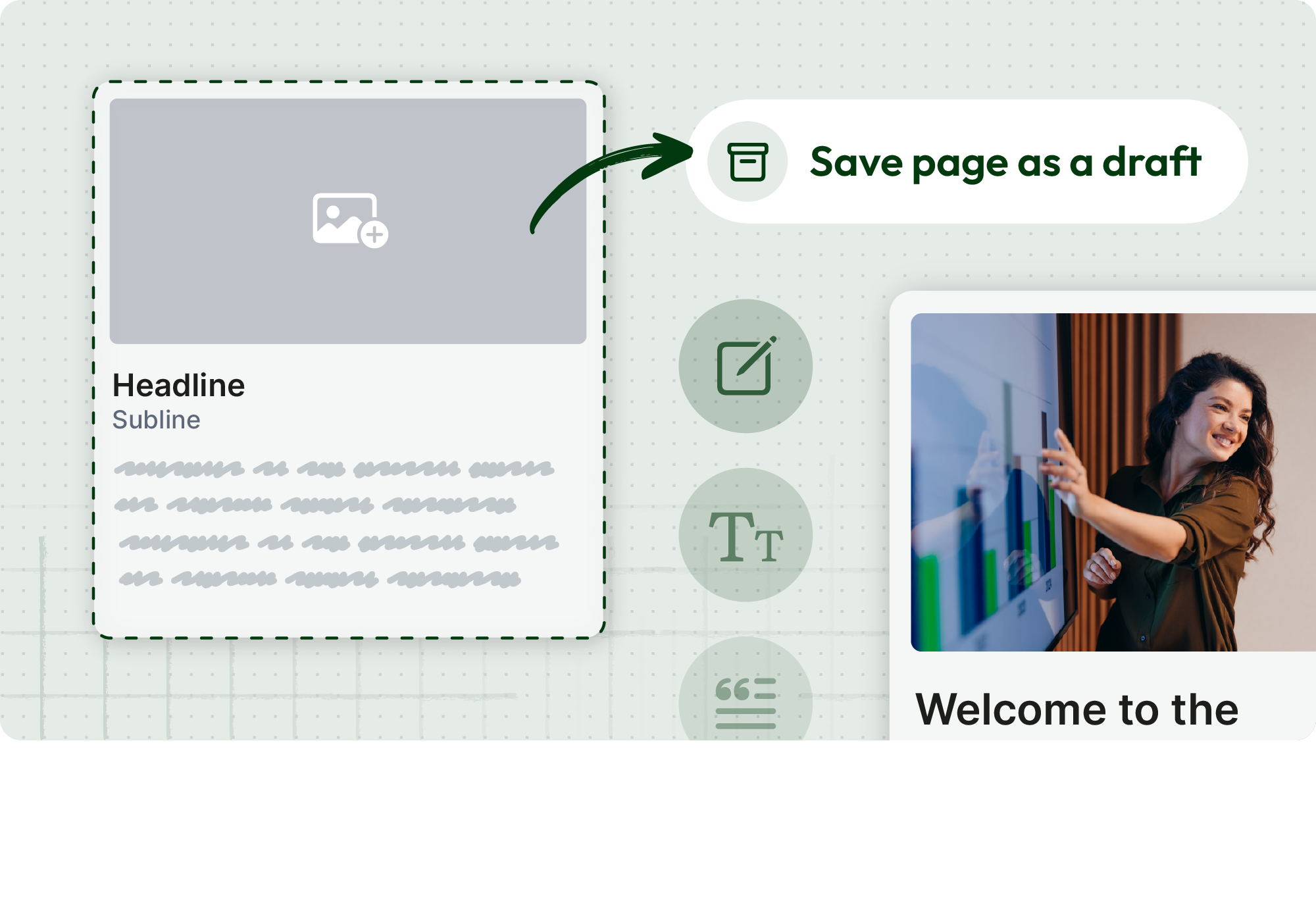
Draft pages
Teams can now prepare Hub content in draft before it’s ready to publish — building in a review step without rushing to get things live. Multi-editor support is coming soon, making it possible for teams to collaborate on pages in real time.
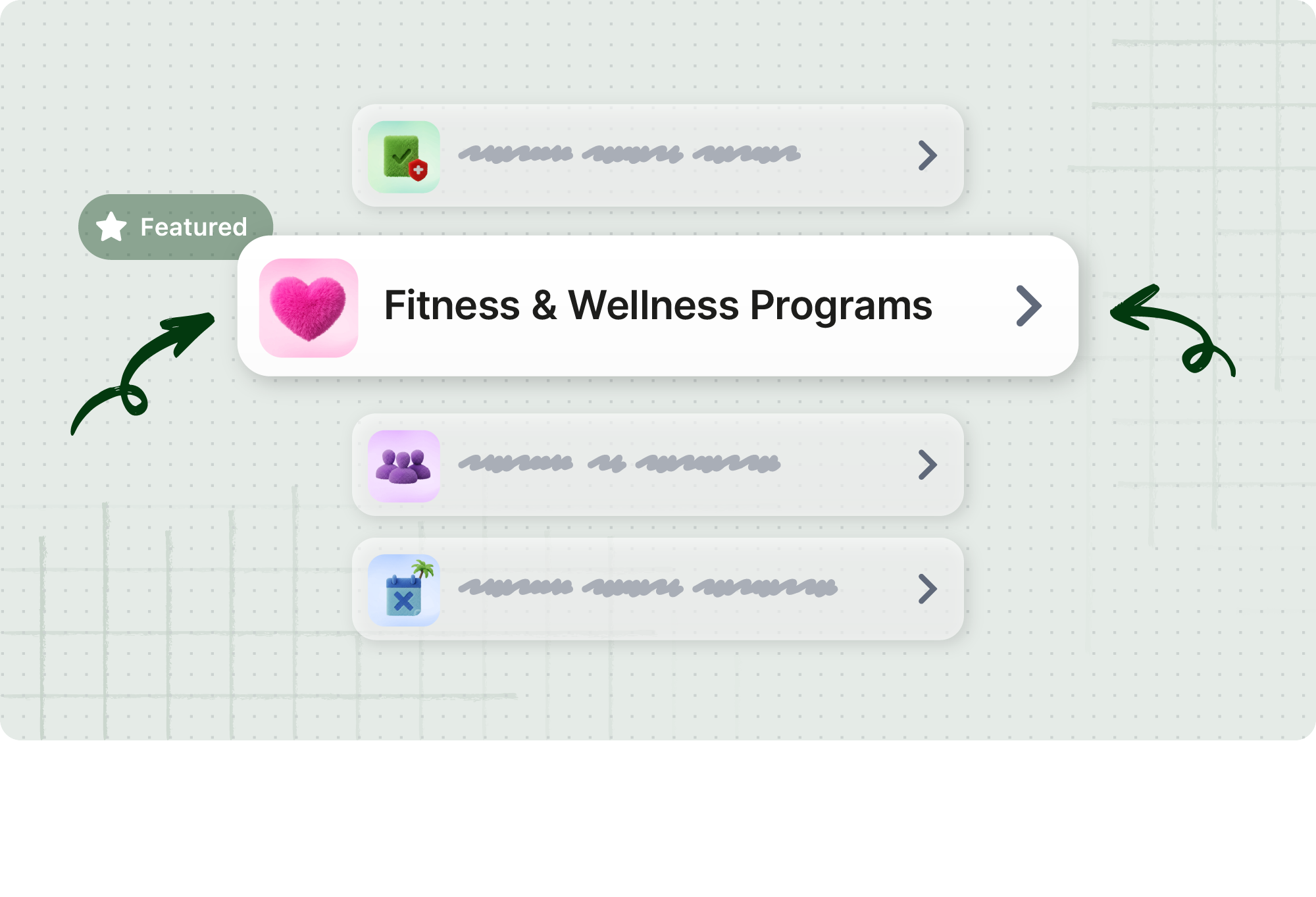
Featured content and Hub content carousel
New features including collapsible sections, featured content, and a Hub content carousel in the Feed give admins more flexibility to organize and showcase content — making it easier for employees to find what matters and harder for important updates to get lost.
#2. Frontline-first communication
Frontline teams can’t always stop what they’re doing to type a message. This quarter, we're making it faster and easier to connect — in the moment, wherever work happens.
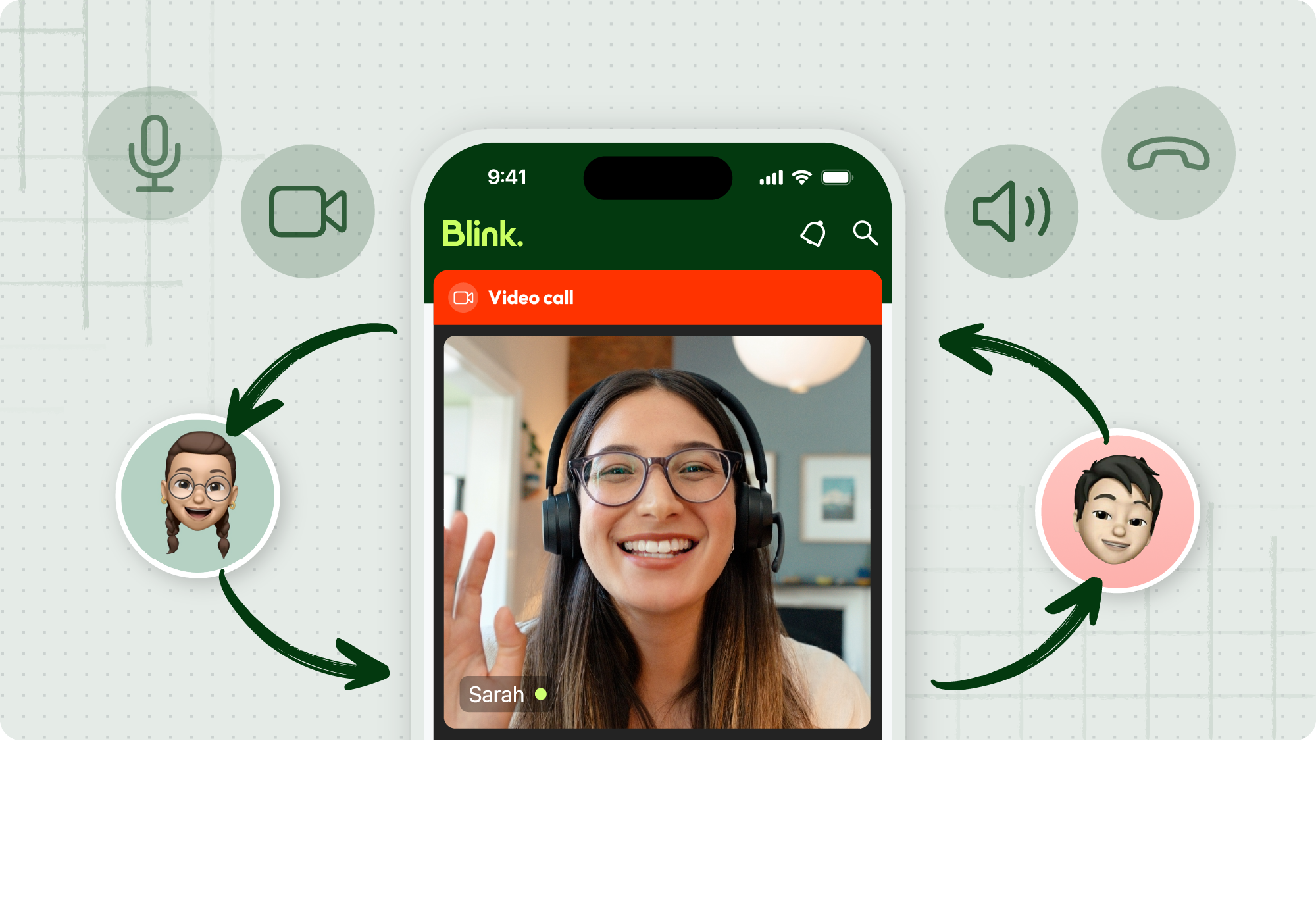
Voice and video calling
Blink now fully supports native voice and video calling across mobile and web. Teams can move from message to conversation without switching apps or using shadow IT like Whatsapp to connect.
- One-to-one and group calls, all within Blink
- No need for third-party tools
- Works on mobile and web
- Protects employee privacy by keeping calls inside the platform
For frontline workers who rely on their phones to stay connected, this is a direct line — without the personal number.
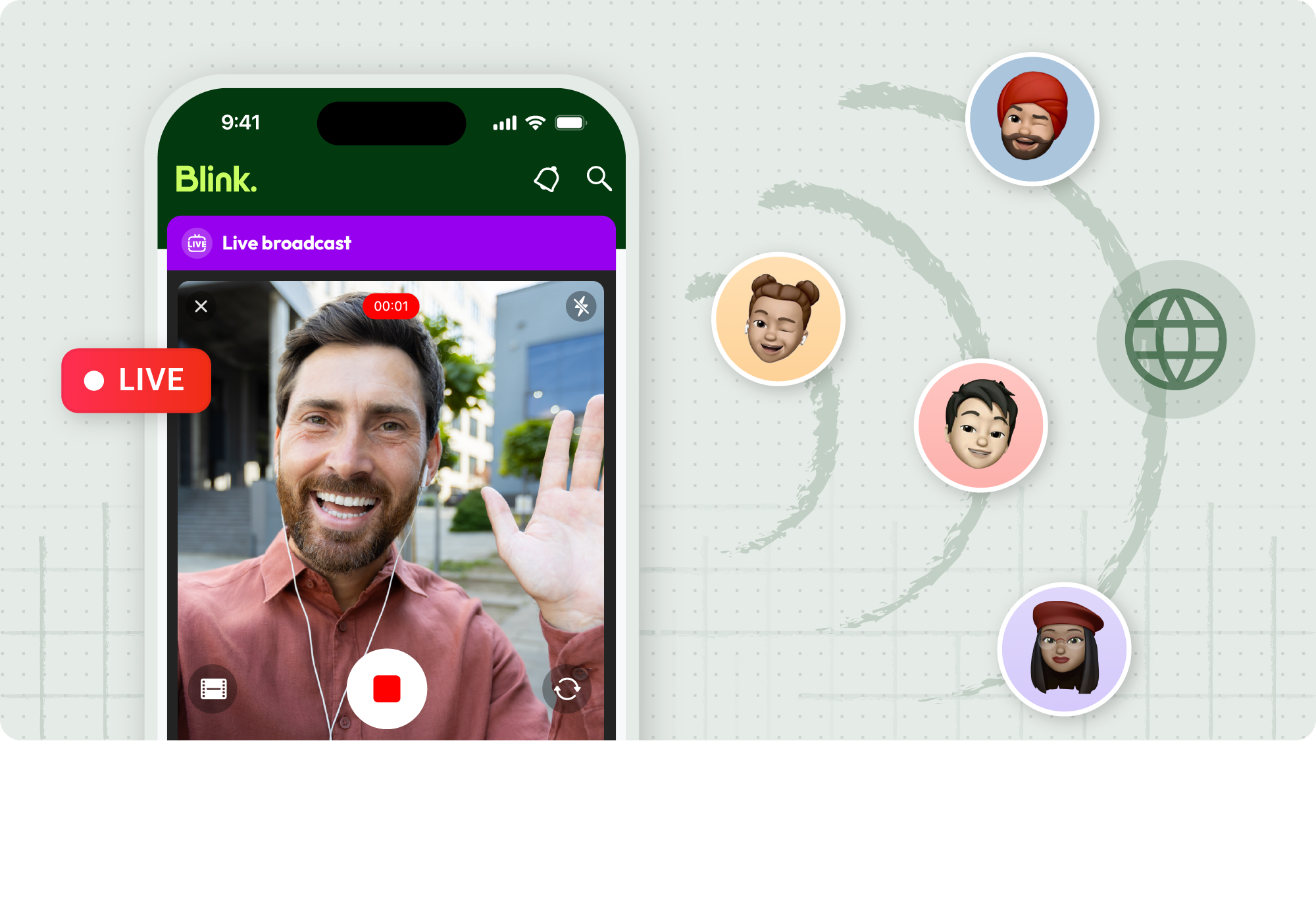
Mobile live streaming
Leaders and frontline managers can now start and run live streams directly from their phone. No studio. No production team. Just a fast, native way to reach distributed teams in the moment.
- Stream from anywhere, on any device
- Bring announcements, updates, and leadership moments closer to where work happens
- Keep frontline teams informed in real time
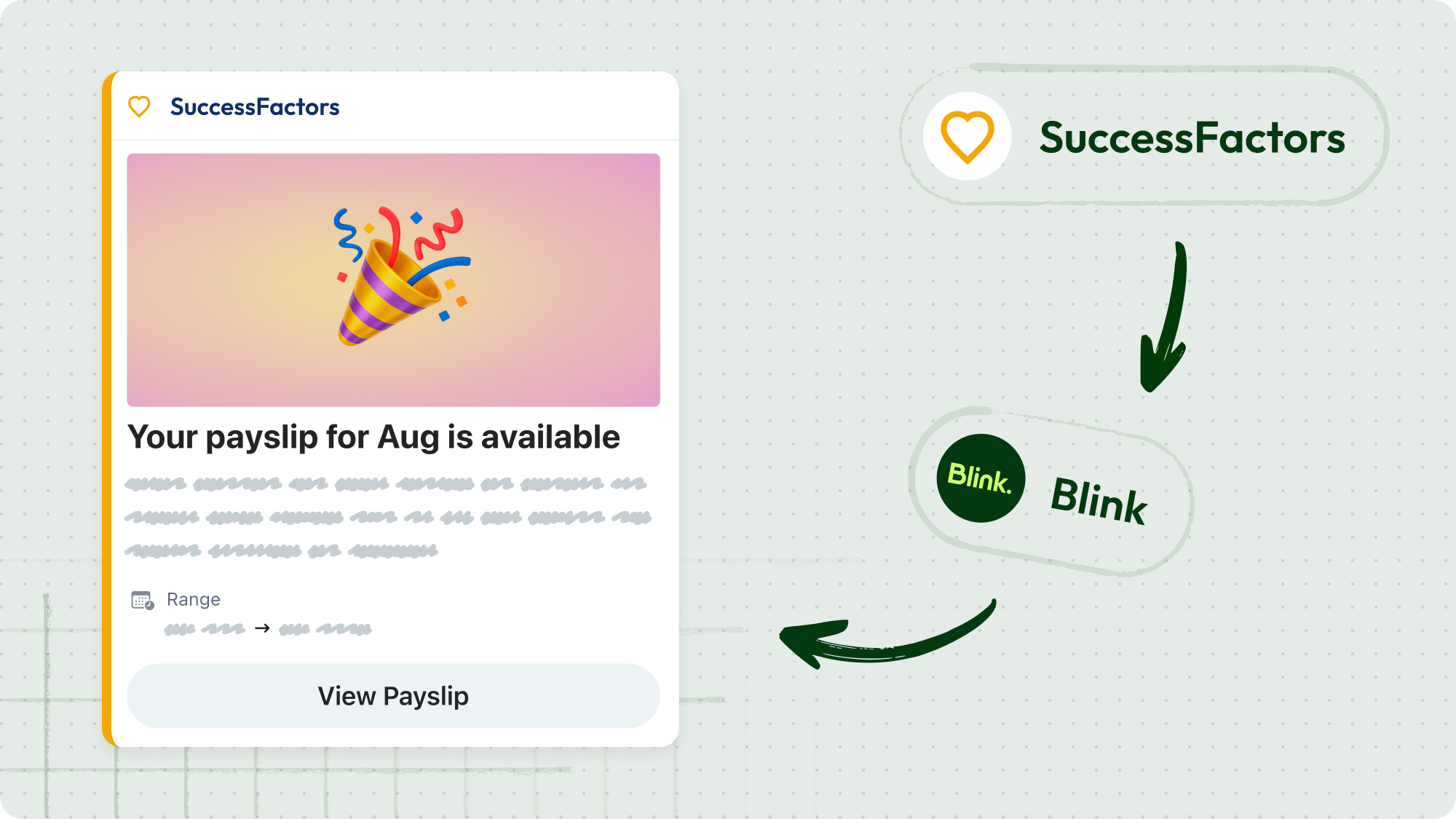
SAP SuccessFactors notifications
SAP SuccessFactors notifications are now deep-linked, taking employees directly from a notification to the task that needs their attention — no extra navigation required. This brings enterprise investments to the frontline with simple, mobile-first access so they can take action without relying on their manager every time.
#3. A more configurable Blink
Every organization is different. This quarter, we’re giving customers more control over how Blink looks, works, and fits into employees' daily workflows.
Feed and Hub widgets
New and enhanced widgets — including a Feed carousel, Hub carousel, and featured Hub content — give customers more control over the Blink experience. Whether you want to surface key content, spotlight important updates, or create a more polished home screen, the tools are there.
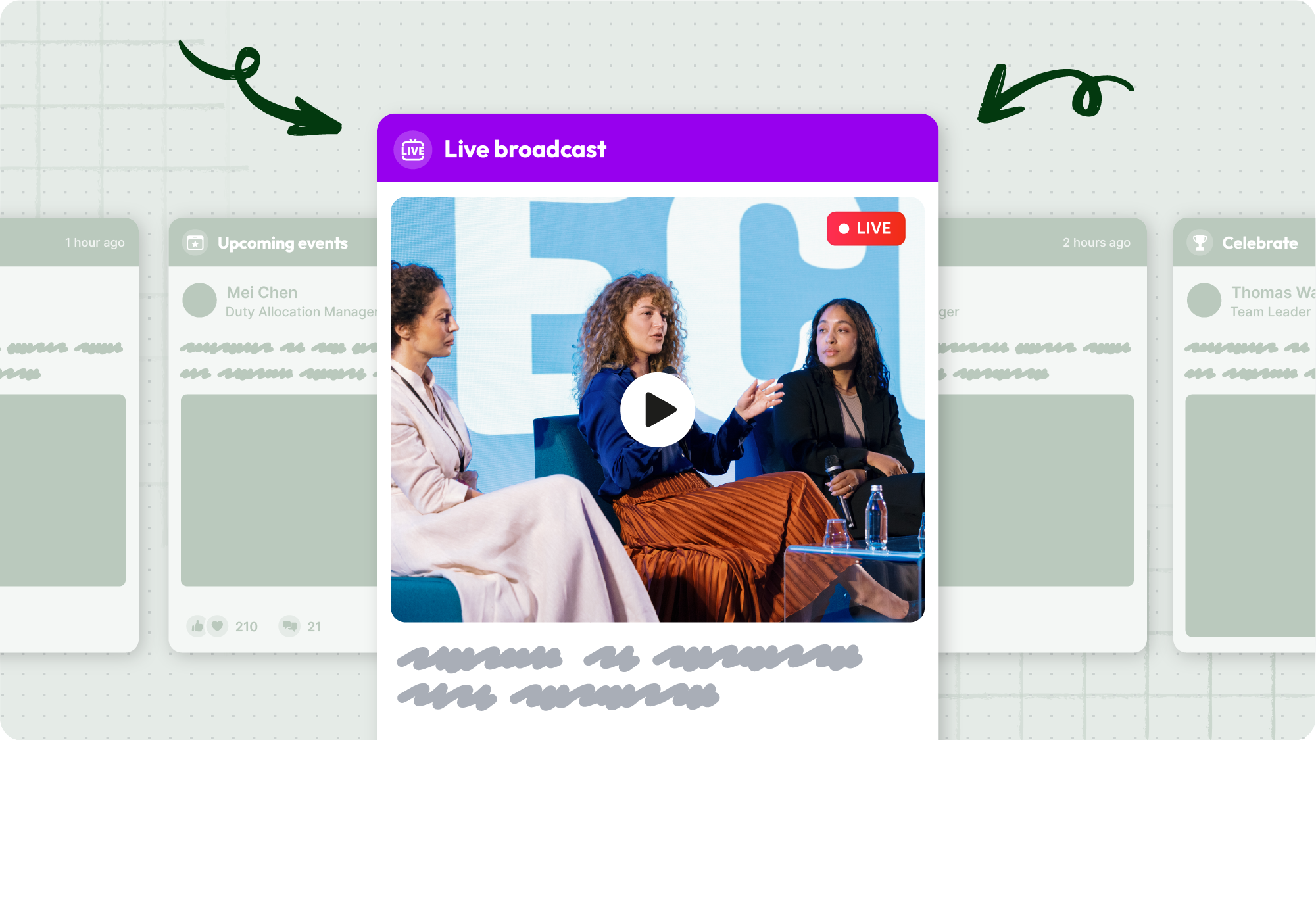
Featured post improvements
Featured posts now support carousel options, improved image handling, livestream and VOD content, and better treatment for text-only posts. The result is a more flexible, more engaging way to put critical content front and center.
Save Feed posts for later
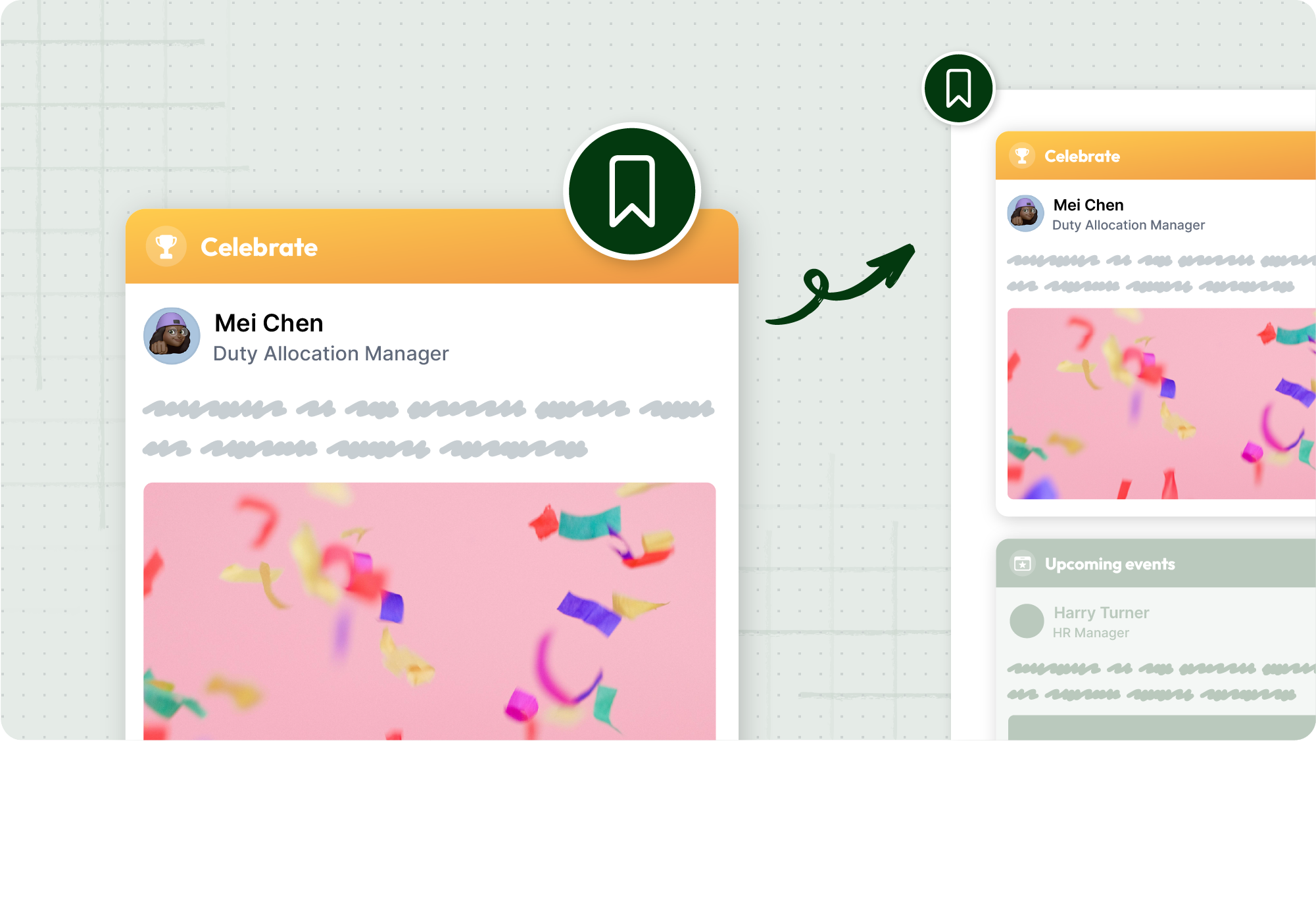
Employees can now save Feed posts to come back to when they have time — no screenshots, no endless scrolling. Saved posts are easy to find, easy to act on, and help reinforce Blink as the single destination for everything work-related.
Custom taglines
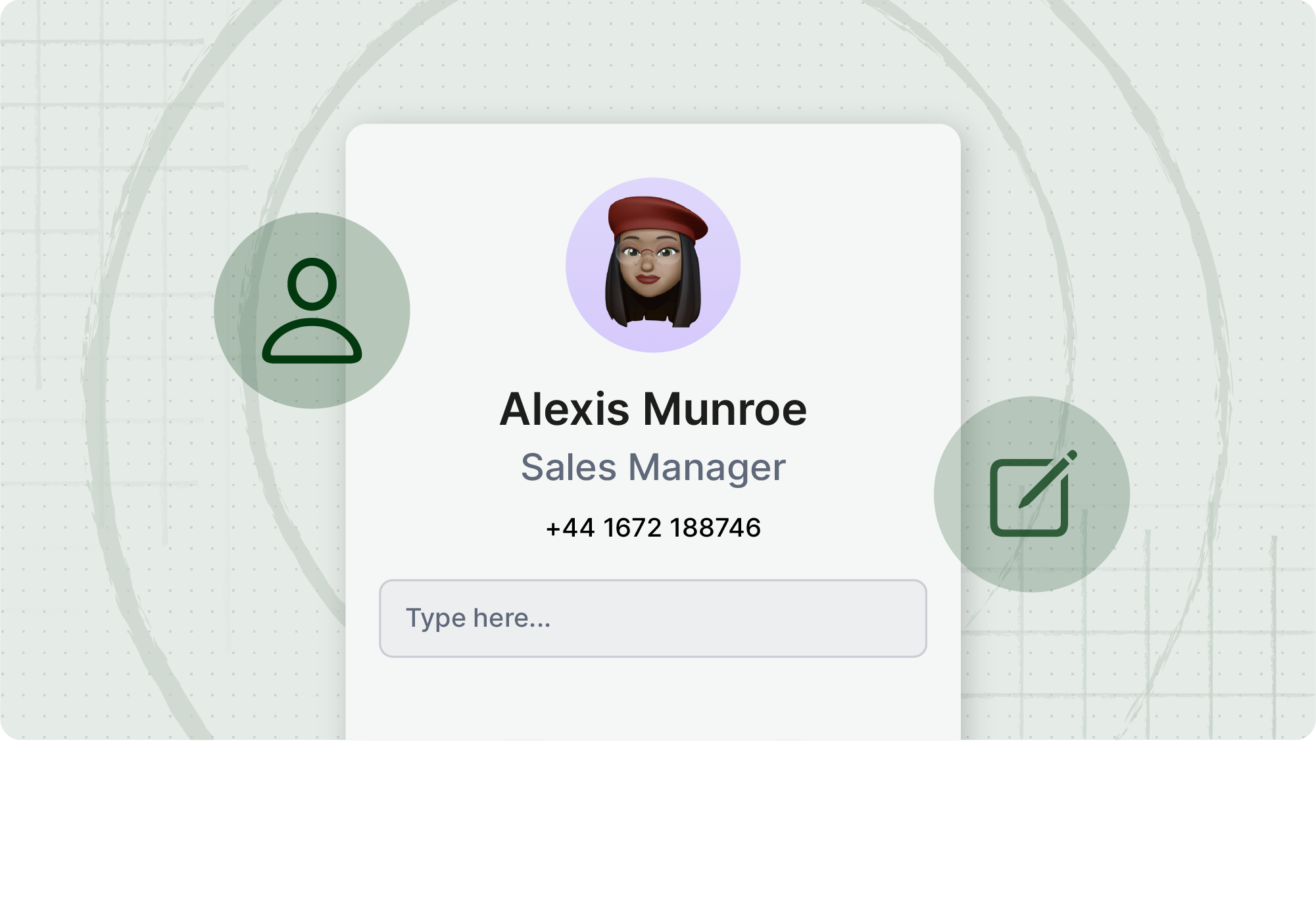
Organizations can now add a custom tagline to employee mini profiles — a simple but meaningful way to personalize the experience and reflect how your organization works. More details coming soon.
Account claim process
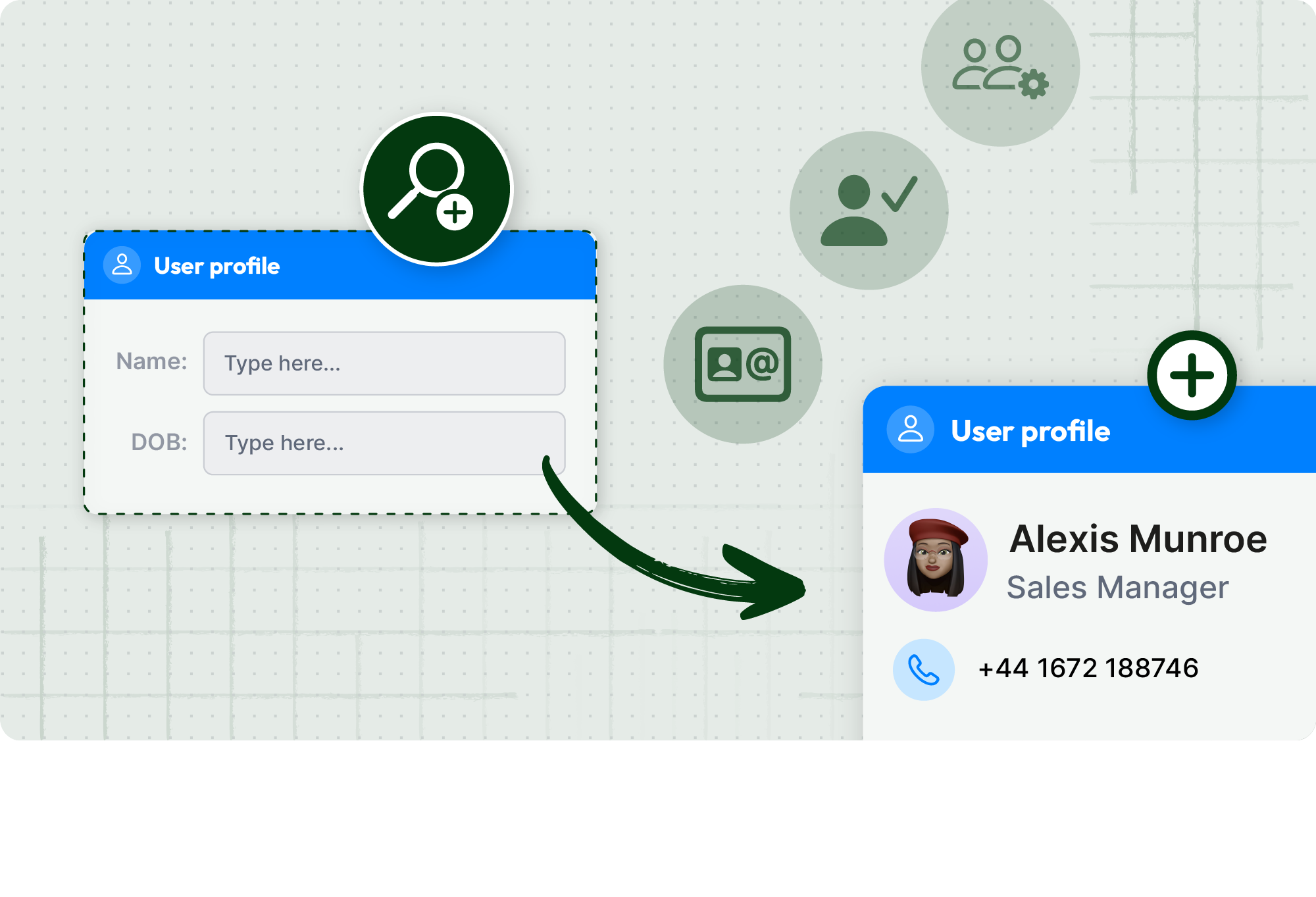
Getting every employee into Blink just got easier. The new account claim process lets employees verify their identity and claim their Blink account using a few pieces of information — no email address or existing contact details required. It’s designed for hard-to-reach workers who’ve historically been difficult to onboard, and gives organizations a more flexible, more inclusive path to full activation. More details coming soon.
New post settings
Making sure the right message lands in the right way just got simpler. The new Importance picker replaces a confusing mix of Priority, Pin, Feature, and Important toggles with one clear choice when creating a post — so the most-prominent placement in the Feed always matches the most-urgent intent. Admins spend less time second-guessing which setting does what, and employees see a Feed where the prominent posts are genuinely the urgent ones. More details coming soon.
What this Unlock means for your team
For employees
- More relevant, timely content in the Hub
- A faster, easier way to connect with colleagues
- More control over how they engage with the Feed
For leaders and comms teams
- Scheduled publishing takes the pressure off manual timing
- Live streaming puts leadership communication in everyone's pocket
- Featured content tools that actually do the work
For IT and operations
- Deeper SAP SuccessFactors integration
- A more configurable platform that fits how your organization works
- Native calling that keeps employee data private
If you're a customer, reach out to your customer success manager to discuss participation and enablement options.
If you're exploring Blink, book a demo to see how the May 2026 Unlock brings communication, connection, and action into one place.
{{quarterly-unlock-may-2025="/callouts"}}

 Jess DeVore10 mins
MangoApps is a well-known name in the internal communication and collaboration space, offering an all-in-one platform for employee intranets, communication, and task management. But for many organizations—especially those with deskless or distributed teams—it’s not always the best fit. Whether you're looking for a more intuitive interface, stronger mobile capabilities, or better support for real-time communication, you're not alone in your search.
In this guide, we break down the top 12 MangoApps alternatives to consider in 2025, based on usability, features, employee engagement, and scalability.
What to look for in a MangoApps alternative
Before diving into the list, here are the key factors to consider when evaluating alternatives:
- Mobile-first experience: If your workforce includes frontline or non-desk employees, you’ll need a platform that works seamlessly on mobile devices.
- Ease of use: Platforms with clean interfaces and intuitive navigation drive higher adoption across all levels of the organization.
- Real-time communication: Look for tools that enable instant updates, alerts, and chat, not just static content.
- Integration flexibility: Your platform should connect easily with tools like Microsoft 365, Google Workspace, Workday, and HRIS systems.
- Employee engagement tools: Polls, surveys, recognition features, and content targeting help drive connection and culture.
- Scalability and support: Whether you’re a company of 500 or 50,000, ensure the platform can scale with you—and that help is readily available.
Here are the best alternatives to MangoApps in 2025
#1. Blink – The all-in-one employee experience app
Best for: Enterprise organizations that want to streamline communication, drive engagement, and boost productivity.
Blink stands out as the most powerful MangoApps alternative — especially for organizations looking for a modern, mobile-first platform that actually gets used. Unlike traditional intranet tools that sit in the background, Blink puts everything your employees need into one intuitive app: communications, schedules, forms, HR systems, and more. With real-time chat, content targeting, newsfeeds, surveys, and recognition features, Blink doesn’t just inform employees — it activates them.
The platform is designed for engagement, boasting adoption rates of over 80% across industries like retail, healthcare, logistics, and manufacturing. It also integrates effortlessly with tools like Microsoft 365, Workday, UKG, and ADP, making it a true hub for the digital employee experience. Plus, Blink’s admin tools give Internal Comms, HR, and IT full control over what content is delivered to whom — so you’re always reaching the right people with the right message.
For companies tired of legacy platforms that don’t connect with modern workforces, Blink is a clear upgrade.
{{watch-video="/callouts"}}
#2. Staffbase
Best for: Large enterprises that want to build branded employee apps.
Staffbase specializes in custom-branded employee communication apps, with a strong focus on top-down messaging and internal news delivery. It’s a good fit for enterprises with a strong emphasis on company-wide updates, although some users find its collaboration features limited compared to more integrated platforms.
#3. Unily
Best for: Enterprises seeking a polished intranet with strong SharePoint integration.
Unily delivers a sleek and customizable intranet experience, particularly suited to companies already using Microsoft tools. It shines in content publishing and brand personalization, but may require a significant implementation timeline and budget.
#4. Simpplr
Best for: Companies looking for an intranet focused on content discovery and employee engagement.
Simpplr offers a modern, AI-powered intranet designed to help employees find the information and people they need quickly. Its strengths lie in personalization, integrations, and employee feedback tools, though smaller teams might find it more than they need.
#5. Haiilo
Best for: Social-first communication and employee advocacy.
Haiilo blends internal communication with social sharing, making it a great option for organizations that want to empower employees to become brand ambassadors. It supports news distribution, surveys, and analytics, but collaboration tools are more limited.
#6. LumApps
Best for: Organizations embedded in the Google Workspace ecosystem.
LumApps integrates deeply with Google tools and offers features like personalized news feeds, social communities, and knowledge management. It’s well-suited for content-heavy communication but may not be ideal for frontline teams.
#7. Jive
Best for: Enterprises looking for a community-driven intranet.
Jive is a mature platform known for its collaboration and knowledge-sharing capabilities. It supports employee communities and forums but may feel outdated compared to newer, more agile platforms.
#8. Igloo Software
Best for: Mid-size businesses seeking a flexible digital workplace solution.
Igloo offers pre-built templates, collaboration tools, and strong document management. It’s a solid choice for knowledge workers but lacks the modern mobile experience many organizations now require.
#9. Workvivo
Best for: Organizations prioritizing culture, recognition, and employee social engagement.
Workvivo turns your intranet into a social space where employees feel more connected to their company. Its strength lies in fostering real-time interaction and transparency. Many teams choose it to reinforce culture and encourage engagement beyond standard top-down messaging. It’s engaging and user-friendly, though companies may need to pair it with additional tools for workflows, operations, or integrations.
#10. Happeo
Best for: Google Workspace-centric companies wanting a fast, social intranet.
Happeo blends social features with knowledge sharing and is known for its fast deployment and Google integration. It’s ideal for remote or hybrid teams who need an intranet without the complexity.
#11. Speakap
Best for: Deskless workforce communication, especially in retail and hospitality.
Speakap is built for frontline teams and focuses on secure, real-time updates. It’s easy to use and offers role-based content delivery, though it lacks the depth of features found in all-in-one platforms like Blink.
#12. Interact Software
Best for: Enterprises wanting a structured, content-rich intranet.
Interact offers strong content management, personalization, and search capabilities. It’s geared toward knowledge sharing and compliance-driven industries but may not offer as fluid a mobile experience.
Final thoughts on choosing a MangoApps alternative
If you're searching for a MangoApps alternative that delivers better engagement, faster communication, and a user experience your employees will love, Blink should be at the top of your list. While other platforms have their strengths, Blink combines everything you need — mobile access, real-time updates, integrations, and workforce-wide engagement — into a single platform that scales with your business.

Putting the human voice back into executive communications can transform employee engagement and company culture.
Executive communications often feel impersonal. In a bid to portray knowledge and professionalism, leadership messages can become dry and uninspiring.
This creates a disconnect between leaders and employees. It becomes harder to get your message across and to motivate your workforce.
But leadership communications don’t have to be this way. You can adopt a more human and less corporate voice — a voice that shows a little personality and expresses care for employees — without losing your authority.
Here, we look at how you can humanize your corporate communications — and why this approach to internal communications supports workplace trust, employee engagement, and a more positive company culture.
We’ll be looking at:
- Why human-centered executive communications matter
- 3 key principles to humanize your internal communication strategy
- Channels that make executive communications more relatable
- Leadership communication: Pitfalls to avoid
Why human-centered executive communications matter
Human-centered executive communications can make a big difference to your organization. Here’s why they matter.
Building trust and transparency
We’re more likely to trust someone — and feel a connection with them — when we understand who they are as a person. The things that make them tick. Their personality, passions, and quirks.
This applies to the employee-executive relationship as much as any other. Employees trust leaders who speak in a human, relatable way. When they see an open communication style modeled by the C-suite, they’re also more likely to replicate it themselves in peer-to-peer communication.
This helps you develop a company culture where transparency is the norm. Everyone feels able to raise concerns and share ideas — which is good for collaboration, innovation, and productivity.
Boosting employee engagement
Relatable leadership communications can be inspiring for employees.
Take the example of Microsoft CEO, Satya Nadella. He shared the story of his son, who had cerebral palsy — and how this drove him to develop technology that was more inclusive for people with disabilities.
Nadella wasn’t just motivated by profit or growth. He was emotionally invested in his work. And by sharing his story — and painting a picture of the real-world difference Microsoft products can make — he highlighted the purpose of his employees’ work, too.
Human stories like this one boost employee engagement. They also create a sense of togetherness, which supports a positive employee experience.
Enhancing organizational resilience
Trust, high levels of employee engagement, and a culture of open communication are key features of organizational resilience. And when it comes to change management or crisis communication, a human tone is never more important.
Executives who speak with an empathetic and authentic voice show employees that their anxieties are understood and will be addressed. They explain to employees what is expected of them and inspire them to rally around the organization.
Arne Sorenson, CEO of Marriott International, showed leaders how it’s done when he addressed Marriott employees via video message as the COVID-19 pandemic swept the world.
He showed emotion, shared a personal update, and spoke transparently about the difficult decisions — like layoffs — that the company was having to take. The result was a relatable and somewhat reassuring message for employees during a time of extreme uncertainty.
3 key principles to humanize your internal communication strategy
So now we know what relatable executive communications can do for your organization. But what does a human voice actually sound like? While every leader should bring their own personality to their internal messages, the following three principles lie at the heart of any human-centered communication.
Empathy and understanding
Great leaders are empathetic. They demonstrate their empathy by:
- Acknowledging employee emotions, even when those emotions are negative
- Using inclusive language, like “we,” “us,” and “together”
- Actively listening to employees — and asking clarifying questions — to get to know them better
They also prioritize transparent and effective communication, so employees get the information they need when they need it.
Don’t do this: “The current reorganization is necessary for the company’s growth. The executive team will share more details soon.”
Do this: “I know many of you are worried about your roles. We’ll be holding several Q&A sessions this week to answer your questions about the reorganization.”
Clarity without jargon
Jargon and complex language can be confusing for employees and can lead to misunderstandings. In contrast, clear and simple language creates a sense of trust and approachability. It also helps employees to make better decisions.
To make your messages clear and easy to understand:
- Start by thinking about the key point you want to get across. Put this point at the start of your message. Also, pre-empt and answer the most pressing employee questions.
- Break complicated topics down into smaller parts. Then, explain each part step by step, using a relatable analogy if possible.
- Avoid complicated language. Use everyday terms, avoiding corporate buzzwords, industry terminology, and acronyms. Don’t use a long word when a short one will do.
- Adopt a conversational tone. If you wouldn’t say it when speaking to an employee face-to-face, don’t put it in a written message. It can help to read your messages out loud to find and replace overly formal words.
Don’t do this: “We need to leverage synergies to optimize workflows.”
Do this: “We need to work together to make our processes more efficient.”
Sharing and storytelling
Sharing your own personal experiences and anecdotes makes your messages more relatable and engaging. Likewise, you can use stories about real-life employees and customers to catch attention and convey a message more effectively.
Weave stories into your employee communications and you also make your messages more memorable. That’s because stories engage both rational and emotional parts of the brain, which supports recall.
To make storytelling part of your executive communications:
- Focus on real people and their emotions. Use personal anecdotes, customer case studies, or employee stories in your internal communications, referencing people by name.
- Use metaphors and similes. Paint pictures with your words. Metaphors and similes can be particularly useful when you want to bring complicated or abstract concepts to life.
- Follow a story structure. When sharing stories, include a beginning (the context), a middle (the challenge), and an end (the resolution).
Don’t do this: “Just the other day, an employee told me about how little things make a big difference to our clients. We want to see this ethos across every client interaction.”
Do this: “Just the other day, I was speaking to one of our care workers, Emma. She’d noticed that her client, Mrs Shah, seemed a little downhearted. Through conversation, Emma discovered that Mrs Shah, because of her reduced mobility, missed going into her beautiful garden.
So that day, Emma went beyond her usual duties, bringing some potted plants in from outside so she and Mrs. Shah could find a place for them in the living room. It made her client’s day. And that’s what our organization is all about.”
{{mobile-stories="/image"}}
Channels that make executive communications more relatable
Think beyond just in-person meetings: You probably have a variety of internal communication channels available to you! Some lend themselves to relatable leadership comms more than others. So — if you want to humanize your executive messages — spend some time on the following channels.
Interactive platforms
When we talk face to face, two-way communication is the norm. Explore ways you can transform your traditional top-down communication efforts into opportunities to inspire employee interaction and create a feedback loop.
Share company-wide news on interactive platforms that encourage employee responses. Enable employees to chat with each other via instant messaging. Post to the company news feed. Or run Ask Me Anything (AMA) sessions via your company intranet or employee app.
Showing that you have the courage and openness to address employee questions in this kind of forum builds trust and connection.
Videos and live streams
{{mobile-live-stream-poll="/image"}}
There’s a lot to be said for showing the face behind the name. Video and live streaming communication makes it easier for leaders to share their tone, body language, emotions, and intentions.
Bonus: Communicating urgent updates through short-form video content increases the likelihood that your on-the-go workers — especially frontline employees and remote teams — will receive critical messages.
Of course, not everyone is 100% comfortable in front of the camera. So if you could use a little direction before you film your first video, take a look at these tips:
- Know your script but don’t memorize it word for word. When you put things into your own words, your delivery is more natural and authentic.
- Watch your body language. Make eye contact with the camera and avoid crossing your arms. Use hand gestures and facial expressions as if you were in a face-to-face conversation with employees.
- Imagine you’re talking to one person. To bring emotion and connection to your video message, picture one employee. Then, deliver your message to that individual.
Employee-centric channels
Employee-centric communication channels, like the company news feed or modern employee intranets, can provide inspiration for your executive communications.
Here, you can find user-generated content (UGC) that you may like to share. You can also find stories of employees who have demonstrated company values and done great work.
By sharing these stories and recognizing employees by name via easy-to-access digital channels, you create a personal connection with employees. You also create a sense of belonging and appreciation.
Leadership communication: Pitfalls to avoid
Bringing a human voice to your employee communications requires empathy, authenticity, and the ability to listen to your workers. Even with the best of intentions, these things don’t always come naturally.
So with that in mind, here are a few pitfalls to look out for as you adapt your style of communication.
Over-sharing
Sharing too much personal information in your executive communications becomes counterproductive. It feels performative, dilutes the impact — and places the focus on you, rather than your audience of employees.
So before you share a personal anecdote, ensure it relates directly to your organizational goals and values. Keep any personal stories short and sweet. And balance things out. For every personal anecdote you tell, share two to three employee or customer stories.
Inconsistent messaging
Employees are quick to spot a leader who says one thing but does another. Your communication is unlikely to achieve the desired results if employees see it as inconsistent and inauthentic.
So back up your words with action. For example, if you show empathy for employee stress, you need to do something to alleviate it. If you share a belief that employees are the backbone of your organization, show you appreciate them with regular recognition and a competitive benefits package.
Ignoring employee input and feedback
Meaningful conversations are two-way. So to maximize the impact of your human-centric communication style, you need to show that you’re listening to what employees say.
Respond directly to employee surveys, reactions, questions, and concerns — either in person or across your internal communication channels. And keep employee feedback in mind when developing your next executive message.
{{mobile-survey="/image"}}
Harness the power of human-centric communications for your entire organization.
When you humanize your executive communications, you make your messages more effective, memorable, and engaging. You show employees that there’s a real person behind the job title. This is great for building trust and promoting transparency across your organization.
To make your employee communications more human, consider implementing more storytelling, empathy, and everyday language in your internal communications strategy. And with the right internal communication tools that enable you to connect with employees in a less formal and corporate way, you can foster an organizational culture of transparency and authenticity.
Blink. And humanize your internal comms.

Despite having more technology than ever before, the modern workforce is largely disconnected and divided. We’re working across different locations and juggling with more platforms and logins than ever. These challenges, already hard on desk-based, computer-connected office workers, are amplified for the frontline workforce.
Frontline employees tend to spend their days isolated from both their desk-based coworkers and other frontline colleagues. They don’t always have access to the same communication channels or tech tools as their office-based peers — and even if they do, they have minimal time to check on these platforms in between shifts, travels, and on-the-job work.
This means that the concept of the employee experience varies dramatically from team to team, and sometimes from worker to worker, across the same organization. It makes it harder for HR teams to keep a handle on overall employee engagement and satisfaction — and often inadvertently creates gaps in the workforce culture in different pockets of the company.
Just look at a recent Axios report to see this discrepancy in action: Deskless employees are less trusting of their managers and people leaders, less engaged in general, and more likely to experience burnout than their desk-based coworkers.

Bringing your employees together through a unified frontline workforce experience helps to close and mitigate these experience gaps. And by improving employee engagement, you can also make a positive impact on:
- Company culture
- Workplace communication and collaboration
- Productivity and customer service
- Employee satisfaction and retention
Here, we take a look at three primary strategies you can use to build connections between employees and create a unified employee experience.
3 ways to unify your frontline employee experience
To unify the frontline employee experience, you need to:
- Provide frontline-facing technology
- Communicate over one cohesive channel
- Conduct regular employee surveys
1. Provide frontline-facing technology
Bad tech adds friction to the work day. It causes headaches and slows your teams down. This is true for any of your employees — but it’s particularly relevant to the frontline.
Frontline workers need fast, easy, streamlined tech solutions that fit into their busy work days. They shouldn’t have to remember lots of different sets of login details and shouldn’t need a company email address to access essential tech tools.
In instances where your desk-based and frontline staff use the same tech tools — which is an excellent logistical way to unify your workforce — everyone should enjoy the same great digital experience. The same features and functionality should be available on both desktop and mobile devices.
But this isn’t the current reality. Just 10% of frontline employees say they have enough access to the tools, tech, and opportunities they need to connect and advance in their workplace.
The most effective frontline-facing technologies are the ones that have been designed for and with the frontline workforce. Rather than trying to modify the desk-based experience, purpose-built technology can make a huge difference to the employee experience. It brings desk-based and frontline staff onto the same (digital) page and ensures everyone feels valued.
2. Communicate over one cohesive channel
Communicating with frontline employees can be a challenge because they don’t tend to spend a lot of time in the office or working alongside managers.
Frontline organizations have usually tried various methods of internal communications. Paper notices on a board in the break room. Posters left on the seat of every bus driver. Overstretched frontline managers sending messages individually to every employee smartphone.
But they all reach the conclusion that these communication channels are inefficient and ineffective. A piecemeal approach makes it easy for important messages to get missed, messaging to become confused, and conversations to remain one-sided.
Communicating over one cohesive communication channel helps to unify your workforce and improve the frontline employee experience. As well as ensuring relevant communications reach your entire workforce, a workforce engagement app can allow you to:
- Engage in two-way communication with frontline employees, with the help of features like a news feed and group chats
- Target and tailor communications to specific teams, departments, and locations, ensuring that messages are always relevant
- Create mandatory reads that necessitate employee acknowledgment so you know that important messages are being read
3. Conduct regular employee surveys
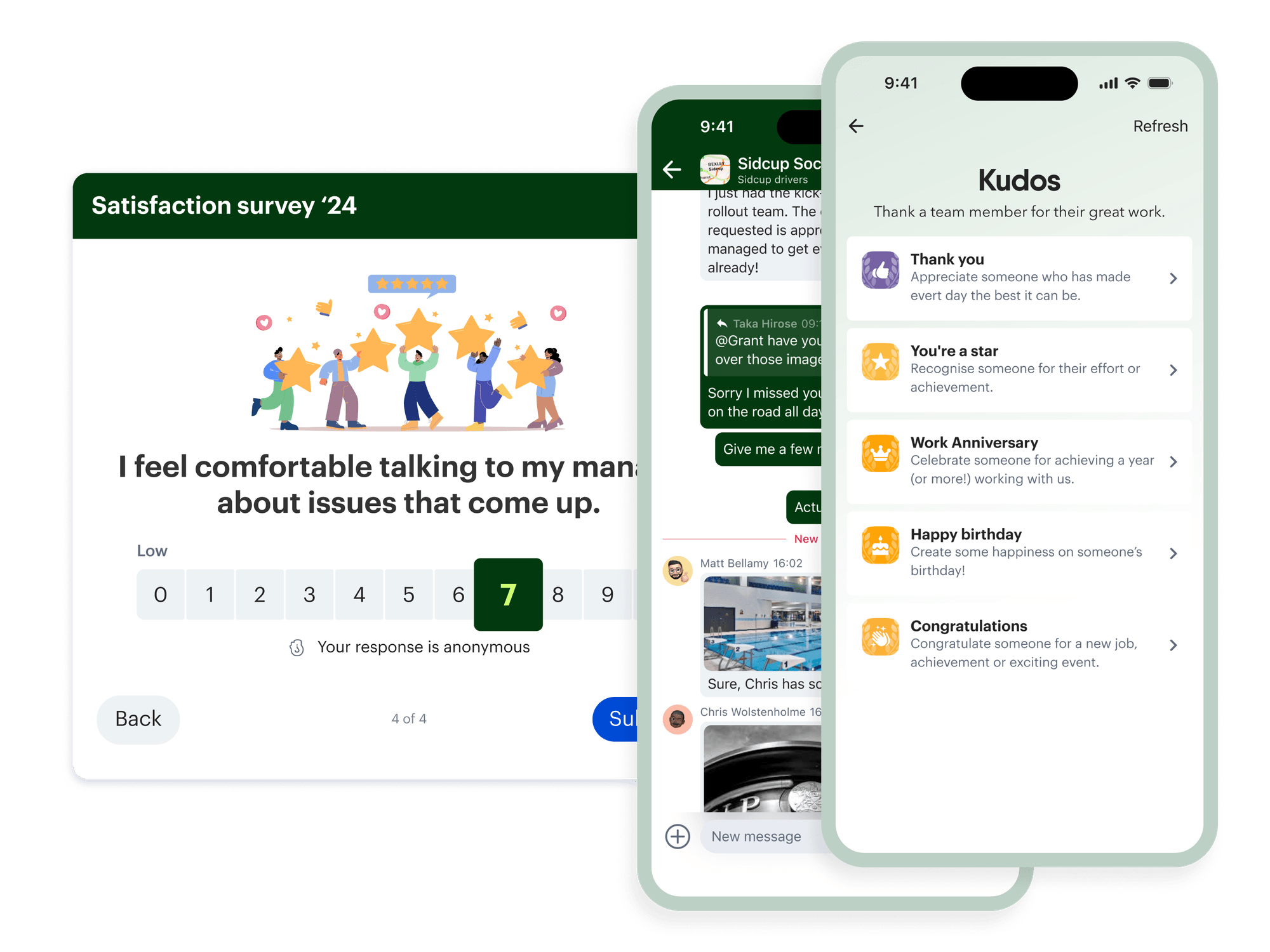
Top-down communication is essential for company-wide updates and culture-building. But if you want to improve the employee experience and bring your workforce together, you need to truly understand what’s going well — and what isn’t — by giving employees a voice.
For many, that might mean conducting regular employee surveys, including:
- Quarterly surveys: More regular than the annual survey, quarterly surveys help you to benchmark and track progress in key areas of the employee experience
- Pulse surveys: To ensure employee engagement issues don’t sneak up on your HR team, pulse surveys offer a snapshot of employee sentiment, right here, right now
By using a combination of employee surveys, you can seek employee input on corporate policies and initiatives as well as gauge how loyal employees feel toward your company in order to improve retention, engagement, and professional development.
Having an all-in-one internal communications tool to support this process makes things simple. Built-in feedback tools makes it easier for your HR and communications teams to launch surveys — and it makes it a streamlined process for employees, too. No more long-winded paper process. No logging into a communal computer. Workers can simply open the app on their smartphone, get an alert for the survey, and fill it out on their break.
The valuable data you get from your whole organization — and the reporting and analytics tools that analyze it — gives you the information you need to make targeted improvements to the employee experience.
In summary

When you unify your frontline employee experience, you create a work environment where all workers have the channels and technologies they need to come together. They can share their successes, voice their concerns, and experience a sense of camaraderie.
Create the best workplace experience for your entire employee base, and get their best work — and enhanced engagement and loyalty — in return.
With an employee super-app like Blink, you have everything you need to improve the employee experience for frontline and desk-based workers alike. To see what Blink can do for your organization, schedule a personalized demo today.

When’s the last time you had a work-related question, opened your phone to Google it, and ended up down a rabbit hole of Tasty slow cooker recipe videos on Instagram?
If the answer is, “Not that long ago,” don’t worry. You’re not alone.
Many people consider social networks a productivity killer. Swiping through an endless stream of dog videos can make it hard to get work done.
Social media apps get a bad rap at work, but that’s because they’re so good at keeping people engaged and interacting.
What if you could harness the power of social media and use it to help your employees engage more at work?
That’s where a social intranet comes in.
You can use a social intranet to make your internal communications as engaging as a playlist of cats riding Roombas (well, almost).
With a social intranet, your employee network becomes more than a dumping ground for company documents — it’s a place where people can collaborate, learn, and feel connected to one another.
Keep reading to learn:
- What is a social intranet?
- Top benefits of a social intranet
- What your social intranet platform should include
- Social intranet best practices
- Final thoughts: what is a social intranet, and how does it benefit you?
What is a social intranet?
A social intranet is a private collaboration platform where workers can access content in one place. It offers social features like commenting and messaging so employees can interact and work together. And unlike traditional intranet solutions, social intranet software uses interactive elements to increase employee engagement and collaboration in the digital workspace.
Since intranets are networks only company employees can access, they serve as internal communications and knowledge management tools.
Why employee apps are the new intranet
Are intranets a thing of the past? In this eBook, learn how to engage with the deskless workforce effectively to build strong, happy frontline organizations.
Top benefits of a social intranet
Traditional intranet setups have more restrictions when it comes to posting and interaction. For most employees, it’s like having “read-only” access to company resources.

Yes, social intranets are still relevant — here's how to use one 1
On the other hand, social intranets give workers permission to create and engage with content. You can use social intranets to share company resources and encourage employees to connect with each other and the content.
Let’s take a look at some of the top benefits of choosing a social intranet over a traditional one.
More employee engagement
Social features such as liking, commenting and messaging help boost employee engagement online.
Deloitte found that improving employee engagement can increase retention by up to 87%. The study also suggests that using social tools internally increases employee satisfaction by 20%.
Socializing intranet with features like instant messaging keeps your employees connected so they’re more likely to feel like they’re part of a team.
Better collaboration
Gone are the days when you had a question at work and you had to walk five desks over to get your answer. With remote working in a digital workspace, your employees may be spread over several states and countries. That can make collaboration a challenge.
Social intranets provide tools that make it easier for your employees to connect and work together by offering features such as status updates and commenting. Activity streams, which are similar to social media news feeds, keep everyone in the loop, and private instant messages (which work like, e.g. Instagram DMs) eliminate the need for lengthy email chains.
Increased productivity
If workplace interruptions get out of hand, they’re a killer on your team’s productivity.
Imagine your marketing department trying to work on a website update, but they keep getting calls from sales reps who can’t find the right assets. Or maybe your website developer is hard at work on that new layout, but they’ve got to field emails from marketing about text updates.
With a traditionally restricted intranet, your employees have to rely on constant calls and meetings to share information.
A social intranet with private messaging and commenting features lets your employees engage with updates on their own time, so they can focus on their priorities without interruption.
Enhanced security
Employees who can’t contribute to their intranet need to find other places to share documents and files. Unfortunately, file-sharing platforms like Google Suite or Dropbox aren’t as secure as your private network.
With a social intranet, you have an added layer of security on your internal knowledge and documents.
What your social intranet platform should include
As you review different social intranet platforms, look for features that help employees connect and collaborate.

Yes, social intranets are still relevant — here's how to use one 2
Here are some standard social intranet features to look for:
- Commenting, tagging, and messaging for easy social interaction
- Company news feeds and notifications for sharing updates
- Information hub with powerful search capabilities for ease of access
- Communities and forums for collaboration and knowledge-sharing
- Polls and surveys for collecting feedback
- Employee directory so people can get to know each other’s faces even if they haven’t met
Social intranet best practices
According to Prescient Digital Media, only 13% of employees use the company intranet every day. Most companies need to work harder to make their intranet useful for employees.
Here’s how you can set up your intranet to make sure your employees love checking in.
Make contribution easy
You can’t force employee engagement from the top down. Everyone in your organization has something to contribute, so make sure they can.
Empower your employees to share and help them by providing templates and tips for creating content.
Invest in mobile-ready
Businesses aren’t run out of a single headquarters anymore. Remote workers and frontline employees who interact with customers don’t always have access to a laptop or computer.
If you want a social intranet that everyone will use, it must be accessible to your entire workforce. Choose a platform optimized for mobile apps so your deskless workers still get the same online employee experience.
Look for a provider with analytics
How do you know if your social intranet is making a difference? Well, you won’t – unless you track its analytics.

Yes, social intranets are still relevant — here's how to use one 3
Marketers use engagement analytics to measure the success of every campaign. You should take the same approach to internal communications.
Find a software provider that gives you insight into your digital workforce so you can take action.
Specifically, look for tools that track:
- Total users
- App opens and daily usage
- How much content is created
- How much interaction each post receives
- What type of feed content performs the best
- Top content contributors
By tracking your workforce analytics, you can figure out what type of content works for your team and create more of it. Without them, you risk investing a lot of time for a small reward.
Final thoughts: what is a social intranet, and how does it benefit you?
Staying connected in the digital workplace is vital. But that doesn’t mean it’s easy. Businesses need tools that adapt to ‘new normals’ and still keep employees connected.
The best social intranet is also a modern intranet.
It helps you create an internal comms resource your employees will actually want to use. No matter where your people are, they can log on and feel connected to the company and supported in their work.
Learn more about social intranet solutions built for employee engagement and retention with Blink.

The frontline industry is currently facing more challenges than most when it comes to empowering staff.
The Great Resignation, toxic leadership and the rise of “Quiet Quitting” led to a frontline feeling overworked and undervalued. Today, frontline employees need to feel more supported, confident and empowered in their roles.
And there is hope. Slowly but surely, companies are beginning to realize the importance of empowering their frontline employees. And as more organizations come to see the value of Diversity & Inclusion (DE&I), the frontline sector is starting to transform. Workers are beginning to feel appreciated again, and they are finally able to do their jobs with pride.
But only if their leaders take charge.
So, how can you better empower frontline employees? What does employee empowerment even mean, anyway? And how does this affect your frontline workers specifically?
Read on to learn everything you need to know about empowering your frontline team, from what frontline empowerment really is, to why it matters and how you can implement it. With the right tools and empowerment strategies in place, your frontline can be more engaged, productive, and empowered than ever before!
Key challenges faced by frontline employees
80% of the global workforce already performs physical or deskless work.In order to keep things running smoothly for the majority of the global workforce, those on the frontline need to be able to rely on a few things.
Unfortunately, many of them are currently facing challenges that are making their jobs more difficult than they should be.
- Pay increases have not kept up with inflation: This means that those on the frontline are struggling to make ends meet, and it can be hard to keep morale high when you're not being rewarded for your hard work.
- The frontline are often passed over for opportunities their desked peers are given: This can make it harder for them to advance in their careers and stay motivated or productive on the job, which has led to frustration, disillusionment, and the rise of the Great Resignation.
- If treated like desk-based workers, the frontline can't succeed: Deskless employees need to be given the necessary tools and training to perform their jobs well, as well as access to technology that improves communication and collaboration. Without it, companies will continue to see a lack of productivity and engagement among their workforce.
- Lack of leadership enablement: Leadership needs to let go and resist the urge to try and fix all problems themselves. They need to trust that mid-level managers have the ability to train and support the frontline. When a problem occurs, leaders need to equip managers with the right tools to overcome frontline challenges.
- Lack of frontline engagement: Without two-way communications, it is more difficult for leaders to make the frontline want to engage. As such, they are struggling to build trust and confidence with their teams. The truth is, if you're good to the frontline, they'll be good to your bottom line. You need to show your frontline you care to earn their engagement.
- No ambassadors: Without frontline ambassadors, there's no way to drive good will, reputation and sales. Frontline employees are the face of your company. If they love their jobs, they'll naturally want to spread the word about what you do.
Because of these industry challenges, many frontline employees have been left unhappy, unmotivated, and leaving companies faster than you can say quiet-quitting.
Today , leaders are facing a limited workforce. Because of this labor shortage, they are looking for more effective ways to reach higher levels of productivity, employee retention and ultimately, success.
What does frontline empowerment mean?
So what actually is frontline empowerment? What's the substance behind the hype?
At its core, frontline empowerment is about giving your frontline workers the freedom and authority to make decisions and take valuable action on their own. This means providing them with all the resources, information, training, and tools they need to succeed at their jobs.
Of course, empowering your frontline won't happen overnight - it takes time and effort. But by introducing the notion of 'doing more with less', using effective employee tools to drive change and productivity, and committing to ongoing communication and training, you can create a successful and sustainable culture of empowerment that will benefit everyone involved.
Why empowering the frontline is so important
Did you know that almost all (90% of) organizations say success depends on empowering frontline employees to make decisions in the moment?
With a culture of empowerment in place, those on the frontline can bridge the gap between management and the rank-and-file, allowing them to collaborate more effectively and achieve higher levels of engagement. This in turn boosts engagement across your entire workforce, creating a culture where everyone feels valued and motivated to succeed.
Additionally, there's no lack of research to back the frontline empowerment trend. A 2020 Harvard Business Review Analytic Services survey gathered the insights of 464 business executives across an array of industries.The findings were clear: organizations empowering their frontline employees are seeing an array of benefits, and those who are not are falling behind.
Here are a few reasons why frontline empowerment is vital to your corporate culture and overall company success:
1. Cultivating a sense of belonging to retain the best talent
"The vast majority of deskless workers (97%) report that they would stay in their current roles if their conditions improved. Such conditions go beyond a pay rise, meaning that HR needs to offer deskless workers the same opportunities as their deskbound counterparts."
This means prioritizing your team's mental health, giving them the right technology and resources they need to thrive and investing in their engagement and empowerment to create a true sense of belonging. In order to retain the best talent and build a strong, engaged workforce, empowering your frontline is essential.
It helps to create a collaborative culture where everyone feels like an integral part of the team. This kind of environment reduces turnover rates and builds up a strong sense of camaraderie that drives long-term success for your organization.
2. Improving frontline engagement and morale
Empowered frontline employees are engaged frontline employees. An engaged frontline workforce means better employee morale and cohesion between your frontline teams.
By empowering the frontline, you are also giving them the authority to make decisions on their own and take action in real-time - something that is vital when dealing with fast-paced, dynamic business environments. In turn, this continuous flow of engagement not only keeps everyone motivated and engaged, but it also creates more transparency and trust between management and those on the frontline.
With engagement as a natural part of your organizational culture, you can also expect to see improved productivity, performance and results from your frontline teams. On top of this, a disengaged employee costs around 34% of their annual salary, meaning that strong engagement can actually have a direct positive impact on your bottom line.
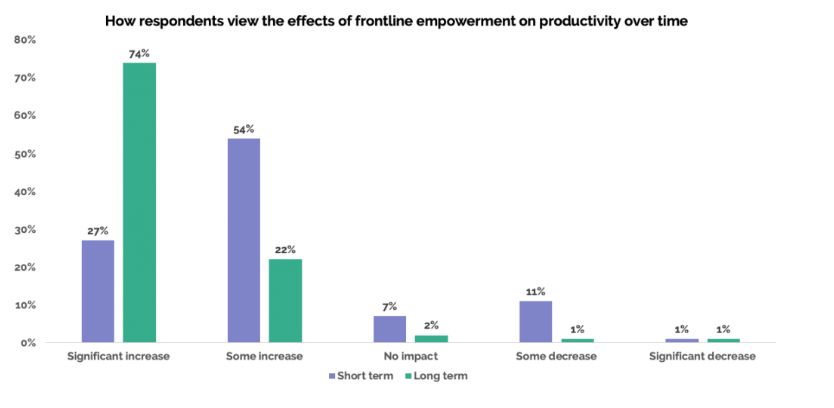
3. Satisfied staff leads to satisfied customers
Frontline workers are the first point of call between your organization and your customers, yet they remain an afterthought in many digital workplaces. This causes a lack of motivation in workers and a disconnect from the wider workforce – and their customers.
Simply put: when you empower frontline staff, you improve customer satisfaction.
Customer feedback, whether positive or negative, is extremely valuable to any business. And in order to get that feedback, you need your frontline employees, who are interacting with customers on a daily basis, to feel empowered and engaged to take action.
By giving the right tools and resources to your frontline teams, as well as giving them autonomy over how they do their jobs, you can facilitate better interactions with customers and improve overall customer satisfaction levels.
How to introduce, implement and sustain frontline empowerment
While HR trends state a range of strategies on the horizon for the frontline in 2023, including implementing mobile-first self-service enterprise software, increasing career opportunities and improving working conditions, one thing is clear. HR will drastically increase investment in its deskless workers over the coming months and years.
So how can you keep up with the trend? How can you introduce, implement and sustain frontline empowerment within your organization? Here are our eight top tips:
1. Start a frontline management flywheel to drive success
As leaders looking to empower their frontline, it's vital to define the standard you want to achieve. Defining this level of performance will help you set a standard to aspire to. A frontline management flywheel - defined by small management wins that accumulate over time to drive overall business growth - can help you map out how to start, implement and sustain successful empowerment initiatives.
Some core components of a frontline management flywheel include setting clear goals, aligning the right resources behind those goals, measuring progress and scaling success as you go.
2. Provide the right training for each level of worker
Ongoing and engaging training is key when it comes to empowering the frontline. This means making sure that your deskless workers have access to the right training programs and resources to be successful in their jobs, as well as investing in regular management training for those at the top of your organization.
For deskless workers, this means providing virtual or on-the-job training, as well as investing in coaching and mentoring programs that can help them to grow. For management-level employees, this means providing opportunities for professional development or leadership training.
3. Give them decision making abilities
In order for frontline empowerment initiatives to be successful, it's important that your frontline workers are equipped to make important decisions on the spot. Providing them with the right tools, resources and training can help them lead effectively, and empower them to make quick decisions when needed.
Equipping frontline managers to lead, make important decisions with confidence and empower their teams to do the same will help to drive better results for your organization as a whole.
One great example of this is Salutem's SELF initiatives - giving employees opportunities to be part of important decisions by empowering them with a Salutem Employee Listening Forum facilitated by theBlink employee app – an intuitive, two-way, all-in-one solution to employee communications.
4. Provide the right tools and technology
With 52% of frontline workers claiming they would leave their job over tech tools, it’s clear to see the impact that the right employee technology and digital employee experience can have on a company.
Empowering the frontline is not just about giving them more autonomy in their roles – it's also about giving them the right tools, training and resources they need to be successful in these roles.
By investing in key employee technology platforms, you can equip your frontline teams with what they need to do their jobs more efficiently and effectively, to reach better performance and results.
This might include employee scheduling software, communication and collaboration tools, or even data analytics software that can help deskless workers make more informed decisions on their own.
5. Get and give regular feedback
As with any other important initiative in your organization, empowering the frontline requires a commitment from leadership. This means that as a leader, it's important to get regular feedback on how these initiatives are going, as well as giving your frontline managers and employees the opportunity to provide their own feedback about how you can continue to grow and improve their employee experience.
By making a commitment to getting and giving regular feedback, you can stay on top of the changes and challenges that come with empowering your frontline team, and continue to make meaningful improvements along the way.
6. Have a thorough onboarding process
At Blink, we recently held a five-day hackathon where our conversations highlighted that onboarding processes are not only key to a successful retention strategy at our company but also for many of the large organizations that we work with.
Your onboarding process is where your employees get their first impression of what it's like to work at your organization. And so, it's important that this experience is a positive one, and that your deskless workers are set up for success right from the start. Unfortunately, only 12% of employees feel strongly that their organization does a great job onboarding new people.
This might include providing ongoing training and support during onboarding, or making sure that all of the necessary tools, including employee experience tools, and resources are available, accessible and set up from day one.
Blink's Hub - a centralized and secure frontline environment where digital forms, policies, safety guidelines and other relevant documents are stored - allows frontline organizations to store private and secure information that are shareable by teams. These allow frontline workers to access relevant documentation (training, e-learning materials, videos) to accelerate their onboarding process.
Blink's Directory also allows users to know who's doing what and in what team, making onboarding a whole lot smoother for leadership, too.
7. Recognize and reward hard work
To empower your frontline team and create a sense of autonomy and ownership, it's essential to recognize their hard work and reward them accordingly. You can think about offering the right mix of rewards, recognition and incentives that can motivate them.
Why? Well, 36% of employees say lack of recognition is the top reason to leave their job, while
more than 40% of employees feel that being recognized often means they put more energy into their work.
Addressing this will require regular performance reviews, incentive programs or even creative rewards such as Kudos, personalized gift cards or experiences that can motivate your frontline team to continue doing their best work.
How Blink can help you empower your frontline
Employee Surveys
WithBlink's Employee Surveys, you can regularly pulse check your frontline to get a consistent sense of what's going on for your workforce. By gathering reliable, real-time data you can ensure you're doing what's right before it's too late. By maximizing the right initiatives, HR leaders are able to encourage getting and giving regular feedback.
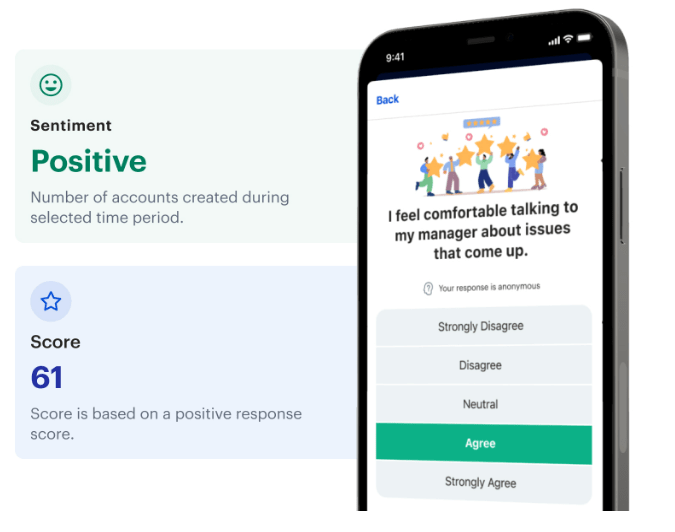
Feed
Create a sense of belonging using Blink's Feed. The Feed opens up multi-directional conversations allowing the frontline to share thoughts and feedback through polls, sentiment through reactions, likes and comments. With Feed, you're able to create a culture of constant improvement, and encourage your frontline to continue putting their feedback forward.
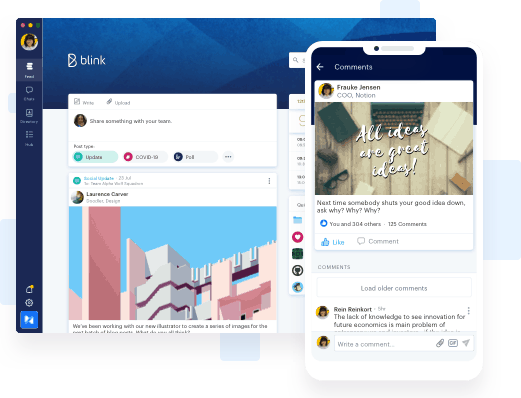
Employee Recognition
Blink's Recognition feature allows anyone in the company to recognize hard work and achievements, as well as spread positive word of mouth about their team members. By giving your frontline team the opportunity to recognize each other's work, and by providing regular recognition programs and incentives, you will empower your employees.
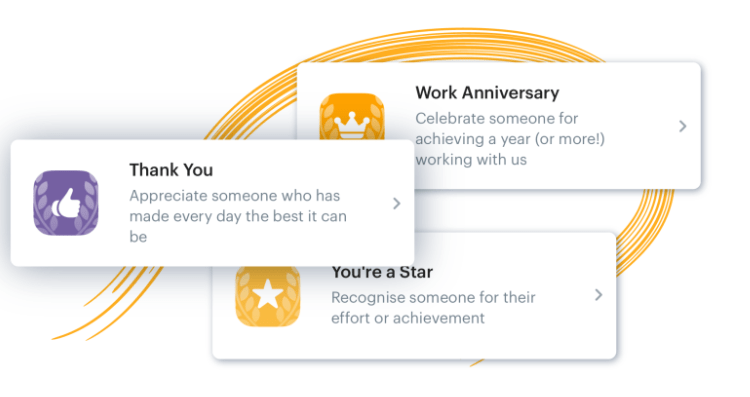
Blink Champions
Without team members championing your empowerment initiatives, it can be hard to get them off the ground. As such, Blink Champions are the cornerstone of a successful launch for your next frontline empowerment initiative. The role of a Blink Champions includes:
- Working with other Champions to ensure the launch is a success
- Raising awareness of Blink and encouraging others to use the app
- Being active in the Feed
- Educating teams on how to use the app
- Being an advocate for Blink.
Hear from Brittany Schlacter, Communications Specialist and Blink Champion at The Rapid:
https://www.youtube.com/embed/pbi0QDbucpY
Final Thoughts
The race is on for frontline leaders to empower their workers. And fortunately, frontline leaders know this is needed and are ready to take the necessary steps to make it happen.
We've highlighted some of the ways that you can empower your frontline team, including investing in your digital transformation efforts, recognising and rewarding hard work, and using Employee Surveys to gather and act on feedback.
By implementing some of these initiatives, you can create a sense of autonomy and ownership among your employees, driving productivity and growth in your organization.
To unlock frontline empowerment to its highest potential, consider investing in the Blink employee app. With tools like Employee Recognition, Hub, Feed and a dedicated champion team, you'll be able to empower your frontline employees in no time!