How to Use SFTP to Connect to Your WordPress Site (original) (raw)
SFTP or Secure File Transfer Protocol (also known as SSH file transfer protocol), is a network protocol used for file transfers. It is a more secure method vs standard FTP (understand the difference between FTP and SFTP). We only support SFTP connections at Kinsta to ensure your data remains safe and encrypted. Follow the directions below on how to use SFTP to connect to your WordPress site.

How to Use SFTP to Connect to Your WordPress Site
The first thing you will need is an SFTP client. There are many free and premium ones to choose from, we recommend one of the following:
- FileZilla (Free – macOS or Windows)
- WinSCP (Free – Windows)
- FlashFXP (Premium – Windows)
- Cyberduck (Free – macOS or Windows)
- Transmit (Premium – macOS)
You will then need to configure your SFTP client with the following settings:
- Connection type: SFTP (not regular FTP)
- Address/URL/Hostname: Use your IPv4 Address.
- Username
- Password
- Port
Your web hosting provider should provide you with the information above. Typically this is located in your dashboard or an email. Kinsta provides this information to customers in the dashboard under WordPress Sites > sitename > Info.
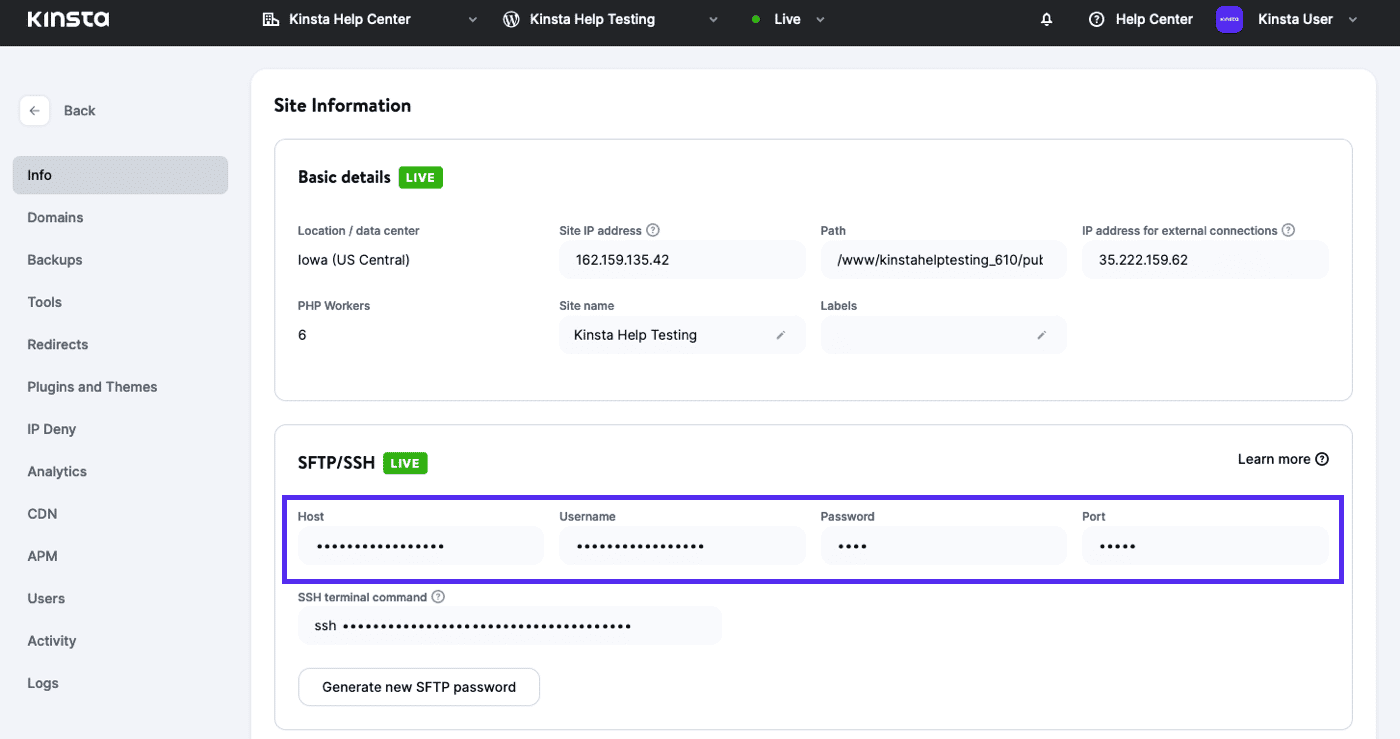
Find your SFTP details in MyKinsta.
How to Use SFTP Clients – Examples
Here are a couple examples of what using each SFTP client looks like.
SFTP Login With FileZilla Client

Filezilla SFTP login.
Some versions of Filezilla will default to FTP, so ensure that you select SFTP or type **sftp://**123.123.12.123. If you don’t you might see the following error.

Use SFTP not FTP
SFTP Login With WinSCP Client
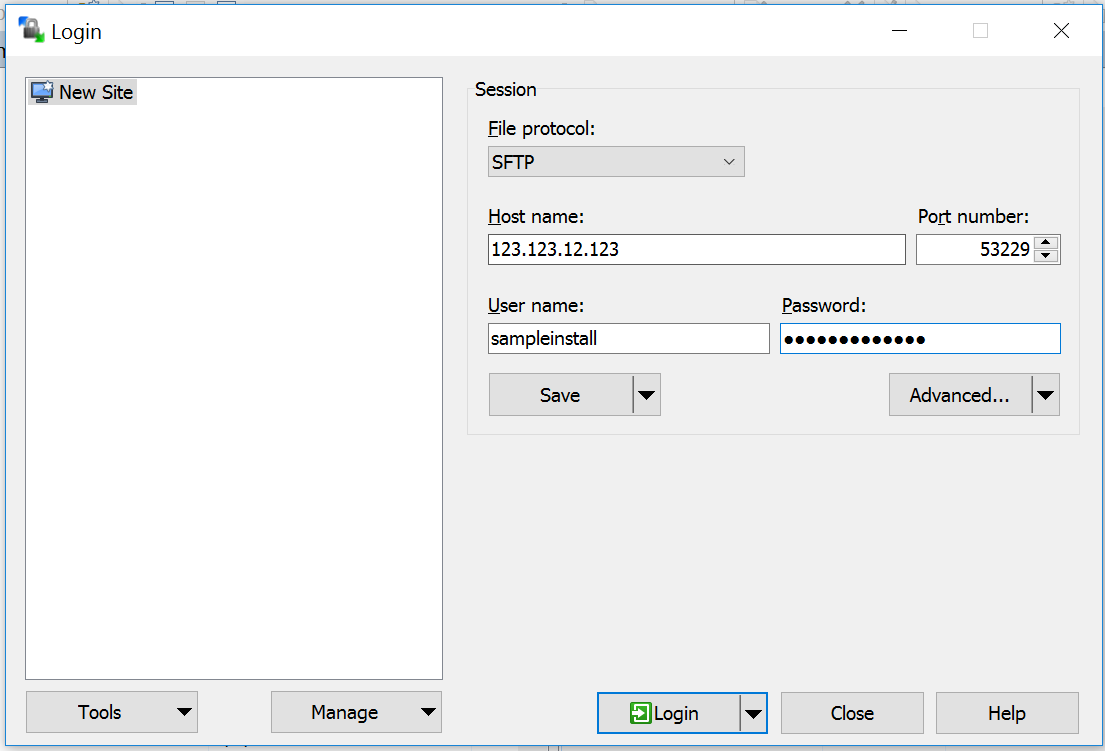
SFTP with WinSCP client
SFTP Login With FlashFXP Client
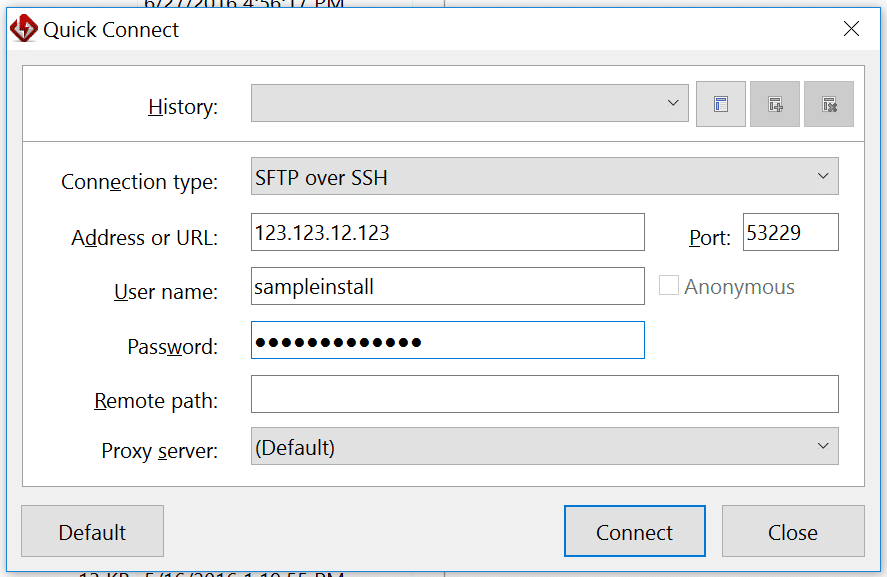
SFTP with FlashFXP
Mark Gavalda Kinsta
Mark has many years of experience leading teams in the fields of marketing, web design and development. As a dev guy he used his WP expertise to collect the know-hows of creating a reliable and customer friendly hosting company to satisfy the increasing demand of clients. He is an urban cyclist and autodidact who never stops learning new skills.