19 Best WordPress Booking Plugins to Fully Automate Your Business (original) (raw)
Going to the dentist often requires a reservation. So does a visit to your favorite Thai restaurant or signing up for a personal training session at your local gym. In the past, the customer would have to look up a phone number, speak to someone on the phone, and then jot down that date and time on a piece of paper. Those days are long gone, and it’s incredible to see the types of features constantly being added to online booking tools.
If you happen to run a business that requires appointments and reservations, it’s important to find the best fit. That’s why we want to outline the utmost best WordPress booking plugins to choose from.
What Should You Look For in a WordPress Booking Plugin?
You may initially think that a booking engine is a simple calendar with a form, but it depends on the type of business being run. For instance, a gym might have multiple personal trainers. Each of these employees needs their own schedules listed on the website. On the other hand, a dental office may need to show specific times and reveal the different types of services offered.
Therefore, it’s important to look closely at the features of each WordPress booking plugin. This way, you’ll have all of the functionality you need and some flexibility to grow your business stronger.
Here are some of the features we’ve found most helpful in our research:
- A customizable calendar that can be placed anywhere on your website.
- Mobile-friendly interfaces for users to book appointments on smaller devices.
- Options for accepting payments for appointments. It’s also nice to have some way to remove payment processing.
- Support for multiple “agents” or “service providers.” This would be where each of your workers has their own profile and calendar, like for personal trainers or multiple doctors in one office.
- Areas for customers to view and edit their bookings online.
- A filterable and searchable booking management module on the backend of your WordPress website.
- Features for customizing your schedule, such as removing holidays and setting some free time in-between appointments.
- Email confirmations and reminders for both the admins and the users.
- Customizable fields and drop-down menus for when you offer a wide variety of services or unique offerings.
And that’s only a small sampling of the primary features you should expect from your booking plugin. Some of the settings and features may not apply to your business, so make sure you test the ones that look appealing and use our in-depth reviews below to ensure you’re getting the best value.
For instance, some smaller companies may only need a simple, free calendar for accepting non-paying appointments. However, bigger brands will need a wider range of features with beautiful templates and high-powered communication tools.
An In-Depth Look at the Best WordPress Booking Plugins
We’ve researched, tested, and broken down every respectable WordPress booking plugin to show the best features, along with features that might make you lean towards one over another. Now it’s time to dive in!
1. WooCommerce Bookings
In the world of WordPress eCommerce, the WooCommerce plugin is king. One of the main reasons for this is because the core version is free–but you also have access to dozens of extensions for accepting payments in different ways. For instance, the WooCommerce Bookings extension lets you sell bookings based on times or dates. You still have the option to accept bookings free of charge, but the main reason you would go with a WooCommerce extension like this is to activate the payment processing aspect.
I would argue that WooCommerce Bookings is best for companies that already utilize the WooCommerce plugin. However, it’s also a nice, clean extension for newcomers out there. It allows for WordPress users to either stick with the simple, modern layout or customize it with the help of CSS.

WooCommerce Bookings plugin
Once the extension is activated, it offers fields for descriptions, pricing, titles, and a calendar. For instance, you might be renting out rooms to a bed and breakfast and want to talk about the rooms, pricing, and dates available. Reviews are also possible so that you build some credibility with potential bookers.
The WooCommerce Bookings extension starts at 249forasinglesiteandgoesupto249 for a single site and goes up to 249forasinglesiteandgoesupto449 for up to 25 sites. At this price, it’s one of the more expensive plugins out there. Also, the base WooCommerce plugin is completely free so you don’t have to worry about paying for that. Finally, WooCommerce offers a full year of customer support and a 30-day money back guarantee. So, test it out and see if you like it!
Features That Make Woocommerce Bookings a Great Choice
- The WooCommerce Bookings extension provides tools for creating fixed time slots where the customers have to decide based on the times you choose. Or, you can open it up for any time or date.
- All bookings are managed in your dashboard, where you receive filters and update buttons.
- You’re able to limit the number of people who book or even create discounts for a certain number of bookings.
- You have several options to approve the bookings that come in and control when the bookings are available to users.
- The extension links up to WooCommerce, one of the most popular, reliable eCommerce plugins on the market. The extension isn’t free, but it’s a one-time fee and the WooCommerce plugin is free.
- WooCommerce has a free, 30-day “try before you buy” program.
- You can integrate with other WooCommerce extensions for added functionality. For example, adding more fields to your form requires the Product Add-Ons extension.
2. Amelia
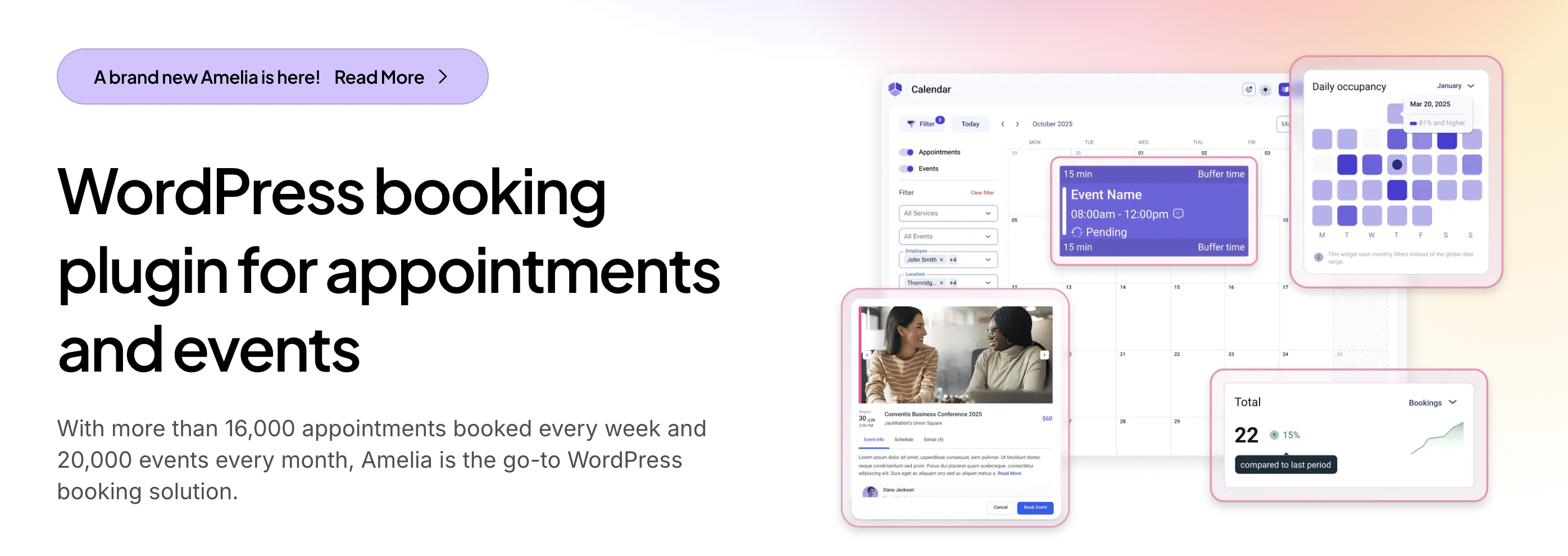
The Amelia plugin is a simple-to-use yet powerful booking plugin that’s user-friendly and available 24/7. With Amelia, you get all the features you need to streamline your booking process and make it easy for your customers to schedule appointments and pay online or offline.
The free version of the plugin is perfect for small businesses, while larger enterprises can find the paid version more suitable for their needs. You can even get lifetime licenses starting at just $229 for one domain.
Amelia WordPress booking plugin
One of the best things about Amelia is its built-in functions. SMS notifications keep your customers and employees up to date in real-time, while Google Calendar synchronization ensures that your employees never miss an appointment. Plus, with its neat and modern design, Amelia seamlessly integrates into your website with a simple shortcode.
What’s more, Amelia is customizable, so you can tailor it to match your website design perfectly. You can add multiple employees with custom working hours and days off, configure specific dates or date ranges with different schedules, and integrate with various payment gateways for easy payment processing.
Features That Make Amelia a Great Choice
- Real-time SMS notifications: Keep your customers and employees up to date with instant notifications and reminders of their appointments.
- Customizable employee schedules: Add multiple employees and set their unique working hours and days off to ensure optimal efficiency.
- Special Days support: Configure specific dates or date ranges with a different schedule, perfect for holidays or other special events.
- Google Calendar integration: 2-way integration for each employee allows your team to easily manage appointments from their own Google calendar.
- WooCommerce integration: Seamlessly integrate your payment processing with WooCommerce, making it easy for customers to pay for appointments online.
- Multiple services and service categories: Categorize and offer multiple services to customers with Service Extras for upselling and increased revenue.
- Multiple business locations: Manage multiple locations with ease, perfect for franchises or businesses with multiple branches.
- Graphs and diagrams for business performance KPIs: Keep track of your business’s performance with detailed visual representations of your key performance indicators.
- Coupon support: Offer discounts to your customers by easily adding coupon codes within the plugin.
- Service Packages (Pro & Dev Licenses): Bundle single or multiple services into a package of appointments and set a discounted price for the entire package.
- Resource Sharing (Pro & Dev Licenses): Share resources between employees to optimize usage and scheduling. Amelia ensures that all employees have access to their resources at the scheduled time, while also showing clients available time slots, creating appointments, and notifying employees.
- Lifetime license: All of these features are fully included in a single lifetime license, without the need for extra add-ons or hidden fees which is one of the best things with Amelia, compared with competitors.
3. BookingPress
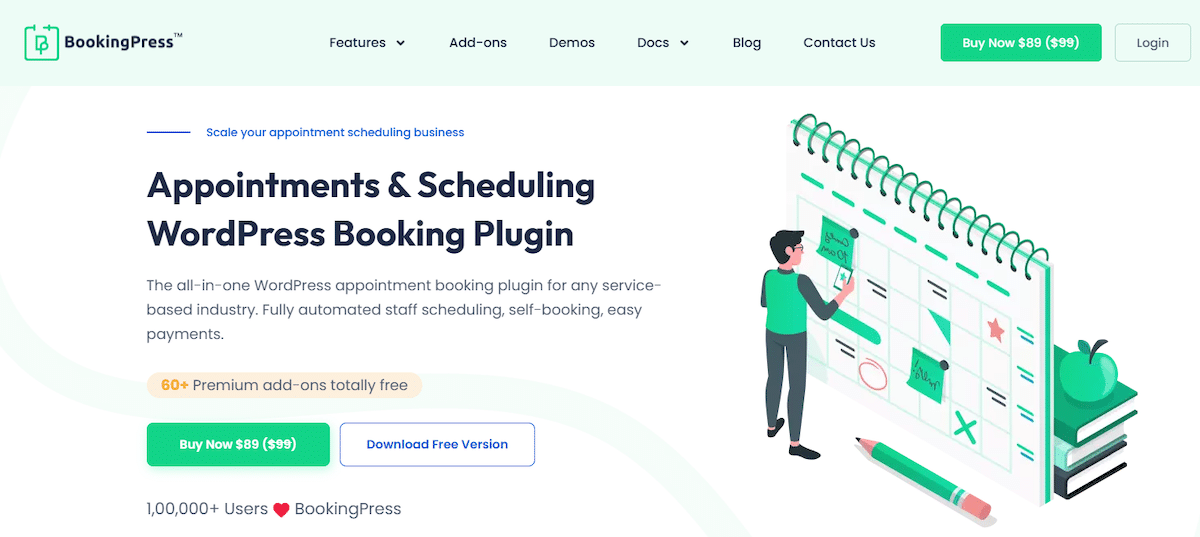
The BookingPress Plugin is the best WordPress booking plugin designed to streamline your online appointment booking. With BookingPress, you can easily set up and manage appointments and accept payments online. It also allows you to configure different services and pricing options, as well as manage your staff and their availability for a hassle-free appointment experience.
That’s why it is highly recommended for all service-based businesses such as fitness and gym centers, beauty salons, health and wellness clinics, tutors and coaches, spas, pet grooming, car wash, tattoo studios, dental clinics, yoga studios, law firms, rental stores, and the list goes on.
BookingPress
Features That Make BookingPress a Great Choice
- Super easy to use with a user-friendly interface.
- Over 60+ premium add-ons, free to use.
- Smooth two-way sync of bookings across Apple, Google, and Outlook calendars.
- Fully customizable form to style your booking form to match your website’s style and look. You can easily customize fonts, main colors, form colors, price, and buttons.
- Supports more than 20+ popular and secure payment gateways worldwide, like PayPal, Stripe, Mollie, Authorize.net, Razorpay, 2Checkout, PagSeguro, and many more.
- Stripe POS Integration Addon allows you to securely accept in-person payments for your bookings using Stripe’s BBPOS WisePOS E device.
- Manage unlimited business locations effortlessly. It is perfect for managing appointments if you have more than one business location.
- Allow your customers to book multiple services at once in a single appointment.
- Advanced, separate staff panel for every staff member.
- Let your customers feel valued by allowing them to select multiple staff members per appointment.
- Custom booking fields with conditional hide/show options.
- Set a dynamic (happy hours) price for your service for specific weekdays/dates.
- BookingPress allows you to instant send automated WhatsApp, email, SMS and Telegram notifications to your customers.
- Custom service duration allows you to set custom time durations and prices.
- Coupons for offering special discounts while booking an appointment.
- Integrations with popular tools like Zapier, ARMember, Mailchimp, Aweber, Omnisend, Google ReCaptcha and more.
- Offer personalized Gift cards for your service as a convenient gifting solution.
- Advanced reports and analysis.
- Google Meet and Zoom meeting support for virtual appointments.
- Easy to generate invoices for appointments.
4. JetBooking
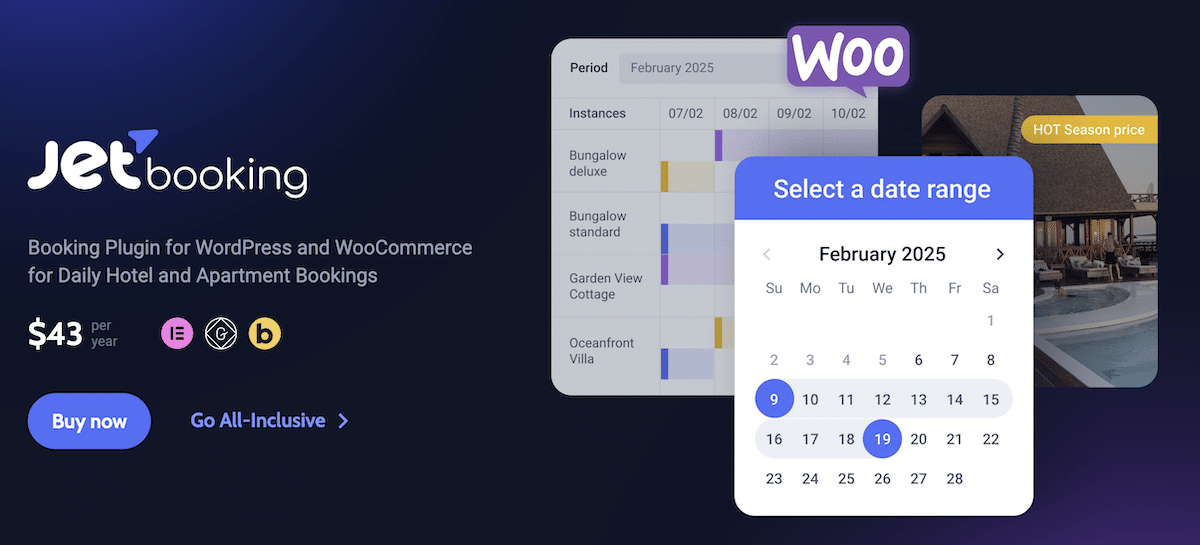
JetBooking is a premium WordPress plugin designed for businesses and individuals who need a structured and automated booking system. It’s ideal for rental services such as property bookings, vehicle rentals, and other appointment-based businesses. By integrating with JetEngine, JetBooking allows users to manage dynamic data efficiently, while Google Calendar and iCal synchronization ensure real-time booking updates. The plugin helps reduce manual work and simplifies the reservation process for both users and administrators.
JetBooking
JetBooking also supports WooCommerce, enabling secure payment processing for bookings. It offers seamless integration with JetFormBuilder for custom booking forms, making it highly adaptable for different cases. Whether you manage properties, tours, or service-based businesses, JetBooking provides a customizable solution for handling reservations.
Features That Make JetBooking a Great Choice
- Flexible booking calendar that allows users to select available dates while administrators can easily manage schedules.
- The plugin includes an advanced pricing system, making it possible to set different rates depending on the length of stay, number of guests, or seasonal demand. Higher prices can be applied for weekends and holidays, while automatic discounts can be offered for long-term bookings.
- You can configure filters for various parameters, such as price range, property type, number of guests, check-in and check-out dates, and available amenities, helping users refine their choices efficiently.
- The booking system also includes cancellation and modification options. Users can edit or cancel their bookings directly from the front end, providing more flexibility and control over reservations.
- The interface is user-friendly, allowing beginners and experienced users to easily configure booking settings. Depending on business needs, bookings can be displayed in various formats, such as a list, calendar, or timeline.
- JetBooking integrates seamlessly with WooCommerce, enabling secure transactions through gateways like PayPal and Stripe.
- To enhance functionality, JetBooking works with other JetPlugins such as JetEngine, JetSmartFilters, and JetFormBuilder. This allows users to create dynamic booking systems with advanced search options and fully customized booking forms.
JetBooking is an agency-friendly booking solution that helps you build a booking system for your clients with automated reservations, simplified management, and a smooth experience for both businesses and customers.
5. MotoPress Appointment Booking
The WordPress Appointment Booking plugin by MotoPress is a one-stop solution to arrange automated appointment scheduling on service business WordPress websites. Suitable for a wide range of hourly-based industries, this plugin allows you to create unlimited services, employees, and locations.

MotoPress Appointment Booking
You are provided with online and offline payment methods. On top of that, you can set up deposit and coupon options. Regarding notifications, the plugin supports automated email notifications and appointment reminders. Also, there is an extra addon to integrate Twilio SMS notifications.
You can manage bookings on the backend and access analytics reports on appointments and revenue in the built-in dashboard. Make it possible for customers to view booking details in their accounts and add appointments to their personal calendars.
With MotoPress Appointment Booking, you can work with popular page builders: Gutenberg, Elementor, and Divi. There are dedicated integrations to embed appointment booking content elements via the visual interface.
Features That Make MotoPress Appointment Booking a Great Choice
- A mobile-friendly booking widget for step-by-step scheduling
- Add a service custom duration and include buffer times
- Personal profiles for staff members with all the details
- Flexible schedules with working hours, breaks, lunch times, holidays, days off, etc.
- Accept payments via PayPal, Stripe (including Apple Pay, Google Pay, and Link), direct bank transfer, or on-site
- Connect employees’ calendars to their Google Calendar accounts
- Customers can book multiple services at one go
- Enable bookings for groups
- Notifications are sent to customers and admins
- A centralized bookings calendar to view all bookings in one place and edit them if necessary
- Ability to export booking data as a CSV file
- Flexible customization options for a booking form
- Clients can add their bookings to their Google Calendar, Apple Calendar, Outlook Calendar, and Yahoo Calendar right after the appointment
- A set of add-ons to integrate WooCommerce Payments, Twilio SMS Notifications, Google Analytics, and Square Payments
- There is a collection of MotoPress themes that are designed for different niches and come bundled with their Appointment Plugin for free
6. WooCommerce Appointments
The WooCommerce Appointments extension is another option that integrates with WooCommerce. It’s rather similar to the previous extension, but the pricing is a bit more affordable, starting at 89persite.This,ofcourse,goesuptoaround89 per site. This, of course, goes up to around 89persite.This,ofcourse,goesuptoaround200 for 25 sites. Support and updates are provided for a full year, but if you don’t want those then the pricing is a one-time fee.
The extension is not sold through WooCommerce, but the BookingWP developers are reputable and known for quality products. As for the extension itself, you can expect some excellent features, starting with integrations with WooCommerce and Google Calendar. This way, you can accept payments from customers and sync with your previously set up Google Calendar. Appointments and bookings can be accepted for free, but you also have settings for charging money.

WooCommerce Appointments plugin
One of the main advantages of this plugin is how quick and easy it is to set up and manage. The interface is basic enough for beginners but it also provides the flexibility you would need as an advanced programmer. What’s also interesting is that your Google Calendar can be synced from your website, making it a two-way syncing process. I like WooCommerce Appointments best for developers with a need for full customization. It’s also handy in this respect because of the integrations with extensions like WooCommerce Print Invoices, Gravity Forms, and Extra Product Options.
Features That Make WooCommerce Appointments a Great Choice
- The WooCommerce Appointments plugin has a two-way syncing system with Google Calendars. So, you can sync by editing Google Calendar or the schedule on your website.
- The extension integrates with most of the popular WooCommerce extensions.
- You’re able to accept appointments so that your schedule doesn’t fill up too quickly.
- Notifications and reminders are automatically sent out to customers who’ve booked appointments.
- The extension is white-label and developer-friendly. Developers can make quick and easy customizations without any problems.
- You receive shortcodes for inserting your booking forms anywhere on your website. You’re not limited to widgets or certain pages.
- The extension gives you complete control over your schedule with padding time between appointments, lead times, scheduling windows, and multi-day scheduling.
- There are several rules that can be set for pricing, capacity, and availability.
7. Bookly
The Bookly plugin has both free and paid versions. If you plan on upgrading to the premium version, expect to pay a one-time fee of $89 (unless you’d like to continue paying for customer support). The free plugin is a basic booking tool, but you don’t get support for online payments and an unlimited number of staff users. So, unless you’re accepting free bookings, the Bookly premium version is the best for you.
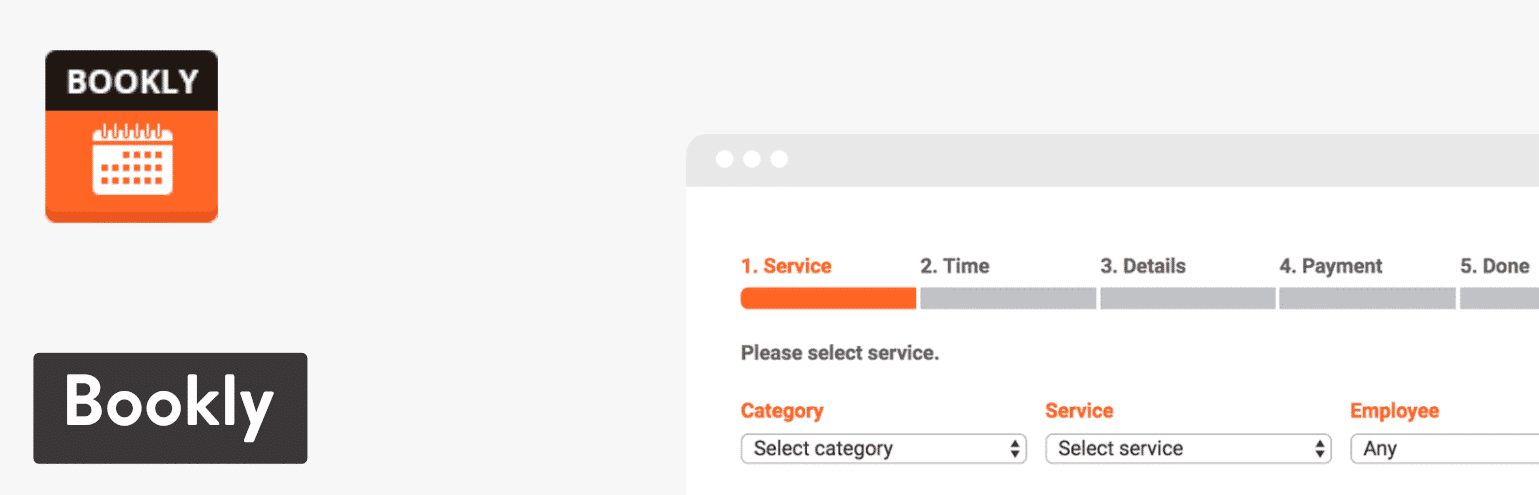
As for its characteristics, Bookly is the most modern-looking plugin on this list. It has a sleek design on the backend and frontend, and you can customize many areas of the booking form without knowing any code. I wouldn’t recommend it if you’re planning on using custom code, but I feel like most beginners and advanced users will feel at home with the plugin’s capabilities and style.
Bookly plugin
The booking form is entirely customizable and responsive. It has multiple views for both admins and customers. Not to mention, Bookly has a module for creating an unlimited number of staff members, where each member can create unique pricing and availabilities. So, for instance, a gym might do this for a group of personal trainers.
Overall, Bookly looks like a steal for small businesses that may not have the resources to hire a custom developer. It should provide most of the tools you need to run a booking system yourself.
Features That Make Bookly a Great Choice
- It’s the closest to a complete booking package you can find on the market right now. In short, you don’t have to know much about coding to come out with a beautiful result.
- You can include numerous service providers (employees) in the booking schedule. This way, your employees can charge separate rates and show different times.
- Not only can you send out automated email notifications, but an SMS system is built-in as well.
- There’s a Google Calendar integration that supports multiple calendars from all of your workers.
- Several add-ons are sold, such as one for coupons or one for adding extras to your services.
- The plugin lets you add an unlimited number of services in your booking page. You can also categorize them for better organization.
- Payment and booking rules are available to make your schedules more flexible for everyone.
8. Booknetic
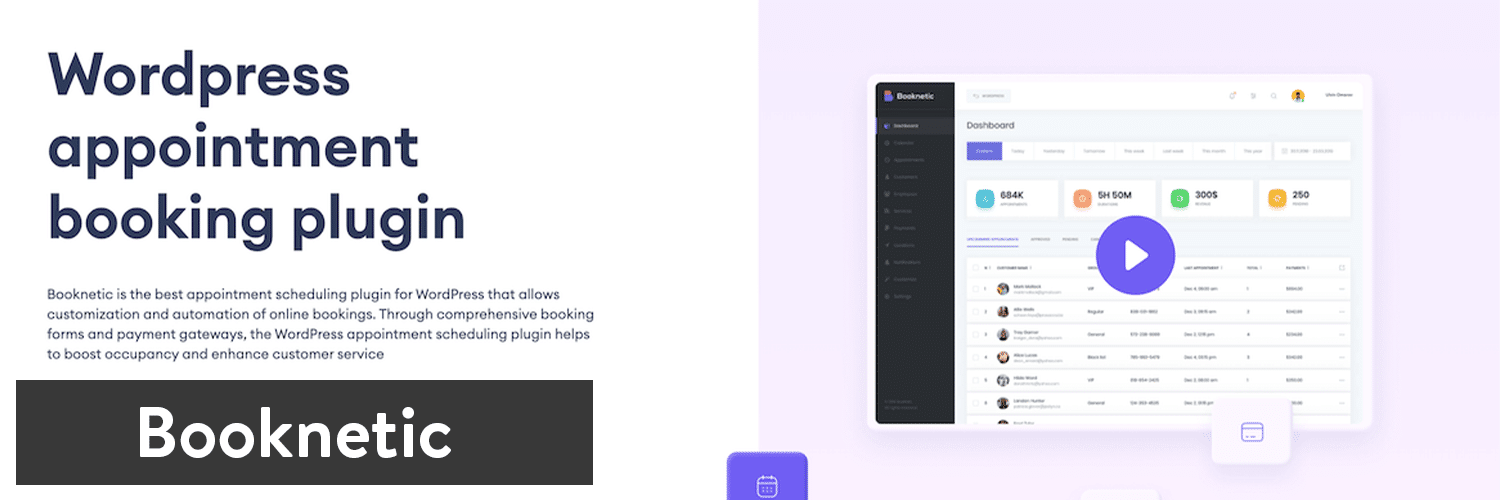
Booknetic is a feature-rich appointment booking plugin that fits various businesses including beauty, medical, fitness, law, education, and many more. It is very easy and quick to configure and manage the plugin. Its easy-to-use back-end and front-end and modern features are life-saver for businesses that cannot afford high-tier software solutions. Various integration channels allow you to fully automate your appointment bookings and settle a smooth workflow.
Booknetic
Full customization of features helps to get control over your appointments. Multi-device compatibility ensures that appointments can be made, or changes on the go. Using drag and drop builder, you can customize the booking panel, reorder the original steps, add or remove the extra steps to create your ideal booking panel.
You can use the back-end panel to manage your overall workflow. It has separate sections for staff, customers, appointments, locations. Using the reporting panel, you can get insights into the real-time statistics of your business, see the most earned, booked employees and services and compare one with another.
Booknetic has world-class customer support that is reputable for its comprehensive and timely responses. The plugin is sold through the Envato market, where it has a 5.00 rating from customers. As for its customer support and the usability of its features, Booknetic ranked number 1 in the Envato market. You can pay $79 for a single website on a one-time basis. Finally, it gives you lifetime access to future updates and 6-month customer support.
Features That Make Booknetic a Great Choice
- Calendar sync to avoid double bookings
- You have a booking widget to place anywhere on your website
- The complete control of your schedule by defining breaks, day-offs, padding times between appointments
- Sign in with Facebook or Google feature
- Unlimited services, employees, and locations to set your booking panel
- Customization options to organize your booking flow
- Customizable design to match your branding
- Online payments through the most secure and popular payment gateways like Paypal, Stripe, Mollie, and more
- Ability to sales your upsell your services via WooCommerce payments
- Online billing and invoicing for easier accounting
- Automatic notifications and reminders to staff and customers about the appointments, payments, and sales offers
- Ability to access virtual events via Zoom integration
- Recurring appointments to avoid repetitive bookings
- The plugin allows you to send notifications through messages, emails, and WhatsApp
- Comprehensive reporting to define performance by staff, location, and the service
- Gift Cards and discounts to increase customer retention
9. Webba Booking
Webba Booking is one of the most flexible booking plugins out there. It has a modern looking booking form and a simple bookings management in the backend.

Webba Booking
Its free version provides most of the features any business would need, including an unlimited number of services you can make bookable. The premium version of Webba Booking enables users to integrate with different payment processors, Zoom, Twilio (SMS), and calendars, as well as provide booking analytics for savvy business owners.
If you check the online reviews, you’ll quickly notice that people are raving about this plugin’s support team, which is great because good and quick help is not that common in software nowadays.
Features That Make Webba Booking a Great Choice
- Offer as many services as you want: add as many bookable services/events as you want and categorize them for your and/or your customers’ convenience.
- No coding experience needed: Webba is super easy to use, integrate, and manage your bookings with.
- Manage bookings and schedules with ease: in Webba you’ll see an overview of all your bookings and be able to add/edit/cancel them with a few clicks.
- Control your business hours & holidays: have complete control of your own availability with our powerful schedule tools.
- Enjoy powerful pricing settings: offer pricing based on time, day, number of time slots already booked, and many more options.
- Send & Customize Email notifications/reminders: turn on/off any email notifications for you or your customer and customize them with variables and your own flair.
- Get use of a powerful booking logic: use over 20 different booking settings Webba offers to make special cases and rules applicable to your business
- Translate and reach people from all over the world: Webba offers built-in translations and WPML compatibility.
- Track performance through statistics (PRO FEATURE): track and visualize many bookings you get over time
- Create automatic Zoom events (PRO FEATURE): perfect if your service is provided online through Zoom Video Conferencing!
- Offer special deals through Coupons (PRO FEATURE): Whether it’s Black Friday or your Birthday sale – offer promotional coupons through Webba!
- Accept deposits and payments (PRO FEATURE): Secure online payment integrations with Paypal, Stripe, or Woocommerce (with its 100+ gateways).
- Connect with Google Calendar (PRO FEATURE): track your bookings and avoid double bookings with a 2-way Google Cal integration
- Send SMS reminders (PRO FEATURE): ability to integrate with Twilio
- Comply with strict GDPR (EU) rules: we offer advanced privacy and data protection settings.
- Mobile & Desktop friendly: booking form design that looks good on all devices, and you can change colors to fit your brand
10. Bookings for WooCommerce
Bookings for WooCommerce allows you to accept bookings on your website using the WooCommerce plugin. This gives you all the advantages and flexibility of using the world’s most popular ecommerce platform, including a huge choice of payment gateway, as well as allowing to sell other items.

Bookings for WooCommerce
With Bookings for WooCommerce, you can sell bookable products like vacation rentals, product hire, venue hire, and rentals. Users can select a start and end date using separate calendars and you can set the bookable period as nightly, daily or weekly. You can specify bookings to start on specific days of the week – crucial if you are renting out your property on certain days. You can also define buffer periods at the start and end of each booking, ensuring that bookings don’t overlap and that you have enough time for any changeover.
Other features include the ability to set different prices for different times of the year – so maybe you’d like to increase your costs during certain periods or reduce them during quiet times. You can also block out dates as unavailable, just in case you want to take some time off yourself. You can also offer discounts on bookings over a certain length – so the first is full price but get the second week half-price.
Bookings for WooCommerce is easy to use and integrates with other plugins like Add-Ons Ultimate – so you can charge for extra options on your bookable products.
Features that Make Bookings for WooCommerce a Great Choice:
- Extends WooCommerce, giving you extra flexibility and functionality.
- Integrates with other plugins like Add-Ons Ultimate.
- Has a 14 day money back guarantee, allowing you to try the plugin risk free.
- Easy to use, even for non-coders.
- Allows you to specify a certain day of the week to start your booking.
- Book nightly, daily or weekly.
11. Booking Calendar
Booking Calendar is one of the oldest booking plugins for WordPress, and the ratings show that it hasn’t slowed down with quality development over the years. The core plugin is free and comes with most of the features an average small business would need. However, you can upgrade to one of the many larger business plans, starting at around $60 for one website. After that, the pricing is way too confusing. If you go to the pricing page you’ll find five plans for Single Sites, five plans for Developer Sites, and five plans for MultiSite.
Along with the pricing confusion, the sales website isn’t all that easy to understand. I typically recommend users uses install the core plugin and see if it fits their needs–since it’s truly a powerful plugin, but it hurts your head trying to figure out which features come with which plan.

Booking Calendar
Anyway, some of the primary features to expect from the Booking Calendar plugin include automated email notifications for when users make their bookings and need reminders. One unique tool is the ability to set a timeframe open for a certain number of days. This way, you can accept several double bookings and then turn it off to decide who you should accept into that timeframe. I especially enjoy how the calendar shows the number of available, booked, and pending dates on the frontend for one month.
In addition, the Booking Calendar plugin integrates with tons of outside sites and calendar apps.
Features That Make Booking Calendar a Great Choice
- Besides Google Calendar, this plugin supports syncing with third-party sites like Airbnb, TripAdvisor, and Booking.com.
- The Booking Calendar plugin works in widgets for easy placement in sidebars.
- Multiple languages are supported for reaching out to customers in other countries.
- Showing your unique availability is rather flexible, with options for blocking out certain times and dates throughout the year.
- Some color customization is available, but the best styling capabilities appear when you use your own CSS.
12. Booking Calendar – Appointment Booking System
It may come as no surprise that some of these booking plugins have similar names. As with the previous plugin listed at #7, this one is also called Booking Calendar. Luckily, they also added the “Appointment Booking System” tag to make it easier to differentiate. The core plugin is free and offers many features for you to get started. For instance, it provides unlimited booking forms and widgets for reservation calendars. It’s also rather flexible for customizations, with options for changing the date formatting, adjusting the reservation fields, and much more.
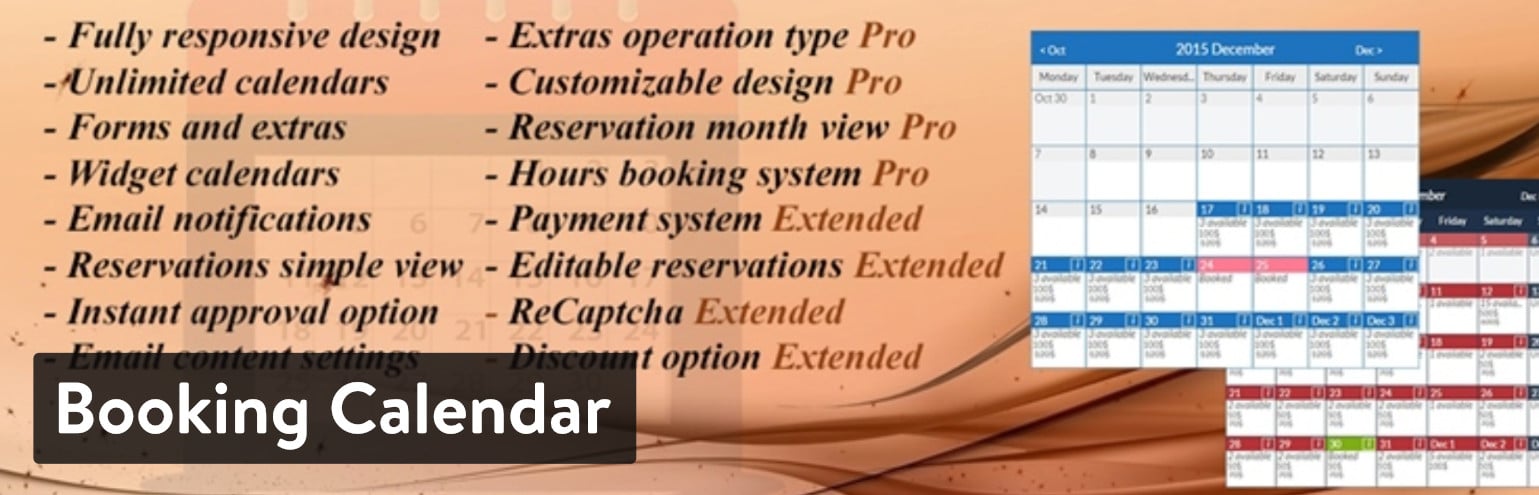
The Pro Version is worth looking into as well, since it only costs 60toaddafullpaymentsystemforonewebsite.Youcanalsogetamoreadvancedbookingsystemwithoutpaymentsfor60 to add a full payment system for one website. You can also get a more advanced booking system without payments for 60toaddafullpaymentsystemforonewebsite.Youcanalsogetamoreadvancedbookingsystemwithoutpaymentsfor30. Some others things you receive with the paid version include the following:
- Editable reservations.
- Discount tools.
- Options for minimum and maximum days reserved.
- A ReCaptcha to prevent spam.
- Potential for multiple site licenses depending on your plan.
Booking Calendar, Appointment Booking System plugin
The interface is a bit more rigid than some of the competition, so I tend to see this plugin as something that’s best for internal corporate use. After all, the free version already gives you support for unlimited calendars and if you’re only using it within your company there’s probably no need to accept payments for the reservations.
Regardless, I do enjoy the clarity and size of the booking calendar, seeing as how the number of availabilities are shown on each day, with excellent color coding and plenty of calendar space. The calendar module also works well if you’re trying to customize without any limitations. No, it’s not the most modern-looking calendar, but you can add as many custom fields as you want and include FAQ information, reservation details, and add-ons for your services.
Features That Make Booking Calendar – Appointment Booking System a Great Choice
- The booking calendar is extremely easy to implement, and the frontend interface is large and simple to walk through.
- There are several price points for flexibility, but many companies that don’t need payment processing can get everything they need for free. Furthermore, the actual pricing plans are quite affordable.
- Unlimited booking calendars are available in every plan.
- With a simple upgrade, you gain access to editable reservations, a payment system, and an option for discounts.
- You can still upgrade your overall feature-set without paying even more money for a payment system.
- Flexibility is the key with the Booking Calendar – Appointment Booking System. It’s filled with customization features and options for adding as many unique fields as you want.
13. Appointment Booking Calendar
The Appointment Booking Calendar plugin features two unique elements. First of all, it’s one of the only WordPress booking plugins with a free PayPal integration. There’s a premium version, but that’s only if you want the option to remove the PayPal link and get some other features like coupons. The Professional version goes for $49.99.
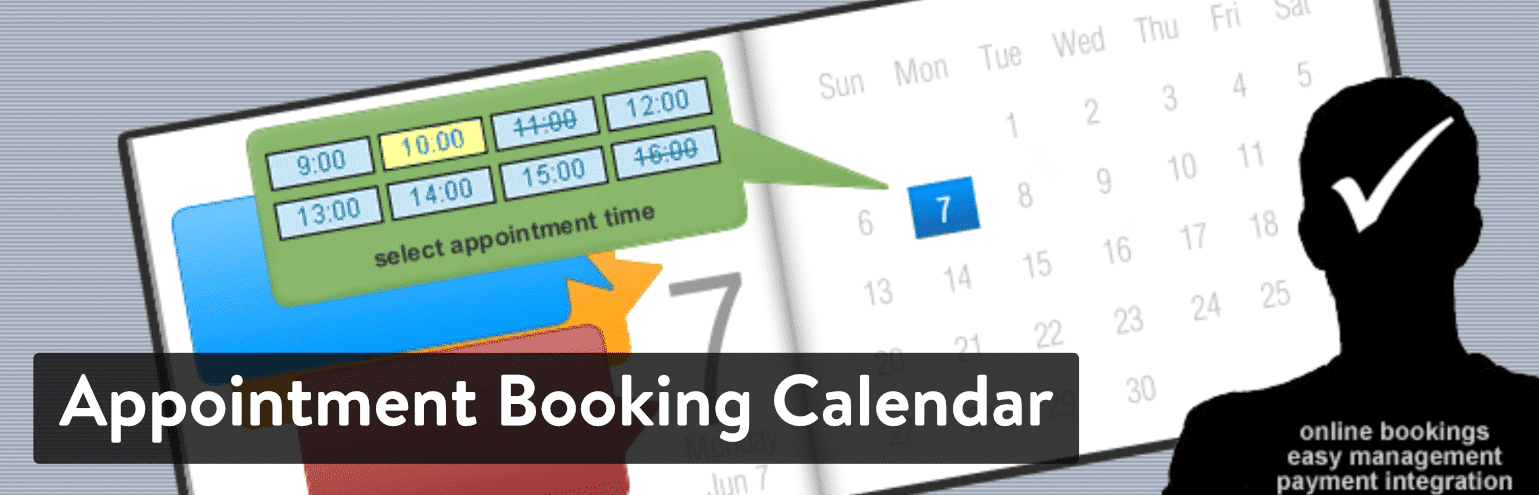
Another reason The Appointment Booking Calendar plugin stands out is because it’s mainly used for showing an available set of time slots as opposed to an entire calendar of choices. A calendar is still revealed on your website, but one of the primary features is to cross off the days that aren’t available and show the times that work best for you.
Overall, the free version looks unique compared to much of the competition on this list. You receive a built-in Captcha, availability verifications, and a multi-page calendar for people to scan the entire year.
Appointment Booking Calendar
Notifications and confirmations are sent out to both the user and admin, while you can also configure your calendars by importing a CSV or Excel file. In terms of the interface and design, the backend is easy to understand and manage your appointments. The frontend isn’t exactly the most contemporary look and feel, but you get to begin designing with three prebuilt templates. After that, custom CSS is the main route you’ll have to take to adjust the way your calendar appears online.
Features That Make Appointment Booking Calendar a Great Choice
- This is one of the only WordPress booking plugins with a free PayPal integration. It just sends customers to a PayPal checkout, but it still does the trick.
- The features for clearing out unavailable dates and times makes this plugin rather flexible when it comes to showing customers your actual availability.
- You also receive a Captcha in the free version.
- The plugin has been translated into dozens of languages for use all over the world.
- The multi-page calendar means that several months can be shown to your customers at once.
- If activated, users are able to book several time slots in one sitting. For instance, a doctor’s office might want to offer this to patients with recurring appointments.
- Along with CSV and Excel imports, calendar imports can be pulled from places like Outlook and Google Calendar.
14. Team Booking
As you may have noticed, most of the WordPress booking plugins are pretty affordable, even when you opt for the premium versions. Ideally, everything would be free, but in general, most companies require a premium version for those added features. That’s one of the reasons we like the Team Booking plugin, since it comes in at a low $28 price tag, and you can connect with PayPal or Stripe for payment processing.
The Team Booking plugin packs plenty of features comparable to the best alternatives on the market. This solution provides three built-in formats, one with a regular frontend booking calendar, another for unscheduled services (like support tickets,) and a third for upcoming events that updates your Google Calendar. The calendars are modern in their appearance, and the form builder is flexible for adding multiple fields and collecting your customer data with ease.

Team Booking plugin
You can even incorporate maps that pop up whenever a customer wants to reserve a time slot.
The feature list is difficult to cover completely, but overall, the majority of tools you would need are packed into the plugin. I wouldn’t recommend this booking plugin if you’d like to customize using code. But it’s an excellent solution with all of the built-in features needed for those who don’t know anything about coding.
Features That Make Team Booking a Great Choice
- Maps are integrated into the forms for when you need to send people to a location.
- The forms are modern and beautiful, with minimal steps and large fields.
- You can choose between event, appointment, or unscheduled booking forms.
- The pricing is some of the best you can find for a premium booking plugin.
- The Team Booking plugin integrates with your Google Calendar.
- You’re able to separate schedules based on however many employees or service providers you have. For instance, a customer support team might have varied schedules.
- Along with PayPal, you can accept payments through Stripe.
15. MotoPress Hotel Booking
The MotoPress Hotel Booking is a powerful reservation system for building and managing a hotel or property rental website. The plugin allows accepting online reservations, creating real-time availability calendars for each accommodation, handling online payments, automatically synchronizing booking calendars with popular OTAs etc.

MotoPress Hotel Booking WordPress plugin
You are able to list and describe your accommodations or rooms, optionally add extra service packages or facilities that will be available for reservation as well. Setting flexible price rates such as seasonal prices or refundable/non-refundable rates, weekly or monthly rates and variable pricing (varying the price depending on the length of stay or the number of guests) is also ensured by the plugin.
MotoPress Hotel Booking allows site admin to manage incoming reservations on the back end and set preferable confirmation mode for them: admin can either confirm the bookings manually or oblige the guests to confirm their reservations by email or via payment. Available payment gateways: PayPal, 2Checkout, Stripe, Braintree, Beanstream, Pay on Arrival.
Features That Make MotoPress Hotel Booking a Great Choice
- Two-way iCal auto synchronization with external booking platforms to exchange booking calendar data and avoid overbookings.
- Email notifications with booking details, booking confirmation/cancellation notes and other important messages for both admin and guests.
- Reserving an unlimited number of accommodations during one booking session.
- Integration with WooCommerce Payments add-on for obtaining more payment gateways.
- Categorizing your accommodations by any parameter (e.g. location, price range, etc.), thus enabling advanced search for them.
- Creating discount coupons with monetary value or percent-off ones.
- Demo availability to test both the backend admin area and front-end performance.
- Broad knowledge base of detailed and instructive video tutorials.
16. Salon Booking System
The Salon Booking System plugin is a tool designed to answer to the daily needs of salons owners, barber shops, hairdressers, beauty centers, nails styling parlors, and similar business. This plugin could be a great solution for those professionals that deliver their services upon reservation.

Salon Booking System plugin
It has been equipped with a full set of notifications and reminders options using email and SMS. An integration with WhatsApp is under beta testing phase. It’s fully integrated with Google Calendar in a way that the reservations received from the website are automatically published on the calendar of the business owner. Even the salon’s assistants can be notified of the upcoming reservations in many ways, email, SMS, and even through their Google Calendar.
Salon owners can add reservations from the plugin back-end calendar or simply using their Google Calendar account. Salon Booking System is equipped with many other features, among them there is an advanced discount system that allows the creation of coupon codes or discounts automatically applied when specific conditions are met during the reservation process.
This plugin is equipped with a set of shortcodes that will save a lot of time on content editing as they will pull out all the information about the salon services, the assistants and the reservations calendar.
Features That Make Salon Booking System a Great Choice
- It’s incredibly easy to set up and manage.
- Unlimited booking rules to represent the real salon timetable.
- Two-way synchronization with Google Calendar.
- Ready to process online payments, full and partial, with PayPal and Stripe. Many other payments gateway can be used buying a dedicated add-on.
- Full control over the look and feel of the booking form.
- Translated in more than 20 languages.
- Equipped with a whole set of APIs.
- Has the ability to collect feedback from customers.
- Personal account page for customers.
- Includes a reports section to control salon trends.
17. CM Booking Calendar
The CreativeMinds Booking Calendar plugin allows users to easily schedule appointments directly from their website. Specifically, the admin user can create multiple calendars with distinct time slots, set the number of seats for each event, customize booking forms, and moderate each request.

CM Booking Calendar plugin
One useful feature the CM Booking Calendar plugin provides is the possibility to create responsive front-End calendars which can then be added to blog posts, pages, and anywhere you like with a shortcode.
The plugin comes at a $39 price tag, including lifetime access and one year of support and upgrades.
Features That Make CM Booking Calendar a Great Choice
- You can create multiple calendars, each with its own appointment form, moderator, session length and availability period.
- The plugin is fully responsive so, when a small screen device is detected, it adjusts the calendar view to ensure the best visibility.
- All plugin labels and messages are editable and can be updated to any language and need.
- The plugin can be extended via add-ons to support payments, group events, and iCal Sync.
18. Booking & Appointment Plugin for WooCommerce
The Booking & Appointment Plugin for WooCommerce by Tyche Softwares will transform your store into a full-fledged booking platform for all kinds of products and businesses. Whether you run a gym, a salon, a hotel, a sports equipment rental company or a food business.
Bookings can be created for each WooCommerce product type, whether simple, group, variable, bundled or composite. There is complete admin control on the booking days to make available, the prices to charge for a particular day, for how many hours or days a product can be booked and even restricting the number of bookings that can be made on a particular day.

Booking & Appointment Plugin for WooCommerce
The plugin comes at a price tag of 199/yearforasinglestorestarterplanand199/year for a single store starter plan and 199/yearforasinglestorestarterplanand399/year for an Enterprise plan with 10 stores.
Features That Make Booking & Appointment Plugin for WooCommerce a Great Choice
- There is a built-in two-way Google Calendar Sync, so not just the admin but also the customer can keep track of the bookings they have made.
- For the same product, you can allow for different-length time-slots. If, as the organizer of a heritage tour, you want to conduct longer tours on weekends, you can do so.
- It works will all the payment gateways available with WooCommerce.
- There is a 30-day money-back guarantee and a full-year of customer support
19. Simply Schedule Appointments
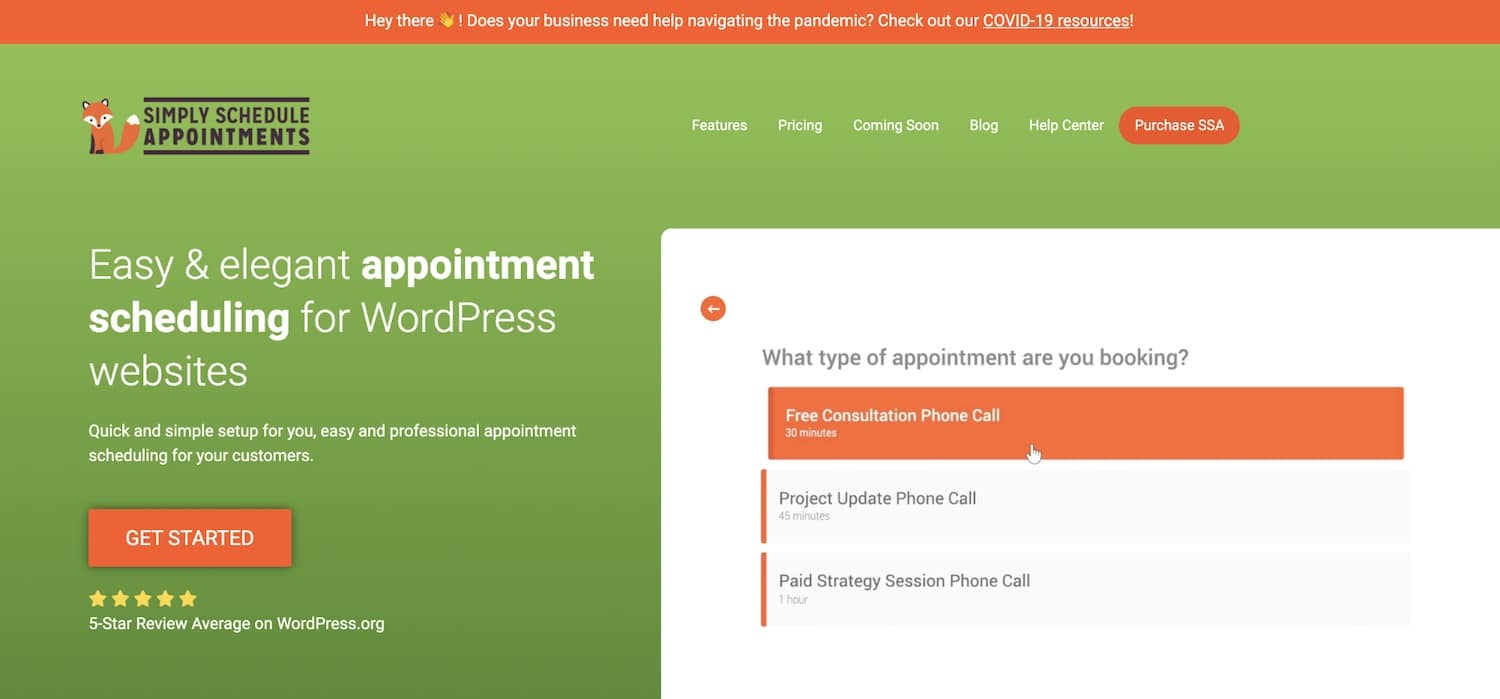
Simply Schedule Appointments is an elegant and easy-to-use scheduling plugin for businesses running on WordPress. They offer both a free version as well as three premium versions of their plugin, which include access to more advanced features and unique integrations. Their premium editions start at $99 (Plus Edition) and include features like Google Calendar sync, custom fields in your booking form, Mailchimp integration, and the ability to book classes and group events.
Simply Schedule Appointments is built to provide WordPress websites with a simple way to add and manage their online appointment scheduling. This is reflected in their interactive setup wizard, which walks you setting up your booking form and placing it on your website in just under five minutes. Additionally, all of their versions (including their free edition) integrate with popular page builders like Elementor, Divi, and Beaver builder—allowing WordPress users to simply drag-and-drop as well as style and customize their booking form to match their site.
Simply Schedule Appointments plugin.
One of the biggest reasons to consider Simply Schedule Appointments is for their frequent updates and high-quality customer support. Their development team is constantly working on releasing new features and upgrades (like team scheduling and a Zoom integration). Their customer support is also one of the few support teams that responds on the same day, which is reflected in their 5-star review rating in the WordPress repository.
Features That Make Simply Schedule Appointments a Great Choice
- This plugin offers a 100% free version that allows you to book unlimited appointments, customize your booking form to match your website, and drag-and-drop it onto your website’s pages using popular page builders.
- Premium editions offer the ability to accept payments via PayPal and Stripe—making it easy to get paid up front for your appointments or bookings.
- They integrate with over 15+ other tools including Gravity Forms, LifterLMS, and more.
- Their development team is constantly releasing new features and integrations based on customer feedback.
- Their customer support team is willing to jump on live Zoom calls to troubleshoot problems, and they always respond on the same-day.
Which of the Best WordPress Plugins Should You Go With?
This may seem like a substantial amount of information to consume. So, if you’re still undecided about which booking plugin is right for you, take a look at some of our recommendations below to narrow down your decision.
- If you like WooCommerce and want the best value – Shoot for WooCommerce Bookings.
- For a slightly more affordable booking plugin for WooCommerce – Check out the WooCommerce Appointments plugin.
- If you’d like a beautiful interface and lots of features for someone who doesn’t want to custom code – Bookings for WooCommerce and Bookly are great choices.
- If you need a structured and automated booking system for rental services with dynamic data management and calendar synchronization – JetBooking is a great choice.
- For one of the simplest, yet beautiful booking calendars – Look into Booked or Simply Schedule Appointments.
- If you want to sync with unique third-party websites like Airbnb and Booking.com – Look into the Booking Calendar plugin.
- When trying to make an internal scheduling calendar without a payment system – Consider the Booking Calendar – Appointment Booking System.
- If trying to integrate with PayPal for free – Appointment Booking Calendar got you covered.
- For when you’re interested in a premium product with a lower price tag – Take a look at the BookingPress or Amelia plugin.
- Run a hotel – Look no further than the MotoPress Hotel Booking plugin.
- Run a salon – The Saloon Booking System plugin is probably going to be your best bet.
Hopefully, both of our longer and shorter reviews have helped you hone in on the right booking plugin. If you have any questions about the best WordPress booking plugins, share your thoughts in the comments below!
Brian Jackson
Brian has a huge passion for WordPress, has been using it for over a decade, and even develops a couple of premium plugins. Brian enjoys blogging, movies, and hiking. Connect with Brian on Twitter.