10 best WordPress LMS plugins to create and sell courses online (original) (raw)
Whether it’s learning how to swing a golf club properly or take your web design skills to the next level, online courses have become a popular way for people to advance in life and their careers without spending too much money. In addition, online learning allows you to do something cool, like invest in cryptocurrency or learn German, all while sitting at home.
These video course websites are known to make a considerable amount of money, especially when focused on one niche. If you’re interested in putting your own knowledge online, in the form of online courses, your best bet is to choose from one of the popular WordPress LMS plugins.
An LMS, or learning management system, combines a wide range of features to present a class setting without having the students come into a physical classroom. It all depends on the WordPress LMS plugin you go with, but in general, the tools allow you to create classes, share coursework, enroll students, and evaluate the students with quizzes.
We like WordPress LMS plugins for schools and universities, along with for-profit organizations that want to teach customers how to complete a task or gain further knowledge on a topic. For instance, WP101 is a popular online classroom for teaching folks the basics of WordPress. Lynda.com and Udemy are known for their wide range of topics, while you can also find websites dedicated to just one or two topics.
What’s more is that if you start selling your video courses and materials, you might be able to market them for companies to use for training materials. Our WP101 example before has a wonderful package of beginner WordPress videos that developers could share with newbie clients.
What are you looking for in these WordPress LMS plugins?
We’ve already talked a bit about what a learning management system does, but what features should you be eyeing when researching the plugins?
Let’s explore some of the basic requirements, along with the extras that turn your learning website into something special:
- Course building, with tools for uploading different file types like videos, PDFs, links and other content. It’s important to have a solid course page builder. This way, you plug in your course content to a template and hit the Publish button.
- Course progress information to display to your students how well they are doing. This is important to keep users motivated and to act as a bit of a reward.
- Student enrollment and management for seeing how many people are in your courses and to collect payments based on memberships.
- Content dripping for slowly revealing some of the course materials as students progress.
- Quizzes and tests for students to evaluate how much they’ve absorbed the material. Many schools use quizzes as a way to determine who is qualified for a class, but it’s also a great way to establish benchmarks for when the next portion of content is dripped into the course.
- BuddyPress and bbPress integrations for users to generate student profiles and interact with other students and teachers through chats and forums.
- Financial marketing tools – These come in the form of affiliate programs, commission systems, and coupons. The goal is to convince more people to sign up for your courses by giving out incentives and building word of mouth.
- Automated emails for enhancing the incentives by giving students a more tangible way to see that they’re progressing.
- Excellent payment gateway support to add flexibility to your research process. You often find that one payment gateway might have lower fees or may not be offered in your region.
- Gamification and certificates – These are incentives that pop up whenever a certain activity is completed or when a course is finished. Badges and certificates are often much better than email confirmations, since people can print them out or simply feel good about themselves when something is unlocked.
- Homework options that make the submission and grading process easy. It’s not that hard to send out assignments on most platforms, but are students able to send back assignments without any problems?
The best WordPress LMS plugins
It’s prudent to go through the feature list we outlined above and mark down the elements that are most important to your new course website. If you don’t need some of them, maybe you can save some money by opting for a simpler WordPress LMS plugin as opposed to a full suite. On the other hand, you don’t want to be lacking the right tools once you begin accepting enrollments.
As for the best WordPress LMS plugins, here’s a quick list to get you started:
Feel free to click on those links and learn a little about each one. However, we highly recommend reading further to explore the uses for each WordPress LMS plugin and what features stand out the most.
1. Tutor LMS
Tutor LMS is one of the most popular additions to the world of WordPress LMS plugins. In a very short time, they have amassed an army of 50,000+ eLearning enthusiasts. It comes packed with unique features like the frontend course builder, drag-and-drop course creator, certificate builder, and continuous development support.

Tutor LMS
The core plugin is free, while the premium plan starts at $199 for a single-site license. With it, you get access to multiple premium addons like Certificates, Course Previews, Multi-Instructor, Frontend Course Builder, Content Drip, and more. You can also use integrations with Google Classroom for robust communication, Zoom for live video classes, and Elementor for a fully customized course-building experience.
Tutor LMS also boasts a secure platform with top security and coding practices. It has a growing list of integrations with ecommerce plugins, page builder plugins, as well as other popular ones like GamiPress, BuddyPress, and so on.
The key features in this WordPress LMS plugin
- With the Pro version, you get access to the frontend course builder. This enables a novice WordPress user to ignore the backend course builder and create courses right from the front end of the site.
- Comes with separate frontend dashboards for students, instructors, and admin. Each dashboard shows different settings based on different role types.
- Tutor LMS comes with a drag & drop certificate builder that lets you create certificates to award your students.
- Covers all types of course content media with support for text-only content, audio courses, videos, and Live Classes with Zoom integration.
- 10+ question types in the Quiz Builder for creative and insightful quizzes.
- Q/A and Student Forums for each course to boost communications.
- Enable/disable fully customizable triggered emails to send to your students and instructors for events happening on your Tutor LMS site. You can edit the emails using the built-in email template editor too.
- Tutor LMS Notification add-on allows you to send site-wide notifications for events based on your LMS site.
- Covers all monetization plans with support for ecommerce plugins like WooCommerce, EDD, Restrict Content Pro, and Paid Membership Pro.
- Fully customizable site-building experience with support for page builders like Oxygen and Elementor.
- The admin and the instructor dashboard both will help track and monitor earnings, give an overview of their LMS analytics, course details, earnings, statements, and more.
- Comes with useful add-ons like Certificates, Assignments, and Gradebook in the premium version.
- Tutor LMS also provides one-click migration tools if you’re planning to switch platforms. They currently support LearnDash and LearnPress, but they’ve stated that the supported platforms list will grow steadily.
- Tutor LMS is available in 27+ languages. So it is a truly multi-lingual supported tool if you are building for a global audience.
- The event calendar provides an overview of all that is happening and helps the user take necessary preparations.
2. LearnDash
LearnDash is used by many Fortune 500 companies and major universities because of its overall speed, feature set, and impressive online course design. the majority of the must-have features we talked about previously in this article are covered by LearnDash, so I would consider this as a full suite with tools for content dripping, selling courses, rewarding learners, and activating triggers based on actions.
The pricing is set on an annual basis, so it’s fairly affordable in the short term. For instance, you pay 199forthefirstyeartosupportonewebsitewithallthefeaturesavailableinLearnDash.Fora10−sitelicensethatpricejumpsto199 for the first year to support one website with all the features available in LearnDash. For a 10-site license that price jumps to 199forthefirstyeartosupportonewebsitewithallthefeaturesavailableinLearnDash.Fora10−sitelicensethatpricejumpsto399 per year, with unlimited site support sitting at $799. While LearnDash does not offer a free trial, it does provide a demo that allows users to explore all its features without any commitment. Additionally, if it doesn’t meet expectations after purchase, there is a 15-day money-back guarantee.

LearnDash WordPress LMS plugin
We’ll talk about the key features below, but they are organized into four categories: courses, monetization, administration, and technical. It’s also worth noting that LearnDash is mobile compatible for learning on the go. Also, the customer support is provided by industry leading experts through a sophisticated ticketing system.
The key features in this WordPress LMS plugin
- Includes an option to create multi-tier courses where you break up the courses into more advanced experiences. For example, you may want to have quizzes and different lessons along the way.
- Offers tools for drip feeding your content based on a schedule. You can also add lesson timers to ensure that everyone spends a certain amount of time on each lesson.
- There’s no need to integrate with a forum plugin, since dynamic forums are already built into LearnDash.
- LearnDash shows a gradebook to your students along with course points for whenever a user completes a certain part of the course. This pairs nicely with the certificates and badges.
- Market your courses with several monetization tools like a shopping cart, memberships, subscriptions, course bundles, and course licenses.
- LearnDash has automated email notifications and detailed reporting.
- Allows for user profiles and group management–this is perfect for any group work you would like to assign.
- LearnDash has support for most media types like videos, audio, images, Adobe Captivate files, and Google Docs.
- It’s also multisite enable, just in case you’d like to run LearnDash on a network.
- Let users create their own courses on your WordPress site using the premium Front-End Course Creation add-on.
3. Masteriyo
With over 4,000 active installations in just five years, Masteriyo has quickly become one of the most promising LMS plugins for WordPress. It’s a one-stop solution for educators, creators, and businesses looking to create and sell online courses without relying on multiple plugins and tools.

Masteriyo
With its user-friendly and intuitive course builder, even a non-tech-savvy can build engaging courses with interactive lessons, quizzes and assignments.
The free version includes the core LMS along with basic monetization via Stripe and PayPal. For advanced features, you can upgrade to premium plans, which currently have a 50%introductory discount. So, it starts at just $99/year. They also offer lifetime plans for individuals, freelancers, and agencies.
The premium features include White Label, Multiple Instructors, Student Activity Log, Smart Coupons, Assignments, and QR Verification for Certificates, as well as third-party integrations. Masteriyo comes with its own eLearning theme and is also fully compatible with any theme created following the WordPress standard.
The key features in this WordPress LMS plugin
- The plugin provides an intuitive drag-and-drop course builder with 7 lesson types.
- The course builder in the WordPress back-end is built on React. Hence, it’s superfast loading.
- Advanced quiz builder with 9+ question types, including True/False, Match the Following, and Sortable.
- Distraction-free learning page for students with course navigation, a progress bar, and a Q&A feed.
- Another great feature Masteriyo includes is the in-built order system. The system has a cart, checkout form, wish list, coupon, course bundle, course subscription, and geographical pricing.
- Payment Gateways include PayPal, Stripe, Razorpay, and Mollie. You can expand it further using integrations like WooCommerce, SureCart, EDD, and Lemon Squeezy.
- The courses you create will look great on all devices, like mobiles, iPhones, iPads, and other small handheld devices.
- It has full integration with popular page builders like Elementor, Divi Builder, Oxygen Builder, Bricks Builder, and Beaver Builder.
- Masteriyo also provides an eLearning theme with single-click demo importer for 5+ LMS templates.
- The plugin offers a dedicated support team not only for premium users but also for free plugin users.
4. MasterStudy LMS
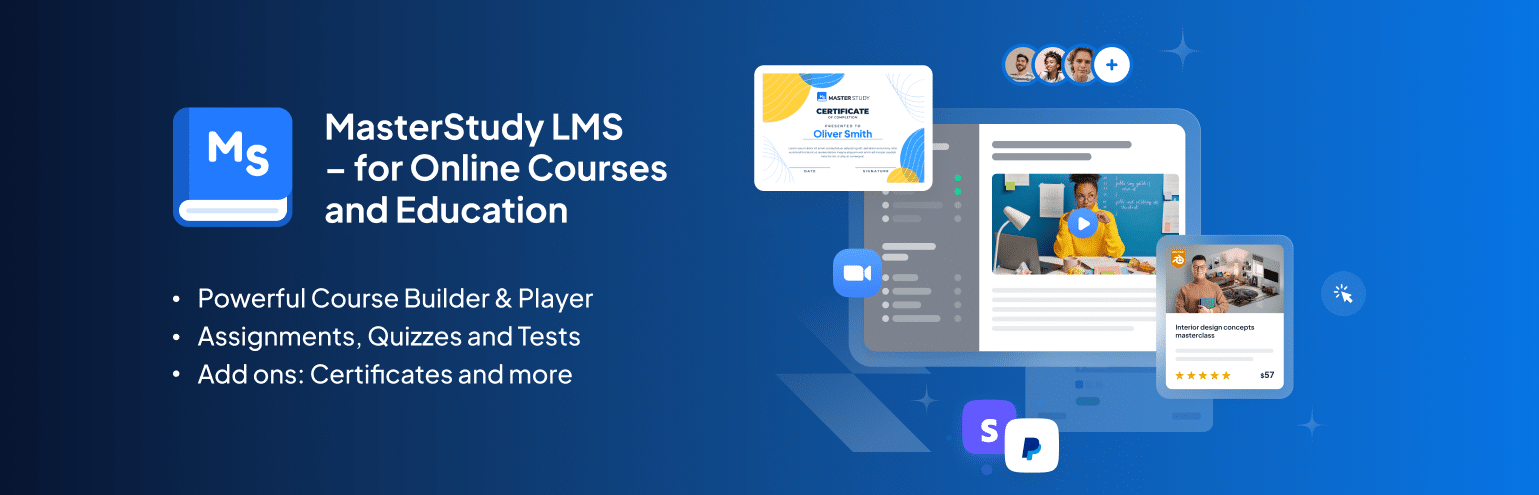
MasterStudy LMS is the most full-fledged LMS plugin on our list, packed with everything you need to build, manage, and monetize an online education platform on WordPress. It’s available for free and works with any WordPress theme.
The plugin includes a free Starter theme with a ready-made LMS site template. For even more flexibility, you can upgrade to a pack of 4 premium MasterStudy templates tailored for different niches like coaches, marketing agencies, universities, and more. It comes with built-in widgets to create a unique e-learning site design. Pricing plans for the MasterStudy LMS plugin start at $99.
MasterStudy LMS
The key features in this WordPress LMS plugin
- Powerful course builder for creating structured lessons with ease.
- Supports video lessons with various formats and live classes via Zoom or Google Meet;
- Interactive learning tools like video lesson markers and questions to boost engagement.
- Includes a grading system for assessments like quizzes and assignments.
- One-time and recurring payment options via PayPal, Stripe, and WooCommerce;
- Use AI Addon to instantly generate entire courses, quizzes, assignments, and even visuals;
- Drip Content system for releasing lessons in a step-by-step flow;
- In-depth reports and analytics on courses, students, revenue, and more.
- Complete LMS website building experience with all popular page builders and pre-built customizable templates.
5. Lifter LMS
Lifter LMS is a respectable alternative to LearnDash, but the pricing starts at 299peryearforafullLMSbundle.However,ifyou’dliketobuyadd−onsindividually,youmightbeabletosavesomemoney,sincetheyareeachsoldfor299 per year for a full LMS bundle. However, if you’d like to buy add-ons individually, you might be able to save some money, since they are each sold for 299peryearforafullLMSbundle.However,ifyou’dliketobuyadd−onsindividually,youmightbeabletosavesomemoney,sincetheyareeachsoldfor99. I don’t really see the point to this, since three add-ons already get you to that $299 price for the package, which includes dozens of the modules for that same price.
However, we like Lifter LMS for its unique integrations with WooCommerce, MailChimp, and AffiliateWP. If you’re already using one or two of the many Lifter LMS integrations, it might make sense to consider Lifter LMS over LearnDash. In addition, a $1, 30-day free trial is provided, so there’s more incentive to test Lifter LMS before paying full price.
LifterLMS WordPress plugin
Lifter LMS is also known for its services, where you pay for a bundle with items like sample courses, sample quizzes, certificates, and a fully configured website. This might come into play for those who aren’t that technical but have the content ready to launch.
The features are more or less the same as LearnDash, but there are a few notable differences. For instance, Lifter LMS includes a graphics pack with backgrounds and other design elements. You can also collect customer testimonials to help you sell the courses in the future. Another reason the Lifter LMS plugin looks interesting for beginners is because of its integrations with Divi and Beaver Builder. These drag and drop editors remove the need to mess with code, and they deliver a more visual design experience.
The key features in this WordPress LMS plugin
- Lifter LMS provides a direct WooCommerce integration for selling your courses individually or as bundles.
- The drag and drop course building tools and integrations are bound to attract beginners and those who want the easiest design experience possible.
- The main plugin is free, so you can technically build a simple online course website without paying a dime. The only add-on you would have to pay for is one of the payment gateways.
- The customer support includes technical support, live office hours, and plenty of free training courses.
- The Lifter LMS course builder offers options for all types of multimedia, a beautiful course builder, drip content, and quizzes.
- Moving platforms is a breeze since Lifter LMS provides a course import and export tool.
- Create discussion areas and social profiles for your students to interact with each other and their teachers.
- You get a wide variety of marketing and moneymaking tools like recurring payments, multiple gateways, unlimited pricing models, and coupons.
- You can implement a tool called “social learning,” which unlocks the power of Facebook likes to improve how students view your courses and interact.
The Lifter LMS even team recommends Kinsta for LMS hosting. 👍
6. LearnPress
LearnPress serves as the simplest and cleanest choice in the world of WordPress LMS plugins. The plugin is completely free to use, but you most likely have to pay for a LearnPress compatible theme. The main downside is that the customer support isn’t as dedicated as you might find with a premium LMS. That said, most of the basic LearnPress add-ons are free, and the email support reps respond to you within 24 hours. You can also opt to pay for premium add-ons for items like certificates, co-instructor support, and WooCommerce support.

LearnPress WordPress plugin
Each LearnPress course can be created with quizzes and lessons as the students move through the curriculum. You might have to activate a few add-ons, depending on how advanced you need to make your online course website. For instance, there are add-ons for bbPress, BuddyPress, course reviews, wishlists, importing/exporting, and prerequisites to courses.
The key features in this WordPress LMS plugin
- LearnPress includes a landing page template for linking from ads and talking about course descriptions, curriculum, and more.
- You can create a beautiful page that markets to people who might want to become instructors.
- LearnPress supports a large collection of payment gateways including 2Checkout, Authorize.net, and Stripe.
- The core LMS plugin is free, so you have the opportunity to make a simple, yet in-depth online course. You’ll probably then spend around 70onathemeandaround70 on a theme and around 70onathemeandaround30 for a payment gateway integration. The good part about this is that you’re not stuck paying a yearly recurring fee.
- LearnPress allows for multiple instructors, where two or three teachers manage one course.
- A badges and point system is available to gamify your courses.
- Content dripping is provided, along with random quizzes, paid memberships, and a WooCommerce add-on.
7. Sensei
Sensei comes as an extension for WooCommerce, so it’s a practical addition to an eCommerce store that wants to include online videos and courses. The basic premise is simple: you create courses, write lessons, and add quizzes. User registration is also included, and it’s a simple process when adding other WooCommerce elements (like physical products) in with the courses.

Sensei LMS WooCommerce plugin
The pricing starts at 60andgoesupto60 and goes up to 60andgoesupto360 depending on how many sites you want to implement it on. This price is only good for one year, so it’s required to upgrade annually. The seamless WooCommerce integration is the bread and butter of Sensei, especially since it’s made to work with all WooCommerce themes. Overall, Sensei is built around the intuitiveness of WordPress, so the beginner user shouldn’t have any problems making a course like they would a regular WordPress post.
You should also consider the fact that Sensei doesn’t need a WooCommerce theme in order to function properly. The majority of well-coded WordPress themes combine nicely with Sensei, so it’s only a matter of how advanced you’d like your eCommerce functionality to be.
The key features in this WordPress LMS plugin
- The extension merges well with WooCommerce and WordPress, and the user experience isn’t much different than making a WordPress page or post.
- The majority of WordPress themes on the market integrate fine with Sensei.
- The user registration is done through WordPress, so once again, those familiar with WordPress should find Sensei easy to learn.
- The WooCommerce integration allows you to instantly charge for a course, whether it be as a subscription or on an individual basis.
- The simple course analytics provide information on grading, course completion, and students registered.
- The quizzes aren’t anything special when it comes to design, but several templates are offered for things like true/false, single line, file upload, and multi-line tests.
- Sensei displays random quizzes based on a bank of questions you set prior to launch.
- Quiz grading can be set to automatic or manual.
8. WP Courseware
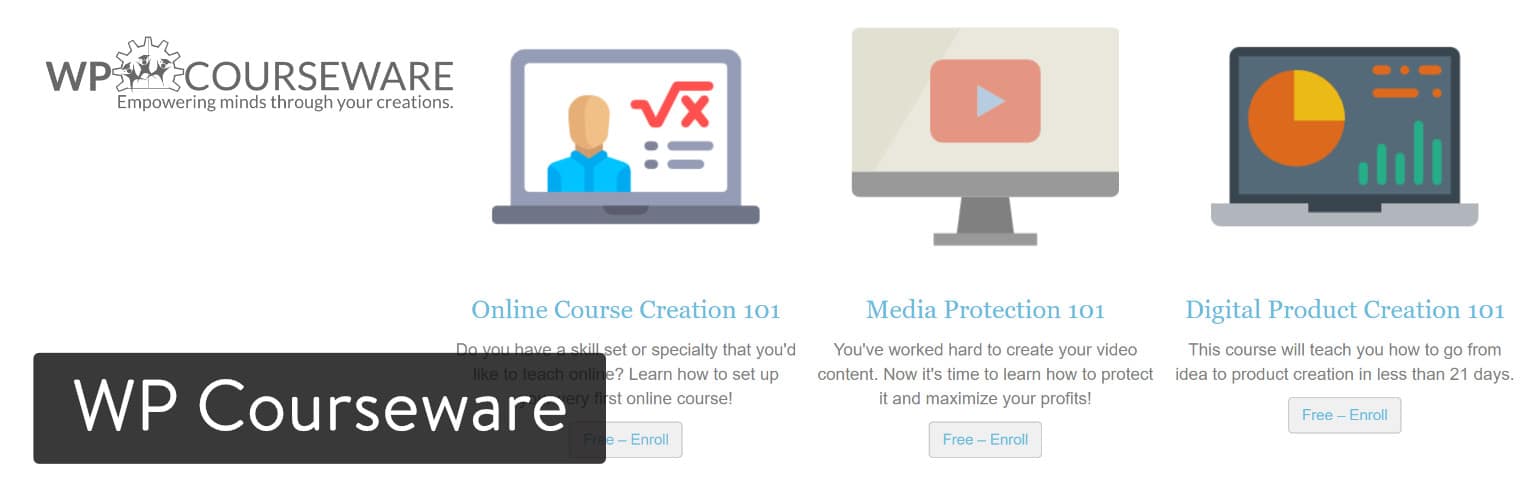
WP Courseware is one of the more promising WordPress LMS plugins for a few reasons. First of all, the pricing is far less complicated than some of the competition. In fact, you receive a bonus of a two-site license for the least expensive package, which starts at $159 per year. The on-site demo is the closest thing you’ll get to a free trial, but it’s a beautiful design filled with actual course content to get your creativity flowing.
What’s more is that WP Courseware is used by some of the top universities in the world, such as the University of Illinois and the University of Wisconsin Madison. You’ll also find WP Courseware tools on enterprise training sites, like if you were to work for CNN or Sheraton.
WP Courseware plugin
It’s clear that WP Courseware has an impressive set of features, and it all starts with the drag and drop editor. You can create courses with ease and even protect these courses from being stolen. A standout element of WP Courseware is the large collection of integrations you can choose from. WooCommerce is one of them, and there are plenty of other options like OptimizePress, BuddyPress, and Visual Composer.
The key features in this WordPress LMS plugin
- The most affordable pricing package allows for two sites at $99 per year. So, if you plan on making two online course websites, WP Courseware becomes more affordable than options like LifterLMS and LearnDash.
- The member portal provides a wonderful advantage since you get to speak with active users who also make online courses for money.
- The visual designer works with drag and drop elements, and it offers essential tools like course protection, drip content, and email notifications.
- The grade books can be viewed and exported for managing how well your students are doing.
- Sell through WP Courseware by integrating with your favorite eCommerce plugin. You’re not only limited to WooCommerce or a single payment gateway.
- You can run a multi-instructor system where you assign roles for the teachers for creating and managing the courses they teach.
- The quizzes offer multiple question types and question tags. In addition, question banks are optional if you’d like to generate random quizzes throughout a course.
9. Good LMS
Good LMS sells for 32andistheonlyviableWordPressLMSpluginontheCodeCanyonmarketplace.It’sinterestingthatthisisthecase,sinceyoucanfinddozensofsuitablepluginsforotherWordPresscategories.Thatsaid,the32 and is the only viable WordPress LMS plugin on the CodeCanyon marketplace. It’s interesting that this is the case, since you can find dozens of suitable plugins for other WordPress categories. That said, the 32andistheonlyviableWordPressLMSpluginontheCodeCanyonmarketplace.It’sinterestingthatthisisthecase,sinceyoucanfinddozensofsuitablepluginsforotherWordPresscategories.Thatsaid,the32 fee only gets you support and updates for one year, but the one-time payment still maintains your control over the plugin features. Therefore, it’s the least expensive premium plugin on this list.
As with most good WordPress LMS plugins, Good LMS has features for creating courses, selling them, and implementing quizzes and certificates. The CodeCanyon page includes several demos (student backend, instructor backend, transaction backend) for a full taste of what to expect.

Good LMS WordPress plugin
The design process is managed much like a regular WordPress blog post, where you create quizzes, courses, and certificates right from the WordPress dashboard. The course process meter provides a beautiful look into student achievements, and setting a commission rate for an instructor allows for you to manage the people who work on your team. Course ratings are also available, so Good LMS appears to be a wise choice for those who want to make a course marketplace.
The key features in this WordPress LMS plugin
- Good LMS lets you make a simple course marketplace (like Udemy,) with course ratings and teacher commission settings.
- The WordPress LMS plugin costs far less than some of the premium suites.
- Modify quiz settings so that all students have multiple opportunities to takes the quizzes.
- Course badges and certificates are revealed in the student backend, where users also have access to progress reports.
- A simple coupon code creator helps you make and share the codes to gain more students.
- Good LMS leans heavily on the WordPress interface, so a regular WordPress user won’t need to learn new design techniques.
10. Namaste! LMS
Although it’s not as popular as the previous seven WordPress LMS plugins in this article, Namaste! LMS should not be overlooked. You can download the core plugin for free and design a respectable online course without the need to spend much money. However, the Namaste! premium theme is most likely what’s going to be used for the design, and that starts at $67. In addition, the Namaste! Pro module packs in numerous add-ons and premium support for the year.
As an example, Namaste! Pro offers options for awards and badges, along with file and course protection. You can also enable shopping carts for premium courses and connect with the WooCommerce or WP Simple Cart plugins.

Namaste! LMS WordPress plugin
I enjoy the simplicity of the core plugin, but it’s not going to be enough for most online course webmasters. After all, you don’t get basic features like delayed course material or teacher assigning unless you pay for the premium package.
However, the pricing is still reasonable, so it’s not that big of a deal if you’re looking for an alternative to the big dogs like LearnDash.
The key features in this WordPress LMS plugin
- The integrations strengthen the overall functionality of your course website while also catering to niches. For instance, the Watu integration satisfies the need for quizzes and exams, while the MoolaMojo connection works wonders for giving out points and letting students buy more courses with the points earned.
- Creating and editing a course works similar to making a standard WordPress post. It’s simple and intuitive enough for beginners, but you still have access to more advanced customization options.
- You can enable a shopping cart to collect money and manage subscriptions for individual videos or packages.
- There’s a tool for protecting your files from unwanted intruders.
- You can award badges and create a gamified atmosphere to press users to work harder on the lessons.
An alternative WordPress LMS plugin
While we can’t cover all of the WordPress LMS solutions, here is an additional one worth mentioning.
Which of the WordPress LMS plugins are right for you?
The good news about the WordPress LMS market is that these ten plugins are really the only viable options to choose from. Far too often we see plugin categories with 20 or 30 plugins to choose from, and that clutters the shopping space.
So, you can stick to these solutions and start from the number one recommendation. Or, you can go based on your particular needs:
- The WordPress LMS plugins with the best values and most features: LearnDash, Lifter LMS, and WP Courseware.
- The cheapest of the WordPress LMS plugins: LearnPress, Good LMS, MasterStudy LMS.
- The ideal WordPress LMS for beginners (and for making a basic online learning website): Lifter LMS.
- The best WordPress LMS plugins for making an online course marketplace like Udemy: Good LMS.
You can’t go wrong with any of the WordPress LMS plugins on this list, so it’s more about honing in on the exact features you would like to see in your online classroom. After that, think about price–but not too hard since a quality learning website can make up the monthly fees with ease.
Also, don’t forget to read our in-depth guide about the challanges hosting membership sites: The Do’s and Don’ts for Hosting WordPress Membership Sites
That’s all we have for you! Do you have a WordPress LMS plugin you prefer? We’d love to hear about it below.
Brian Jackson
Brian has a huge passion for WordPress, has been using it for over a decade, and even develops a couple of premium plugins. Brian enjoys blogging, movies, and hiking. Connect with Brian on Twitter.