Overview of DNS security policy (original) (raw)
This article provides an overview of DNS security policy and Threat intelligence feed.
For more information about configuration of DNS security policy and Threat intelligence feed, see the following how-to guides:
What is DNS security policy?
DNS security policy offers the ability to filter and log DNS queries at the virtual network (VNet) level. Policy applies to both public and private DNS traffic within a VNet. DNS logs can be sent to a storage account, log analytics workspace, or event hubs. You can choose to allow, alert, or block DNS queries.
With DNS security policy you can:
- Create rules to protect against DNS-based attacks by blocking name resolution of known or malicious domains.
- Save and view detailed DNS logs to gain insight into your DNS traffic.
A DNS security policy has the following associated elements and properties:
- Location: The Azure region where the security policy is created and deployed.
- DNS traffic rules: Rules that allow, block, or alert based on priority and domain lists.
- Virtual network links: A link that associates the security policy to a VNet.
- DNS domain lists: Location-based lists of DNS domains.
DNS security policy can be configured using Azure PowerShell or the Azure portal.
What is DNS Threat Intelligence?
Azure DNS security policy with Threat Intelligence feed allows early detection and prevention of security incidents on customer virtual networks where known malicious domains sourced by Microsoft’s Security Response Center (MSRC) can be blocked from name resolution.

Apart from the features already provided DNS security policy, the feed is available as a managed domain list and enables the protection of workloads against known malicious domains with Microsoft’s own managed Threat Intelligent feed.
The following are benefits of using DNS security policy with Threat Intelligence feed:
- Smart protection:
- Almost all attacks begin with a DNS query. Threat Intelligence managed domain list enables the detection and prevention of security incidents early.
- Continuous updates:
- Microsoft automatically updates the feed to protect against newly detected malicious domains.
- Malicious domain monitoring and blocking:
- The flexibility of observation of the activity in alert only mode or block the suspected activity in blocking mode.
- Logging enablement gives visibility into all DNS traffic in the virtual network.
Use cases
- Configure Threat Intelligence as a managed domain list in DNS security policies for an additional layer of protection against known malicious domains.
- Gain visibility of compromised hosts that attempt to resolve known malicious domains from virtual networks.
- Log and set up alerts when malicious domains are resolved in virtual networks where the Threat Intel feed is configured.
- Seamlessly integrate with virtual networks and other services such as Azure Private DNS Zones, Private Resolver, and other services in the virtual network.
Location
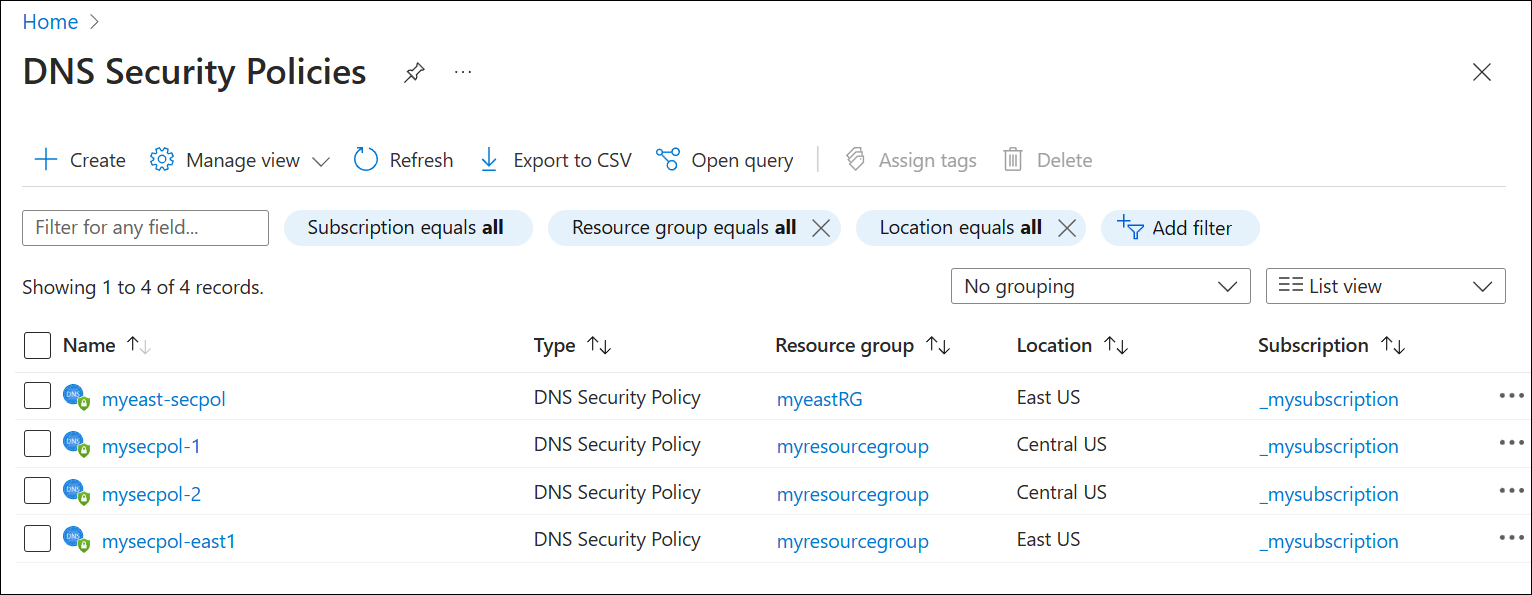
A security policy can only apply to VNets in the same region. In the following example, two policies are created in each of two different regions (East US and Central US).
Important
The policy:VNet relationship is 1:N. When a VNet is associated with a security policy (via virtual network links), that VNet can't be associated with another security policy without first removing the existing virtual network link. A single DNS security policy can be associated with multiple VNets in the same region.
DNS traffic rules
DNS traffic rules determine the action that is taken for a DNS query.
To display DNS traffic rules in the Azure portal, select a DNS security policy and then under Settings, select DNS Traffic Rules. See the following example:

- Rules are processed in order of Priority in the range 100-65000. Lower numbers are higher priority.
- If a domain name is blocked in a lower priority rule, and the same domain is allowed in a higher priority rule, the domain name is allowed.
- Rules follow the DNS hierarchy. If contoso.com is allowed in a higher priority rule, then sub.contoso.com is allowed, even if sub.contoso.com is blocked in a lower priority rule.
- You can configure a policy on all domains by creating a rule that applies to the "." domain. Be careful when blocking domains so that you don't block necessary Azure services.
- You can dynamically add and delete rules from the list. Be sure to Save after editing rules in the portal.
- Multiple DNS Domain Lists are allowed per rule. You must have at least one DNS domain list.
- Each rule is associated with one of three Traffic Actions: Allow, Block, or Alert.
- Allow: Permit the query to the associated domain lists and log the query.
- Block: Block the query to the associated domain lists and log the block action.
- Alert: Permit the query to the associated domain lists and log an alert.
- Rules can be individually Enabled or Disabled.
Virtual network links
DNS security policies only apply to VNets that are linked to the security policy. You can link a single security policy to multiple VNets, however a single VNet can only be linked to one DNS security policy.
The following example shows a DNS security policy linked to two VNets (myeastvnet-40, myeastvnet-50):

- You can only link VNets that are in the same region as the security policy.
- When you link a VNet to a DNS security policy using a virtual network link, the DNS security policy applies to all resources inside the VNet.
DNS domain lists
DNS domain lists are lists of DNS domains that you associate to traffic rules.
Select DNS Domain Lists under Settings for a DNS security policy to view the current domain lists associated with the policy.
Note
CNAME chains are examined ("chased") to determine if the traffic rules that are associated with a domain should apply. For example, a rule that applies to malicious.contoso.com also applies to adatum.com if adatum.com maps to malicious.contoso.com or if malicious.contoso.com appears anywhere in a CNAME chain for adatum.com.
The following example shows the DNS domain lists that are associated with the DNS security policy myeast-secpol:

You can associate a domain list to multiple DNS traffic rules in different security policies. A security policy must contain at least one domain list. The following is an example of a DNS domain list (blocklist-1) that contains two domains (malicious.contoso.com, exploit.adatum.com):
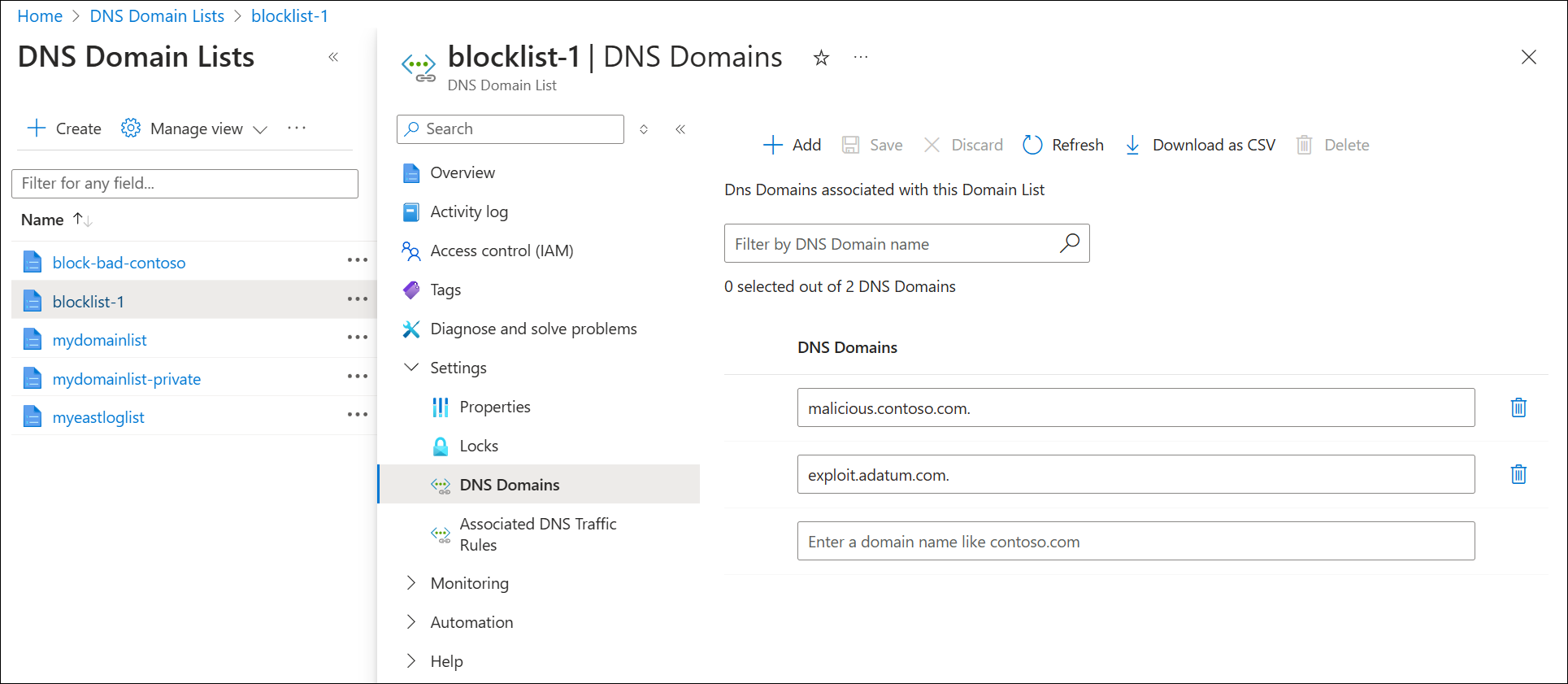
- A DNS domain list must contain at least one domain. Wildcard domains are allowed.
Important
Be careful when creating wildcard domain lists. For example, if you create a domain list that applies to all domains (by entering . as the DNS domain) and then configure a DNS traffic rule to block queries to this domain list, you can prevent required services from working.
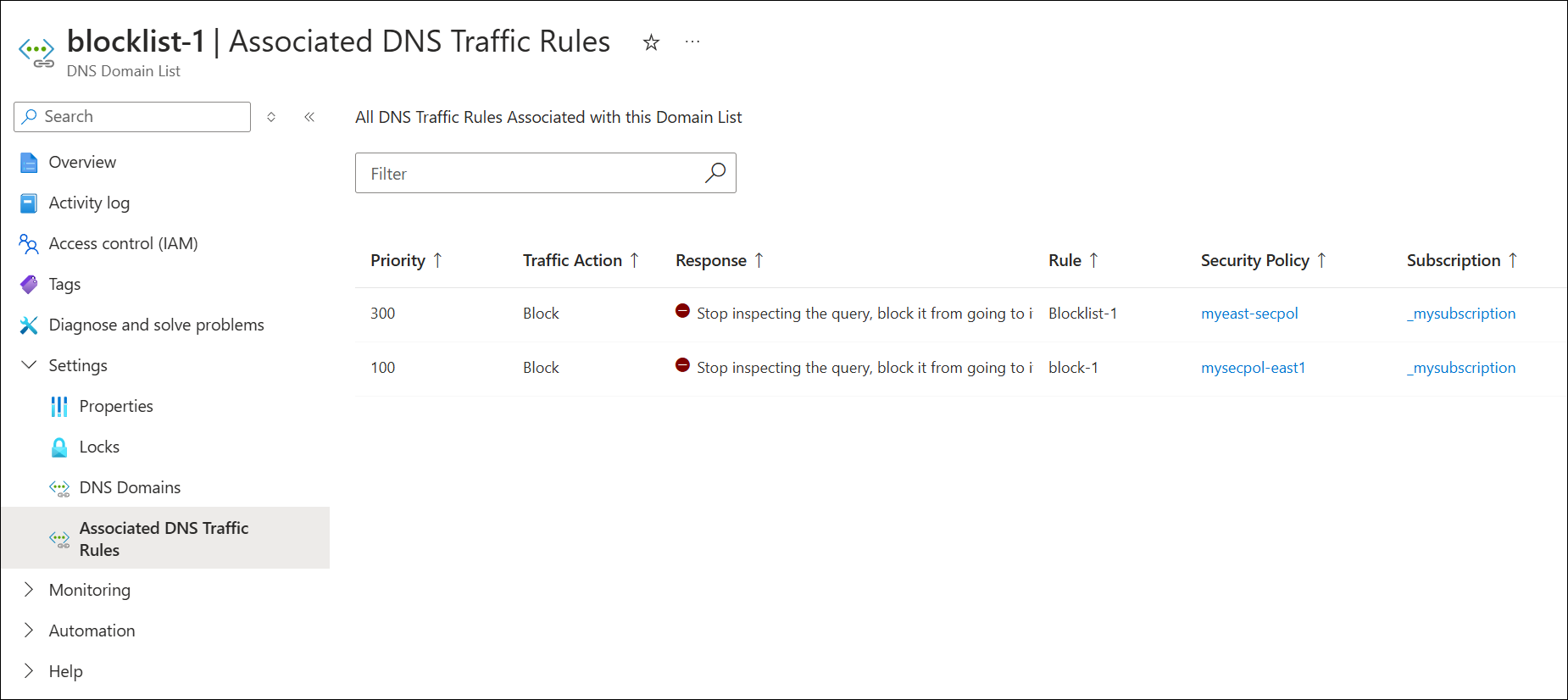
When viewing a DNS domain list in the Azure portal, you can also select Settings > Associated DNS Traffic Rules to see a list of all traffic rules and the associated DNS security policies that reference the DNS domain list.
Requirements and restrictions
| Restriction Type | Limit / Rule |
|---|---|
| Virtual network restrictions | - DNS security policies can only be applied to VNets in the same region as the DNS security policy.- You can link one security policy per VNet. |
| Security policy restrictions | 1000 |
| DNS traffic rule restrictions | 100 |
| Domain list restrictions | 2,000 |
| Large Domain list restrictions | 100,000 |
| Domain restrictions | 100,000 |