What is Windows ML? (original) (raw)
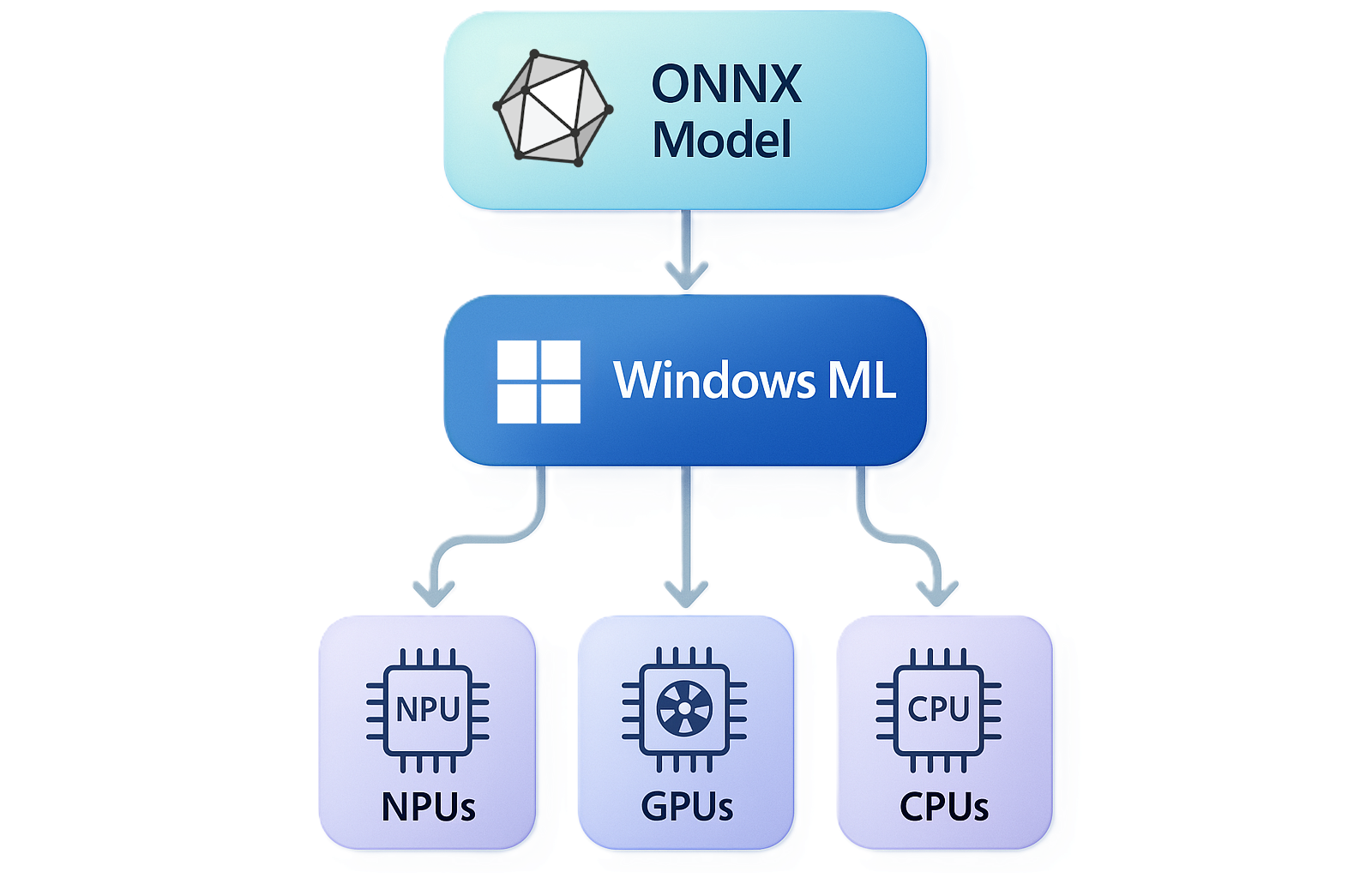
Windows ML is the unified and high-performance local AI inferencing framework for Windows, powered by ONNX Runtime. With Windows ML, you can run AI models locally and accelerate inference on NPUs, GPUs, and CPUs through optional execution providers that Windows manages and keeps up to date. You can use models from PyTorch, TensorFlow/Keras, TFLite, scikit-learn, and other frameworks with Windows ML.
Key benefits
Windows ML makes it straightforward to bring AI inference into any Windows app:
- Run AI on-device — models run locally on the user's hardware, keeping data private, eliminating cloud costs, and working without an internet connection.
- Use models you already have — bring models from PyTorch, TensorFlow, scikit-learn, Hugging Face, and more.
- Hardware acceleration, facilitated by Windows — Windows ML allows you to access IHV-specific NPUs, GPUs, and CPUs via execution providers that Windows installs and keeps up to date via Windows Update — no need to bundle the execution providers in your app.
- One runtime, many apps — optionally use Windows ML as a shared system component, so your app stays small and all apps on the device share the same up-to-date runtime, rather than every app bundling its own copy.
- Best-in-class performance — Windows ML delivers to-the-metal performance on NPUs and GPUs, on par with dedicated SDKs like TensorRT for RTX or Qualcomm's AI Engine Direct. Performance results vary by hardware configuration and model — see Accelerate AI models for hardware-specific guidance.
Why use Windows ML instead of Microsoft ORT?
Windows ML is the Windows-supported and maintained copy of ONNX Runtime (ORT), available as a system-wide copy or self-contained:
- Same ONNX APIs — no changes to your existing ONNX Runtime code
- Windows-supported — supported and maintained by the Windows team
- Broad hardware support — runs on Windows PCs (x64 and ARM64) and Windows Server with any hardware configuration
- Optional smaller app size — choose framework-dependent deployment and share the runtime across apps instead of bundling your own copy
- Optional evergreen updates — choose framework-dependent deployment and your users always get the latest runtime via Windows Update
Additionally, Windows ML allows your app to dynamically acquire the latest execution providers to accelerate your AI models, without carrying the EPs in your app and creating separate builds for different hardware.
See Get started with Windows ML to try it yourself!
Hardware acceleration on NPU, GPU, and CPU
Windows ML lets you access execution providers that can accelerate inference across the three silicon classes present in modern Windows PCs:
- NPU — battery-efficient, sustained on-device inference, with the most powerful NPUs available on Copilot+ PCs
- GPU — high-throughput workloads such as image, video, and generative AI, which will generally provide maximum performance on discrete GPUs
- CPU — universal fallback, plus IHV-optimized CPU accelerations
For the full silicon-to-EP mapping, driver requirements, and EP sourcing options, see Accelerate AI models.
System requirements
- OS: Version of Windows that Windows App SDK supports
- Architecture: x64 or ARM64
- Hardware: Any PC configuration (CPUs, integrated/discrete GPUs, NPUs)
Note
Support for CPU and GPU (via DirectML) is available on all supported Windows versions. Hardware-optimized execution providers for NPUs and specific GPU hardware require Windows 11 version 24H2 (build 26100) or greater. For detail, see Windows ML execution providers.
Performance optimization
The latest version of Windows ML works directly with dedicated execution providers for GPUs and NPUs, delivering to-the-metal performance that's on par with dedicated SDKs of the past such as TensorRT for RTX, AI Engine Direct, and Intel's Extension for PyTorch. We've engineered Windows ML to have best-in-class GPU and NPU performance, without requiring your app to distribute IHV-specific SDKs. Performance results vary by hardware configuration and model — see Accelerate AI models for hardware-specific guidance.
Converting models to ONNX
You can convert models from other formats to ONNX so that you can use them with Windows ML. See the Foundry Toolkit for Visual Studio Code's docs about how to convert models to the ONNX format to learn more. Also see the ONNX Runtime Tutorials for more info on converting PyTorch, TensorFlow, and Hugging Face models to ONNX.
Model distribution
Windows ML provides flexible options for distributing AI models:
- Share models across apps - Dynamically download and share models across apps from any CDN without bundling large files
- Local models - Include model files directly in your application package
Integration with Windows AI ecosystem
Windows ML serves as the foundation for the broader Windows AI platform:
- Windows AI APIs - Built-in models for common tasks
- Foundry Local - Ready-to-use AI models
- Custom models - Direct Windows ML API access for advanced scenarios
Providing feedback
Found an issue or have suggestions? Search or create issues on the Windows App SDK GitHub.
Next steps
- Run AI models - Install Windows ML and run your first ONNX model
- Accelerate AI models - Add NPU, GPU, or CPU execution providers for faster inference
- Find or train models - Find models compatible with Windows ML
- API reference - WinRT and ONNX Runtime APIs in the Microsoft.WindowsAppSDK.ML package