7 Best Digital Picture Frames (original) (raw)
We Tried All Kinds of Digital Picture Frames. The Best Are Easy to Use and Look Great.
They’re the perfect complement to your phone’s photo library.

By ,a technology and gadgets writer at the Strategist. He’s been covering technology since 2017 and previously wrote for Wired, Wirecutter, and Reviewed.com.
Photo: Marcus McDonald, Getty Images
Photo: Marcus McDonald, Getty Images
- Best overall
- Best large screen
- Best customizable
- Best digital picture frame and calendar
- Best smart display
- Best cellular-network frame
When I lived in a smaller apartment, I didn’t put much thought into hanging up family photos, mostly because I didn’t have the wall space. Once I moved into a larger home, though, the art I had accumulated didn’t fill up all my walls anymore and I’d grown more homesick than when I first moved out of state. Since placing a few digital picture frames around my house, though, I’ve been able to grace my home with pictures of my sister and her kids who live states away, plus photos she and my mom upload, without having to deal with choosing, printing, and framing individual photos.
A digital frame makes it much easier to view the many photos on our phones or hard drives or in the cloud. Prop one up on your desk or mantel, plug it in, install an app, and you can have a stream of photos or videos from your camera roll rotating all day. Many frames also support having others, such as friends and family, send photos to your frame through an app, email, or text message.
To find the best digital picture frame for you, I’ve tested over a dozen models with my own photo library, let family members send photos to my frames, and spoke with Strategist editors and writers who love their digital frames. Stylewise, digital picture frames trend toward the minimal and simple; you won’t find any gilt rococo options on the market. Probably the best-known maker of digital frames is Aura (all the podcast advertising probably doesn’t hurt), but there are many competitors offering different sets of features, and companies like Google and Amazon make smart displays that double as digital picture frames. I looked for attractive options that could match a variety of décor styles, with clean lines in classic colors or simple decorative bezels.

Read on to find out what to look for and my picks for the best digital picture frames.
Updated on March 4, 2026
I’ve added Aura’s new frame, the Ink, as an e-ink option, and the Skylight Calendar 2 as the new pick for a frame that’s also a calendar. Everything else is still available and the prices are up to date.
New! You can now save this product for later.
New! You can now save this product for later.
New! You can now save this product for later.
Most digital frames require an internet connection to receive photos, so if you are buying a gift for someone who doesn’t have access to the internet, you’ll want to choose one that is usable without Wi-Fi. On the flip side, if you want to add photos straight from your phone via an app or to remotely add photos to a frame you’ve given as a gift, you’ll want one with a good app for uploading new images or a frame that can pull from a specific Facebook or Dropbox folder or album in your camera roll. As long as you’ve got a Wi-Fi connection, this is the preferred method as you can always get more cloud storage, while on-board storage is more limited.
And if you want to display photos that are not originally digital — whether they were taken recently or years ago — the dedicated apps of some frames offer scanning options that make it easier to upload vintage and other printed photos or even a child’s artwork if you happen to have a young Picasso (or simply an enthusiastic crafter) on your hands. In any case, if you plan on having friends or family send you photos for your frame, you’ll want one that’s easy enough for them to send to without being an inconvenience.
Some digital picture frames have built-in storage to save photos locally on the frame or access them from a MicroSD card that you insert into it. The frame’s storage can also be expanded using cloud storage. Others are exclusively cloud-based and require you to upload photos through an app, or you can email photos to the specific frame using a unique email address or send via MMS; those images will be uploaded directly, though the frames may require a subscription to their cloud service, which usually costs about $5 per month.
Some brands offer smaller digital frames, but the most common screen size is around nine or ten inches, and the largestgo up to 21 inches. For screen resolution, look for 720p or higher; anything lower and your photos may look grainy or blurry owing to fewer pixels. We’ve listed both the resolution and the diagonal screen measurement for each frame below; the device itself will be larger once you account for the frame around the screen.
Most of us take photos in both landscape and portrait orientation, so the best frames will be able to adequately handle a mix of both no matter the device’s physical orientation in your home. Some frames will even show two vertical photos side-by-side when the frame is in landscape orientation to make better use of all their screen real estate.
Many frames are controlled using a dedicated app that allows you to manage when and how the photos are displayed. Some frames offer video playback and sound or are compatible with Apple’s Live Photos. Frames that have sensors for motion or light will allow the screen to go to sleep and wake up when someone passes by or the lights are turned on in the room. Some frames also have touch controls that let you swipe between photos or change settings without accessing an app.
Most frames don’t require a subscription to display photos, but some do.They often aren’t too costly, but it’sworth factoring into the price when you’re deciding which frame to purchase.
Want to be emailed about sales and other updates to your saved products? Success! You'll get an email when something you've saved goes on sale.
Yes
New! You can now save this product for later.
Photo-sharing method: Unlimited cloud storage| Storage: No onboard storage| Screen size and resolution: 12-inch LCD screen, 1600 x 1200 resolution | Photo orientation: Landscape or portrait| Video and sound: Yes | Subscription: No
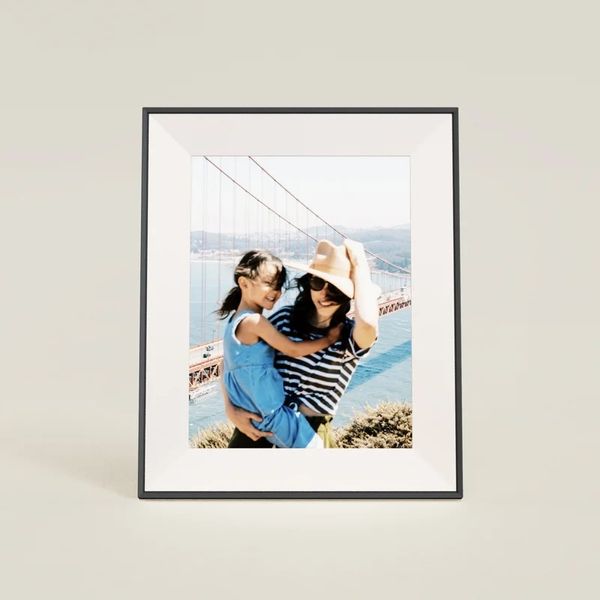
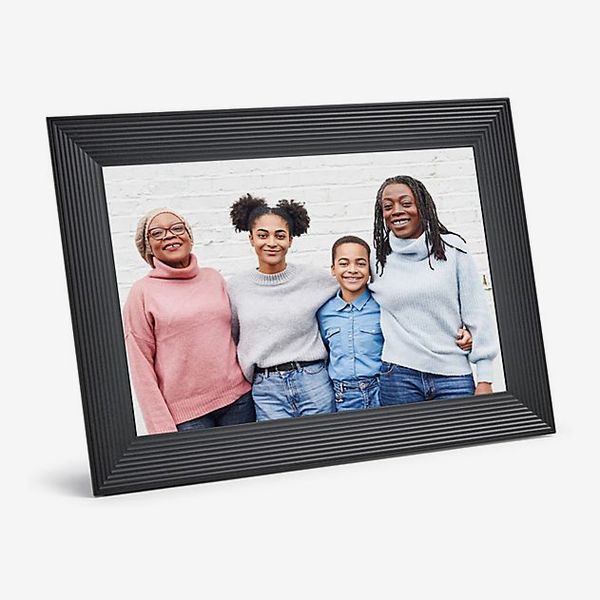
If you want a frame that’s nice to look at and frictionless to set up, get the Aura Aspen. Uploading photos takes just a few minutes in the company’s dedicated app, and you can add family members so they can put photos on your frame as well. Aura’s frames are the ones my family and several Strategist writers and editors all swear by.
From the frame’s app, you can set the frequency at which photos alternate, the order photos are played in (shuffled or chronological), the speaker volume for video playback, and whether you want the photo borders to be black or white. You can even scan printed photos straight from inside the app, no additional hardware necessary. It lets you upload photos remotely, and you can invite multiple people to add photos to the same frame (users can even add comments and likes in the app). The frame also supports video and Apple Live Photos (something no other frame we tested offered) and has a built-in speaker for sound. The frame itself is attractive and minimalist with a thin bezel and the slimmest design on any Aura frame yet — it’s just half an inch thick — and you can choose from two tasteful and understated frame colors, ink or clay. With the Aspen, Aura added a clever new way to conceal the power cable on the back. The stand for the Aspen also serves as a cover for the power port, so once you plug the cable in and put the stand into place you hardly see it.
Unlike Skylight’s Frame 2, the Aspen doesn’t have built-in storage, but you can upload unlimited photos using its dedicated app. This means you’ll need to keep your frame on a strong Wi-Fi connection. You can also link the frame to a Google Photos or Apple iCloud account, send photos to the frame’s unique email address, or use Aura’s web uploader. I used the web uploader to transfer about 100 photos, and everything synced perfectly without any image-quality issues. Strategist senior editor Jen Trolio, who has been using Aura frames for years, says she experienced some complications while using Aura’s web uploader with Apple’s Photos app, so if you’re going to upload from a Mac, it’s best to use files you’ve downloaded and can access from the Finder app. When the frame is connected directly to iCloud Photos or Google Photos, you can sync entire albums, so all you have to do is add select shots to that album, rather than adding them from within Aura’s app.
The Aspen — which has a 1600 x 1200 resolution — can show images in landscape or portrait orientation. Its 12-inch screen has a 4:3 aspect ratio that is perfectly proportioned for smartphone-camera photos, while the frame will automatically adjust photos when you rotate it from one orientation to the other. A discreet touch bar on the edge of the frame lets you swipe through photos and videos. It also has an ambient sensor that can adjust the brightness of the display or put it to sleep depending on the light levels in the surrounding area. And if you’re planning to give the frame as a gift, Aura makes it super-simple to preload with photos so all your recipient has to do is plug it in and connect it to Wi-Fi.
The one major downside to the Aura Aspen (and Aura frames in general) is in setting up additional frames. I had hoped I’d be able to transfer all the photos my mom, sister, and I have curated on my other frame (my sister is a diligent uploader to all our family frames), but there’s no such option; frames can’t be synced. You can add all the photos you’ve uploaded, but anything added by other family members has to be added to the new frame by them. You can email Aura’s support and they’ll do a one-time transfer of all the photos on another household frame, but even then, going forward, that’s another frame everyone will have to send photos to separately, instead of having a centralized account for multiple frames that everyone can feed photos to. One possible workaround is to have everyone add photos to a shared Google or iCloud album that is then synced with the frames. You may even prefer to be able to show different collections of photos on each frame in your home; I just wish it weren’t the sole option.
Want to be emailed about sales and other updates to your saved products? Success! You'll get an email when something you've saved goes on sale.
Yes
New! You can now save this product for later.
Photo-sharing method: Unlimited cloud storage | Storage: No onboard storage | Screen size and resolution: 10.1-inch LCD screen, 1280 x 800 resolution | Photo orientation: Landscape | Video and sound: Yes | Subscription: No
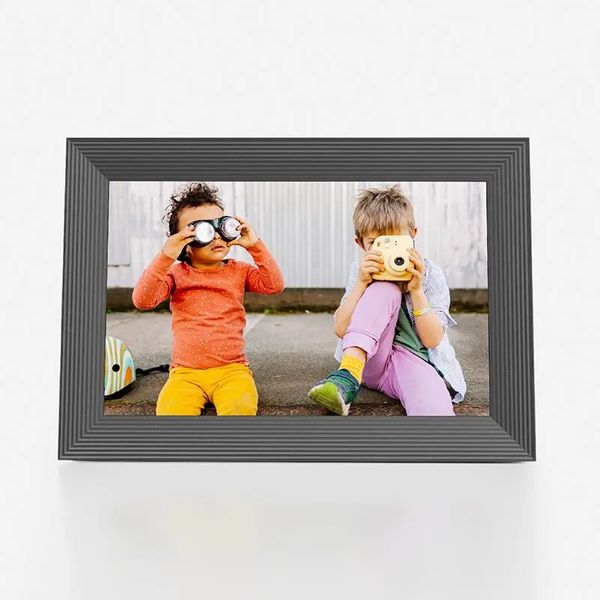
The Aura Carver’s functionality is similar to that of the Aspen for a lower price. The main differences are that the Carver has a slightly smaller screen with a lower resolution of 1280 x 800 and a 16:10 aspect ratio (compared with the Aspen’s 4:3, which better accommodates photos taken with a smartphone camera), and it can be displayed only in landscape orientation (an “intelligent pairing” feature can match up related vertical shots to display them side by side). Compared to the Aspen, the Carver’s images are less detailed, as it has fewer pixels. Colors on the Carver are vivid, and images look good, even up close, but the larger screen of the Aspen is easier to see from a distance or view two pictures side by side.
The Carver is available in two colors, gravel and sea salt. As with the Aspen, it’s very simple to preload with photos so all your gift recipient has to do is plug it in and connect it to Wi-Fi (this is easiest if they have a smartphone).
Trolio has gifted the Carver to multiple family members and called it the best thing she bought that year, noting, “Now that there are so many frames in my extended family, we can all add photos to one another’s frames too — it’s like having a private mini social network that is blissfully Zuckerberg free.”
Want to be emailed about sales and other updates to your saved products? Success! You'll get an email when something you've saved goes on sale.
Yes
New! You can now save this product for later.
Photo-sharing method: Unlimited Cloud storage | Storage: No onboard storage | Screen size and resolution: 15-inch LCD screen, 1600 x 1200 resolution | Photo orientation: Landscape or portrait | Video and sound: Yes | Subscription: No
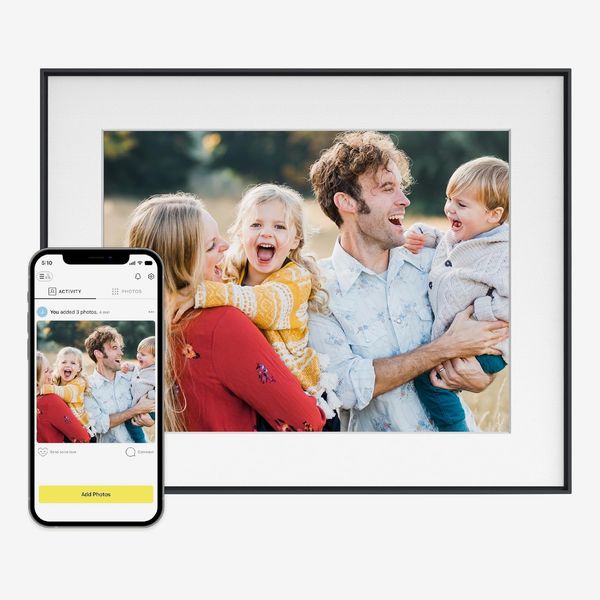
Aura’s 15-inch frame, the Walden, is my favorite to look at, as its large display makes photos easy to see from up close and from afar. I placed mine over my fireplace, and when I’m sitting on my couch on the other side of my living room, I can see all but the finest details of the photos that cycle through the frame.
On the software side, it works just like every other Aura frame: you and your family members can upload photos to it via the company’s app, sending over email, or syncing with your phone’s photo albums automatically. Setup only takes a few minutes, and you can prop it on a tabletop in landscape or portrait, or mount it directly to a wall with the included kit.
While testing the Walden, my neighborhood experienced several power outages, after each of which the Aura was able to quickly reconnect to my network and start displaying photos again. Since it relies on cloud syncing to display your photos, it won’t show pictures when your network’s down, but don’t worry about that too much unless you’re trying to stay off the grid or live in a particularly chaotic climate.
Want to be emailed about sales and other updates to your saved products? Success! You'll get an email when something you've saved goes on sale.
Yes
New! You can now save this product for later.
Photo-sharing method: Cloud storage | Storage: 16 GB onboard storage | Screen size and resolution: 10-inch LCD screen, 1920 x 1200 resolution | Photo orientation: Landscape or portrait | Video and sound: Yes | Subscription: No
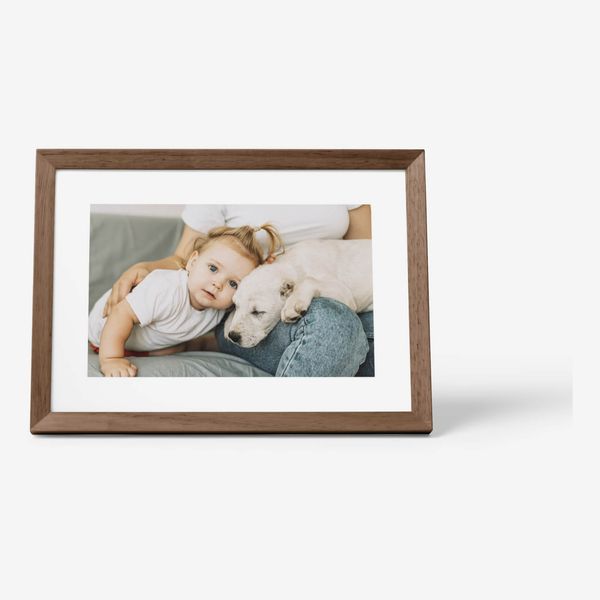
While Aura has a variety of frames with different aesthetics, you can’t swap the frames out later. Skylight’s Frame 2, on the other hand, has four swappable face plates to change the look of the frame. It comes with a _faux_-wood frame as well as slimmer black, aluminum, and blue frames. To swap them out, all you have to do is pull the frame away from the magnets on the display and snap a new one in place. If you want a more bare-bones look, the Frame 2 looks good without any border at all.
Setup is fairly straightforward: You can email photos to your frame or upload them directly from the company’s app. Once you’ve already set up one frame, you can also port all the photos from that frame to your next one. Aura’s system, on the other hand, doesn’t allow you to transfer photos across frames without contacting support.
The Frame 2 has the same screen resolution as Aura’s Aspen, with a screen that’s two inches smaller, so its picture quality is a bit crisper. Images are clear and vibrant, and when a picture doesn’t fill the frame, the Frame 2 will add a nice bokeh effect on both sides. Skylight’s frames use touch screens for on-device interactions, which I prefer to Aura’s touch-friendly borders around the screen. It feels more natural, and it allows you to do more things, such as rotating an image or pausing on a picture you like. Unlike the first Frame, this model has a light sensor, so it will automatically adjust the screen’s brightness to match the room. Aura’s frames have had this feature for quite some time, but it’s nice to see Skylight add it as well.
The Frame 2 has a swappable frame so you can pick the one that best matches your room’s décor.Photo: Jordan McMahon

Want to be emailed about sales and other updates to your saved products? Success! You'll get an email when something you've saved goes on sale.
Yes
New! You can now save this product for later.
Photo-sharing method: Unlimited Cloud storage | Storage: No onboard storage | Screen size and resolution: 13-inch e-ink screen, 1600 x 1200 resolution | Photo orientation: Landscape or portrait | Video and sound: No | Subscription: No
Because they’re designed to blend into a room regardless of decorating style, and they nearly all use LCD displays, digital picture frames can look pretty same-y. Aura’s newest frame, the Ink, stands out thanks to its unique e-ink display that gives photos more texture, sort of like a matte photo print.
Its 13-inch display isn’t quite as detailed as the screens on Aura’s other frames, but its newspaperlike look has a certain charm that feels more natural on a wall than a bunch of backlit pixels. Images of my niece and nephew showed enough detail for me to see their rosy cheeks and small details on their faces, but pictures with poor lighting suffer from things like dark hair blending into backgrounds.
That said, the e-ink display does more than just make photos look more analog. The Ink is the first Aura frame to operate off a rechargeable battery, rather than a constant A/C connection, so you can hang it on a wall without risking its cable being visible. According to Aura, the frame should last about three months per charge.
E-ink isn’t without its drawbacks, though. Unlike the LCD displays of the other frames we recommend, this one can’t refresh pictures immediately. Instead, it has to repeatedly flash aspects of the image on the screen, which isn’t fun to look at. You can only set it to change images once every 12 hours maximum. I appreciate the slower pace of the Ink, but if you want to see as many photos as possible each day, get the Aspen.
The Ink’s screen isn’t as bright as other frames, but it looks more like an actual photo.Photo: Jordan McMahon
Want to be emailed about sales and other updates to your saved products? Success! You'll get an email when something you've saved goes on sale.
Yes
New! You can now save this product for later.
Photo-sharing method: Cloud storage | Storage: 8 GB onboard storage | Screen size and resolution: 15-LCD screen, 1920 x 1080 resolution | Photo orientation: Landscape or portrait | Video and sound: Yes | Subscription: Yes (for photo capabilities)
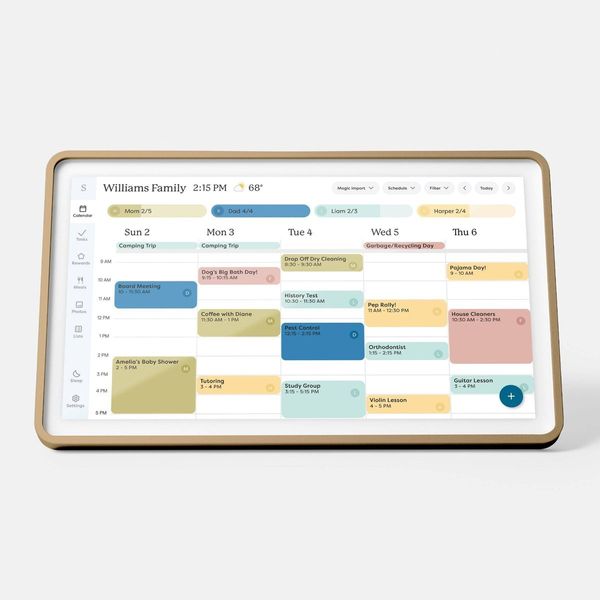
If you need to look at your family’s calendar as often as you like to revisit memories, get Skylight’s Calendar 2. In addition to being able to display photos in a slideshow, it serves as a household-management hub by showing all of your family’s appointments, events, and tasks on a central screen even kids without phones can check.
When you set up the Calendar 2 — it comes in 10-, 15-, and 27-inch versions — you can connect your Google, Outlook, iCloud, or Yahoo accounts. They’ll all show up on the Calendar tab. From there, you can toggle between day, week, and month views, as well as color-code every calendar so it’s easy to see who each event is for (you can make a profile for each member of your household). It works both ways, too, so you can create events from the Calendar and they’ll show up in your calendar app of choice. There’s also an option to set countdowns for things like vacations and birthdays.
To keep your family on top of everything, there’s a tab dedicated to managing tasks. While not quite as thorough as a dedicated to-do list app, it’s quite powerful. You can make single-instance or recurring tasks, or even set them as chores and routines. If one kid is on dish duty and another has to take out the trash, that’ll all be clear thanks to the Calendar’s color-coding system. Additionally, you can add rewards to certain tasks, and kids can eventually turn those points in for rewards once they hit a set threshold. And caregivers will appreciate the ability to set recurring tasks for things like giving a loved one their medications.
That’s all powerful on its own, but if you pay for the Plus plan ($79 per year), you unlock some more useful features. If your kids get a lot of physical invitations to birthday parties and events, you can scan them into Skylight’s app and they’ll automatically be converted into events on your calendar.
That also works with recipes. You can scan photos of handwritten recipes or those from a cookbook, and Skylight will automatically turn it all into a step-by-step recipe on the screen. I tried this with a soup recipe my grandmother wrote down for me before she passed. Her writing was quite atrocious, so I’ve had a hard time deciphering it. Skylight’s software had no such struggle. Within less than a minute, I could access the recipe right from my Calendar.
One issue: The ability to use the Calendar as a picture frame is locked behind that Plus subscription. It’s not too costly compared to a Spotify or Netflix subscription, and the added functionality that comes with the subscription is genuinely useful. But it does add to the cost of the Calendar, and other frames like the Aura (or even Skylight’s own Frame) don’t require a subscription at all.
The Calendar 2’s large screen is perfect for showing all your family’s tasks and obligations for the day.Photo: Jordan McMahon
Want to be emailed about sales and other updates to your saved products? Success! You'll get an email when something you've saved goes on sale.
Yes
New! You can now save this product for later.
Photo-sharing method: Cloud storage | Storage: No onboard storage for photos | Screen size and resolution: 7-inch LCD screen, 1024 x 600 resolution | Photo orientation: Landscape | Video and sound: Yes | Subscription: No
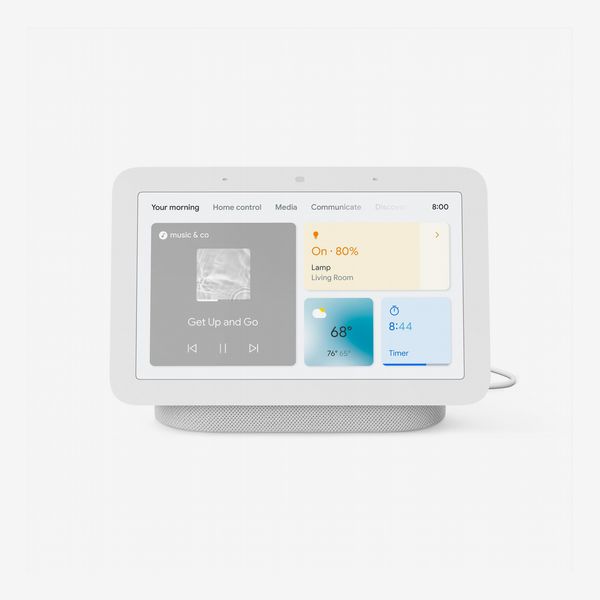
The ultracompact, freestanding Google Nest Hub is the digital frame I’ve kept in my kitchen for a few years. It’s marketed as a smart display, but that just means it can easily go from a slideshow of my family photo album to playing a YouTube video while I cook or showing me what’s playing on Spotify. It’s especially useful if you have limited space in your home for an extra gadget.
Even without all that functionality, the Hub’s crisp, vibrant display just makes photos look great. My kitchen gets a lot of natural light, but even on a bright, sunny day, the Hub’s display (which automatically adjusts brightness and color temperature) never gets too washed out.
Predictably, it’s easiest to link the Hub to a Google Photos account, though you may need to pay for additional storage in Google Drive to make room for all your pictures. And because it’s a smart hub, you can use it to check the weather, set timers, and control lights or other connected devices in your home. Like the Skylight Calendar, you can access your calendar from the Nest Hub, but unlike the Skylight, it doesn’t actually show your events on screen. Instead, it’ll ask you to confirm your identity via voice to avoid any privacy issues, then read out your calendar events. It’s not as convenient, especially for managing a family’s worth of calendars, but it’s a nice added bit of functionality to an already feature-packed device.
In addition to its impressive capabilities as a picture frame, its speaker sounds great for jamming to a playlist while you cook dinner or kick back and relax. It won’t compete with a more audio-focused smart device like Apple’s HomePod or Amazon’s Echo Studio, but if you want a speaker that can show all your best photos while you listen to your favorite playlist, the Nest Hub can’t be beat.
Do note, though, that since it doubles as a smart display/speaker, it’s always listening for its “wake word.” If you’re particular about your home’s privacy, it’s probably best to stick with a dedicated frame.
• Jen Trolio, Strategist senior editor
The Strategist is designed to surface the most useful, expert recommendations for things to buy across the vast e-commerce landscape. Some of our latest conquests include the best women’s jeans, rolling luggage, pillows for side sleepers, ultra-flattering pants, and bath towels. We update links when possible, but note that deals can expire and all prices are subject to change.
Every editorial product is independently selected. If you buy something through our links, New York may earn an affiliate commission.
We Tried All Kinds of Digital Frames. These Are the Best. Your product is saved! You’ll receive emails when your saved products go on sale. Manage preferences.