Plotly Studio | AI-Powered Data Apps & Interactive Analytics (original) (raw)
Agentic Analytics
Plotly Studio is the AI-native application for professional data analytics.
Analytics in an agentic loop.
Studio's agent works the way an analyst does — connect to data sources, explore, write Python, run it, look at the result, keep going. Because every step is real code, Studio takes on real work: joining datasets, deriving new metrics, debugging its own queries. It's designed to not overstep. Studio raises questions when the data is ambiguous, shows its work, and writes every step in code that you can verify.
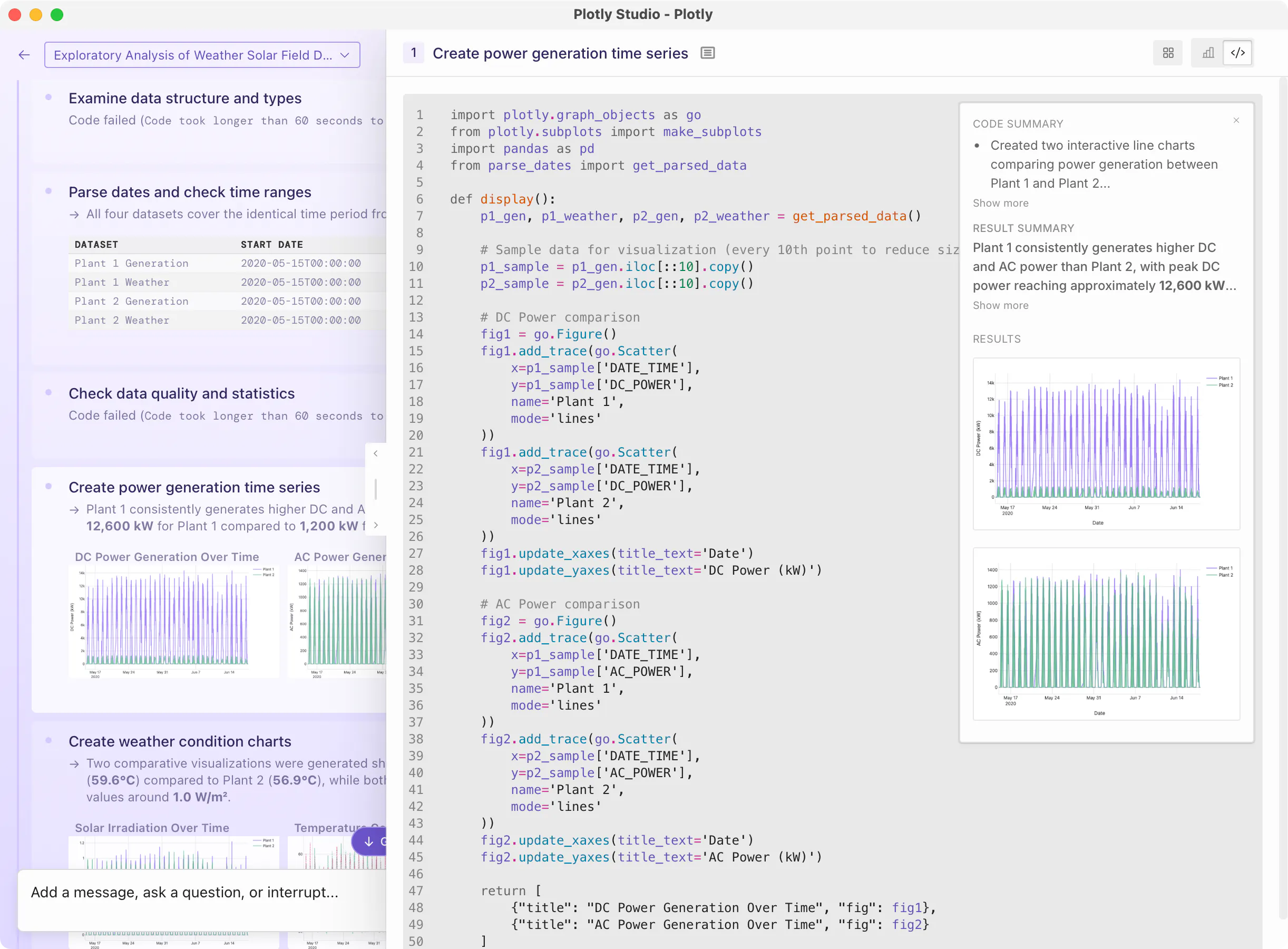
Your data, front and center.
A graph is worth 1,000 words.
Typical chatbots show you a wall of text. We don't think that's what data analysis should feel like. Studio keeps your dataset, the generated code, and the resulting graphs in front of you because reviewing an analysis matters as much as producing one.
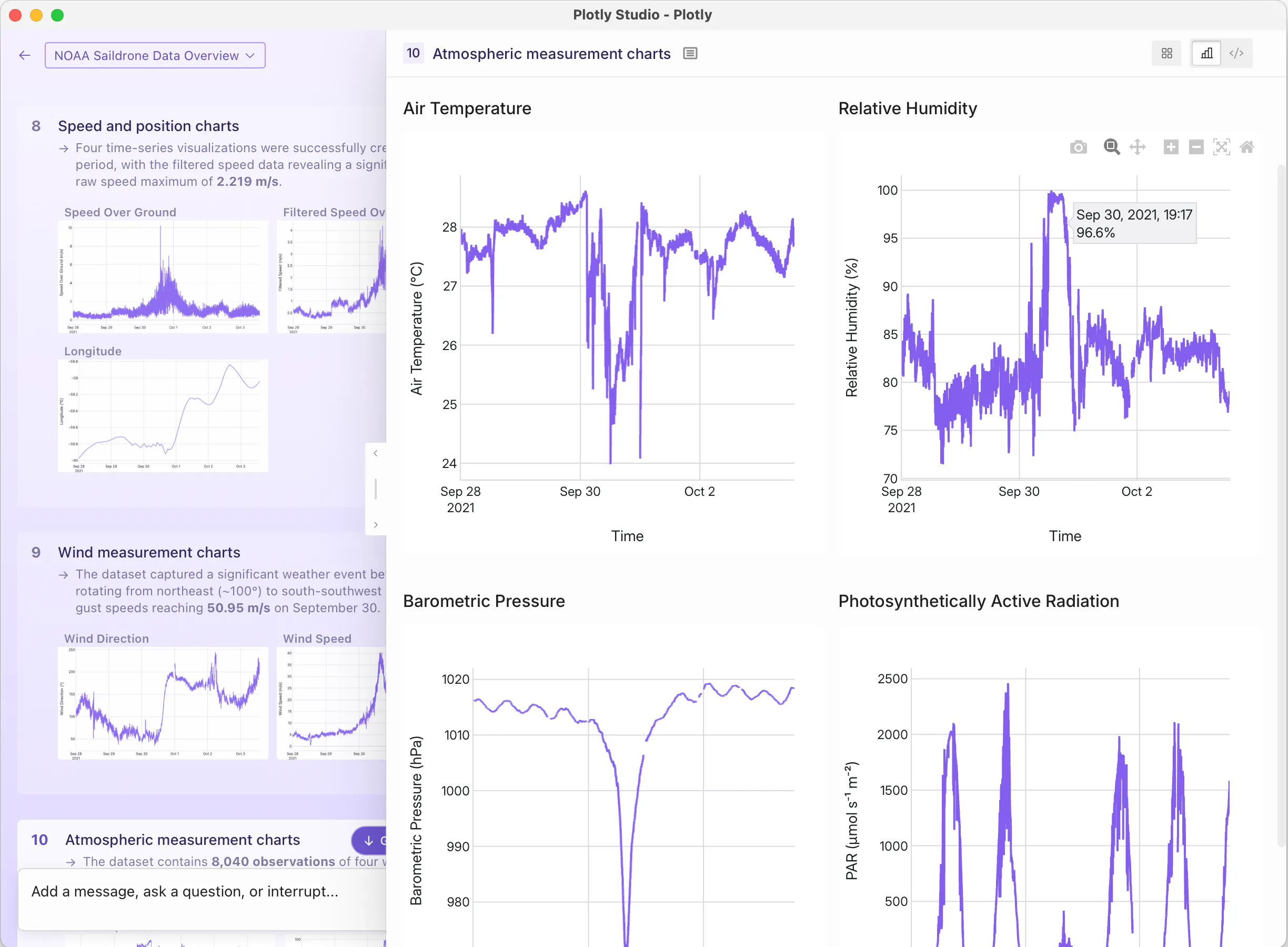
From exploration to application.
Create clean, beautiful apps and dashboards within your session that connect to live data. Publish directly to Plotly Cloud or Dash Enterprise with a single click. Whether you're sharing with a team of five or deploying across a Fortune 500, your Studio apps are instantly accessible, governed, and scalable, with no engineering required.
Portfolio Review· Quantitative Finance
12 / 50 credits
You
Build me a dashboard to explore allocation across stocks, bonds, and cash, with rolling drawdown and a 12-month return histogram.
1Loaded portfolio holdings
Read portfolio_holdings.csv (1,284 rows, 9 columns) and inferred dtypes.
rows: 1,284,cols: 9,memory: 184 KB
Column Types and Sample Data
| ticker | sector | weight | return_12m |
|---|---|---|---|
| AAPL | Tech | 4.8% | +22.1% |
| MSFT | Tech | 4.2% | +18.3% |
| JNJ | Health | 2.1% | +6.4% |
2Computed return distribution
Aggregated 12-month returns by sector and computed rolling drawdown.
mean: 8.7%,σ: 12.4%,max DD: -14.2%
Add a message, ask a question, or interrupt…
Data sources
Connect to wherever your data lives.
Walkthroughs for connecting Studio to the warehouses, databases, and file formats analysts use every day.
Data sources
Connect to wherever your data lives.
Walkthroughs for connecting Studio to the warehouses, databases, and file formats analysts use every day.
Tech Specs
License
Commercial (free tier available)
Form factor
Desktop app (macOS, Windows). No dependencies required.
Artifacts
Create code-backed sessions, graphs, data tables, reports, and Dash apps.
Operating systems
macOS 15+, Windows 11
Hardware
8 GB RAM (16+ GB recommended), 4-core CPU (8+ recommended), 10+ GB free disk.
Python version
Python 3.11 bundled and isolated; no system Python required.
Install
Updates
Auto-update on launch; manual download without self-updating available for Enterprise.
Log in
Plotly login on Free/Pro; SSO on Enterprise.
Models
Cloud: Anthropic Claude Sonnet 4.5 proxied through Plotly. Enterprise: bring-your-own API key.
Compute
All code runs locally on your machine.
Code output
Python and SQL, using Plotly, Dash, Pandas, and other open source libraries.
Data sources
Anything Python can connect to: Snowflake, Databricks, BigQuery, Postgres, MySQL, SQL Server, MotherDuck, Oracle, CSV, and thousands more.
Credentials
Saved in the OS keychain (macOS Keychain, Windows Credential Manager); secrets redacted from LLM transcripts.
Privacy
Data and code stay on your machine until published; prompts, metadata, and a preview of the output pass through the LLM. Plotly is SOC 2 Type II, ISO 27001:2022, ISO 27701, and ISO/IEC 42001:2023 certified.
Publishes to
Plotly Cloud (one click), Dash Enterprise (one click), or exports to local Python file.
Reproducibility
Every step and artifact has the exact Python that produced it. Re-run anytime.
Collaboration
Share apps by publishing to Plotly Cloud or Dash Enterprise.
Offline
View sessions you've already made; creating new ones requires a connection to Plotly's LLM (or your own on Enterprise).
Pricing
Free, Pro ($29/mo), Enterprise (per-seat with SSO)