What is keyword cannibalization? (And how do I fix it?) (original) (raw)
Keyword cannibalization occurs when two or more pages from the same domain target the same or similar keywords and search intent. This overlap causes the pages to compete with each other in search engine rankings. It’s easy to confuse this with content overlap or duplicate content, but they’re not quite the same thing.
It all comes down to intent. If your pages are unintentionally targeting the same user need, they could be hurting each other’s chances of ranking. We’ll break down the differences and show you how to spot (and fix) cannibalization in your content strategy.
The difference between keyword cannibalization, content overlap, and duplicate content
Although they may look similar in practice, keyword cannibalization is not the same as content overlap or duplicate content:
- Content overlap occurs when multiple pieces of content (sometimes across domains) address similar topics and user intent, even if they don’t target the same keyword. This usually reflects a lack of clear content segmentation or strategy.
- Duplicate content refers to content that is identical or nearly identical across pages or domains. It’s most common on large sites with repetitive product pages or multi-location content templates, and can unintentionally lead to multiple pages ranking for the same terms.
Your customers search everywhere. Make sure your brand shows up. The SEO toolkit you know, plus the AI visibility data you need. Start Free Trial Get started with

The biggest difference? Keyword cannibalization happens within the same site and revolves around multiple pages unintentionally competing for the same keyword and intent. And while having more than one page rank isn’t always a problem, it becomes one when those pages fail to serve distinct user needs or dilute your authority.
Why does keyword cannibalization hurt SEO?

Keyword cannibalization fits the saying, “Too much of a good thing is never good.” If your SEO strategy is to stuff multiple pages with the same keyword and intentionally create overlapping content to “saturate” the competition, you’re setting yourself up for failure.
Keyword cannibalization can hurt your SEO in the following ways:
- Splitting ranking power across URLs: When multiple pages rank for the same keyword,the ranking power of each is diluted. They individually compete with each other for clicks, rankings, traffic, and other engagement signals that weaken their ability to collectively build trust and authority as a single page. This usually results in multiple pages with lower rankings, versus a single, high-ranking page. Since the top two Google results earn nearly three times more clicks than the third, consolidating that power can significantly impact performance.
- Confusing search engines about content priority: When two or more pages target the same keyword and intent, search engines may not know which page to rank for a given query. This can result in fluctuating or lowered rankings, lower click-through rates (CTR), and higher page bounce rates.
- Impacting CTR by surfacing the “wrong” page: When multiple pages overlap in keywords or content, search engines may surface the wrong one—hurting CTR by misaligning with user intent.
- Wasting your crawl budget: Search engines are allotted a certain amount of time to crawl your site. If they are spending time crawling pages with overlapping keyword rankings and content, they’re spending less time on priority pages that could have a stronger impact on your site’s authority.
- Hurting your backlink authority: To rank well for a keyword, build strong backlinks to the page targeting it. If you have multiple pages focused on the same keyword, you run the risk of people linking to several different pages, diluting the power of what could have been an authoritative page with a strong backlink profile.
- Missing opportunity to rank stronger with one consolidated page: When multiple pages target the same keyword, they divide your site’s authority, making it harder for any one page to rank strongly. Authority refers to your site’s perceived trustworthiness and relevance in the eyes of search engines. It would be more impactful to have one consolidated page clearly defined as the authoritative page for that keyword.
For example, this software company, Stampli, has two pages that rank in the top ten results for the keyword “best accounts payable software:”

One search result is their AP automation product page, which ranks third. The other is a blog post about the best accounts payable software features, ranking 10th.
It’s safe to assume that they would rather rank well for their AP automation solution page than their blog post for such a high-intent keyword like “best accounts payable software.” It’s possible that the overlap with their blog post about “best accounts payable software features” is diluting the power of their product page, holding it back from ranking higher.
What’s more, the number 10 ranking is probably driving little value for them, given the tenth position averages just a 2.4% CTR. Compare that with the number three position which drives an 11% CTR. Yet, the number one ranking position owns an impressive 27.6% of all clicks—far surpassing even the third ranking and 10th ranking CTR combined.
Stampli could strengthen its ranking power by merging the key points from its blog post into its product page and then applying a 301 redirect from the blog post to the product page. This way, all SEO value flows into the higher-converting page and increases its chances of owning the number one ranking position.
What are the common causes of keyword cannibalization?

Keyword cannibalization is rarely intentional. Unless someone is trying to use outdated SEO tactics like keyword stuffing, it’s often simply the result of oversight.
These oversights can include:
- Multiple blog posts targeting the same topic or query. Especially as a company grows and its blog expands, it’s easy to accidentally create new articles that are too similar to ones previously published. That’s why blog audits are critical to helping you find and remove, repurpose, or merge older blog content that isn’t performing well.
- Category pages and blog posts that compete. A brand’s content pillars for their blog are often modeled after their category pages in an effort to build topical authority. This is a natural way to approach content mapping. However, this can result in overlapping content and keyword rankings. This is particularly frustrating when a brand’s blog post outranks a category page and its higher conversion opportunities with showcased products or services, as seen in the Stampli example above.
- Improper internal linking and anchor text distribution. If you’re using the same anchor text for multiple pages when linking internally, you’re diluting the power of any one of those pages to build stronger authority around that keyword. A general rule of thumb is to use the primary keyword—or its close variations—as the anchor text for one page and one page only. This promotes consistency throughout your internal linking strategy.
- Lack of content planning or keyword mapping. Neglecting to carefully evaluate your content strategy can lead to your team targeting keywords that are too similar or have overlapping search intent. If you’re just chasing keywords that “sound good” to rank for because they have decent search volume and a low difficulty rating, you run the risk of keyword cannibalization.
- Localized pages with duplicate content: Brands with multiple pages for each of their locations often use the same content blocks or templates that target the same keyword, resulting in internal page competition sometimes.
- Product pages with identical descriptions: E-commerce sites often duplicate product pages if they have multiple instances of the same product but in different colors, sizes, etc. This can result in multiple page rankings for the same product keyword.
How do I identify keyword cannibalization?
To resolve keyword cannibalization, you first need to know where it’s happening on your site. Here are the ways to do that:
Manual methods
Keyword search
One of the simplest ways to uncover potential cannibalization is by searching your own site for a target keyword using Google.
Use the search function site: search + keyword to see all of your site’s indexed pages that contain a certain keyword. So it looks like:
site:yourdomain.com “target keyword”
For example, these are the results for site:searchengineland.com “keyword cannibalization:”

Don’t be alarmed if your search yields a lot of results. It doesn’t mean all of those results are ranking for the same keyword; it just means that the search engines have indexed each of these pages, and all these pages contain that keyword. Some of them may rank for it, but many most likely don’t.
Still, it’s a great starting point to figure out which of your web pages may be competing with each other. Typically, the first results you see when using this search function are the pages ranking highest for the given keyword––so start your audit with those pages.
Google Search Console (GSC)
GSC offers a reliable way to identify which pages are ranking for the same keyword, making it ideal for spotting keyword cannibalization across your site.
Use Google Search Console to discover keywords that your site pages have appeared in search results for before:
- Open Google Search Console
- Navigate to “Performance” > “Search Results”
- Click “Add Filter” and choose “Query”
- Type in your desired keyword:

You’ll see a list of all of the pages that have appeared in search results for that keyword, or queries using that keyword. Click the “Queries” column to see the variations.
Click the “Pages” column and then review the “Clicks” and “Impressions” to see each page’s performance for the given keyword. This is powerful data that can inform your content strategy by helping pinpoint which pages should be redirected, consolidated, or revamped based on their performance:

The “&filter=0” function
For a clearer, unbiased look at how your pages truly compete in search results, the “&filter=0” function can reveal hidden cannibalization issues that typical searches might mask.
Use the “&filter=0” function to get real-time insight into pages that may be competing for the same keyword in search engine results pages (SERPs). This function disables results filtering and domain clustering (when search engines display multiple results from the same domain under “one” ranking) based on your previous search history, so you see untailored results.
Simply add “&filter=0” to the end of the URL for your search query:

Use this information to identify pages that search engines are filtering out. With this insight, you can proactively audit pages that might cause keyword cannibalization.
Tools to use
Take advantage of tools that can do a lot of the heavy lifting for you. Save time on your keyword cannibalization analysis with tools like:
- Semrush: Use the Cannibalization Report in the “Position Tracking” tools suite to monitor your content for potential keyword overlap. It grades your site on its “Cannibalization Health” and allows you to filter content by keyword, URL, or position to speed up your analysis:

Once you’ve identified the changes you need to make, you can use its Keyword Research tools to help guide your content changes:- Evaluate intent: Use the Keyword Overview or Keyword Magic Tool to confirm search intent and determine which page best satisfies it
- Reassign keywords: Decide which page should keep the keyword, and use filters to find alternative long-tail keywords for the competing page
- Consolidate or differentiate: Merge overlapping content into one stronger page, or reoptimize the secondary page to target a different keyword or intent
- Screaming Frog: Screaming Frog can crawl your site and identify duplicate or closely related content, such as H1s, metadata and page copy. It can also identify internal linking and canonical tag issues, which can contribute to keyword cannibalization.
- Ahrefs: Get keyword cannibalization insights with Ahrefs Site Explorer feature. After you plug in your URL, navigate to “Organic Keywords” and then choose the “Multiple URLs Only” filter to get a list of all your pages that rank for the same keyword. You’ll also see important data such as keyword difficulty, monthly traffic, cost-per-click and positions rankings.
- TrueRanker: TrueRanker is a budget-friendly option that’s solely dedicated to monitoring keyword cannibalization issues on your site. It connects with Google Search Console to give you deeper, more actionable insights on how to fix these issues.
What to look for

When auditing your site, look out for the telltale signs of keyword cannibalization:
- Multiple URLs ranking for the same keyword: If two or more pages show up in search results for the same keyword, then they are competing with each other. Even if one page ranks in the top 10 results and the other is ranking on page five of Google, it’s still competition that’s likely weakening the ranking strength of both pages (and your site as a whole).
- Declining rankings despite publishing more content: If your newly published content is too closely related to your other live content, it’s likely that the new content won’t perform well. It could possibly hurt the rankings of your already-published content as well.
- Low CTR: Keyword cannibalization can cause low CTR when a page that doesn’t fit the search intent ranks higher than the correct page, causing searchers to skip clicking on the result.
- High bounce rate: A high bounce rate on your content indicates that it’s not meeting the needs of its visitors. Oftentimes, keyword cannibalization causes a page with the wrong search intent to appear in results, which leads to users quickly leaving the page after landing on it.
How do I fix keyword cannibalization?

You need a strategic approach to consolidate content and clarify search intent. Here’s how to fix it:
Option 1: Consolidate pages
Page consolidation is your best option when your content is overlapping in both keyword focus and search intent.
When to use a 301 redirect vs. a content merge
- 301 redirectis your best option when one content piece is significantly outperforming the other. (A 301 redirect is a permanent redirect from one URL to another, passing most of the original page’s SEO value to the new one.)
Even though they target the same keyword and overlap in content theme, one piece is consistently ranking higher, driving more clicks and lower bounce rates than the other (which may not be driving any traffic at all). You can probably scrap the under-performing piece by having it 301 redirect to the stronger piece. - A content merge is useful when two pieces of content are performing fairly equally. Although they share keyword and content overlap, perhaps each one still offers a different angle. You can combine the two pieces for more holistic coverage on the given keyword/topic, which can result in a singular, stronger piece of content.
It’s worth noting that you will still need to set up a 301 redirect for one of the URLs. This ensures that any existing backlinks, traffic, and search equity from the removed page are passed to the new consolidated version—rather than lost or split between multiple URLs.
Option 2: Differentiate keyword intent
You can refocus content that’s targeting the same keyword by reworking each page to target unique long-tail queries.
For example, let’s say you have two articles that are both ranking for “small business accounting software:”
- The Best Accounting Software for Small Businesses
- Top-Rated Small Business Accounting Solutions
To differentiate the keyword intent, you:
- Rework the first article to target long-tail queries such as “best accounting software for small business startups” or “best accounting tools for new businesses”
- Revise the second article to focus on different types of long-tail queries like “cloud-based accounting software for small businesses” or “accounting software that scales”
Before choosing your long-tail queries, make sure they still align with your business’s brand and offerings. It wouldn’t make sense to write an article about cloud-based accounting software if your brand’s accounting software isn’t cloud-based.
Also, be sure to check that there’s actually some search volume around the long-tail queries you choose. Shifting your content’s keyword focus to terms with no traffic potential will not benefit your article’s visibility.
Option 3: Use canonical tags
Canonical tags are a type of technical SEO that allow you to instruct bots to prioritize crawling your preferred version of a page over other pages with duplicate or similar content. This helps ensure that search engines index the right version of a page, so it consolidates link equity more effectively.
But don’t rely too heavily on canonical tags to solve keyword cannibalization issues. These tags don’t prevent bots from crawling your other pages; they simply direct them to where they should start. They can’t prevent a page from ranking for certain keywords.
Use canonical tags in conjunction with some of the other options covered to build a more foolproof strategy for overcoming and preventing cannibalizing your own content.
Option 4: Update internal linking structure
Perform an internal linking audit to identify linking structure issues. A few pointers for a more effective linking strategy:
- Define the primary keyword for each of your pages and use that, or close variations of it, as the anchor text when linking to it on other pages.
- Make sure that your internal links are fairly evenly spread across all important pages. For example, if you have one article that’s internally linked across 50+ other pages and another one that’s only linked five times, that will impact how search engines view the value of each article.
Option 5: Deindex or noindex lower-quality content (last resort)
Deindexing or noindexing a page means you have added a tag that instructs bots not to index it, so it won’t show up in search results.
An example of when deindexing or noindexing is the best call
If you have a niche article that serves as valuable supplemental content to one of your main pillar pages, it’s important for potential customers to access it—but it may not always need to compete for search visibility.
Applying a noindex tag can be a strategic move if this article is driving little to no organic traffic and is ranking poorly for keywords already dominated by your more authoritative content. This way, the content remains accessible to users on your site without diluting your main page’s SEO strength.
This is considered a last-resort option because it’s a bit risky. When you deindex a page, you could lose any traffic, backlinks, or rankings authority previously established with that page. If you don’t carefully check for internal links pointing to that page, it can also create broken links, diminishing the value of those linking pages as well.
How do I prevent keyword cannibalization?
Prevent keyword cannibalization with a proactive and structured approach. Here are some good places to start:
Build and maintain a keyword/content map
With a keyword/content map, you must decide the primary keyword for every page before it’s created. This helps you prevent keyword cannibalization in a few powerful ways:
- Making sure no two pages are targeting the same keyword.
- Guiding each page’s content based on the intent of each keyword; reinforcing the uniqueness of each page.
- Helping you get more granular with your keyword strategy—ensuring you can explore every angle of a topic without risking keyword cannibalization. For example, targeting long-tail keywords derived from your main keyword to capture specific search intents.
A pillar/cluster (or hub/spoke) content strategy is one of the strongest ways to build your keyword/content map. You choose three to five core pillar topics that align with your brand’s expertise and target audience. From there, each pillar topic branches into subtopics (e.g. longtail keyword content) that help you cover every angle of each topic and strengthen your topical authority.
Assign unique keyword targets to each URL
Another powerful (and super easy) way to help optimize your pages for unique keywords is to make their URLs match their primary keyword.
For example, a blog article trying to rank for the keyword “startup accounting software” would have a URL like:
www.example.com/blog/startup-accounting-software
It’s another way to help search engines understand your pages’ content and reinforce your authority on a specific keyword or topic.
Improve collaboration between content and SEO teams
SEO is not something to implement after your site is set up; it should be baked into every step of your site’s creation and ongoing optimization. This means cross-functional communication should happen consistently to ensure that every department understands their role in helping strengthen your site’s SEO.
Maybe that means you collaborate with the web or dev teams to ensure the URL structure of the site is SEO-optimized. Or perhaps you frequently sync with the product team to understand what types of product pages they’ll be rolling out (and what keywords they’ll be targeting) to ensure blog content doesn’t overlap (and brainstorm supplemental content ideas to support those new product pages).
Communicating early and often with other departments can help you steer clear of preventable issues like content and keyword cannibalization.
Conduct regular content audits
Regular content audits help you catch early signs of keyword cannibalization on your site, such as:
- Declining traffic despite publishing new content
- Higher page bounce rate
- Lower click-through rates
- Fluctuating/lower rankings
Individually, these changes might seem like typical fluctuations in site performance. But from the broader perspective of a content audit, you can identify patterns that suggest more significant issues, such as keyword or content cannibalization.
Dedicated tools like Semrush Site Audit make auditing quick and painless. Get weekly results emailed to you, so you can stay on top of issues with overview reports:
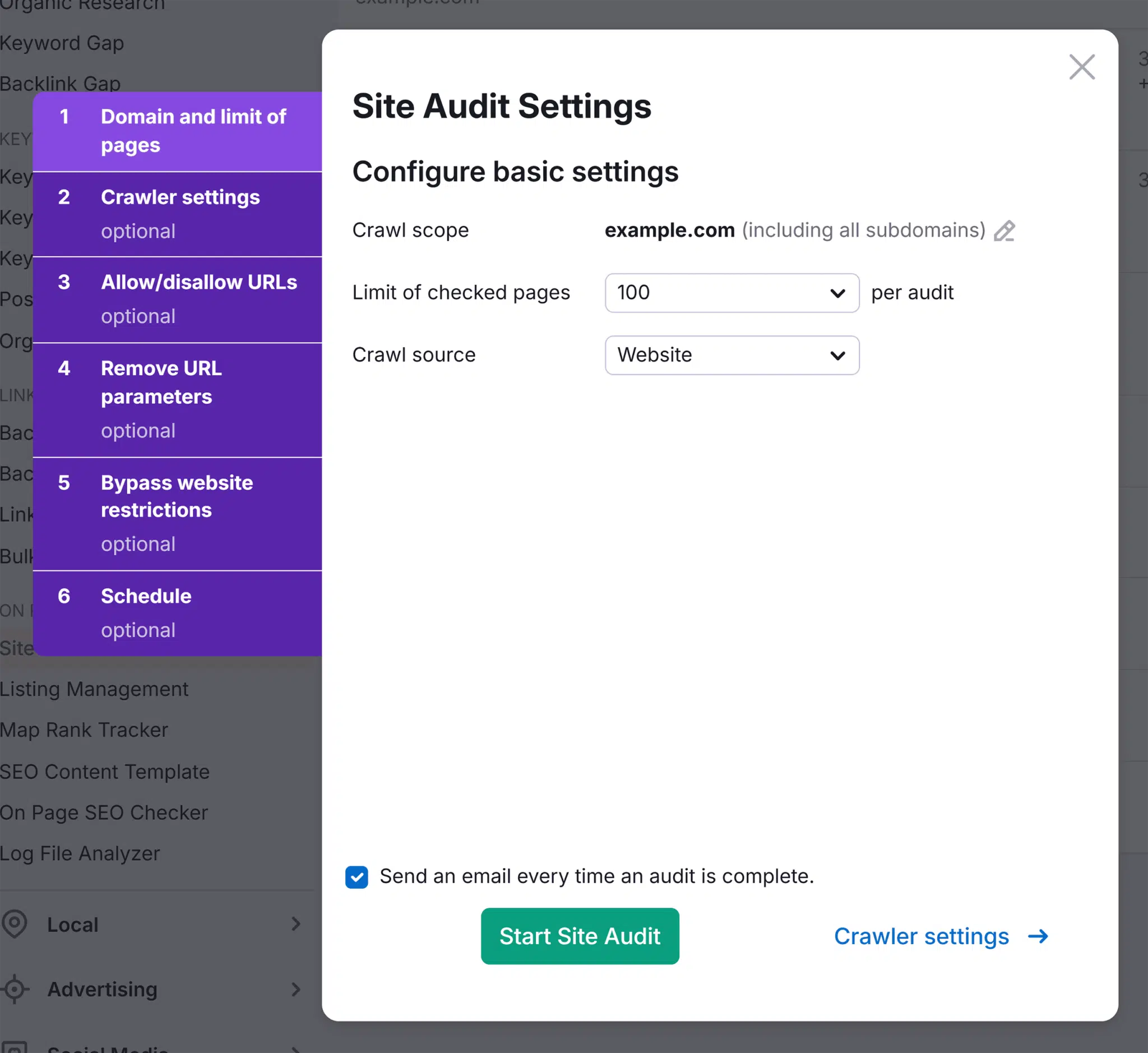
Monitor everything from:
- On-page SEO health: discover duplicate content, thin content, and optimization gaps that could weaken your visibility
- Spot cannibalization issues: see which pages are ranking for the same keywords
- Find broken links and redirect loops: catch internal linking errors before they impact rankings
- Track your fixes: Measure the impact of your improvements using side-by-side comparisons of past audits
Want to learn more about executing an effective audit? Depending on your business type, check out our local SEO audit guide or our enterprise SEO audit guide for expert tips on how to start your audit and prevent keyword cannibalization.
Search Engine Land is owned by Semrush. We remain committed to providing high-quality coverage of marketing topics. Unless otherwise noted, this page’s content was written by either an employee or a paid contractor of Semrush Inc.