Free Keyword Tool: Keyword Suggestions for SEO and PPC (original) (raw)
A data-driven keyword research tool that helps you assess keyword potential and uncover thousands of ideas to fuel your SEO and PPC campaigns.
Unique database that delivers keyword suggestions for any market
3.1B Europe
1.2B North America
536M Asia
Do keyword research like a pro with essential data at your fingertips
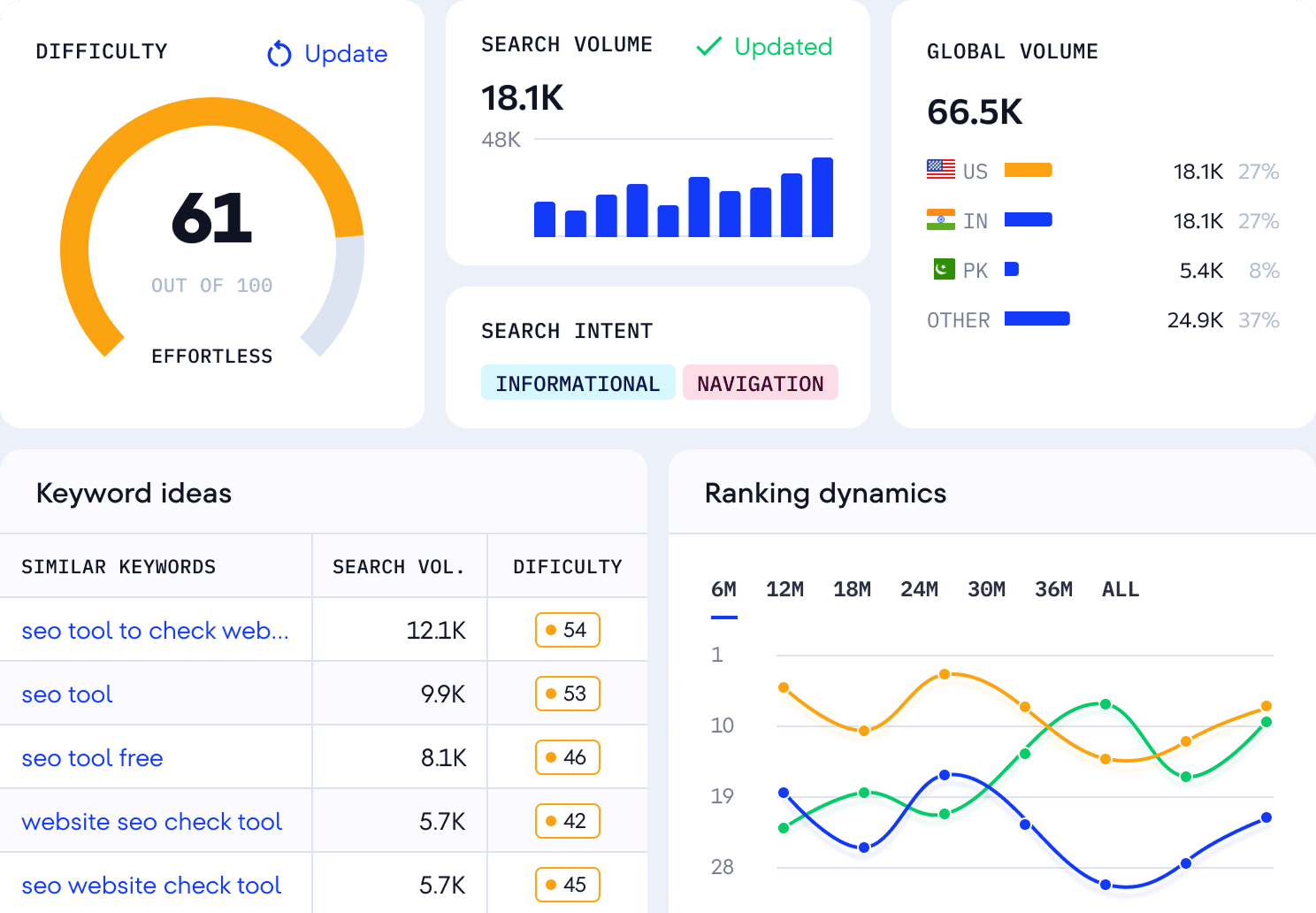
See the full story behind any keyword
Get a complete overview of your target keyword with our Keyword Tool, including all essential metrics, and in your chosen location and timeframe. Start your keyword research smart with data you can rely on.
Test drive our Keyword Generator to explore its full potential
Try it free for 14 days to see how it can streamline your SEO workflow!
Get key SEO metrics for data-driven keyword research
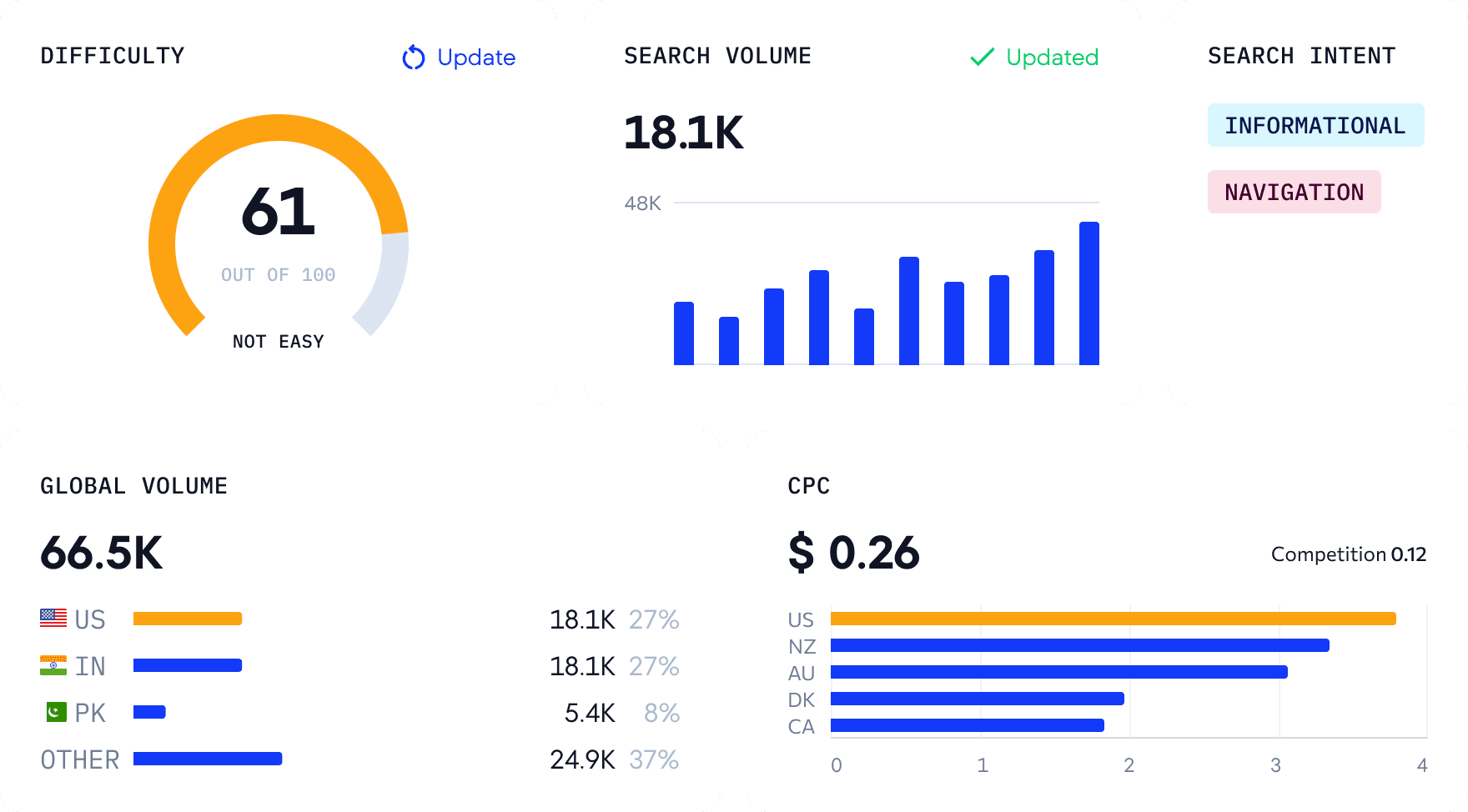
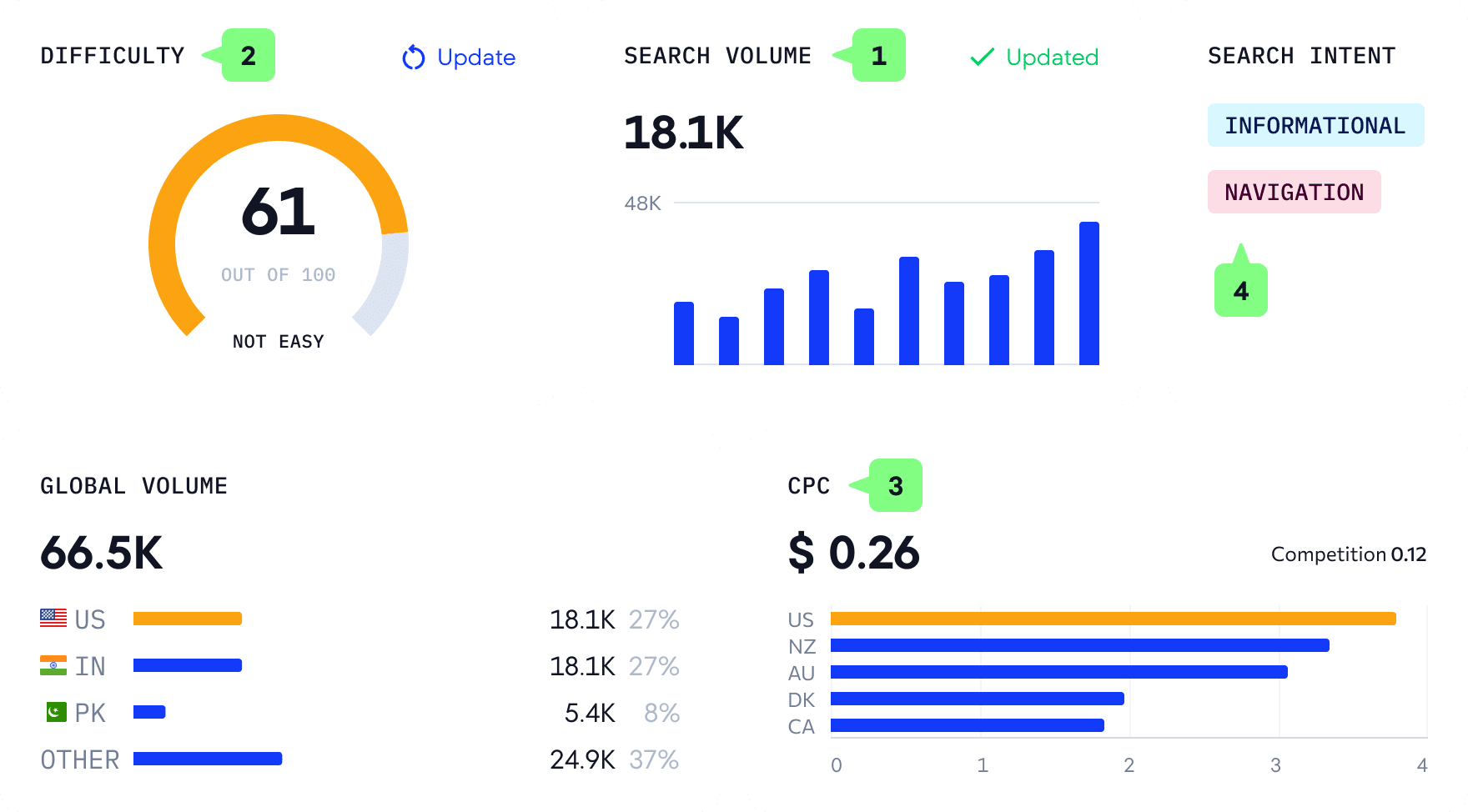
Support your strategy with in-depth competitor keyword analysis
Discover what’s been working for your competitors and use those insights to refine your keyword strategy
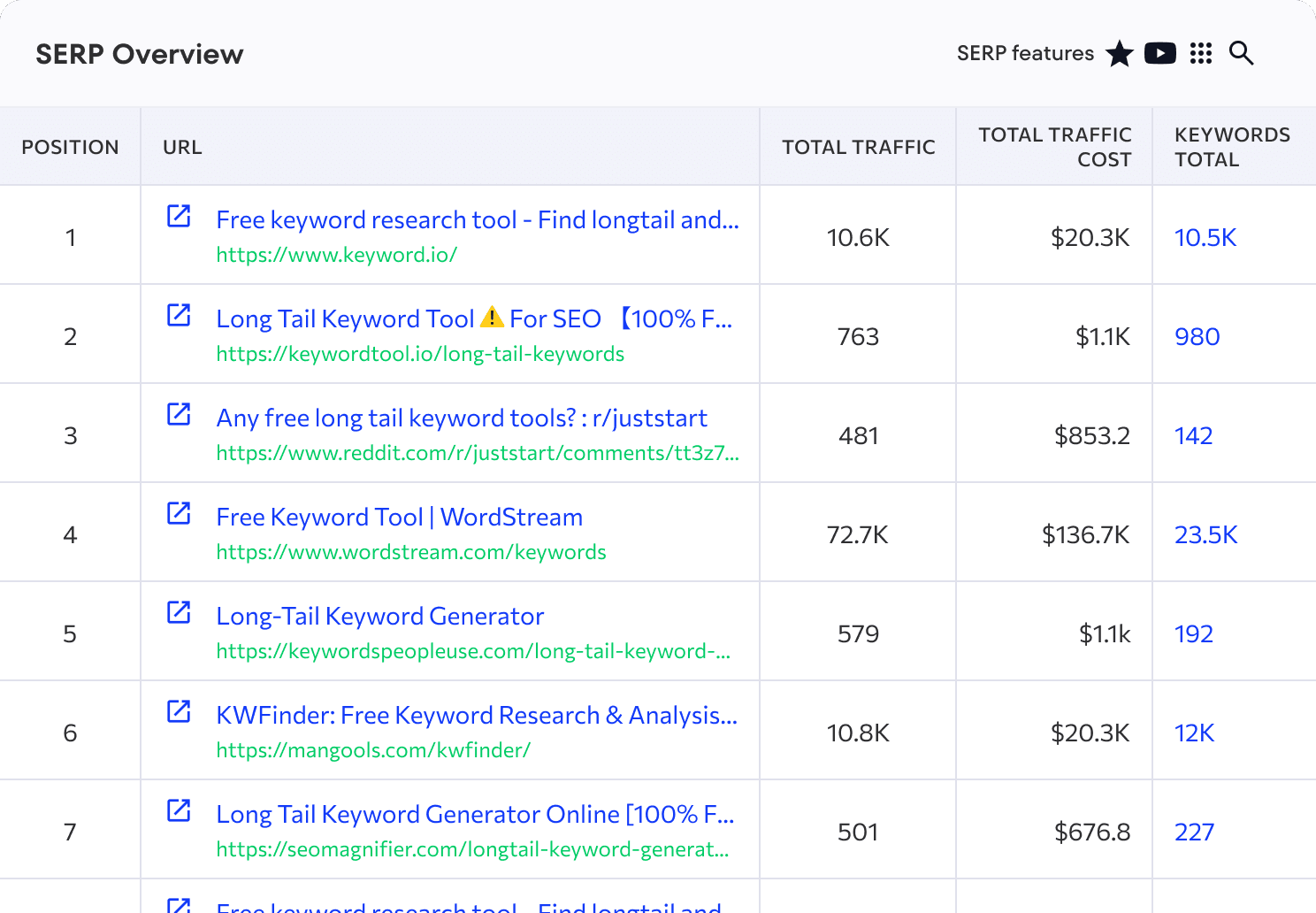
Find your competitors’ target keywords
Analyze the keywords driving traffic to your competitors' sites. View complete keyword lists with essential metrics, including search volume, difficulty, search intent, and current rankings. Identify gaps in your strategy, discover opportunities, and prioritize keywords that deliver results in your niche.
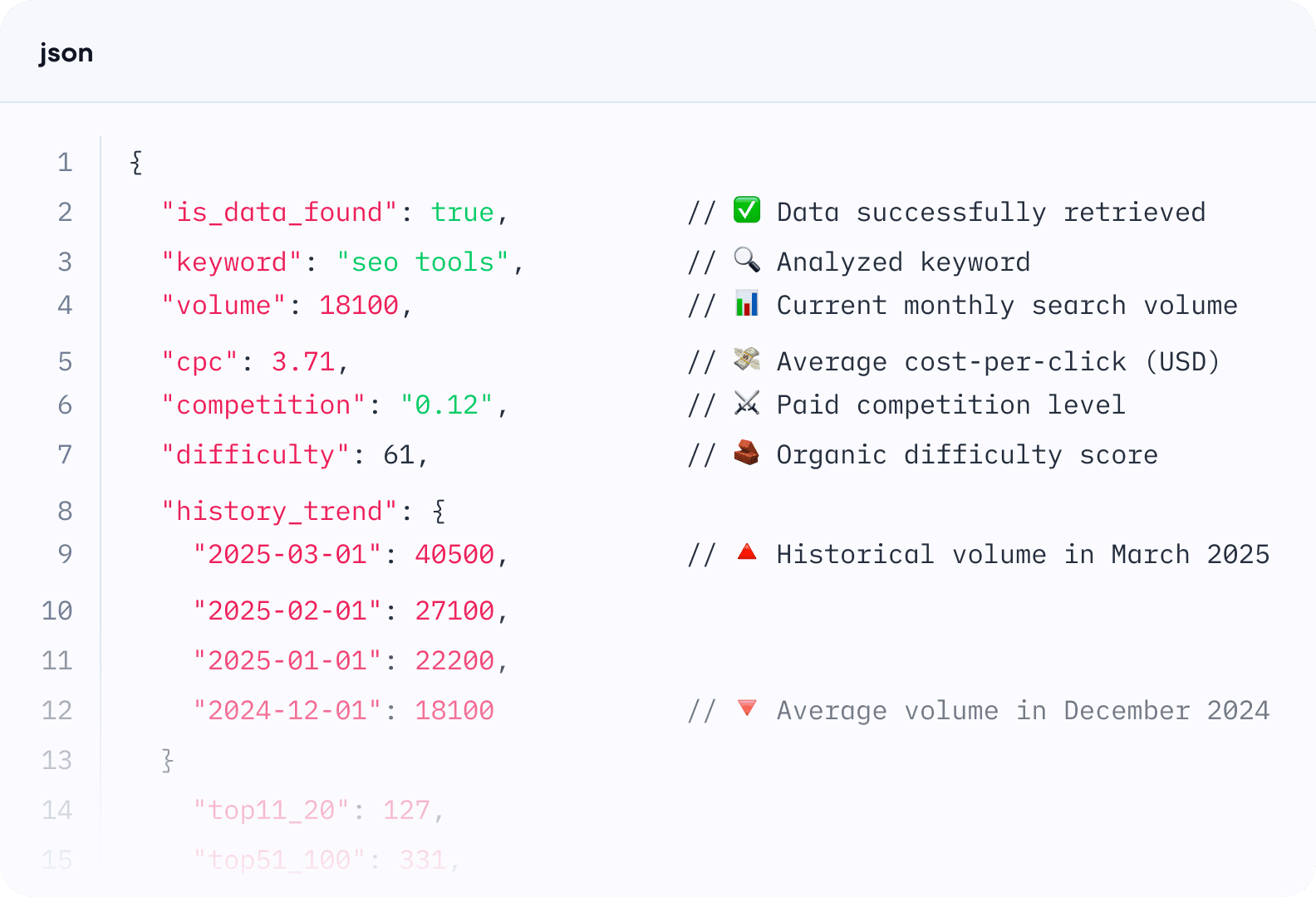
Scale keyword research with SE Ranking’s API
Quickly analyze large volumes of keyword data with SE Ranking’s Keyword Research API. Automate your workflow, integrate SEO data into your internal systems, and access reliable insights at scale.
- Search volume
- CPC
- Competition
- Keyword difficulty
- Search volume history
Find keywords that are worth the effort
Uncover keyword potential with reliable metrics, competitor data, and historical trends!
FAQ
Q
Keyword Suggestion Tool vs. Google Keyword Planner
A
SE Ranking’s Keyword tool is built with all your SEO needs in mind, though some of its functionalities overlap with Google’s Keyword Planner, which only gives you search volume trend and competition data. Our SEO Keyword Tool goes beyond by:
- Providing more SEO metrics and stats for each search term.
- Categorizing keyword suggestions.
- Showing the keyword’s organic and paid search results.
- And more.
This all comes with a user-friendly interface packed with sorting and filtering options.
Ungrouped search volume Keywords in plural, superlatives, possessives, etc. are separate entities with exact search volumes, not a search volume range
Global search volume A keyword search volume across different countries
Search trend Monthly changes in search volume
Keyword competition and CPC How competitive and costly a keyword is for paid campaigns
Keyword difficulty for organic search How difficult it will be to get pages targeting this keyword to the top 10 organic search results
Categorized keyword recommendations Suggested keywords are divided into similar, related, question-based, low-search-volume categories
Organic SERP results with all the essential metrics SEO metrics on websites targeting the analyzed keyword in organic search
Organic historical data Monthly organic SERP changes for a query
Ads history Paid campaign data for websites that target the same query in their ads
Search intent What users want when they search typing this query
Q
What is the Keyword Suggestion Tool?
A
SE Ranking’s Keyword Suggestion Tool helps you find the right keywords for your SEO and PPC campaigns. It analyzes search data and delivers key metrics to eliminate guesswork.
Here’s what you can achieve if your goal is SEO:
- Find new keywords capable of bringing organic traffic to your site
- Evaluate SEO metrics, including search volume, difficulty, search trends, and search intent.
- View the organic SERP for any keyword and how it has changed over time.
- Discover the SERP features appearing for each search query.
Here’s what you can achieve if your goal is PPC:
- Detect keywords capable of boosting your paid campaign.
- Assess the keyword’s CPC and competition level.
- See which websites run PPC campaigns for the same keywords you’re targeting.
- View the top ads for each keyword.
Our keyword generator collects the best-suited terms to each campaign and provides all the data needed to make informed decisions.
Q
How does SE Ranking’s Keyword Generator work?
A
SE Ranking’s Keyword Generator gears you up for effective planning around organic and paid search campaigns.
To get started, enter a topically relevant word or phrase. It could be your seed keyword or a list of related search queries. After that, choose the location. This will prompt the Keyword Finder to generate a list of similar and related keywords, questions related to the search term, and low-search-volume (long-tail) keywords.
It supports each suggested keyword with metrics like search volume, difficulty, search intent, search trends, and more. You also get the keyword’s current organic search results, SERP features, and historical data.
Use the tool’s filter and sorting options to refine your keyword list with the most relevant terms. After identifying the best-fit terms, you can incorporate them into other tools that you’re using from the SE Ranking platform. The Content Editor and Rank Tracker are especially ideal for creating optimized content and monitoring your site’s rankings around your keyword list
Q
Why use SE Ranking’s Keyword Tool for keyword research?
A
Here are the top reasons for using SE Ranking’s Keyword Tool for keyword research:
- Extensive database covering billions of keywords across 188 countries. You can even import and analyze your own lists.
- Comprehensive metrics, including keyword difficulty, search volume, CPC, paid competition, global volume, search intent, number of organic results, and SERP features.
- Accurate data powered by continually refined algorithms that improve search volume and traffic estimates.
- Thousands of keyword suggestions, all categorized into similar, related, low search volume, and question-based groups.
- Various keyword filters to narrow your results by inclusion/exclusion criteria, search volume, word count, difficulty, search intent, and competition, and more.
- Keyword management features to organize and save search queries into custom lists by region, with seamless integration into tools like Keyword Grouper, Competitor Research, Content Editor, and Rank Tracker.
- SERP insights and historical data to track how keyword rankings and competitors evolve over time.
- API and bulk analysis to process hundreds of keywords at once and sync results directly to your system.
- Free trial. Get full access to our free Keyword Research Tool for 14 days, plus three free checks for users without accounts, so you can experience the tool’s full capabilities for yourself.
Q
How to do keyword research for SEO
A
Start by creating a list of seed keywords (words or phrases that unlock more keywords during research). Use SE Ranking’s Keyword Generator to collect the maximum number of relevant search queries for each seed keyword. Get other popular keywords related to your business. Just enter a keyword to get a list of suggestions with key metrics.
If you already have a keyword list, you can find the most promising ones by opting for a bulk keyword search. This will uncover see each keyword’s search volume and difficulty. Review the suggestion list to remove irrelevant queries.
Focus on SEO metrics to find the terms most worth using in your content. Pay special attention to long-tail keywords (queries with 3+ words and highly specific search intents). You can find these in the list of low-search-volume suggestions, by using the word count filter directly on the SE Ranking platform, or by using our Long Tail Keyword Tool.
Now you can organize the most relevant keywords into categories or topics for upcoming article.
Q
How to do competitor keyword research?
A
The quickest way to research competitor keywords is through SE Ranking’s SERP Overview tab. Once you entered your target keyword into the Keyword Tool, go to the SERP Overview to see which pages rank for that keyword. Click on the total number of keywords displayed next to any ranking page. This launches a competing domain analysis, giving you instant access to the complete list of keywords that competitor uses in their organic campaigns. You’ll see all the essential metrics for each keyword, including search volume, keyword difficulty, search intent, current position, SERP features, and more.
Use this data to identify keyword gaps in your strategy, discover new opportunities your competitors are targeting, and prioritize terms that can help you outrank them. You can also filter and sort the keyword list to focus on specific metrics that matter most to your SEO goals.
Q
Can I use your SEO Keyword Generator for free?
A
Yes, our Free Keyword Tool lets you run 3 reports per day, showing the top 10 ranking pages for your keyword. You’ll also get a limited selection of keyword suggestions in each report.
Sign up for our 14-day free trial to fully utilize use the Keyword Generator.
Enjoy flexible pricing on SE Ranking’s Keyword Research tool
Choose your ideal pricing plan, request a custom quote, or try the tool free for 14 days.
Repeatable SEO + GEO delivery
- Rank tracking across engines
- Unlimited keyword & comp. research
- Looker Studio / Matomo / GA / GSC
Multi-client SEO + GEO workflows
- All Core features included
- Project lifetime historical data
- API access with 300k credits
Need more? Upgrade with add-ons!
Get better at keyword research with expert tips and go-to guides
Keywords & Content
Keyword Research: What It Is and How to Do It Effectively
Keywords & Content
6 Advanced Keyword Research Strategies for Content Marketing Success
Best Marketing Tools
The Best Keyword Research Tools for Gaining Actionable SEO Insights
SEO Strategy
How to analyze historical website traffic, keyword trends & ranking shifts with SE Ranking
Keywords & Content
Keyword Clustering: The Ultimate Guide to SEO Success
Keywords & Content