8 Best Resource Management Software Tools For Better Team Planning In 2026 (original) (raw)
To succeed in today’s fast-paced business environment, organizations need to be efficient with their resources and time.
Resource management software helps businesses achieve this by simplifying project planning, monitoring resource usage, and meeting project goals. In fact, this category of tools is making it possible for employees to go from individual contributors to de facto managers themselves.
“75% of project professionals believe that the usage of collaboration tools for teams will increase in the future.” — Wellingtone Share on X
In this article, we’ll explore the best software tools for resource management that can help teams work more efficiently.

Regardless of your company’s size, choosing the right tool can positively impact your team’s productivity by managing their efforts effectively.
Without further ado, check out the features, functionalities, and unique offerings of this carefully curated list of resource management software tools!
What is Resource Management Software?
Resource management software is an application that helps businesses plan and effectively use their resources for project execution and organizational goals.
These tools offer insights into resource availability, workload distribution, and project progress, allowing teams to optimize resource allocation, avoid overallocation, and maintain project timelines.
Effective resource management software is important for organizations as it helps them to optimize their operations, reduce waste, and boost productivity. With this software, businesses can allocate the right people to the appropriate tasks at the correct time, leading to better project execution, fewer roadblocks, and enhanced overall performance.
By employing resource management software, teams can make well-informed decisions, and achieve project success with greater precision and efficiency.
8 Resource Planning Software Tools (Ranked List)
1) monday.com
Best for: Giving you a single platform for managing all your work

As an all-in-one resource management system, monday.com is a tool that can help you improve your work processes and increase your productivity. With its features and intuitive dashboards, you can easily track your budget, sales progress, and overall progress, enabling you to make informed decisions based on data. Use this resource planning tool to enhance your business management skills.
Why we love this resource management tool: Improve teamwork and increase efficiency by using monday.com. This team management software will enhance communications among teams and help achieve goals more efficiently. It empowers everyone to work together more intelligently, resulting in faster achievement of goals.

Best Features for Resource Management
- Business Operations – The purpose of monday.com is to provide a central platform where teams can collaborate, track progress, and manage workflows.
- Task Management – The software has a user-friendly interface and flexible workflows that allow for easy organization of tasks, up-to-date progress tracking, and clear identification of responsibilities. This helps ensure that projects are completed on schedule and within deadlines.
- Project Management – monday.com is a project management tool that offers various features such as project visualization, resource planning, and progress tracking.
Notable Companies using monday.com :
- Canva
- Lionsgate
- Universal
Pricing: Starting from $8 per user per month
Set up your own resource management hub to accurately allocate your talent and tools with monday.com.
2) Deel
Best for: Handling a diverse workforce, including employees from different countries and backgrounds

Deel is an HR platform designed to grow your business on a global scale. It allows you to handle all HR-related tasks for everyone in a single, powerful platform. You can integrate contractors, employees hired through EOR, and ones hired through your entities into one platform, and streamline all human resources processes to ensure a pleasant experience for everyone.
Why we love this resource management tool: Deel offers HR plugins for Slack that can help enhance collaboration and company culture. These plugins can automate processes within the platform where your team already works, leading to better teamwork, a stronger company culture, and reduced burnout.

Best Features for Resource Management:
- Workspaces – Deel’s Workspaces feature helps businesses manage remote teams more effectively by consolidating HR operations, contracts, and payments. This ensures that remote work arrangements are compliant and efficient.
- PEO – Its PEO service offers a complete HR outsourcing solution that helps businesses comply with international employment laws and regulations, while also providing access to a global workforce.
- Payroll – Deel’s Payroll feature offers automated payment processing, tax compliance, and secure global payments specifically designed for companies with remote workers. With Deel’s help, managing payroll becomes hassle-free and accurate.
Notable Companies using Deel:
- ThirstySprout
- Nike
- Uber
Pricing: Free to custom (depending on needs)
Build your global company culture with Deel!
3) Rippling
Best for: Making HR, IT, & finance easy and providing support for your global business

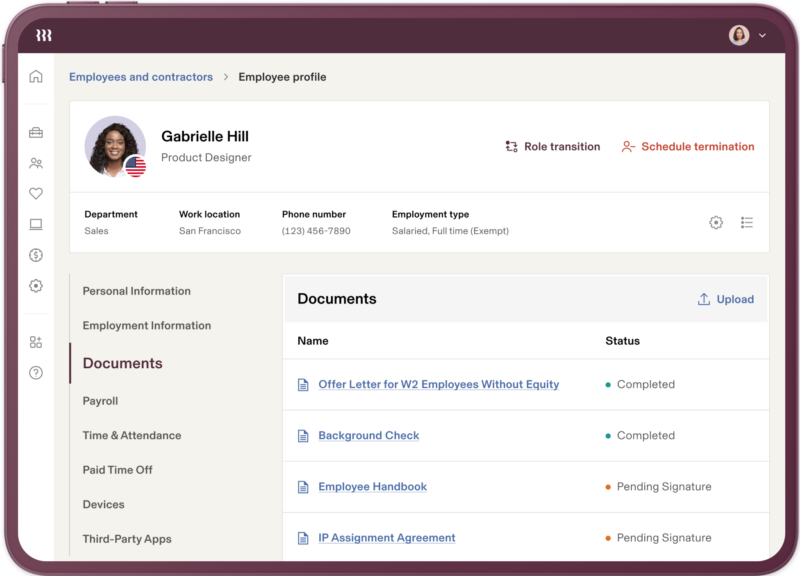
Rippling is a resource management software tool for managing resources that allows you to oversee and automate all of your global personnel operations in a single location, from the beginning of employment to the end. Additionally, it can assist you in conveniently hiring and managing personnel, regardless of whether you have a small or large team.
Why we love this resource management tool: With Rippling, you can easily and accurately define which employees have access to different parts of your business by role. This is done through customized permission profiles and policies, which give you an unprecedented level of control that can adapt as your organization changes.
Best Features for Resource Management:
- Analytics – You can generate various workforce reports that help you keep track of how many positions are still open and how many people you’ve hired. The reports can be sorted by location, start date, cost, and other categories.
- Learning Management – The learning management feature of Rippling provides organizations with a comprehensive platform for online training, including courses, training materials, and progress tracking to effectively help in the development of their employees.
- Pulse Surveys – Here’s your easy way to gather valuable feedback from employees, helping to gauge employee satisfaction, identify areas for improvement, and maintain a positive workplace culture.
Notable Companies using Rippling:
- Motorola
- Citigroup
- Hewlett-Packard
Pricing: Starts at $8 per user per month
Run your operations with Rippling, the #1 rated HRIS.
4) Miro
Best for: Organizing lively kickoff sessions, creating eye-catching presentations, and working together as a team to track project progress
You can use Miro to combine your thought process, data, KPIs, and metrics in one workspace, which will help you develop strategy and manage projects. Miro also provides planning, work management features, and scheduling tools that you can use to align teams and communicate plans across the whole organization.
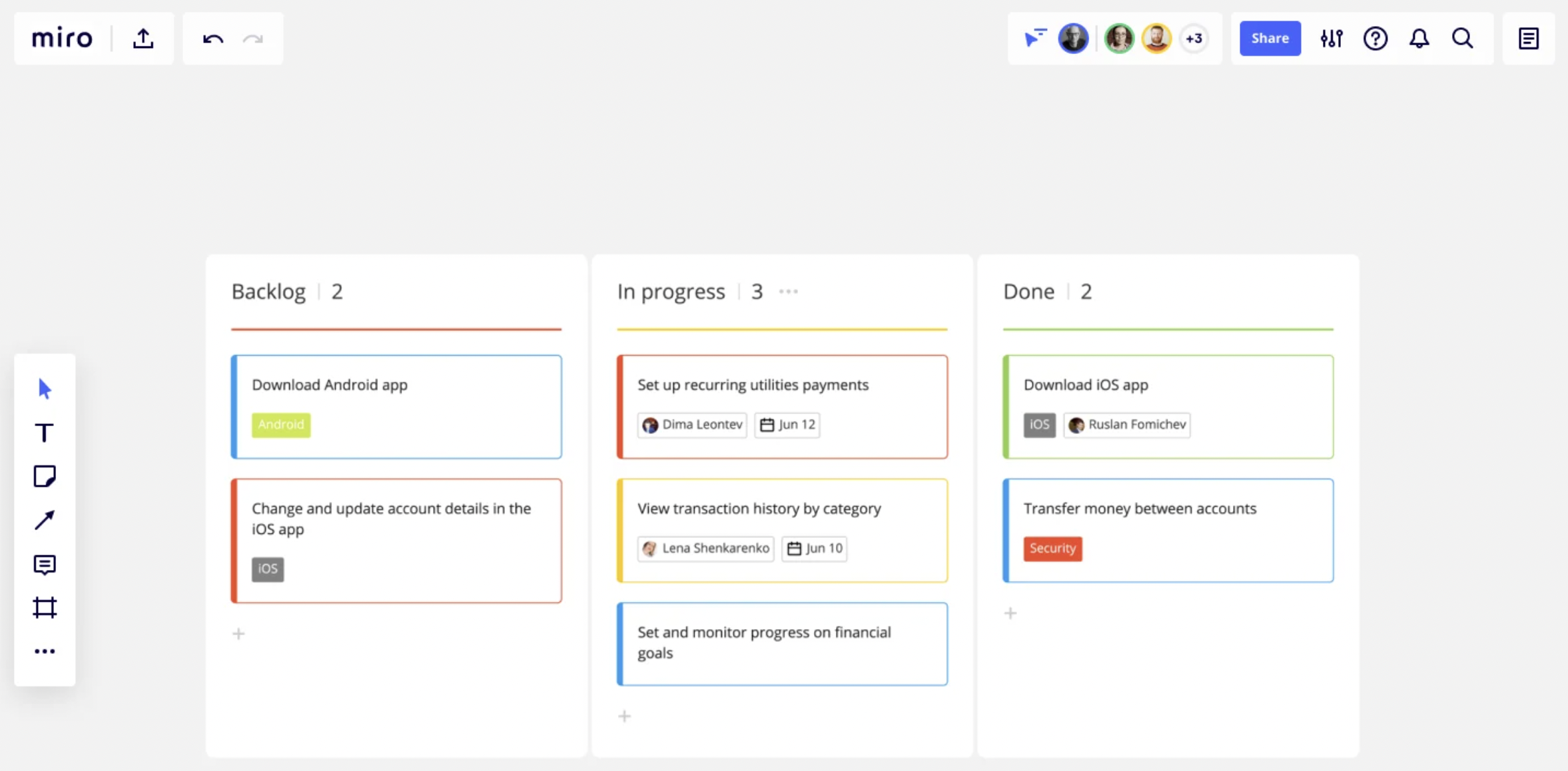
Why we love this resource management tool: Miro allows you to easily bring together all of your project tasks and resources in one place. You can create dependency lines, manage workloads, and make real-time adjustments to stay organized and on schedule. You can also visualize your project timeline and strategic planning process from beginning to end.
Best Features for Resource Management:
- Mind Mapping – Miro creates mind maps, develops concept maps, and helps with brainwriting to come up with fresh ideas and visualize connections.
- Task Tracking – You can plan projects, and view the status, priority, and dependencies of each task from a high-level perspective to ensure that nothing is overlooked.
- User Story Mapping – Show how your work will make an impact on the customer with user stories.
Notable Companies using Miro:
- Best Buy
- Volvo
- Deloitte
Pricing: Free to custom enterprise pricing
Get your team in sync and fully utilize your resources with Miro!
5) ClickUp
Best for: Consolidating your company assets, time tracking, and form management

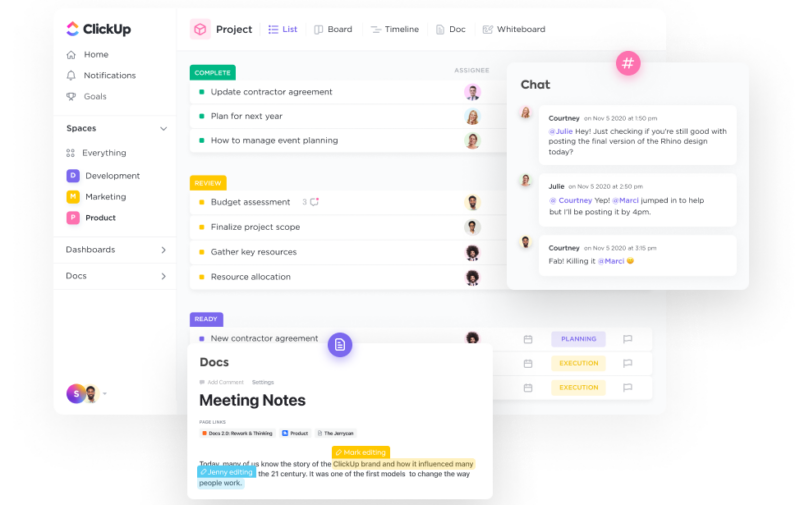
ClickUp is a software that helps with resource management. It can be used for project planning, collaboration, and task management. The interfaces of this resource management solution are easy to use and have plenty of finely-tuned features on each of them. ClickUp makes it easy to manage tasks, set deadlines, and assign team members. This helps teams use resources effectively.
Why we love this resource management tool: ClickUp is perfect for efficiently managing company assets by tracking them and entering data quickly on List, Table or Timeline views. Optimize your team’s workload by utilizing resource capacity management with Workload and Box views.
Best Features for Resource Management:
- Resource Templates – ClickUp boasts templates for everything from creative and design to engineering and product development.
- Integrations – Harness the utility of over 1,000+ tools on ClickUp for free.
- Hierarchy – With ClickUp’s Hierarchy, you can establish a suitable infrastructure that can adapt to the changing demands of your organization.
Notable Companies using ClickUp:
- Samsung
- IBM
- Booking.com
Pricing: Free to custom enterprise pricing
Plan your projects and put people in a position to succeed with ClickUp!
6) Kantata
Best for: Providing you with capabilities that are tailor-made for your business in a clear and concise manner

Kantata helps you improve your management more dynamically. By gathering data from all your systems in one place, you can enhance client outcomes and keep up with growing expectations. This means you can balance supply and demand, respond in real-time, decrease staffing times, and improve your forecast accuracy.
Why we love this resource management tool: Maximize project efficiency by utilizing powerful planning capabilities to forecast and optimize resource allocation. Evaluate the impact on revenue, margins, and timelines, and receive recommendations for maximizing resource utilization and monitoring team capacity.

Best Features for Resource Management:
- Skills Inventory – Improve project delivery by providing your team with appropriate resources and opportunities to develop their skill sets through best-fit staffing.
- Resource Forecasting – Prepare for potential opportunities in your current projects, effectively managing project timing, avoiding burnout and reducing bottlenecks, and identifying areas that require continuous improvement.
- Resource Allocation & Scheduling – Kantata allows you to view project changes in real time and find the most suitable matches for staffing.
Notable Companies using Kantata:
- Sage
- Salesforce
- Esri
Pricing: Free plans with a range of custom plans for larger teams
Tailor-make your resource management plan with Kantata!
7) Time Doctor
Best for: Implementing time tracking and productivity insights that are employee-friendly

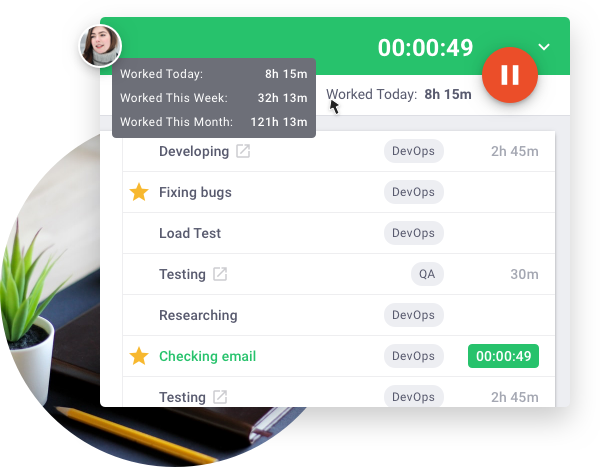
Time Doctor is a customizable software that assists companies in efficient resource planning by automatically tracking time to identify areas where teams need improvement and where they excel. This helps enhance individual and overall performance, making the most of their time.
Why we love this resource management tool: Measuring and analyzing your team’s time usage will allow you to be more involved in each project by providing support and intervening as needed. Additionally, Time Doctor’s analysis will enable you to identify high-performing project team members and boost team morale.
Best Features for Resource Management:
- Productivity Reports – The all-in-one tool by Time Doctor can be customized to simplify both employee monitoring and project management.
- Offline Time Tracking – Regardless of whether you are working online or offline and in the event of disconnection, Time Doctor will keep monitoring and recording your work progress. Upon getting back online, the recorded data will be synchronized to your account.
- Online Timesheets & Payroll – Use the Time Doctor time-tracking integration to efficiently complete your payroll with precision.
Notable Companies using Time Doctor:
- Firehouse Subs
- Ericsson
- Keller Williams
Pricing: $6 per user per month
Build a better workforce by the second with Time Doctor.
8) WorkTango
Best for: Aligning employees with business goals

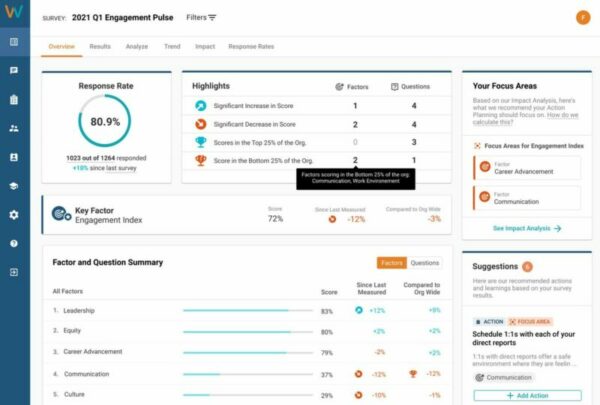
WorkTango helps your employees succeed by facilitating productive conversations and ensuring everyone is working toward clear goals. You can set, track, and celebrate company and individual goals and OKRs, and incentivize behaviors that align with your company’s values. WorkTango also allows you to schedule regular meetings to review progress and discuss priorities.
Why we love this resource management tool: WorkTango encourages the appropriate actions that match company objectives. Additionally, it fosters agreement and acknowledges vital aspects through personalized incentives. Lastly, this project resource management links incentives to learning, development, and other training goals, acknowledges accomplishments through peer recognition and a social activity feed, and commemorates the establishment and achievement of individual, departmental, and company goals and OKRs.
Best Features for Resource Management:
- Rewards Catalog – With WorkTango’s Rewards Catalog, companies can offer a variety of rewards and benefits to incentivize and acknowledge employee accomplishments. This helps to create a culture of appreciation and motivation in the workplace.
- Employee Lifecycle Surveys – WorkTango’s Employee Lifecycle Surveys offer organizations insights throughout the employee journey, helping them proactively identify concerns, engagement drivers, and opportunities for improvement.
- Goals and OKRs – The Goals and OKRs feature of WorkTango helps teams to establish, monitor, and coordinate their objectives and key results. This project management software encourages transparency, accountability, and alignment of goals throughout the entire organization.
Notable Companies using WorkTango:
- DoorDash
- Allianz
- Accruent
Pricing: Contact WorkTango for more info
Align your people with your business goals using WorkTango!
Benefits of Using a Resource Management Tool
1) Better budgeting 💰
A resource management tool can improve budgeting by giving up-to-date information on resource expenses and usage. This helps organizations distribute funds more precisely and avoid going over the budget.
2) Efficient allocation of time and finite resources ⏰
A tool for managing resources assists with assigning tasks efficiently by identifying available resources and their capacities, maximizing productivity, and minimizing the waste of time and resources.
3) Improved team and individual scheduling 📆
A resource management tool lets teams coordinate schedules, balance workloads, and prevent conflicts. This ensures that tasks are assigned to team members based on their availability and expertise, ultimately improving collaboration and productivity.
4) Enhanced project visibility 🔦
Resource management tools provide comprehensive project visibility by centralizing resource data and project information. This allows stakeholders to monitor progress, identify potential roadblocks, and make data-driven decisions for successful project outcomes.
5) Optimized resource utilization 🌟
Organizations can use employee management tools to identify resources that are not being used to their full potential, and then allocate them to appropriate projects or tasks. By doing so, organizations can maximize their resources and improve their efficiency, ultimately leading to better operations.
People Also Ask These Questions About Resource Management Software
Q: Why should companies invest in resource planning software?
- A: Investing in resource planning software can benefit companies by optimizing resource allocation, improving project management, and enhancing overall efficiency. It allows businesses to make informed decisions, avoid overallocation, and ensure that the right resources are assigned to the correct tasks. This can lead to cost savings and increased productivity.
Q: Which software is used for scheduling and allocating resources?
- A: The software tools in this list are designed to help managers with resource scheduling, task assignment, team schedule management and team collaboration, automation, capacity planning, decision-making, and optimizing resource allocation for projects, which can boost productivity and increase project success. It boils down to finding the ones that have the key features your organization needs the most at the right price point.
Q: Why is it important to manage the allocation of resources at my company?
- A: Efficiently managing the allocation of resources in your company is important. This helps ensure that available assets and workforce are used optimally. It also aids in better project planning, and project scheduling, minimizes wastage, increases productivity, and ultimately leads to improved profitability. Achievement of organizational goals and milestones also becomes more likely.
Q: How can we improve resource management?
- A: Growing businesses and organizations can enhance resource management by implementing key strategies. This includes investing in resource management software that offers real-time visibility into resource availability and utilization. Additionally, clear communication and collaboration among teams are crucial to ensure efficient allocation of resources and prevent overloading individuals.