Microsoft Community Hub Products Windows
I recently installed Windows 11 on my computer and noticed that it comes with a significant amount of pre-installed applications and background services—such as Xbox Game Bar, Copilot, News widgets, OneDrive, and various third-party apps—that I never use but which consume system resources, run in the background, and clutter my Start menu, making my PC feel slower and less responsive than it should be. I would greatly appreciate any advice on safe and effective methods to remove or disable this bloatware, whether through built-in Windows settings, PowerShell commands, or reputable third-party debloating tools, while ensuring I don't accidentally break essential system functions or compromise my security in the process.
Hello, As of a couple days ago, the steamwebhelper.exe was getting suspended by windows defender. A simple restart of steam would allow me to quickly open a game before it was suspended again (typically 30 seconds). Digging through forums I've tried everything recommended (whitelisting the .exe in windows defender, running as admin, deleting cef.win64 and cef.win7x64 as well as the webhelper app, disabling gpu acceleration, disabling web browser sandbox, uninstalling and reinstalling steam, and verifying windows, re-installing windows). (current event viewer error: "Process '\Device\HarddiskVolume7\steam\bin\cef\cef.win64\steamwebhelper.exe' (PID xxxxx) was blocked from making system calls to Win32k.sys." Im not sure what to try at this point, any help is appreciated, and no i dont have any ASUS software on my pc as it seems that was a common cause. It is now also blocking Razer apps and Opera GX. Please help as i can barely use any apps. Windows version: 25H2, OS Build: 26200.8655 Hardware: CPU- Ryzen 5 7600x Motherboard- Asrock B650E PG Riptide RAM- 32gb teamgroup DDR5 GPU- MSI Radeon RX 6950XT Storage- 1 Samsung 970 EVO Plus 2TB, 2 Samsung 980 Pros
Starting today, Intune will be enforcing HTTPS-only delivery for managed Win32 app content Why this matters for Connected Cache customers: if HTTPS isn't configured on your cache nodes, clients that previously pulled Intune Win32 app content through Connected Cache can still download content, but those requests bypass cache nodes and fall back to CDN. This behavior can increase internet egress and bandwidth usage. This enforcement was previously announced in February via Message Center and the Intune Tech Community blog: How to enable HTTPS support for Microsoft Connected Cache for Enterprise and Education. Get started with the following documentation: Configure HTTPS on your cache nodes HTTPS setup on Windows HTTPS setup on Linux Validate HTTPS functionality Validate HTTPS on Windows Validate HTTPS on Linux Additionally, you can verify Intune Win32 HTTPS enforcement on a client machine Open C:\ProgramData\Microsoft\IntuneManagementExtension\Logs\AppWorkload.log. Find log entries that include the app download URL for the app assignment you are validating. Confirm the URL is HTTPS (for example, starts with https://). Optionally correlate with Delivery Optimization status to verify whether bytes are being served from cache versus CDN. Configuration Manager customers If you're using Configuration Manager distribution points with Connected Cache, review and apply the published hotfix and prerequisites: Connected Cache update for Microsoft Configuration Manager versions 2409, 2503, and 2509 (KB33247081). If you'd find it useful, reply in this thread and we can also post a step-by-step TLS setup walkthrough video for the Connected Cache community.
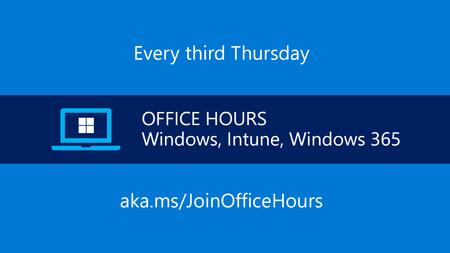
Get answers to your questions about adopting Windows 11 and managing Windows devices across your organization. Find out how to proactively implement and monitor Zero Trust practices. Get tips on keep...
Thursday, Jun 18, 2026, 08:00 AM PDT
Online
Jun 12, 2026 Jun 10, 2026