Update Notice for Changes in Legal Agreements (original) (raw)
When you update any of your legal agreements, be it a Privacy Policy or a Terms and Conditions agreement (also known as Terms of Use or Terms of Service), you should notify users about the upcoming changes and how these changes would affect them and their accounts with your website or mobile app.
An update notice give users the chance to opt-out or close their accounts if they don't agree with the changes you're making.
This article will show you how to create and display an update notice.
On this page≡
- 1. Always Provide an Update Notice
- 2. Examples of Update Notices
- 2.1. Email Notices - When Updating a Legal Agreement
- 2.2. Email Notices - When the GDPR Came Into Effect
- 2.3. On Websites
- 2.4. For SaaS Apps
- 2.5. For Mobile Apps
- 3. Summary
Always Provide an Update Notice
Regardless of the reason for the change, the updates to your legal agreements should be announced to your users before they become effective.
Companies are making changes to their legal agreements for a variety of reasons: to make them more streamlined or readable, to be more descriptive, to inform users about new functionality of the website or mobile app, to adhere to legal requirements of new laws such as the GDPR and so on.
Some business changes that may require you to update a legal agreement include the following:
- Asking for more personal information from users than you previously did is a change that could affect users.
- Using personal data from users in a new way than wasn't previously stated in your Privacy Policy is another change that might affect users.
- Updating your legal agreements to include a class action waiver is a major change that can affect the rights of your users.
In any of the above, the changes in a legal agreement can be substantial to users and it might affect their rights.
It's important how you get your users to agree to your original agreements as well as your updates. This is related to the browsewrap vs. clickwrap distinction:
- Browsewrap refers to legal agreements placed somewhere on your website, mostly in the footer section of the website. The links are visible, but users may not be aware of the legal agreements they're agreeing to.
- Clickwrap, on the other hand, is when you require users to confirm that they have read and agreed to your legal agreements before they sign-up, log-in, submit a form, download an app etc.
- Clickwrap is the classic "I agree to" checkbox.
A clickwrap agreement is an enforceable agreement, while a browsewrap agreement isn't.
Two court cases - Specht vs. Netscape and Zappos Inc. Customer Data Security Breach Litigation - give more information on why:
- In Specht v. Netscape the court found that "a consumer's clicking on a download button does not communicate assent to contractual terms if the offer did not make clear to the consumer that clicking on the download button would signify assent to those terms"
- In Zappos.com Inc., Customer Data Security Breach Litigation the court found that browsewrap Terms of Use done by Zappos.com was not prominent and that no reasonable user would have read the agreement.
Not providing an update notice about upcoming changes to your legal agreements is similar to a browsewrap agreement: if the user isn't aware of the changes, the user can argue that she/he couldn't have agreed to the new terms because the terms weren't presented properly.
Providing a notice that you'll update your legal agreements isn't limited to only a few agreements, but to any agreements that governs the relationship between you and users:
- Terms and Conditions
- Privacy Policy
- Cookies Policy
- EULA
- Community Guidelines
- Code of Conduct
- Acceptable Use Policy
- Terms for the API
- Service Level Agreement
Examples of Update Notices
Let's take a look at a number of different methods for sending a notice to your users. We'll start with the most commonly used one: email notices.
Email Notices - When Updating a Legal Agreement
Email is the most popular method used to provide notice, but this requires you to have the email address of your users. If you do use email to inform users about the changes, make sure to:
- Make it clear what the announcement email is about
- State why the changes are required
- State how the changes will affect the users and their accounts
- State when the changes will come into effect
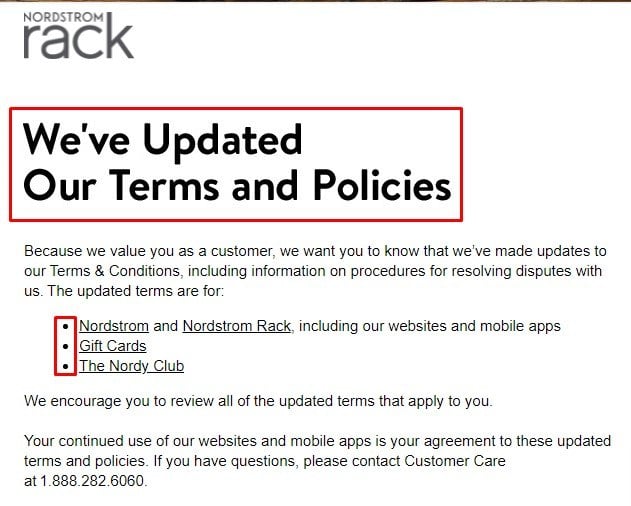
Here's an example of such an email from Nordstrom Rack that lets users know that terms and policies have been updated, and provides links to each agreement that has been updated. A phone number is also included for customers who may have questions about the updates:
Twitter engaged in an informative campaign to get the word out about its new Terms of Service agreement.
As you can see from the screenshot below, Twitter notified users that the changes were made in light of a new feature that allows users to buy merchandise within Twitter:
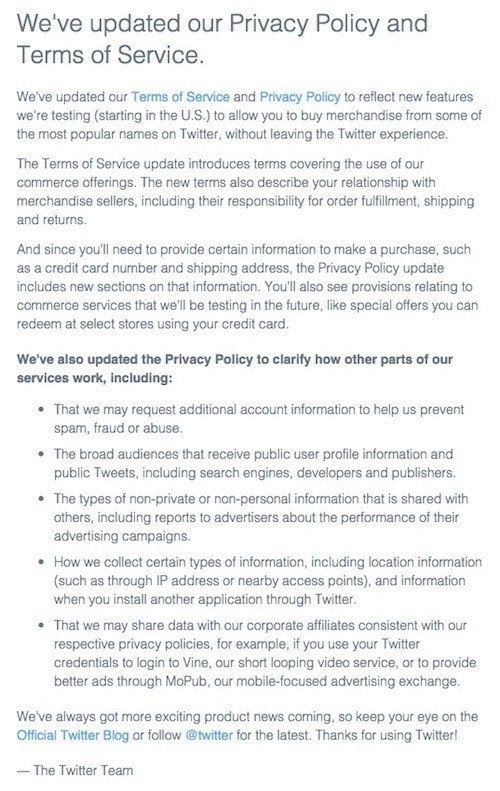
Twitter added new provisions in its legal agreement about the following:
- Users relationship with sellers and their responsibility as buyers
- That they will collect more information, including sensitive information such as credit card number and shipping address
- Why they will collect more information
- How they will collect information
- That they may share your information to corporate affiliates.
When Bing Ads updated its Terms and Conditions agreement, the Bing Ads Support Team sent emails to all Bing Ads customers announcing these updates. The email included a summary of each major change of the legal agreements:
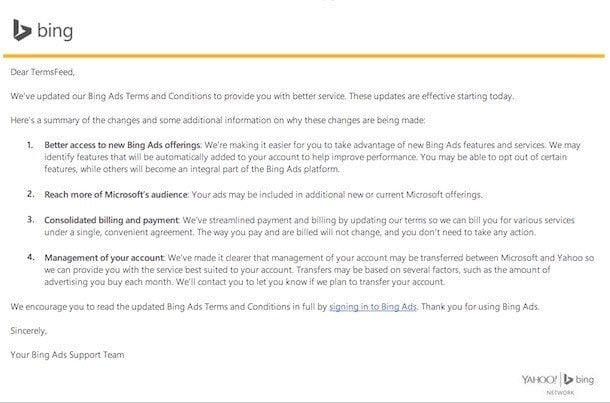
The email makes it clear that the Terms and Conditions agreement was updated. The email gives a summary of the changes, but also why the changes were needed:
- Better access to new Bing Ads offerings
- Reach more of Microsoft's audience
- Consolidated billing and payment
- Management of your account
Here are a few tips for what your update notice email should contain:
- Start with a clear subject line: "We're changing our Privacy Policy" or "We're updating our Terms and Conditions"
- Mention why the update is needed: improved user experience, to give access to new services that requires a new set of rules to be accepted etc.
- Provide a summary of the major changes
- Individually mention why each of the major change was needed
- Link to the new agreements directly from the email
- Mention the date when the new agreements will be in effect
- If possible, provide a comparison between the new agreements and the old agreements
Other places that you can use to announce the updates are:
- Your Facebook and Twitter official accounts. Link to the legal page on your website detailing the upcoming changes
- A blog post in which you discuss the changes
- A banner pop-up on your website
The GDPR gives your users far more rights when it comes to how their personal data is handled. One of the key aspects of the GDPR is its push for transparency.
A huge part of being transparent is sending notices to your users that let them know about any updates and changes you've made or will be making in response to the GDPR.
You likely noticed a huge amount of GDPR-related emails from companies earlier in 2018, letting you know that Privacy Policies and Terms and Conditions had been updated all over the place - like this one from Avira:
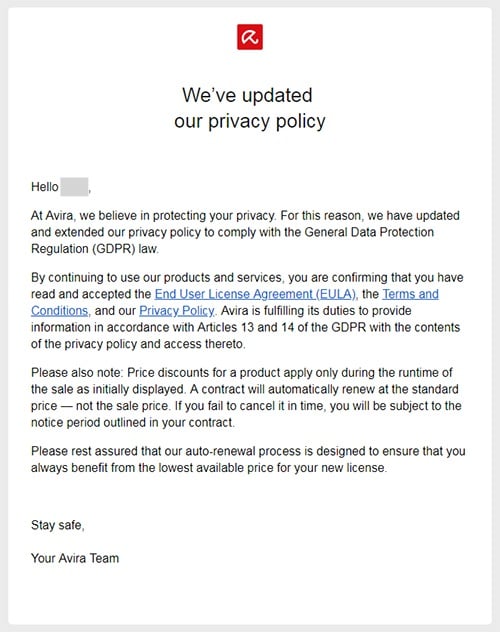
Some of these notices will give users the option to opt out of having their personal data collected, or at least tell them how to do so.
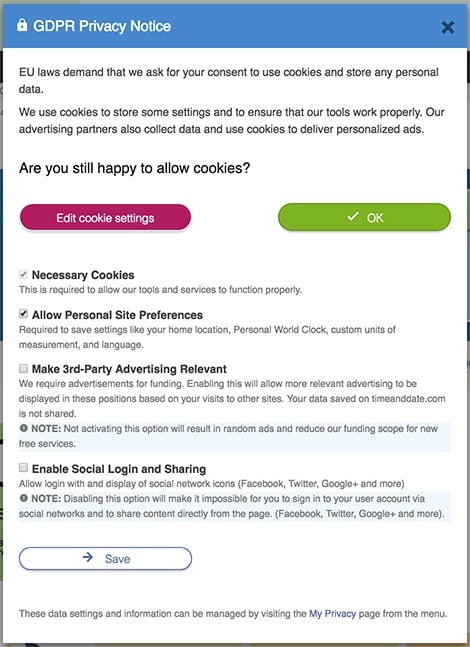
For example, here's a GDPR Privacy Notice that lets users either agree to allow cookies or make a number of edits and adjustments to cookie settings:
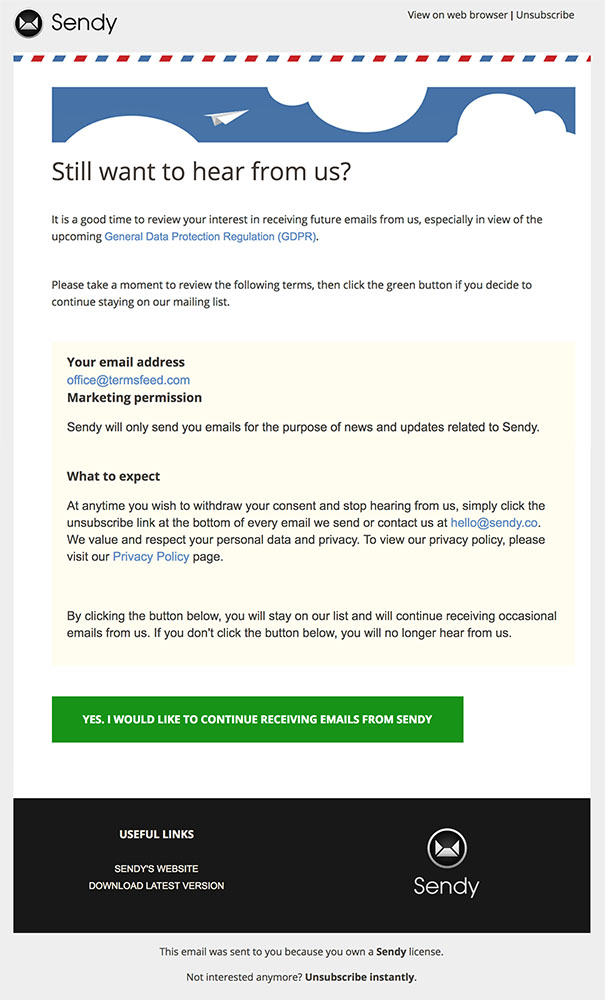
Some notices, as with repermission campaign emails (emails used to collect records of consent to email your users), give users the option to give consent for something (or not consent by not taking an action):
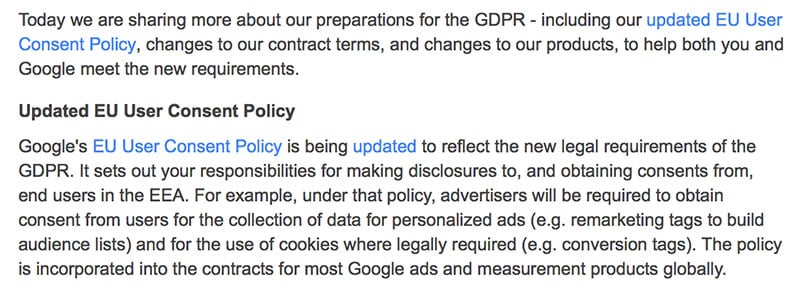
Always provide a link to the updated policy, a brief summary of what has been changed and how:
On Websites
Regardless of what kind of legal agreement you'll update, these are the most strategic places where you can place a notification about upcoming changes to your legal agreements:
- When the user creates an account on your website:
- When the user orders a product or pays for your services, i.e. before checkout
- Before the user can send you a request to perform a certain service
- Whenever you place links to your legal agreements:
A top bar placed across all your web pages that inform users about the changes is the most popular tactic but make sure to link to a page where users can find more information.

For SaaS Apps
Because most SaaS apps involve some version of an account dashboard, you can use the dashboard to properly notify users about any upcoming changes.
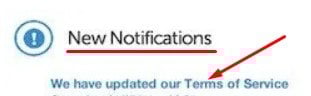
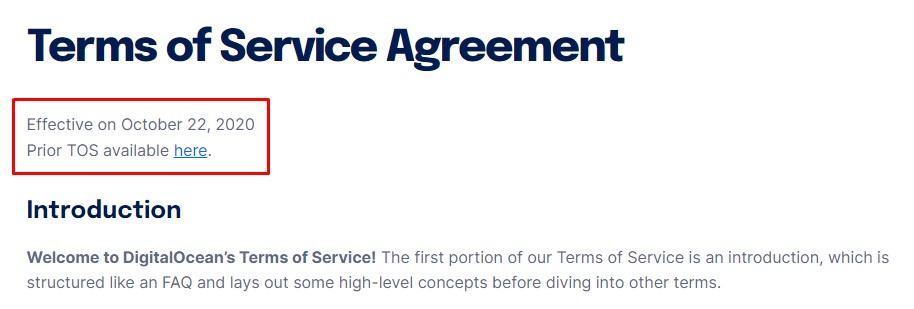
DigitalOcean, for example, updated its Terms of Service and used the dashboard section of its user accounts to notify them about the change:
You can also see the updated terms information at the very top of its Terms of Service agreement:
For Mobile Apps
If your business is only done through a mobile app and not through a website, you're still going to have agreements for that mobile app which will need to be updated at some point.
Follow the same practices as website owners to provide notice to users whenever you need to update the agreements.
When Airbnb updated its Terms of Service, the notification wasn't only through email but through its mobile app as well:
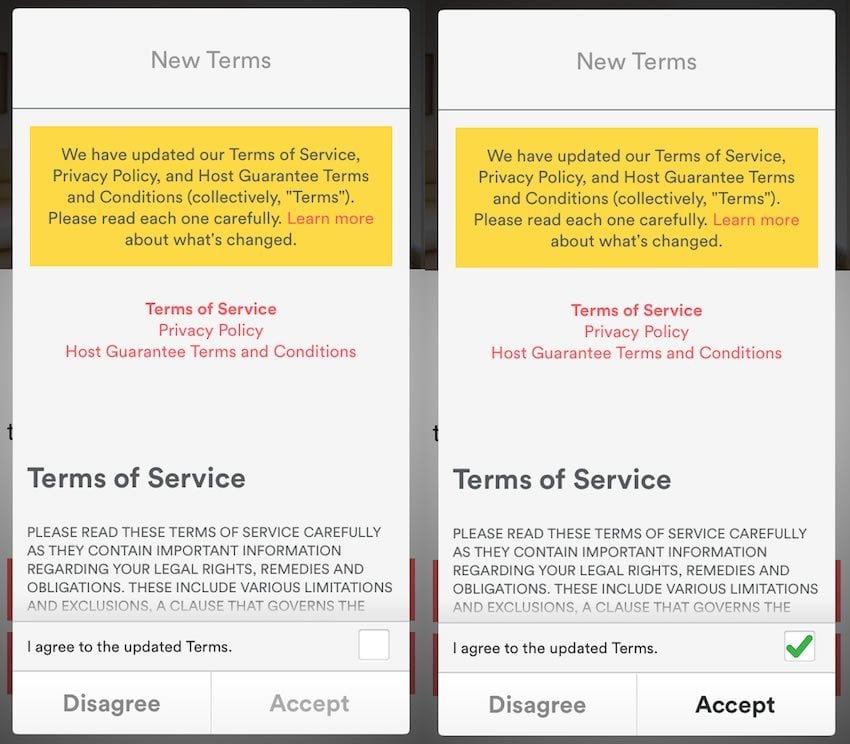
Users were required to check the "I agree to the updated Terms" button and then click the "Accept" before they could continue to Airbnb:

Summary
Privacy laws around the world, including the GDPR, require you to provide a Privacy Policy to your users. A Terms and Conditions agreement is optional, but highly recommended. Cookies Policies may be required if you fall under the EU Cookies Directive.
You need to inform your users whenever you make updates to your policies and legal agreements.
Do so through emails, website banners, mobile app pop-up windows and any other way that can get the message across successfully to your users. Don't forget to link your updated agreements to your update notice.