In-App Surveys Guide for Collecting Valuable Feedback (original) (raw)
What are in-app surveys?
In-app surveys are questionnaires embedded directly within your app to gather valuable feedback.
These surveys are concise—often just a few specific questions—and designed to be convenient, contextual, and actionable.
Unlike external surveys that pull users away from your app, in-app surveys let you collect insights right where the user actions are happening, such as:
- During onboarding
- After using a feature
- Or before canceling a subscription
Should you use in-app surveys to collect customer feedback?
While there are many options to collect customer feedback, in-app surveys stand out as a powerful method for capturing both quantitative feedback and qualitative feedback right in the flow of action. Here are three compelling reasons you should use in-app surveys:
Collect user feedback at scale
In-app surveys allow you to gather feedback without the friction of traditional methods because they can reach thousands of users simultaneously without the logistical hassle or high costs.
They’re scalable, straightforward, and effective, which makes them one of the most cost-effective ways to collect customer insights. This immediate, on-the-spot feedback is invaluable, especially when it comes to identifying product issues before they lead to churn.
Gather specific and targeted feedback
The best part about using in-app surveys is that it lets you target users on a granular level. When combined with user segmentation and behavioral triggering, you can target specific groups and gain deep insights to identify the most common user frustrations.
Witness higher response rates than other collection methods
One of the primary challenges of collecting customer feedback is low user engagement. Contrary to other feedback types like email surveys, in-app surveys tend to deliver higher responses.
Because they appear directly within the app, users are more likely to engage with them. Take UX researcher, Lisa for example. Lisa used Userpilot’s in-app survey functionality to create a close-ended survey in mere minutes to recruit participants for a usability test.
Within a few days, she recruited 4 times more participants than email surveys.
How to use in-app surveys to improve the product and customer experience?
The feedback you gather through in-app surveys helps you refine your product, while also revealing how new customers respond to the changes you make. Here’s how:
- Create personalized experiences: When you collect customer data through in-app surveys, you understand different customer segments and their needs better. Hence, you can deliver tailored support and messages that resonate more with each user group.
- Measure customer satisfaction: In-app surveys let you quickly assess how users feel about your app. This essential data helps you identify dissatisfied customers early on so you can address their concerns and improve their experience.
- Improve onboarding experience: Collecting feedback right after onboarding is a fail-proof way to understand how users feel about the process. This way, you can identify friction points and refine the onboarding flow to make it smoother and more engaging.
- Measure customer loyalty: To measure customer loyalty, use in-app surveys to find out how committed users are to your app. You can identify power users and better forecast retention trends. This will help you develop strategies to keep engaged users.
- Iterate on new feature development: Validate new feature ideas by directly asking users what they want, or how they feel about current functionality. You can prioritize product improvements and ensure new features align with user expectations.
- Understand user behavior: In-app surveys, especially with open-ended questions, help you understand why users behave the way they do. This insight enables you to tweak app design or functionality based on real user motivations.
What are the different types of in-app surveys?
If you aren’t sure which surveys should be used at particular stages of the customer journey, we’ve got you covered. Let’s look at the common types of in-app surveys you should consider:
- Welcome surveys are triggered when users log in for the first time. They collect information necessary to personalize their experience.
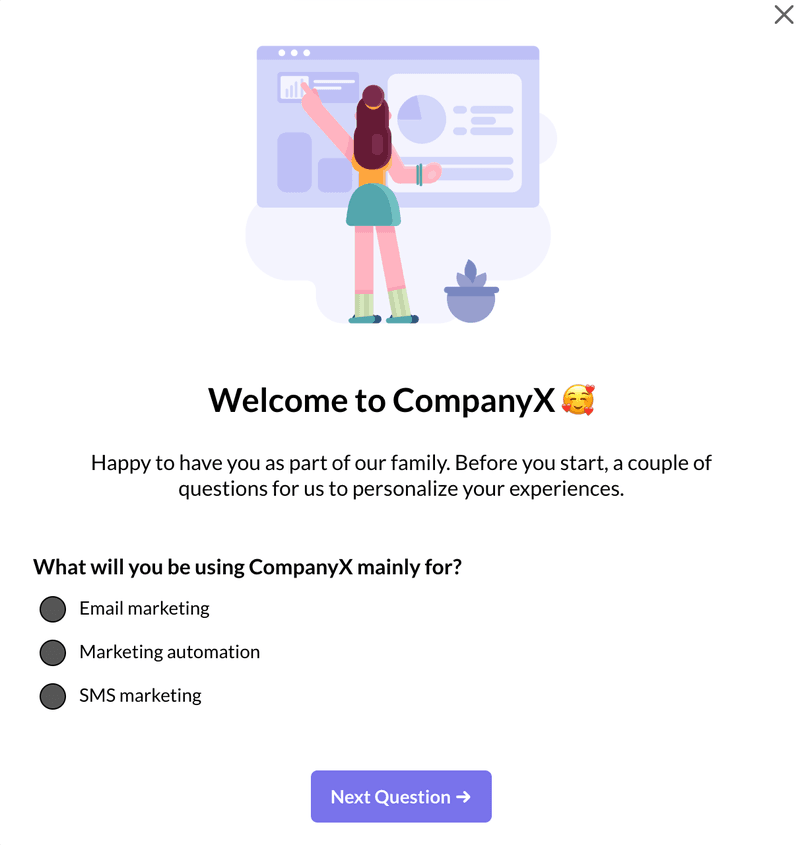
Welcome survey created in Userpilot.
- Net Promoter Score (NPS) surveys measure customer loyalty by asking users how likely they are to recommend the product.
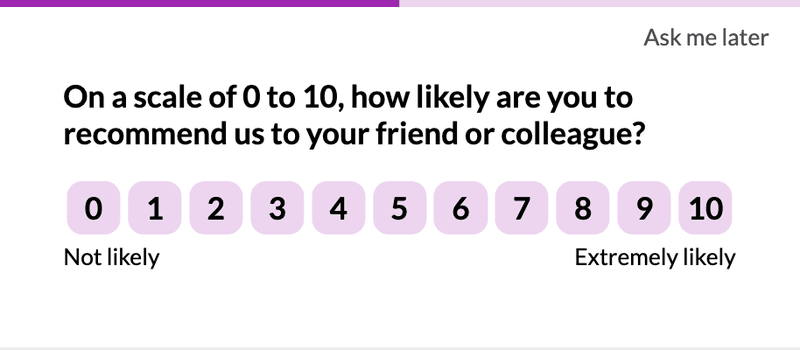
NPS survey created in Userpilot
- Customer Satisfaction (CSAT) surveys gauge how happy users are with the user experience and the product value.
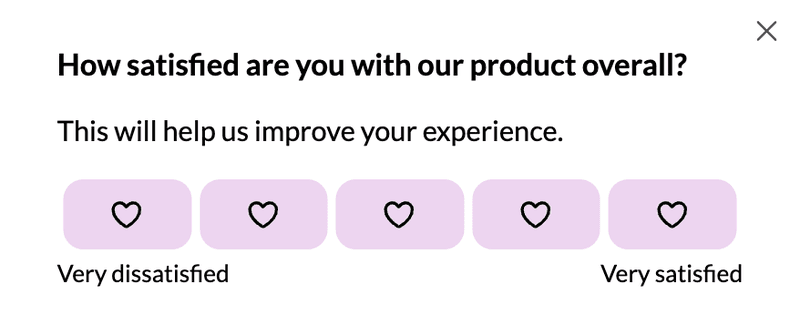
Product satisfaction survey created in Userpilot.
- Customer Effort Score (CES) surveys assess how easy product features are to use.
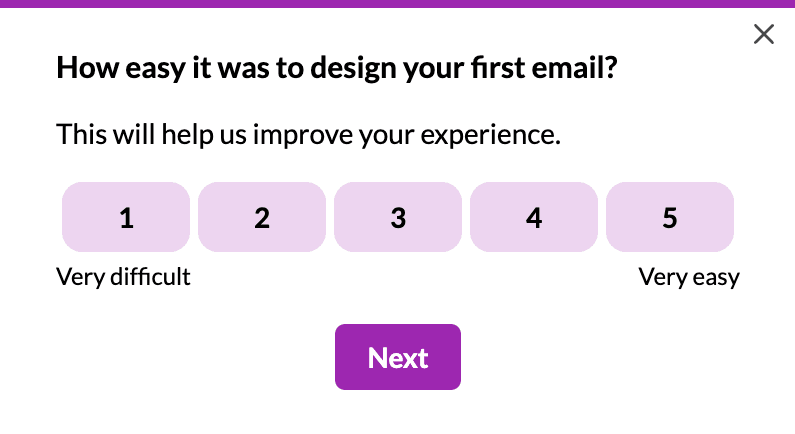
CES survey created in Userpilot.
- Feature request surveys enable users to submit their ideas for new features (or tell you which features users haven’t discovered yet).
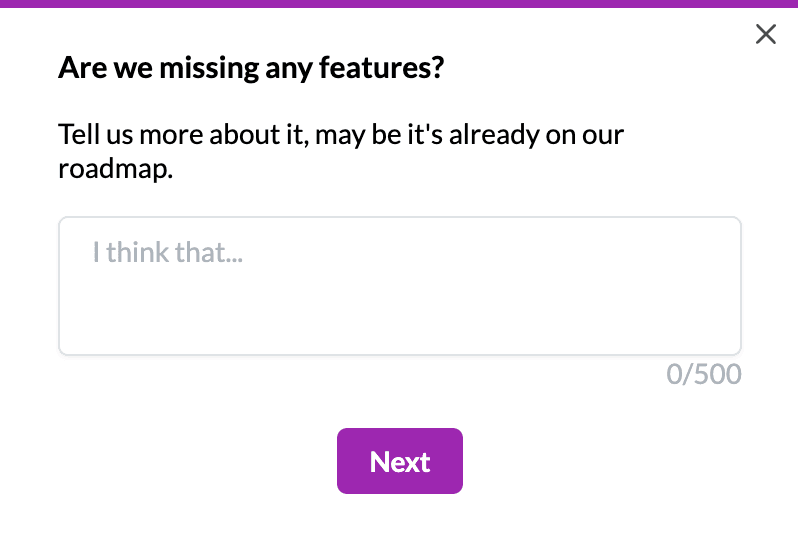
Feature request survey created in Userpilot.
- Product-market fit surveys tell you if users find your product valuable enough to justify its existence on the market.
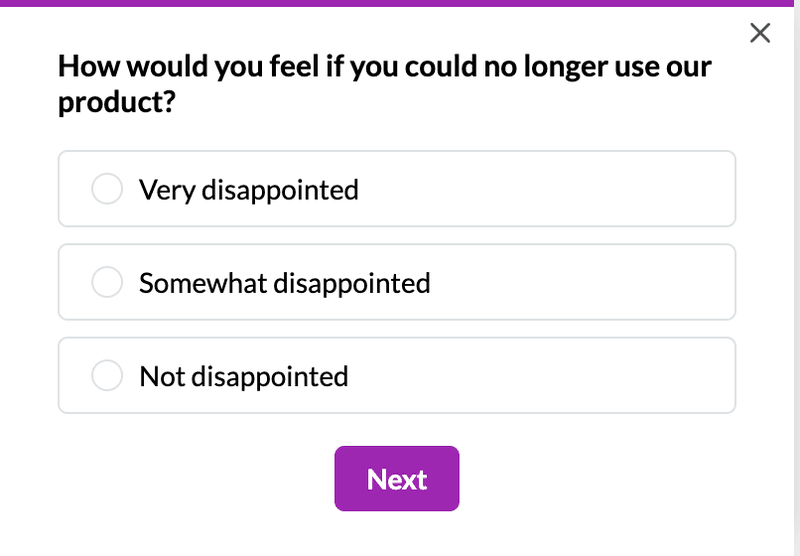
Product market fit survey created in Userpilot.
- Churn surveys appear when users cancel their subscriptions (or are about to do it) to find out their reasons and offer them an alternative solution or plan to make them stay.
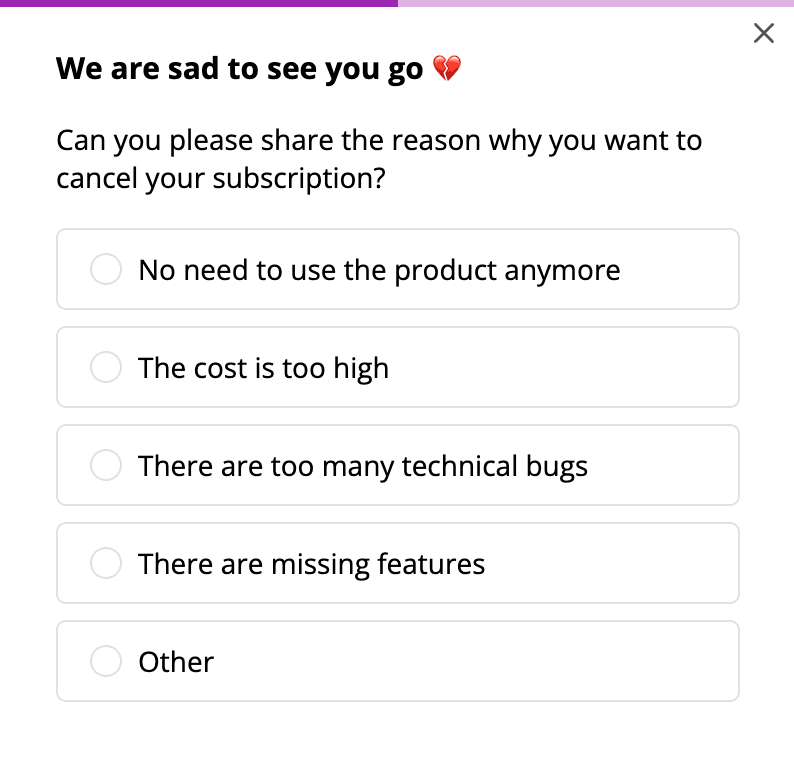
Churn survey created in Userpilot.
20 questions to use when building in-app surveys
The granularity of your feedback insights depends on the specificity of the questions you ask in your surveys. That’s why we compiled a list of 20 in-app survey questions to ask if you want to get closer to your customers and their needs.
- How likely are you to continue using our product in the future?
- How easy was it for you to use our product?
- How likely are you to purchase additional products from us in the future?
- What do you like/dislike most about our product/service?
- How would you rate the quality of our product?
- How likely are you to recommend our product to others?
- Are there any issues that ruin your mobile app experience with us?
- Which feature(s) contribute most to your day-to-day productivity?
- What features do you find redundant and why?
- Are you satisfied with the support you’ve received from our agent?
- What’s the most frustrating part of using our product?
- Is there anything you feel our product could do better?
- What new features or improvements do you want to see added to our product in the future?
- Out of the following options, how would you prioritize the following new features for our product?
- How do you think our product features and capabilities compare to competitors?
- Are there any specific product features or capabilities you want us to improve?
- What factors influenced your decision to purchase this product?
- How well does our product meet your specific business needs?
- What price would you be willing to pay for our product?
- How would you rate the product’s value for money?
How to create in-app surveys? A step-by-step tutorial
Now that you’re familiar with the different types of in-app surveys and the right questions to ask, it’s time to put your knowledge into action. Follow this step-by-step process to create surveys that capture the most relevant feedback.
- Choose an in-app survey tool: Use Userpilot to help you create customizable in-app surveys. It also provides advanced options for customer segmentation and behavioral triggering.
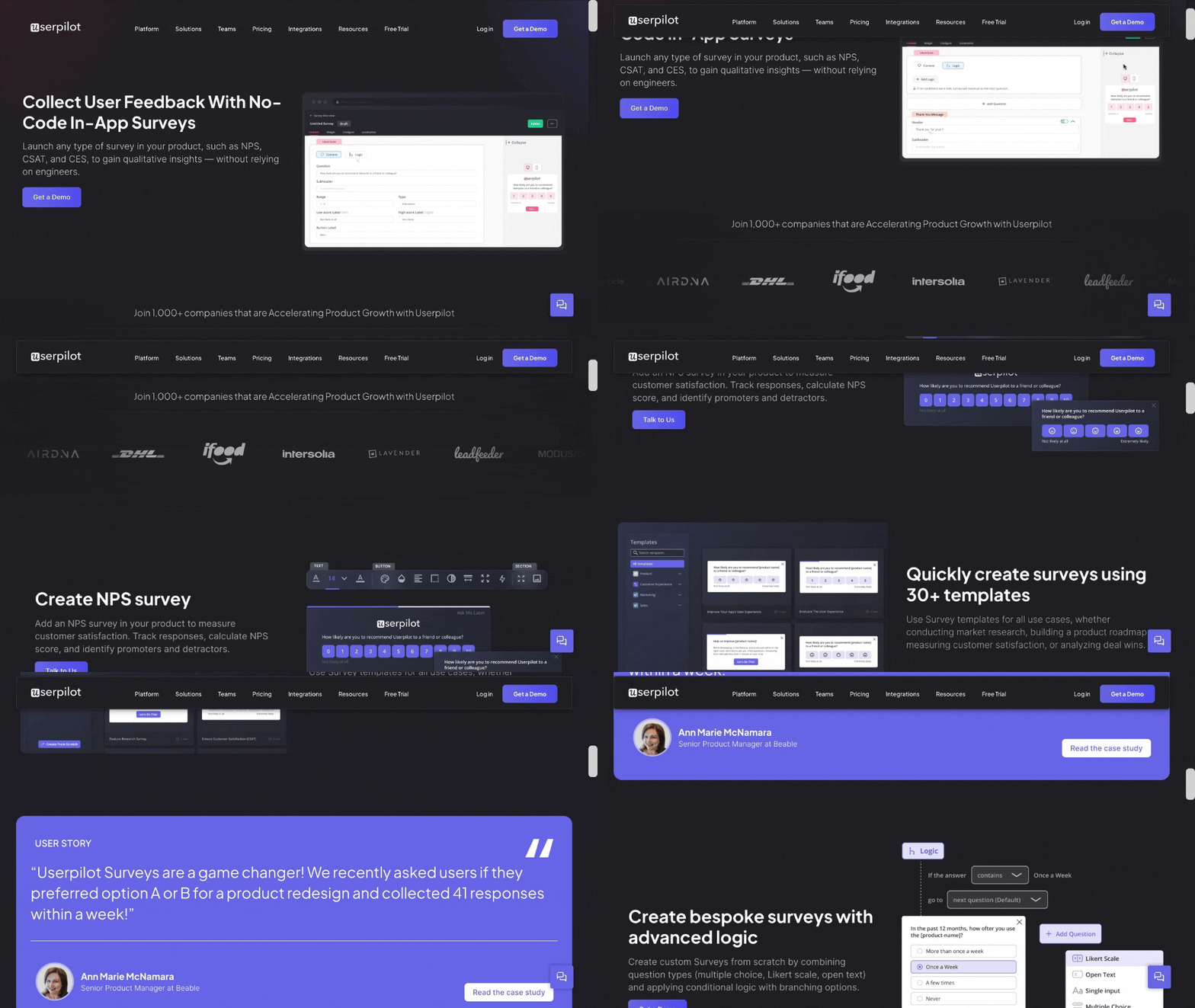
Userpilot’s customer feedback capabilities.
- Choose a survey template or create one from scratch: Userpilot hosts a variety of templates based on your use case. You can filter the templates based on the team you work in and the kind of feedback you’re looking to collect. Or you can create your own surveys from scratch.
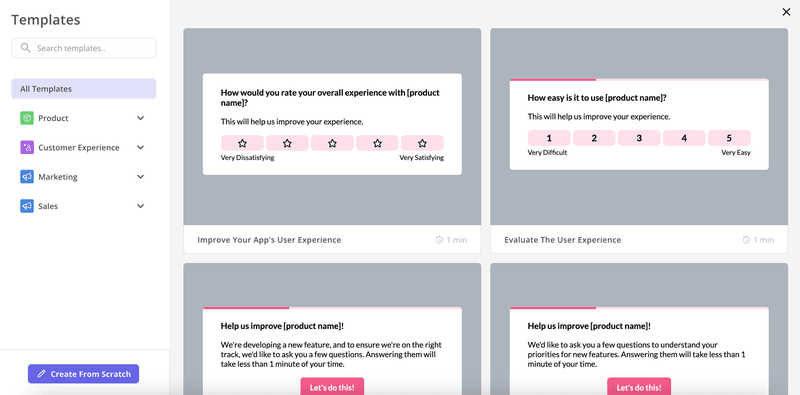
Survey templates in Userpilot.
- Add questions for collecting feedback: There are five different types of questions to choose from: Open text, Likert scale, multiple choice, single input, and text/URL prompt. Select the question type that best suits the information you’re looking to gather.
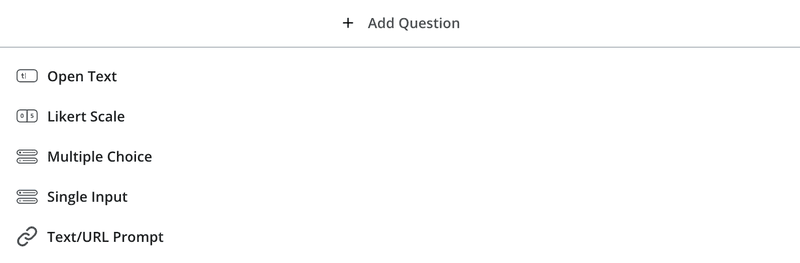
Add questions to collect feedback in Userpilot.
- Customize the surveys: This is important to reflect your brand’s uniqueness. For example, tweak the text, buttons, and design for a seamless on-brand experience. Add a progress bar and smart targeting to guide users and boost response rates.
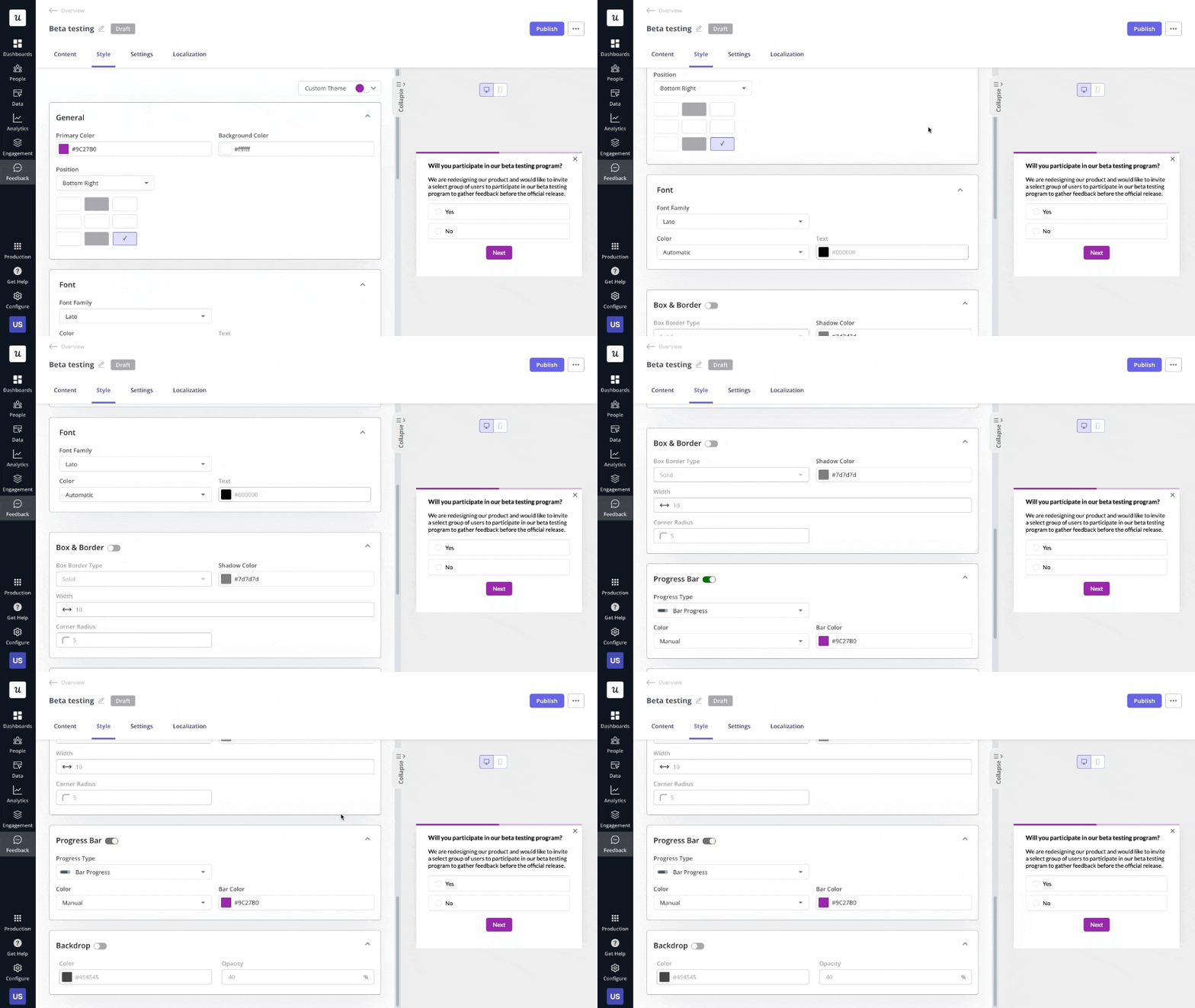
Survey design created in Userpilot.
- Choose survey placement: In the settings tab, you can trigger a survey on any page, on a specific page, or on any specific path your customers follow.

Survey settings in Userpilot.
- Select the right customer segment: This is vital to ensure you target the right users with the right surveys. Choose a predefined segment or create a new one within that survey’s settings.
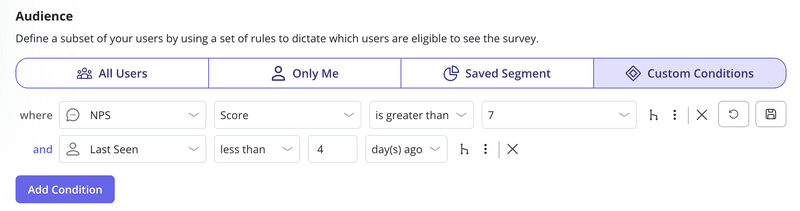
Survey segmentation in Userpilot.
- Finally, launch the in-app survey: Keep a check on how users are engaging with the surveys and make any tweaks to the questions/designs if necessary.
Best practices for building in-app surveys that get high response rates
Here are some tips to help you design effective surveys, gather the insights you need, and increase your response rates.
Keep the in-app survey design short and focused
When it comes to designing in-app surveys, less is often more. Because the longer or more complicated the question, the fewer responses you’ll get.
So it’s best to keep your survey short to increase engagement and response rates. Keep the number of questions to a maximum of 4. If you need to include more questions, create another survey or invite the respondent to an interview.
Add a progress bar to increase the survey completion rate
A simple yet effective way that motivate users to finish surveys is adding a progress bar. This is particularly useful in multi-step surveys, such as those often seen in SaaS product sign-up flows.
The progress bar acts as a gamification element, subtly encouraging users by showing them how much they’ve completed and how close they are to the finish line.
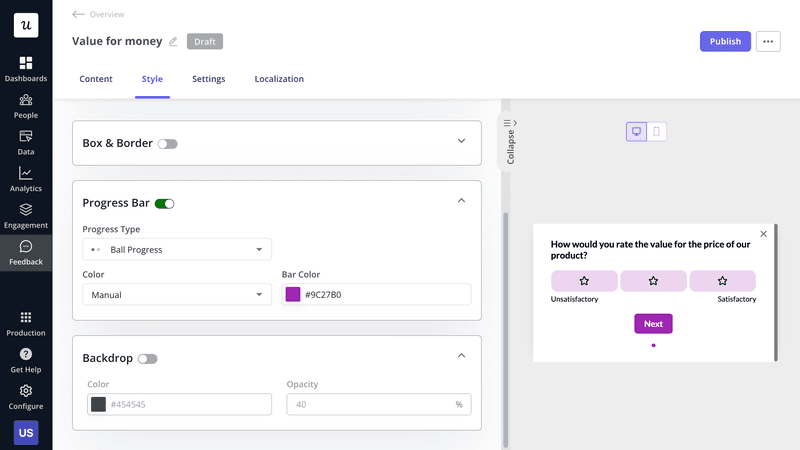
Adding a progress bar in Userpilot.
Ask both close-ended and open-ended questions
When it comes to in-app user surveys, a balanced combination of close-ended and open-ended questions provides a complete picture of user sentiment and helps gather both quantitative and qualitative data
Close-ended questions are quick to answer and easy to analyze. They are great for collecting structured data, which you can use to identify trends, measure satisfaction, and make data-driven decisions. Open-ended questions, on the other hand, provide more in-depth feedback that helps you understand the why behind the numbers.
Ensure your questions are easy to understand
To avoid frustrating respondents, make sure your questions are easy to understand. This means avoiding double-barrelled questions, which ask multiple things at once, and steering clear of industry jargon that could confuse or alienate your users.
For instance, a double-barrelled question like, “How satisfied are you with our product’s performance and customer support?” should be broken down into two separate questions for clarity.
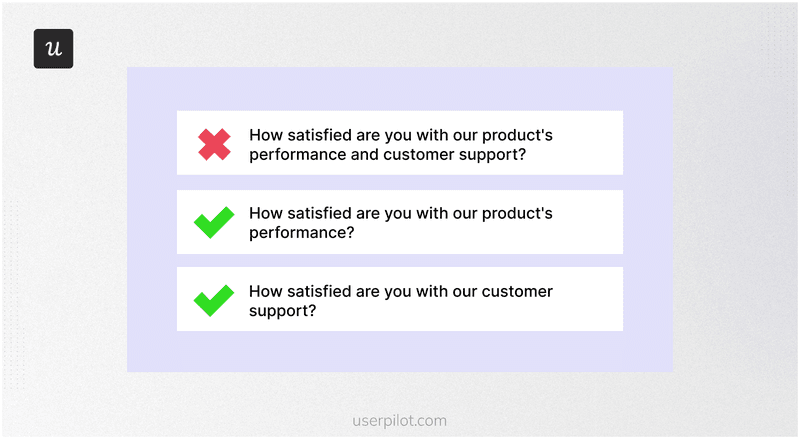
An example of a double-barrelled question.
Use an in-app feedback widget to collect feedback passively
Passive feedback collection is especially valuable because it doesn’t require users to take immediate action. Often placed in the resource center or a noticeable part of the product UI, the in-app survey widget allows users to provide feedback without interrupting their workflow, giving them the flexibility to share their thoughts at their own convenience.
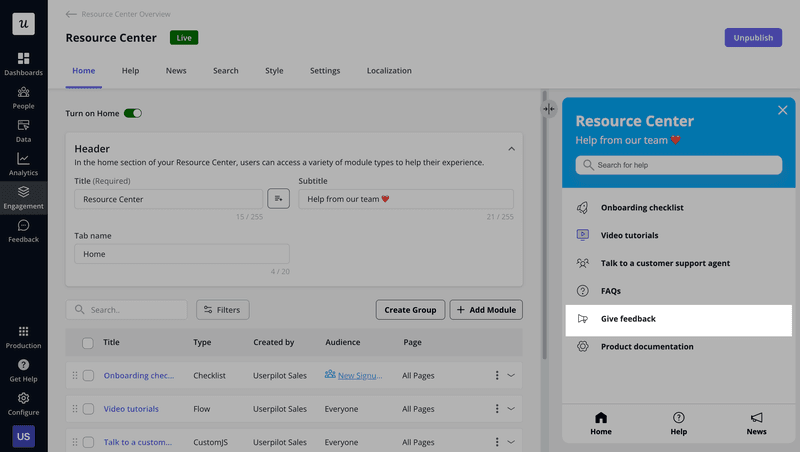
Passive feedback collection in Userpilot.
Localize the surveys to increase responses
If your customer base spans across different regions, localizing your surveys is a powerful way to increase response rates. When surveys are presented in a user’s native language, they feel more comfortable, understood, and valued.
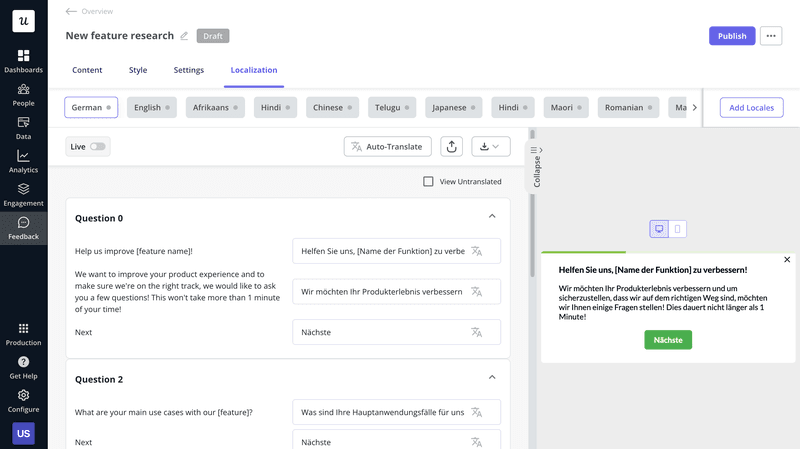
Survey localization in Userpilot.
With a tool like Userpilot, this process is fairly simple. Just add a locale, click on auto-translate, and the survey will be localized in a matter of seconds.
Provide context in your in-app surveys
One of the most effective ways to humanize your company and gather valuable feedback is by adding context to your in-app surveys.
When you give users a behind-the-scenes look at why you’re collecting feedback and how it will benefit them, you increase the chances of receiving valuable user insights.
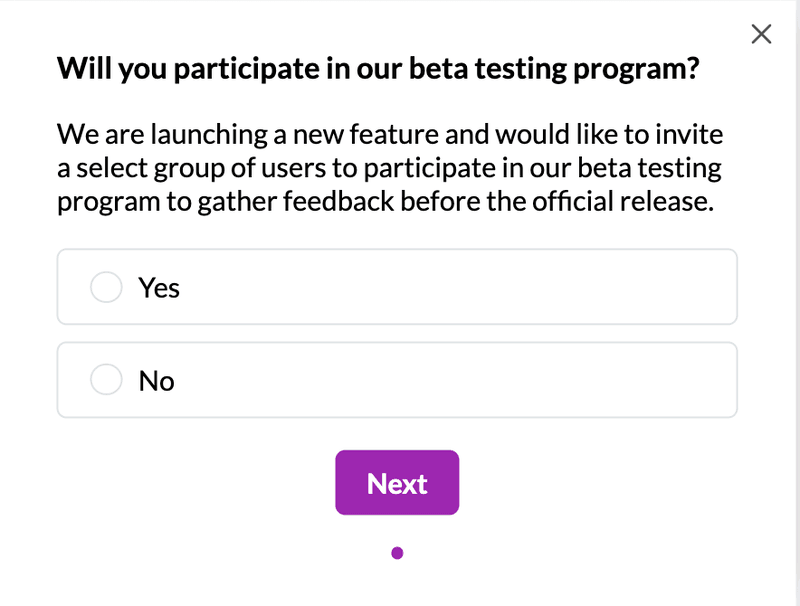
Beta testing form created in Userpilot.
Make the customer survey design mobile-responsive
When building your custom survey, keep a few key considerations in mind. One of them is creating a mobile-responsive layout – ensuring the survey is simple, clean, and easy to navigate for mobile users.
Consider the types of questions you’re asking: questions that require long text responses might be harder to complete on a mobile device, while multiple-choice questions or rating scales tend to be more mobile-friendly.
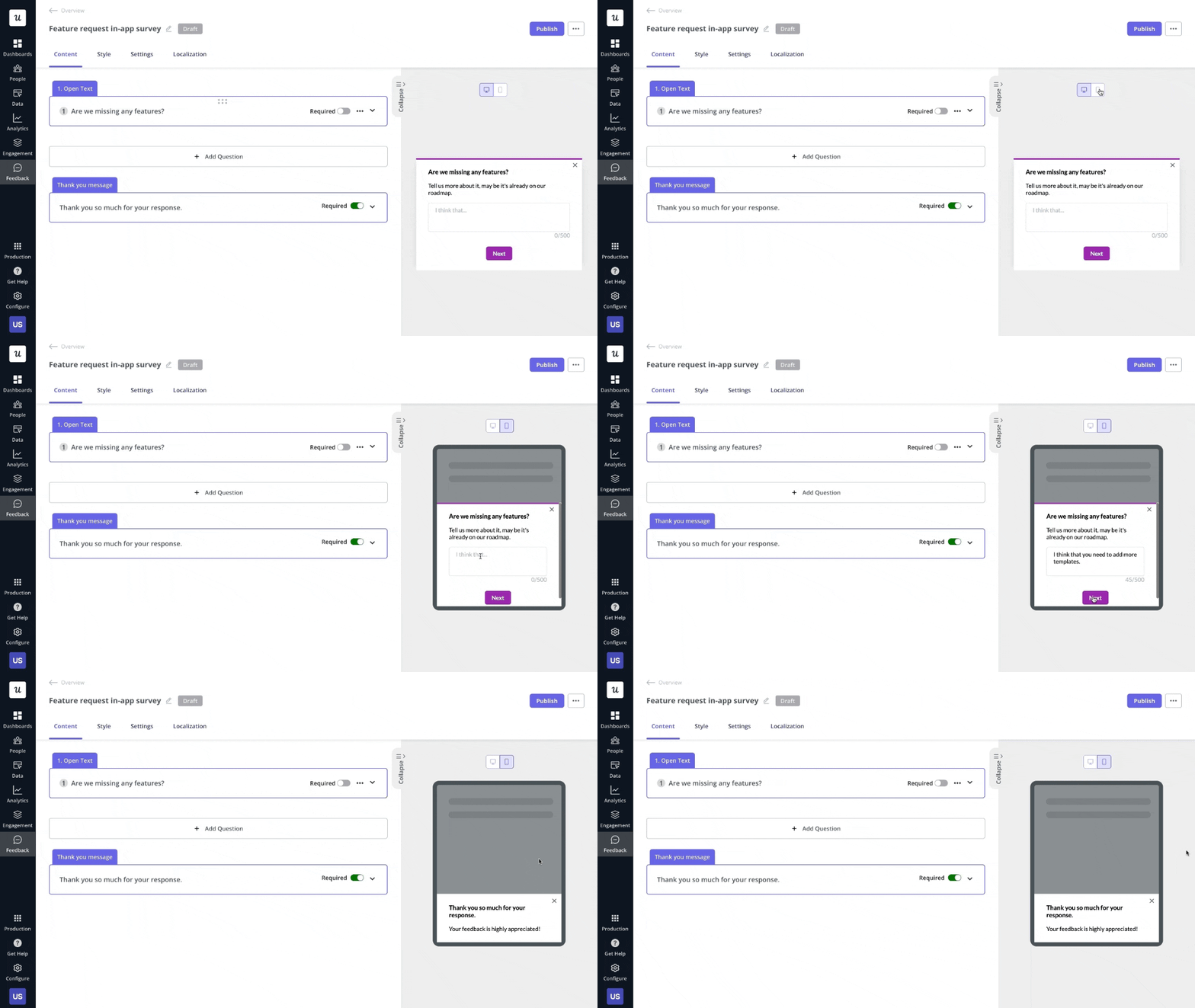
Mobile responsive survey in Userpilot.
In-app survey examples from successful SaaS companies
Here are a few excellent examples of SaaS in-app surveys to fuel inspiration:
ClearCalcs’ welcome survey to collect data from new users
ClearCalcs is a cloud-based platform designed to assist engineering and construction companies with the design and analysis of structural elements like beams and concrete footings.
To ensure a smooth and personalized experience for new users, ClearCalcs employs welcome surveys that collect key data during the onboarding process. The company uses five modals in its welcome survey, each designed to capture relevant data about customers’ roles, goals, and needs.
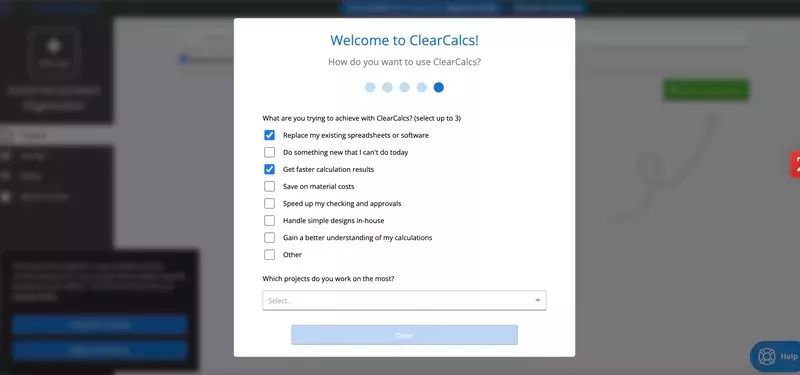
ClearCalcs welcome survey.
RecruitNow’s satisfaction survey to measure onboarding flow performance
RecruitNow is a rapidly growing Dutch Applicant Tracking System (ATS). To gauge customer satisfaction and uncover areas for improvement, the company runs a CSAT survey after the onboarding has been completed.
This allows them to identify pain points and areas for improvement quickly, ensuring a smooth onboarding process across different customer segments.
The survey design is simple and minimalistic and asks short, targeted questions.
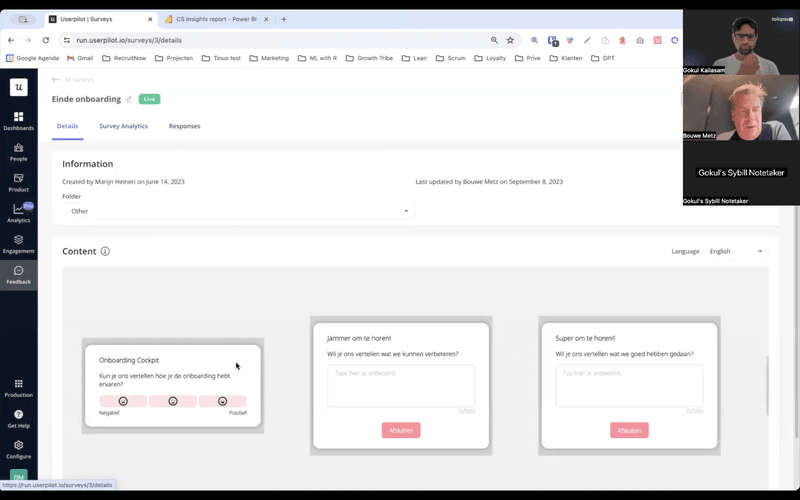
RecruitNow’s satisfaction survey.
Dealfront’s survey to improve data accuracy
Dealfront, a B2B platform providing important company data for sales and marketing teams, needed a way to track and address inaccuracies in their database.
The company integrated Userpilot’s feedback widget by adding a ‘Report data issue’ icon to their dashboard. This triggered a survey that allowed users to easily report data inaccuracies. Dealfront’s data team could then verify and correct these issues, ensuring the database remained reliable.
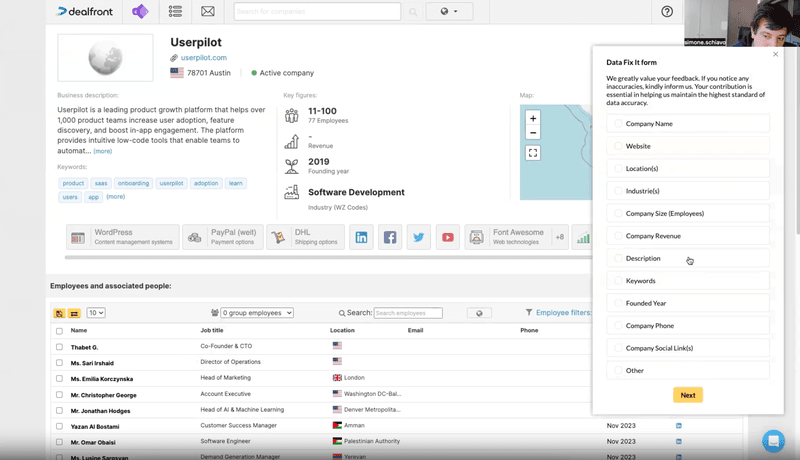
Dealfront’s feedback survey.
Jira’s survey to collect contextual feedback
Jira is a product management tool used widely in the software industry.
The product team behind Jira uses in-app surveys to collect feedback on users’ experiences with different features. The surveys are triggered contextually, just when the user completes a task and when the experience is still fresh in their mind.
For example, the survey below pops up when users finish editing and publishing their page. It consists of a closed-ended question that rates the experience and an open-ended one prompting users to explain their previous answer and suggest ways to improve the experience.
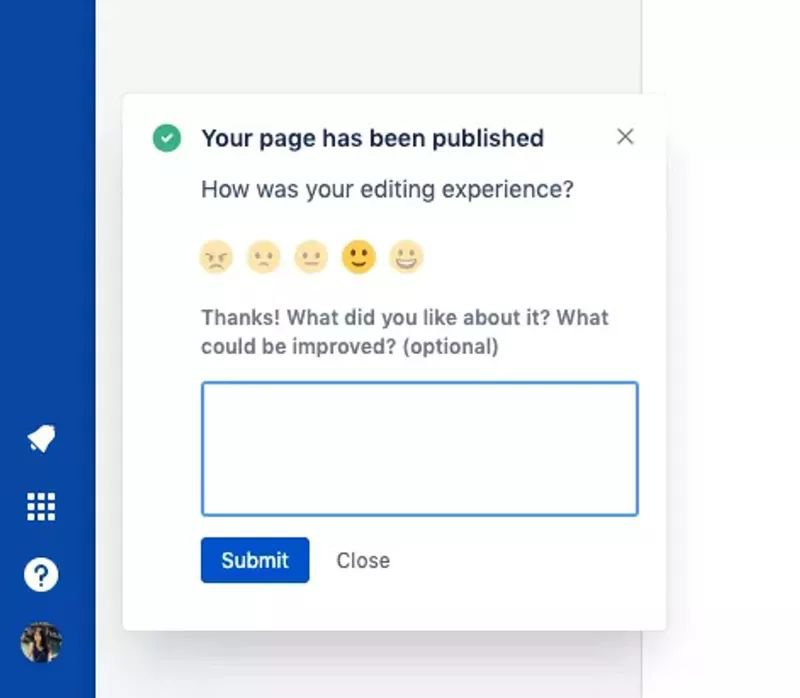
Jira’s contextual in-app survey.
Slack’s NPS survey to identify loyal customers
Slack is a popular messaging platform used by businesses for internal communication. The company uses in-app surveys for various purposes, like tracking user sentiment with NPS surveys.
Slack’s NPS survey looks like many others. It’s got the standard ‘How likely are you to recommend…’ question and a 1-10 scale.
However, what makes Slack’s survey stand out is the personalized message at the beginning. What’s so special about it?
- It’s from Bill, Slack’s Head of Marketing, which gives it a personal touch.
- It sets clear expectations as to the number of questions and how long it’s going to take.
- It assures users that their feedback matters.
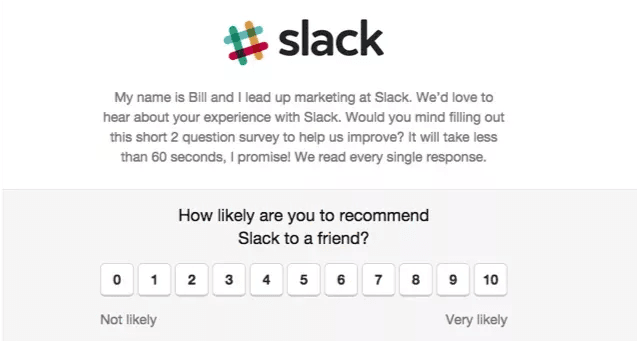
Slack’s NPS survey.
Userpilot’s in-app widget so users can give on-demand feedback
As a product growth platform, Userpilot understands the importance of both active and passive feedback in shaping user experience.
To make it easy for users to provide feedback at any time, Userpilot integrates a feedback widget into its resource center.
This in-app widget allows users to share their thoughts whenever they feel like it, without interrupting their workflow. The feedback survey is simple yet effective, consisting of two short questions.
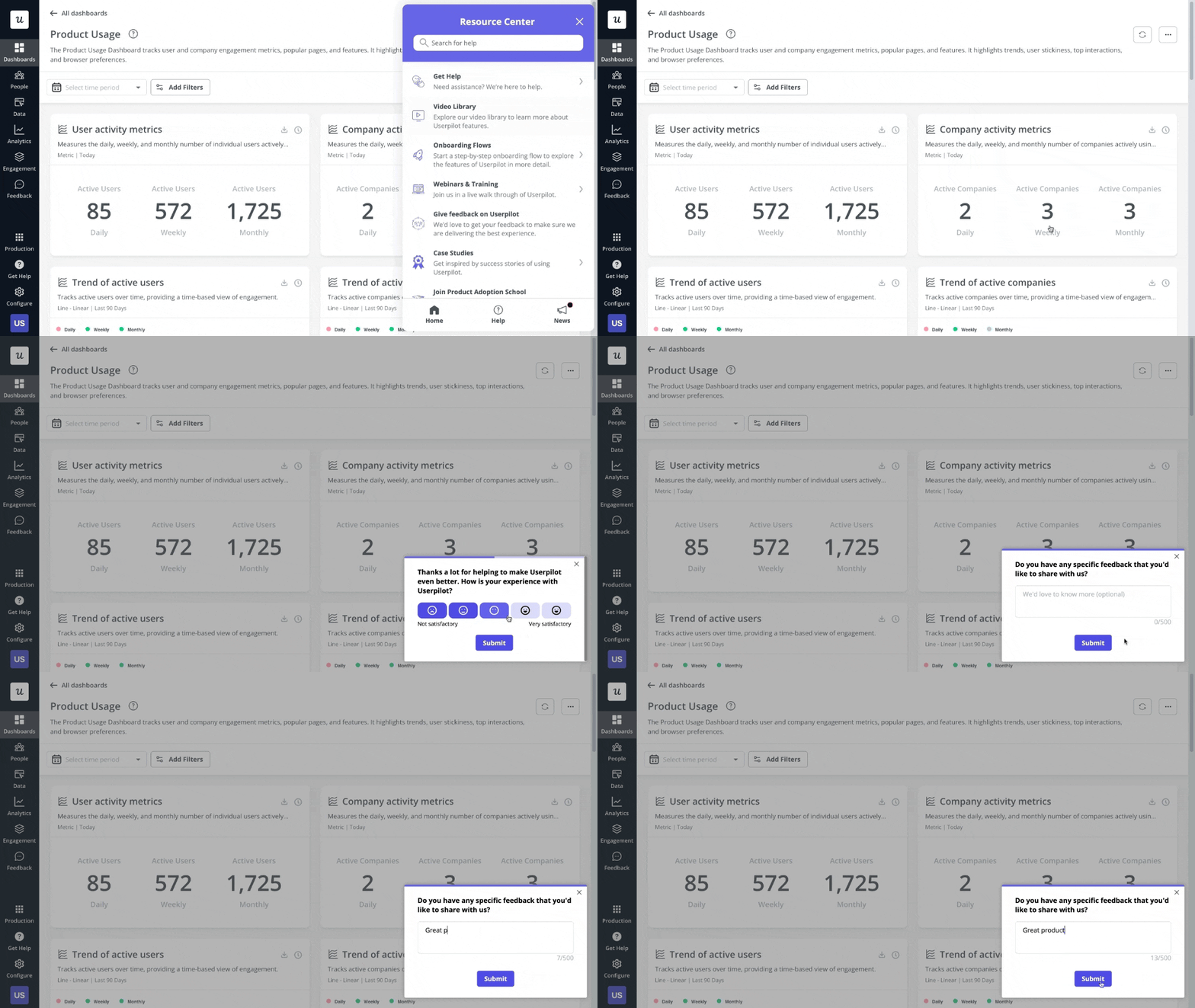
Userpilot’s passive feedback widget.
Asana’s cancellation survey to prevent churn
Asana is a project management tool used in many industries, including SaaS marketing.
The company uses churn surveys to gain insights as to why users leave.
But that’s not all!
Churn surveys can actually prevent user churn, as each of the possible answers is an opportunity to win back users. For example, if users choose ‘Asana is too expensive,’ they are offered an alternative affordable plan. If they choose ‘I couldn’t get my team to adopt Asana,’ they could get additional guidance to help them onboard their team.

Asana in-app churn survey.
Userpilot: The best in-app survey tool for collecting valuable insights
Userpilot, an all-in-one product growth tool, offers robust feedback features – even better than standalone tools. Here’s an overview of its top features:
- You can easily select from a variety of survey templates and customize them using the intuitive WYSIWYG editor.
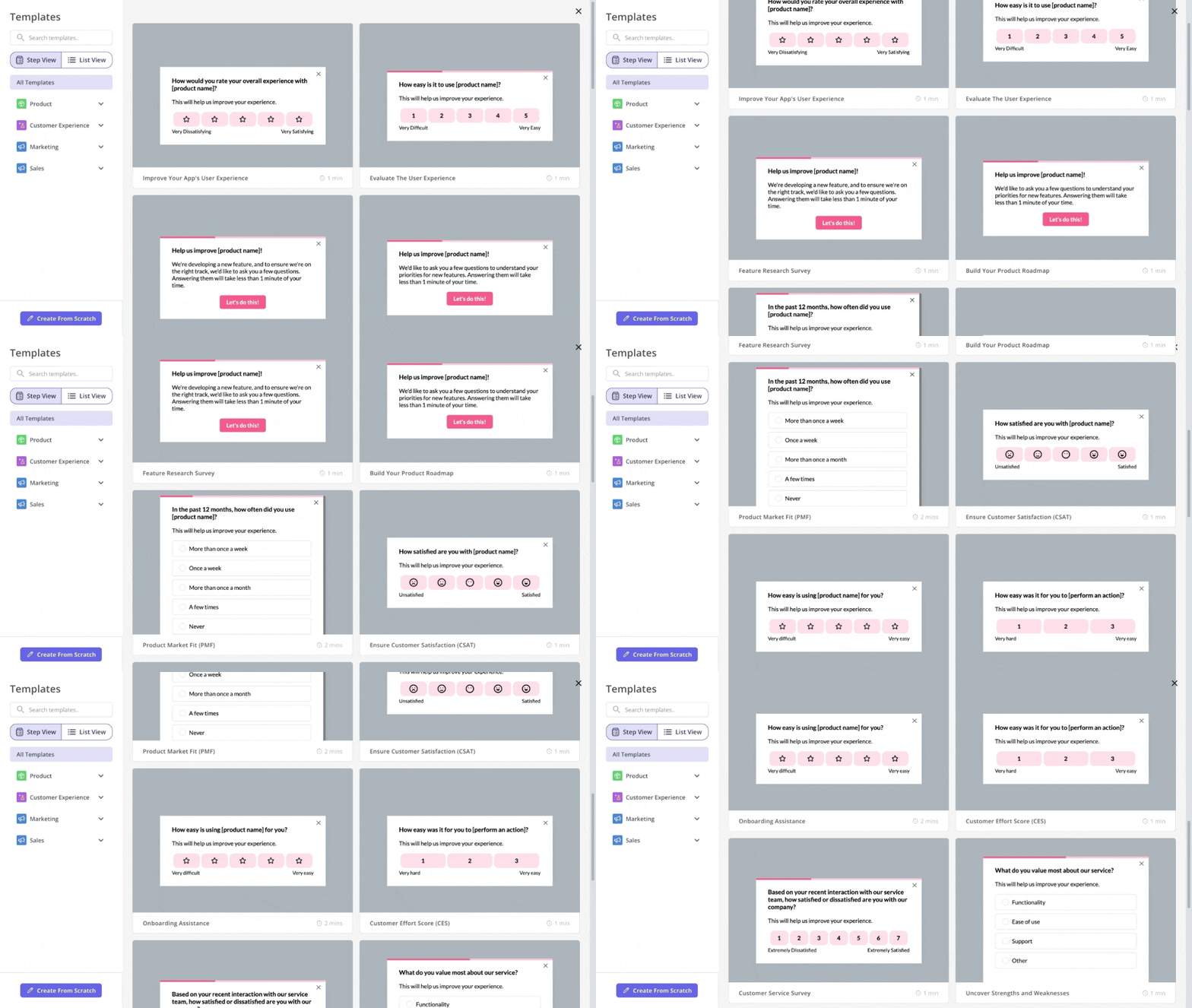
Survey templates in Userpilot.
- Userpilot lets you target specific user segments and control when and how surveys are displayed.
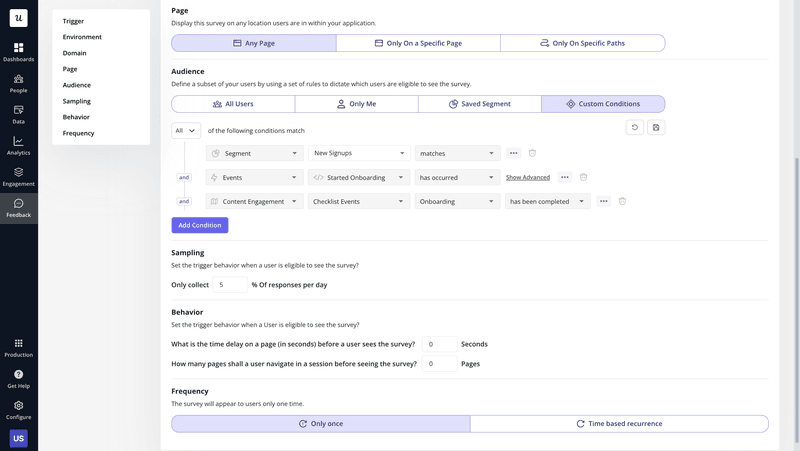
Userpilot survey settings.
- Userpilot’s localization feature allows you to translate surveys into over 100 languages, ensuring your message is clear to users worldwide.
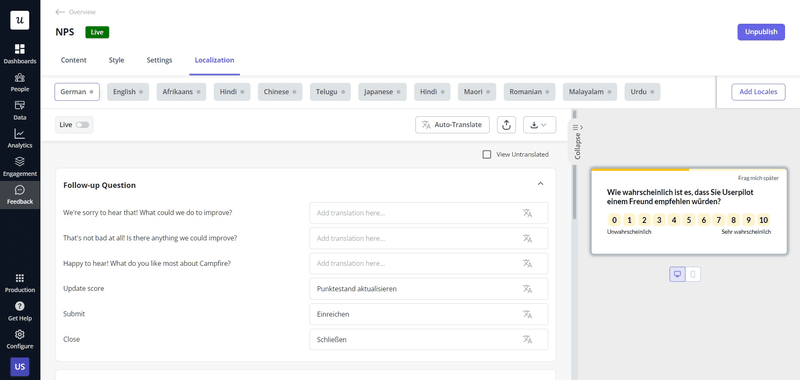
Survey translation in Userpilot.
- Survey analytics provide valuable insights into response rates and engagement, giving you the data needed to optimize your survey design.
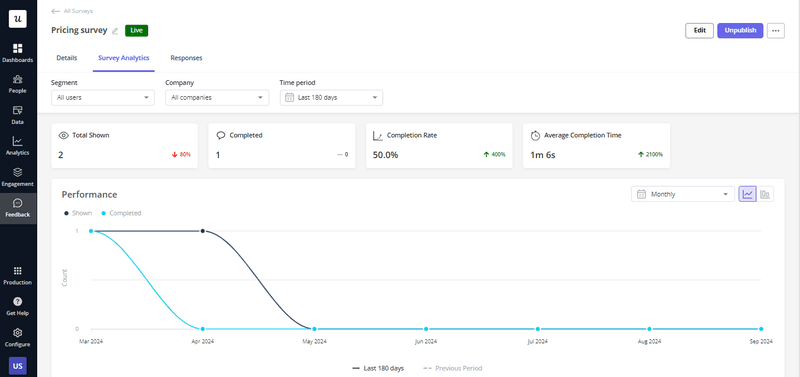
Survey analytics in Userpilot.
- Additionally, NPS response tagging helps you identify recurring customer pain points by grouping feedback into thematic buckets.
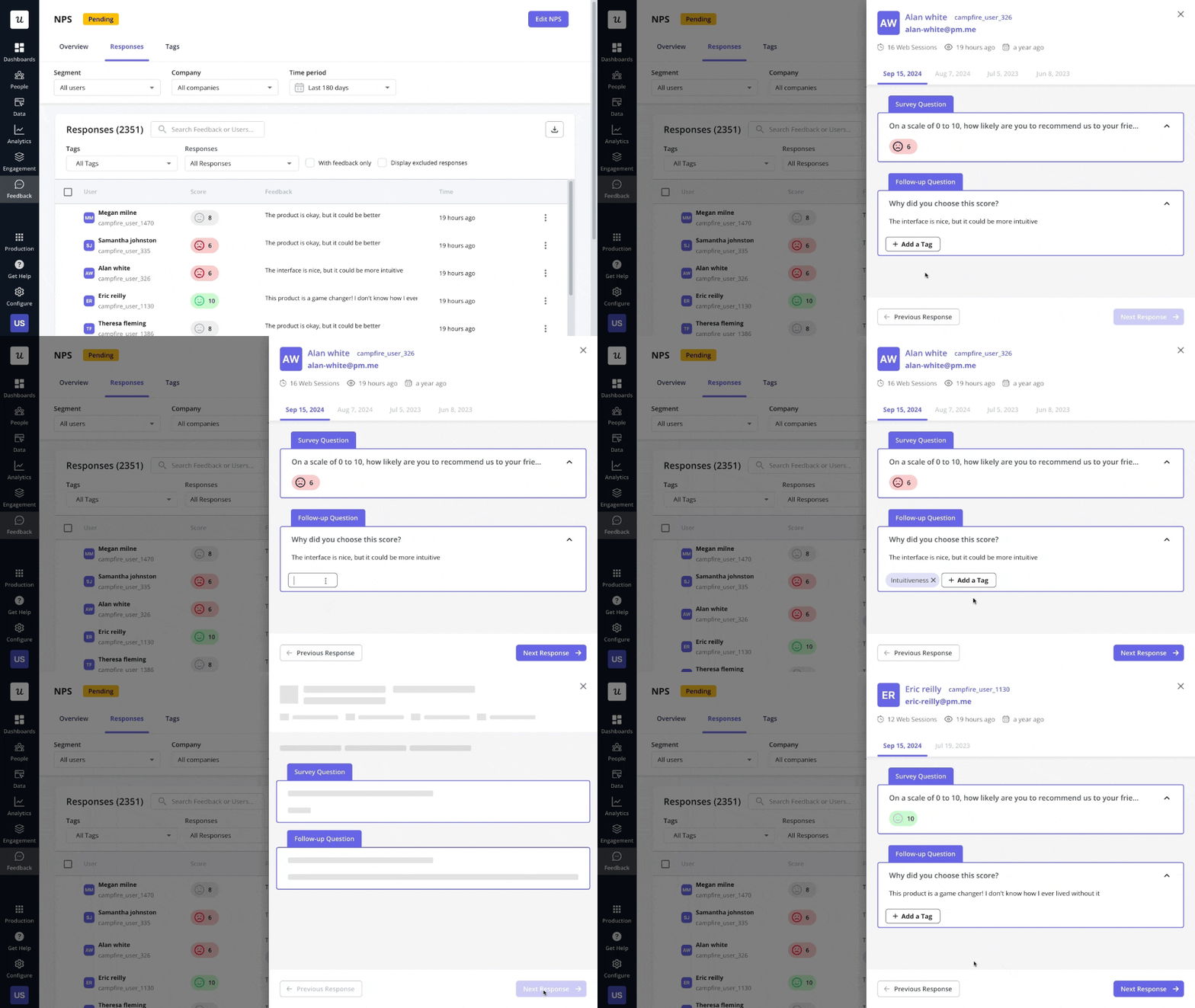
NPS dashboard in Userpilot.
Many of Userpilot’s customers, like Unolo, were impressed with how quickly they could create surveys and the high response rates they could achieve.

Subhash Yadav of Unolo about Userpilot’s survey features.
Create successful in-app surveys with Userpilot
Whether you’re looking to increase engagement, improve your product, or refine the user experience, Userpilot has everything you need to gather and act on the insights that matter most.
Ready to get started? Book a demo today and discover how Userpilot’s powerful survey tools can help you collect valuable user feedback, analyze it, and use it to improve the product experience.