Net Promoter Score: The Complete Guide to NPS SaaS (original) (raw)
What is the Net Promoter Score (NPS)?
Net Promoter Score, often abbreviated to NPS, was first devised in 2003. It’s since become a popular way of measuring customer loyalty. An NPS survey consists of one simple question: “_How likely are you to recommend [PRODUCT] to a friend or colleague?_”
Respondents then answer on a scale from 0 to 10, with 0 being “_Not Likely_” and 10 being “_Very Likely_”.
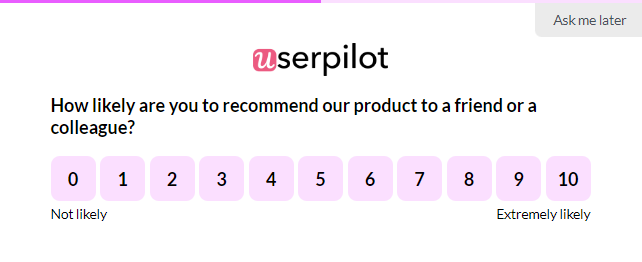
NPS surveys created in Userpilot.
A common approach SaaS software companies take when they send an NPS survey is to add follow-up questions to expand on the reasons for giving the score. This helps you get a better picture of the situation.
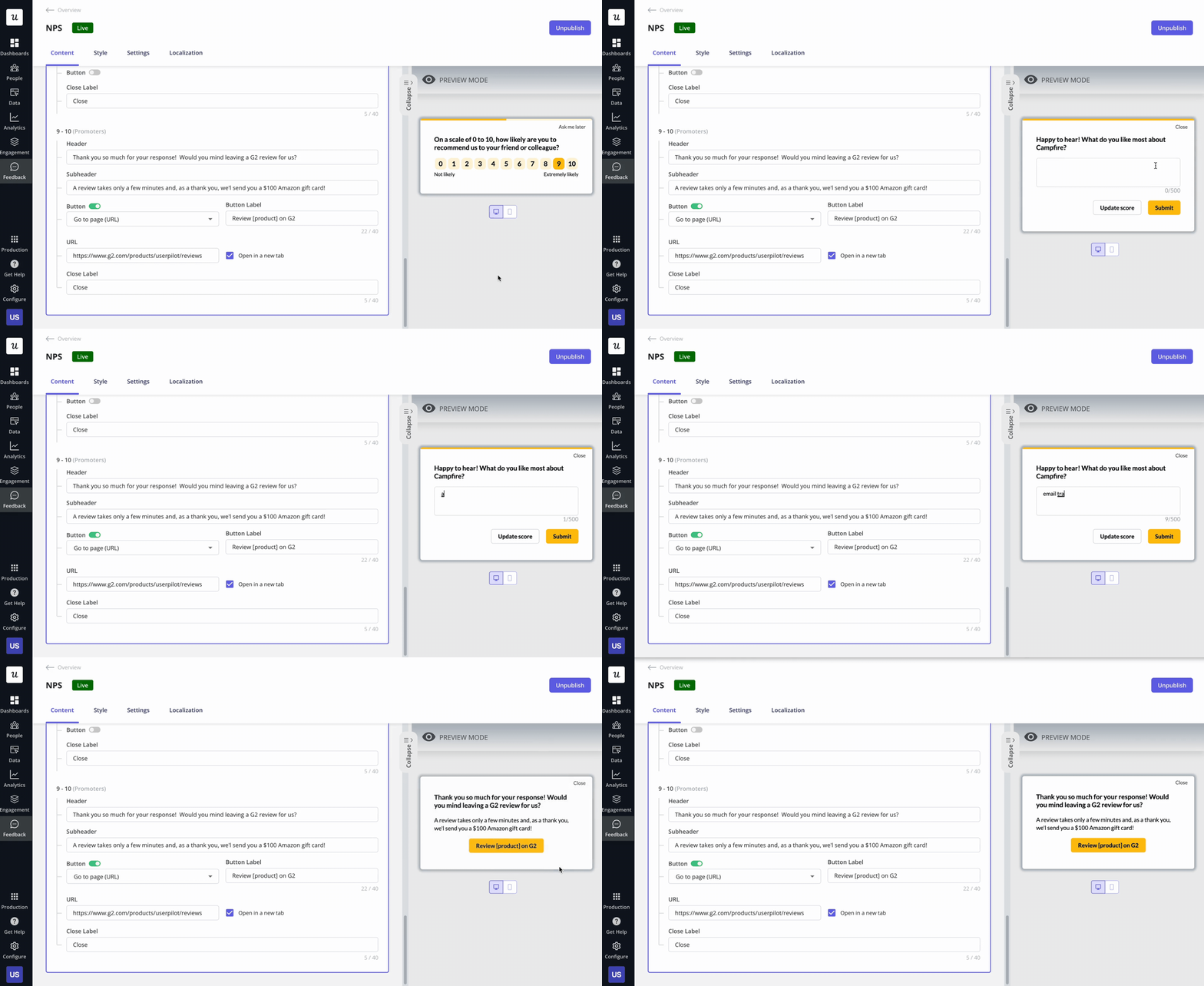
Create NPS follow-up questions with Userpilot code-free.
Why is the Net Promoter Score important?
Net Promoter Score is essential because it helps companies measure customer loyalty and identify opportunities to improve their offerings to minimize customer churn.
Additionally, NPS serves as a useful benchmark tool to evaluate a business’s performance compared to its competitors and industry average, helping to set goals and track progress over time.
Ultimately, a high NPS score can lead to increased word-of-mouth promotion, customer referrals, higher customer retention rates, and revenue growth, making it a valuable tool for businesses of all sizes and industries.
What are the categories of NPS respondents?
Once you’ve collected your results, you separate respondents into three different groups:
- Promoters — People who respond with a 9 or 10 are people who would likely recommend your product. As your top fans and brand advocates, these are the people you might reach out to for reviews to drive social proof (we’ll cover more on this later).
- Passives — People who respond with a 7 or 8 like your product, but they don’t love it, and they probably wouldn’t risk their reputation by recommending it. Try to take advantage of the fact that they’re already “in the door” to turn them into promoters.
- Detractors — Anyone who responds with 6 or below are your unhappy customers who aren’t very satisfied with your product. They won’t recommend it, and they may even discourage others from buying it. Addressing your detractors’ concerns will help reduce churn and negative word of mouth.
How to calculate Net Promoter Score?
To calculate the NPS score you need to subtract the % of Detractors from the % of the Promoters:
%Promoters – %Detractors = Net Promoter Score
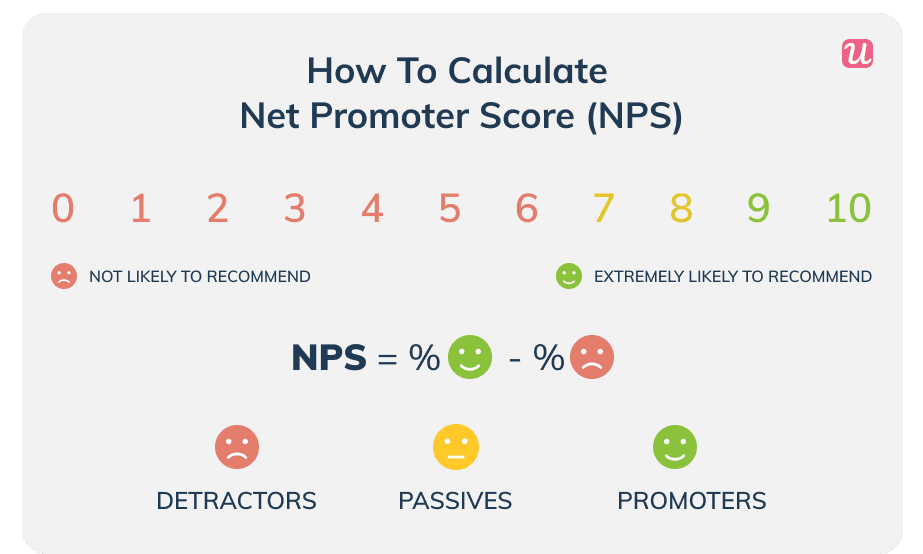
How to calculate NPS SaaS.
For example, 43% of your respondents answered with 9 or 10. 18% answered 6 or below.
Your NPS is then 43 – 18 = 25
NPS benchmarks for SaaS companies
NPS metrics can theoretically range from -100 to 100. While the extremes are unlikely, you want to keep your score above zero.
NPS metrics vary across industries and checking what’s the average in your industry can give you some context into what’s a good or bad score. Here’s the 2023 average NPS score by industry:
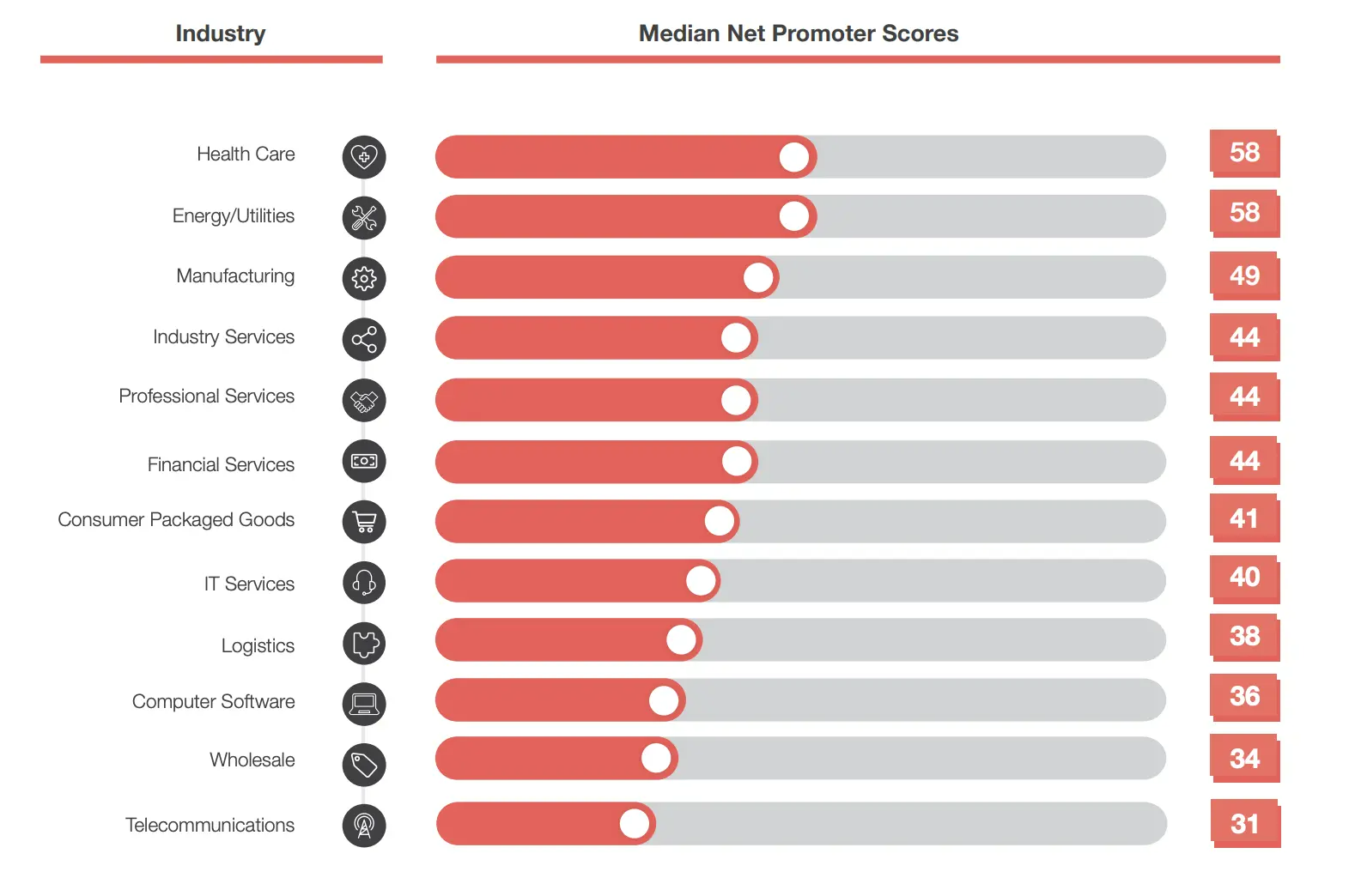
NPS average by industry. Source:CustomerGauge.
What is a good NPS score for SaaS?
The creators of the NPS metric, Bain & Company, said that although an NPS score above 0 is good, above 20 is great, and above 50 is amazing.
Anywhere above 80 is the top percentile.
What is a bad Net Promoter Score (NPS) for SaaS?
In two words: anything negative. A negative score means you have more detractors than promoters. Users don’t see value in your product. This could mean one (or both) of two things:
- You are targeting the wrong audience;
- Your product or service needs improvement;
You should keep a long-term focus on providing value so your customers achieve success by using your product.
When should you run the Net Promoter Score (NPS) survey?
As a SaaS company, you want to collect NPS feedback from activated users who have spent some time using your product. Use customer journey and product usage analytics to determine the best time for this.
You don’t want to send an NPS survey to an inactive user, as they have nothing to recommend. You also don’t want to collect customer feedback from a user who hasn’t reached the activation point in their journey.
They are still discovering the value of your product, so a survey might just be annoying. Here are the two types of surveys you can run:
Transactional NPS surveys after important milestones
Transactional surveys are triggered after an interaction you have with the user (customer support, tech support, customer success, etc.) or after the use of a feature.
For example, Wise sends email surveys after you finish setting up a money transfer:
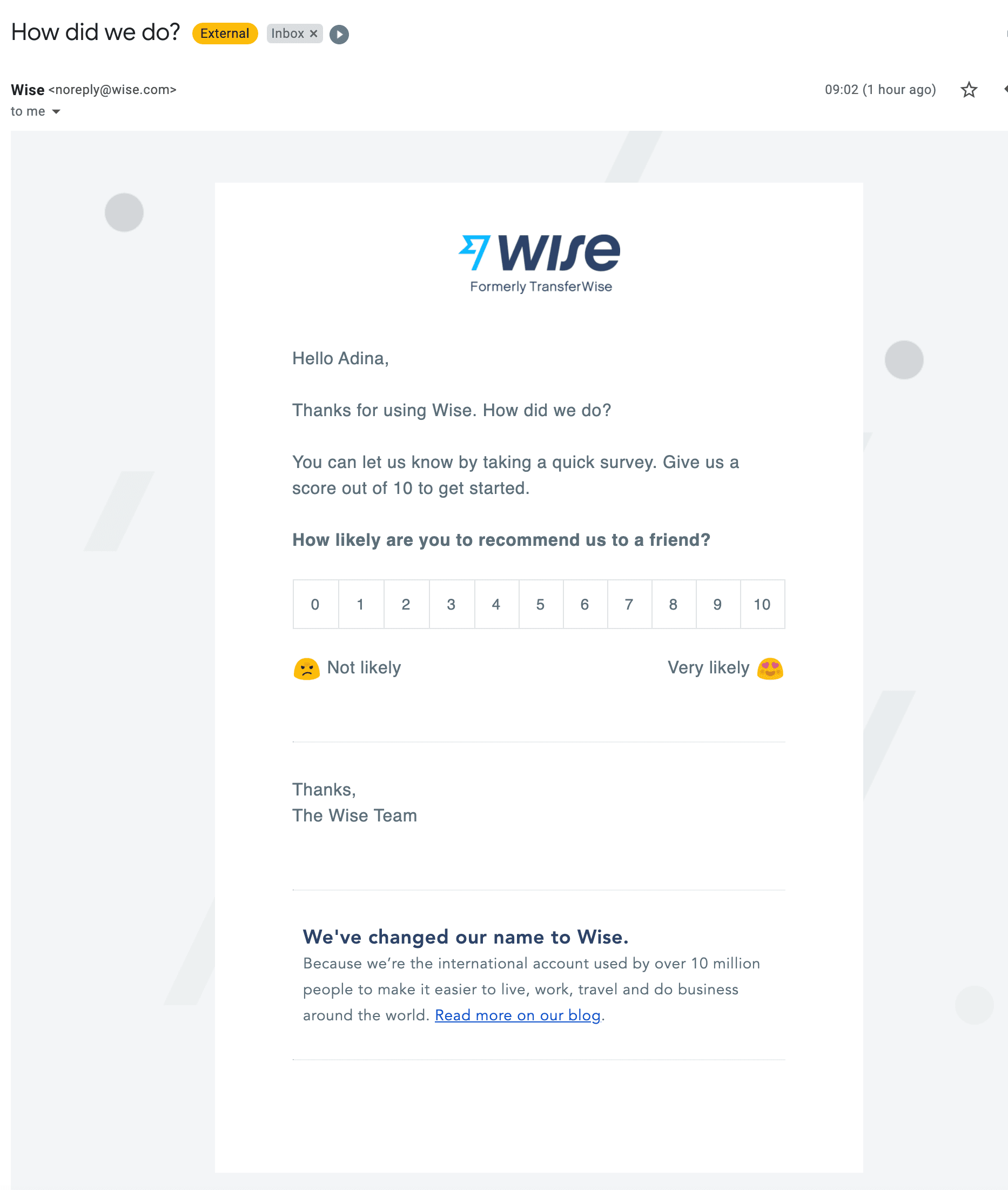
Wise net promoter score (NPS) survey.
When triggering transactional NPS surveys, you have to track the frequency with which certain actions are performed. If a user sends 100 transfers in a month, they won’t want to answer a survey every time they perform an action.
Relationship NPS surveys at
Relationship NPS surveys are sent at pre-defined intervals to measure overall satisfaction and loyalty. These surveys can be sent every quarter or even a year, depending on your company’s standards.
However, keep in mind that such surveys are irrelevant until users have enough experience with your product to have an opinion to share with you.
You can send the first survey after the user reaches the activation point.
For example, with Userpilot, we know that once someone has installed the Chrome extension, installed the JavaScript, and deployed at least one in-app experience, that user is in – they have enough experience with our product to have something to tell us.
Regularly survey your users to track changes in your NPS results and how your actions are changing your users’ perceptions.
How to run an NPS survey and collect data
There are lots of great NPS tools out there. Some of them are standalone apps that only provide NPS (e.g. Wootric or Satismeter), while some are more in-depth analytics tools offering NPS as one of their features (e.g. Userpilot).
Using a standalone tool may require you to integrate the NPS data with a tool offering user analytics. You will want to correlate NPS data with other user behaviors (we’ll cover this in a bit).
Before choosing a tool, the biggest choice you have here is where you want to send the survey. You have two main options to pick from – in-app surveys and e-mail.
How to run an in-app NPS survey
One of the most common methods to collect NPS feedback is through an in-app survey.
It’s often in a little pop-up or slide-out. The shape and place of a survey will vary, but you should use the two-question NPS survey to make it more contextual and meaningful.
You don’t want your surveys to be as meaningless as a legally mandated notification about cookies. Without the follow-up question, users may just answer randomly to get rid of the survey. Your NPS surveys should fit in with the feel of your brand.
Here’s how Asana fits a banner survey:

This banner survey takes up a discreet slice of the screen in Asana.
The main benefit of using an in-app survey is that you can collect feedback whenever you want in the customer journey. Users are already engaging with your product, so it isn’t a stretch for them to fill out a brief survey.
This also means you can tailor the NPS survey to a specific part of your product, or trigger the survey based on your users’ product behavior.
If you wanted to know what customers think about a new feature, you could show the NPS survey when they use it by restricting the display of the survey to specific screens of your app.
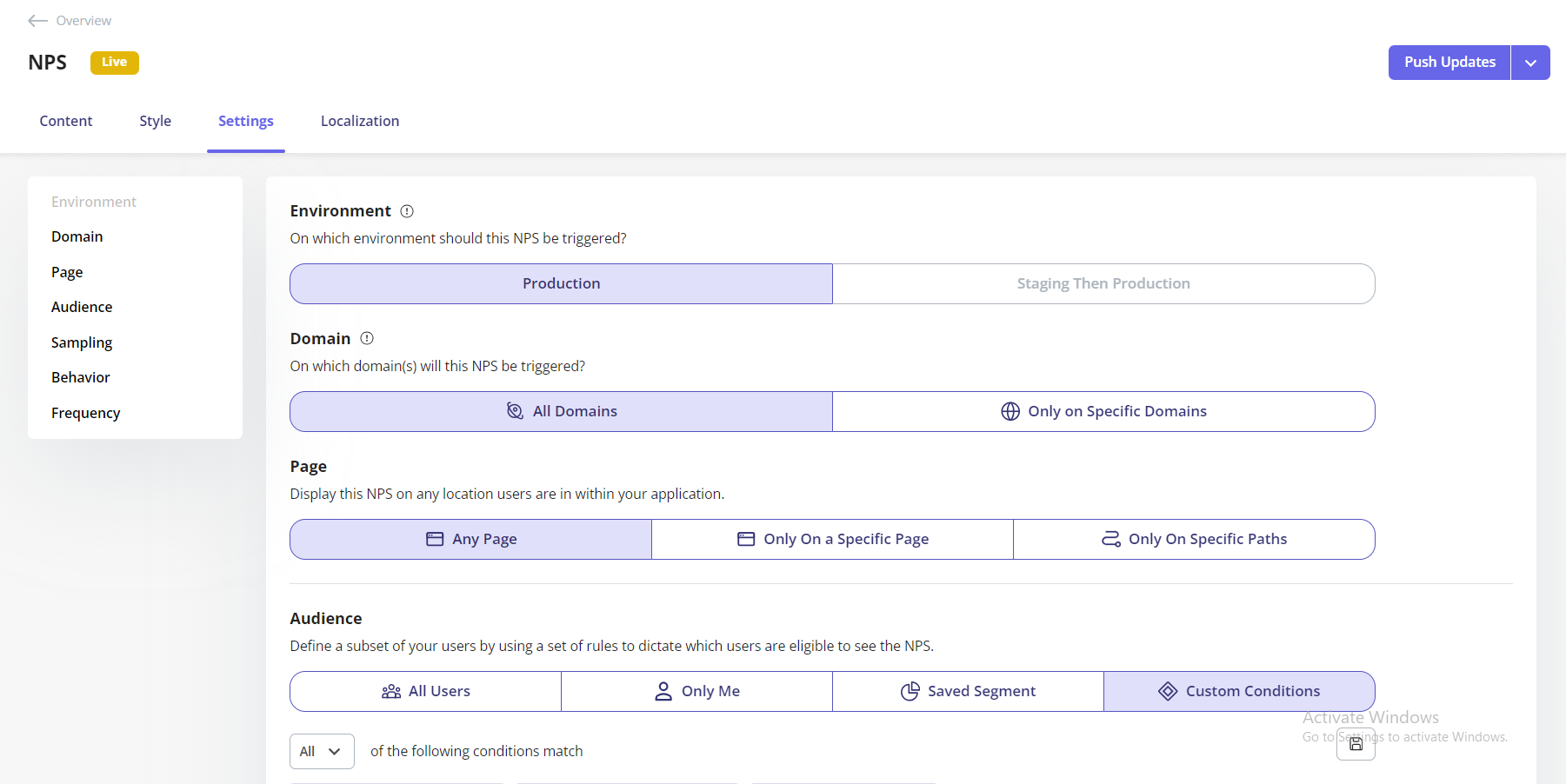
NPS targeting example
How to run an NPS survey using email
The other common approach is to email the survey to your customers. You can either embed the survey into the email (if your chosen tool allows it) or you can simply send a link to the survey.
Here is an e-mail survey from Intercom.
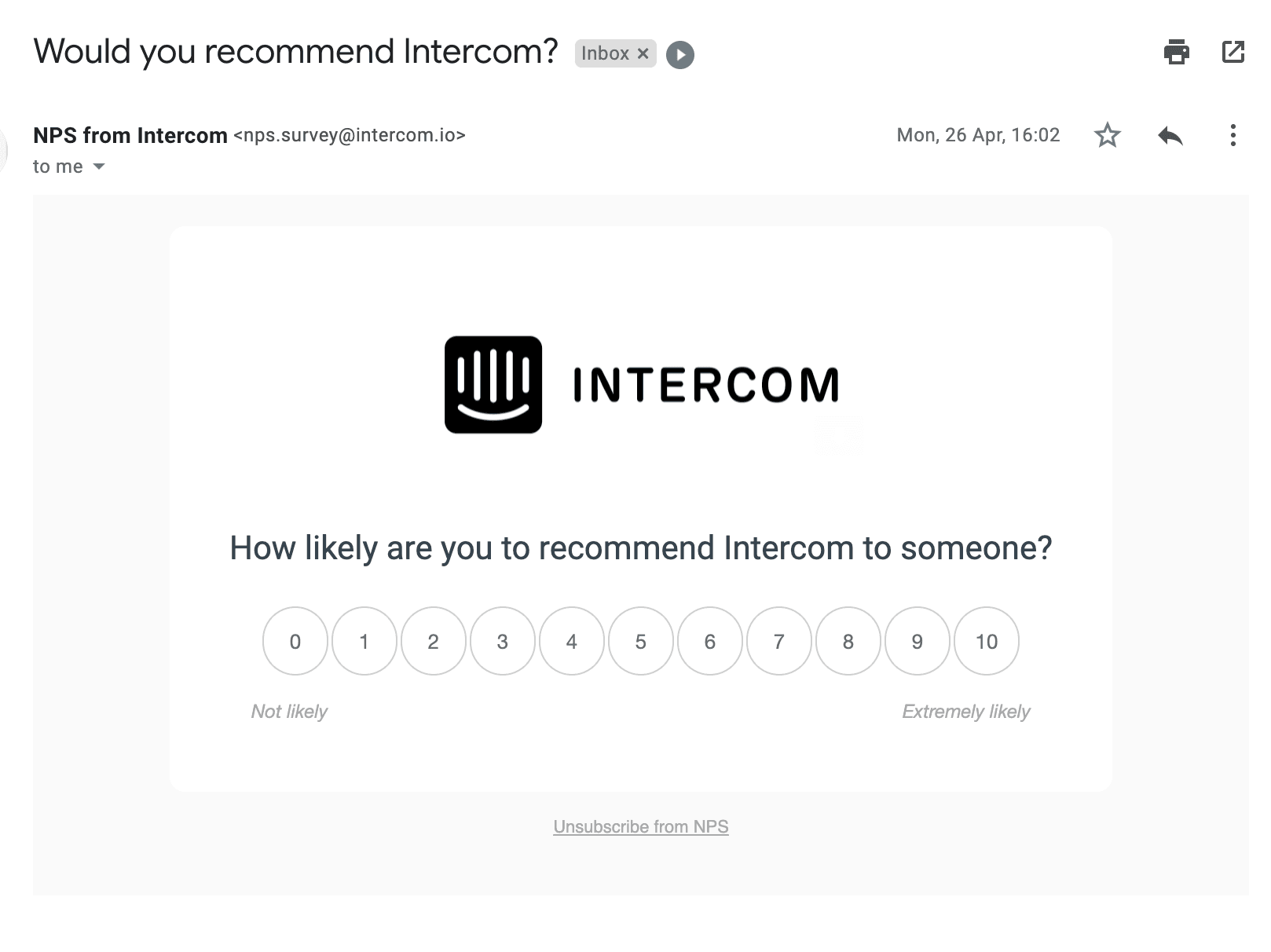
NPS survey emailed by Intercom.
While e-mail may seem less intrusive (users open it at their own discretion) – it is also usually less effective (lower response rates).
When a user chooses to respond to the survey from Intercom, the user is redirected to a webpage for a qualitative question:
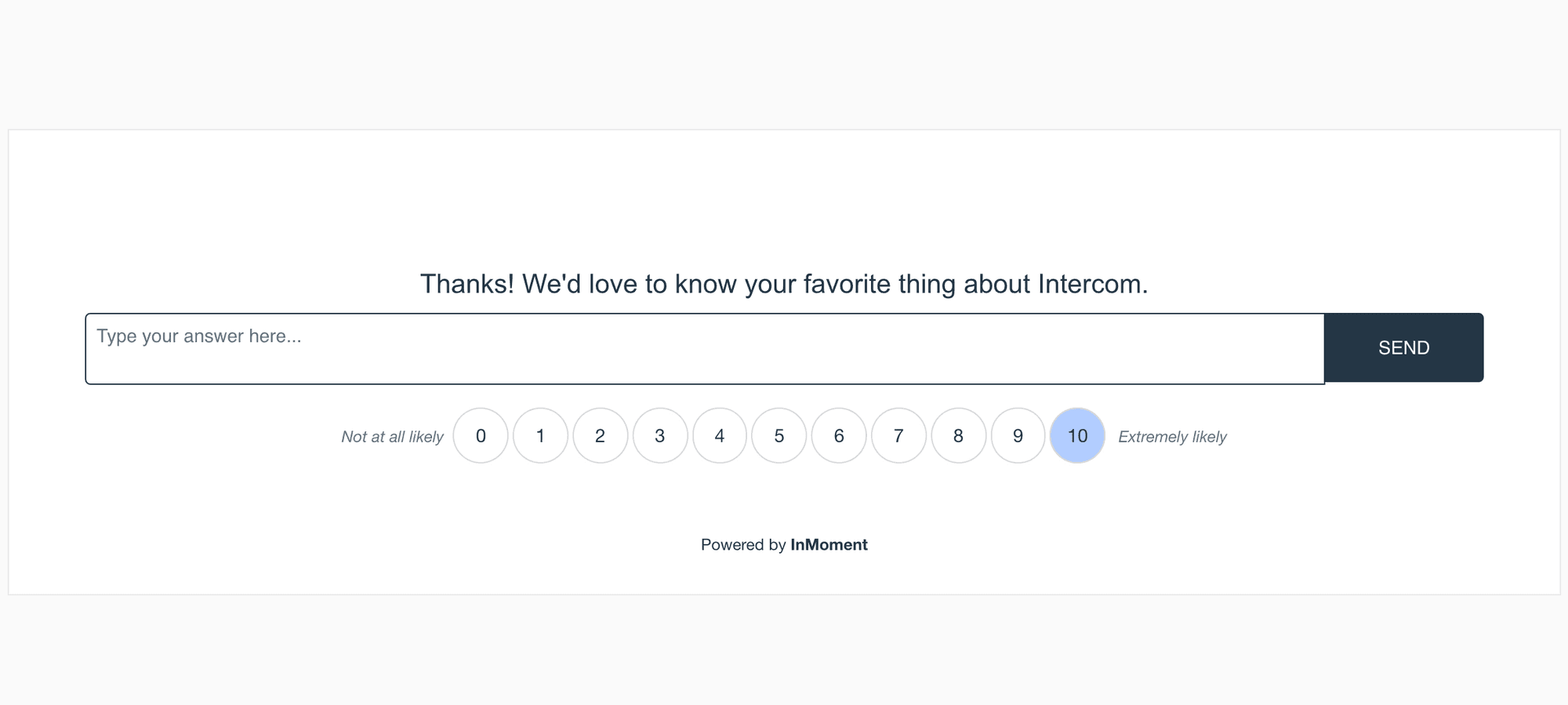
Intercom NPS survey question.
The qualitative question follows up on the quantitative NPS survey question.
The main issue, however, is that you’ll end up with less data.
Not every customer will open the e-mail, just as not every customer will click the link or fill in the survey. Fewer submissions mean that you will have less data on which to base your decisions.
How to analyze Net Promoter Score (NPS)
Now that you’ve collected your NPS data, what exactly do you do with it? You can take the average for your industry and use that as a baseline. A baseline helps you begin to evaluate the fresh data relevant to your product.
Here are some steps that will help you analyze NPS data.
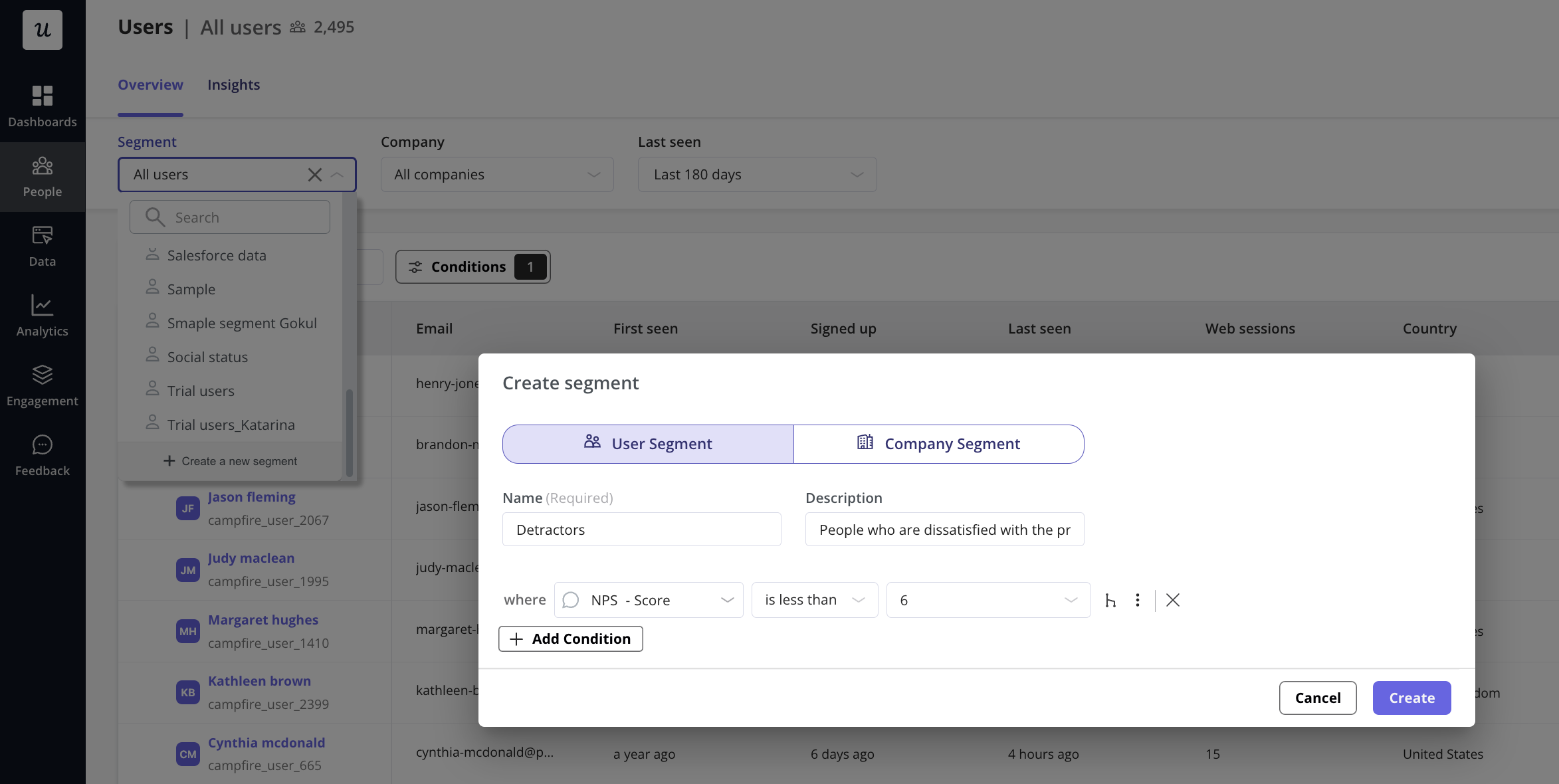
Step 1: Segment your customer base by NPS scores
Learn more about the reasons behind customer dissatisfaction by digging deeper into low scores.
For example, you can create a segment of detractors and study them thoroughly to understand if there is a pattern among them.
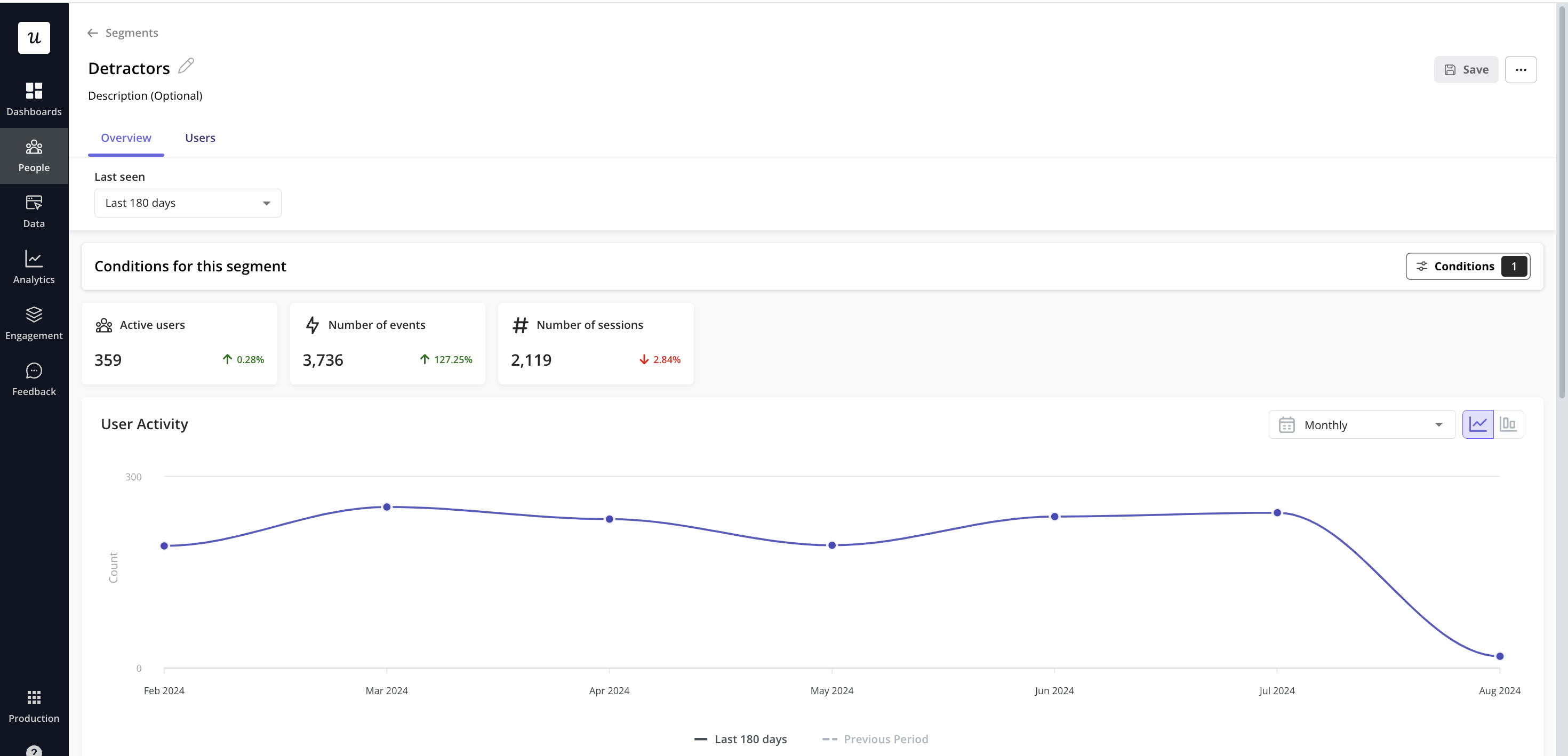
Step 2: Cross-reference NPS data with product usage analytics
NPS scores are just one dimension of user data. Depending on the tool you choose, there will be different ways to let you compare your data.
Some tools let you directly see the NPS score next to your user analytics. Some tools let you download your user behavior data (e.g. frequency of logins, most visited pages, etc.) in a CSV file and match that with their NSP score by email.
The data you get from product usage analytics is valuable on its own, but even more so when combined and cross-referenced with your NPS data.
By adding your NPS data to your product analytics, you can start identifying key patterns of usage.
Perhaps your detractors actually haven’t discovered a key feature of your product. Or, maybe your promoters all have a specific action in common.
For instance, you see that a user with low NPS logs in every day, but they are not using a key feature that could make their life easier. If you can nudge them to adopt that feature, then they will have greater success with your product.
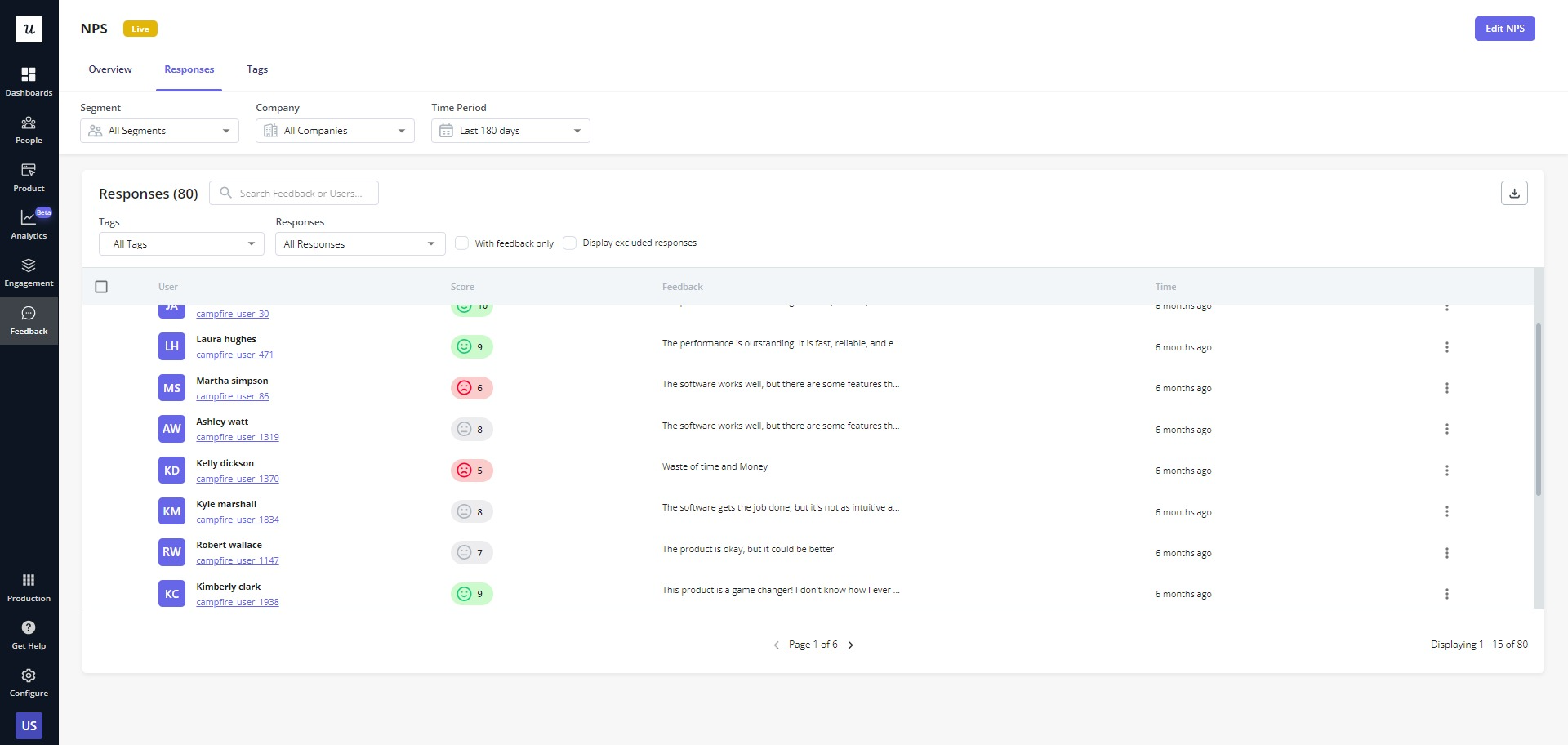
Step 3: Analyze open-ended NPS responses
If you follow the advice we gave earlier, then you’ll also have answers to the follow-up question.
This is where you can start learning about the reasons your customers give for their scores. You have to go through user responses to uncover patterns of what pushes the user to change their score over time.
One of the most effective ways of analyzing text responses is to categorize them.
You do this by creating different “buckets” of user responses. When an answer mentions a certain feature, tag it, putting it in that feature’s “bucket.” If an answer discusses your ease of use, then put it in the “easy UI” bucket.
By looking at the correlation between the follow-up question responses and the NPS score, you can uncover user satisfaction insights.
Common use cases for Net Promoter Score
All that’s left to do now is put your data (refined into usable information!) to good use.
There’s no point in collecting and analyzing NPS data if you aren’t going to improve your product with it or use it to make the most of your loyal customers.
First, let’s look at improving your product with NPS data.
Use NPS to improve your product
Unless you have a perfect product, chances are you’re going to have some detractors.
These detractors aren’t completely satisfied with your product, which means they have some key insights you can use to improve it. You should already have the information you need from follow-up questions.
Then you can use the insights you get to shape your product roadmap.
Now, clearly, you don’t want to go out and make every possible improvement.
We recommend taking the most frequently addressed areas of your product and then seeing how they fit into your product roadmap.
Use NPS to improve customer experience
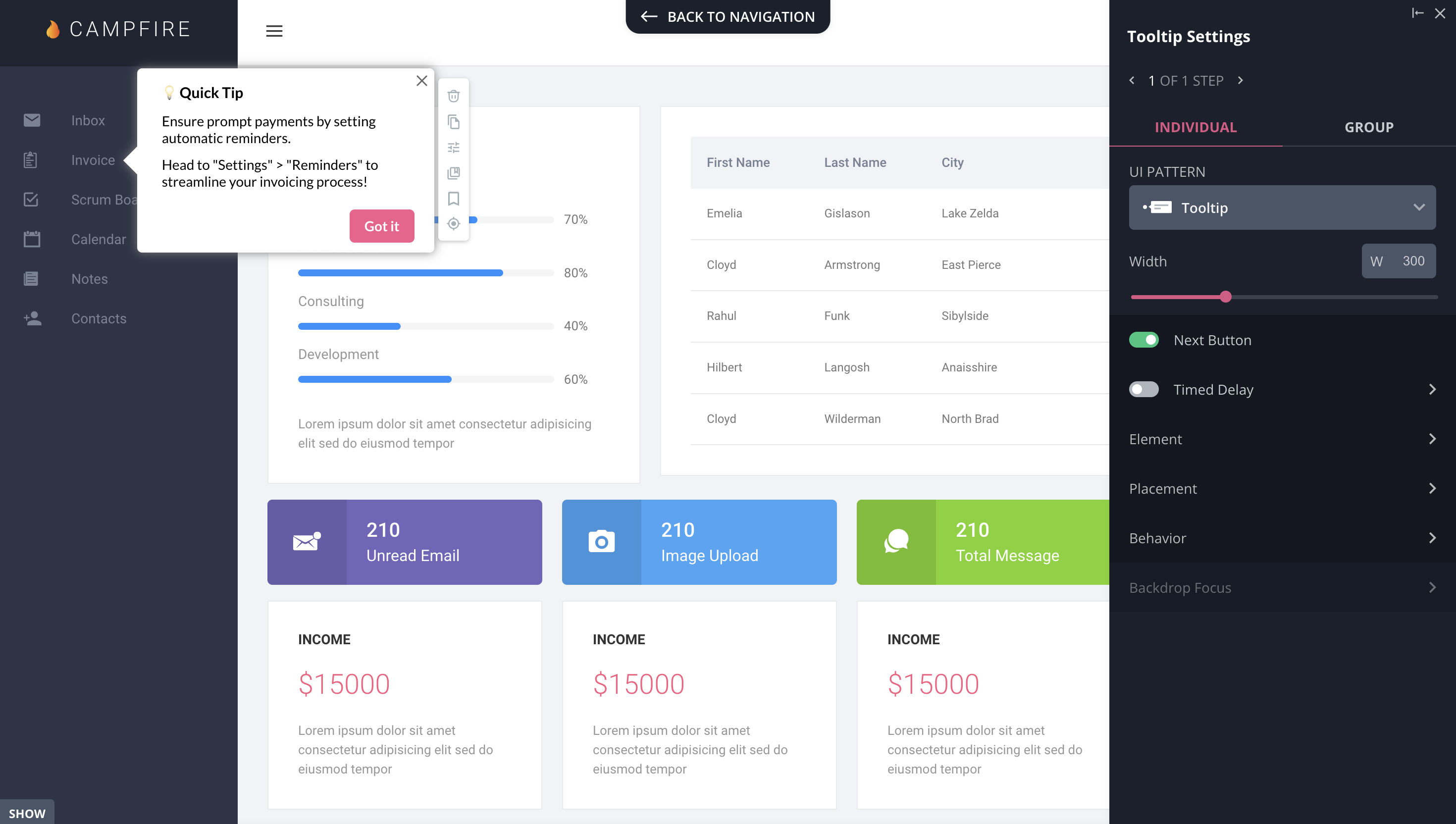
You might have detractors who are “missing a feature” that you have. They just need help finding it.
In this case, you need to reach out to those users to show them where it is or how to use it. Then you can lead them to success within your product.
Use tooltips or trigger interactive walkthroughs to showcase the features they are missing.
When users are using your product to its full potential, they will focus on what they want to get done – and finding a replacement for your product won’t be on the to-do list.
Use NPS to improve customer loyalty and reduce churn
Don’t wait for users to churn. Reach out and help detractors and passives while they are still with you.
Someone who gives you a low NPS score but hasn’t yet churned is someone who might still “believe” in you. They have a problem, but they still believe in a solution.
An e-mail from a real live human being can show your user that you are paying attention. This goes a long way toward building customer confidence.
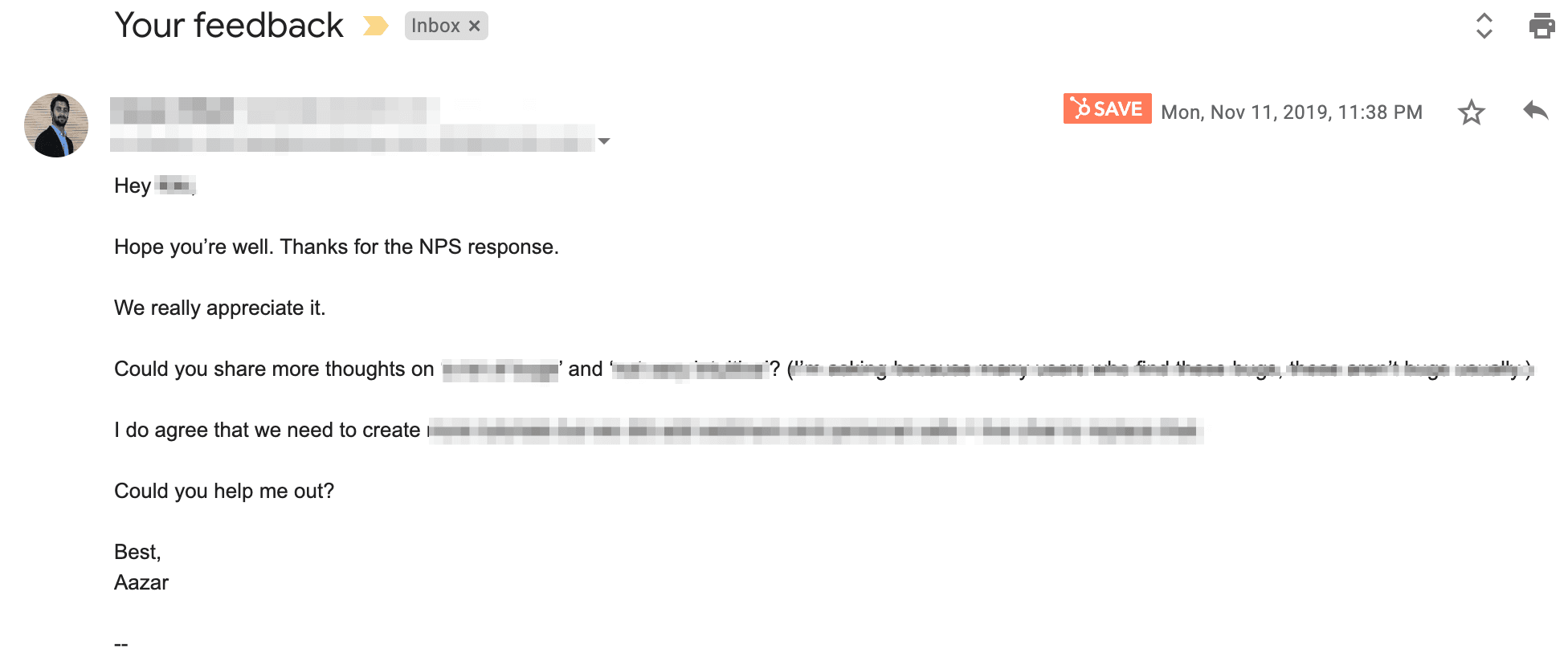
NPS detractor response email.
The faster you can follow up when a customer gives you a low NPS and the more you can show them you understand their problem, the less likely they are to churn.
Use NPS to drive positive word-of-mouth
Of course, NPS isn’t all about the detractors. The promoters are equally important and extremely valuable to your company.
Firstly, you need to decide what you want to do with them. Are you aiming for referrals or for reviews and case studies? You can cover both at once.
Go to those that gave you a 9 for reviews and case studies, and then get referrals from the 10s.
You can automatically trigger a slideout inside your product or have your customer success team reach out to ask them.
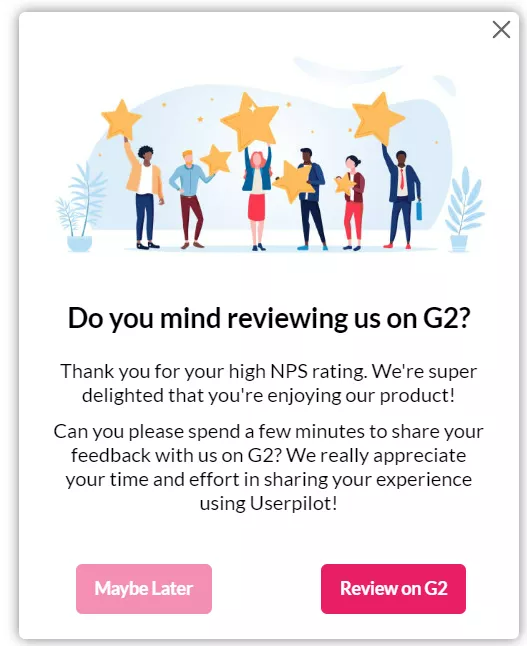
Ask for reviews in-app.
Best tools to track and analyze NPS
User sentiment tools focus on different things. Depending on the potential audience for your NPS surveys and the scale at which you will deploy them, you may consider the following NPS feedback tools:
- Userpilot – in-app surveys, advanced segmentation, and in-app automated responses; and now with its Mobile NPS feature, customers can trigger existing & new NPS surveys directly on their mobile apps!
- Hotjar – specializes in heatmaps and session recordings, and can launch surveys in-app but you can’t segment the audience based on product analytics.
- Nicereply – focused on support teams and in-email transactional NPS surveys.
- SatisMeter – is exclusively focused on user sentiment, and offers multiple types of surveys (NPS, CSAT, CES).
What to look for in NPS tools?
Here’s a checklist of important things to consider when choosing NPS software. Each business will have different needs, but you should be able to answer YES to the following:
- Can you create NPS surveys where your users are (aka on your website or in-app)?
- Can you create a follow-up question with your NPS score survey?
- Can you collect unlimited responses without having to pay extra? Some tools may place a cap on how many you are allowed to collect, so keep your scale in mind.
- Can you create and launch your NPS survey without needing help from a developer? The faster you iterate, the faster you improve.
- Can you segment the audience before sending your NPS survey? You don’t want to ask new users for recommendations yet.
- Can you automate responses based on the responses users submit?
- Can you tag/flag responses? You want to be able to sort common responses to identify issues as they develop.
Measure and improve customer satisfaction with Userpilot
If you’re looking for a reliable NPS survey tool, Userpilot is definitely worth considering. One of the biggest advantages of Userpilot is that there’s no limit to the number of responses you can collect.
Additionally, the surveys are fully customizable, so you can brand them and collect both quantitative and qualitative feedback.
Userpilot also offers advanced user segmentation, allowing you to target specific groups of users with different surveys. Another great feature is the ability to create NPS surveys without any coding knowledge.
Userpilot’s NPS analytics dashboard makes it easy to visualize and understand your data. Furthermore, the platform allows you to tag responses to easily identify recurring patterns correlating with responses.
Moreover, you can localize your NPS content to collect feedback from users in different geographic areas.
Lastly, you can create automated in-app experiences based on NPS scores, all from one dashboard.
Conclusion
NPS SaaS surveys have become a standard measure of customer satisfaction. Contextual, unobtrusive surveys have made it possible to track overall customer satisfaction, helping you prioritize product development.
The numeric feedback from users combines usefully with other user behavior metrics to let you pinpoint issues in your product. Segmentation based on NPS responses lets you follow up with exactly the right users for issue resolution or requesting reviews.
Want to get started with creating NPS surveys? Get a Userpilot Demo and see how you can stay on top of user satisfaction and boost their success with your product.