Winhance - Windows Enhancement Utility (original) (raw)
Enhance your Windows experience by effortlessly debloating, optimizing and customizing your system, giving you more control over how Windows performs.

Requirements: Windows 10 x64 | Windows 11 • Latest Release: v26.06.12 • Downloads: 1.4M+
Paste this command into PowerShell to download the installer
irm "https://get.winhance.net" | iex
Featured In
Key Features
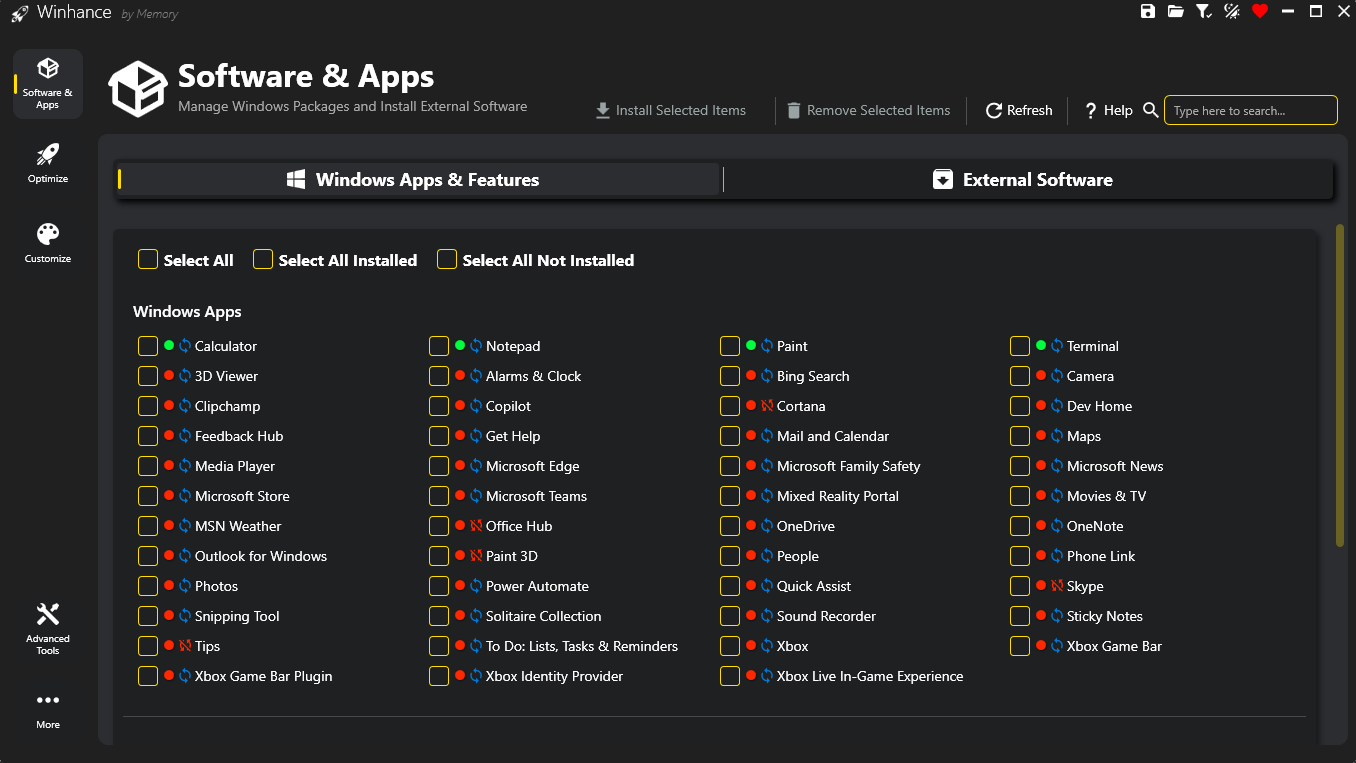
📦 Software & Apps Management
- Install or Remove Windows Apps & Features
- Microsoft Edge, OneDrive, Copilot, Recall and other Windows Packages, Capabilities and Optional Features
- Install Additional External Software like:
- Browsers, Multimedia Apps, Document Viewers and any other apps you need when setting up a fresh Windows installation
🚀 Optimizations
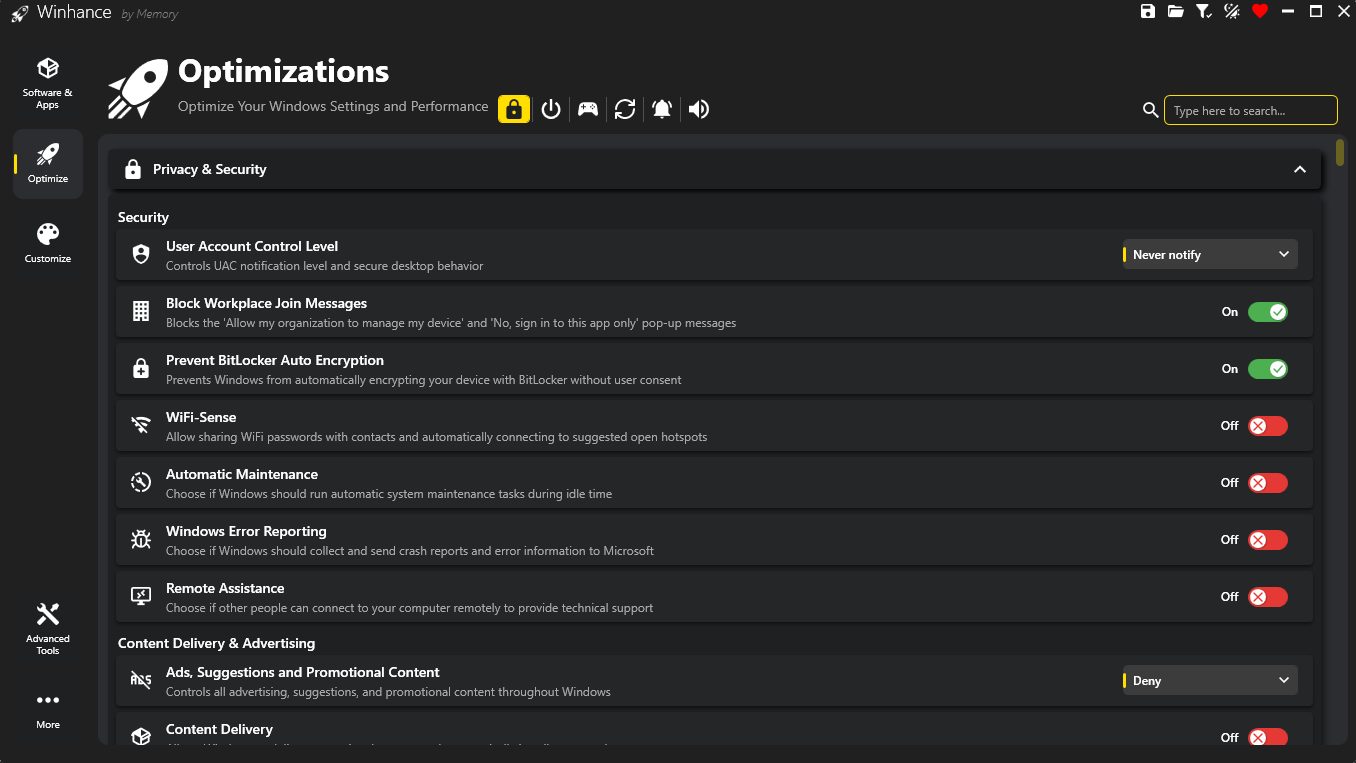
Enhance your system for better performance with access to:
- Privacy & Security Settings
- Power Settings
- Gaming & Performance Settings
- Windows Update Settings
- Notification Settings
- Sound Settings
🎨 Customizations
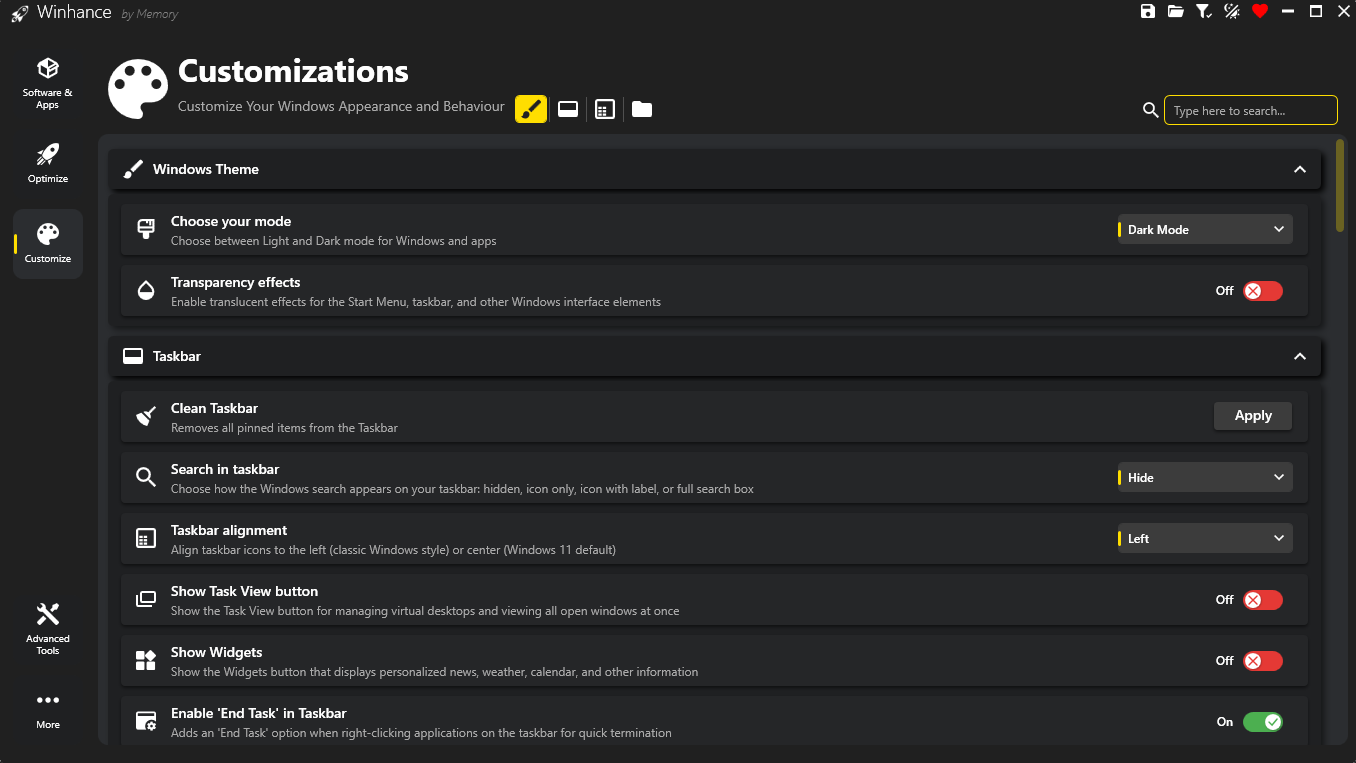
Customize your Windows experience with access to:
- Windows Theme (Light/Dark Mode) Settings
- Taskbar Settings
- Start Menu Settings
- Explorer Settings
⚙️ Configuration System
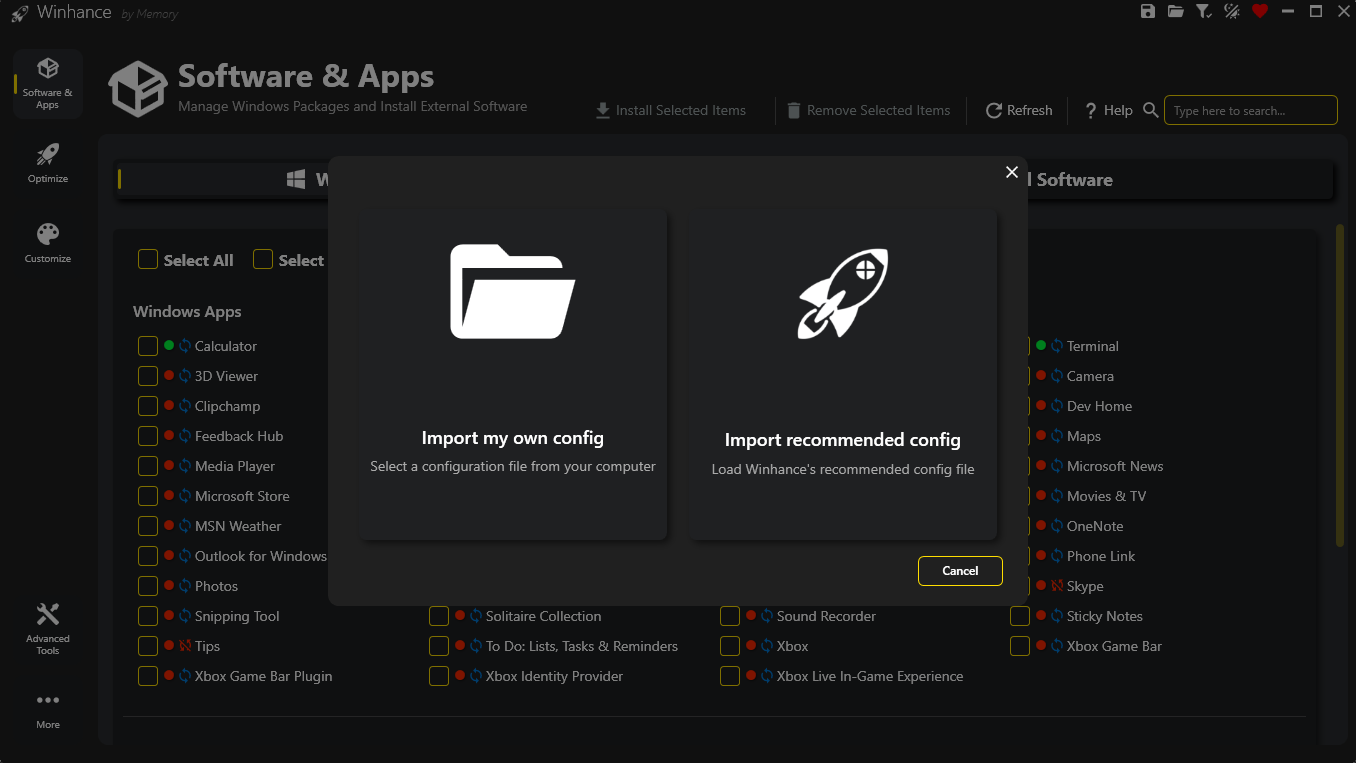
Save and restore your perfect Windows setup with ease:
- Export Configuration
- Save all current Winhance settings to a config file
- Import Configuration
- Import your own custom configuration file or apply the recommended Winhance config for effortless debloating and optimization
🛠️ Advanced Tools
Professional-grade tools for advanced Windows customization:
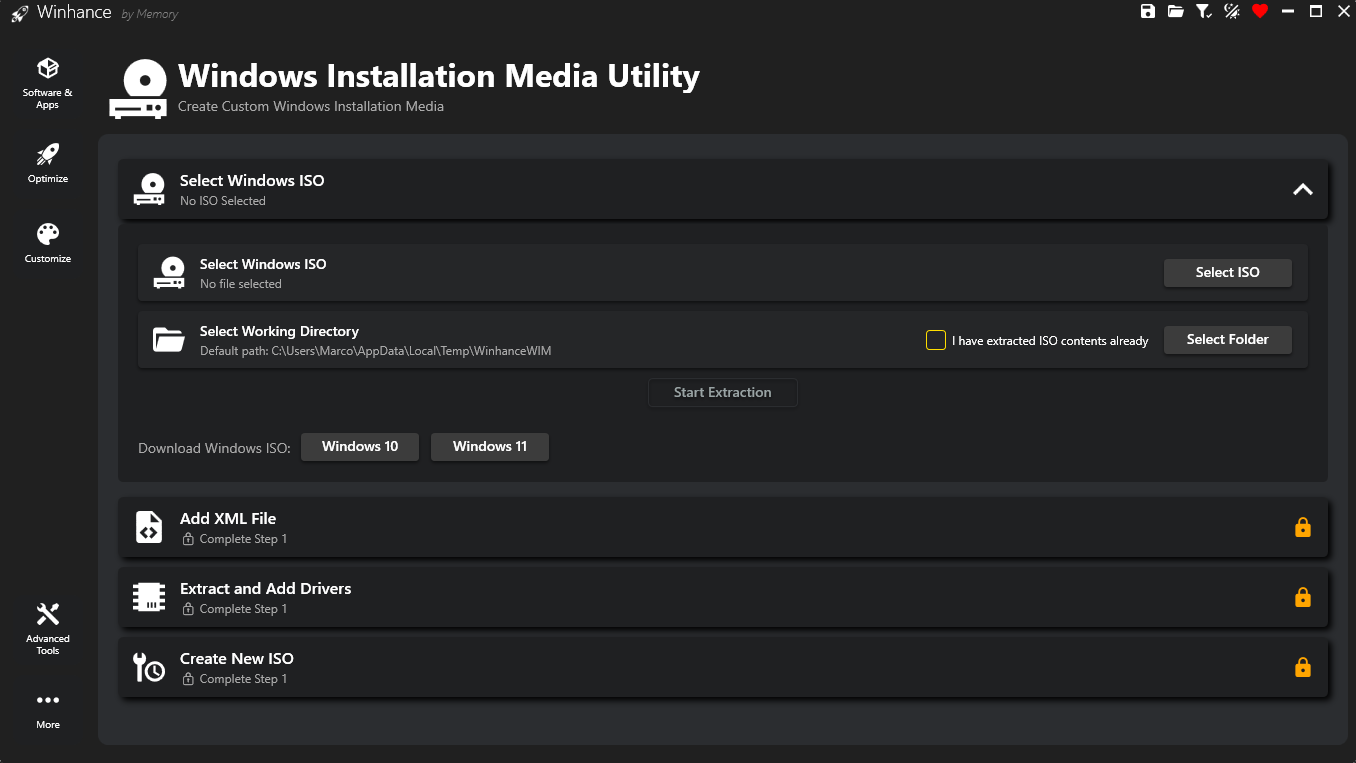
- WIMUtil - Windows Installation Media Utility
- Create custom Windows ISO with autounattend.xml and integrated drivers
- Autounattend.xml Generator
- Generate automated setup files based on your current selections in Winhance
Documentation
Everything you need to know about setting up and using Winhance. Comprehensive guides for beginners and advanced users.
★★★★★
Nice work on the debloater for Windows, saved me a lot of time.
★★★★★
Thank you for Winhance, it's amazing keep up the good work!
H.A.
★★★★★
Winhance is Awesome!
J.M.
★★★★★
Extremely helpful, keep up the amazing work!
D.S.
★★★★★
A great piece of software - and many thanks.
C.F.
★★★★★
Thank you for this amazing program!
R.H.
★★★★★
Thank you for making a great app to debloat Windows 11.
J.S.
★★★★★
Thank you for the great Winhance utility!
M.S.
Ready to Optimize and Customize Your Windows Experience?
Frequently Asked Questions
Winhance is an easy-to-use tool designed to help you debloat, optimize, and customize your Windows 10 or 11 system. It gives you control over your Windows experience by removing unwanted features, improving performance and allowing customization.
Is Winhance safe to use?
+
Yes, Winhance is open-source, so the code is transparent and can be reviewed by anyone. Most of the settings it applies are reversable and all modifications are clearly explained so you know exactly what's happening to your system.
Which Windows versions are supported?
+
Winhance supports both Windows 10 and Windows 11 64-bit versions. It's regularly updated to ensure compatibility with the latest Windows updates and features.
Do I need technical knowledge to use Winhance?
+
No, Winhance is designed to be user-friendly. The interface is intuitive with clear descriptions for each option. You can easily select which optimizations or customizations you want to apply without needing advanced technical knowledge. If you still feel stuck, watch the demo video.
What's the difference between the installer and portable versions during the installation wizard?
+
The installer version integrates Winhance into your system, creating shortcuts and making it easily accessible from the Start menu. The portable version doesn't require installation and can be run directly from any location, including external drives. Both versions offer the same features and functionality.
Can I undo changes made by Winhance?
+
Yes, many features have toggle options that allow you to revert specific changes. The tool is designed to be non-destructive, giving you control over your system's configuration. However, some Windows apps and features cannot be reinstalled or reenabled after removal, but there are clear indicators about this in the GUI.