Simple Custom CSS and JS (original) (raw)
Customize your WordPress site’s appearance by easily adding custom CSS and JS code without even having to modify your theme or plugin files. This is perfect for adding custom CSS tweaks to your site.
Features
Text editor with syntax highlighting
Print the code inline or included into an external file
Print the code in the header or the footer
Add CSS or JS to the frontend or the admin side
Add as many codes as you want
Keep your changes also when you change the theme
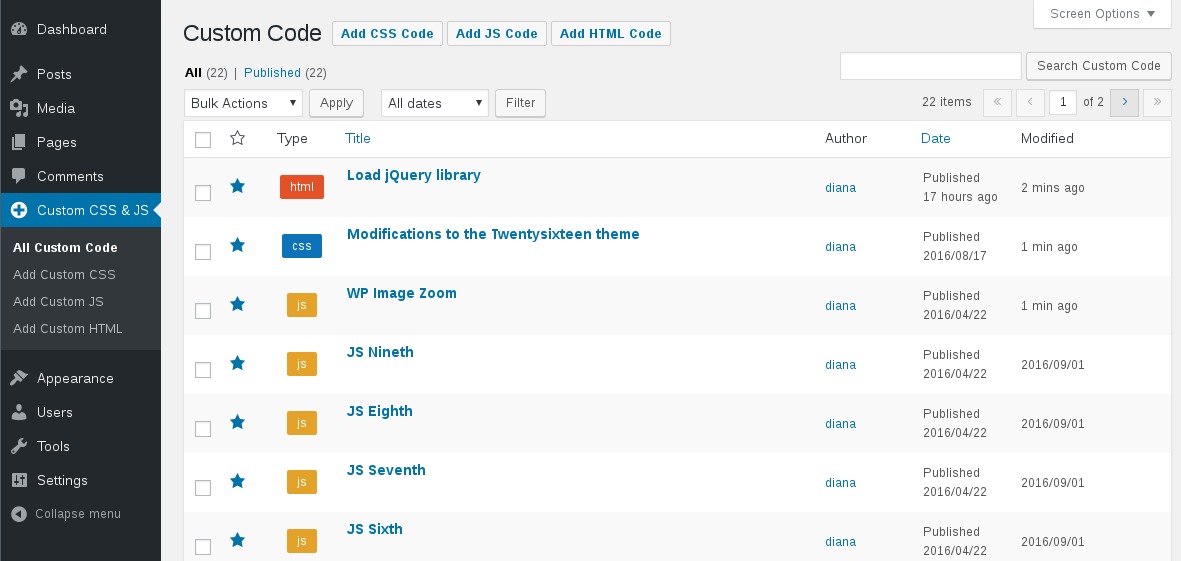
Manage Custom Codes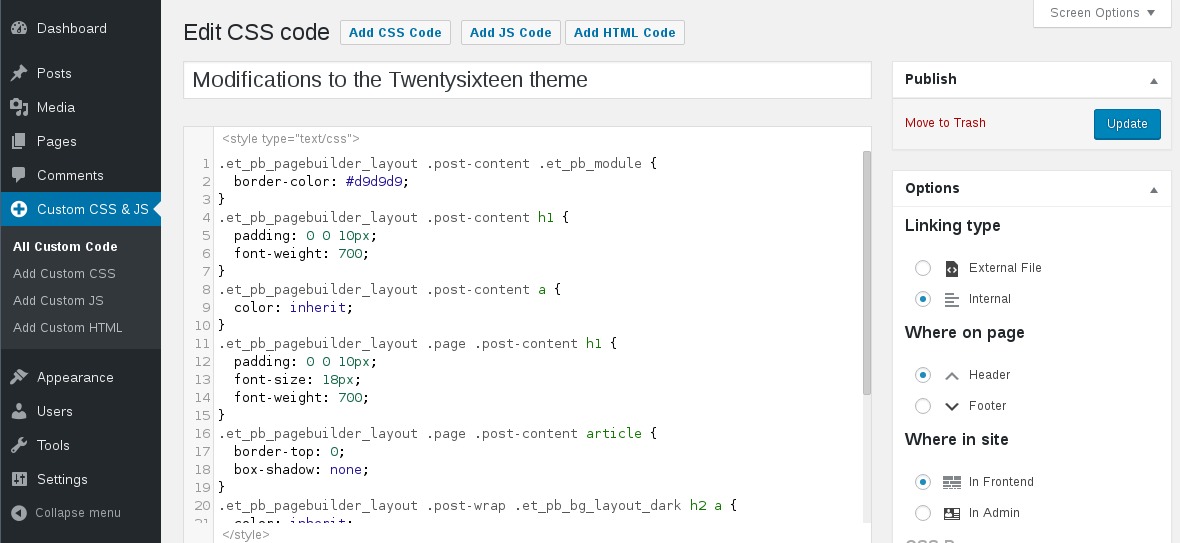
Add/Edit Javascript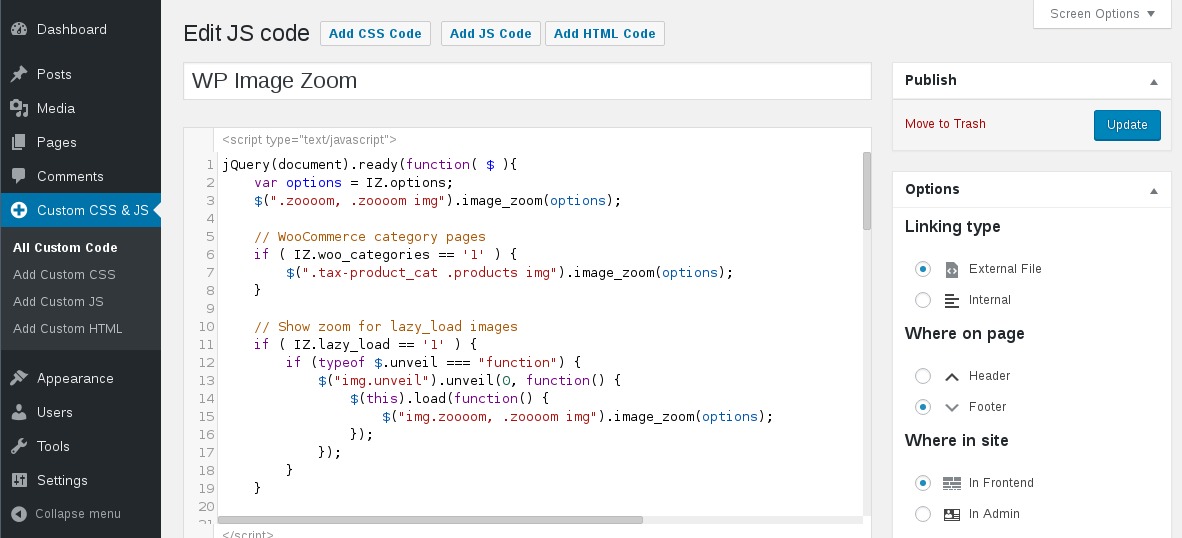
Add/Edit CSS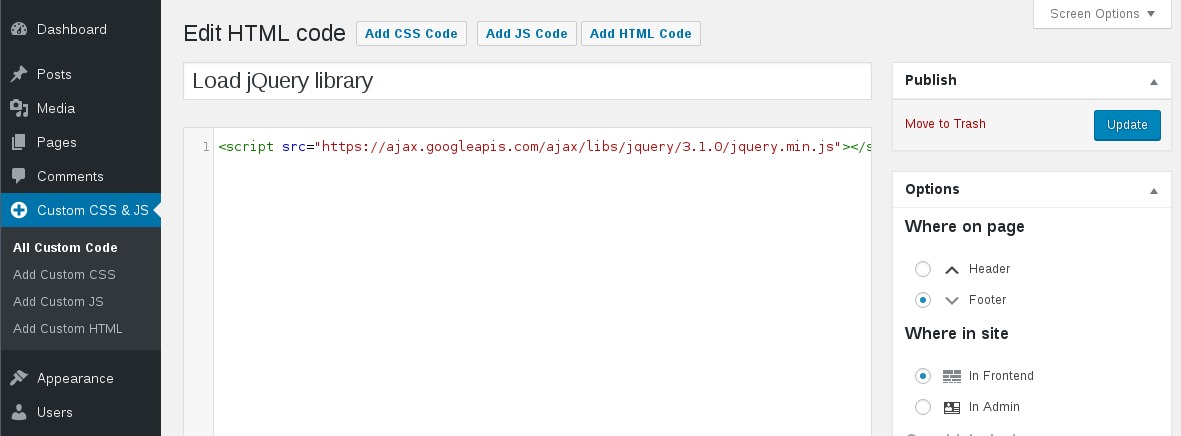
Add/Edit HTMLFrom the WP admin panel, click “Plugins” -> “Add new”.
In the browser input box, type “Simple Custom CSS and JS”.
Select the “Simple Custom CSS and JS” plugin and click “Install”.
Activate the plugin.


OR…
- Download the plugin from this page.
- Save the .zip file to a location on your computer.
- Open the WP admin panel, and click “Plugins” -> “Add new”.
- Click “upload”.. then browse to the .zip file downloaded from this page.
- Click “Install”.. and then “Activate plugin”.
OR…
- Download the plugin from this page.
- Extract the .zip file to a location on your computer.
- Use either FTP or your hosts cPanel to gain access to your website file directories.
- Browse to the
wp-content/pluginsdirectory. - Upload the extracted
custom-css-jsfolder to this directory location. - Open the WP admin panel.. click the “Plugins” page.. and click “Activate” under the newly added “Simple Custom CSS and JS” plugin.
What if I want to add multiple external CSS codes?
If you write multiple codes of the same type (for example: two external CSS codes), then all of them will be printed one after another
Will this plugin affect the loading time?
When you click the Save button the codes will be cached in files, so there are no tedious database queries.
Does the plugin modify the code I write in the editor?
No, the code is printed exactly as in the editor. It is not modified/checked/validated in any way. You take the full responsability for what is written in there.
My code doesn’t show on the website
Try one of the following:
1. If you are using any caching plugin (like “W3 Total Cache” or “WP Fastest Cache”), then don’t forget to delete the cache before seing the code printed on the website.
2. Make sure the code is in Published state (not Draft or in Trash).
3. Check if the wp-content/uploads/custom-css-js folder exists and is writable
Does it work with a Multisite Network?
Yes.
What if I change the theme?
The CSS and JS are independent of the theme and they will persist through a theme change. This is particularly useful if you apply CSS and JS for modifying a plugin’s output.
Can I use a CSS preprocesor like LESS or Sass?
For the moment only plain CSS is supported, but you can check out the Pro version in case you need a CSS preprocessor.
Can I upload images for use with my CSS?
Yes. You can upload an image to your Media Library, then refer to it by its direct URL from within the CSS stylesheet. For example:
div#content {
background-image: url(‘http://example.com/wp-content/uploads/2015/12/image.jpg’);
}
Can I use CSS rules like @import and @font-face?
Yes.
Who can publish/edit/delete Custom Codes?
By default only the Administrator will be able to publish/edit/delete Custom Codes. On the plugin activation there is a role created called Web Designer. You can assign this role to a non-admin user in order to allow to publish/edit/delete Custom Codes. On the plugin’s Settings page there is an option to remove this role.
My website has HTTPS urls, but the codes are linked as HTTP
The URL for the linked Codes is built just like the URL for other media (from Media Library) by using the WordPress Address option found on the WP Admin -> Settings -> General page, as shown in this screenshot. If the WordPress Address has HTTPS in the url, then the Custom Codes and all the other media will have HTTPS in the url.

I appreciate you addressing what had been an incompatibility with another plugin. This fix helps me make better use of your product.

Works perfectly. Great plugin.

There is no other plugin that allows you to control settings like WP conditional location rules, stores versioned copies of the files in a directory making local development easier, and is a simple UX to deploy rapid updates cutting down on development time. On top of that, the support team has gone above and beyond to address and fix limitations to allow my business and developers’ workflows to continue without a hitch. I highly recommend this plugin to anyone that’s looking for a definitive solution to deploy HTML, CSS, JS snippets on a per-post basis.

Thanks to this plugin, I was able to make modifications to parts of my own website that had been eluding me for WEEKS through other CSS plugins that I had been trying to use.

This plugin is basically a must. When using a free theme, I am quite limited in editing the appearance. And some functions cannot be solved using plugins. There are three things that I have been missing for a long time. Insufficient highlighting of the wrong number of brackets. It does turn red when I click on it, but it would be better if it was red permanently or turned red after saving. Basic ability to undo changes. Ability to automatically format code However, this does not change the fact that I give it five stars.

Simple Custom CSS and JS does exactly what it says on the box. I’ve been using it for many years on non-profit websites, and it has proven rock solid. Here’s what I especially appreciated: CSS, JS, and HTML syntax highlighting. Code can be inline or loaded externally (and thus cached). Code can be loaded in the header, body, or footer. Code can be loaded on the front end, in the block editor and/or admin pages. Code can easily be enabled or disabled with a single click. That is a lot of features for a free plugin, and I’m perfectly content with that. There is a reasonably priced premium version with advanced features like CSS preprocessors and code revisions if these are important features to you, but the free version is a great start and enough for many projects.
“Simple Custom CSS and JS” is open source software. The following people have contributed to this plugin.
Contributors


3.51.3
3.51.2
- 12/21/2025
- Compatibility WP6.9
- Tweak: add translators’ notes to translatable strings
- Tweak: use
wp_delete_filefunction, which allows a filter before deleting a file
3.51.1
- 10/14/2025
- Fix: add the drag icon that makes the editor expandable
- Fix: the syntax highlighting was missing for HTML custom codes due to an array id overridding
3.51
- 09/06/2025
- Tweak: update the CodeMirror library to the 5.65.20 version
- Fix: change the loading method in the Block editor to the recommended “enqueue_block_assets”
3.50
- 02/17/2025
- Fix: the editor doesn’t show up under certain conditions
- Fix: don’t show the code excerpts in the list table, if the “Extended View” option is enabled for posts or pages
3.49
- 11/13/2024
- Fix: add nuance for the “in Block editor” option for websites with WP before v6.6 and after
3.48
- 09/24/2024
- Feature: add JS/CSS custom codes to the Block editor
3.47
- 05/27/2024
- Fix: use the GMT time for showing when a custom code was published or modified
3.46
- 01/31/2024
- Tweak: update the Bootstrap and jQuery library links
- Tweak: remove the qTranslate-x warning. The qTranslate-x plugin was removed from wp.org since Aug 2021