Common request headers, response codes, response headers, and log formats for a custom runtime - Function Compute (original) (raw)
This topic describes the common request headers, response codes, response headers, and log formats that you can use to create a custom runtime environment.
The following table lists the common request headers that a custom runtime receives from Function Compute. You may need the temporary AccessKey headers to access other Alibaba Cloud services. If you are migrating an existing application, you can ignore this information.
Note
- Both event functions and HTTP functions include common headers.
- Function Compute automatically generates common request headers. These headers mainly contain permission and basic function information.
| Header | Description |
|---|---|
| x-fc-request-id | The request ID. |
| x-fc-access-key-id | The temporary AccessKey ID. |
| x-fc-access-key-secret | The temporary AccessKey secret. |
| x-fc-security-token | The temporary security token. |
| x-fc-function-handler | The function's handler. If the runtime itself is the function, such as for a custom runtime or custom container function, this value is meaningless. Set it to a random string. |
| x-fc-function-memory | The maximum memory that the function can use. |
| x-fc-function-initializer | The handler for the Initializer function. If the runtime itself is the function, such as for a custom runtime or custom container function, this value is meaningless. Set it to a random string. |
| x-fc-initialization-timeout | The timeout period for the Initializer function execution. |
| x-fc-instance-lifecycle-pre-stop-handler | The handler for the PreStop function. If the runtime itself is the function, such as for a custom runtime or custom container function, this value is meaningless. Set it to a random string. |
| x-fc-instance-lifecycle-pre-freeze-handler | The handler for the PreFreeze function. If the runtime itself is the function, such as for a custom runtime or custom container function, this value is meaningless. Set it to a random string. |
| x-fc-region | The region where the function is located. |
| x-fc-account-id | The UID of the function owner. |
| x-fc-qualifier | The service version or alias specified during function invocation. For more information, see Use versions and aliases to implement phased releases. |
| x-fc-version-id | The service version specified during function invocation. |
| x-fc-function-name | The function name. |
| x-fc-service-name | The name of the service where the function is located. |
| x-fc-service-logproject | The log project configured for the service where the function is located. |
| x-fc-service-logstore | The Logstore configured for the service where the function is located. |
| x-fc-control-path | The request type of the function.For a custom runtime or custom container, you can determine whether a function invocation is for an HTTP function or an event function based on the parameters in the headers. The parameter information is as follows:/invoke: This request is an event function invocation. /invoke indicates an Invoke function call request./http-invoke: This request is an HTTP function invocation. /http-invoke indicates an HTTP invoke function call request. Function Compute forwards your request, including the path, body, and headers, along with the common headers to the custom runtime or custom container. The response headers and body returned by the custom runtime or custom container are then returned to the client./initialize: /initialize indicates an Initialize function call request that Function Compute automatically initiates when an execution environment is created for the first time. It is successfully called only once during the container's lifecycle, similar to a class constructor. |
Function Compute response codes and response headers
A custom runtime is essentially an HTTP server that you implement. Therefore, each function invocation is an HTTP request, and each response has a response code and response headers.
- Response code
StatusCode200: Success status.404: Failed status.
- Response header
x-fc-status200: Success status.404: Failed status.
Use the x-fc-status response header to report to Function Compute whether the local function executed successfully.
- If
x-fc-statusis not set, Function Compute assumes by default that the invocation was successful. However, your function may encounter an exception that is not reported to Function Compute. In this case, Function Compute still considers the execution successful. This might not affect your business logic, but it will affect monitoring and observability. The following figure shows an example: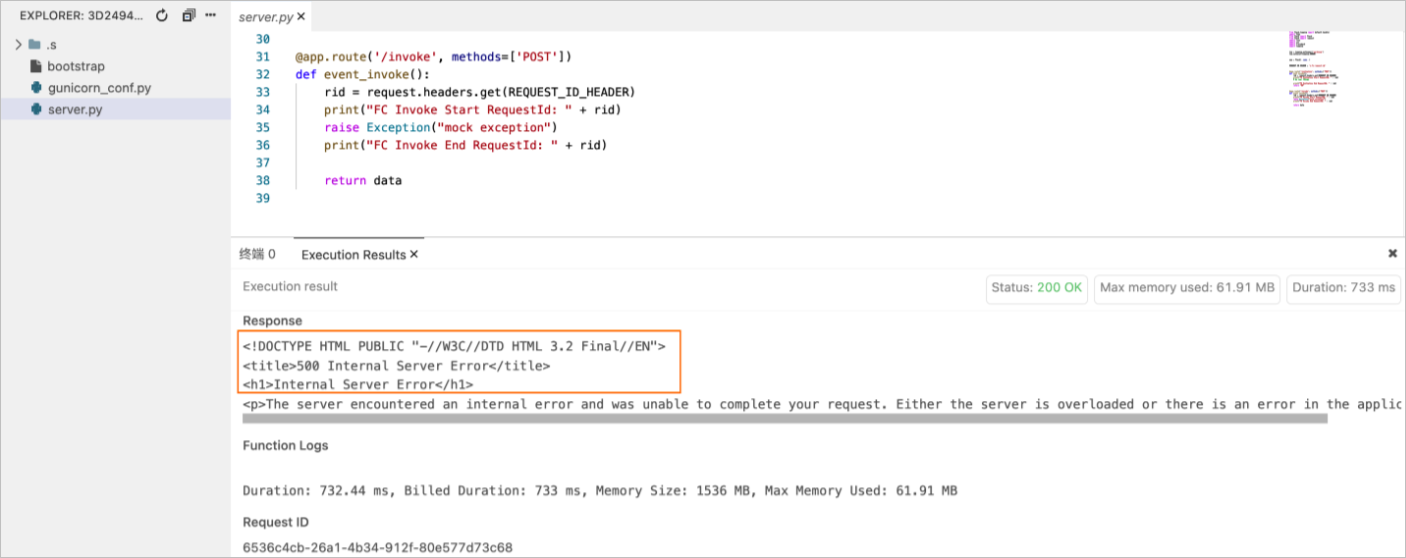
- If
x-fc-statusis set: If your function encounters an exception, you can use thex-fc-statusresponse header to report the execution failure to Function Compute. You can also print the error stack information to the log. The following figure shows an example: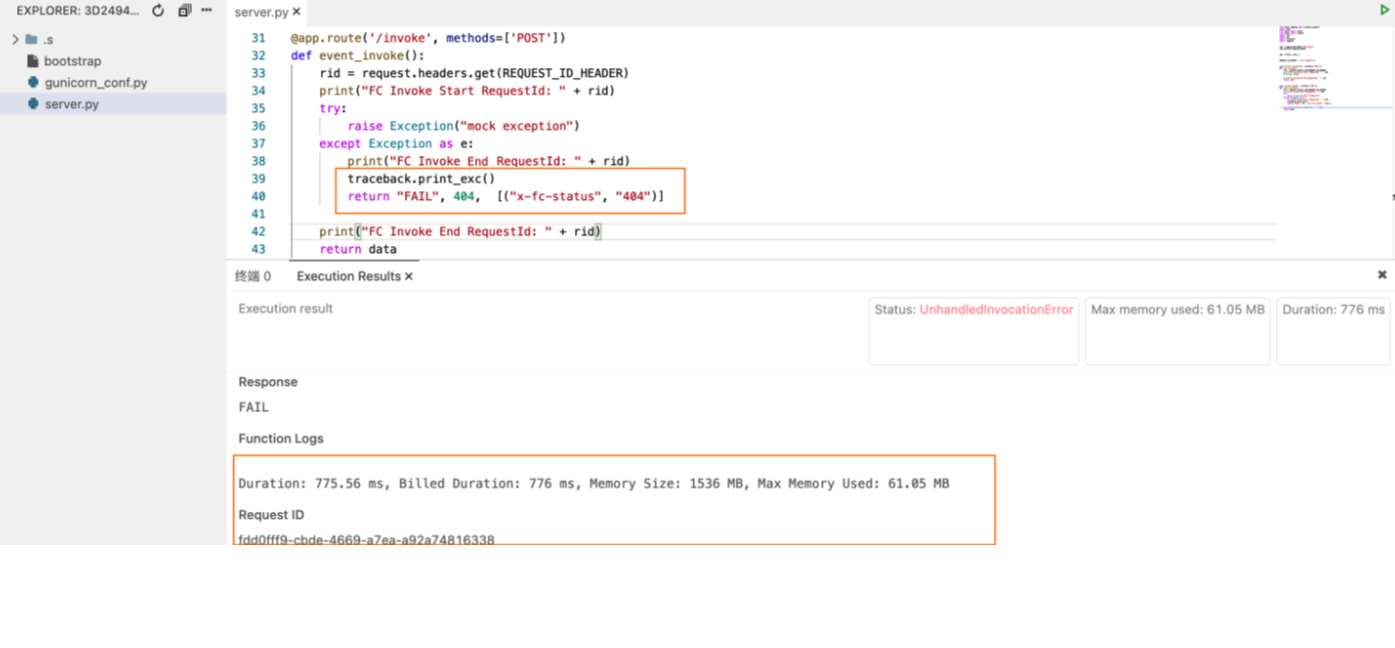
Note
Set both StatusCode and x-fc-status in the HTTP response.
Function log format
You can enable the logging feature when you create a service. All logs printed to standard output (stdout) in a custom runtime are automatically collected in the Simple Log Service that you specify. For more information, see Configure logs.
When Function Compute invokes a function in runtime environments other than custom runtime and custom container, if the request header contains x-fc-log-type: Tail, the returned x-fc-log-result response header contains the logs that are printed during the function execution. The log size is limited to 4 KB. You can view these logs in the function execution results in the Function Compute console. If you want to view the runtime logs of a custom runtime in the execution results in the console, you must record the start and end logs of the request in your code.
Important
If you anonymously invoke a function using an HTTP trigger, including x-fc-log-type: Tail in the request header may cause sensitive information to be leaked. To prevent this, enable authentication. For more information, see Authentication.
| Log content | Required | Code |
|---|---|---|
| Start runtime | NoNote This content is a flag for a function's cold start. | FunctionCompute runtimeruntimeinited.∗∗Note∗∗{runtime} runtime inited.Note runtimeruntimeinited.∗∗Note∗∗{runtime} specifies the custom language type. We recommend that you avoid using official Function Compute language names, such as Node.js, Python, or PHP. |
| Log for Invoke start | Yes | FC Invoke Start RequestId: ${RequestId} |
| Log for Invoke end | Yes | FC Invoke End RequestId: ${RequestId} |
| Log for Initialize start | NoNote Required for Initializer functions. | FC Initialize Start RequestId: ${RequestId} |
| Log for Initialize end | NoNote Required for Initializer functions. | FC Initialize End RequestId: ${RequestId} |
In addition to the preceding information, include the request ID in your logs to help diagnose issues. The recommended log format is $utcdatetime(yyyy-MM-ddTHH:mm:ss.fff) <span class="katex"><span class="katex-mathml"><math xmlns="http://www.w3.org/1998/Math/MathML"><semantics><mrow><mi>r</mi><mi>e</mi><mi>q</mi><mi>u</mi><mi>e</mi><mi>s</mi><mi>t</mi><mi>I</mi><mi>d</mi><mo stretchy="false">[</mo></mrow><annotation encoding="application/x-tex">requestId [</annotation></semantics></math></span><span class="katex-html" aria-hidden="true"><span class="base"><span class="strut" style="height:1em;vertical-align:-0.25em;"></span><span class="mord mathnormal">re</span><span class="mord mathnormal" style="margin-right:0.03588em;">q</span><span class="mord mathnormal">u</span><span class="mord mathnormal">es</span><span class="mord mathnormal">t</span><span class="mord mathnormal" style="margin-right:0.07847em;">I</span><span class="mord mathnormal">d</span><span class="mopen">[</span></span></span></span>Level] $message.
Note
The interfaces for specifying the log level vary by language. You must set the log level based on your runtime environment. For more information, see Basic information.
References
For more information about the custom runtime environment, startup command and parameter configurations for different languages, and instance lifecycle hook function configurations, see the following topics: