BricsCAD 2D Drafting: Boost Productivity with Intelligent CAD Tools (original) (raw)
2D design and drafting toolset
Create detailed 2D technical drawings for industry-specific workflows.
Robust 2D drafting
BricsCAD's comprehensive 2D toolset allows users to create professional 2D geometry, modify existing data, and annotate files using a unified set of commands within one application.
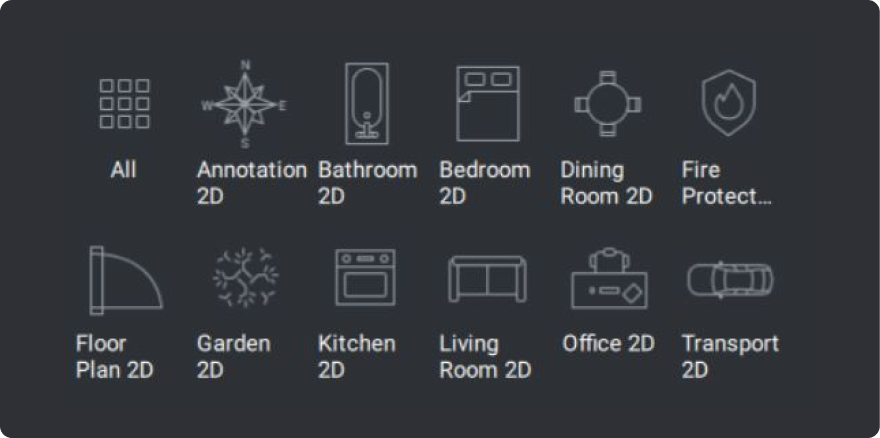
Blocks and Symbol Libraries
Eliminate repetitive workflows and maintain consistency across drawings by using predefined block libraries to reuse common details.
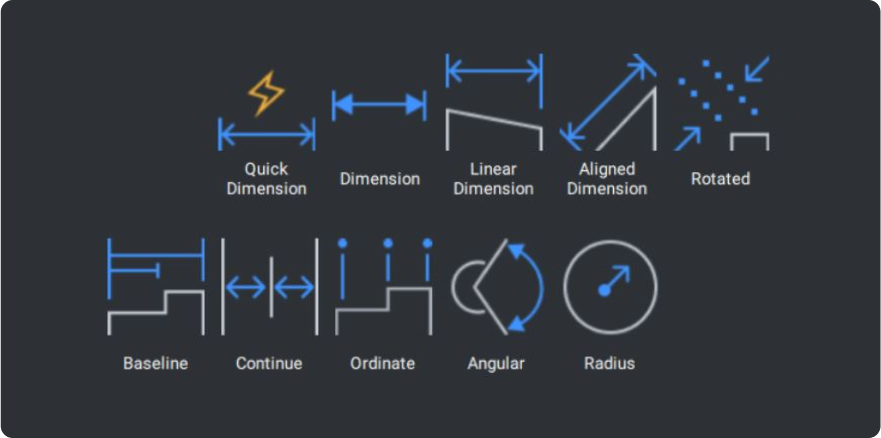
Text and Annotation Tool
Communicate design intent effectively using 2D CAD text and annotations from the comprehensive library of text, symbols, measurements, and labels.
Full compatibility to design with DWG files
BricsCAD is a native DWG format to get to work quickly with familiar commands and functionality.
Industry-standard DWG format
Open existing AutoCAD® files and re-use data:
- Fully compatible with printers, templates, blocks, or sheet set layouts
- Easy data migration
- Support file compatibility: PC3, LIN, DWT and SSM
Easy transition: quick to learn for full productivity
AutoLISP compatible: run and re-use AutoCAD®’s routines
Read and use existing Dynamic Blocks
Convert Dynamic Blocks into Parametric Blocks
Increase productivity with intelligent design tools
Explore BricsCAD's AI-enhanced features to optimize 2D drawing workflows with intelligent automation for optimal drawing performance.

BLOCKIFY
For higher-performing DWG drawings, BLOCKIFY automatically converts 2D entities and 3D solids to block definitions. Locate repetitive 2D and 3D entities or geometry to match existing blocks, convert repeated solids to blocks, and autodetect nested blocks.

2D AUTOCONSTRAIN
In one click, 2D AUTOCONSTRAIN applies parameters and constraints intelligently and automatically. You can apply geometric and dimensional controls from the Parameters Manager panel for fast design changes and easy reuse.

COPYGUIDED
COPYGUIDED copies an entity, and the guide-curve geometry selected, to align, flip, snap, and trim a copied entity automatically and accurately to other entities with pre-selected guide curves. You can quickly replace, repair, or erase entity geometry across a drawing without manual fixes and repetition.

DWGHEALTH
DWGHEALTH streamlines drawings by combining multiple, intelligent BricsCAD commands in one drawing health tool. Use PURGE, AUDIT, SIMPLIFY, OVERKILL, BLOCKIFY, and OPTIMIZE to minimize drawing size, remove unused elements, and enhance quality for better performance.

QUAD
QUAD is a user-intuitive, AI-based palette for one-click access to common draft and design commands. QUAD removes repetitive actions as it learns the unique tools and processes you use, appearing dynamically at the cursor to offer information about entities, drawings, and editing functions.
Manage and optimize sheet sets with Sheet Set Manager
Use the Sheet Set Manager to set up accurate CAD documentation for a project’s lifecycle, with productivity features to speed up deliverables.
Simplify deliverables
Export project-drawing packs easily to a folder structure or a compressed ZIP file.
Professional drawing output
Discover all BricsCAD Toolsets
Start designing in BricsCAD today!
