Agent | CodeRabbit | Try for Free (original) (raw)
CodeRabbit Agent for Slack
Your team's second brain
One agent for your entire Software Development Lifecycle. Right in Slack.
Get $50/user free agent minutes.
From the team that pioneered AI code reviews
2M
code reviews every week

Smart isn't enough
Reasoning without context is a reflex. Context without reasoning is a lookup.
Best agent combines both.
Connectors
Connect your stack,
get answers in Slack
The agent reaches into your tools — Jira, Sentry, Linear, Datadog and more — to fetch context, surface insights, and take action, all without leaving Slack.
CodeRabbit Agent for Slack
Built for Agentic SDLC Workflows
Customized
Built into the agent
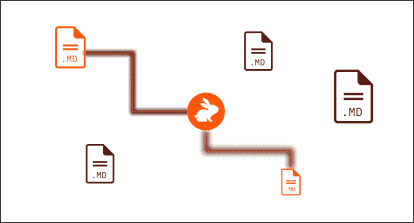
Add skill files and custom sandboxes to suit your needs.
Your agent’s skills
Custom sandboxes
Triggers & Automations
Work that completes on its own
Beyond @mentions, the agent runs work for you on a schedule or on a signal — investigating, summarizing and posting results in the channel or thread where the team already looks.
See how it works
Pay for time. Not tokens.
Most AI tools bill you across a moving target — model tier, token count, tool calls, context size. You can't forecast it, and your finance team hates it.
CodeRabbit charges one thing: the seconds an agent is actively working. At 0.50/minute,that′sroughly0.50/minute, that's roughly 0.50/minute,that′sroughly30/hour — a bargain compared to what a senior engineer costs. Except the agent runs in parallel, overnight, and on demand.
We meter every run down to the second and sum it across your team for the billing period. That's the whole model.
FAQ
What is CodeRabbit Agent for Slack?
CodeRabbit Agent for Slack is built for agentic SDLC workflows. It pulls your org’s operating context together from across every tool and team conversation - code, tickets, docs, monitoring, cloud - and reasons over it to move work forward in the channel or thread where it’s already happening. It investigates, plans, opens PRs, captures team knowledge, and keeps everyone aligned as work evolves.
What is Agentic SDLC?
Agentic SDLC is a software delivery practice where AI agents participate meaningfully across the complete software development lifecycle - planning, requirement analysis, design, coding, testing, deployment, and maintenance. Instead of your team bouncing between point tools, the CodeRabbit Agent works alongside you, carrying context across phases, taking action on your behalf, capturing what the team learns, and staying accountable for its actions.
What Agentic SDLC actually needs?
To effectively implement the Agentic Software Development Lifecycle (SDLC), you need four key elements: a clear context of your organization's operations across code, issue trackers, and tools; a long-term, durable team knowledge; support for collaboration in existing communication channels; and proper governance with scoped access to tools and spend controls.
How to start using CodeRabbit Agent for Slack?
Sign in with Slack to establish the workspace identity. Then connect GitHub by linking your Slack workspace to the GitHub org. Install the CodeRabbit GitHub App to grant repository access. Optionally, you can edit the base scope - the default repositories, connections, and spend baseline for the workspace. Finally, start using CodeRabbit Agent for Slack, just mention @coderabbit in any channel or DM.
What tools does it integrate with?
CodeRabbit Agent for Slack connects with all the SDLC tools, such as Jira, Linear, Notion, Asana, Intercom, Zendesk, AWS, Datadog, CircleCI, PostHog, Sentry, PagerDuty, Figma, Canva, Google Drive, Gong, Pylon, OneDrive, and HubSpot. You can also plug in your own through MCP servers and APIs.
What are agent minutes, and how does pricing work for this product?
Agent minutes are the amount of active CodeRabbit runtime spent completing a task. The runtime measures elapsed sandbox time, from command start to run finish, and bills for minutes used.
Can I control what the CodeRabbit Agent can access?
Governance is integrated through scopes, which define everything the agent can do in a given context: accessible repositories, usable connections, user groups and users authorized to invoke it, and applicable spend limits. Every workspace starts with a default base scope, and additional scopes can be created that inherit from it and impose narrower restrictions.
How does knowledge base work with CodeRabbit Agent for Slack?
The knowledge base stores durable facts that it learned by working with your team. Knowledge respects Slack’s privacy boundaries, so public channels and shared surfaces use the global workspace knowledge base, private channels use a private conversation knowledge base, while DMs and group DMs use a private conversation knowledge base.
How can I monitor the usage of CodeRabbit Agent for Slack?
Just go to the Usage tab of your CodeRabbit Agent for Slack dashboard and monitor it from there.
Who can use and manage it?
CodeRabbit Agent for Slack responds only to workspace members. External users (guests) are blocked by default, and channels marked as externally shared are fully unsupported. For now, you can set up roles using the Workspace users section in your settings. Currently, you can pick between primary user, CodeRabbit admin, and scope admin (which requires a custom scope).
Where can I find more technical guidance regarding CodeRabbit Agent for Slack?
The most effective resource that will allow you to grasp all the technical concepts around CodeRabbit Agent for Slack would be our docs.
I already use CodeRabbit for code review. Is this the same thing?
Code review runs automatically on your pull requests. CodeRabbit Agent for Slack is built for agentic SDLC workflows. It lives in the channel or thread where your team already works, pulls your org’s operating context from across code, tickets, docs, monitoring, cloud, and reasons over it to investigate, plan, open PRs, and carry your team’s knowledge forward, all within guardrails you control. The two products share the same underlying engine.
Does this replace my engineers?
CodeRabbit Agent for Slack is designed to amplify your team, not replace it. It remembers what your team knows, handles the repeatable work, and surfaces context so engineers can focus on the hard decisions. Your team steers the agent in real time, reviews its work, and makes the calls that matter. The hard parts of engineering stay with the engineers.
Try it today
One agent for your entire Software Development Lifecycle. Right in Slack.
Get $50/user free agent minutes.