WinForms UI Controls - .NET 10 Support, Visual Studio, C# (original) (raw)
Unmatched Capabilities
Grids, Spreadsheets, Ribbons, and more...
The DevExpress WinForms Subscription ships with a comprehensive suite of award-winning Microsoft Office-inspired user interface components. From our blazing fast WinForms Data Grid and Pivot Grid to our Excel-inspired Spreadsheet and Word-inspired Rich Text Editor for Windows Forms, the DevExpress WinForms subscription has everything you'll need to create apps that meet and exceed end-user expectations.
Elegant Data Visualization
Charts, Maps, Gauges, and more...
The DevExpress WinForms Subscription ships with a fully integrated suite of high-performance data visualization tools so you can deliver intuitive business intelligence dashboards in the shortest possible time. Our WinForms suite includes dozens high impact and fully customizable chart types, maps, interactive gauge indicators, and square/circular treemap controls.
Yes, You Can Finally Ditch GDI+
We’ve Got DirectX Hardware Acceleration Inside
Thanks to DirectX hardware acceleration, DevExpress WinForms UI controls* deliver exceptional performance and superb High DPI rendering quality. As you can see
in the graphs below, DirectX hardware acceleration improves scrolling speed, zoom efficiency, and text rendering/text antialiasing/animation quality (4K/8K).
Scrolling Speed - DevExpress Data Grid for WinForms
DevExpress Grid
Scrolling 500 Rows per 2.8 sec
Scrolling Speed - Competitor Data Grid for WinForms
Competitor Grid
Scrolling 500 Rows per 40 sec
Scrolling Speed - Microsoft Data Grid for WinForms
Microsoft Data Grid
Scrolling 500 Rows per 46 sec
Ready to Leverage the Power of Our Industry‑first WinForms
DirectX Rendering Engine?
* The following DevExpress UI controls support DirectX hardware acceleration: Data Grid, Editors, Accordion, Charts, Diagram, HTML Content Control, Overlay Forms, PDF Viewer, Picture Edit, Pivot Grid, Property Grid, Range Control, Ribbon (Backstage View), Scheduler, SVG Image Box, Tile Control, Tree List, Vertical Grid.
Reporting & Analytics
Reports, Pivot Tables, PDF Viewer
The DevExpress WinForms Subscription includes royalty-free user interface components for next-gen decision support systems. Whether you need to incorporate reports with end-user design capabilities or whether you need to introduce fully customizable pivot tables in your next app, this subscription has everything you'll need to create apps that both inform and engage.
My company was so impressed that even our CEO gave it praise. Truth is, this would not have been possible without the tools that you provide users with. They have made my work life SO much easier and I really appreciate it.Robert Fahey
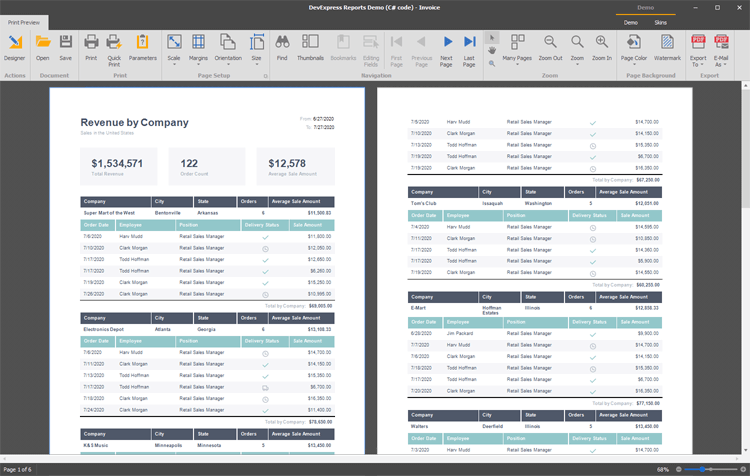
Reporting Pivot Grid PDF Viewer
Comprehensive UI Suite
Diagrams, Navigation, Docking, and more...
The DevExpress WinForms Subscription allows you to deliver business solutions that are intuitive and easy to master. It ships with an extensive range of user interface elements designed to leverage your existing WinForms investments, so you can deliver solutions that are fully optimized for the desktop, high-DPI monitors, and touch-first Windows devices.
WinForms Themes and Application Skins
Over 50 Custom Themes Designed to Amaze
You can specify a theme when you ship your app or allow end-user to modify the look and feel of your WinForms application on the fly. And yes, you can even customize our pre-built application skins/themes with the free DevExpress WinForms Skin‑Theme Editor. The following are a few of the skins/themes included in our distribution.
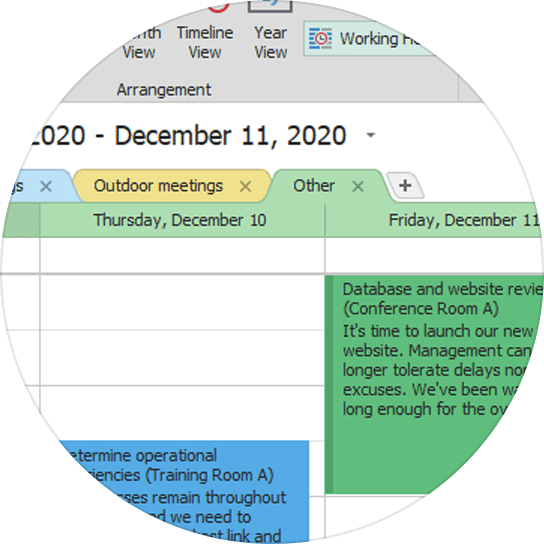
Basic Vector
Pine Light Palette
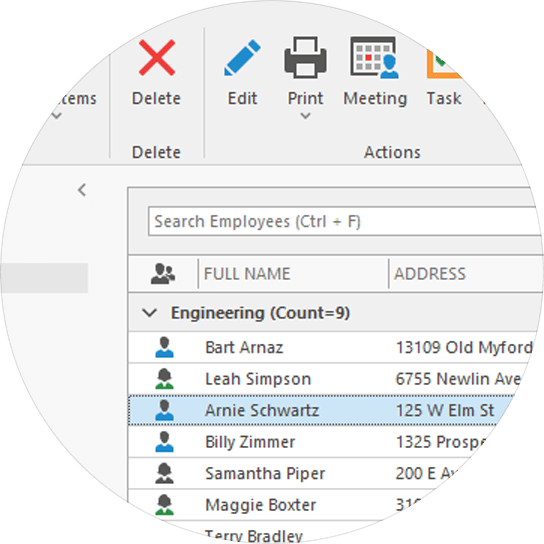
Office 2019 Colorful
Default Palette
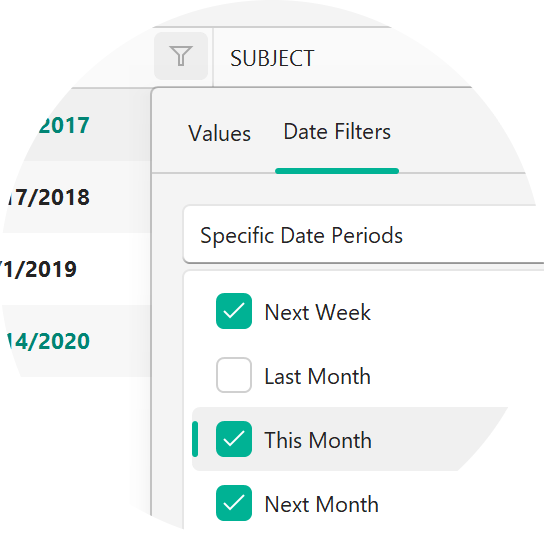
WXI
Calmness Palette
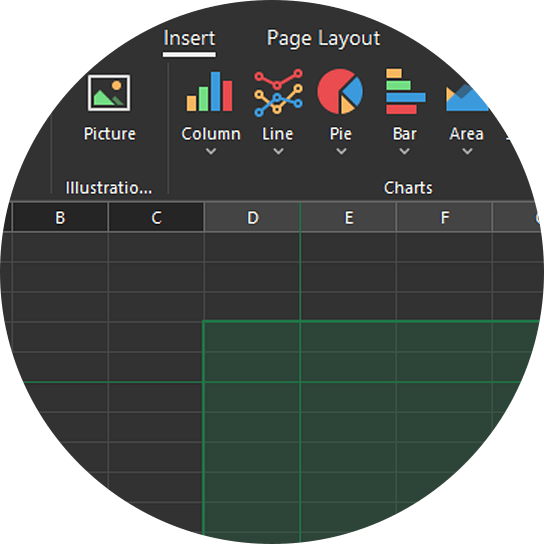
Office 2019 Black
Forest Palette
Built-in HTML & CSS Support
An entirely new approach to WinForms app design.
Leverage the power of HTML & CSS markup to deliver intuitive/next gen user-experiences with absolute ease. This new HTML & CSS Template feature for the Windows Forms platform allows you to create fully custom UI elements and eliminate the use of property-based UI customizations and CustomDraw events (in favor of web-inspired markup).
Advanced options include:
- HTML & CSS Syntax
- Advanced Styling Effects
- Bind to Data from HTML
- Event Handling
- Dynamic HTML Templates
- HTML & CSS Template Editor
- Gallery with Predesigned HTML-CSS Templates
The following DevExpress WinForms controls ship with built-in HTML & CSS Support: Data Grid, Editors,
DirectX Form, Scheduler, Gantt, Accordion, Alert Control, HTML Content Control, TreeList.
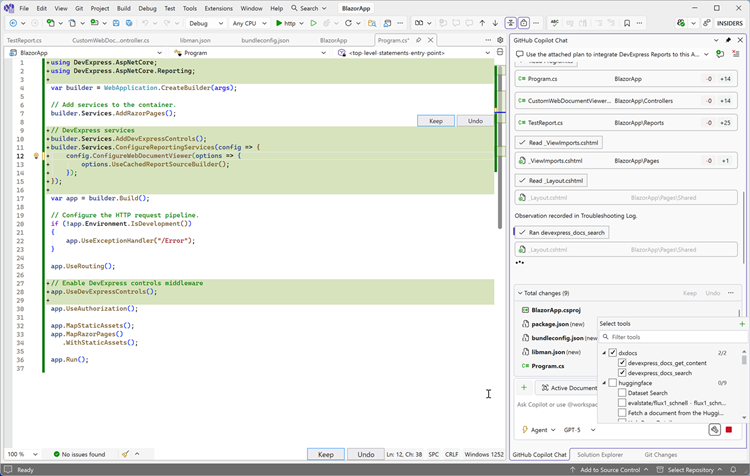
AI-powered Development with DevExpress Documentation MCP Server
Build faster with AI assistance directly in your IDE
The DevExpress Documentation MCP Server connects GitHub Copilot and other AI-based coding assistants to our comprehensive documentation database and gives you instant access to 300,000+ help topics without leaving your development environment.
What you can do with our MCP Server:
- Generate code for DevExpress UI components using natural language prompts
- Get contextual answers about APIs, properties, and implementation patterns
- Search DevExpress help topics/documents with semantic understanding
- Obtain real-time, up-to-date technical guidance for DevExpress WinForms controls.
Works with your favorite development tools: Visual Studio 2022/2026, VS Code, Cursor, JetBrains Rider, and any MCP-compatible AI assistant (GitHub Copilot, JetBrains AI Assistant, Claude Code, and more).
Get started in minutes: The DevExpress MCP Server is free to use and works with all DevExpress product libraries. Simply configure the server endpoint in your IDE to leverage today's most popular AI-based coding assistants.
Start your free 30-day trial today!
Download our fully-functional 30-day trial today and
experience the DevExpress difference.
Fast. Oh, So Very Fast
DevExpress WinForms Controls are powered by our legendary data processing engine. Regardless of dataset size or information complexity, your apps will always remain responsive and allow end-users to shape and analyze information at lightning speed.
Blazing fast performance | DevExpress
WinForms UI Templates (EAP)
Jump start the form development process via polished and ready-to-use 'templates'. The motivation behind our WinForms UI Templates is to create ready-to-use UI solutions for real-life line-of-business (LOB) apps and eliminate the need for routine UI customizations. Read about UI Templates
Touch Enabled User Experience
Deliver elegant, touch-enabled WinForms applications using the platform you know and love. The WinForms Subscription helps you leverage your current investments and address customer needs via a comprehensive range of WinForms controls that support touch on Windows 8/10/11.
Sec 508 and Accessibility
The DevExpress WinForms Subscription makes it easy to create WinForms applications that meet government regulations regarding accessibility. Sec 508 and Accessibility Guidelines 1.0 support is available for DevExpress WinForms controls.
Straightforward Localization
All DevExpress WinForms controls can be localized using localization-related API or satellite resource assemblies. DevExpress delivers satellite assemblies for a large variety of languages and cultures. To help you get started, resource files for three cultures are included in our installation: German, Japanese, and Spanish. If you need to modify our shipping resources or create satellite assemblies for a different language, simply use our Online Localization Service or UI Localization Client tool.
Online Localization Service
UI Localization Client
Testing Support
The DevExpress Universal Subscription includes built-in support for Microsoft's CodedUI. Unlike many vendors claiming support for Coded UI through the simple use of MSAA, DevExpress controls go the extra mile to make certain that individual controls fully comply with Microsoft's testing framework. We don't simply support Coded UI; we support it to the maximum extent possible. Note: CodedUI support requires purchase of the DevExpress Universal Subscription. Learn more about Coded UI
MVVM Framework
The DevExpress MVVM Framework ships with features that are absent in WinForms, but essential to MVVM development. These missing features include bindings, commands, UI triggers, behaviors etc. Our Framework includes all of these along with a straightforward API to make WinForms app development more efficient. Learn more about MVVM Framework
Free 30-Day TrialSee What's New
Our WinForms Subscription includes over 190 UI controls and libraries along with 60+ individual chart types. Here are some of the products included in this subscription:
Dialogs & Notifications
Alert WindowsFlyout Dialog & PanelFluent Design FormBrowse Folder DialogOpen File DialogSave File DialogInput BoxMessage BoxToast Notifications
Review the list of development tools and frameworks supported by our products. We strongly recommend that you always download and use the most recent versions. If the latest version does not support the IDE or framework you're using, please submit a support ticket via the DevExpress Support Center and request an evaluation version that suits your requirements.
Support Status
Supported
Supported
Limited Support
Not Supported
(for legacy apps)
Minor Updates
Yes
Yes
No
No
Security Updates
Yes
Yes
Yes
No
Supported Frameworks
.NET 8 / .NET 9 / .NET 10
.NET Framework 4.6.2+
.NET 8 / .NET 9
.NET Framework 4.6.2+
.NET 6 / .NET 7 / .NET 8 / .NET 9
.NET Framework 4.5.2+
.NET 6 / .NET 7 / .NET 8
.NET Framework 4.5.2+
Supported IDE
Visual Studio 2026
Visual Studio 2022
Visual Studio 2019
JetBrains Rider
Visual Studio 2022
Visual Studio 2019
Visual Studio 2022
Visual Studio 2019
Visual Studio 2017
Visual Studio 2015
Visual Studio 2022
Visual Studio 2019
Visual Studio 2017
Visual Studio 2015
How many controls are included in the WinForms Subscription?
The DevExpress WinForms Subscription ships with over 190 components. From the most powerful WinForms Data Grid to a variety of Office-inspired UI components, it has everything you'll need to build the best possible desktop app without unnecessary compromise.
Can I distribute my app royalty-free if I use DevExpress WinForms controls?
Absolutely. Once you purchase a DevExpress WinForms subscription, you can distribute the components included in the distribution royalty-free.
Refer to our End User License Agreement for more information.
Does the WinForms Subscription include a Reporting Suite?
It certainly does include a WinForms Reporting Suite. DevExpress Reports ships with numerous features, including a powerhouse End-User Report Designer.
Do I have to renew my WinForms Subscription every year?
Absolutely not – renewal in subsequent years is entirely your choice. Unlike some of our competitors, we do not force you to renew your license for redistribution purposes. You are free to use the controls you've licensed for as long as you wish. Refer to our End User License Agreement for more information.
WinForms Subscription: Per Developer Pricing
with a 60-day Unconditional Money Back Guarantee
We are so confident in our products and services that we back them with a 60 day no questions asked money back guarantee. If within the first 60 days of ownership you are not satisfied with the capabilities of our tools, you can request a full refund of the amount you paid to DevExpress by writing to clientservices@devexpress.com or by calling +1 (818) 844-3383.
.NET 8 / .NET 9 / .NET 10 Support
JetBrains Rider Report Designer
Visual Studio Code Report Designer
WinForms End-User Report Designer
Document Viewer (ASP.NET Web Forms/MVC/Core)
Web Report Designer (ASP.NET Web Forms/MVC/Core)
Blazor Document Viewer (JavaScript-based)
Blazor End-User Report Designer (JavaScript-based)
WPF End-User Report Designer
Native Angular Document Viewer
Angular End-User Report Designer
Native React Document Viewer
React End-User Report Designer
.NET 8 / .NET 9 / .NET 10 Support
.NET 8 / .NET 9 / .NET 10 Support
.NET MAUI Controls with Support
.NET MAUI Project Templates
ASP.NET MVC 5 Client-Side Controls
ASP.NET Core (MVC & Razor Pages) Controls
.NET 8 / .NET 9 / .NET 10 Support
ASP.NET Core Office Controls
.NET 8 / .NET 9 / .NET 10 Support
Full Support for 12 Database Engines
.NET 8 / .NET 9 / .NET 10 Support
.NET 8 / .NET 9 / .NET 10 Support
Non-Windows Environment Support (Linux, macOS, Azure, AWS)
Spreadsheet Document API (create, edit, update XLSX, XLS, CSV)
Export to Excel (XLSX, XLS, CSV)
Word Processing Document API (create, edit, update DOC/DOCX, RTF, HTML, etc.)
AI-powered Document Processing API
Zip Compression and Archive API
Business Intelligence Dashboard
.NET 8 / .NET 9 / .NET 10 Support
WinForms End-User Dashboard Designer
ASP.NET Core Dashboard Control (includes End-User Designer)
ASP.NET Web Forms Dashboard Control (includes End-User Designer)
ASP.NET MVC Dashboard Control (includes End-User Designer)
HTML JS Dashboard Control (includes End-User Designer)
Dashboard Component for Angular (includes End-User Designer)
Dashboard Component for React (includes End-User Designer)
Dashboard Component for Vue (includes End-User Designer)
XAF - Cross-Platform .NET App UI
.NET 8 / .NET 9 / .NET 10 Support
WinForms, ASP.NET Core Blazor, ASP.NET Web Forms
Entity Framework Core and XPO ORM Support
Role-based Access Control, Permission Management
Administrative UI (Manage Users & Roles at Runtime)
Audit Trail (History of Data Changes)
Validation (Prevent Data Errors)
Reporting (Shape, Export & Print Data)
Analytics (Dashboard, Chart, Pivot, Map)
Office Documents (Edit Rich Text & Spreadsheets)
File Attachments (Store Custom Files)
Clone Object (Copy Data Records)
Business Process Management (Workflow & State Machine)
Conditional Appearance (Manage UI Element State)
Event Planning (Scheduler & Notifications)
Tree List Editors (Organize Hierarchical Data)
.NET App Security & Web API Service
Entity Framework Core ORM Support
Role-based Access Control & Permission Management
ASP.NET Core Web API / OData Service for CRUD and Authorization
Administrative UI to Manage Users and Roles at Runtime
Download File Attachments
Roslyn-Powered Superior Performance
TestCafe Studio: Functional Web Testing
Coded UI Support for WinForms Controls
JavaScript - jQuery, Angular, React
.NET MAUI Controls with Support
Data Visualization Dashboard
XAF - Cross-Platform .NET App UI
Frequently Asked Questions
To assist you in the ordering process, we've compiled a list of purchase and licensing related FAQs.
Purchase FAQ
Licensing FAQ
Product Delivery and Updates
If you require direct assistance from a member of the DevExpress team on a new purchase, an existing license or renewal/upgrade costs, email us at info@devexpress.com, or call us at +1 (818) 844-3383 between 7:30AM and 4:30PM Pacific Time.
Multi-Developer Discounts
Each developer within your organization must obtain an individual license for DevExpress UI components/development tools. We offer the following tiered discounts when purchasing more than one license for your development team (discounts are automatically computed during checkout):
2-5 Licenses: 5% discount 6-10 Licenses: 10% discount 11+ Licenses: 15% discount
If you wish to purchase 11 or more developer licenses for your team, and would like to discuss your needs with us, please email CorpSales@devexpress.com or call +1 (818) 844-3383 between 8:30AM and 4:30PM Pacific Time.
All pricing in US dollars
Pricing and licensing terms are subject to change with or without notice. Refer to the Developer Express End-User License Agreement for terms and conditions that govern redistribution rights.
If within the first 60 days of ownership you are not satisfied with the capabilities of our tools, you can request a full refund of the amount you paid to DevExpress by writing to clientservices@devexpress.com or by calling +1 (818) 844-3383.
* DevExpress does not include/ship source code for certain products, including CodeRush, TestCafe Studio, and Report Server.
Renewals
DevExpress licenses its software components and development technologies on a subscription basis. A subscription lasts for a 12 month period. Upon expiration of a subscription, you can optionally renew your license for additional 12 months to receive an additional year of product updates and technical support services. Please refer to our Licensing FAQ page for more information on product licensing.
On-time renewal rates are substantially lower than first year subscription costs. The following are on-time renewal rates as of 7/11/2025. Prices subject to change without notice.
Universal Subscription
$1,149.99
DXperience Subscription
$849.99
WinForms Subscription
$549.99
ASP.NET & Blazor Subscription (includes DevExtreme)
$549.99
DevExtreme Complete
$449.99
Reporting Subscription
$399.99
Office File API Subscription
$599.99
CodeRush Ultimate
$124.99
TestCafe Studio Pro
$249.99
Best in Class Tools
DevExpress is honored to have been voted best in class 16 times in this year's Visual Studio Magazine Reader's Choice Awards.
Experience the DevExpress difference and see why your peers consistently vote our products #1. With our Universal Subscription, you will build your best, see complex software with greater clarity, increase your productivity and create stunning applications for Windows, Web and your Mobile world.