Change Password | eRA (original) (raw)
Information on how to change or update your eRA Commons password to a passphrase.
NIH moved from passwords to passphrases — a set of random words or a sentence at least 15 characters long — for eRA’s public facing modules effective November 2021. The change is designed to make passwords easy for users to remember but hard for others to guess.
While eRA has been transitioning users of eRA Commons, Commons Mobile, ASSIST and IAR to two-factor authentication using either Login.gov or an InCommon Federated Account that supports NIH’s two-factor authentication standards, users will still need to maintain their eRA Commons username and password for the time being. eRA is maintaining user credentials as a fallback in case users need it to access eRA modules because of a rare Login.gov issue, even if they have transitioned to two-factor authentication.
Users who reset passwords for any reason (expiration, forgotten password, etc.) must create a passphrase that meets the new requirements. As part of this policy, users must change their temporarily assigned password to a passphrase right after the first time they log on with their assigned password. The passphrase is case-sensitive and cannot be reused within 10 passphrase cycles.
Passphrases will only need to be updated annually.
NOTE:
- Users do not need to use special characters, numbers, or capital letters, though they are allowed.
- Spaces are allowed in passphrases.
- Users can copy and paste their passphrase into the password field. However, the system will not remove initial or trailing spaces if they should happen to include an extra space in the copy, so they should be careful to copy only the temporary password or passphrase with no initial or trailing spaces.
Basic Tasks (step-by-step instructions from the online help)
- Change your password*
- If you forget your password
- If you're locked out due to failed log-in attempts
- If you have changed institutions and can't log into eRA Commons
* You must be logged into eRA Commons with your existing password to complete this task.
Main Screenshots
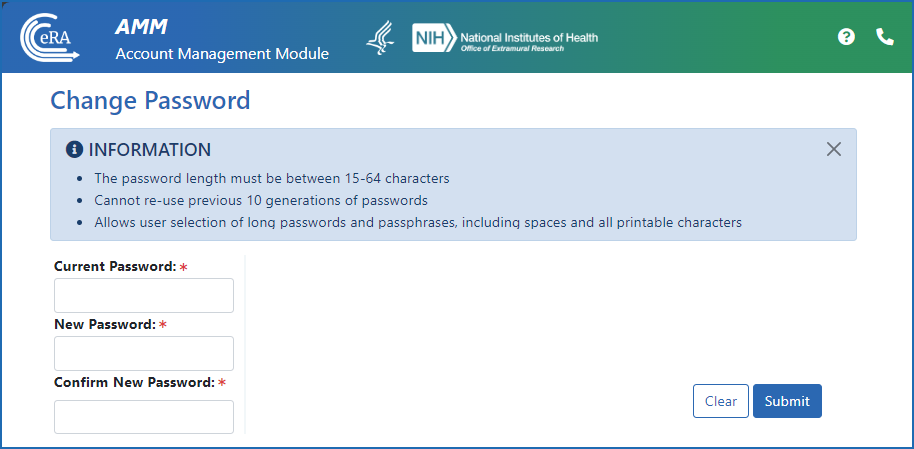
Figure 1: The Change Password screen
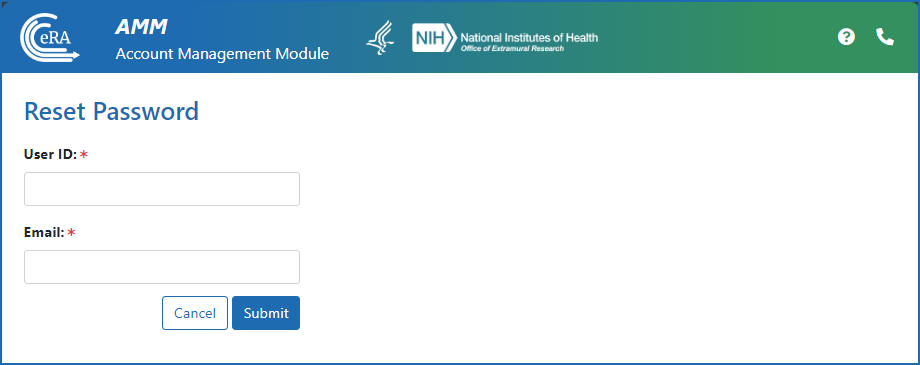
Figure 2: The Reset Password screen for when users lock themselves out of their account due to three failed log-in attempts, or have forgotten their password
Additional Resources
- Having Trouble Logging in to eRA Commons? (PDF - 5 MB)
Policy
- eRA Password Policy (PDF - 53 KB)