Journal Entry for Discount Allowed and Received (original) (raw)
Last Updated : 17 Apr, 2026
A discount is a concession in the selling price of a product offered by a seller to the customers. According to nature, there are two types of discount:
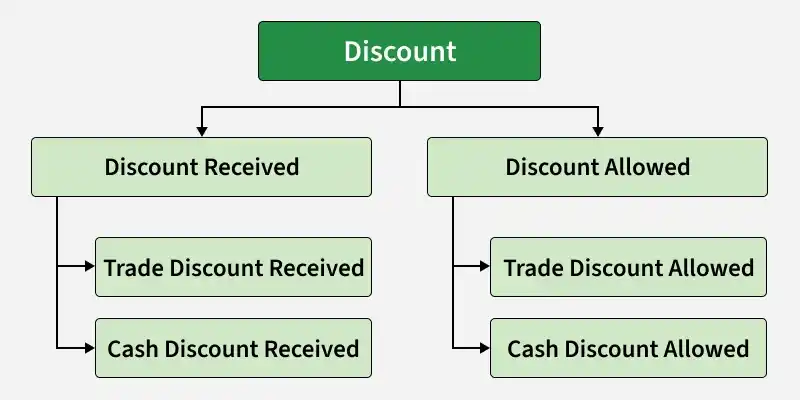
A. Discount Allowed
B. Discount Received
**A. Discount Allowed: When at the time of sales or receiving cash, any concession is given to the customers, it is called discount allowed.
**Journal Entry:

**Example:
- Goods sold ₹50,000 for cash, discount allowed @ 10%.
- Cash received from Rishabh worth ₹19,500 and discount allowed to him ₹500.
**Solution:

**B. Discount Received: When at the time of purchase or paying cash, any concession is received from the seller, it is called discount received.
**Journal Entry:

**Example:
- Goods purchased for cash ₹20,000, discount received @ 20%.
- Cash paid to Vishal ₹14,750 and discount received from him ₹250.
**Solution:

According to the business point of view, there are two types of Discount:
A. Trade Discount
B. Cash Discount
**A. Trade Discount: The discount provided by the seller to its customers at a fixed percentage on the listed price, mostly on bulk purchases, is called a trade discount. Trade discount is not shown separately in the journal entry.
**Journal Entry:

**Example:
- Goods purchased from Hardik ₹20,000, at less 10% Trade Discount.
- Goods sold to Abhinav for ₹10,000 and offered him a Trade Discount of @5%.
**Solution:

**Example: If goods purchased or sold at a trade discount are returned: (Based on the above example)
- Goods purchased from Hardik worth ₹2,000 were returned.
- Abhinav returned goods worth ₹1,000.
**Solution:

**B. Cash Discount: A Cash discount is offered to those types of customers who make quick payments or payment is made by them within a fixed period.
**Journal Entry:

**Example:
- Goods purchased from Sahil ₹10,000 for cash, at less 10% Trade Discount and 5% cash discount.
- Goods sold to Kashish for ₹20,000 for cash and offered him a Trade Discount @5% and a cash discount @2.5%.
**Solution:

**Notes to Accounts:
**Working Note 1:

**Working Note 2:
