Spring Data JPA Attributes of @Column Annotation with Example (original) (raw)
Last Updated : 12 Nov, 2025
In Spring Data JPA, the @Column annotation is used to customize column properties in an entity class. It allows developers to define details such as column name, length, nullability and uniqueness directly within the entity mapping. Understanding these attributes helps optimize database structure and ensures data integrity.
Prerequisites
Before proceeding, ensure you have the following:
- Java 17 or later
- Spring Boot 3.x
- Spring Data JPA
- MySQL Database
- Any IDE (IntelliJ IDEA, Eclipse or VS Code)
Setting Up the Spring Boot Project
Step 1: Create a Spring Boot Project
Go to Spring Initializr and configure the project as follows:
- **Project: Maven
- **Language: Java
- **Spring Boot Version: 3.x
- **Packaging: JAR
- **Java: 17+
- **Dependencies: Spring Web, Spring Data JPA, MySQL Driver
Click Generate, extract the zip file, and open it in your IDE.
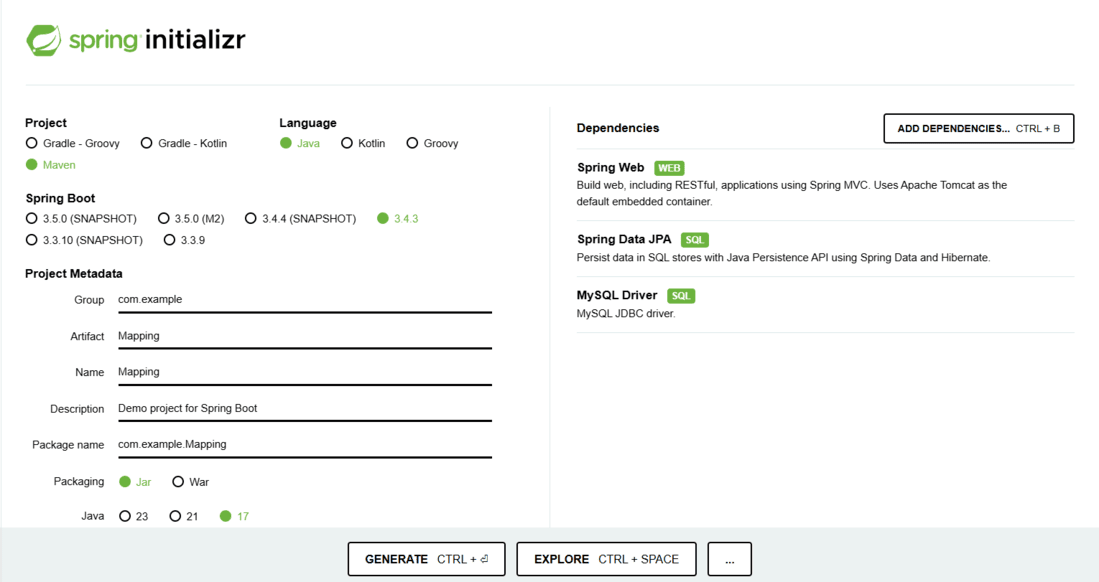
spring initialzr
Step 2: Configure Database in application.properties
Update the configuration file (src/main/resources/application.properties) with your MySQL credentials.
spring.datasource.url=jdbc:mysql://localhost:3306/mapping
spring.datasource.username=${DB_USERNAME}
spring.datasource.password=${DB_PASSWORD}
spring.jpa.hibernate.ddl-auto=update
spring.jpa.show-sql=true
**Note: Replace mapping with your actual database name.
Using @Column Annotation in Entity Class
The @Column annotation belongs to the jakarta.persistence package and provides metadata for customizing column mappings in a database table.
Commonly Used Attributes
- **name: Defines a custom column name in the table.
- **length: Sets the column length for VARCHAR fields.
- **nullable: Defines whether the column allows NULL values.
- **unique: Enforces a unique constraint on the column.
- **insertable / updatable: Controls column participation during SQL INSERT or UPDATE operations.
1. Setting Column Length
The length attribute specifies the maximum number of characters for a string column.
**StudentInformation.java:
Java `
import jakarta.persistence.; import lombok.;
@Entity @Table(name = "student") @Getter @Setter @NoArgsConstructor @AllArgsConstructor public class StudentInformation {
@Id
@GeneratedValue(strategy = GenerationType.IDENTITY)
private int rollno;

@Column(name = "student_name", length = 30)
private String name;
}
`
**Generated MySQL Table:
CREATE TABLE student (
rollno INT AUTO_INCREMENT PRIMARY KEY,
student_name VARCHAR(30)
);
This ensures that the student_name column can store up to 30 characters.
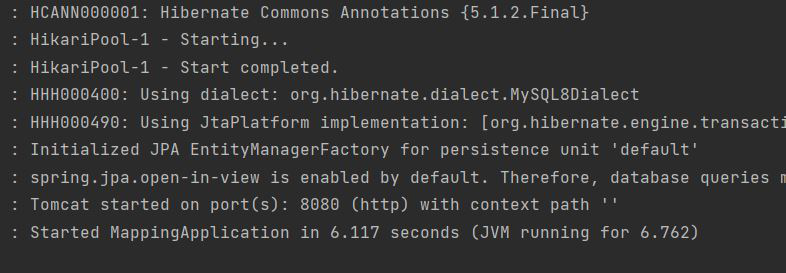
**Run the main application:
**Database output:

2. Setting a Default Value
JPA doesn’t provide a direct attribute for setting a default column value. The recommended way is to initialize the field within the entity itself.
Java `
@Column(nullable = false)
private String name = "Default Name";
`
**StudentInformation.java:
Java `
@Entity @Table(name = "student") @Getter @Setter @NoArgsConstructor @AllArgsConstructor public class StudentInformation { @Id @GeneratedValue(strategy = GenerationType.IDENTITY) private int rollno;
@Column(nullable = false)
private String name = "Default Name";}
`
When a record is saved without specifying a name, "Default Name" will be stored automatically.
**Run the main application:
**Database output:

3. Adding a not-null Constraint
The nullable attribute enforces a NOT NULL constraint at the database level.
Java `
@Column(nullable = false)
private String name;
`
**StudentInformation.java:
Java `
@Entity @Table(name = "student") @Getter @Setter @NoArgsConstructor @AllArgsConstructor public class StudentInformation { @Id @GeneratedValue(strategy = GenerationType.IDENTITY) private int rollno;
@Column(nullable = false)
private String name;}
`
**Generated MySQL Table:
CREATE TABLE student (
rollno INT AUTO_INCREMENT PRIMARY KEY,
name VARCHAR(255) NOT NULL
);
**Run the main application:
**Database Output:

**Note: If you attempt to insert a null value into name, the database will throw an integrity constraint violation.
Example 4: Defining Unique Column
To ensure that a column contains only unique values, set unique = true.
Java `
@Column(unique = true, nullable = false) private String email;
`
This automatically adds a unique constraint to the email column.
Example 5: Custom Column Name
The name attribute customizes the column name in the database.
Java `
@Column(name = "student_email") private String email;
`
This maps the Java field email to a database column named student_email.