Spring Data JPA @Column Annotation (original) (raw)
Last Updated : 3 Nov, 2025
@Column is part of the Jakarta Persistence API (JPA) and is used within entity classes to specify details about the column that stores a particular field. If no @Column annotation is specified, JPA automatically maps the field name to a column with the same name.
**Syntax:
@Column(name = "description", nullable = false, length = 512)
private String description;
Commonly Used Attributes of @Column
- **name: Specifies the exact column name in the database
- **length: Defines the maximum size of a string column (default is 255)
- **nullable: Indicates whether the column can contain NULL values (default is true)
- **unique: Ensures that all values in this column are unique
- **precision: Defines the total number of digits for numeric columns
- **scale: Defines the number of digits to the right of the decimal point
- **insertable: Determines whether the column is included in SQL INSERT statements
- **updatable: Determines whether the column is included in SQL UPDATE statements
- **columnDefinition: Allows custom SQL column definition (e.g., VARCHAR(100) or TEXT)
Step-by-Step Implementation
Step 1: Create a Spring Boot Project
Go to Spring Initializr and generate a new project with the following configuration:
**Project: Maven
**Language: Java
**Spring Boot Version: 3.x (Latest LTS)
**Dependencies:
- Spring Data JPA
- MySQL Driver
- Lombok
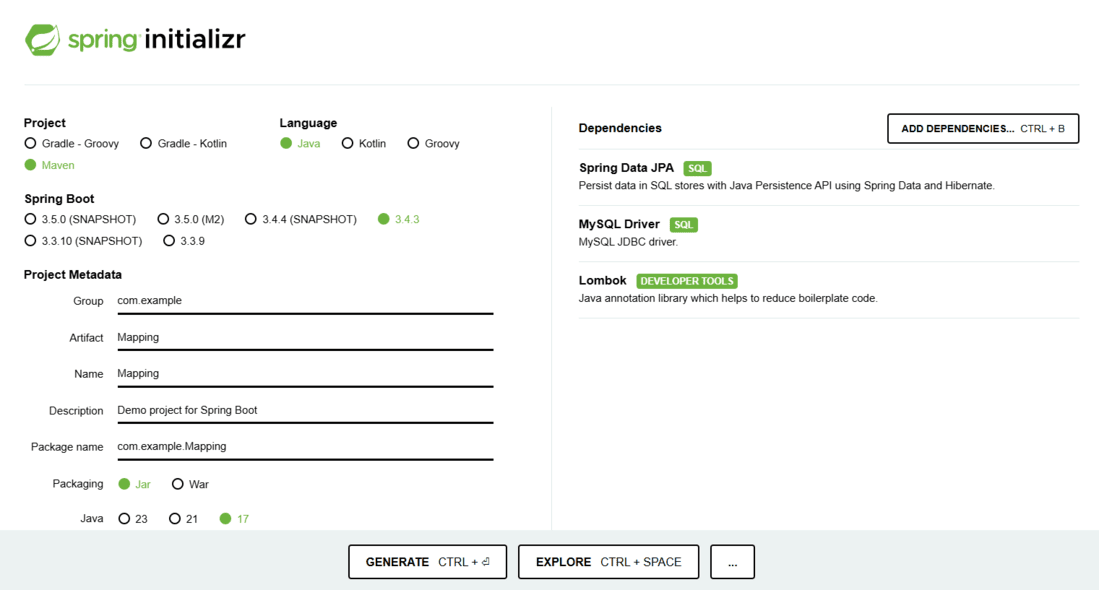
Spring Initialir
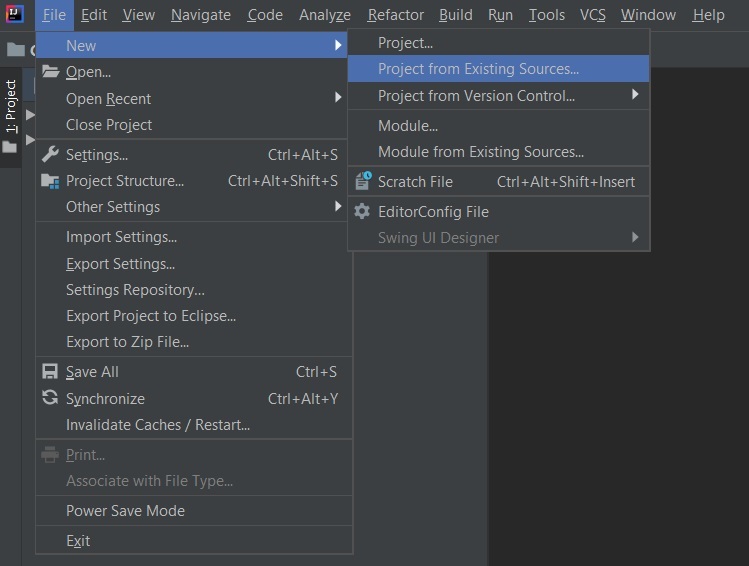
Download and extract the project, then open it in your preferred IDE (such as IntelliJ IDEA or Eclipse).
Step 2: Configure Database in application.properties
Open the application.properties file and add the following configuration:
spring.datasource.url=jdbc:mysql://localhost:3306/mapping
spring.datasource.username=root
spring.datasource.password=yourpassword
spring.datasource.driver-class-name=com.mysql.cj.jdbc.Driverspring.jpa.hibernate.ddl-auto=update
spring.jpa.show-sql=true
**Explanation:
- **ddl-auto=update automatically updates the database schema when the entity changes.
- **show-sql=true enables SQL query logging.
Step 3: Create the Entity Class
Create a new package com.example.model and add the entity class
**StudentInformation.java:
Java `
package com.example.model;
import jakarta.persistence.; import lombok.;
@Entity @Table(name = "student") @Getter @Setter @NoArgsConstructor @AllArgsConstructor public class StudentInformation {
@Id
@GeneratedValue(strategy = GenerationType.IDENTITY)
private int rollno;

@Column(name = "student_name", nullable = false, length = 255)
private String studentName;

@Column(name = "email", unique = true, length = 100)
private String email;

@Column(name = "age", nullable = true)
private Integer age;
}
`
- @Entity marks the class as a JPA entity.
- @Table(name = "student") defines the table name.
- @Column customizes column properties like name, length, nullability, and uniqueness.
- The rollno field is the primary key using @Id and auto-incremented via GenerationType.IDENTITY.
Step 4: Run the Application
Run the Spring Boot main class (the one annotated with @SpringBootApplication).
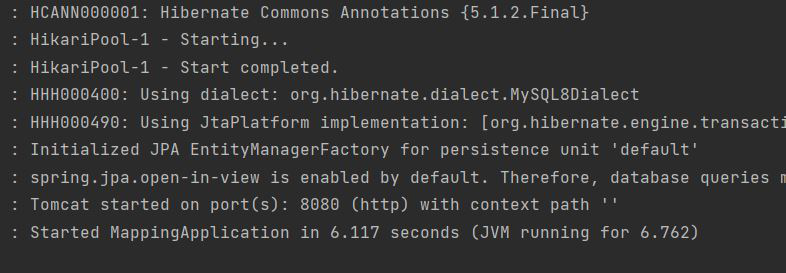
Spring Boot will automatically connect to the database and generate a table named student with the specified column properties.
Step 5: Verify the Database Table
Use the following SQL command in MySQL to inspect the created table structure:
DESC student;
**Expected Output:
