How to Build a Simple Music Player App Using Android Studio (original) (raw)
Last Updated : 12 Jul, 2025
This is a very simple app suitable for beginners to learn the concepts. The following things you will learn in this article:
- Implementing MediaPlayer class and using its methods like pause, play and stop.
- Using external files ( images, audio, etc ) in our project.
- Building the interface of our Music Player Android App.
Step By Step Implementation
**Step 1: Create a New Android Project
To create a new project in Android Studio please refer to How to Create/Start a New Project in Android Studio.
**Note: Select **Java as the programming language.
**Step 2: Designing the User Interface of the app
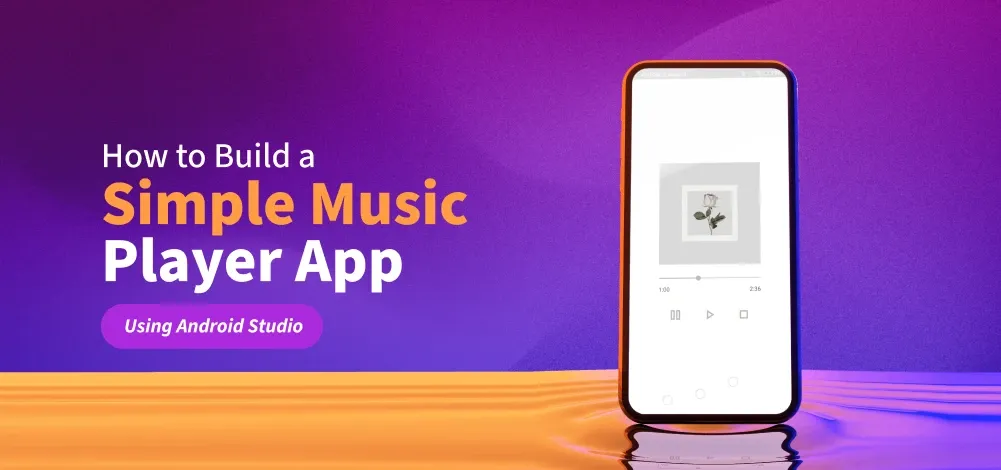
In this app, we have used 4 components:
- **ImageView - to display the album cover of the song
- **3 ImageViews (used as buttons) :
- a play button to play our song
- a pause button to pause our song
- a stop button to stop our song
- **A SeekBar - to keep track of the progress of the music
- **2 TextViews
- to show current time
- to show total time of the song
**Note: if we press play after pressing the pause then our song will continue playing immediately after where it was paused but if we press play button after stop then our song will play from the beginning
These components are implemented on the below two layouts:
- Vertical LinearLayout
- Horizontal LinearLayout
**activity_main.xml
activity_main.xml `
<ImageView
    android:id="@+id/imageView"
    android:layout_width="250dp"
    android:layout_height="250dp"
    android:scaleType="centerCrop"
    android:src="@drawable/album_cover" />

<SeekBar
    android:id="@+id/seekBar"
    android:layout_width="280dp"
    android:layout_height="wrap_content"
    android:layout_marginTop="24dp"
    android:layout_marginBottom="8dp"
    android:progress="33"
    android:progressTint="@color/darker_grey"
    android:thumbTint="@color/darker_grey" />

<LinearLayout
    android:layout_width="250dp"
    android:layout_height="wrap_content"
    android:orientation="horizontal"
    android:weightSum="2">

    <TextView
        android:id="@+id/textCurrentTime"
        android:layout_width="match_parent"
        android:layout_height="wrap_content"
        android:layout_weight="1"
        android:gravity="start"
        android:text="0:00" />

    <TextView
        android:id="@+id/textTotalTime"
        android:layout_width="match_parent"
        android:layout_height="wrap_content"
        android:layout_weight="1"
        android:gravity="end"
        android:text="0:00" />
</LinearLayout>

<LinearLayout
    android:layout_width="250dp"
    android:layout_height="wrap_content"
    android:layout_marginTop="32dp"
    android:orientation="horizontal"
    android:weightSum="3">

    <ImageView
        android:id="@+id/buttonPause"
        android:layout_width="0dp"
        android:layout_height="40dp"
        android:layout_weight="1"
        android:clickable="true"
        android:src="@drawable/pause"
        app:tint="@color/darker_grey" />

    <ImageView
        android:id="@+id/buttonPlay"
        android:layout_width="0dp"
        android:layout_height="40dp"
        android:layout_weight="1"
        android:src="@drawable/play"
        app:tint="@color/darker_grey" />

    <ImageView
        android:id="@+id/buttonStop"
        android:layout_width="0dp"
        android:layout_height="40dp"
        android:layout_weight="1"
        android:src="@drawable/stop"
        app:tint="@color/darker_grey" />
</LinearLayout>
`
**Step 3: Adding the music file to our app
Add the mp3 file to the **raw folder. You can reach there by:
app > res > raw
If there is no raw folder, then create it by right-clicking on res directory then:
res > new > Android Resource Directory
Name the newly created directory as **raw and add all the audio files in this folder. Make sure that the new name contains all small alphabets. The only valid characters are (a-z and 0-9 and _ )
Step 4: Adding drawable
Navigate to **app > res > drawable, right click on the folder and choose **New > Drawable Resource File and create 3 such files and name them **play.xml, pause.xml and **stop.xml
play.xml `
pause.xml
stop.xml
`
**Step 5: Let's code the functionality of our App
Make a object of **MediaPlayer class named **music. It is an inbuilt class in **android package. All the properties of the MediaPlayer class can be used by this music object:
MediaPlayer music
We will add our music file to this newly created object by using **create function :
music = MediaPlayer.create(this, R.raw.sound);
**Note: that there is no need to add .mp3 or .wav or whatever filetype you are using. Just add the name of the file. (I have named my file as sound.mp3 so used R.raw.sound)
MediaPlayer class has an inbuilt function called **start we will use this function for play button. It will start the song.
public void playSong(View v){
music.start();
}
For pause button we will use the inbuilt function **pause. This will pause the song.
public void pauseSong(View v) {
mp.pause(); }
For **stop button we will use the inbuilt **stop function. This function also deletes the object (music), so we create a new object with the same name.
public void stopSong(View v) {
mp.stop();
}
music = MediaPlayer.create(this, R.raw.sound);
**MainActivity.java:
MainActivity.java `
package org.geeksforgeeks.demo;
import android.media.MediaPlayer; import android.os.Bundle; import android.os.Handler; import android.os.Looper; import android.widget.ImageView; import android.widget.SeekBar; import android.widget.TextView; import androidx.appcompat.app.AppCompatActivity;
import java.util.concurrent.TimeUnit;
public class MainActivity extends AppCompatActivity {
// Declare MediaPlayer for audio playback
private MediaPlayer mediaPlayer;

// Declare UI elements
private SeekBar seekBar;
private TextView textCurrentTime;
private TextView textTotalTime;
private ImageView buttonPlay;
private ImageView buttonPause;
private ImageView buttonStop;

// Handler to update SeekBar and current time text every second
private final Handler handler = new Handler(Looper.getMainLooper());

// Runnable task that updates SeekBar and current playback time
private final Runnable updateSeekBar = new Runnable() {
    @Override
    public void run() {
        if (mediaPlayer != null && mediaPlayer.isPlaying()) {
            // Update SeekBar progress and current time text
            seekBar.setProgress(mediaPlayer.getCurrentPosition());
            textCurrentTime.setText(formatTime(mediaPlayer.getCurrentPosition()));

            // Repeat this task every 1 second
            handler.postDelayed(this, 1000);
        }
    }
};

@Override
protected void onCreate(Bundle savedInstanceState) {
    super.onCreate(savedInstanceState);

    // Set layout for the activity
    setContentView(R.layout.activity_main);

    // Initialize views from layout
    seekBar = findViewById(R.id.seekBar);
    textCurrentTime = findViewById(R.id.textCurrentTime);
    textTotalTime = findViewById(R.id.textTotalTime);
    buttonPlay = findViewById(R.id.buttonPlay);
    buttonPause = findViewById(R.id.buttonPause);
    buttonStop = findViewById(R.id.buttonStop);

    // Create MediaPlayer instance with a raw audio resource
    mediaPlayer = MediaPlayer.create(this, R.raw.sound);

    // Set listener to configure SeekBar and total time after MediaPlayer is ready
    mediaPlayer.setOnPreparedListener(mp -> {
        seekBar.setMax(mp.getDuration());
        textTotalTime.setText(formatTime(mp.getDuration()));
    });

    // Play button starts the audio and begins updating UI
    buttonPlay.setOnClickListener(v -> {
        mediaPlayer.start();
        handler.post(updateSeekBar);
    });

    // Pause button pauses the audio playback
    buttonPause.setOnClickListener(v -> mediaPlayer.pause());

    // Stop button stops playback and resets UI and MediaPlayer
    buttonStop.setOnClickListener(v -> {
        mediaPlayer.stop();
        mediaPlayer = MediaPlayer.create(this, R.raw.sound);
        seekBar.setProgress(0);
        textCurrentTime.setText("0:00");
        textTotalTime.setText(formatTime(mediaPlayer.getDuration()));
    });

    // Listen for SeekBar user interaction
    seekBar.setOnSeekBarChangeListener(new SeekBar.OnSeekBarChangeListener() {

        // Called when progress is changed
        @Override
        public void onProgressChanged(SeekBar seekBar, int progress, boolean fromUser) {
            if (fromUser && mediaPlayer != null) {
                // Seek MediaPlayer to new position and update current time
                mediaPlayer.seekTo(progress);
                textCurrentTime.setText(formatTime(progress));
            }
        }

        // Not used, but required to override
        @Override
        public void onStartTrackingTouch(SeekBar seekBar) {}

        // Not used, but required to override
        @Override
        public void onStopTrackingTouch(SeekBar seekBar) {}
    });
}

// Format milliseconds into minutes:seconds format (e.g., 1:05)
private String formatTime(int milliseconds) {
    long minutes = TimeUnit.MILLISECONDS.toMinutes(milliseconds);
    long seconds = TimeUnit.MILLISECONDS.toSeconds(milliseconds) % 60;
    return String.format("%d:%02d", minutes, seconds);
}

// Clean up MediaPlayer and handler when activity is destroyed
@Override
protected void onDestroy() {
    super.onDestroy();
    handler.removeCallbacks(updateSeekBar);
    if (mediaPlayer != null) {
        mediaPlayer.release();
    }
}
}
`
**Output: