Resource Raw Folder in Android Studio (original) (raw)
Last Updated : 23 Jul, 2025
The raw (res/raw) folder is one of the most important folders and it plays a very important role during the development of android projects in android studio. The raw folder in Android is used to keep mp3, mp4, sfb files, etc. The raw folder is created inside the res folder: main/res/raw. So we will simply create it inside the res folder. But before creating a raw folder let's have a look at the asset folder in android which acts the same role as the raw folder in android studio. So let discuss how the resource raw folder is different from the assets folder?
How the Resource raw folder is different from the Assets folder?
In Android one can store the raw asset file like JSON, Text, mp3, HTML, pdf, etc in two possible locations:
- assets
- res/raw folder

Both of them appear to be the same, as they can read the file and generate InputStream as below.
// From assets
assets.open(assetPathFilename)
// From res/raw
resources.openRawResource(resourceRawFilename)
But when to use which folder?
Below is some guidance that might be helpful to choose
1. Flexible File Name: (assets is better)
- assets: The developer can name the file name in any way, like having capital letters (fileName) or having space (filename).
- res/raw: In this case, the name of the file is restricted. File-based resource names must contain only lowercase a-z, 0-9, or underscore.
2. Store in subdirectory: (possible in assets)
- assets: If the developer wants to categories the files into subfolders, then he/she can do it in assets like below.
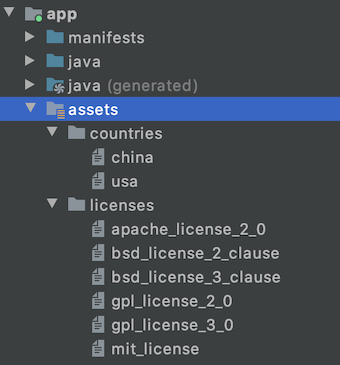
- res/raw: In this case, files can only be in the root folder.
3. Compile-time checking: (possible in res/raw)
- assets: Here, the way to read it into InputStream is given below. If the filename doesn’t exist, then we need to catch it.
assets.open("filename")
- res/raw folder: Here, the way to read it into InputStream is:
resources.openRawResource(R.raw.filename)
So putting a file in the res/raw folder will provide ensure the correct file-name during compile time check.
4. List filenames at runtime: (possible in assets)
- assets: If the developer wants to list all the files in the assets folder, he/she has used the list() function and provide the folder name or " " on the root folder as given below.
assets.list(FOLDER_NAME)?.forEach {
println(it)
}
- res/raw: This is not possible in this folder. The developer has to know the filename during development, and not runtime.
So, in assets, one can read the filename during runtime, list them, and use them dynamically. In res/raw, one needs to code them ready, perhaps in the string resources file.
5. Filename accessible from XML: (possible in res/raw)
- assets: No simple way the developer can arrange an XML file (e.g. AndroidManifest.xml) to point to the file in the assets folder.
- res/raw: In any XML files like in Java, the developer can access the file in res/raw using @raw/filename easily.
So if you need to access your file in any XML, put it in the res/raw folder. Let's make a table to remember the whole scenario easily.
| Scenario | Assets Folder | Res/Raw Folder |
|---|---|---|
| Flexible File Name | YES | NO |
| Store in subdirectory | YES | NO |
| Compile-time checking | NO | YES |
| List filenames at runtime | YES | NO |
| Filename accessible from XML | NO | YES |
How to Create Resource Raw Folder in Android Studio?
Now let's discuss how to create the Resource Raw folder in the android studio. Below is the step-by-step process to create the Resource Raw folder in Android studio.
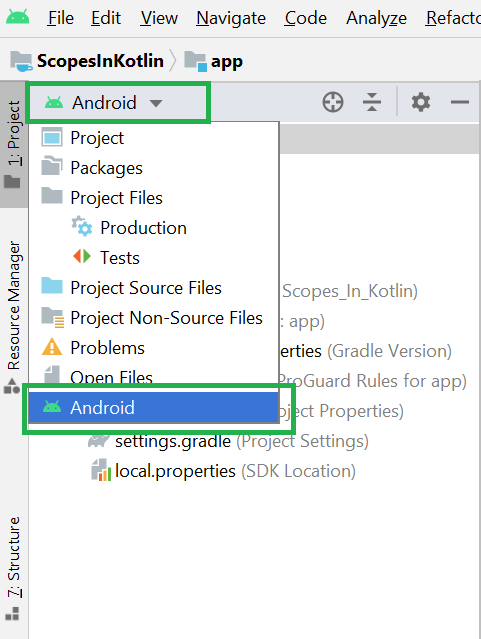
Step 1: To create the Resource Raw folder in Android studio open your project in Android mode first as shown in the below image.
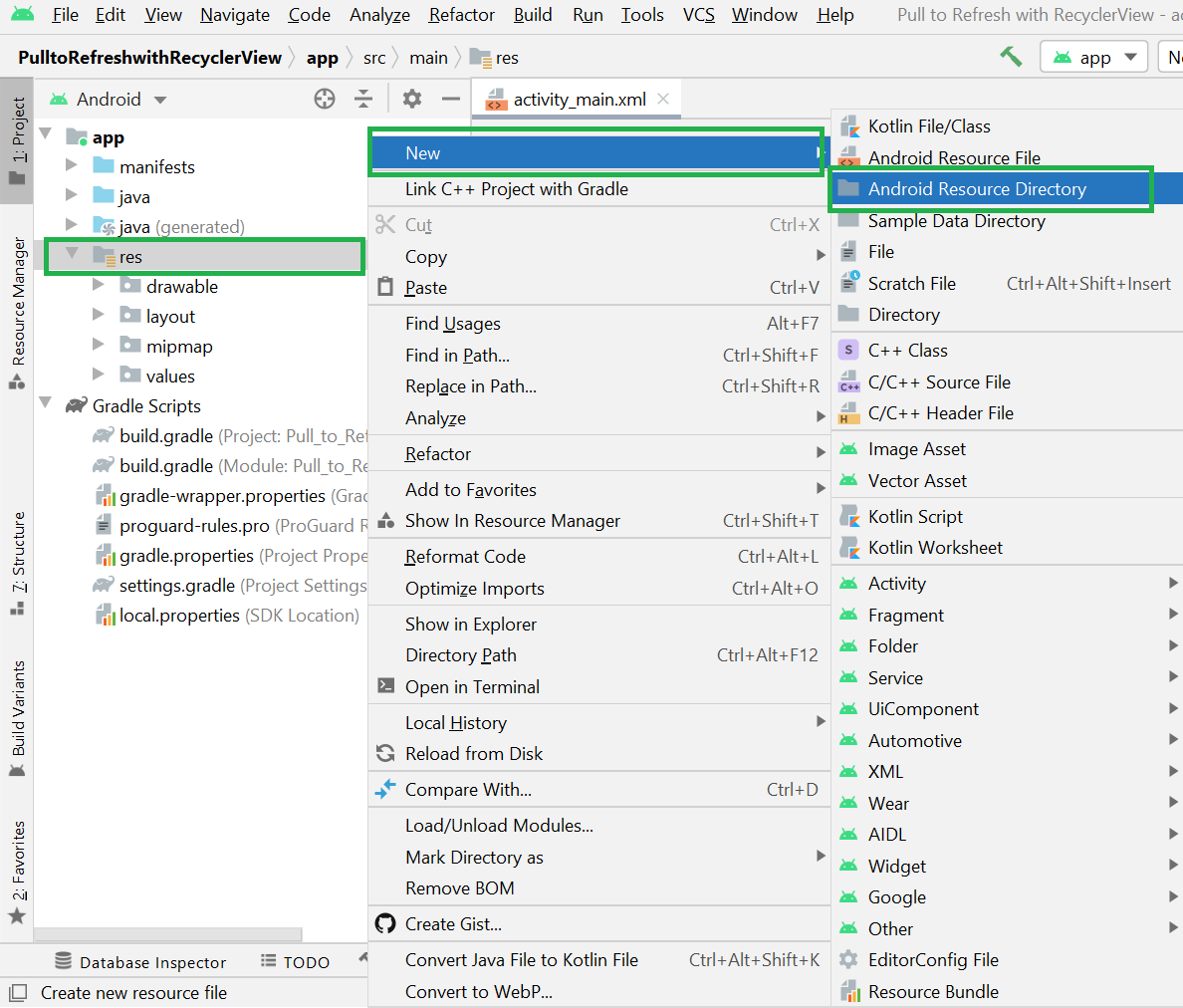
Step 2: Open your android studio go to the app > res > right-click > New > Android Resource Directory as shown in the below image.
Step 3: Then a pop-up screen will arise like below. Here in Resource type choose raw.
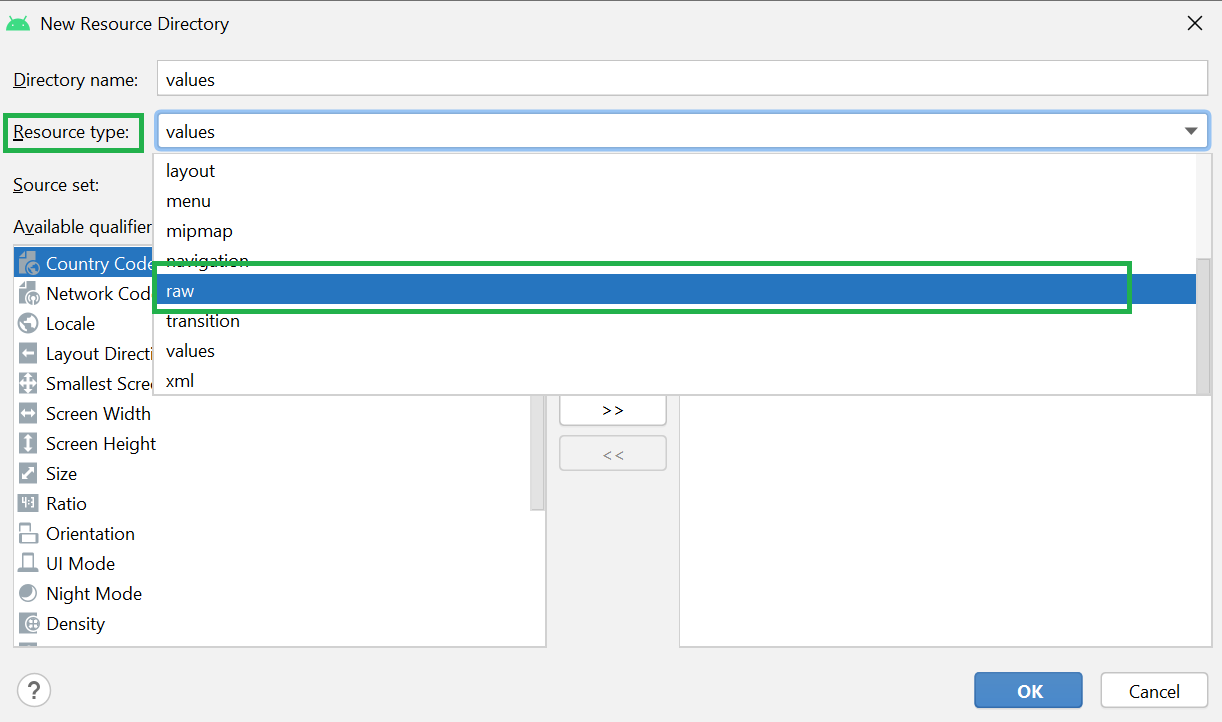
Step 4: After choosing the raw from the dropdown menu click on the OK button and keep all the things as it is.
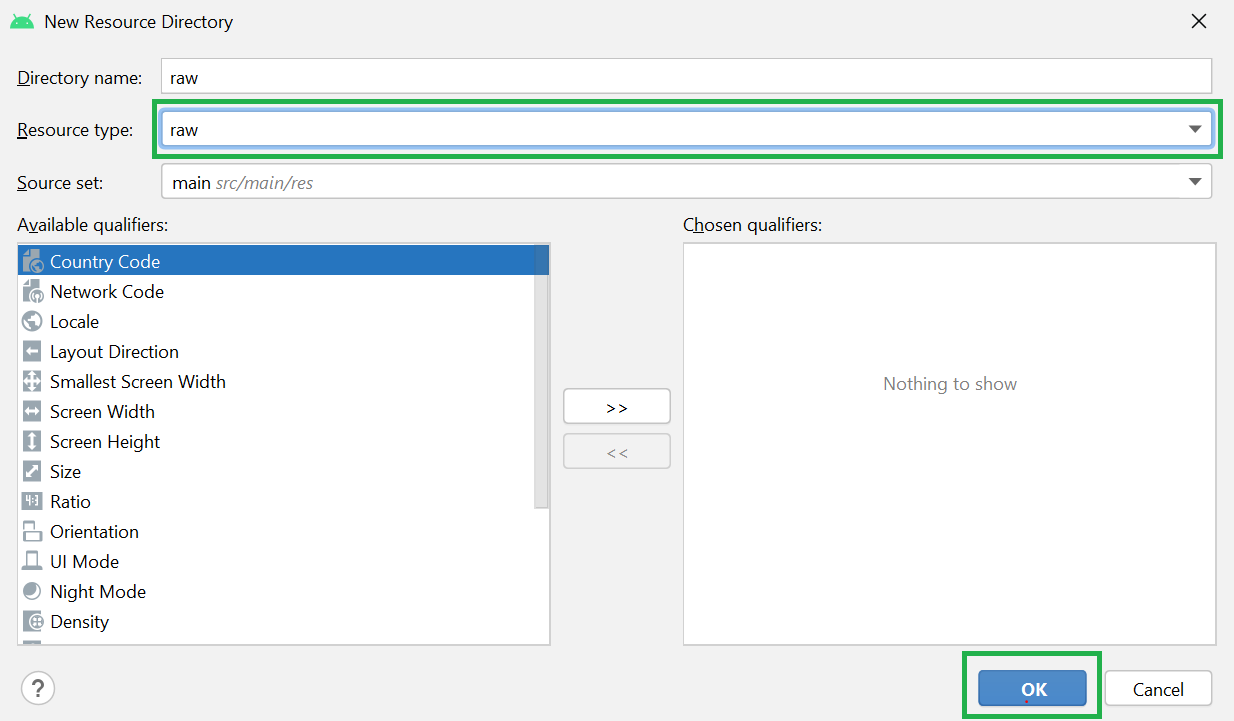
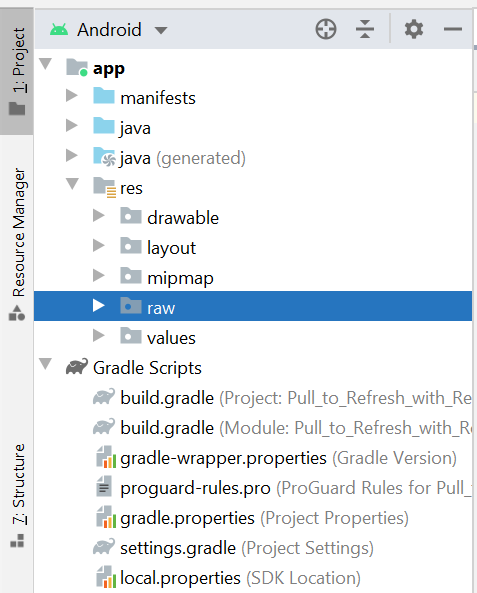
Step 5: Now you can see the raw folder has been created and you can find the folded in the app > res > raw as shown in the below image.