Property binding in angular 8 (original) (raw)
Last Updated : 11 Sep, 2020
Property Binding is a one-way data-binding technique. In property binding, we bind a property of a DOM element to a field which is a defined property in our component TypeScript code. Actually, Angular internally converts string interpolation into property binding.
In this, we bind the property of a defined element to an HTML DOM element.
Syntax:
<element [property]= 'typescript_property'>
Approach:
- Define a property element in the app.component.ts file.
- In the app.component.html file, set the property of the HTML element by assigning the property value to the app.component.ts file's element.
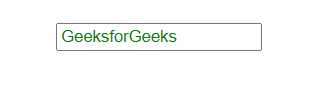
Example 1: setting value of an input element using property binding.
app.component.html
javascript `
<input style = "color:green; margin-top: 40px; margin-left: 100px;" [value]='title'>
`
app.component.ts
javascript `
import { Component } from '@angular/core';
@Component({
selector: 'app-root',
templateUrl: './app.component.html',
styleUrls: ['./app.component.css']
})
export class AppComponent {
title = 'GeeksforGeeks';
}
`
Output:
Example 2: getting source of the image using property binding.
app.component.html
html `
<img [src]='src'>
`
app.component.ts
javascript `
import { Component } from '@angular/core';
@Component({
selector: 'app-root',
templateUrl: './app.component.html',
styleUrls: ['./app.component.css']
})
export class AppComponent {
src = 'https://www.geeksforgeeks.org/wp-content/uploads/gfg_200X200-1.png';
}

`
Output:

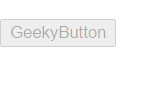
Example 3: disabling a button using property binding.
app.component.html
html `
<button [disabled]='bool' style="margin-top: 20px;">GeekyButton
`
app.component.ts
javascript `
import { Component } from '@angular/core';
@Component({
selector: 'app-root',
templateUrl: './app.component.html',
styleUrls: ['./app.component.css']
})
export class AppComponent {
bool = 'true';
}
`
Output: