Claude AI (original) (raw)
Last Updated : 2 May, 2026
Claude AI is an advanced artificial intelligence model developed by Anthropic, designed to understand and generate human‑like text for a wide range of tasks.
- Understand and generate text based on large-scale training datasets, enabling nuanced and context-aware responses.
- Handle diverse tasks including research, creative writing, coding, data analysis and problem-solving across multiple domains.
- Operate across platforms including web, mobile, desktop and API, making it accessible to students, professionals and enterprises alike.
How Does Claude AI Work
Claude is built on Anthropic's Constitutional AI framework, a training approach that ensures responses are helpful, honest and less prone to harmful or biased content. Rather than simply predicting the next word, Claude is trained to reason through problems carefully using large-scale pre-training and fine-tuning.
- **Constitutional AI (CAI): Claude self-evaluates every response against a set of guiding ethical principles, ensuring outputs are safe, honest and helpful before delivering them.
- **Pattern Recognition: Claude analyses input text to identify patterns, relationships and contextual cues, enabling a nuanced understanding of complex queries and long documents.
- **Context-Aware Predictions: Based on recognised patterns, Claude predicts the most relevant and coherent responses while maintaining appropriate tone, style and clarity.
- **Hybrid Reasoning: Claude toggles between fast replies for simple prompts and deep, step-by-step thinking for complex tasks, making it effective across a wide range of use cases.
- **Large-Scale Pre-Training: Claude is trained on a vast amount of textual data, giving it a broad knowledge base across research, coding, creative writing, science and more.
Claude AI Models
Claude AI is available in a family of models, each designed to serve different needs, use cases and budgets. Models are typically released in three sizes ranging from smallest and most affordable to the largest and most capable, allowing individuals, developers and enterprises to choose the right fit for their requirements.
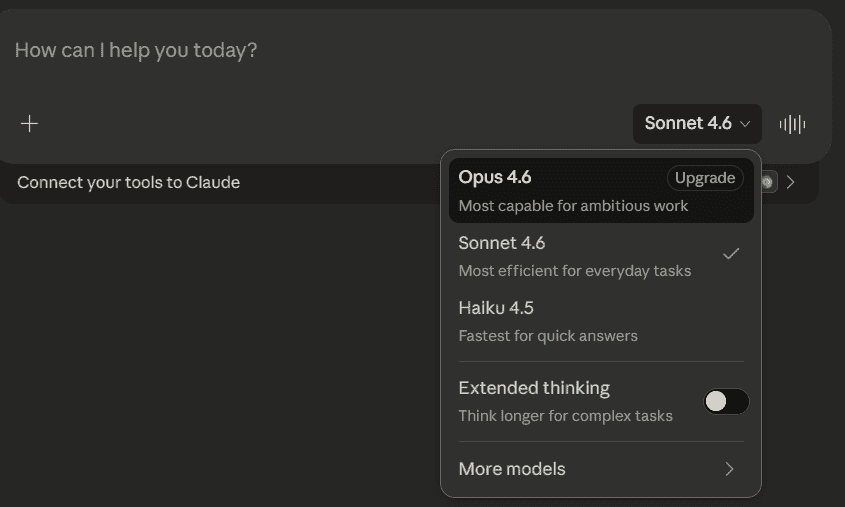
Claude AI Models
- **Claude Haiku: The fastest and most lightweight model in the family, Haiku is cost-efficient and ideal for everyday tasks, quick responses and smaller businesses looking to integrate AI without heavy resource investment.
- **Claude Sonnet: The balanced performer of the family, Sonnet delivers high quality, accurate responses for most professional, academic and creative use cases, striking the right balance between speed and capability.
- **Claude Opus: The most powerful model in the Claude family, Opus is built for deep reasoning, long and complex sessions, agentic task execution and heavy coding workflows, all while maintaining Anthropic's highest safety protocols.
How to Access Claude AI
Accessing Claude AI through the official Anthropic website is straightforward. Follow these steps:
Step 1: Visit the Official Website
Open your preferred web browser and navigate to claude.ai, the official platform developed and maintained by Anthropic. This portal gives you access to Claude AI's full range of features, tools and capabilities.
Step 2: Sign Up or Log In
Next step is to create a account or log in if you are an existing user.
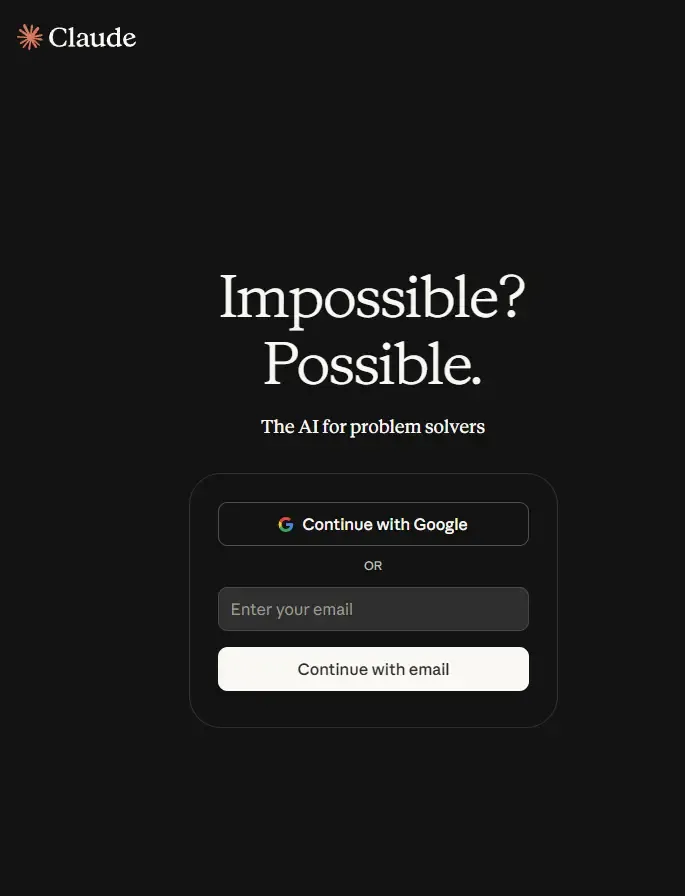
Login
Step 3: Access Claude AI
Once logged in, you will be directed to the Claude AI interface where you can begin exploring its features and choose a plan that best suits your needs.
- Select a desired plan from the available options including Free, Pro, Team or Enterprise based on your requirements.
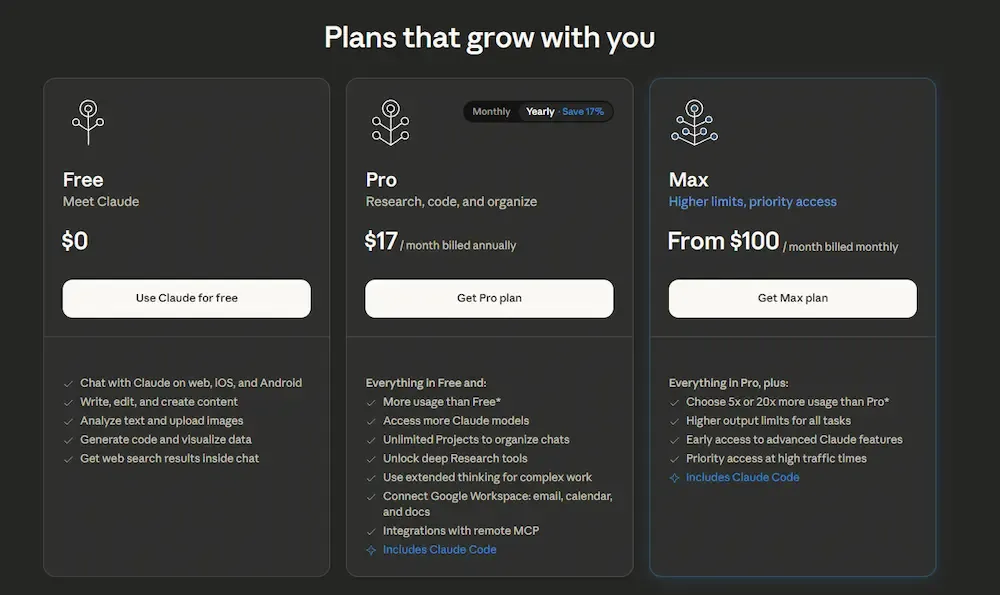
Plans
- Navigate to the chat interface to begin interacting with Claude AI instantly.
Step 4: Enter Your Query
The input box at the bottom of the chat interface is where you type your question, request or task to get a response from Claude AI.
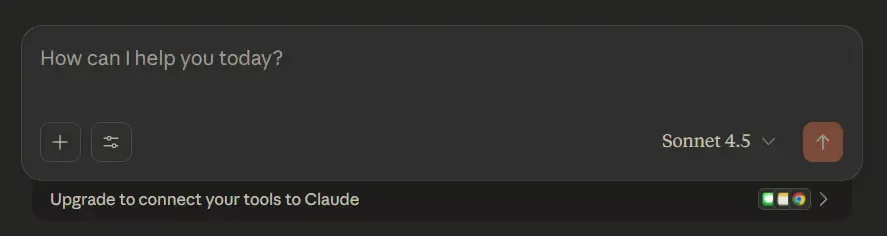
Query box
Type your query clearly and be as specific as possible to receive the most accurate and relevant response.
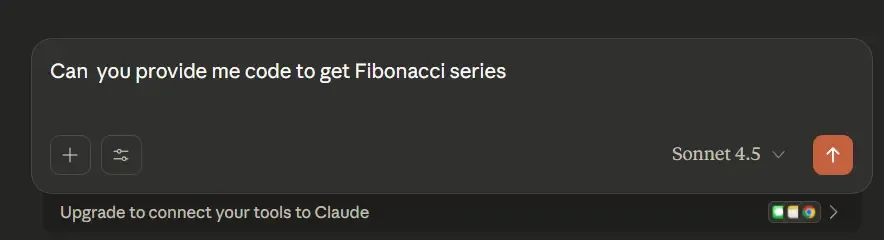
Prompt
Step 5: Submit Your Query
After typing your question or request, press the Enter key or click the Send button to submit your query to Claude AI.
Step 6: Review Claude’s Response
Claude will deliver a clear, structured and well-reasoned response to your query in a natural, human-like manner. Read through the response carefully to extract the information, insights or answers most relevant to your question or task.
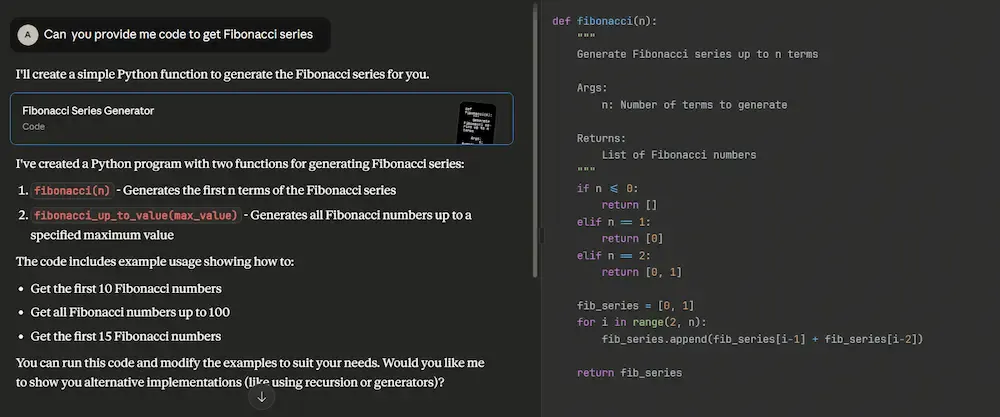
Result
You can easily copy the response, take notes or save the information for future reference and use.
Step 7: Refine and Iterate
If the response needs more detail or clarification, simply type a follow-up question and Claude will build upon the previous exchange intelligently. Claude maintains context across the conversation within its context window, enabling effective follow-up interactions.
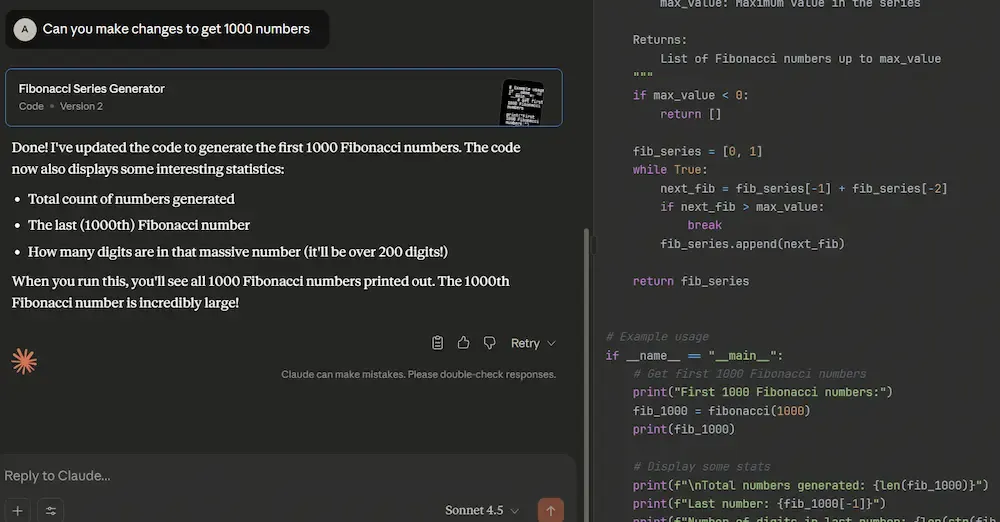
Refined
Refining your queries helps Claude deliver increasingly focused and relevant answers with every response.
Claude AI API Access
Claude AI can be integrated into our applications and workflows using its API, lets see the steps to access it,
- Go to the anthropic Console and login with the account.
- After the successful login, you will land on the welcome page.
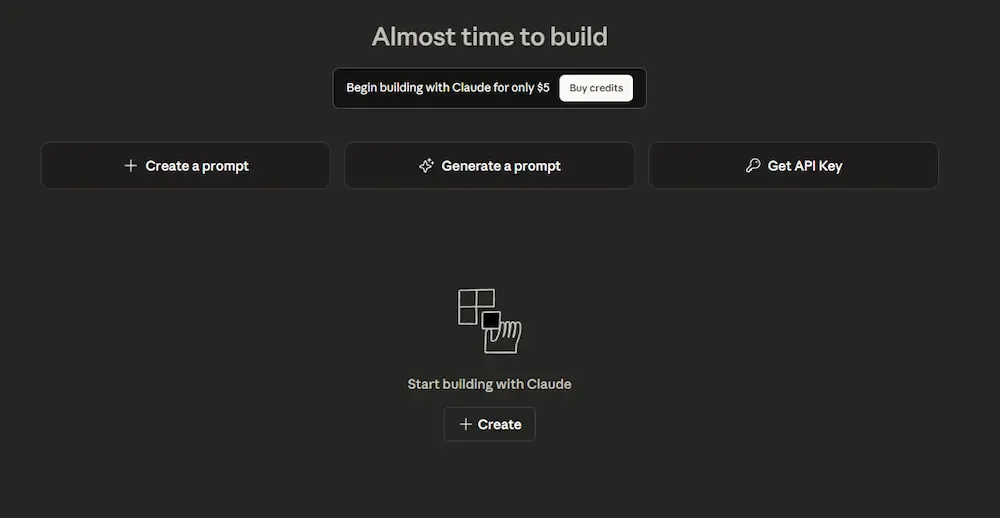
Console Page
- Select the Get API Key option and then we can access and use that API key.
Claude AI vs. ChatGPT
Let's see the difference between Claude AI and ChatGPT,
| Feature | Claude AI | ChatGPT |
|---|---|---|
| Developer | Anthropic focuses on AI safety, ethics and interpretability. | OpenAI focuses on versatility, creativity and wide-ranging AI tasks. |
| Core Strength | Safety-first approach with highly reliable and context-aware responses. | Broad capabilities for conversation, content generation, coding and creative tasks. |
| Conversation Style | Human-like, context-sensitive and designed to minimize harmful or biased outputs. | Conversational, creative and capable of generating diverse types of content. |
| Use Cases | Ideal for enterprise applications, sensitive data tasks and structured reasoning. | Suitable for personal assistance, content creation, coding, research and learning. |
| API & Integration | Offers API access, designed for safe and customizable integration into apps and workflows. | Provides API access for integration into apps, products and automation systems. |
| Performance & Reliability | Low hallucination rates, resistant to misuse, highly interpretable responses. | High performance with flexibility, but responses may vary depending on prompt and context. |
| Security & Compliance | HIPAA-compliant and SOC II Type 2 certified for enterprise-grade security. | Focuses on safe usage, with ongoing improvements for mitigating bias and misinformation. |
Applications
- **Content Creation: Drafts articles, blogs, social media posts, creative stories and marketing copy, adapting tone and style to suit any audience or purpose.
- **Coding Assistance: Writes, debugs and optimizes code across multiple programming languages while explaining complex programming concepts in simple, easy to understand terms.
- **Research and Analysis: Reads and summarizes lengthy documents, reports and PDFs, extracting key insights and providing data driven recommendations.
- **Customer Support: Functions as an intelligent virtual assistant for websites and applications, handling FAQs, troubleshooting issues and delivering reliable 24/7 support.
Advantages
- Human-like interaction with context-aware and natural responses.
- Versatile across tasks like writing, coding, research and problem-solving.
- Provides consistent responses based on pre-trained knowledge and system updates
- Enterprise-grade security with HIPAA compliance and SOC II Type 2 certification.
- Produces generally reliable and well-structured responses across a wide range of tasks.
Limitations
- Limited knowledge cutoff; may not include the latest events or updates.
- Can occasionally provide inaccurate or misleading information.
- Responses depend heavily on the clarity and specificity of user queries.
- Cannot truly understand or reason like a human it mimics comprehension.
- Advanced features require a paid subscription (Claude Pro) for full access.