How to Access HuggingFace API key? (original) (raw)
Last Updated : 8 Apr, 2026
HuggingFace is a popular AI and machine learning platform that provides a wide range of pre-trained models, datasets and tools for tasks like NLP and computer vision. Its API allows developers to seamlessly integrate these models into their applications.
- The API key allows you to make authorized requests to HuggingFace’s hosted models and datasets.
- It ensures secure access and tracks usage, preventing unauthorized activity.
- With the API key, you can use HuggingFace models in Python, JavaScript or other programming environments.
- Can be used for task like text generation, sentiment analysis, translation and many more.
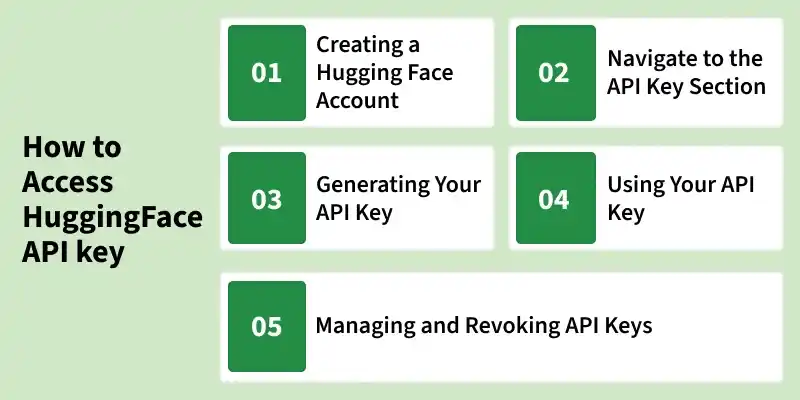
How to access Hugging Face API Key
Step 1: Creating a HuggingFace Account
Before you can access the HuggingFace API, you need to have an account on the platform.
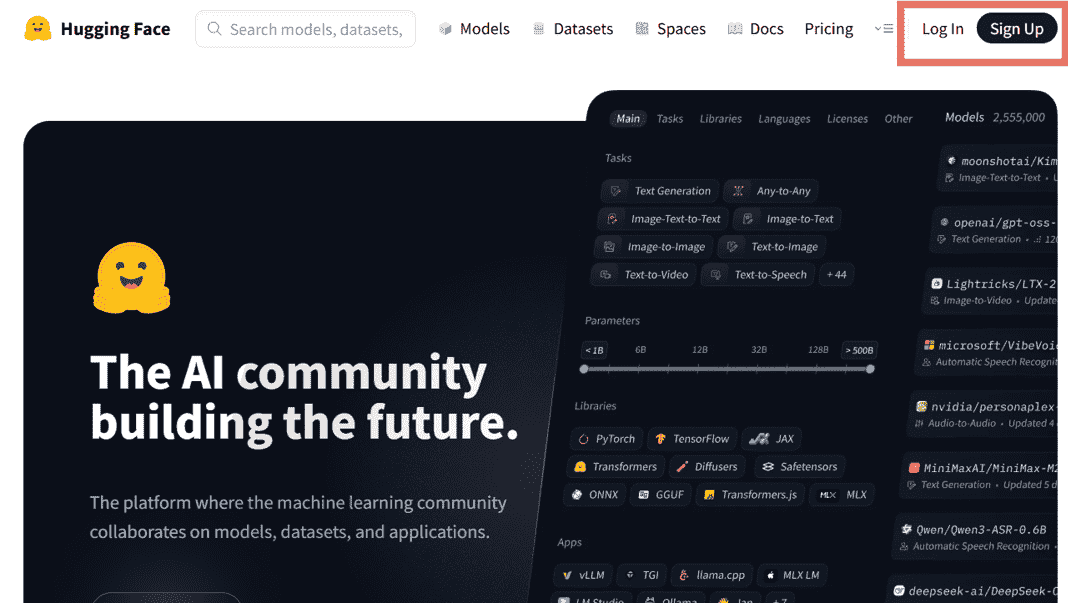
LogIn / Sign Up
Follow these steps to set up your account:
- Go to HuggingFace.co and click on the “Sign Up” button at the top-right corner of the page.
- You can create an account using your email address, GitHub or Google account. Fill in the required details to complete the registration process.
- After signing up, HuggingFace will send a verification email to the address you provided. Open the email and click the verification link to confirm your account.
- Once logged in, you can set up your profile details like name, profile picture and organization. This is helpful if you plan to share models, datasets or collaborate with the community.
Step 2: Navigate to the API Key Section
After logging into your HuggingFace account, follow these steps to access your API key:
- In the top-right corner of the HuggingFace website, click on your profile picture. A dropdown menu will appear.
- In the dropdown menu, click “Access Tokens”. This will take you directly to the page where you can generate, view and manage your API keys.
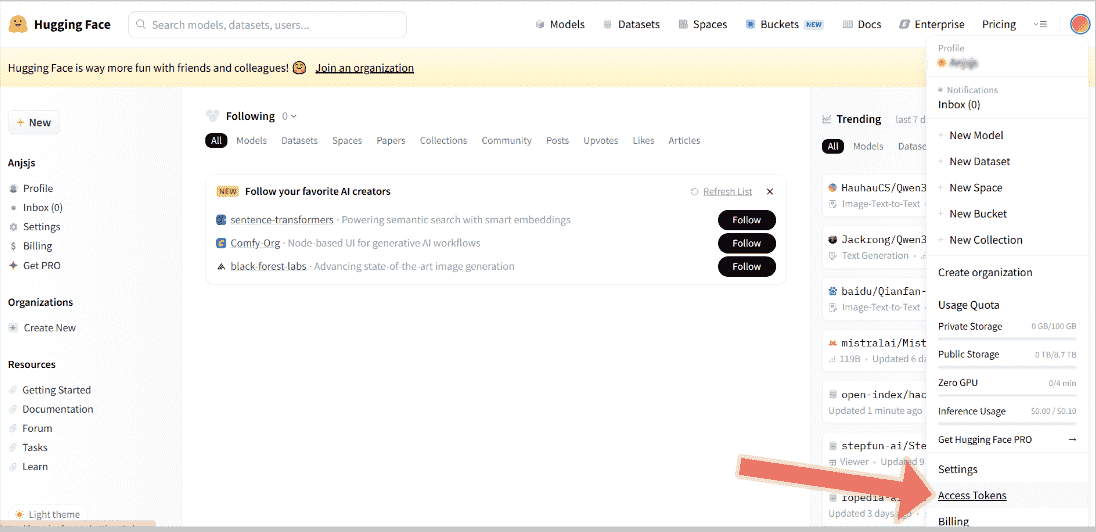
Access Token
Step 3: Generating Your API Key
Once you are on the Access Tokens page, follow these steps to create a new API key:
1. On the Access Tokens page, click the “Create New Token” button to start generating a token.
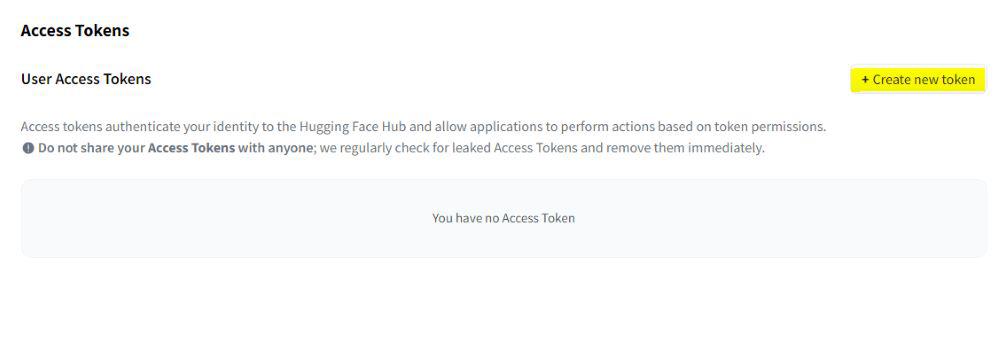
Create new token
2. Give your API key a descriptive name, especially if you plan to create multiple keys for different projects.
3. When creating a new API token, it’s important to select the appropriate token type for your project.
- **Read: Allows using models and datasets. Suitable for most applications.
- **Write: Allows uploading or modifying models, datasets or spaces. Use only when needed.
- **Fine-Grained: Lets you control access for specific models, datasets or actions for added security and team collaboration.

Token type
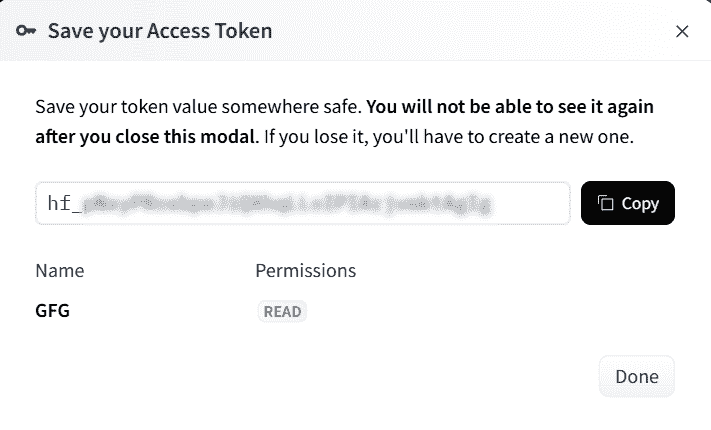
4. Click the “Create token” button. Your new API key will appear on the screen.

5. Copy the API key immediately and save it in a secure place like a password manager or an environment variable. This is the only time the full key will be visible.
API Key
**Note: Keep your API key secure and do not share it publicly. Anyone with access to your key can use it to make requests to the HuggingFace API under your account.
Step 4: Using Your API Key
Once you have your HuggingFace API key, you can use it to authenticate requests to the HuggingFace API. You can do this in Python using the transformers library or via direct HTTP requests.
- Always keep your API key secure and avoid sharing it publicly.
- Use environment variables when possible to prevent exposing your key in code.
- The HTTP endpoint depends on the model you are using. Check HuggingFace documentation for the correct URLs.
1. Using the API Key in Python
You can authenticate by setting an environment variable or passing the key directly when initializing a client or pipeline.
Python `
from transformers import pipeline import os
os.environ["HUGGINGFACEHUB_API_TOKEN"] = "Your HuggingFace API Key"
generator = pipeline(
"text-generation",
model="gpt2"
)
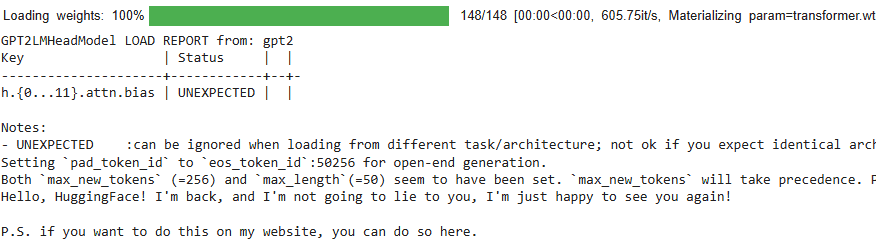
output = generator("Hello, HuggingFace!", max_length=50) print(output[0]['generated_text'])
`
**Output:
Output
2. Using the API Key in HTTP Requests
For direct HTTP requests, include your API key in the request headers as a Bearer token to authenticate with the HuggingFace API.
Python `
import requests
API_KEY = "Your Hugging Face API Key"
headers = { "Authorization": f"Bearer {API_KEY}" }
url = "https://huggingface.co/api/whoami-v2"
response = requests.get(url, headers=headers)
if response.status_code == 200: print("API Key is working!") print(response.json()) else: print("API Key is NOT working") print(response.status_code, response.text)
`
Step 5: Managing and Revoking API Keys
Managing your API keys ensures they are used safely and can be disabled if needed. HuggingFace allows you to view, manage and revoke keys easily.
- **View All API Keys: Go to the “Access Tokens” section of your HuggingFace account to see all generated keys.
- **Revoke a Key: Click the “Revoke” button next to a key to immediately deactivate it. Using HuggingFace API keys is simple when handled properly.
Following these steps helps you safely generate, use and manage keys to integrate NLP models into your applications.